Custom website development: benefits, costs and a 9-step guide
A custom website isn’t a luxury for big companies. It’s a website where you know exactly what’s inside and why. Nobody else chose the template, the plugins or how fast it loads on a phone. Here’s what custom code really gets you, when it isn’t worth it, and how a custom site is built step by step, from the first pixel to measuring results.
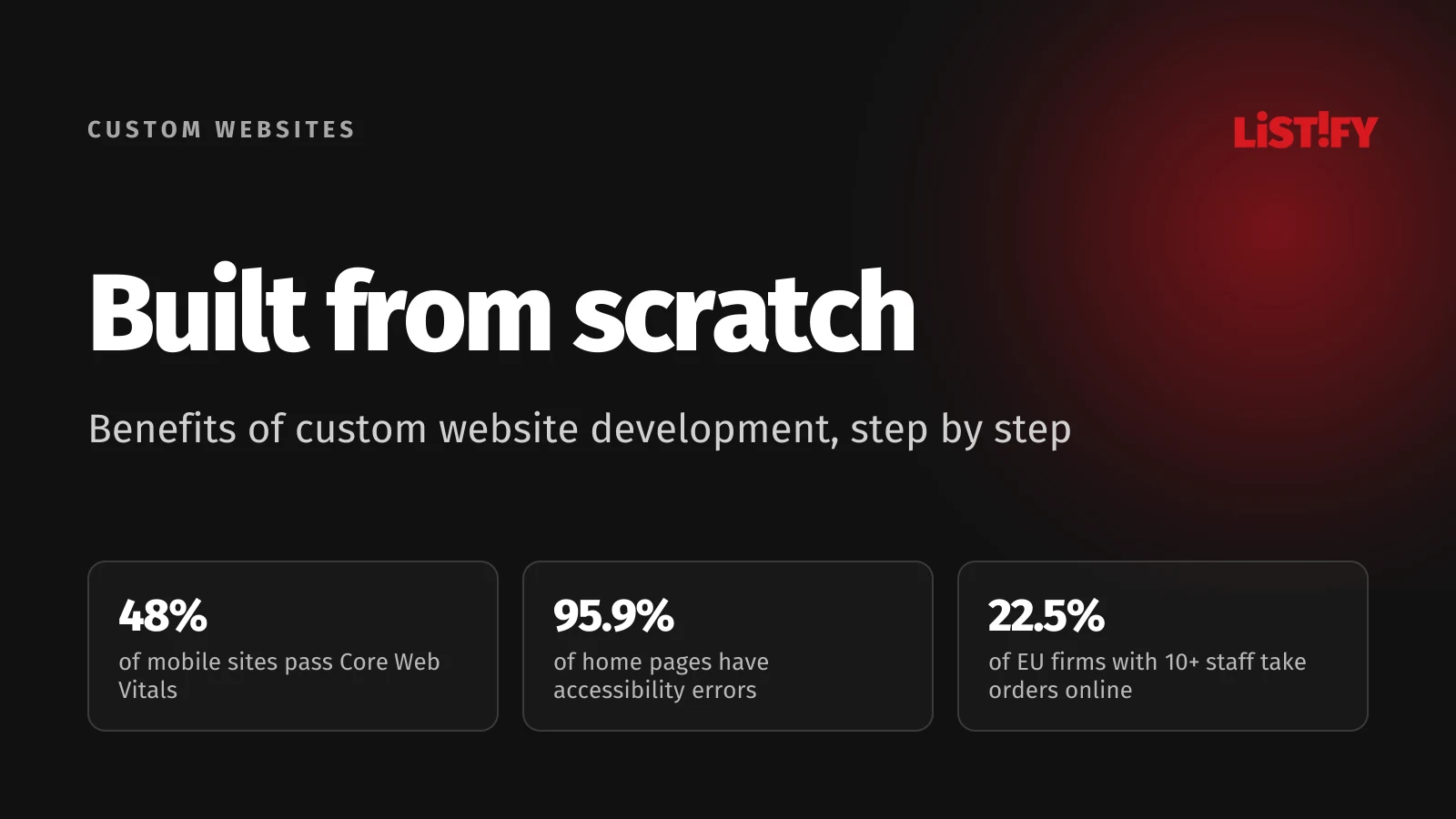
Most businesses have a website. According to Eurostat, 79% of EU businesses with ten or more employees had one in 2025. Yet only 22.5% let customers order or book online, and fewer than one in ten offer personalised content or a chat. Most business websites are still online brochures, not tools that bring in customers.
The difference is rarely the technology. It’s whether the site was built around what the business needs, or around what a ready-made template can do. That’s where a custom website makes the most sense.
01Custom website vs template: what’s the difference
A custom website means the design and the code are created for one specific business. Nobody buys a template and bends it into shape, drags pages together in a visual builder or stacks plugins from dozens of different authors. The design starts with who your customers are and what they should do on the site. The code then contains only what the site really needs.
| Approach | How it’s built | When it makes sense |
|---|---|---|
| Ready-made template | A purchased look, with content dropped into pre-built blocks | Fast start, small budget, a site that barely changes |
| Visual page builder | Pages assembled by drag and drop from pre-made elements | Simpler sites you want to build yourself |
| Custom website | Your own design, your own code and an admin built around your work | The site should bring in leads, connect to your systems and grow with you |
We covered why a template starts holding a growing business back in Why WordPress template sites are a trap for growing businesses. This article looks at the other side: what you gain when you start from scratch.
02Benefit 1: you control the speed
Google measures page experience with three Core Web Vitals. The main content should appear within 2.5 seconds (LCP), the page should respond to a tap or click within 200 milliseconds (INP) and the layout shift score should stay at 0.1 or less (CLS). At least three out of four page loads should meet these limits, so a site that feels fast on your own laptop isn’t enough.
According to the HTTP Archive Web Almanac 2025, only 48% of mobile websites meet all three. On mobile, home pages do even worse, with just 45% passing. The median mobile page loads 646 KB of JavaScript, and a typical page carries around 250 KB of JavaScript it never uses.
- 2021Desktop: 41%Mobile: 32%
- 2022Desktop: 44%Mobile: 31%
- 2023Desktop: 48%Mobile: 36%
- 2024Desktop: 55%Mobile: 44%
- 2025Desktop: 56%Mobile: 48%
Source: HTTP Archive, Web Almanac 2025, Performance chapter.
When a site is written from scratch, you decide on every kilobyte. Images are sized for the actual screen, fonts load only the weights you use, and scripts the page doesn’t need never make it in. Speed becomes a measurable requirement you check at handover.
Case studies published by Google on web.dev show why it pays off. After improving LCP by 31%, Vodafone saw 8% more sales. Rakuten 24 grew revenue per visitor by 53% and Swappie grew mobile revenue by 42%. Deloitte’s 2020 study Milliseconds Make Millions found that across European and US brands, a mobile site just 0.1 seconds faster went hand in hand with 8.4% higher retail conversions.
- Rakuten 24, revenue per visitor53%
- Swappie, mobile revenue42%
- Deloitte, retail conversions8%
- Vodafone, sales8%
- redBus, sales (approx.)7%
Sources: Rakuten 24, Swappie, Vodafone and redBus case studies on web.dev, Deloitte Milliseconds Make Millions (2020, 0.1 s faster). Each company measured a different metric, so read these as a direction, not a promise.
To be fair, custom code doesn’t guarantee speed on its own. A custom site can be slow too if nobody thinks about performance from day one. The advantage is control: you don’t have to wait for a plugin author to fix a slow plugin.
03Benefit 2: a design that looks like you
Anyone can buy a template, including your competitors. A custom website starts from your brand, your photos and the first thing you want customers to hear. The layout is designed around the content, not the other way round.
Looks matter more than you might think. In a well-known 2002 Stanford study, 2,684 people rated the credibility of websites, and the site’s look was the thing they mentioned most, in 46.1% of their comments. Trust doesn’t come from flashy effects, though. It comes from a clear structure, readable copy and consistent details.
Custom design doesn’t stop at a mock-up either. A good agency builds a design system: colours, type, buttons, forms and the rules for combining them. That way a page you add in two years still looks like it belongs.
04Benefit 3: equally good on mobile and desktop
StatCounter data for August 2026 shows worldwide web traffic split almost exactly in half: 49.3% from mobile and 49.1% from desktop, with tablets making up the rest. Your site has to work just as well on both. In October 2023, Google finished its move to mobile-first indexing: it now indexes websites based on their mobile version.
A custom website is designed for both at once. On mobile, half the content isn’t buried in a menu, forms are easy to fill in with a thumb and buttons are big enough to hit. On a large monitor, the page doesn’t look like a stretched-out phone.
05Benefit 4: accessibility the law may require
Since 28 June 2025, the European Accessibility Act (Directive 2019/882) has applied to selected services for consumers in the EU, including e-commerce, banking services and e-books. Each member state enforces it through its own law and sets its own penalties. In Czechia, for example, the fine for an inaccessible service can reach CZK 10 million. Microenterprises, meaning companies with fewer than 10 employees and annual turnover or balance sheet total of up to €2 million, are exempt.
Note that the act doesn’t cover every business website. A brochure site for a company selling to other businesses usually falls outside it. Accessibility is worth it anyway: a site that a blind person can use with a screen reader is usually clearer for everyone, and it’s often easier for search engines to parse too.
The state of the web is grim. The WebAIM Million 2026 report checked the million most visited home pages and found automatically detectable WCAG failures on 95.9% of them, with an average of 56 errors per page.
- Low contrast text83.9%
- Images without alt text53.1%
- Form fields without labels51.0%
- Empty links46.3%
- Empty buttons30.6%
- Missing page language13.5%
Source: WebAIM Million 2026, automated check of 1,000,000 home pages.
All six of these errors can be prevented during design and development. On a custom site, colour contrast is checked in the design system, every image gets a description and every form field gets a label. Fixing a template you didn’t write after the fact is usually far more work.
06Benefit 5: a website that does what you need
Eurostat’s 2025 data shows how few businesses use their website to the full. Two thirds of EU businesses describe their products or show prices online, but only 22.5% take orders or bookings, and fewer than one in ten offer chat or personalised content.
- Have a website79.0%
- Product descriptions or prices66.4%
- Site in at least 2 languages29.5%
- Online ordering or booking22.5%
- Chat with customers9.1%
- Personalised content8.9%
Source: Eurostat, table isoc_ciweb, EU27, businesses with 10 or more employees excluding the financial sector, 2025.
A custom website connects to the tools you already use: your CRM, accounting, stock system, booking calendar or payment gateway. A form submission lands in the CRM automatically, an order updates stock, and customers can check their order status without calling you. If you don’t have a CRM yet, read signs you’ve outgrown Excel.
The admin matters just as much. Instead of a general-purpose system with dozens of menus, you get an interface built for your work: update prices in one place, add a case study in a few minutes and stop worrying about breaking something.
07Benefit 6: fewer third-party dependencies, and code you own
Every plugin or third-party service is one more thing someone has to monitor, update and often pay for. A custom website has fewer of them, and you know about each one. Updates are planned by one team that knows the code, not left waiting on the authors of dozens of add-ons.
The other half is ownership. When you have the source code, the access and the rights to change it, you can take your website to another agency whenever you want. We cover how to put that in the contract in its own section below.
Security doesn’t come automatically with custom code, though. If your site handles customer data, go through our web app security checklist.
08When a custom website isn’t worth it
A custom website isn’t the right answer for everyone. An off-the-shelf solution makes more sense when:
- you need a simple brochure site that won’t change for years,
- you’re still testing whether anyone wants your idea (see from idea to MVP),
- your budget is a few hundred euros and the site isn’t meant to bring in leads,
- you don’t have time to supply the copy and materials a good website needs.
A custom website does make sense when the site has to earn money, connect to your systems, work in several languages, or when you’ve simply outgrown the one you have.
09Step by step: how a custom website is built in 9 steps
These steps apply whoever builds your website. You can also use them to check an agency’s proposal: if a step is missing, ask why.
1. Write down a goal you can measure
“A new, modern website” isn’t a goal. Thirty leads a month, half of all orders placed online or 20% fewer calls asking about order status are goals. Also write down who your customers are, what they look for on your site and what should convince them to get in touch.
2. Prepare content before design
Copy, photos, case studies and pricing shape how the site will look. A design built around placeholder text often falls apart once the real content arrives. If you don’t want to write the copy yourself, include copywriting in the project.
3. Plan the structure and wireframes
A sitemap sets out which pages there will be and how people move between them. A wireframe is a rough black-and-white sketch of each key page: what’s at the top, where the main button sits and what people see on a phone. This is the time to research how people in your industry search, and name your pages accordingly.
4. Build a design system, mobile first
The wireframes turn into a visual design, starting with the mobile version because it has the least space. Colours are checked for contrast straight away (WCAG level AA requires at least 4.5:1 for normal text), buttons get large enough touch targets and every element is defined as a reusable component.
5. Sign off a clickable prototype
Before any coding starts, go through the design as if it were a real site: click through the main journeys on a phone and a computer. A change in the prototype costs a fraction of a change in finished code.
6. Develop with a performance budget
Agree up front which Core Web Vitals the site must hit at handover (LCP under 2.5 s, INP under 200 ms, CLS under 0.1) and how heavy a page may be. Development should run on a staging site where you can follow progress throughout, not just at the end.
7. Connect the admin and your systems
Test the admin, forms, CRM integration, payments and emails with real data. Check that a lead from the site really arrives where it should, and that a colleague who wasn’t involved in the build can update the content.
8. Test on real devices
Go through the site on several phones and browsers, try using it with the keyboard only and run it through WAVE. If you’re replacing an old site, set up redirects from every old URL, or you risk losing your search rankings.
9. Launch, measure and improve
After launch, check speed in PageSpeed Insights, submit your sitemap to Google Search Console and set up tracking for the goals from step one. In the first month, watch where people drop off and adjust. This is where a custom website starts paying for itself.
10What to put in the contract so the website is really yours
Copyright law differs from country to country, and some, including Czech and Slovak law, treat code and design differently. Under Czech law, for example, a computer program made to order by its author is treated like an employee’s work, so the client exercises the economic rights. When the code is written by an agency’s employees or subcontractors, though, the agency holds those rights first and has to grant them to you in the contract. For graphic design and other commissioned works, though, the client only gets a licence for the purpose of the contract unless agreed otherwise. Slovak law works in a similar way. Don’t rely on defaults, and spell it out in the contract.
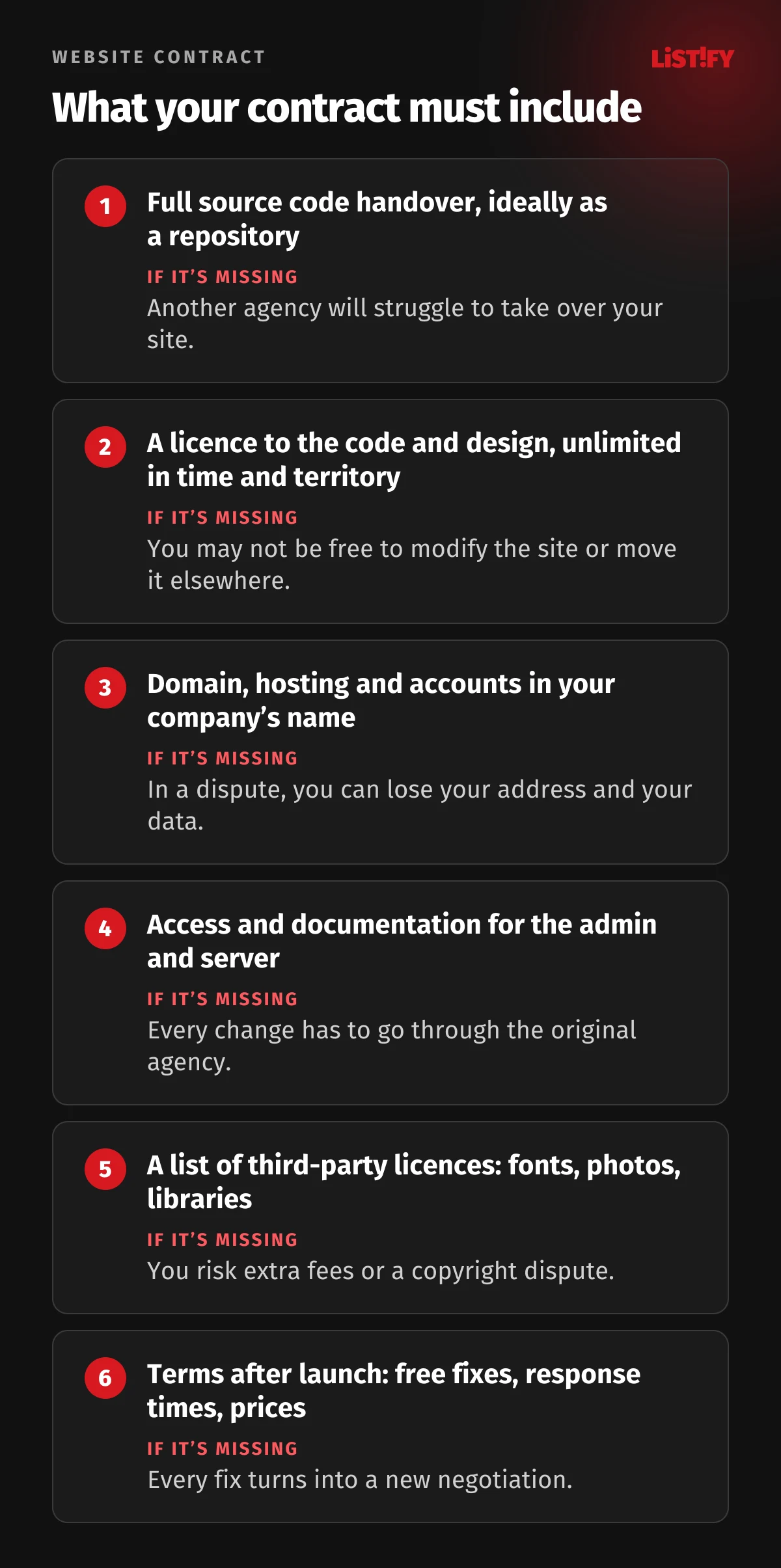
A website is also rarely made by a single author. It’s usually a team of employees or subcontractors. That’s why the contract should explicitly cover:
- Source code handed over in full, ideally as a repository with its change history, not just files on a server.
- A licence to the code and design, unlimited in time and territory, including the right to modify the site and hand it to another agency.
- Domain, hosting and accounts (analytics, Search Console, email) registered to your company, with the agency only granted access.
- Access and documentation for the admin, server and connected services, including how to deploy the site.
- Third-party components (fonts, photos, paid libraries) listed, along with who pays for each licence.
- What happens after launch: how long bugs are fixed free of charge, response times and the price of further work.
With us, that’s standard: the client gets the full source code, all access and data, and the right to modify the site and move it elsewhere, and we fix bugs free of charge for 180 days after launch. You can see how the whole project runs, from first enquiry to handover, on our how it works page.
11How much a custom website costs and how long it takes
The price depends mainly on the number of page types, integrations with other systems and how much content needs preparing. As a guide, these are our typical prices:
| Type of website | Guide price excl. VAT | Build time |
|---|---|---|
| Brochure site, up to 5 pages | CZK 49,000 to 70,000 (about €2,000 to €2,900) | 3 to 5 weeks |
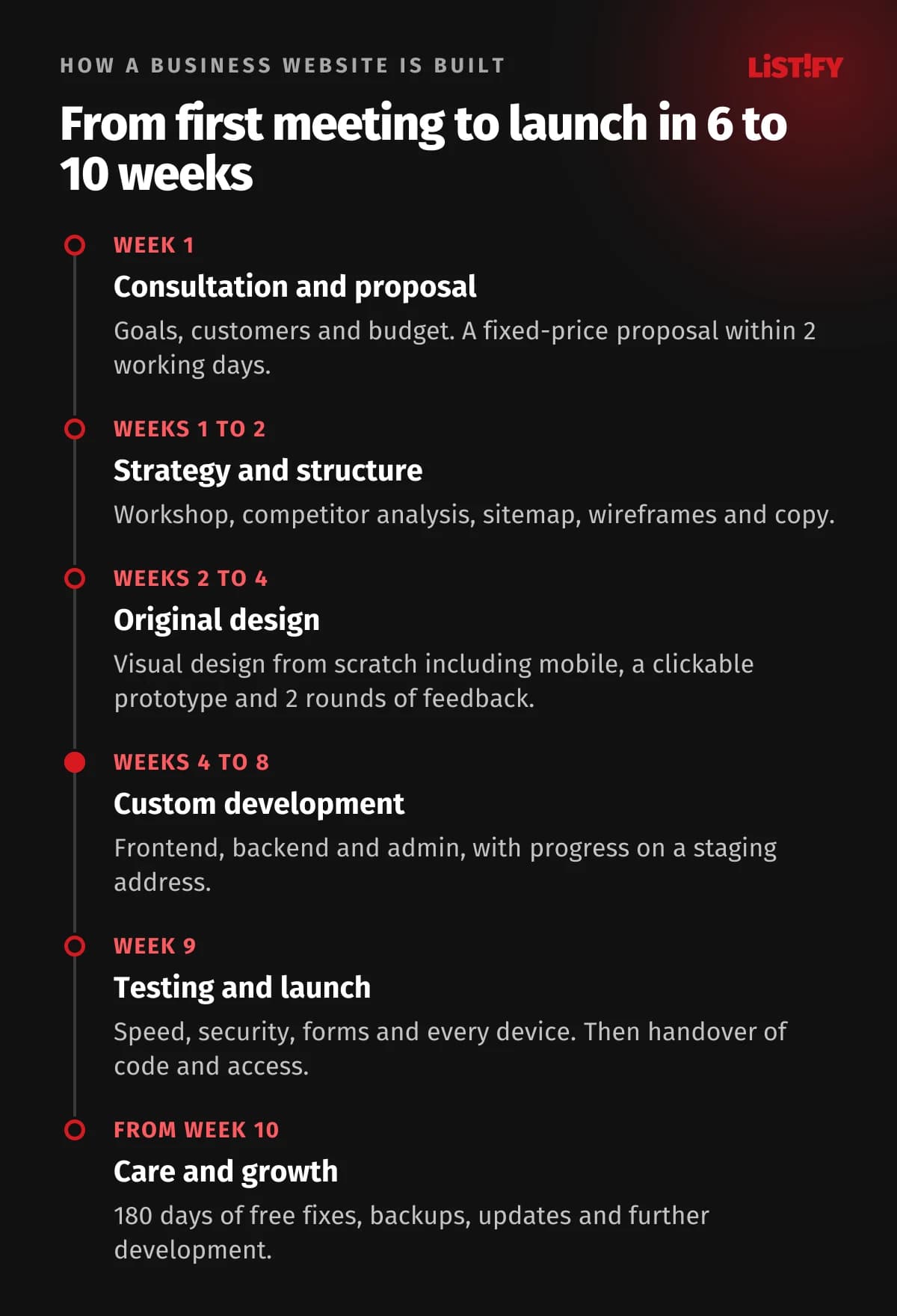
| Business site with services and lead forms | CZK 120,000 to 180,000 (about €4,900 to €7,400) | 6 to 10 weeks |
| Redesign of an existing site | CZK 90,000 to 160,000 (about €3,700 to €6,600) | 5 to 9 weeks |
| Custom online store | CZK 180,000 to 320,000 (about €7,400 to €13,100) | 8 to 14 weeks |
A template is usually cheaper up front. A fair comparison, though, includes yearly plugin licences, maintenance time and the cost of every feature the template can’t do. Get an estimate for your own site in our custom website calculator, or see our other services in the price list.
12Frequently asked questions
What is a custom website?
A website whose design and code are created for one specific business, without a ready-made template or page builder. It contains only the features the business needs and an admin built around how it works.
Is a custom website faster than a template?
It can be, but not automatically. The advantage is that you decide on every script and image. So make speed part of the brief: LCP under 2.5 s, INP under 200 ms and CLS under 0.1, as set by Core Web Vitals.
How much does a custom website cost?
With us, a brochure site of up to 5 pages costs roughly CZK 49,000 to 70,000 (about €2,000 to €2,900) and a business site with services and lead forms CZK 120,000 to 180,000 (about €4,900 to €7,400), excluding VAT. The biggest factors are the number of page types, integrations and content preparation.
How long does it take to build a custom website?
About 3 to 5 weeks for a small brochure site, 6 to 10 weeks for a business site and 8 to 14 weeks for an online store. Deadlines most often slip because of copy and materials, so it pays to prepare them at the start.
Will I be able to edit the website myself?
Yes. Every site we build includes a custom admin designed around your content, so you can update copy, prices, case studies and articles without a developer.
Does my website have to be accessible by law?
In the EU, the European Accessibility Act has applied since 28 June 2025 to selected consumer services, including e-commerce, banking and e-books. Microenterprises are exempt, and a B2B brochure site usually falls outside it. Accessibility is worth doing even when it isn’t required.
Who owns the code of a custom website?
The contract decides. Ask for the full source code, a licence to the code and design that lets you modify the site and move it to another agency, and domains and accounts registered to your company.
13Summary: a custom website starts with the brief, not the code
The biggest advantage of a website built from the first pixel isn’t that someone wrote it by hand. It’s that every decision, from the colour of a button to where a lead ends up, comes from your goal. Write that goal down at the start, follow the steps one by one and secure the code and access in your contract, and you’ll have a website that can grow with your business for years.
Want to see what that would look like for you? Take a look at our custom websites service.
14Sources
- Web Vitals, web.dev, LCP, INP and CLS thresholds
- Web Almanac 2025, Performance and Page Weight, HTTP Archive
- Case studies: Vodafone, Rakuten 24, Swappie and redBus, web.dev
- Milliseconds Make Millions, Deloitte, 2020
- Desktop vs mobile vs tablet market share worldwide, StatCounter, August 2026
- Mobile-first indexing has landed, Google Search Central, 31 October 2023
- Directive (EU) 2019/882, European Accessibility Act, and the European Commission overview
- WebAIM Million 2026, WebAIM
- Websites and functionalities, Eurostat, isoc_ciweb, 2025
- Stanford Web Credibility Research, Fogg et al., 2002
- Czech Copyright Act No. 121/2000 Coll., sections 58 and 61, and Czech Accessibility Act No. 424/2023 Coll.