Outgrown Excel? 9 Signs Your Business Needs a Custom CRM
Excel is a brilliant tool. It just wasn’t built to run an entire business. As long as one person works in a spreadsheet, everything is fine. But once five people are editing it, copies are flying around by email and your whole sales pipeline hangs on it, it starts costing you money, time and sanity. Here are 9 signs that it’s time for a CRM, and when it makes sense to go straight for a custom one.
Almost every business starts the same way. Customer contacts in one spreadsheet, quotes in another, orders in a third. It’s fast, it costs nothing extra and everyone knows how to use it. At the start, it’s a sensible choice and nothing to be embarrassed about.
The trouble creeps in slowly. More spreadsheets, more people, and suddenly nobody knows which version is the right one. A salesperson leaves and takes half the contacts with them. The management report eats up every Monday morning. None of this happens overnight, which is exactly why companies notice it too late.
01Excel isn’t the enemy, it’s just doing a job it wasn’t built for
Let’s be fair. Excel in Microsoft 365 can do more than most people think. Several people can edit the same file on OneDrive or SharePoint at once, and Show Changes tells you who changed what, where and when, going back up to 365 days. For calculations, quick analysis and one-off reports, it’s still a great tool.
The catch is what businesses use it for. A spreadsheet doesn’t know what a deal, a customer or an order is. It only knows cells. Everything else (who owns the account, when to follow up, what was promised) is held together by people’s discipline alone. With three people in one office, that works. With every new hire and every new spreadsheet, it works a little less.
Microsoft itself also notes that an edit made in an older or one-time purchase version of Excel wipes the change history, and that changes such as formatting or hidden rows aren’t tracked at all. That’s not a reliable memory for a shared customer database.
029 signs your business has outgrown Excel
Go through the list below and count how many times you nod. One or two signs are normal. Three or more are a clear sign that it’s time to look at a CRM.
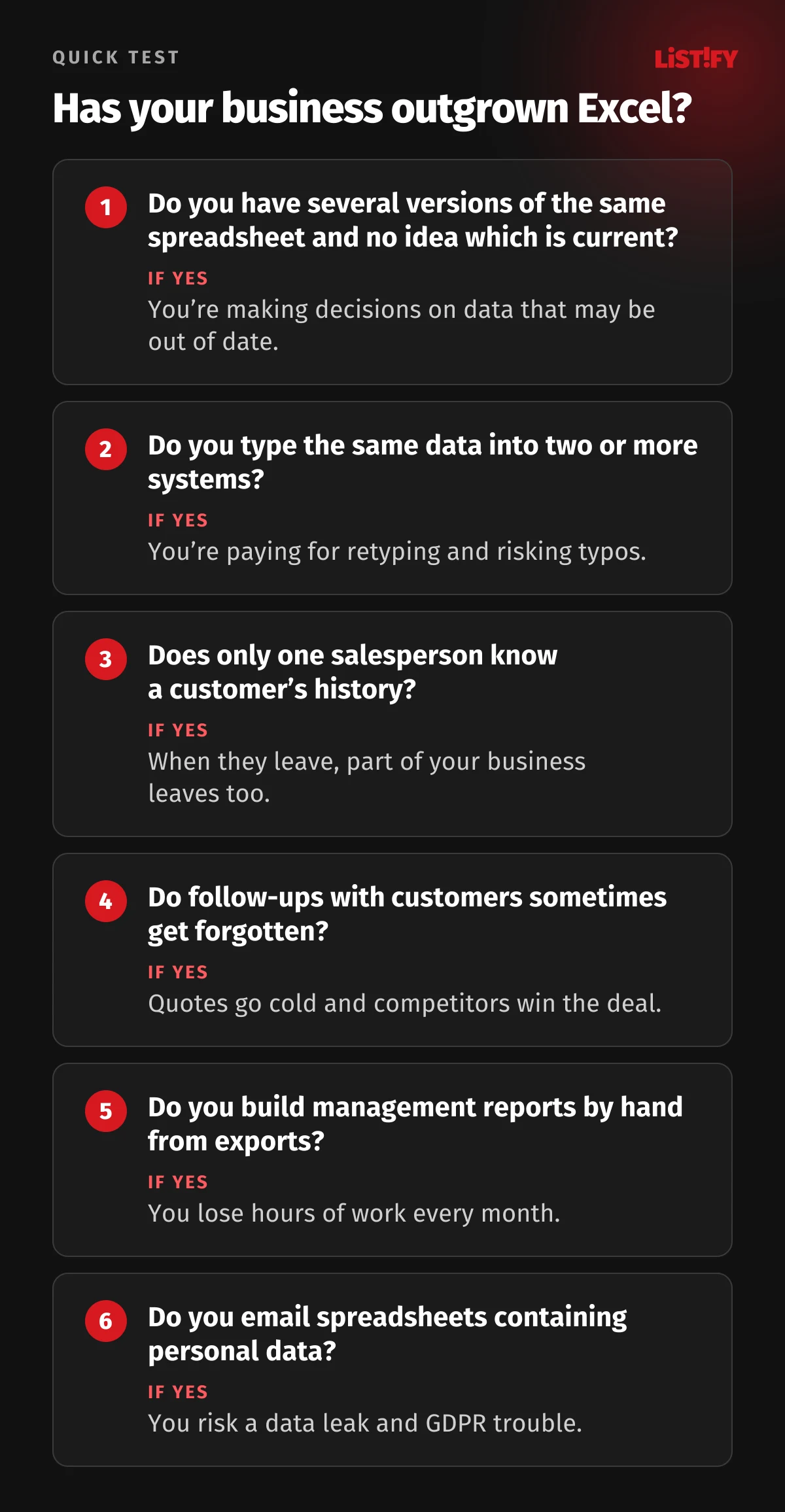
1. You’re hunting for the right version of the spreadsheet
“Orders_2026_final.xlsx”, “Orders_2026_final_FIXED.xlsx” and “Orders_Pete.xlsx” sit side by side, each with slightly different numbers. When two colleagues work from different copies, one of them is making decisions on outdated data without knowing it.
2. You type the same data into two or more places
An order arrives by email, the salesperson enters it in the spreadsheet, the accounts team retypes it into the bookkeeping software and the production lead copies it into the schedule. Every retype costs time and every one is a chance for a typo. Manual copying between spreadsheets even played a part in a costly mistake at JPMorgan, as you’ll see below.
3. Customer history lives in one person’s head
Who spoke to the customer last? What was promised? What discount was agreed? If only one salesperson knows, part of your business walks out the door when they do. A CRM keeps the full history with the customer, not with the employee.
4. Follow-ups slip through the cracks
A spreadsheet won’t remind you to call a customer in two weeks, that a quote expires in three days or that a contract ends next month. Quotes go cold and the deal goes to the competitor who called first.
5. The management report takes hours
When numbers from three exports get stitched together by hand every month (or every Monday) and then double-checked, you’re paying someone’s salary for work a system could do. A CRM gives you sales, orders and revenue at a glance, any time, with no assembly required.
6. Nobody knows who changed what, or why
The price on a quote has changed, a customer has vanished, a deadline has moved. Who did it? Even though Excel shows some changes, it’s missing the important part: the reason, an approval step and rules for who can edit what. A custom system logs every change with its author and holds sensitive steps (say, a discount above 15%) until someone approves them.
7. Customer personal data travels as email attachments
A spreadsheet full of client names, phone numbers and email addresses gets emailed around, saved on laptops and dropped into shared folders. If you handle personal data of people in the EU, the GDPR requires you to show how you protect it, who has access and that you can hand it over or delete it on request. Breaching obligations such as data security can mean fines of up to €10 million or 2% of worldwide annual turnover, whichever is higher. For breaching the core principles or people’s rights, such as access and erasure, the ceiling rises to €20 million or 4%. In a CRM, you set permissions by role and keep all the data in one place.
8. The spreadsheet is slowing down and formulas keep breaking
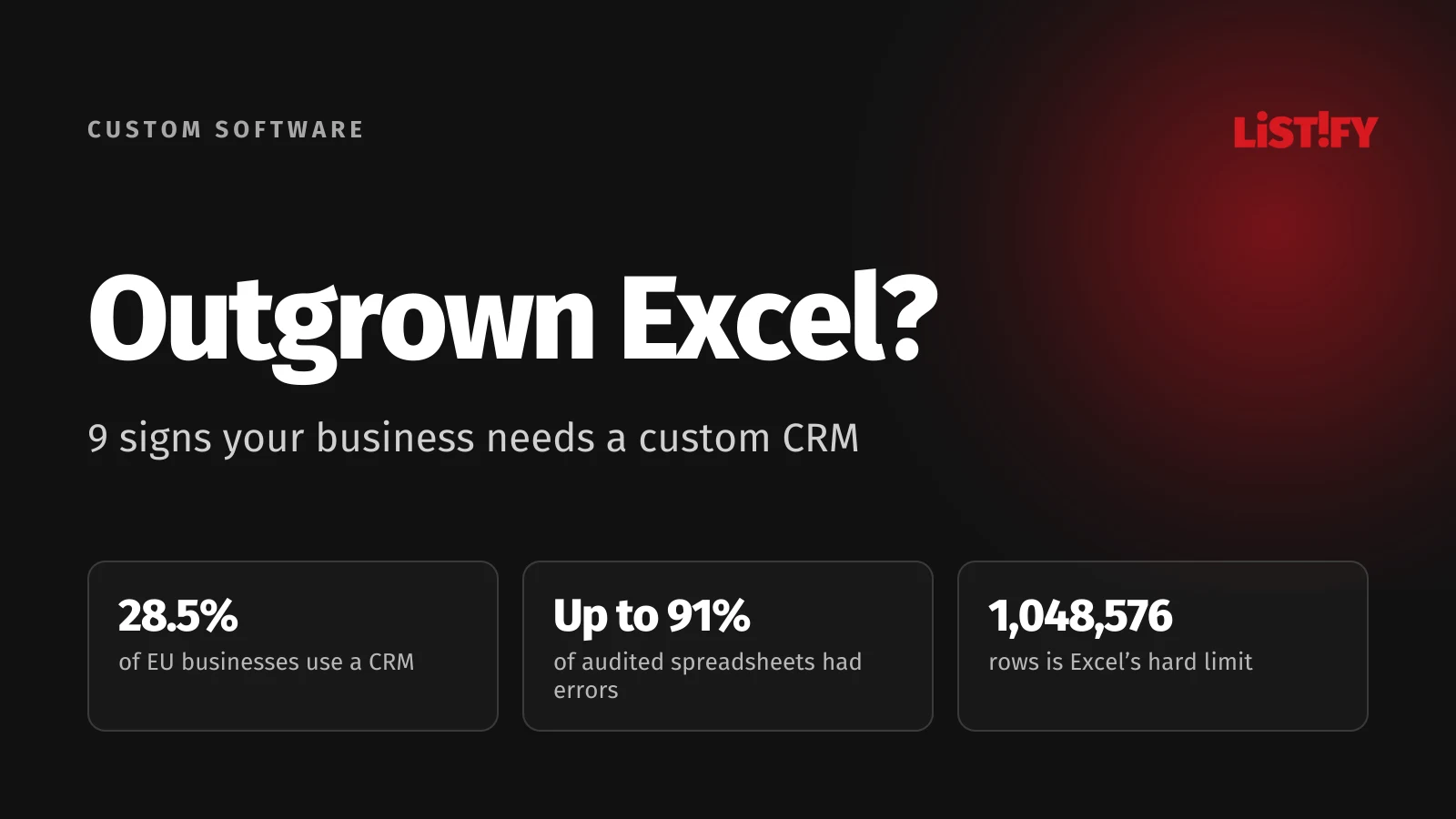
The file takes thirty seconds to open, formulas point to sheets nobody understands anymore and one accidentally overwritten cell is enough to break the whole calculation. Excel handles up to 1,048,576 rows and 16,384 columns per sheet. The limit is rarely the problem. Long before you reach it, a file like that becomes slow and fragile.
9. Your business is growing, and so are your spreadsheets
A new salesperson, a second location, a new product. Every step adds a sheet, a column or a whole new spreadsheet. When onboarding a new hire means a week of explaining “how we fill in the spreadsheet here”, the spreadsheet is running your business rather than the other way round.
03How many businesses already use a CRM
According to Eurostat, only 28.5% of EU businesses with ten or more employees used customer relationship management (CRM) software in 2025. The spread between countries is huge. In Finland and the Netherlands it’s more than half of all businesses, in Bulgaria barely one in eight.
- Finland55.8%
- Netherlands54.1%
- Denmark42.5%
- Czechia36.2%
- Austria29.9%
- Germany29.6%
- EU average28.5%
- Poland24.3%
- Hungary20.3%
- Slovakia19.7%
- Bulgaria11.9%
Source: Eurostat, dataset isoc_eb_iip, indicator E_CRM1, 2025. Covers both off-the-shelf and custom-built CRM systems.
Put the other way around: seven in ten EU businesses don’t use a CRM at all. Among small firms with 10 to 49 employees, it’s three in four. Most of them keep customers, quotes and orders in spreadsheets, inboxes and people’s heads.
- Small (10 to 49 staff)EU average: 24.7%Finland: 51.8%
- Medium (50 to 249 staff)EU average: 43.8%Finland: 70.3%
- Large (250+ staff)EU average: 65.4%Finland: 85.9%
Source: Eurostat, isoc_eb_iip, E_CRM1, 2025. Finland is the EU country with the highest CRM use. Firms with fewer than 10 staff are not covered.
Company size matters, but it isn’t the whole story. A small Finnish business is more likely to use a CRM than a mid-sized business in the average EU country. If your competitors still run on spreadsheets, a well-built CRM gives you a real head start.
04What spreadsheet errors really cost
Professor Raymond Panko of the University of Hawaii reviewed audits of real business spreadsheets: errors turned up in 84 to 91% of them. In some studies, 1.1 to 2.5% of cells contained an error. That sounds small until you remember that a large spreadsheet has thousands of cells and the result often depends on a long chain of formulas.
Three well-known cases show this isn’t just theory:
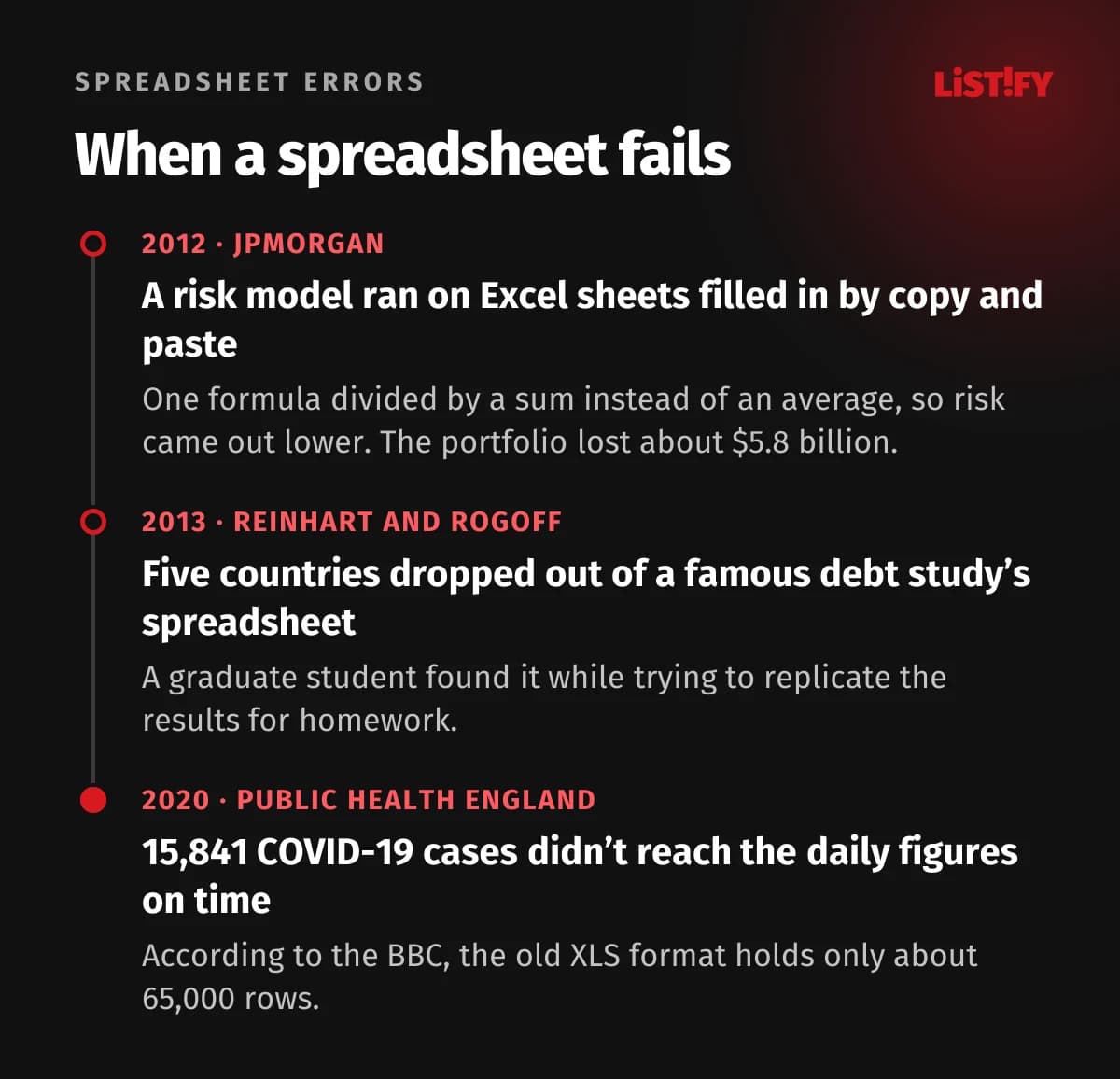
- JPMorgan, 2012: according to the bank’s internal report, the risk model for the portfolio that lost about $5.8 billion by the end of June 2012 ran on a series of Excel spreadsheets filled in by copying and pasting between files. One formula divided by a sum instead of an average, which made the risk figure come out lower.
- Reinhart and Rogoff, 2013: graduate student Thomas Herndon was set a homework task to replicate a famous study on public debt, one that politicians had cited in debates about austerity. He couldn’t, and it soon became clear why: five countries had dropped out of a spreadsheet calculation. The spreadsheet error was only part of the problem, though. Excluded data and the weighting method had a bigger effect.
- Public Health England, 2020: 15,841 COVID-19 cases from 25 September to 2 October didn’t make it into England’s daily figures on time. The official statement said some files had exceeded the maximum file size. According to the BBC, the cause was the old XLS format, which holds only about 65,000 rows.
Your business probably isn’t managing a multi-billion portfolio. But one wrong price on a quote, one missed invoice or one forgotten customer can cost more than a month of running a CRM. The European Spreadsheet Risks Interest Group (EuSpRIG) keeps a long list of similar cases.
05Excel, off-the-shelf CRM or custom CRM?
Once you decide to move off spreadsheets, there are two routes. You subscribe to an off-the-shelf CRM and pay per user, or you have a custom system built around the way you actually work. Both have their place.
| Feature | Excel | Off-the-shelf CRM | Custom CRM |
|---|---|---|---|
| Getting started | Right away | Within days | First part live within 8 weeks |
| How you pay | Microsoft 365 licence | Monthly, per user | One-off build, then running costs |
| Reminders and tasks | No | Yes | Yes, based on your rules |
| Role-based permissions | File level only | Yes, depending on plan | Yes, exactly by role |
| Your processes | Anything, but by hand | Only what the system supports | Built around your business |
| Accounting and online store integration | Manual export and import | Often an extra cost | Part of the design |
| Who owns the data and code | Data is yours, software is Microsoft’s | Data is yours, system is the vendor’s | You own both |
An off-the-shelf CRM makes sense when you run a standard sales process (lead, quote, close), don’t need anything extra and your team stays small. A custom CRM pays off when you have your own way of working that off-the-shelf tools can’t handle (made-to-order production, field service, multi-step approvals), when sales needs to connect with production, stock or accounting, or when per-user licences would get expensive.
We ran the numbers over five years in Budgeting for 2027: What Does an Off-the-Shelf CRM Really Cost Over 5 Years? The custom system came out cheaper for small, mid-sized and large companies alike.
06What moving from Excel to a custom CRM looks like
The biggest worry is that switching will bring work to a halt. It doesn’t have to. A well-run migration happens in stages, and you only retire a spreadsheet once the new system can replace it.
- Analysis. We go through all your spreadsheets with you and find out who enters what, where data gets retyped and where mistakes creep in. It often turns out that half the columns no longer matter to anyone.
- Design and prototype. You click through screens, roles and permissions before any code is written. Sales sees something different from field technicians or accounts.
- Data migration and clean-up. We move contacts, companies and history from your spreadsheets into the new system, merge duplicates and fix phone and email formats.
- First part goes live. Within 8 weeks you’re using the first module, typically customers and deals. Other spreadsheets keep running for now.
- Retiring spreadsheets step by step. The system takes over other areas (orders, invoicing, reporting) in stages. A complete CRM with accounting integration usually takes 10 to 16 weeks.
We describe the whole process on our how we work page. You’ll find guide prices on our pricing page: a custom CRM starts at around €10,300 (CZK 250,000) excluding VAT, automating a single process from around €3,700 (CZK 90,000).
07What to keep in Excel
Moving to a CRM doesn’t mean Excel disappears from your business. It stays where it shines: one-off analysis, modelling, planning and quick calculations. The difference is that you’ll pull data into it as an export from one reliable source instead of maintaining it by hand.
A good rule of thumb: anything shared, repeated or customer-related belongs in the system. Anything one-off and personal can stay in a spreadsheet.
08Frequently asked questions
When is Excel no longer enough for managing customers?
When several people edit the same spreadsheets, you type data into more than one place, follow-ups slip through the cracks or the management report takes hours. If you recognise three or more of the signs in this article, it’s time to look at a CRM.
How many businesses use a CRM?
According to Eurostat, 28.5% of EU businesses with ten or more employees used a CRM in 2025. Among large companies it’s 65%, medium-sized 44% and small 25%. Finland leads the EU at 55.8%.
Is an off-the-shelf or a custom CRM better?
An off-the-shelf CRM suits a standard sales process with a few users. A custom CRM pays off when you have your own processes, need to connect sales with production or accounting, or would pay a lot in per-user licences. Over five years, a custom system often works out cheaper.
How much does a custom CRM cost?
With us, a custom CRM starts at around €10,300 (CZK 250,000) excluding VAT. A smaller first step, such as automating a single process, starts at around €3,700 (CZK 90,000). There are no per-user licences, just running costs and any further development.
How long does it take to move from Excel to a CRM?
You can start using the first part of the system within 8 weeks of the analysis starting. A complete CRM with accounting integration usually takes 10 to 16 weeks, delivered in stages, so you retire spreadsheets gradually.
Can you migrate the data from our spreadsheets?
Yes. We move contacts, companies and deal history from Excel or another system. Migration includes merging duplicates and fixing formats, so you don’t carry the mess over into the new system.
09Conclusion: a spreadsheet is a starting point, not the destination
Excel got you this far and did a good job. But once your sales, your customers and your management decisions depend on spreadsheets, they cost more than they seem to: in people’s time, in lost deals and in risks you only find out about when it’s too late.
Start simple. List how many spreadsheets your business uses, who edits them and how many hours a week they take to maintain. If the total is higher than you expected, get a rough price in our estimate calculator.
10Sources
- Eurostat: Integration of internal processes, dataset isoc_eb_iip (CRM, 2023 to 2025)
- Microsoft: Excel specifications and limits
- Microsoft: Show changes that were made in a workbook
- Microsoft: Get help with Show Changes in Excel
- Raymond Panko: Spreadsheet Errors, What We Know (arXiv)
- Raymond Panko: spreadsheet audits
- EuSpRIG: spreadsheet horror stories
- JPMorgan Chase: Management Task Force report on 2012 CIO losses (PDF)
- Herndon, Ash and Pollin: critique of Reinhart and Rogoff (PDF)
- BBC: Reinhart, Rogoff and the Excel error
- GOV.UK: PHE statement on delayed reporting of COVID-19 cases
- BBC: Excel and the lost COVID test results
- GDPR, English text in the Official Journal of the EU (PDF)