Website Redesign: How to Preserve CRM and Email Integrations
The new website looks better and the form displays a thank-you message, but the sales team never sees the enquiry. Or a customer who unsubscribed starts receiving newsletters again. A redesign needs more than copied forms. You must preserve their CRM connections, email preferences and a traceable transition from the old website to the new one.
If you are keeping the same CRM and email platform, start by mapping what the current website sends and where it goes. Define how you will verify the same result on the new site. Then plan the switch, account for pending requests and prepare a rollback. That is the difference between a form that works in a demonstration and an integration that has passed acceptance checks.
This guide is for businesses replacing their website or content management system. Choosing a CRM and migrating the entire customer database are separate projects. Our guide to website redesign and SEO migration covers redirects, content and search visibility.
01What a redesign can change in your CRM integration
An existing connection may not be visible in the website admin. It could live in a forms plugin, embedded code, a tag manager, a scheduled server task or a CRM rule. A new supplier might recreate the fields while losing their internal names, the enquiry source or the event that assigned work. The customer still sees a successful submission.
Distinguish between a provider’s embedded form, automatic collection from a page and direct submission through an interface. For example, HubSpot’s automatic collection of non-HubSpot forms depends on tracking code and the form’s HTML structure, with restrictions for dynamic forms. Changing the website’s technical implementation can therefore require a different integration method.
Assign an owner for the complete transfer before design work begins. The website supplier, CRM administrator and marketing team must know who approves field mappings, who may change an automation and who receives error alerts. Request the access and documentation needed for each connection, rather than sharing one administrator password across the team.
02List every form, recipient and follow-up automation
Check every entry point, not just the contact page. An enquiry might come from a calculator, product page, booking module or footer form. Include translated versions, confirmation pages and forms that appear only after a click. Give each entry point a clear name and a traceable link.
| Website entry point | Expected result | What to check at the switch |
|---|---|---|
| Service enquiry | A contact and a separate sales case | Correct service, source, owner and attachment |
| Newsletter signup | A record reflecting the valid subscription choice | Correct audience, language and any email confirmation |
| Consultation booking | A booking and follow-up messages | Time zone, recipient and rescheduling or cancellation |
| Requested resource download | Delivery of the requested resource | Correct content and separation from further marketing sequences |
Add the service used, technical owner, last verification record and configuration location. Record what must not happen too: a newsletter signup should not itself create a new sales opportunity, and an ordinary enquiry should not automatically change marketing preferences.
03Preserve field meanings, identifiers and subscription choices
A field can keep the same customer-facing label while sending a different value to the CRM. Compare internal codes for services, languages and statuses, required information, phone formats and handling of empty fields. Check attachments in the destination system: a link to a temporary file on the test website is no use to a salesperson.
You do not have to preserve the original technical form ID at all costs. You do need to identify its replacement and update every rule that depends on it. If an automation recognised prospects by the old ID, the new form may not trigger it. Conversely, two active connections can create duplicate cases or send two confirmations.
Separate the person’s identity, the individual enquiry and their subscription choices. The same email address may belong to an existing contact, while the new message concerns a separate job. A technical retry of the same request should not create a copy. Our guide to API integration best practices explains identifiers and safe retries in more detail.
For newsletters, check the target audience, subscription status, language and confirmation rules. Mailchimp’s embedded signup form uses code tied to a selected audience; when the form changes, the corresponding code needs to be deployed on the website. Recreating its appearance does not preserve that connection.
A website replacement must not, by itself, turn a previous unsubscribe into an active subscription. Accept a customer’s enquiry independently of whether they want the newsletter. Our article on email preferences and permission workflows explains which choices to record and how to apply them to campaigns.
04How to test the new website without emailing customers
Agree on a safe test environment first. Use a separate test account or audience where the tool supports it. Otherwise, define labelled test records, email addresses you control and rules that keep those records out of normal campaigns. Do not use the production customer database as a directory of test recipients.
Give every test a recognisable identifier, such as T-014. Record the expected result and trace that exact request through the website, CRM and email platform. A “sent” indicator or an internal notification does not prove that the correct sales case was created with the right fields.
- A new contact submits an ordinary enquiry from a phone and later from a computer.
- An existing contact submits a new enquiry without overwriting previous jobs.
- The same transfer is retried without creating a second sales case.
- An unsubscribed contact submits an enquiry without making a new newsletter choice.
- The CRM is unavailable; the request remains traceable and is delivered when service returns.
- Only the confirmation email fails; the accepted enquiry is not lost.
- The form language, attachment or completed optional field changes.
Do not test an outage by disconnecting the live CRM during business operations. Ask the supplier to prepare a controlled simulation in the test environment. The result should include a specific error record, an alert to the responsible person and evidence of subsequent delivery.
05Switching websites: pending enquiries and overlapping versions
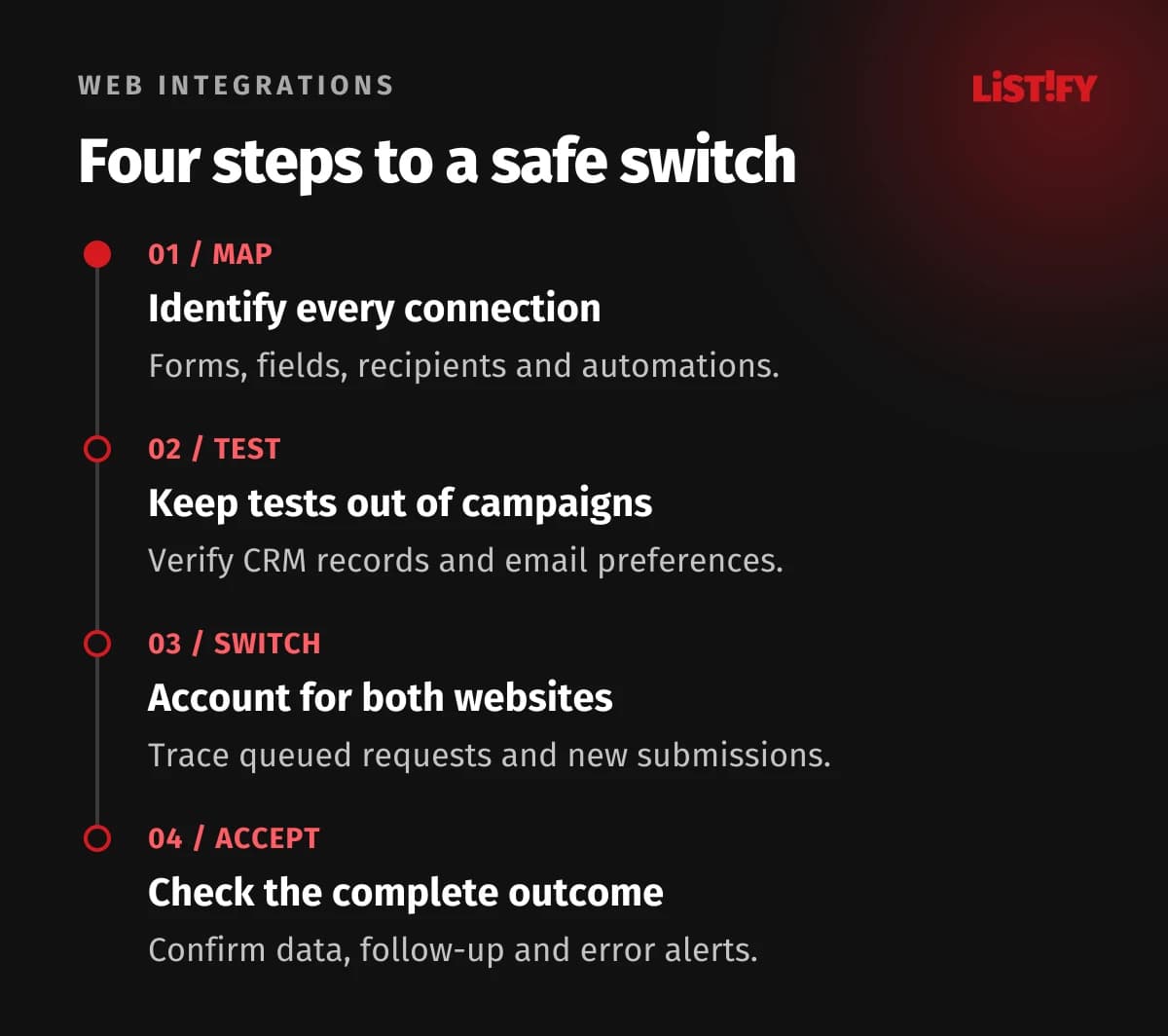
Agree on the switch time and name the person who can postpone it. Before the change, save a record of accepted requests, unprocessed queues and the last successful transfers. The last export time alone is not enough: a request may have been accepted earlier but reach the CRM later.
After the switch, some visitors may still use old pages or forms loaded earlier. Decide how long those forms will continue to accept submissions, where requests will go and how their origin will be identified. Verify this path before shutting down the old connection, while avoiding two websites independently triggering the same automation.
| Situation | Example transition rule |
|---|---|
| A request accepted before the switch is still queued | Complete the transfer with its existing ID; check whether it already exists in the CRM. |
| A customer submits an old form opened earlier | Accept it for the agreed period or show clear refresh instructions, rather than a false success message. |
| Two integration paths receive the same event | Preserve the same original submission identifier in both paths; recognise it as processed to prevent a duplicate case and confirmation. |
| The old website must be restored | First record and preserve new requests and changes received since the switch. |
06Post-launch checks: follow the form submission into the CRM
Repeat the key tests on the public website using the agreed test addresses. Check the view where the salesperson actually works too. A correctly saved contact with no assigned enquiry may be a partial technical success, but it still represents unfinished work for the business.
An illustrative acceptance case: test T-014 submits an enquiry for service A. The CRM stores it as a separate case, assigns it to the agreed team and preserves the attachment. The customer receives confirmation in the form’s language. Their previous newsletter unsubscribe remains unchanged. Retrying the transfer does not create any of these items twice. This is a proposed test, not a measured result from a Listify client.
For every test, record the time, ID, expected and actual result, and the person approving acceptance. During the first working days, reconcile accepted requests with CRM cases and monitor the error queue separately. Do not wait for an overall drop in analytics conversions, which could have another cause.
Separate the technical delivery check from the check that a person responds. Our guide to enquiry ownership and the first response covers who takes responsibility, how cover works and when to flag an unanswered enquiry.
07When to restore the old website and how to preserve new data
Define rollback criteria before launch. Examples include being unable to trace an accepted enquiry, incorrectly overwriting information or unintentionally triggering a campaign. Distinguish an issue that can be fixed safely in production from one that threatens further records. The website, sales and integration owners should all know about the decision.
Restoring the previous website version is not the same as restoring data. The CRM and email platform may already have received new contacts, changes and unsubscribes. Preserve those events and reconcile them by identifier so that none are missing or duplicated. Restoring an old copy without this check could erase what customers submitted during the transition.
Once the system is stable, remove unnecessary test access, retire old integration paths according to the agreed plan and update the documentation. Handover is complete when the next administrator knows where each connection is configured, who handles errors and how to verify the next form change.
08Frequently asked questions about integrations during a redesign
Do we need to replace the CRM when redesigning the website?
No, if your current CRM meets your needs. First check whether the new forms can preserve the required data and follow-up rules. Replacing the entire CRM is a separate project with a different scope and migration plan.
How can we confirm that a form really delivered an enquiry to the CRM?
Submit an identified test and find the specific case in the CRM. Compare its fields, attachment, source, owner and follow-up automation. Check retries and error handling too, rather than relying on a thank-you message.
What happens to unsubscribed contacts when the website changes?
The redesign itself should not change their choices. Test an unsubscribed contact submitting an ordinary enquiry. If the system treats that action as a new signup, fix the mappings and rules before launch.
Is keeping the same form notification email address enough?
Not if the form also needs to create records or trigger work in other tools. An email notification is one part of the journey. Verify that the enquiry is actually saved and that all agreed follow-up actions occur.
09Sources and scope
We checked the technical examples on 6 November 2026 against HubSpot’s documentation for non-HubSpot forms and Mailchimp’s embedded signup form documentation. Do not assume that another tool behaves identically. The inventory, acceptance table and T-014 test are a proposed working process; tailor the test coverage to your integrations.