Web Developer Disappeared? How to Take Back Your Website, Domain and Code
You paid for the website. But only your developer has the admin password, the domain is registered in their name, and they haven’t answered an email in a month. It’s a common situation, and it can be fixed. Here’s what to take back first, what the rules allow, how to find out what your site is built on, and what to do the moment you have access.
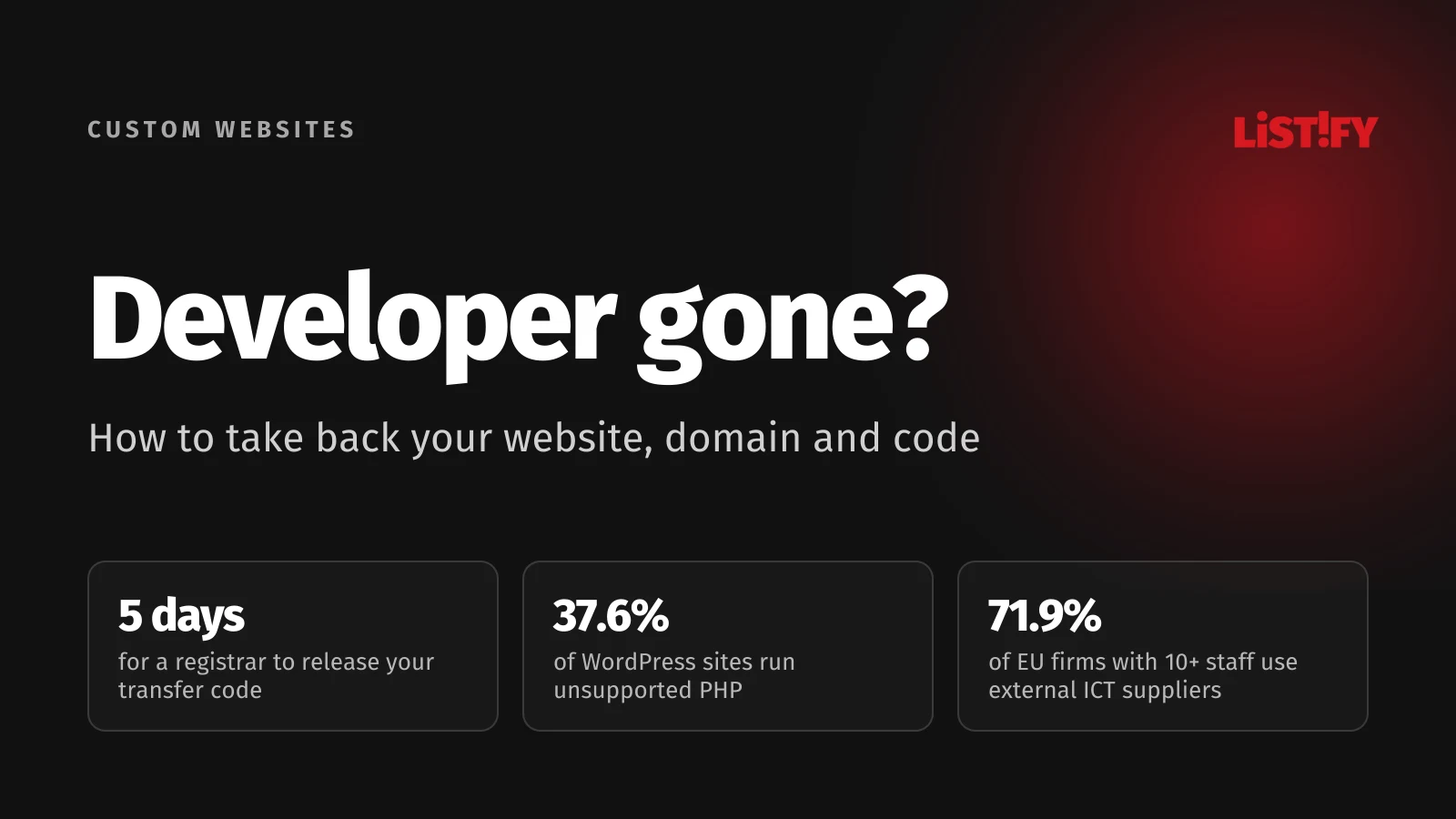
According to Eurostat, 79% of EU businesses with at least ten employees have a website, and 71.9% relied on external suppliers for ICT work in 2024. In 2018, the last time Eurostat asked, half of all EU businesses of that size had their website developed mainly by external suppliers. For many companies, someone else holds the keys to their website.
That’s fine while the developer answers the phone. It becomes a problem when a freelancer vanishes, an agency goes under, or the relationship turns sour. Almost every one of these situations can be solved, as long as you do things in the right order.
01Start with an inventory of everything your website depends on
A website isn’t a single file. It’s a domain, DNS records, a server, a database, code, an admin panel and a handful of accounts with other services. Each part can be registered to someone else, and each one has to be taken over separately. Before you contact anyone, make a list.
| What | How to find out who controls it | Who it should belong to |
|---|---|---|
| Domain | A lookup on ICANN Lookup or your country’s registry, registrant field | Your company, as the registrant |
| DNS | Name servers in the domain record, then the account that manages them | Your account with the registrar or DNS provider |
| Hosting and server | Invoices, emails with logins, the site’s IP address | Contract and payments in your company’s name |
| Source code | A repository (GitHub, GitLab, Bitbucket) or just files on the server | A repository in your own account |
| Admin panel | The site’s login page, the list of users | Your own administrator account, not a shared one |
| Company email | MX records in DNS, the email provider | Your company, or you risk losing email |
| Analytics and Google accounts | Google Analytics, Tag Manager, Search Console | Owned by your Google account |
| Payments and integrations | Payment gateway, CRM, API keys, email marketing tool | Accounts and keys in your company’s name |
The first row matters most. Whoever controls the domain controls the website and the email. That’s why we start there.
02The domain: transferring to a new registrar or a new owner
Look the domain up and check the registrant, also called the registered name holder. For .com, .net and other generic domains, the rules come from ICANN. Country domains such as .uk, .de or .cz have their own registries and rules, so check with yours. The two situations below cover most cases.
You are the registrant: just switch registrars
If your company is the registrant, you’re in a strong position. Under the ICANN Transfer Policy, the registered name holder is the only party that can approve or deny a transfer. The admin contact, which is often the developer, no longer has that right. Ask the current registrar for the AuthInfo code (also called an EPP or transfer code) and give it to your new registrar. The registrar has to provide it within 5 calendar days of your request and can’t refuse just because of a payment dispute between you and the registrar.
Note that a registrar may deny a transfer within 60 days of the domain’s registration or its last transfer.
The developer is the registrant: change of registrant
This is harder. ICANN itself warns that a developer “may have registered the domain name using their own contact details (even if you have paid them to register and manage the domain name)”. In that case, ICANN suggests giving the registrar proof of your payment to the developer to show that you should be the registrant. Collect invoices, bank statements and the contract before you contact the registrar.
Two things to know before you start:
- After a change of registrant, a 60-day transfer lock applies, unless the registrar offered an opt-out and the registrant used it beforehand. If you also want to move to a new registrar, ICANN suggests considering completing the transfer first and changing the contact details after.
- UDRP won’t help with a contract dispute. The UDRP is for trademark holders facing a bad-faith registration. All other disputes are resolved “through any court, arbitration or other proceeding that may be available”.
Before you escalate, try asking nicely. Often the developer registered the domain in their own name simply out of convenience and will sign it over once they get a clear request with the forms ready.
Keep an eye on the expiry date
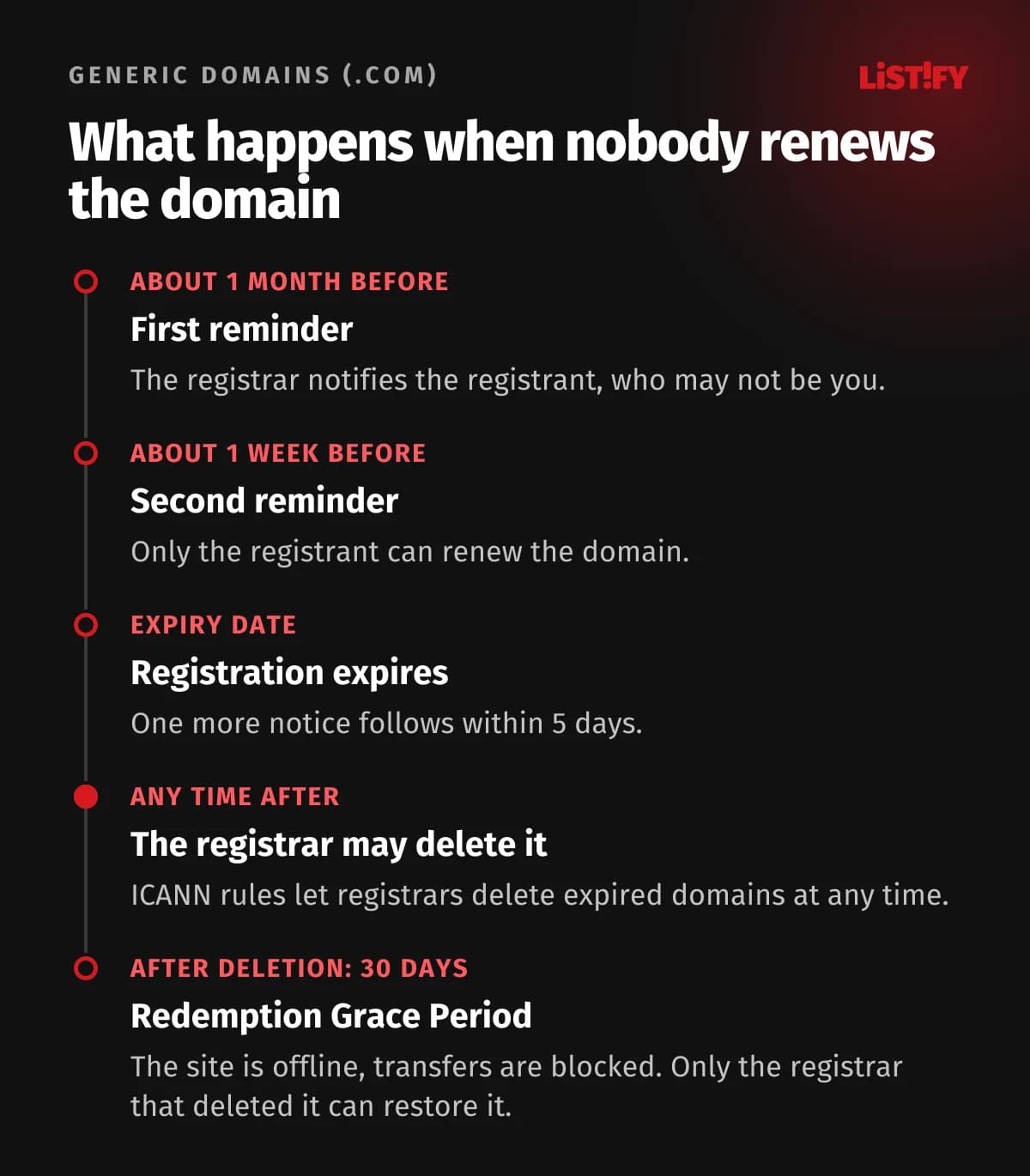
Under ICANN’s expired registration rules, the registrar has to send reminders about a month and about a week before expiry, and one more within five days after. After that it may delete the domain at any time. A deleted generic domain then enters a 30-day Redemption Grace Period, when only the registrar that deleted it can restore it. Only the registrant at expiry can renew. If that’s your developer and they’ve gone quiet, nobody else can renew it.
03Hosting, database and email
Hosting is the second most common problem. If the developer pays for it and you pay the developer, your site runs on their account. Find out where the server is (a DNS lookup shows the site’s IP address, and an IP lookup shows which hosting company it belongs to) and ask for a complete backup: the site files and a database export.
If your business is in the EU or the UK and the site collects personal data, say through a contact form or a shop, a developer who handles that data on your behalf is a processor under GDPR (in the UK, UK GDPR). Article 28(3)(g) says the processor must, at your choice, delete or return all personal data after the service ends and delete existing copies, unless the law requires them to keep it. Quote this article in your request.
Email deserves its own plan. If your mailboxes are hosted by the same developer and you point the domain elsewhere, mail can stop arriving. Set up the new mailboxes first, move your mail, and only then change the MX records.
04Who owns the website code?
Paying for a website doesn’t automatically make you the owner of its code. The answer depends on your contract and on copyright law in your country, and the rules differ a lot.
- United States. A commissioned work only counts as a “work made for hire” if it falls into one of nine listed categories and both sides sign a written agreement saying so (U.S. Copyright Office, Circular 30). Software isn’t named on that list, so for code written by an outside developer you generally need a signed assignment of copyright.
- European Union. The Software Directive (Article 5) lets the lawful acquirer of a program fix errors in it without the rightholder’s permission where this is necessary to use the program for its intended purpose, unless the contract has specific provisions on it, and a contract can’t stop you making a necessary backup copy. Wider changes need a licence that allows them.
- Some countries lean towards the client. The Czech and Slovak copyright acts, for example, treat software created to order as employee work, so unless the contract says otherwise, the client exercises the economic rights. Lawyers still disagree on how this applies when the code was written by an agency’s staff.
Don’t count on a legal right to receive the source code. Only the contract reliably guarantees it. Make it the first item you check in any new contract.
This section is an overview, not legal advice. If the developer refuses to release the code or the domain and a lot is at stake, take your contract, invoices and emails to a lawyer who specialises in IT law.
05What your site is built on: a short history of web technology
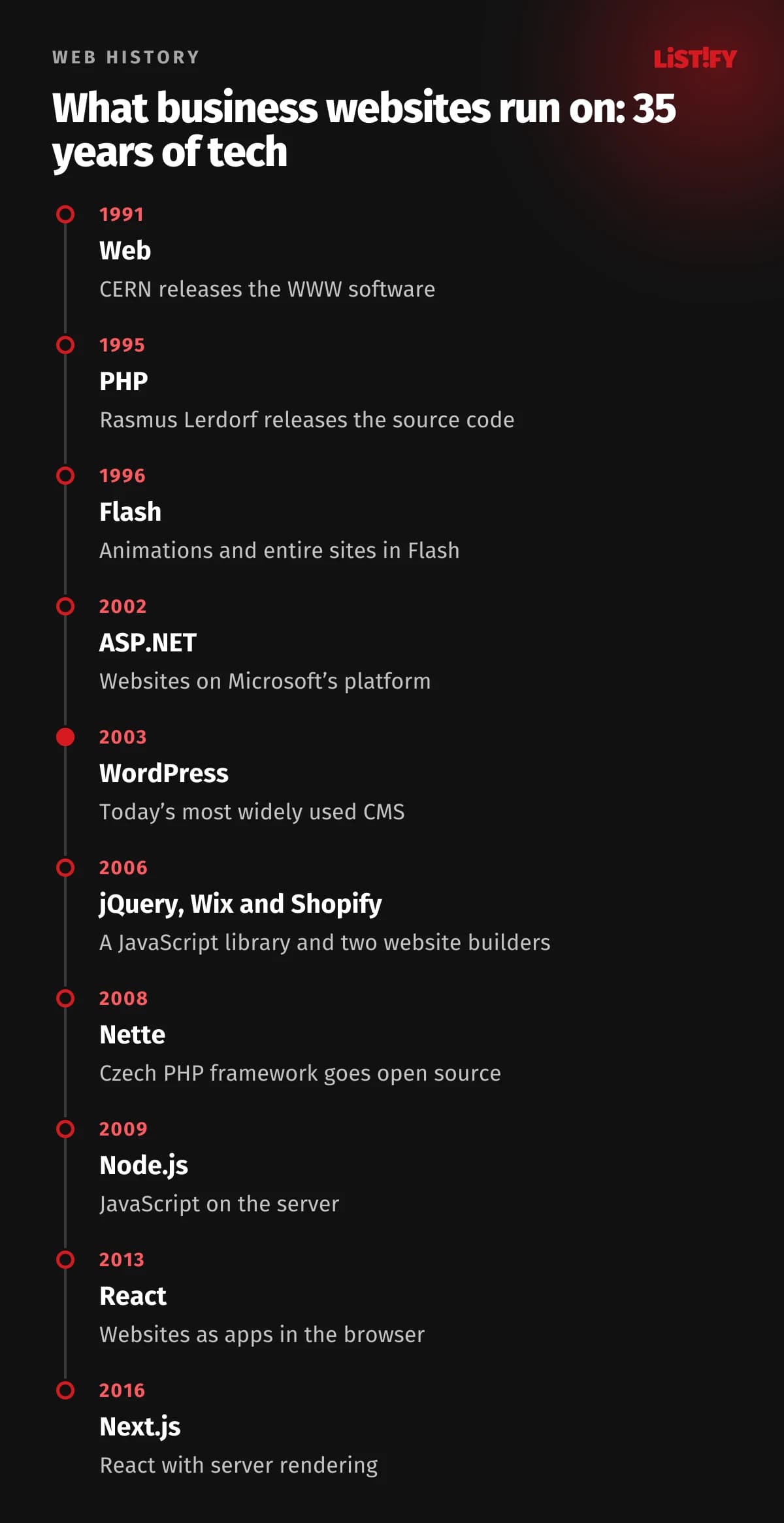
How hard a takeover will be depends a lot on how the site was built. A PHP site a friend made twenty years ago is a different job from a shop on a website builder or a React app. Several generations of technology have come and gone in the past 35 years, and business websites still run on all of them.
PHP still dominates. According to W3Techs, it powers 69.8% of websites whose server-side language can be detected. JavaScript (Node.js) is second, having overtaken Ruby in July 2026.
- PHP69.8%
- JavaScript (Node.js)7.5%
- Ruby7.1%
- Java5.5%
- Scala5.1%
- ASP.NET4.2%
- Static files2.1%
- Python1.1%
Share of websites whose server-side language W3Techs can detect. Source: W3Techs, as of 27 September 2026.
How do you tell what you have? Open the site, right-click and choose View Page Source. File paths and cookie names give a lot away. Here’s a quick guide.
| Technology | Since | How to spot it | What to watch out for |
|---|---|---|---|
| Static HTML | 1991 | Pages end in .html, no admin panel | Easy to take over, the files are all you need |
| Custom PHP, no framework | 1995 | URLs end in .php, a home-made CMS | Without documentation, only the author knows the code |
| Flash | 1996 | .swf files | Hasn’t played since 12 January 2021, needs replacing |
| ASP and ASP.NET | 1996 and 2002 | .asp or .aspx URLs, ASP.NET_SessionId cookie | Needs Windows hosting and a .NET developer |
| Java | 1996 | .jsp or .do URLs, JSESSIONID cookie | Heavier to run, fewer agencies to choose from |
| WordPress | 2003 | /wp-content/ and /wp-includes/ paths in the source | Old plugins and PHP versions |
| Joomla and Drupal | 2005 and 2001 | /administrator/ path or a Drupal generator tag | Joomla 3 and Drupal 7 no longer get security fixes |
| Laravel, Symfony, Nette | 2011, 2005, 2008 | .twig or .latte templates on the server, laravel_session cookie | A solid base, but you need the source code |
| Ruby on Rails, Django | 2004 and 2005 | csrftoken cookie for Django, a Gemfile or manage.py on the server | Smaller pool of developers in many markets |
| React, Vue, Next.js | 2013, 2014, 2016 | /_next/ (Next.js) or /_nuxt/ (Nuxt) paths in the source | Hard to change without the repository and deployment setup |
| Website builders (Wix, Shopify, Webflow) | 2006 onwards | The footer or image URLs on the builder’s domain | The site is tied to an account; you won’t get the code |
WordPress is by far the most common CMS. W3Techs puts it on 40.2% of all websites, which is 58.7% of sites that use a content management system it tracks.
- WordPress58.7%
- Shopify7.8%
- Wix6.2%
- Squarespace3.6%
- Joomla1.6%
- Webflow1.2%
- Drupal0.9%
Share among websites that use a content management system W3Techs tracks. Source: W3Techs, as of 27 September 2026.
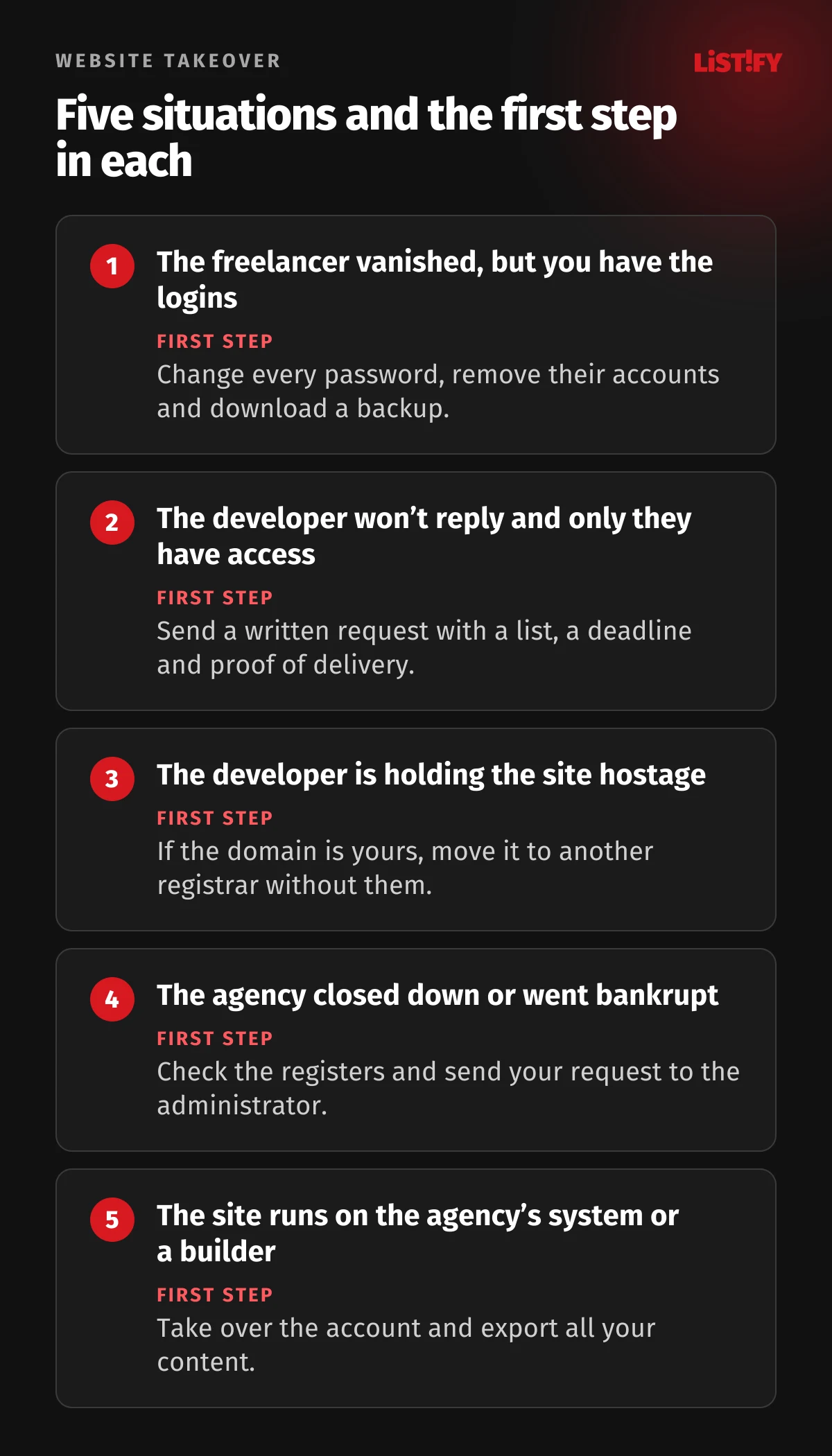
06Five situations you may be in, and what to do
1. The freelancer vanished, but you have the logins
The best case. Change every password straight away, remove their accounts from the admin panel, hosting and Google services, and download a backup. Then get an audit so you know what’s in the code.
2. The developer won’t reply and only they have access
Send a written request with a specific list of what you want handed over and a reasonable deadline. Use a method that gives you proof of delivery, such as recorded delivery, or an email followed by a letter, and keep copies of everything. If this ever goes to court, a clear request and a documented silence will count in your favour.
3. The developer is holding the site hostage
They want an extra payment you don’t agree with and won’t release anything until then. Keep the money dispute separate from keeping the site running. If the domain is in your name, you can move it to another registrar without them. For the code, point to your contract; for personal data in the EU or UK, also point to GDPR. If the disputed amount is small, paying and then disputing it can cost less than weeks of downtime.
4. The agency has closed down or gone bankrupt
Check your country’s company register and insolvency register. If insolvency proceedings are running, an administrator or trustee usually controls the company’s assets, so send your request to them. If the company was dissolved, try to find the developer who actually wrote the site.
5. The site runs on the agency’s own system or a website builder
Some agencies have their own CMS and only rent it to clients. Sites on Wix, Squarespace or Shopify likewise exist only inside an account. You won’t get the code in these cases, only the account and the content. Check whose name the account is in, and export your text, images, products and orders. This is often the moment when rebuilding the site makes sense.
07Website handover checklist, step by step
- Back up what you can from outside. Wget with the
--mirroroption downloads the public part of the site: HTML, images and styles, but not the database or server code. You can also save individual pages to the Internet Archive. - Take inventory using the table above and find out who the domain registrant is.
- Write and send a formal request with proof of delivery. List the logins and materials you need and give a deadline, such as 14 days.
- Take back the domain, either by switching registrars or through a change of registrant.
- Move hosting and email into your company’s account. New mailboxes first, then the DNS change.
- Put the code in your own repository and get written instructions for running and deploying the site.
- Change every password and key the developer knew, and remove their access.
- Get a technical audit: language and CMS versions, plugins, backups, security.
- Decide what’s next: maintain, fix step by step, or rebuild.
The request doesn’t have to be complicated. It just needs to be specific and have a deadline. Something like this:
Subject: Request to hand over our website and access

Hello [name],

Under our agreement dated [date], you built and maintained our website [address]. We are ending the arrangement and ask you to hand over:

1. the transfer (AuthInfo) code for [domain], or your signature on the change of registrant form,
2. hosting access and a full backup of the files and database,
3. the source code, with instructions for running and deploying it,
4. administrator access to the website,
5. any personal data you process on our behalf, under Article 28(3)(g) GDPR (if applicable).

Please send everything by [date, e.g. 14 days from receipt]. Thank you.

[name, role, company]
You can see how we take over a site on our how we work page. We usually secure it first and then decide on next steps together.
08Right after the takeover: security and outdated software
A site nobody has looked after is often stuck on an old version of PHP. WordPress’s own statistics show 37.6% of WordPress sites on PHP 8.1 or older. According to php.net, those versions no longer get security fixes. PHP 7.4 alone, unsupported since November 2022, still runs 16.7% of WordPress sites. And PHP 8.2 reaches end of life on 31 December 2026.
- PHP 7.3 and older5.8%
- PHP 7.4 (unsupported since 2022)16.7%
- PHP 8.0 (unsupported since 2023)4.0%
- PHP 8.1 (unsupported since end of 2025)11.1%
- PHP 8.2 (supported until 31 Dec 2026)24.5%
- PHP 8.325.7%
- PHP 8.48.8%
- PHP 8.53.3%
Source: WordPress.org statistics, downloaded 27 September 2026; end of life dates from php.net. Highlighted versions no longer receive security fixes.
With WordPress, the biggest risk is plugins. Patchstack counted 11,334 new vulnerabilities in the WordPress ecosystem in 2025, 91% of them in plugins. For 46% of them, no fix was available when the flaw was made public. WordPress core had only six.
After the takeover, go through this list:
- Change passwords for the admin panel, hosting, database, FTP and SSH, and rotate every API key (payment gateway, email marketing, maps).
- Delete the developer’s accounts everywhere. The UK’s NCSC advises that you should be able to revoke third-party access whenever necessary.
- Check the versions of PHP, your CMS and plugins against what’s currently supported.
- Make sure backups run and that you can actually restore one.
- Review the libraries in the code. Outdated and unmaintained components fall under A03 Software Supply Chain Failures in the OWASP Top 10:2025.
For a full checklist, see our web app security checklist. How attackers abuse libraries and leaked keys is covered in npm supply chain attacks and API keys.
09Fix it or rebuild it?
After the audit you’ll know what you have. The decision is usually simpler than it looks.
| Situation | Sensible choice | Why |
|---|---|---|
| Modern framework, you have the code, only docs are missing | Maintain and develop | A new developer can get up to speed quickly |
| WordPress with dozens of plugins on old PHP | Update or rebuild | Depends on how many plugins can be replaced and what upkeep costs |
| Custom PHP, no framework, no documentation | Probably rebuild | Every change is expensive and risky |
| Flash, Joomla 3, Drupal 7, AngularJS | Rebuild | No security support for the technology |
| Agency’s rented CMS or a website builder | Take the content and rebuild on your own code | You won’t get the code and the dependency would remain |
If you go for a new site, check first whether it’s built on a template, and read about why WordPress templates become a trap for growing businesses. When you switch, set up redirects from the old URLs, or you risk losing your search rankings.
10How to avoid this next time
Most problems in this article could have been prevented by the contract and a few minutes of attention at launch. Next time, insist that:
- the domain, hosting, email and Google accounts are in your company’s name from day one,
- the contract includes a licence or assignment that lets you modify the site and hand it to another developer, with no time or territory limits,
- the handover includes the source code in a repository in your account, plus instructions for running it,
- the developer has their own logins that you can revoke at any time, not your passwords,
- the contract covers the end of the relationship: what gets handed over, how fast and at what cost.
For larger systems, you can also agree on source code escrow. As EscrowTech describes it, a neutral third party holds the code and releases it when a condition in the agreement is met, for example when the vendor goes out of business or stops supporting the software. For the full list of contract points, see custom website development, step by step.
- Have a website (2025)79.0%
- ICT done by external suppliers (2024)71.9%
- Website built mainly externally (2018)50.3%
Source: Eurostat datasets isoc_ciweb and isoc_ske_fct, EU 27. Eurostat last measured outsourced website development in 2018.
11Frequently asked questions
Can my web developer refuse to give me the domain transfer code?
Not if you’re the registrant of a generic domain such as .com. Under ICANN’s Transfer Policy, the registrar must give the registered name holder the AuthInfo code within 5 calendar days of the request. Ask the registrar directly; you don’t need the developer. Country domains have their own rules.
What if the domain is registered in the developer’s name?
Then you need a change of registrant. ICANN suggests showing the registrar proof that you paid the developer for the domain. If that doesn’t work, the remaining routes are agreement, court or arbitration. UDRP only covers trademark cases involving bad faith.
Do I own the source code if I paid for the website?
Not automatically. It depends on your contract and your country’s copyright law. In the US, code written by an outside developer usually needs a signed assignment of copyright. Always put ownership or a licence, plus handover of the source code, in writing.
Can another developer work on code someone else wrote?
In the EU, the Software Directive lets the lawful acquirer of a program fix errors needed to use it, unless the contract has specific provisions on this. Whether an outside developer you hire can do that work for you, and any bigger changes, depends on your licence. If your contract doesn’t grant one, talk to a lawyer.
How long do I have when a domain expires?
For generic domains, the registrar may delete it at any time after expiry. After deletion there’s a 30-day Redemption Grace Period, during which only the registrar that deleted it can restore it. Country domains have their own timelines.
How do I find out what my website is built on?
View the page source in your browser. /wp-content/ paths mean WordPress, /_next/ means Next.js, .aspx means ASP.NET. For exact PHP and CMS versions you’ll need server or admin access.
How much does a website takeover cost?
It depends on the state of the site. A domain transfer usually costs no more than the registrar’s fee, while an audit and security work are billed by the hour. If the site runs on unsupported technology, rebuilding is often better value. See our pricing for guide prices.
12Sources
- ICANN: Transfer Policy
- ICANN: Domain name registrant FAQs
- ICANN: Expired Registration Recovery Policy
- ICANN: Uniform Domain Name Dispute Resolution Policy
- U.S. Copyright Office: Circular 30, Works Made for Hire
- EU Software Directive 2009/24/EC
- GDPR on EUR-Lex
- W3Techs: server-side languages
- W3Techs: content management systems
- PHP: unsupported branches
- Patchstack: State of WordPress Security in 2026
- OWASP Top 10:2025
- Eurostat: isoc_ciweb
- Eurostat: isoc_ske_fct
- WordPress.org: PHP version statistics