Why WordPress template websites become a trap for growing businesses
A WordPress template is a cheap, fast way to get online. The trouble starts when the business begins to grow. Every new plugin adds another licence, another update and another way into your site. The website that was meant to save money starts costing money instead. Here are five traps that growing businesses with template sites commonly fall into, and when WordPress is perfectly fine.
The story usually starts sensibly. A business needs a website, the budget is tight, so it buys a ready-made theme, adds a few plugins and goes live within weeks. At that stage it's the right call. According to W3Techs, WordPress runs 40.2% of all websites and holds 58.7% of the market among sites with a known content management system.
Then the business grows. A contact form is no longer enough. Sales want leads to land straight in the CRM, marketing wants a second language, and management wants a faster site. There's a plugin for everything, so the plugins pile up. Two years later, nobody wants to touch the website because nobody knows what the next update will break.
01WordPress itself isn't the problem
WordPress is well-maintained open-source software, and its core is more secure than its reputation suggests. Patchstack's report on 2025 found just 6 vulnerabilities in WordPress core, all of them low priority. The wordpress.org directory lists almost 70,000 free plugins, so most common needs already have a ready-made solution.
For a simple brochure site, a personal blog or a handful of pages that change twice a year, WordPress is often a sensible choice. If someone keeps it updated, watches the backups and resists adding a plugin for every small thing, it can run for years without trouble.
WordPress didn't set the trap. The trap is the combination of an off-the-shelf theme, dozens of add-ons from different authors, and a business that grows faster than its website. That combination is what this guide is about.
02Trap 1: plugins nobody is watching
Every plugin is someone else's code, written by a different author with a different approach to fixes. A business running twenty plugins effectively depends on twenty different suppliers, none of whom it has a contract with.
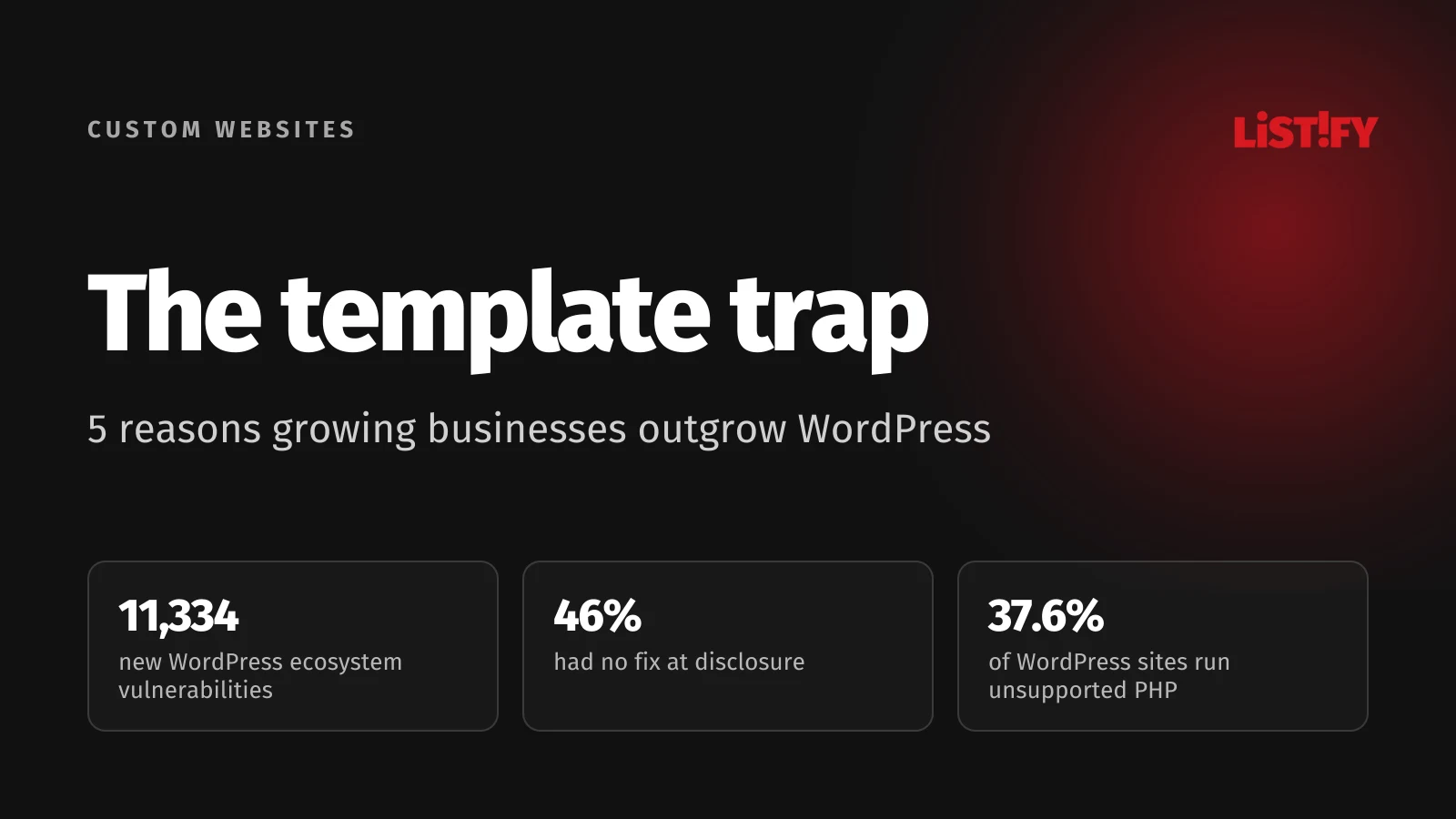
The 2025 numbers from Patchstack, a company that specialises in WordPress security and sells protection for it, are hard to ignore. The ecosystem saw 11,334 new vulnerabilities, 42% more than the year before. Of those, 91% were in plugins, 9% in themes and just 6 in core. And 46% had no fix available on the day they were disclosed, so there was nothing to update to.
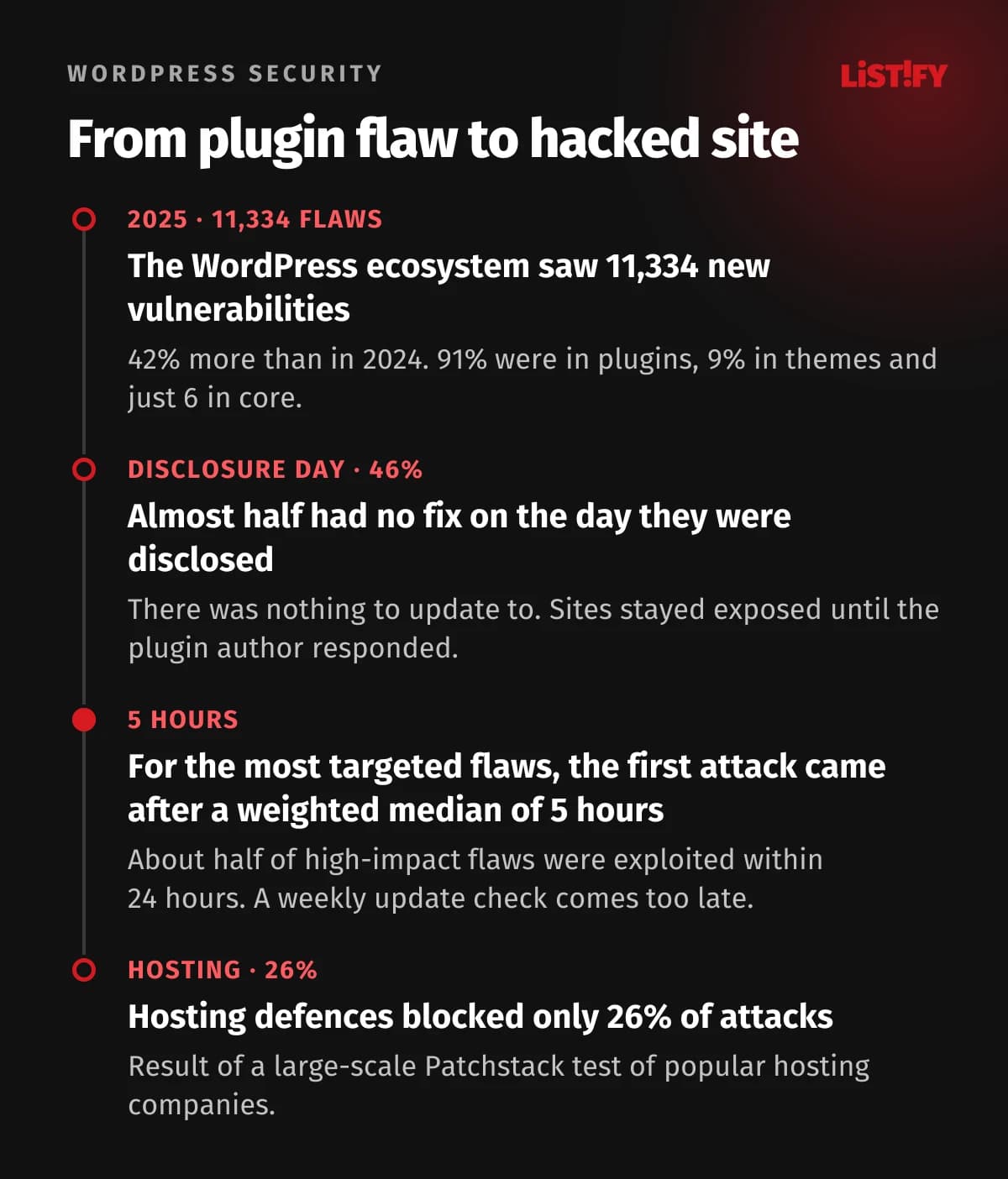
Speed is the second problem. Patchstack found that about half of high-impact vulnerabilities were exploited within 24 hours, and for the most heavily targeted ones the weighted median time to the first attack was just 5 hours. If you check for updates once a week, you're already too late. Relying on your host isn't enough either: in a large-scale Patchstack test of popular hosting companies, their standard defences blocked only 26% of attacks.
Be careful with premium themes and plugins from marketplaces like Envato (ThemeForest) too. According to the same report, paid components had three times as many known exploited vulnerabilities as free ones. Patchstack puts this down to researchers finding it harder to access their code, so it gets less scrutiny. Paying for a theme doesn't make it safer.
You can see this in practice. In August 2024, a critical flaw in the LiteSpeed Cache plugin, CVE-2024-28000, let an unauthenticated attacker gain administrator access, and the plugin was running on more than 5 million sites at the time. To learn how to defend against attacks that come through third-party code, see our guide to npm supply chain attacks and leaked API keys.
03Trap 2: maintenance that never ends
You can't build a WordPress site and walk away. The core, the theme, every plugin and the PHP version the whole thing runs on all have their own life cycles, and they all have to keep working together. The official wordpress.org statistics, which cover sites that fetch updates from wordpress.org, show how that plays out in practice.
- Unsupported (PHP 8.1 and older)37.6%
- PHP 8.2, supported until 31 Dec 202624.5%
- Supported beyond 2026 (PHP 8.3+)37.8%
Source: api.wordpress.org/stats/php, as of 27 September 2026. End-of-support dates from php.net.
More than a third of these sites (37.6%) run a PHP version that no longer receives security fixes. A fifth are still on PHP 7. Almost a quarter are on PHP 8.2, which reaches end of life on 31 December 2026. Only 58.7% of them run the latest WordPress branch, 7.1.
Many sites get stuck on old versions for a simple reason: updating PHP or WordPress core can break an older theme or a plugin whose author has stopped maintaining it. The site owner ends up choosing between a vulnerable site and a broken one. Both cost money.
A recent example: on 22 September 2026, WordPress 7.1.2 shipped a fix for a critical core vulnerability (CVE-2026-87902). It could be exploited without logging in and, under certain server and theme conditions, could lead to remote code execution. Sites with automatic updates received the fix on their own. Sites with updates switched off needed someone to update manually and check that nothing broke.
Maintenance has a legal side as well. In the EU, the European Accessibility Act covers e-commerce services for consumers, among others. Making a third-party theme accessible, when every update can overwrite your changes, is far harder than on a site whose code you control.
04Trap 3: plugin subscriptions that grow with your site
You pay for a theme once, but the features a business needs over time usually come as yearly subscriptions. We added up seven popular premium plugins using the vendors' current price lists. We took the cheapest plan for each, except WPML, where we used Multilingual CMS (the cheaper Multilingual Blog plan costs €39).
| Plugin | Price per year | What it does |
|---|---|---|
| Yoast SEO Premium | $118.80 excl. VAT | SEO and redirects |
| WPML Multilingual CMS | €99 | Multiple languages |
| UpdraftPlus Premium | $70 excl. VAT | Backups |
| Elementor Pro Essential | $60 or €60 | Visual page builder |
| Gravity Forms Basic | $59 | Forms |
| WP Rocket | €49.95 | Performance |
| ACF PRO | $49 | Custom fields and content |
That comes to $296.80 plus €208.95, or roughly €470 (about $535) a year in licences alone, at the ECB rate of 25 September 2026 (€1 = $1.1403). That's before hosting and before paying anyone to maintain the site, for a single site on the cheapest plans that do the job. Every extra site or higher plan pushes the number up.
If you don't renew, most plugins keep working but stop getting updates, and some, such as WP Rocket, also lose features. WPML says so openly on its pricing page: without updates, your site is at risk. Skipping the renewal saves money but brings back the security risk from Trap 1.
05Trap 4: speed that's hard to catch up on
Google measures how fast, responsive and visually stable websites are for real visitors, using metrics called Core Web Vitals. Every month, HTTP Archive uses that data to calculate how many sites on each platform pass. In August 2026, WordPress came in below the average for the web as a whole.
- Wix81.2%
- Shopify76.5%
- Squarespace72.1%
- Webflow71.2%
- All websites53.0%
- WordPress48.7%
Source: HTTP Archive, Core Web Vitals Technology Report, Chrome UX Report data for August 2026, mobile devices, worldwide.
On mobile, 48.7% of WordPress sites pass, against 53% for all websites. The Web Almanac 2025 ranks WordPress among the lowest-scoring platforms. The cause is often less WordPress itself than what gets piled on top of it: page builders, sliders, dozens of plugin scripts and themes designed to do everything for everyone. Closed platforms like Wix largely manage performance for you, but they lock you in even more tightly, because you can't simply move your site elsewhere.
Speed shows up in revenue, too. A 2020 Deloitte study for Google found that a 0.1 second improvement in mobile site speed went hand in hand with an 8.4% increase in retail conversions. In an A/B test, Vodafone improved its Largest Contentful Paint (LCP) by 31% and saw sales on the tested page rise by 8%.
Custom code doesn't guarantee speed on its own, though. A custom site can be built slow, too. The difference is that with your own site you control every line, so nothing unnecessary has to be loaded. With a template and plugins, you're often optimising code you didn't write and can't remove.
06Trap 5: a website that can't keep up with the business
The most expensive trap doesn't appear on any price list. It's the moment the business needs something the template can't do: leads flowing into the CRM, a client portal, a price calculator, online booking or an integration with the accounting system. The off-the-shelf plugin does half the job, two plugins clash, and custom changes to someone else's theme are fragile because the next update can overwrite them.
The second catch is page builder lock-in. Pages you create in a builder are stored in its own format. If you want to switch it off or replace it, the layout and styling fall apart and the site effectively has to be rebuilt. The business ends up buying a second website it never planned for.
The third is the admin area. WordPress is general-purpose, so it offers hundreds of settings your business doesn't need while missing the ones you do. Staff get lost in it, and small changes end up waiting for an outside developer. If your business data lives in spreadsheets outside the website, you may also want to read 9 signs you've outgrown Excel.
07Has your business outgrown its template? A quick test
Go through the six questions below. One or two yeses are normal. Three or more suggest your website is starting to hold you back, and it's worth working out what it really costs you each year.
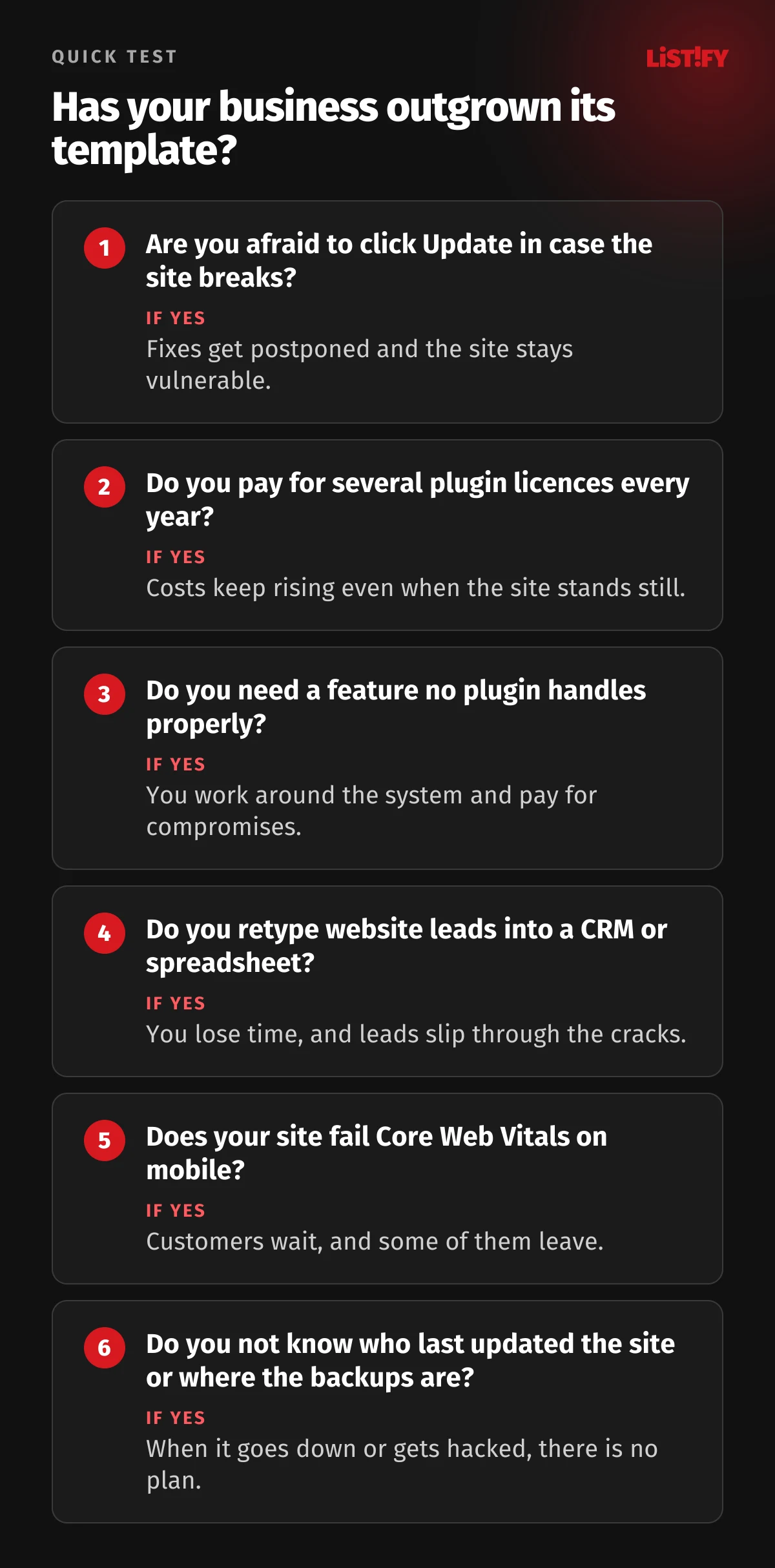
- Are you afraid to click Update in case the site breaks? Fixes get postponed and the site stays vulnerable.
- Do you pay for several plugin licences every year? Costs keep rising even when the site stands still.
- Do you need a feature no plugin handles properly? You work around the system and pay for compromises.
- Do you retype website leads into a CRM or spreadsheet? You lose time, and leads slip through the cracks.
- Does your site fail Core Web Vitals on mobile? Customers wait, and some of them leave.
- Do you not know who last updated the site or where the backups are? When it goes down or gets hacked, there is no plan.
08WordPress template or custom website?
Neither option is right for everyone. The comparison below shows where each one comes out ahead.
| Area | WordPress template | Custom website |
|---|---|---|
| Getting started | Fast and cheap, the site can be live within weeks | Costs more and takes longer, usually 6 to 10 weeks for a business site |
| Security | Depends on dozens of third-party plugins and their authors | Your own code with no public plugins, fewer outside dependencies |
| Maintenance | Constant core, theme, plugin and PHP updates, with a risk of breakage | Updates planned by one team that knows the code |
| Yearly licences | Premium plugins renew every year | No plugin licences, the code belongs to you |
| Speed | Often slowed down by builders, sliders and plugin scripts | Done well, loads only what the site actually needs |
| New features | Limited to what plugins and the theme can do | Built around what the business needs, including CRM integration |
| Best for | Brochure sites, blogs, small sites that rarely change | Growing businesses whose website brings in leads |
Whether a custom website pays off depends mostly on how much your website earns. If it brings in leads or orders, a single outage, hack or month of slow pages can easily cost more than you saved on the template. See our pricing or get an estimate in the custom website calculator.
For what a custom website actually gets you and how one is built step by step, from the brief to the contract, read Custom website development: benefits, costs and a 9-step guide.
09How to move off WordPress without losing your Google rankings
The biggest worry about switching is losing search rankings. That doesn't have to happen if the migration is done carefully. Our own site, listify.cool, used to run on WordPress, and today we redirect the old article URLs to the new ones. Here's how it works:
- List every URL. Using the sitemap and Google Search Console, we record every page that gets traffic or has links pointing to it.
- Move the content. We transfer text, images, articles and form data to the new site, with nothing retyped by hand.
- Set up 301 redirects. We give every old URL a permanent redirect to the matching new page.
- Keep the SEO. We carry over titles, meta descriptions, headings and structured data and improve them rather than throwing them away.
- Check after launch. We monitor Search Console, 404 errors and speed until Google has indexed the new URLs and traffic has settled.
You can see how the whole project runs step by step on our how we work page. If security is part of the reason for a new site, go through our web app security checklist.
10Frequently asked questions
Is WordPress insecure?
The core is well maintained. Patchstack found only 6 low-priority core vulnerabilities in 2025, and the critical flaw found in September 2026 was fixed in version 7.1.2. Most of the risk sits in plugins and themes, which accounted for 91% and 9% respectively of the 11,334 new vulnerabilities, and in whether the site is updated regularly.
Are automatic updates enough?
They help, and you should have them switched on. But they can't fix vulnerabilities that don't have a patch yet (in 2025, 46% had no fix when they were disclosed), and an automatic update can break your site. Without backups and someone to check the site after updates, it's a gamble.
How much does it cost to run a WordPress site?
It depends on the plugins. Seven popular premium plugins come to roughly €470 (about $535) a year based on vendor price lists. On top of that you pay for hosting and for someone's time to update and monitor the site.
Is a custom website automatically faster?
Not automatically. Speed comes from the quality of the work, not the technology. But a custom site can be built to load only the code it needs, and speed can be checked with every change. That's why we measure it during development.
How much does a custom website cost?
With us, a brochure site of up to 5 pages costs roughly CZK 49,000 to 70,000 (about €2,000 to €2,900), and a business website with services, case studies and lead forms CZK 120,000 to 180,000 (about €4,900 to €7,400, at the Czech National Bank rate of CZK 24.35 per euro). Get a precise estimate in the calculator.
Will I lose search rankings when I switch?
Usually not, as long as every old URL gets a 301 redirect to the matching new page and you keep the content, titles and descriptions. After launch, keep an eye on Search Console and fix any 404 errors. Small fluctuations in the first few weeks are normal.
Can I edit a custom website myself?
Yes. Every website we build comes with its own admin area designed around how you work, without hundreds of settings you'll never use.
11Summary: a template gets you started, but won't carry a growing business
A WordPress template is a good way to get started quickly and cheaply. The problem comes when a business keeps building on it long after outgrowing it. At that point it pays for licences, for fixes after updates, for a slow site and for features that barely fit into the template.
If you answered yes three or more times in the quick test, work out what your current website costs you each year and compare it with a website you own outright. We're happy to help. Take a look at how we build custom websites.
12Sources
- W3Techs: Usage statistics of WordPress, as of 27 September 2026
- Patchstack: State of WordPress Security in 2026, data for 2025
- Patchstack: critical privilege escalation in LiteSpeed Cache, 21 August 2024
- WordPress.org: PHP version statistics and supported PHP versions on php.net
- WordPress 7.1.2 Release, 22 September 2026
- HTTP Archive: Core Web Vitals Technology Report, August 2026 data, and Web Almanac 2025, CMS chapter
- Deloitte: Milliseconds Make Millions, 2020, and web.dev: Vodafone case study
- Vendor price lists: Yoast, WPML, UpdraftPlus, Elementor, Gravity Forms, WP Rocket, ACF, as of 27 September 2026
- European Commission: European Accessibility Act