Your Internal Portal as the Company’s Central Brain: 12 Things You Can Run From It
Orders in a spreadsheet, leave requests by email, invoices waiting for sign-off on someone’s desk, and the know-how in one colleague’s head. An internal portal brings all of it into one place, where everyone sees exactly what they need for their job. Here are 12 areas you can run from it, what EU rules and GDPR expect, when Microsoft 365 or Google Workspace is enough, what a custom portal costs, and how to roll it out so people actually use it.
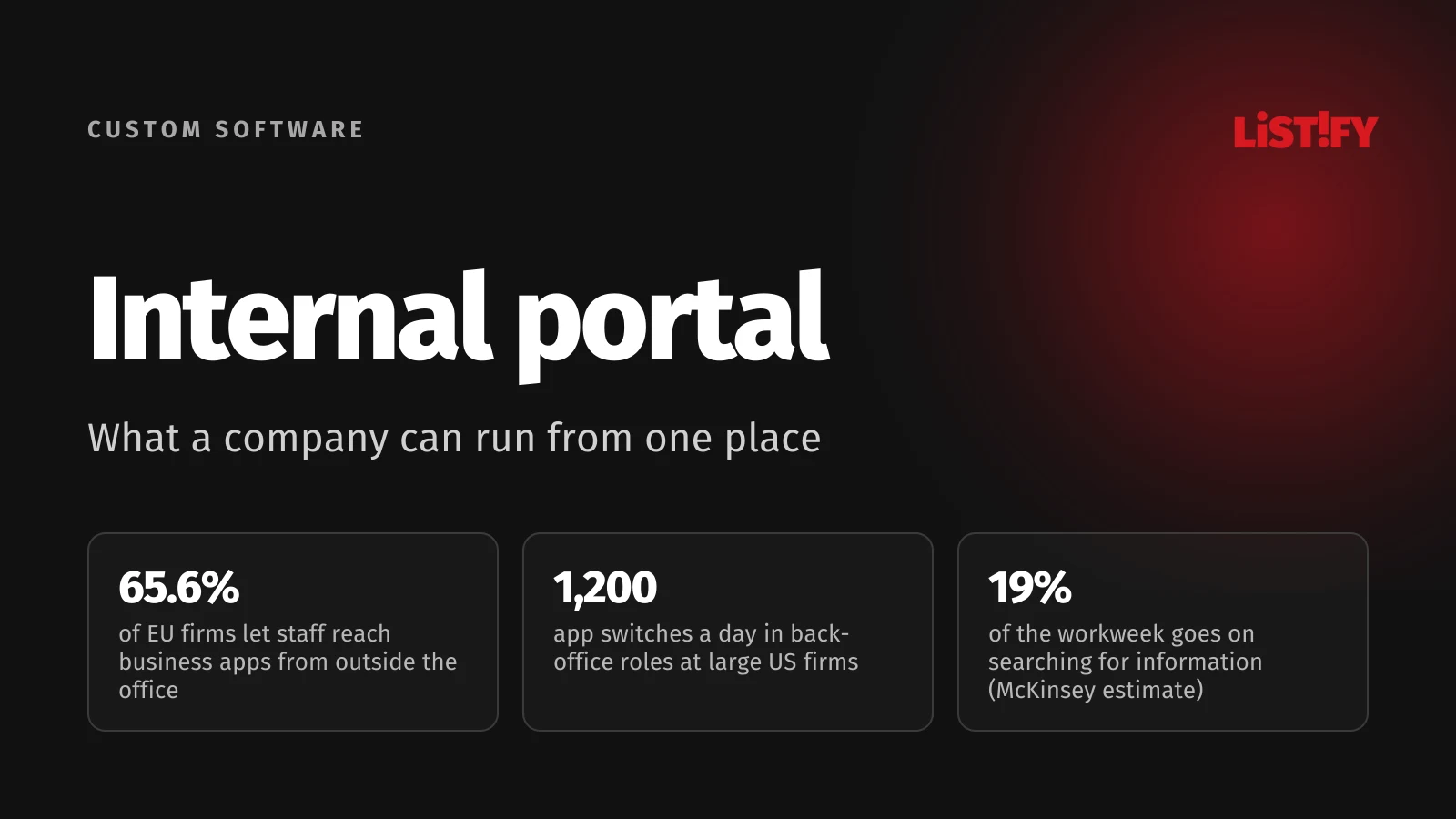
The short answer: an internal portal is a web application for your own people. They log in from a computer or a phone and find jobs and projects, timesheets, approval requests, documents, how-to guides and management reports in one place. It pays off when the same data lives in several spreadsheets and inboxes, when field staff can’t reach company data, or when work stalls because only one person knows where things are. Start with the one process that hurts most today and add the rest step by step.
This guide is for owners, managing directors and operations managers of companies with 10 to 250 people. The figures come from Eurostat and international studies; the legal points from EU legislation, including GDPR, and the Court of Justice of the EU.
01What an internal portal is, and how it differs from an intranet, ERP or CRM
The terms get mixed up. A company intranet used to be a bulletin board: news, contacts and policies to download. ERP runs production, inventory, purchasing and accounting; CRM handles customers and sales. An internal portal is broader: a single place where people reach everything they need for their work, and which can show, enrich and pass on data from your other systems.
| Tool | What it does | Who uses it | Weak spot |
|---|---|---|---|
| Intranet | News, contacts, policies, documents to download | Everyone | Informs, but rarely runs processes |
| ERP | Production, inventory, purchasing, accounting | Operations, warehouse, finance | Changes are expensive; complex for occasional users |
| CRM | Customers, leads, quotes, deals | Sales and marketing | Doesn’t cover timesheets, approvals or operations |
| Internal portal | One login to every team’s work, role-based access, links to your other systems | Everyone, each seeing their part | Without an owner and clear rules it turns into yet another spreadsheet |
Calling it the company’s “central brain” doesn’t mean it does everything itself. It needs to know where each piece of information is created, who may see it and where it should go next. Your accounting software keeps the books; the portal just sends it the approved invoice.
02Why companies want everything in one place
A widely quoted figure comes from a 2012 McKinsey Global Institute study. It estimated that people whose work depends on communication and information, meaning managers, professionals and sales staff, spend 28% of the workweek reading and answering email and 19% searching for and gathering information. That is McKinsey’s adjustment of IDC survey data, not a measurement inside real companies, and it covers office roles, not production staff.
- Core work for their role39%
- Reading and answering email28%
- Searching for and gathering information19%
- Communicating and collaborating internally14%
Estimate for managers, professionals and sales staff with an average workweek of 46.5 hours, based on IDC surveys and McKinsey’s own data. Source: McKinsey Global Institute, The social economy, 2012.
A more recent study measured instead of asking. In 2022, Harvard Business Review published research that used software to track 137 people in 20 teams at three Fortune 500 companies, mostly in finance, HR, supply chain, recruiting and inventory. One of the authors works for Soroco, a company in the business of this kind of work measurement. The average person in the study switched between apps and websites nearly 1,200 times a day. Getting back on track after each switch added up to just under four hours a week, or about 9% of their working time.
People feel it too. In Microsoft’s 2023 Work Trend Index, a survey of 31,000 workers in 31 markets, 62% said they struggle with too much time spent searching for information. In Atlassian’s State of Teams 2025 survey of 12,000 knowledge workers in six countries, 56% said they often find that the only way to get the information they need is to ask someone or schedule a meeting. Both are self-reported answers from software vendors’ surveys, not independent measurements.
Meanwhile, the number of tools keeps growing. Okta, which manages logins for companies, reported that its customers used an average of 101 apps in 2024, and 74 in Europe, the Middle East and Africa. That only counts apps connected through Okta, at companies large enough to use it. A firm of 30 people has fewer, but every extra app is another place to look.
03How European companies compare
According to Eurostat, 53.5% of EU companies with at least 10 employees used ERP, CRM or business intelligence software in 2025. So nearly half used none of them. Size makes a big difference:
- 10 to 49 employees48.3%
- 50 to 249 employees76.3%
- 250 or more employees92.7%
Share of EU27 enterprises using at least one of ERP, CRM or BI software. Source: Eurostat, table isoc_eb_iip.
The other gap is access outside the office. In 2024, 81% of EU companies gave staff remote access to email, but only 65.6% to business applications such as accounting, sales, orders or CRM. For people on a building site, at a customer’s premises or in a warehouse, that is the difference between checking a job on their phone and calling the office.
- Email81.0%
- Documents69.0%
- Business applications65.6%
Share of EU27 enterprises with 10 or more employees. Business applications include accounting, sales, orders and CRM. Source: Eurostat, table isoc_ci_ras.
0412 things you can run from an internal portal
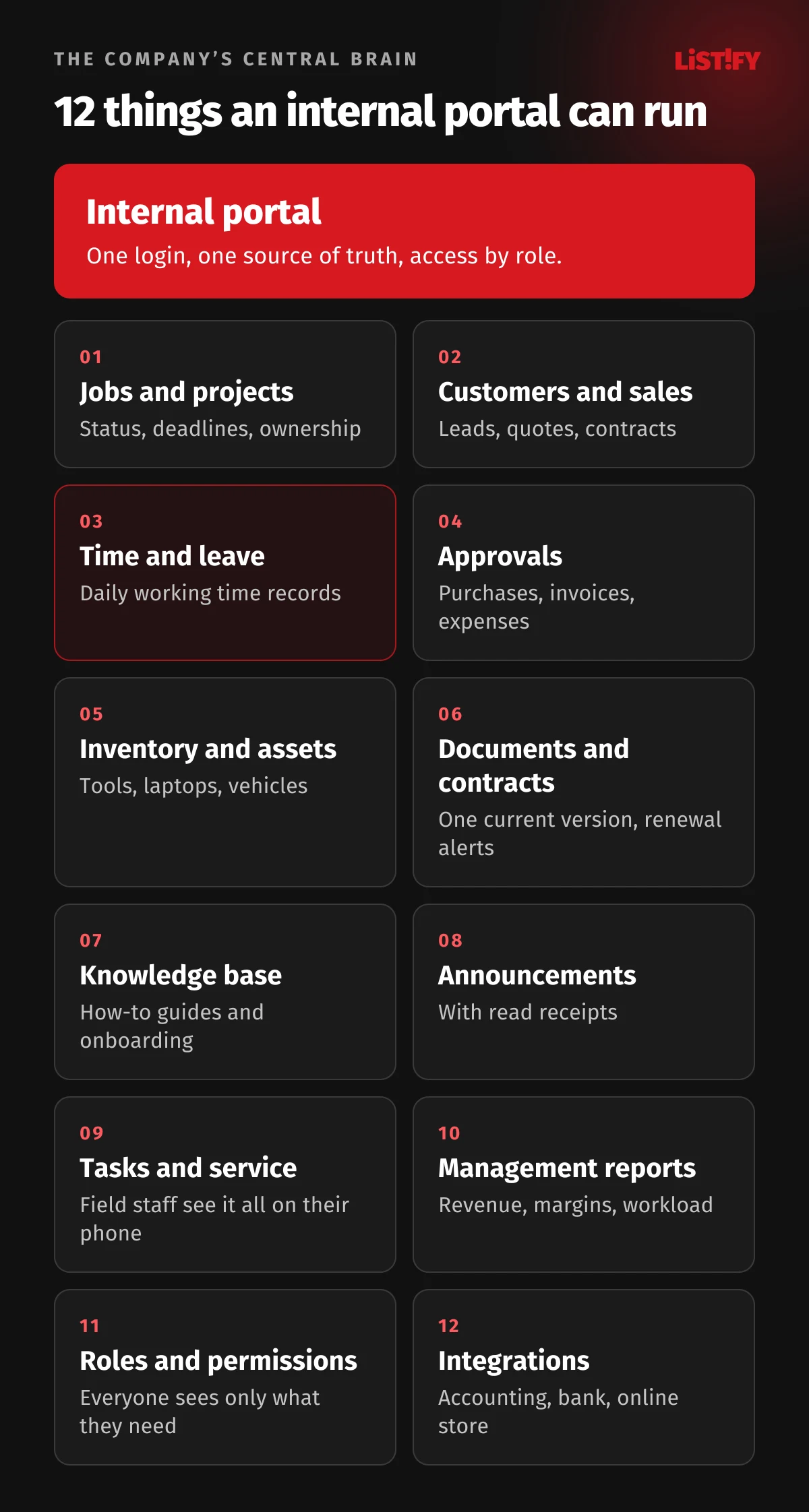
1. Jobs and projects
Every job has a status, a deadline, an owner, a budget and a history. Sales can see where production is, production knows what is coming next week, and nobody has to call around to find out whether an order has shipped.
2. Customers and sales
Contacts, leads, quotes and contracts in one place, linked to the jobs. When a salesperson leaves, the customers stay with the company, not in their phone contacts. Whether you need a full CRM or something simpler is covered in When you have outgrown Excel.
3. Time, leave and shifts
In 2019 the Court of Justice of the EU ruled (case C-55/18) that member states must require employers to set up an “objective, reliable and accessible system” for measuring how long each worker works each day. The form is left to national law and can take company size into account. A portal can record start and end times on a computer, with a card or on a phone, and turn them straight into payroll data. Leave requests are approved in one click, and everyone can see who is off when.
4. Approvals
Purchases above a set amount, supplier invoices, travel expenses, new contracts. In a portal each request type has its own route: who approves, in what order, and what happens when the approver is on vacation. Nothing sits in an inbox, and every decision shows who made it and when.
5. Inventory, assets and vehicles
Where each tool is, who has which laptop, when a vehicle is due for inspection. An asset register with a loan history saves hours of searching and prevents disputes when someone leaves.
6. Documents and contracts
One current version of every document, access by role, and alerts when a contract is about to expire or renew. The portal doesn’t have to replace Microsoft 365 or Google Drive; it can keep the register and watch the dates.
7. Knowledge base and onboarding
Procedures, how-to guides, price lists and answers to common customer questions. A new hire finds the answer without interrupting the most experienced person in the company, and starts with a checklist for the first days: sign the paperwork, complete the training, get the right access.
8. Announcements and communication
Important notices with read receipts, shift schedules, policy changes. Everyday chat stays in Teams, Slack or whatever you use. The portal holds what needs to remain on record.
9. Tasks, service and complaints
Customer requests and internal tasks with a deadline and an owner. A field technician sees on their phone where to go, what to bring and what was done at that customer last time, then closes the job with a photo and the customer’s signature on screen.
10. Management reports
Revenue, job margins, team workload, overdue invoices. When the data is created in the portal, reports build themselves, and management no longer waits for a spreadsheet at the end of the month.
11. Roles, permissions and audit trail
The accounts team can see invoices but not performance reviews. A team leader sees their own team, not the whole company’s payroll. Article 25 of GDPR requires that personal data is not made accessible by default to an indefinite number of people, and Article 32 requires appropriate security. A log of who changed what, and when, also helps settle disputes.
12. Integrations with your other systems
Accounting, banking, your online store, company registers, time clocks. A portal only works as the company’s brain when it gets data from other systems automatically and nobody retypes it. How to plan integrations that don’t create duplicate invoices, for example, is covered in API integration best practices. The same foundation can later open up to customers or suppliers as a client portal.
05What the rules expect from your portal
No law requires a portal. But once you move timesheets, employee documents or personal data into one, the same rules apply as on paper. The details depend on national law; these EU-level rules apply everywhere in the EU:
| Area | What the rule says | What it means for the portal |
|---|---|---|
| Working time records | CJEU case C-55/18 (2019): member states must require an objective, reliable and accessible system that measures daily working time for each worker | Recording start and end times, not just totals, is the safest way to meet it. What exactly must be recorded is set by national law |
| Pay transparency | Directive (EU) 2023/970: pay or pay range before hiring, no questions about pay history, easily accessible pay criteria, replies to workers’ requests for pay information within two months | Keep pay criteria and pay data in one place. Employers with 150 or more workers report the gender pay gap by June 7, 2027, those with 100 to 149 by June 7, 2031 |
| Personal data | GDPR Articles 5, 25 and 32: only necessary data, access only for those who need it, security, and recovery after an incident | Roles and permissions, encryption, backups, access logs and deletion periods |
| Biometric time clocks | Biometric data used to identify people is a special category under Article 9 of GDPR. The Czech data protection authority, for example, found a breach of the data minimization principle even though an employer stored only hashed fingerprints for attendance | Use cards, PINs or phone login for attendance. Fingerprints only in exceptional, well-justified cases |
| Formal employment notices | Delivery rules for dismissals and similar documents are set by national law and are often strict | Don’t assume that posting a document in the portal counts as delivery. Check your country’s rules |
The deadline has passed, so if your country has not yet adopted a law, the obligations are coming, only later. Once they apply, an employer that has not met the transparency obligations carries the burden of proof in a pay discrimination claim: it must show there was no discrimination (Article 18(2)). For a deeper look at security, see Data security in custom software development.
06Is Microsoft 365 or Google Workspace enough?
For email, shared documents, calendars and chat, yes. Microsoft 365 business plans also include SharePoint, which you can use for a classic intranet with news and documents. But off-the-shelf tools know nothing about your jobs, your approval rules or how you calculate shift allowances. That still ends up in spreadsheets on the side.
| Option | Price | Good for | Where it falls short |
|---|---|---|---|
| Microsoft 365 Business | Basic $7.00 per user per month with an annual subscription; in the EU Basic €6.07, Standard €12.13, Premium €19.06. About 20% more with a monthly commitment | Email, Office apps, Teams, shared documents, a simple intranet | Your own processes, calculations and approvals only through add-ons or custom work |
| Google Workspace | Starter $7, Standard $14, Plus $22 per user per month with an annual commitment (€6.80, €13.60, €21.10) | Email, documents, calendars, video calls | Like Microsoft 365, it doesn’t run your processes |
| Specialized app | Usually a monthly fee per user | One process, such as time tracking or field service | A separate app and login for each process, and the data doesn’t connect |
| Custom portal | One-off development plus hosting and maintenance | Your processes, role-based access, links to every system | Management has to invest time in the brief, and the company needs a portal owner |
The best setup is usually a combination: email and documents in Microsoft 365 or Google Workspace, the same company account to log in to the portal, and your own processes inside the portal. For scale: 25 people on Microsoft 365 Business Standard cost €303.25 a month excluding VAT on an annual subscription. A custom portal doesn’t replace that license; it adds what the off-the-shelf tool can’t do.
07What a custom internal portal costs
The price depends mainly on the number of processes, roles and integrations. Our custom software calculator puts an internal portal at roughly CZK 180,000 to 350,000 (about €7,400 to €14,400) excluding VAT, with 8 to 14 weeks of development. Analysis, design, roles and permissions, and backups are always included. Optional extras:
- accounting integration: CZK 30,000 (about €1,200)
- reports and dashboards: CZK 40,000 (about €1,600)
- importing existing data: CZK 20,000 (about €800)
- email and SMS notifications: CZK 15,000 (about €600)
- a mobile app for field staff: CZK 150,000 (about €6,200)
Euro amounts use the Czech National Bank rate of CZK 24.35 per euro from September 25, 2026. These are guide prices, not a ceiling. A large portal for hundreds of people, linked to production systems and full of exceptions, can cost many times more. That is why it makes sense to start with the module that saves the most time. See how we work and prices for our other services on the pricing page. How an off-the-shelf CRM compares with a custom one over five years is worked out in CRM cost over 5 years.
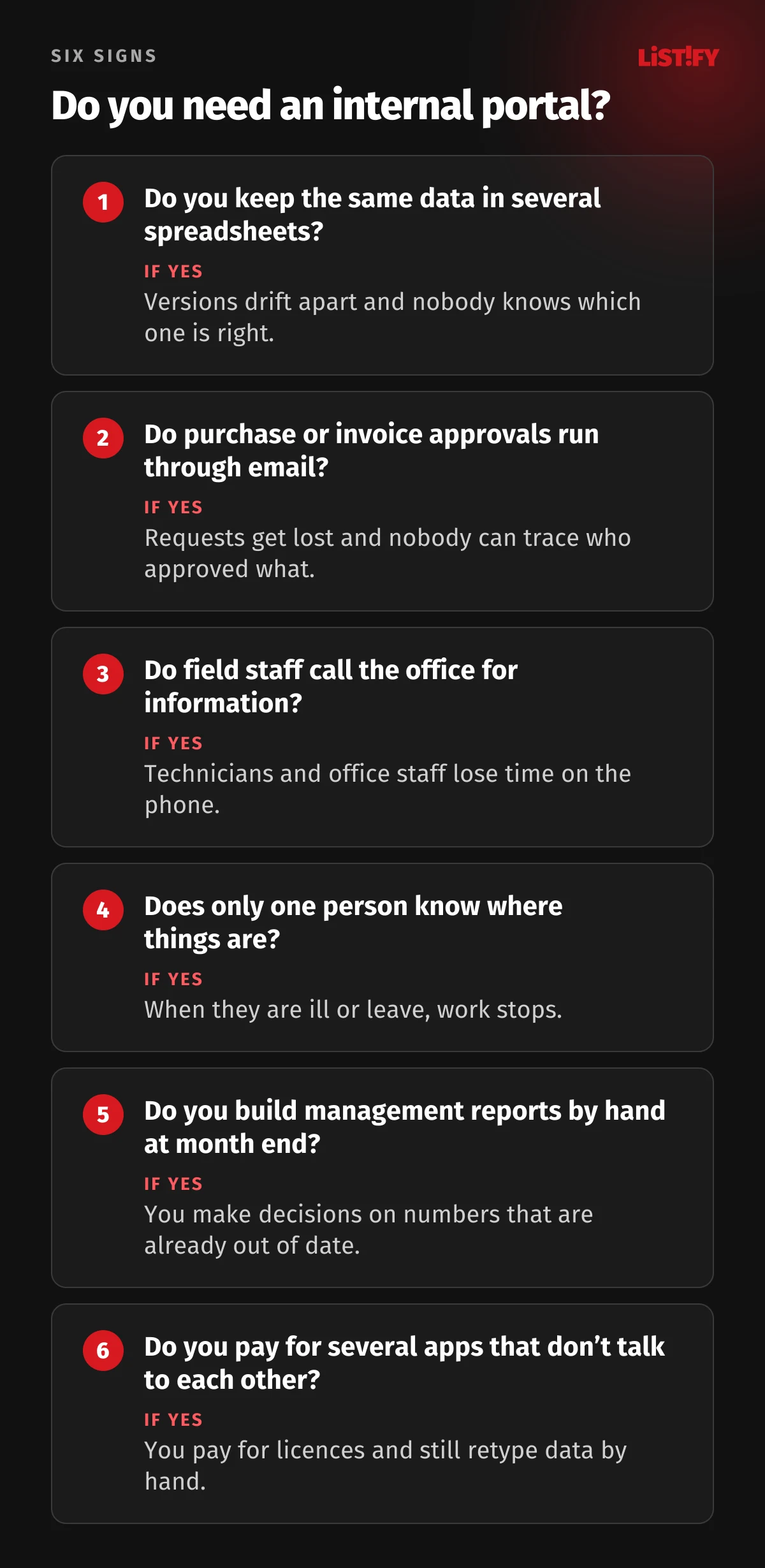
08Do you need an internal portal? Six signs
If you answer yes to at least two of these questions, a portal is worth a serious look:
09How to roll it out so people actually use it
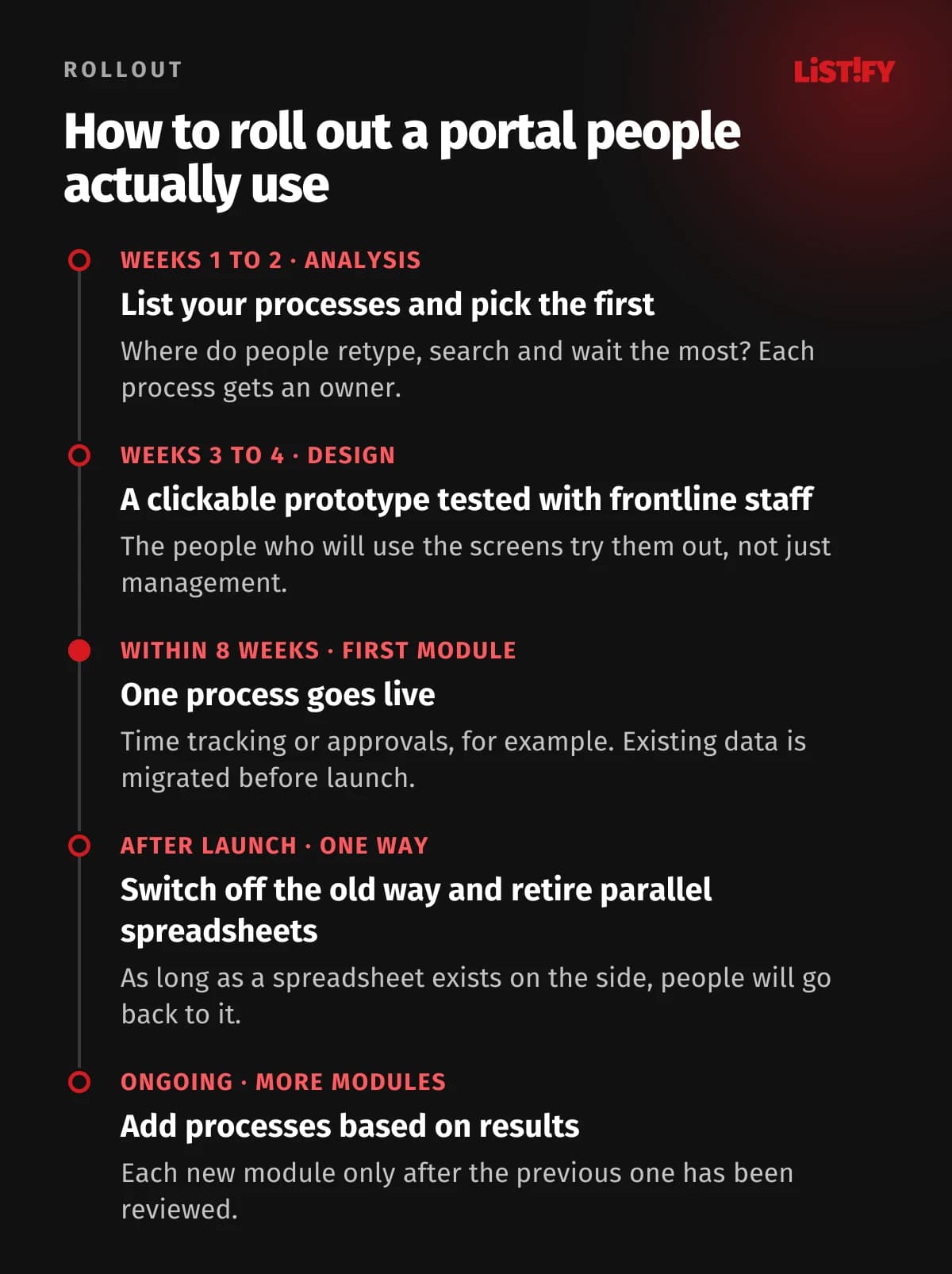
A portal nobody opens is money wasted, and the cause is rarely technical. Usually people simply have no reason to switch to it. What works in practice:
It also matters who manages the content. In 2024, Nielsen Norman Group published the results of usability tests on 15 intranets at organizations around the world. Where one team managed the content, employees completed test tasks in 78 seconds on average. Where each department managed its own section, it took 123 seconds.
- One central team78
- Central team and departments84
- Each department on its own123
Usability tests on 15 intranets, results published in 2024. Source: Nielsen Norman Group, Intranet Usability Guidelines.
The same study recommends organizing content around what people do every day rather than by department, with a single search box for documents, people and tools. Overall, a rollout usually succeeds or fails on four things:
- One way of doing things. If leave can be approved in the portal and by email, some people will stick with email. Switch the old way off on a set date.
- Mobile first. People in production, the warehouse and the field must be able to do the main tasks on a phone in a few taps.
- An owner inside the company. Someone who collects feedback, decides on changes and keeps the data current.
- Tasks, not departments. The main menu should match what people are looking for: request leave, find a colleague, report a fault. Your org chart shouldn’t dictate the navigation.
Why people abandon apps, and how to prevent it at the design stage, is covered in Web app UX: why users leave and come back.
10Common mistakes
- Everything at once. A portal launched with twelve modules takes a long time to build, and people have to learn it all at the worst possible moment. Start with the process that hurts most.
- A digital copy of the paper form. If you carry over the unnecessary stamps and three signatures, nothing gets faster. Simplify the process first.
- Permissions as an afterthought. Decide who can see what at the start. Restricting access later is expensive, and something always slips through.
- Data without an owner. For every piece of data it must be clear where it is created and who is responsible for it. Otherwise the portal will sooner or later drift away from your accounts.
- Fingerprints where a card would do. Biometric data is a special category under GDPR and is rarely justified for routine attendance.
- No plan for growth. People, branches and processes will be added. How to plan for that is covered in our web app scalability guide.
11FAQ
What is an internal portal?
A web application for a company’s own employees. After logging in, they can reach projects and job records, timesheets, approvals, documents and other processes, and each person sees only what matches their role.
What is an intranet used for, and how is an internal portal different?
A classic company intranet is mainly for sharing news and documents. An internal portal also runs processes: it routes approvals, records working time, tracks deadlines and connects the company’s other systems.
Which intranet features does a small business need first?
Start with what costs you the most time today, typically time and leave, approvals or job tracking. Add a document register, a knowledge base and management reports next. Role-based access and a single search box belong in it from day one.
How much does a custom internal portal cost?
Our calculator puts it at roughly CZK 180,000 to 350,000 (about €7,400 to €14,400) excluding VAT, depending on the number of processes. Extras such as accounting integration or a mobile app are added on top. Larger portals can cost more; the exact price comes out of the analysis.
Can a portal be used to record working time?
Yes, provided it meets your country’s rules. Under the 2019 CJEU ruling in case C-55/18, EU member states must require an objective, reliable and accessible system that measures each worker’s daily working time.
Is SharePoint better than a custom portal?
SharePoint in Microsoft 365 is fine for news, documents and simple lists. If you need your own approval rules, calculations, field work or accounting integration, a custom portal is worth it, and people can log in with the same company account.
How long does development take?
According to our calculator, 8 to 14 weeks. The first module can go live sooner, and further modules are added in the order of what saves the most time.
12Sources
- The social economy: Unlocking value and productivity through social technologies, McKinsey Global Institute, 2012
- How Much Time and Energy Do We Waste Toggling Between Applications?, Harvard Business Review, 2022
- Will AI Fix Work?, Microsoft Work Trend Index, 2023
- The State of Teams 2025, Atlassian
- Businesses at Work 2025, Okta
- Eurostat: isoc_eb_iip (business software, 2025) and isoc_ci_ras (remote access, 2024)
- Judgment in case C-55/18, CCOO v Deutsche Bank, Court of Justice of the EU, 2019
- Directive (EU) 2023/970 on pay transparency and General Data Protection Regulation
- EU Pay Transparency Directive: beyond the deadline, Baker McKenzie, 2026
- Inspection of an employer using a biometric attendance system, Czech Office for Personal Data Protection (in Czech)
- Intranet Usability Guidelines, Nielsen Norman Group, 2024
- Microsoft 365 business plans and Google Workspace pricing