Custom software and CRM for civil-law notaries: files, documents and appointments
Design a notarial office system around preparation, participants and controlled documents. A guide to custom software for civil-law practices.
Consider an illustrative appointment: the participants arrive, a required document is missing, and staff are unsure which draft the notary reviewed. Another file follows a completely different procedure. A shared contact list cannot describe the status or responsibilities of either matter.
Custom software for civil-law notaries can connect appointments, participants, preparation and controlled documents. This article concerns civil-law notarial offices; the scope of notarial work varies by jurisdiction. The application supports the office while substantive assessment and authorised acts remain with the responsible professional.
Show us how your office prepares for a notarial appointment. Missing evidence, document revisions and approval handovers can reveal a practical first release for one defined service.
01Design around the work your office actually does
Distinguish a service request, an official file, a participant and a requester. Where the office handles succession matters or entrusted funds, those activities require separate workflows. The data model should reflect applicable responsibilities rather than turn every matter into a sales opportunity.
| Work area | Operational record | Review point |
|---|---|---|
| Instrument preparation | Participants, evidence and versions | Notary approval |
| Succession work where applicable | Parties, assets and tasks | Separate case access |
| Entrusted funds where permitted | Conditions and transactions | Authorised release |
0220 modules to consider for your practice
Start with the service that most often receives incomplete preparation material. Give its modules explicit review points. Appointment preparation, custody of documents and any estate or funds administration within your authorised remit need distinct roles and completion rules; they should not inherit one generic sales workflow.
Appointments and preparation
- Initial requests. Capture the service type and contact details without inviting unnecessary sensitive documents into an ordinary enquiry inbox.
- Appointment planning. Allocate time according to the work and available staff. Explain which documents remain necessary when confirming a booking.
- Participant records. Give each person a stable identifier and a role within the file. Do not merge people solely because names match.
- Preparation checklists. Use a checklist for each service. Record completeness and review status rather than treating every uploaded file as acceptable evidence.
- Readiness review. Show missing items and unresolved questions before the appointment so staff can address practical problems in advance.
Files and controlled instruments
- Separate workflows. Different notarial activities follow their own stages. A shared contact record does not grant access to every related file.
- Draft versions. Connect each revision with its author and supporting material. Keep the approved version distinct from drafts circulated for comments.
- Approval queue. Present a prepared package for notarial review and record exactly which version and supporting documents were considered.
- Original document tracking. Record physical storage and movements. A scanned copy must not automatically be represented as equivalent to the original.
- Tasks and dates. Assign ownership and supporting evidence. Any proposed procedural deadline requires confirmation by the responsible professional using verified events.
Specialist records and financial control
- Succession participants. Where relevant, record parties and representatives separately. A changed role should not automatically disclose an entire succession file.
- Asset evidence. Connect supporting documents to their source and verification status. Make incomplete information visibly different from reviewed evidence.
- Entrusted funds records. Where applicable, separate conditions, documents and responsibilities. A status change in the application does not itself authorise payment.
- Transaction reconciliation. Compare received movements with expected ones. Unidentified references or different amounts require review before further processing.
- Fees and expenses. Separate the office’s billing records from entrusted funds. Configured calculations require review under the applicable fee arrangements.
Participant service and office continuity
- Document portal. Give participants access to specified requests and material according to their role in the matter, with explicit sharing controls.
- Appointment reminders. Use organisational messages for visits and missing documents, clearly separating them from formal service or official communications.
- Staff handovers. Show outstanding questions, preparation status and the next action so a substitute can continue work without guessing.
- Exception dashboard. Expose files awaiting approval, missing evidence or external responses. A failed exchange needs a visible owner and resolution path.
- Closure checks. Confirm documents, financial items and outstanding tasks before closure. Apply retention rules to each relevant category of material.
03A model workflow from intake to closure
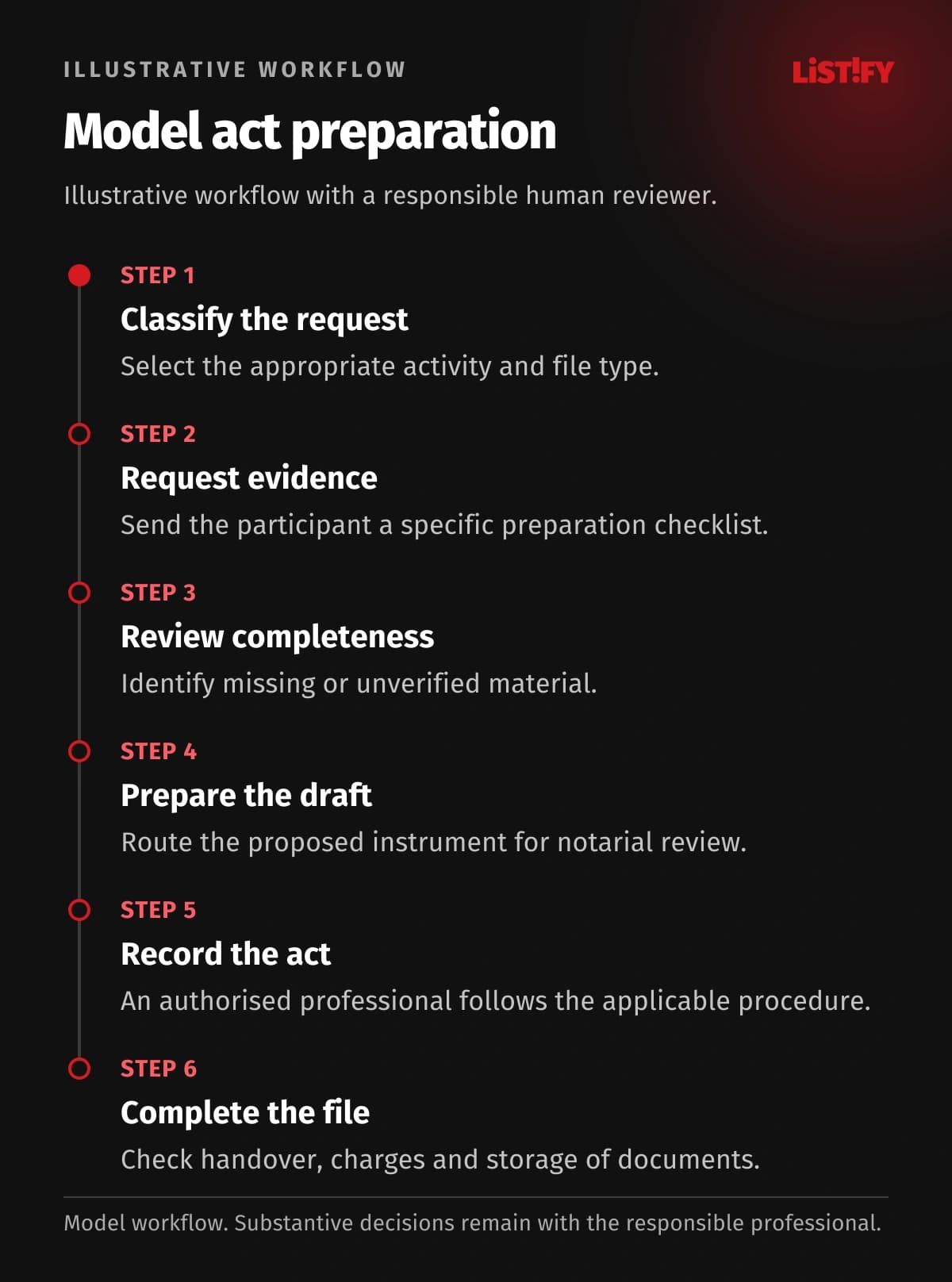
This illustration follows preparation for an arranged notarial service. It is neither a client case study nor a prescribed procedure. The notary determines the required evidence and professional act under the applicable local rules; an authorised professional confirms any procedural dates.
- Classify the request. Select the appropriate activity and file type.
- Request evidence. Send the participant a specific preparation checklist.
- Review completeness. Identify missing or unverified material.
- Prepare the draft. Route the proposed instrument for notarial review.
- Record the act. An authorised professional follows the applicable procedure.
- Complete the file. Check handover, charges and storage of documents.
This model covers preparation for a requested act. Other activities need separate designs reflecting the office’s jurisdiction and authority.
04Connect the website, portal and daily work
A notarial website should explain preparation, appointment arrangements and contact routes. A portal can collect documents and show organisational progress. It does not replace prescribed registers, authentic instruments or official service. Mobile access should expose only the material needed for the task.
When assessing an API integration, separate internal document preparation from any connection to an existing notarial product or official record. Interfaces and access rights require verification. An unconfirmed exchange must not mark a record complete; without a supported interface, assign a checked manual step to a named employee.
- Participant addressModel: separate records: 2Model: connected design: 1
- Appointment dateModel: separate records: 2Model: connected design: 1
- Register confirmationModel: separate records: 1Model: connected design: 1
Illustrative counts of separate manual entries of the same information, not measured results. Address: booking and preparation record (2→1). Appointment date: calendar and checklist (2→1). Required register confirmation: separate manual entry (1→1). No savings are guaranteed; any APIs and permissions require verification.
05Choose existing software, an extension or custom development
Keep an established notarial product when it supports your authorised services and staff use its records effectively. First establish whether the missing piece is evidence collection or appointment preparation. A broader replacement needs a clear map of service boundaries and of the official records that remain outside your application.
A preparation portal may complement an established specialist product. Required official records should not be replaced merely to make every screen look consistent.
When considering a custom CRM, include evidence checklists, participant migration and staff training in the comparison. Custom development may cost more. Acceptance should demonstrate that changing a participant in one file does not alter another and that draft instruments remain distinguishable from approved versions.
06Make permissions and security specific
Reception needs scheduling information; authorised staff prepare evidence; the notary reviews the professional output. Restrict sensitive matters separately. Changes to payment destinations should require an additional approval step.
Set document access by service and participant role, not simply by contact record. Multifactor authentication, change history and limited exports must also protect preparation material. Approve temporary support access explicitly. A restoration test should preserve versions and references to physical originals; set retention by document category and the rules that apply to it.
07Plan the first release and migration
Start with booking, preparation checklists and one document workflow. Test incomplete evidence and changed participants before adding other activities or financial connections.
For migration from legacy systems, select examples from each service in scope. Compare participant roles, file identifiers, document versions and original locations. Any funds records require separate reconciliation. After the trial, identify which entries remain in official records and where the new internal workflow starts.
08Budget, implementation and support without an IT department
Costs depend on the variety of authorised services, document approval paths and any financial records in scope. An appointment portal is a different project from custody administration. Estimate stages separately, including conversion and support, so the notary can accept each against an example appropriate to that service and jurisdiction.
Test an incorrectly uploaded document, a rescheduled appointment and withdrawal of participant access. Verify that a prepared financial action cannot proceed without its required approval.
You do not need an internal IT team. Nominate the notary or an authorised colleague who can explain service boundaries and validate preparation handovers. Listify can provide design, development, testing, training and agreed support. Allocate infrastructure, update and recovery responsibilities, including the response when appointment documents are unavailable. Handover should include operational documentation.
09Frequently asked questions
Is CRM useful for a notarial office?
Yes, for contacts and coordination. The core must reflect participants, files and separate activities rather than treat every record as a commercial prospect.
Does this apply to all types of notaries?
No. This guide concerns civil-law notarial offices. Their powers and workflows vary by jurisdiction and differ from many notary public services.
Can appointments be booked online?
Yes, with rules for service type, capacity and preparation. A booking confirmation must not imply that a notarial act has already occurred.
Can a portal release entrusted funds automatically?
Separate evidence of conditions, professional authorisation and bank execution. The design must follow an appropriately reviewed process for the office and jurisdiction.
Must the whole archive move immediately?
Not necessarily. Active files can move first, provided historical records remain available and document relationships are preserved during staged migration.
What should we bring to discovery?
One activity, an anonymised preparation checklist and your software list. Include a recurring reason why appointments or file completion are delayed.
Plan software around your notarial services with Listify. Bring an anonymised evidence checklist, a document approval path and the records your office uses. We can distinguish what belongs in the website, preparation portal and internal application for the first release.