50 Reasons to Build a Custom CRM (and 6 Times It Isn’t Worth It)
You can sign up for an off-the-shelf CRM in ten minutes. The trouble starts later: with your fifth sales rep, the first price increase, or an export that won’t give you what you need. We put together 50 reasons companies have a CRM built specifically for them, grouped them into eight areas and, wherever we could, backed them with figures from price lists, laws and official statistics. At the end you’ll also find six situations where you shouldn’t spend money on a custom system.
Nearly a third of European companies now run a CRM. According to Eurostat, 28.5% of EU businesses with ten or more employees used a CRM in 2025, and among companies with 50 to 249 people it was 44%. Most started with a subscription product, which is a sensible first step. But off-the-shelf CRMs are built for a typical company, and the more yours differs from that, the more time and money it takes to squeeze it into the box.
A custom CRM is software built for your business: your sales process, your fields, and connections to the tools you already use. You own both the code and the data. That doesn’t mean starting from zero, since a good developer builds on proven libraries and ready-made modules. The difference is that the system fits the company instead of the company fitting the software.
If you’re still deciding whether spreadsheets are enough, start with Outgrown Excel? 9 Signs Your Business Needs a Custom CRM. For a detailed five-year cost comparison, read What Does an Off-the-Shelf CRM Really Cost Over 5 Years? This article looks at the bigger picture: everything that changes when the system is your own.
01The short answer: when a custom CRM makes sense
- You have more than a handful of users and you’re growing. Per-seat licenses become a big part of the cost and go up with every hire.
- Your process doesn’t look like a textbook sales funnel. Made-to-order manufacturing, service contracts, projects, rentals, multiple branches or complex approvals.
- Your data needs to be connected. Accounting, ecommerce, inventory, public registers, e-invoicing, phone systems. Every integration through a third-party platform means another license and another risk.
- You want to keep your data in-house. Where it lives, who can access it and how you get it out is your call.
- You’re planning in years, not months. A custom system is an investment. It pays off when the company uses it for a long time and keeps improving it.
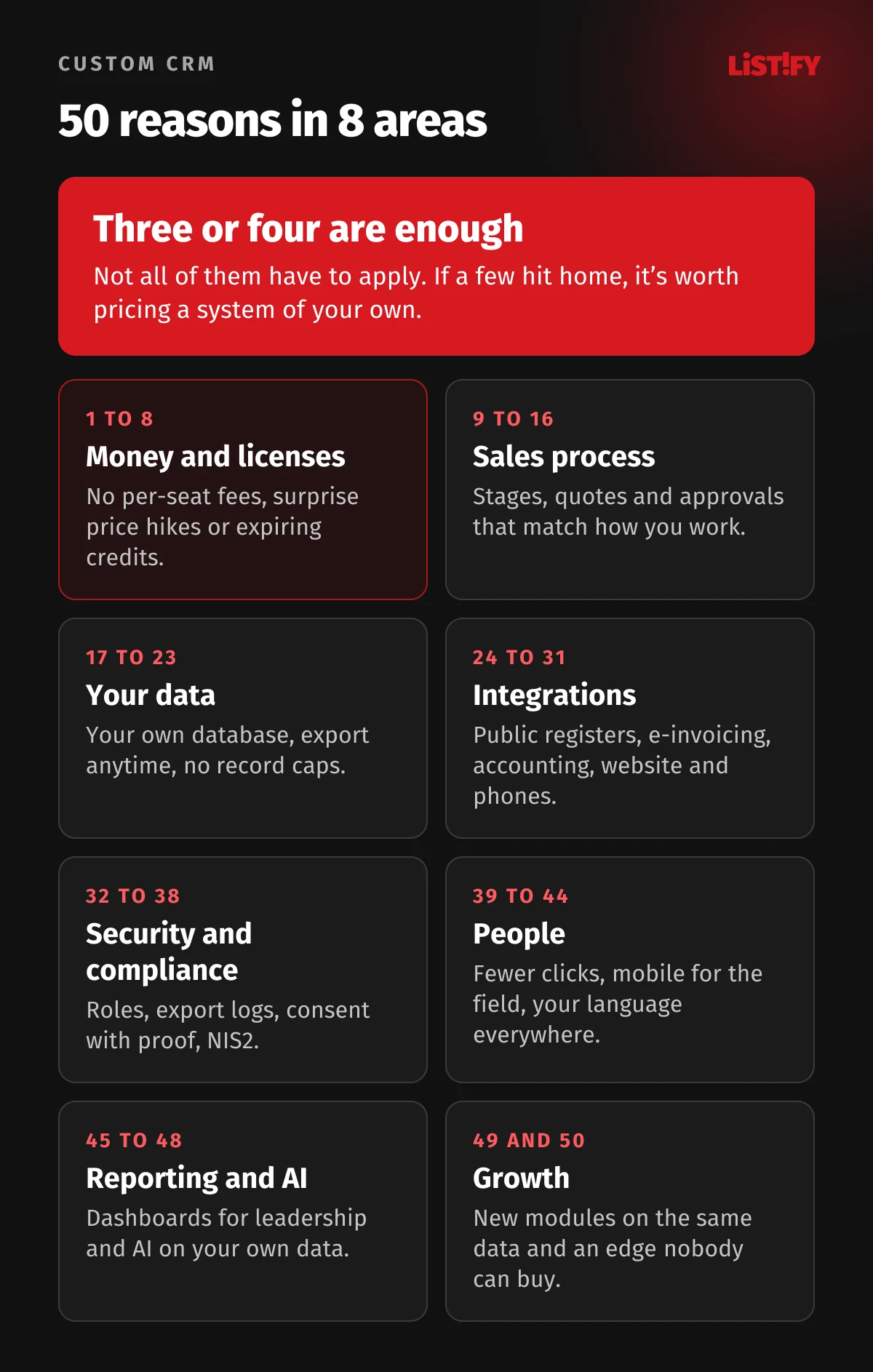
02Money and licenses: reasons 1 to 8
1. You don’t pay for every new seat. Off-the-shelf CRMs charge per user per month. According to HubSpot’s official catalog, Sales Hub Professional starts at €100 (about CZK 2,450, or $100 in the US) per seat per month, billed annually, plus a mandatory one-time onboarding fee of €1,470 (about CZK 36,000). A custom system runs on a server whose cost barely changes when you add your tenth user.
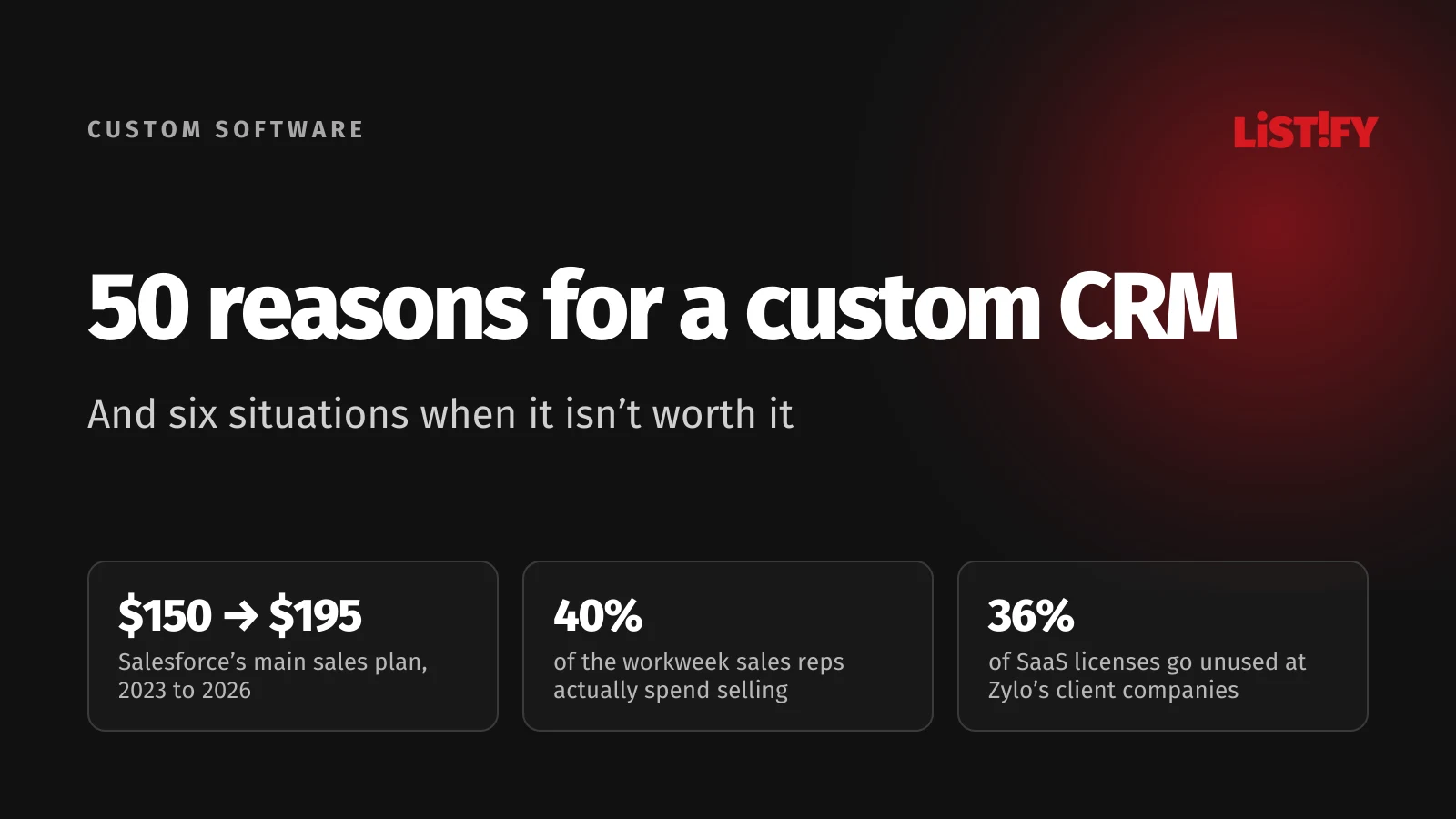
2. Nobody changes your price list overnight. Salesforce raised list prices by an average of 9% in 2023 and, for Enterprise and Unlimited, by another 6% in August 2025. In September 2026 it introduced new editions: Core, the successor to Enterprise, costs $195 per user per month. Until mid-2023, Enterprise cost $150. Salesforce says the new bundle includes more, such as Slack and Tableau Next. But you pay for those parts whether you need them or not.
- Enterprise until 7/2023$150
- Enterprise from 8/2023$165
- Core, announced 9/2026$195
Billed annually. Core is the successor to the Enterprise edition and, according to Salesforce, includes more services. In August 2025 Salesforce raised prices by an average of 6% without publishing the exact Enterprise figure. Sources: Salesforce 2023, Salesforce 2025, Salesforce 2026.
Salesforce isn’t the only one. In April 2024, Microsoft announced the first Dynamics 365 price update in more than five years, and from October 1, 2024, Sales Enterprise went from $95 to $105 per user per month.
- Sales EnterpriseBefore: $95From Oct 1, 2024: $105
- Sales PremiumBefore: $135From Oct 1, 2024: $150
- Sales DeviceBefore: $145From Oct 1, 2024: $160
Applies to new customers and to existing customers at renewal. Source: Microsoft.
With your own system you know exactly what you pay for hosting and maintenance, and a server price increase is something you can plan for.
3. You don’t pay for licenses nobody uses. Zylo, which manages software subscriptions mostly for large companies, reports in its 2026 SaaS Management Index that, measured against recommended utilization levels, its customers leave an average of 36% of their SaaS licenses unused. In a custom system you don’t pay for idle accounts, so nobody has to police licenses.
4. AI won’t cost you credits that expire. Off-the-shelf CRMs bill AI in credits. HubSpot includes a monthly bundle with each paid plan, and according to its catalog unused credits don’t roll over. Beyond the bundle, Salesforce Agentforce costs $0.10 per action or $2 per conversation, according to its pricing page. In your own CRM you connect a language model through its API and pay only for what you use.
5. You set the limits. Every plan has a ceiling. HubSpot allows 650,000 API calls a day on Professional, and custom objects are available only on Enterprise, with ten definitions included and more only through paid limit increases. Pipedrive allows 30 custom fields per company on its entry-level Lite plan. In your own system, the only limit is server capacity.
6. No mandatory add-ons. Web lead capture, email campaigns and e-signature documents are often paid add-ons. Pipedrive’s LeadBooster add-on, for example, starts at €32.50 a month (about CZK 800). With a custom build you pay for exactly the features you’ll use, with no add-on fees on top.
7. An asset, not endless rent. You pay a subscription for as long as you use it, and after ten years you own nothing. Custom development is a one-time cost plus hosting and maintenance. We calculate the break-even point for different team sizes and time frames in What Does an Off-the-Shelf CRM Really Cost Over 5 Years?
8. Backups without surcharges. Czech CRM vendor Raynet includes one data backup a year on its Start and Professional plans (two on Ultimate) and charges CZK 3,000 (about €123) for each extra SQL backup. In your own system you schedule backups as often as you need and keep copies wherever you want.
03Your sales process, your way: reasons 9 to 16
9. The system adapts to the company, not the other way around. Off-the-shelf CRMs assume a path from lead to meeting to proposal to deal. If you sell made-to-order manufacturing, service contracts or equipment rentals, you end up bending your process into someone else’s template. A custom system is built around how your company really works.
10. You name fields and stages your way. No “Deal Stage” or “Opportunity” that everyone interprets differently. Sales reps see the same terms they use on the phone with customers and in team meetings.
11. Quotes and pricing that follow your rules. Price lists by customer group, volume discounts, surcharges, variants and margin calculations. What reps now work out in a spreadsheet next to the CRM, the system calculates on its own and turns into a quote in your format.
12. One screen instead of eight tools. In a Salesforce survey of 4,050 sales professionals in 22 countries, only 34% of sales teams worked in a single all-in-one platform. The rest juggled an average of eight standalone tools, and 42% of reps said they were overwhelmed by too many tools. In a custom system, reps find contacts, quotes and emails on one screen without switching apps.
13. Less data entry, more selling. According to the same survey, reps spend only 40% of their week actually selling. The rest goes to tasks such as prospecting, planning, creating quotes, manual data entry and training. Every field the system fills in automatically and every one-click quote gives reps time back for customers.
14. Approvals that follow your rules. Discounts above 15% go to the sales manager, deals above €50,000 (about CZK 1.2 million) to the CEO, new customers without a deposit to finance. You set the rules once and nobody has to police them manually.
15. An industry no template was built for. Most CRMs are designed around classic sales. A construction company needs jobs, phases and subcontractors. A logistics firm needs routes and vehicles. A service company needs inspections and technician visits. A custom build handles all of that without repurposing fields meant for something else.
16. Sales, delivery and service in one place. Off-the-shelf CRMs often stop at the signed contract, and the project lives somewhere else. Your own system can follow the customer from the first inquiry through delivery to service and repeat orders, so everyone sees the full history.
04Your data belongs to you: reasons 17 to 23
17. You own the database instead of renting it. With a subscription, you have access to your data as long as you pay. With your own system, the database is your asset and runs on a server you can access too.
18. Export anytime, in any format. Not just CSV files table by table, but the entire database with relationships, attachments and change history. Useful for audits, analytics, or the day you decide to rebuild the system.
19. History without a ceiling. Pipedrive limits leads and deals per seat, starting at 2,500 per seat on Lite, with an absolute cap of 300,000 per company account. A small team that logs every inquiry can hit its plan’s limit within a few years. Your own database can store twenty years of data.
20. A data model of your own. Machines, contracts, inspections, branches, projects. In HubSpot, custom objects like these are available only on Enterprise, with ten definitions included and more for an extra fee. In a custom system, the data model is built around exactly what your business works with.
21. You know where your data lives. You can host your own system in a data center in your country or anywhere in the EU. Most transfers of personal data to US services rely on the EU-US Data Privacy Framework. The EU General Court dismissed a challenge to it in September 2025, but the applicant appealed to the Court of Justice and the case is ongoing.
22. Your exit plan belongs in the contract. From January 12, 2027, the EU Data Act bans switching charges for cloud services. But Article 31 exempts services that are mostly custom-built for a single customer. For a custom CRM, your contract has to protect you. Insist that the code, data and documentation are yours and that handover to another developer is spelled out in writing.
23. Data quality checked at the point of entry. Required fields by customer type, format checks for company IDs and email addresses, duplicate warnings. In a 2026 survey by Validity of 500 marketers in the US, UK, Brazil, Australia and New Zealand, 62% of organizations reported losing revenue because of poor CRM data quality. The cheapest error is the one that never gets in.
05Connected to the systems you already use: reasons 24 to 31
24. Public registers fill in company details. A rep enters a company ID and the system pulls the name, address and other details from a public register. Many registers offer free APIs. In Czechia, the finance ministry says anyone can use the ARES service, and Slovakia publishes a public business register API updated every night.
25. E-invoicing is coming, and it needs clean data. Under the EU’s VAT in the Digital Age package, digital reporting based on e-invoices applies to cross-border B2B supplies from July 1, 2030. Some countries move faster. Slovakia, for example, requires structured e-invoices for domestic B2B sales from January 1, 2027. When quote line items flow from the CRM into the invoice without retyping, there are fewer mistakes.
26. Accounting without retyping. An order in the CRM becomes an invoice in your accounting software, and payment status flows back. Sales can see who pays late, and accounting doesn’t copy anything by hand.
27. Records you can find years later. Tax rules often require invoices to be kept for many years. In Czechia, for example, VAT documents must be kept for 10 years. A SaaS contract can end much sooner. When quotes, orders and invoices sit in your own database, they stay together for as long as the law requires.
28. Website, online store and forms feed straight in. A web inquiry, an online order or an event sign-up lands in the CRM as a record with a task for a specific person. No forwarded emails and no paid connector services.
29. Phone, email and calendar in one place. Calls from your phone system, emails and meetings are logged against the contact. Whoever takes over a customer from a colleague sees the full history in a minute.
30. Integrations built around your systems. Production planning, inventory, time tracking, your own apps. Ready-made integrations cover the best-known services but rarely the niche ones. How to build integrations and what to watch out for is covered in API integration best practices.
31. Fewer third-party apps with access to your data. In August 2025, according to Google Threat Intelligence, attackers used stolen OAuth tokens from the Salesloft Drift integration to export data in bulk from numerous corporate Salesforce instances. The flaw wasn’t in Salesforce itself. The attackers got in through a third-party app with broad access. The fewer outside add-ons you let into your CRM, the fewer doors like that you have.
06Security and compliance: reasons 32 to 38
32. Permissions that match real roles. Reps see their own accounts, managers see the team, accounting sees invoices only, an outside partner sees only their project. In a custom system, roles are designed around how your company is organized.
33. A record of who viewed and exported what. In many CRM data thefts, a bulk export is the moment the data leaves the company. In a campaign that ran from late 2024 into 2025, attackers phoned employees, talked them into approving a fake app and then exported the data. Your own system can restrict exports to selected people, log every export and flag unusual volumes.
34. Marketing consent with proof. Under Article 7 of the GDPR, a company that relies on consent must be able to demonstrate that the person actually gave it. A custom CRM can store the legal basis, date, method and evidence of consent for every contact, along with opt-outs and the date of the last purchase.
35. Deletion and anonymization on your schedule. The GDPR requires that personal data not be kept longer than necessary. Your own system can delete or anonymize inactive contacts after a set period and keep only what the law requires, such as invoice details.
36. NIS2 and your supply chain. The EU’s NIS2 Directive requires medium and large companies in covered sectors to manage supply chain security, including the security practices of their direct suppliers. A small or mid-sized company has little room to negotiate terms with a SaaS giant. With the developer of your custom system, you do.
37. A restore you’ve tested. A backup is useless if nobody knows how to restore from it. With your own system you know how long a restore takes and who runs it, and you can do a dry run once a year.
38. Someone else’s outage doesn’t stop you. On August 7, 2025, HubSpot reported that roughly 95% of requests failed at peak when customers accessed CRM records, for about 20 minutes. No system is immune to outages, including custom ones. But with your own, you know what it runs on, and you set the repair priorities yourself. More on security in Data security in custom software development.
07People and everyday work: reasons 39 to 44
39. Screens built around the job. After logging in, reps see their tasks and open deals, technicians see today’s jobs, the CEO sees the numbers. Fewer buttons mean fewer mistakes and faster training.
40. Mobile for people in the field. A sales rep or technician logs a visit, snaps a photo of the handover form and gets the customer’s signature on screen. The mobile version is built for the tasks people do on the road, with big buttons and only the fields they need.
41. Your language everywhere, including documents. The interface, customer emails, quotes, contracts and notifications. No half-translated menus and no templates that need rewriting by hand.
42. Fewer clicks, more data entered. A CRM is only worth something if people use it. When logging a meeting takes ten clicks, reps leave it for Friday and then forget. A custom system is designed together with the people who’ll use it, so they’re far more likely to use it.
43. Training on your own data. Training doesn’t walk through generic features. It shows your work: how to open your type of job, send your quote and find your customer. New hires get up to speed faster.
44. You don’t need an in-house IT department. According to Eurostat, only 20% of EU businesses with ten or more employees had their own ICT specialist in 2024, and just 14% of small firms. Among companies that tried to hire one, 57.5% had hard-to-fill vacancies. That’s why a custom CRM is usually built and maintained by an outside developer, and you pay only for finished work.
- Czechia70.5%
- EU average57.5%
- Slovakia53.1%
Share of businesses with 10 or more employees that recruited or tried to recruit ICT specialists in 2024. Source: Eurostat, isoc_ske_itrcrs.
08Reporting, automation and AI: reasons 45 to 48
45. Reports leadership will read. Margin by rep, win rate by lead source, deals that are dragging on, customers who stopped buying. Dashboards are built around the questions leadership really asks.
46. Routine work on autopilot. A reminder when a quote has gone unanswered for a week. A task when a customer hasn’t ordered in six months. An alert when a contract is about to expire. You set the rules once and they run on their own.
47. AI on your own data, under your control. According to Eurostat, 6.9% of EU businesses with ten or more employees used AI for marketing or sales in 2025. In your own CRM you decide which data the AI sees, which model it uses and where it runs. Call summaries, reply drafts or lead triage don’t have to mean sending your entire customer database somewhere you can’t see.
48. You control the rules for AI. The EU AI Act classifies creditworthiness assessments of individuals as high-risk. After the 2026 amendment, the stricter rules for that category apply from December 2, 2027. Routine B2B lead scoring isn’t on that list, but if your CRM scores consumers, you need to know exactly what the AI does. In your own system, you do.
09Growth and independence: reasons 49 and 50
49. The system grows with the company. A CRM today, inventory, a client portal or production planning next year. New modules sit on the same data, with no extra license and no extra integration. Where that can lead is described in Your Internal Portal as the Company’s Central Brain.
50. An edge your competitors can’t buy. Any competitor can subscribe to an off-the-shelf CRM in a day. Nobody can buy a system built on your know-how, your way of quoting and your way of looking after customers. That’s what sets you apart.
10CRM myths that keep getting repeated
A few CRM numbers have been copied from article to article for years. The best known is the claim that most CRM projects fail. But according to Gartner’s Ed Thompson, quoted in a 2004 interview, the original 2001 study found that 55% of projects “failed to meet expectations,” mostly on payback. It was the press that turned that into “failure.”
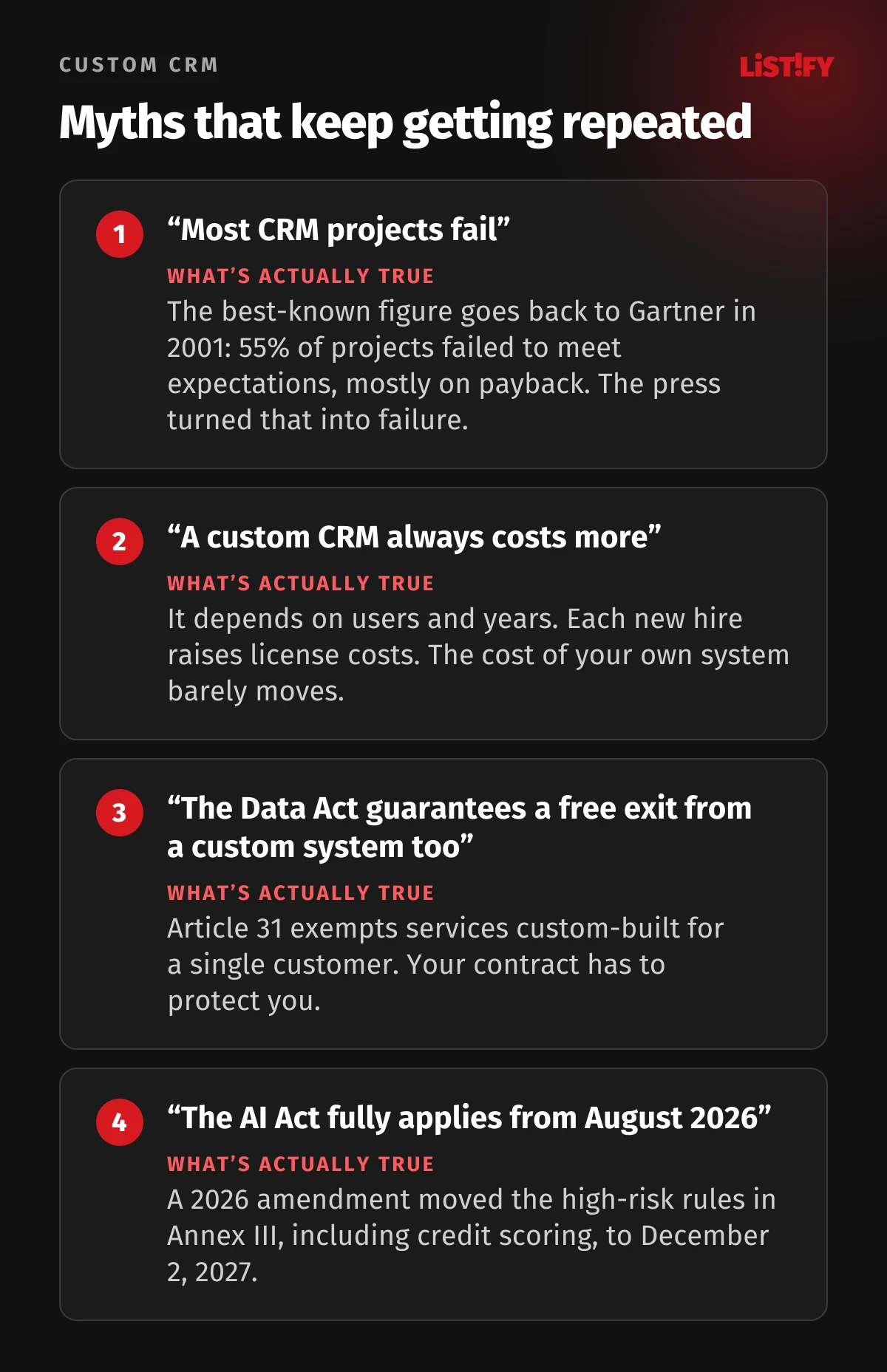
The AI Act timeline is another trap. Many articles still say it applies in full from August 2, 2026. The amending regulation 2026/1744 pushed the high-risk rules for systems listed in Annex III, including credit scoring of individuals, back to December 2, 2027.
11Off-the-shelf or custom? A quick comparison
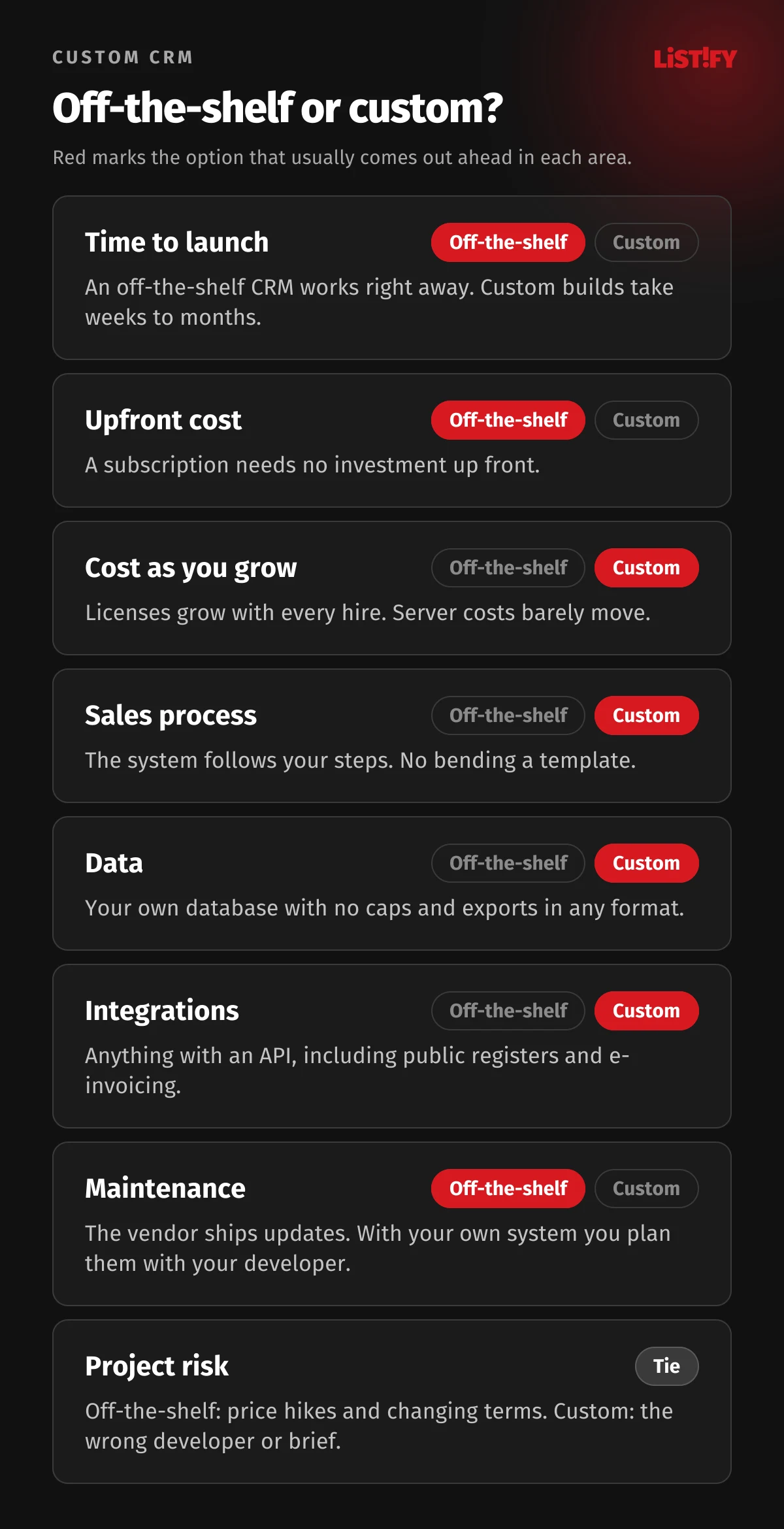
| Area | Off-the-shelf CRM | Custom CRM |
|---|---|---|
| Launch | Sign up today, set up in days | Weeks to months, depending on scope |
| Upfront cost | Low, just a subscription | One-time build |
| Cost as you grow | Rises with every user | Server and maintenance barely change with headcount |
| Price increases | Decided by the vendor | Server and maintenance costs can be planned |
| Process | You adapt to the template | The system follows your process |
| Data | With the vendor, export on their terms | In your database, wherever you choose |
| Integrations | Ready-made for popular services | Anything with an API or export |
| Maintenance | The vendor ships updates | Planned with your developer, paid as you go |
| Risk | Price hikes, limits, changing terms | Choosing the wrong developer or brief |
12When a custom CRM doesn’t make sense
A system of your own isn’t for everyone. In these situations we’d rather recommend an off-the-shelf product:
- You have two or three reps and a standard process. Licenses will cost less than development, and an off-the-shelf product will do the job.
- You need it within a week. Custom software needs analysis and testing. If you’re in a hurry, start with an off-the-shelf tool and plan your own system calmly.
- You don’t know what the process should look like yet. If you’re still figuring it out, coding it is premature. Try it in a simple tool first.
- You have no budget for maintenance. Software ages. Plan for ongoing maintenance, updates and small improvements, or in a few years a custom system becomes a burden.
- You mostly send newsletters. Specialized email marketing services are hard to beat on price and features.
- Your industry has established specialist software. If an existing industry system fits, there’s no point reinventing it. A custom integration makes more sense than a replacement.
13How a custom CRM gets built
Every project is a little different, but the backbone is usually the same. We describe it in detail on our How it works page.
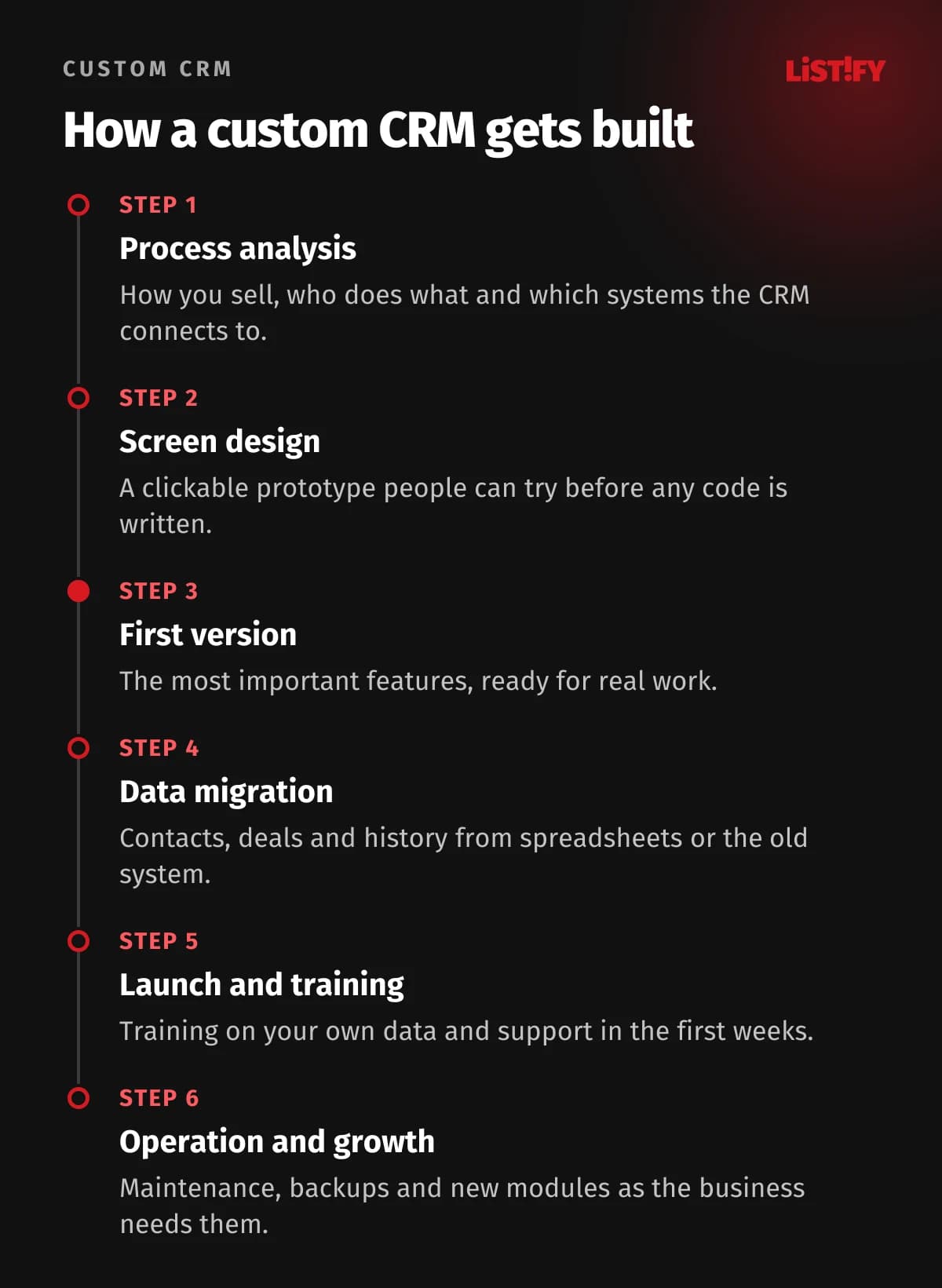
The biggest risk is moving data from the old system or spreadsheets. What most often goes wrong is covered in Migrating Data from Excel or a Legacy System. For a ballpark figure based on scope, see our pricing.
14FAQ
How much does a custom CRM cost?
It depends on scope: the number of modules, integrations and roles. A simple system for a small team costs differently from a CRM with production, inventory and a client portal. You can get an estimated price and timeline from our calculator, and a five-year cost model is in What Does an Off-the-Shelf CRM Really Cost Over 5 Years?
How long does it take to build a custom CRM?
Usually weeks to months. It makes sense to launch a smaller first version with the most important features and add modules step by step, based on what people need day to day.
Who owns the source code and data?
You should, and the contract should say so explicitly. From January 12, 2027, the Data Act bans switching charges for cloud services, but it expressly exempts services custom-built for a single customer. That’s why the handover of code, data and documentation needs to be in your contract.
What if the developer goes out of business?
If you have the source code, documentation and server access, another developer can take over. That’s why it pays to build on widely used technologies rather than a closed platform only one company knows. We describe a website handover in Web Developer Disappeared? How to Take Back Your Website, Domain and Code, and the steps for systems are similar.
Does a custom CRM have to comply with NIS2?
NIS2 applies mainly to medium and large companies in covered sectors, through each country’s national law. A CRM isn’t a regulated service in itself, but if your company is covered, you have to manage the security of the systems you use and of your direct suppliers, so your developer should be able to show how they handle it.
Can we start with an off-the-shelf CRM and switch later?
Yes, and it’s often a sensible path. An off-the-shelf CRM helps you clarify your process. Just make sure you can get your data out in full, and don’t wait to switch until licenses eat up a large part of your IT budget.
15The bottom line: three or four pain points are enough
You don’t have to agree with all fifty. But if three or four of them cost you time or money every month, it’s worth working out what a system built around your business would cost.
Start simple. Write down what slows you down most with your current setup, how many people work in the CRM and which tools it should connect to. With that list, any developer can give you a quote you can compare side by side.
16Sources
- Salesforce: new Core, Advanced and Max editions (September 2026)
- Salesforce: 2023 price update and 2025 price update
- Salesforce: Agentforce pricing
- Salesforce: State of Sales, 7th edition (2026)
- HubSpot: Product and Services Catalog (EUR) and English version
- HubSpot: incident report, August 7, 2025
- Microsoft: new Dynamics 365 pricing from October 2024
- Pipedrive: usage limits and pricing
- Raynet: price list
- Zylo: 2026 SaaS Management Index
- Validity: State of CRM Data Management in 2026
- CustomerThink: interview with Gartner’s Ed Thompson on CRM failure rates (2004)
- Google Threat Intelligence: data theft via Salesloft Drift and voice phishing and data extortion
- Regulation (EU) 2023/2854, the Data Act
- Court of Justice of the EU: General Court judgment in Latombe (T-553/23) and appeal C-703/25 P
- Regulation (EU) 2024/1689, the AI Act and amending Regulation (EU) 2026/1744
- Directive (EU) 2022/2555, NIS2
- European Commission: VAT in the Digital Age
- Slovak Financial Administration: e-invoicing
- Czech Ministry of Finance: ARES and Slovak business register API
- Czech VAT Act No. 235/2004
- Eurostat: CRM and ERP use, isoc_eb_iip
- Eurostat: AI use in enterprises, isoc_eb_ai
- Eurostat: ICT specialists, isoc_ske_itspe and ICT recruitment, isoc_ske_itrcrs