Employee portal must-haves: 10 features your people will actually use
An employee portal succeeds when people open it without being told to. Here are the 10 features it can’t do without, what EU law expects from it, how to set up a new hire’s first day, and why the people on the shop floor, in the warehouse and out in the field matter most.
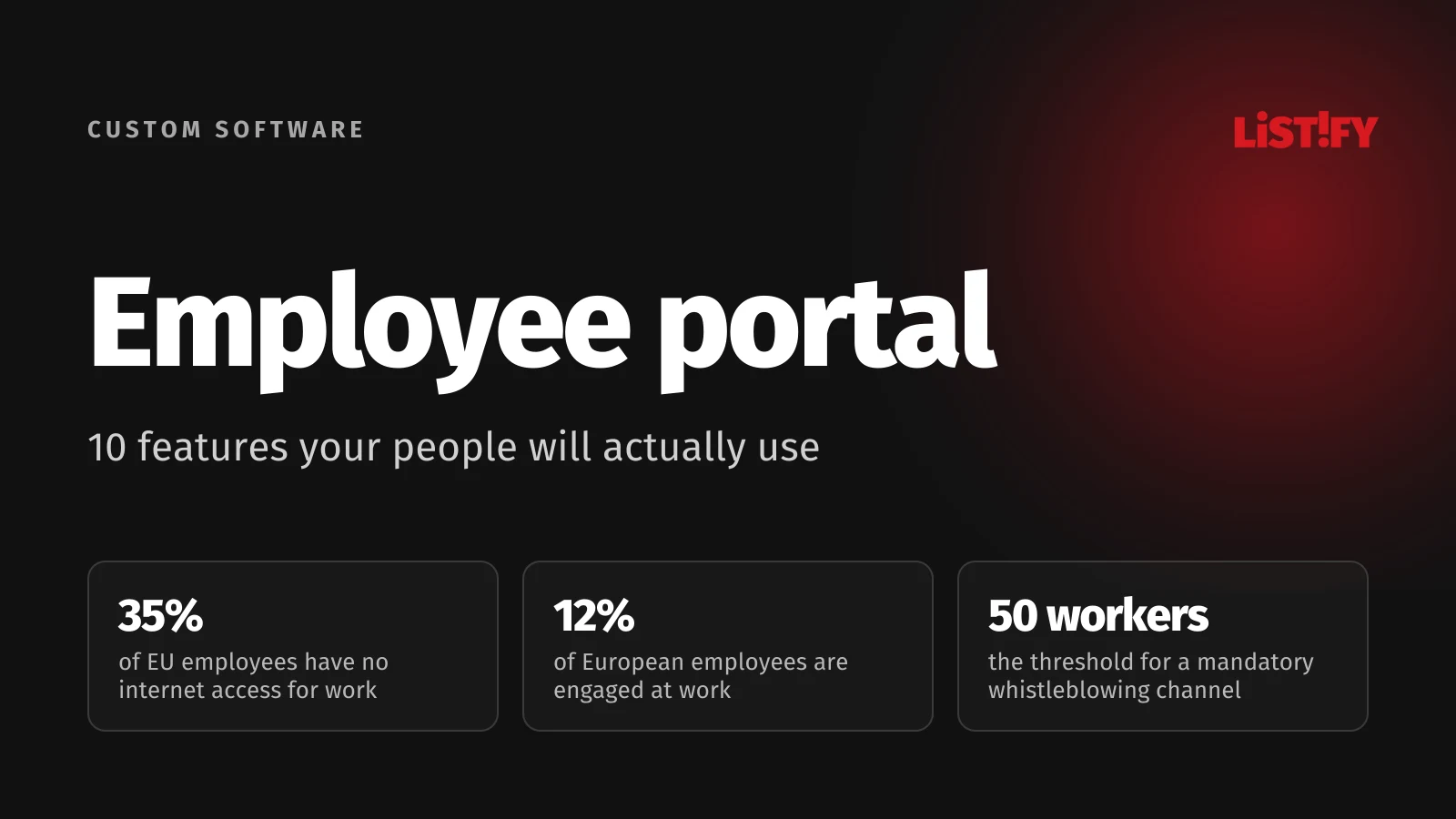
The short answer: a good employee portal handles the things people currently call the office about or walk over to HR for. How many vacation days do I have left? When is my next shift? Where is my payslip? Who handles the company cars? How do I report a broken machine? It has to open on a phone without a company email account, find a person or a document on the first try, and have a new hire’s first day ready and waiting. Everything else is a bonus.
This guide is for owners, HR managers and office managers at companies with 10 to 250 employees. We covered the management side (projects, approvals, inventory and reporting) in Your internal portal as the company’s central brain. Here we look at the portal through the eyes of the people who are supposed to use it every day.
01Why people stop opening the company intranet
Most intranets fade out quietly: first nobody adds new content, then people realize they can’t find anything there anyway, and finally everyone goes back to phone calls and email. The reasons tend to be the same:
- Nothing happens there. The latest news is from Christmas, and nobody knows whether the policy page is still current.
- Nothing can be found. In intranet tests at 15 organizations, Nielsen Norman Group found that when search doesn’t work, people stop trusting it, stop using it and take much longer to finish their tasks.
- It doesn’t work on a phone. If you don’t sit at a computer, you simply won’t open it.
- Two ways to do the same thing. If time off can be requested in the portal or on paper, many people stick with paper.
The mood at work doesn’t help. According to Gallup, only 20% of employees worldwide were engaged at work in 2025. In Europe it was 12%, the lowest of any region.
- US and Canada31%
- World20%
- Czech Republic16%
- Slovakia13%
- Europe12%
Share of employees Gallup classifies as engaged based on its 12-question survey. Regions and world for 2025; Czech Republic and Slovakia as three-year averages for 2023 to 2025. Source: Gallup, State of the Global Workplace, regional data, 2026.
A portal can’t fix engagement on its own. It can remove the small daily annoyances: waiting for an answer, not knowing how much time off is left, hunting for the right form, or feeling like the last person to hear company news. That last feeling is much stronger among people who don’t work at a desk. In a YouGov survey of 3,574 employees in six countries, commissioned by employee app maker Staffbase, 47% of desk-based employees were satisfied with internal communication, compared with only 29% of those who don’t work at a desk.
02A third of EU employees have no internet access for work
You may have heard that “80% of the global workforce is deskless.” That number comes from venture capital firm Emergence Capital, which simply added up everyone employed in eight entire industries, from farming to healthcare. It doesn’t measure who actually works at a computer. Eurostat’s survey of European companies is a better guide:
- All covered industries65%
- Transport and storage67%
- Retail64%
- Manufacturing58%
- Construction57%
- Administrative and support services49%
- Hotels and restaurants46%
Share of employees at companies with 10 or more people who have internet access for business purposes, EU27. Excludes agriculture, mining and financial services. Source: Eurostat, table isoc_ci_cm_pn2.
Across the EU, 65% of employees at companies with at least 10 people have internet access for work. At small companies with 10 to 49 people, it’s 59%, and in hotels and restaurants just 46%. Only 38% of employees were given a company phone, tablet or laptop with mobile data in 2024. Away from a desk, everyone else has to use their own phone or a shared computer. Frontline staff also tend to hear the least: in a 2021 Microsoft survey of 9,600 frontline workers in eight countries, 63% said messages from leadership don’t reach them.
That leads to three rules for any employee portal:
- Sign-in without a company email. An employee number and PIN, a one-time code by text message, or a QR code on an ID badge. Nobody should be locked out just because they don’t have a company account.
- Everything important on a phone. Shifts, time off, payslips and reporting a problem, all in a few taps and without installing anything from an app store.
- A shared computer or tablet on site. For people who don’t want to use their personal phone for work. They shouldn’t be forced to, so they need another way in.
0310 things every employee portal needs
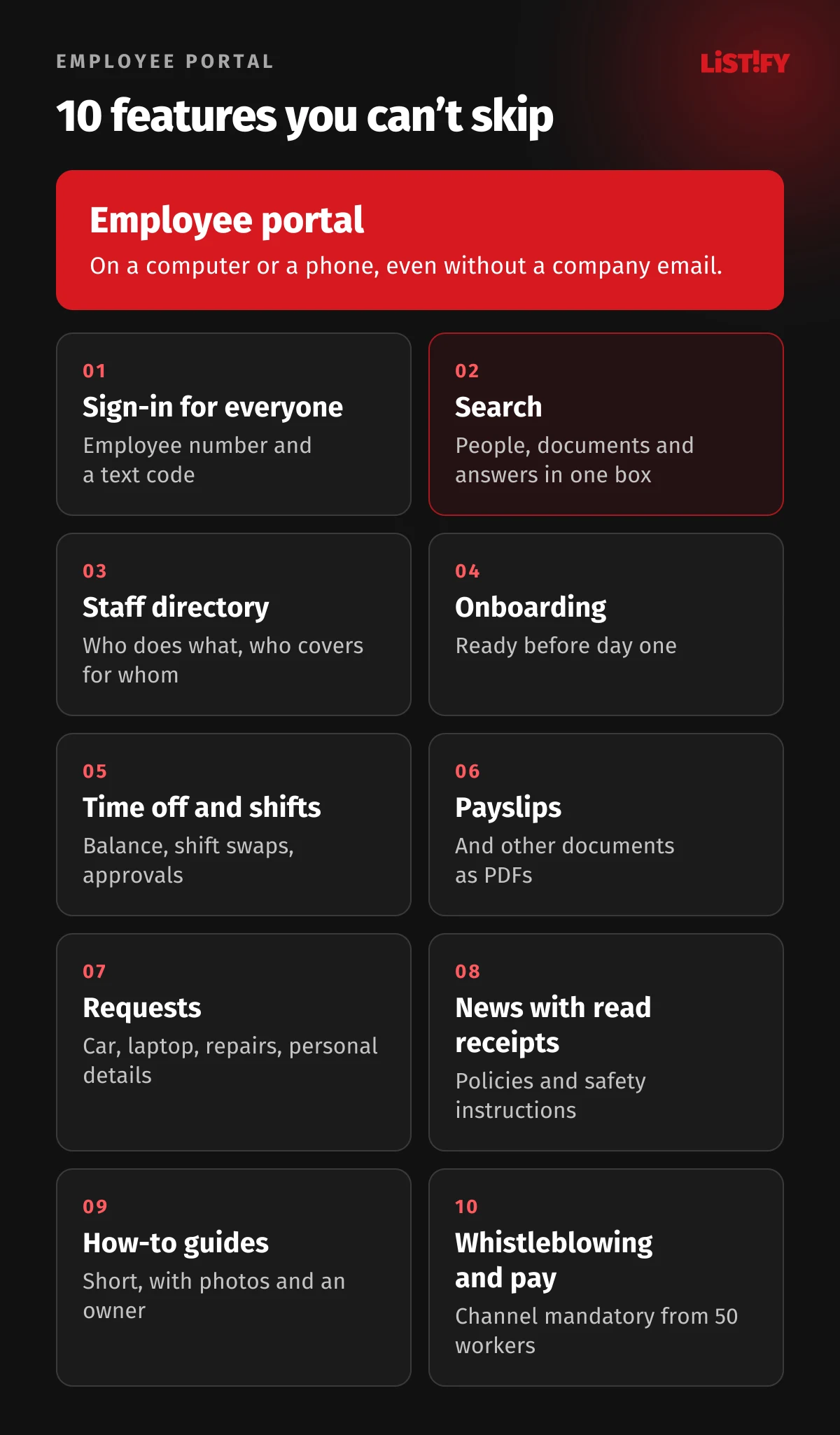
1. A sign-in that works for everyone
One sign-in for everything, plus a way in for people without a company email. Anyone with a Microsoft or Google work account uses that. Everyone else uses an employee number and a code sent by text. As soon as people need separate logins for timesheets, payslips and guides, they stop bothering.
2. Search that finds people, documents and answers
Nielsen Norman Group now recommends a single search box for content, people and tools. Someone who types “vacation” should get the request form, the policy and HR’s contact details all at once. According to NN/g, looking up a colleague is the most common task on an intranet, so names, roles and phone numbers should appear as people type.
3. A staff directory: who does what and who covers for whom
Name, photo, role, department, work phone, email and, most useful of all, “ask me about”. At a smaller company that one line beats any org chart. Add who covers for whom, so people know who takes over when a colleague is on vacation. We cover what belongs in a directory under GDPR further down.
4. A new hire’s first day, ready in advance
New hires sign in and see when and where to show up, who will meet them, what to bring, what the first week looks like and who they can ask about anything. More on this in the onboarding section below.
5. My time off, shifts and hours
How many vacation days are left, when my next shift is, who I can swap with and how much overtime I’ve built up. A time-off request in two taps and approval by a manager with a phone notification. People stop dropping by the office just to ask how many days they have left.
6. Payslips and personal documents to download
Payslips (pay stubs), annual tax statements, employment terms and other personal documents in one place, downloadable as PDFs. Whether you can send payslips electronically without the employee’s consent depends on national law. In Slovakia, for example, you need an agreement with the employee. In the Czech Republic, legal commentators say consent isn’t required. Either way, people without a computer need another way to get them.
7. All requests in one place
A new laptop, a company car for Thursday, a machine repair, a change of address or bank details, an employment verification letter for a mortgage. One form per request, a “my requests” page showing the status, and no more “did you get my email?”
8. Company news with read receipts
News, policy updates, health and safety instructions. For important documents, an “I’ve read this” button that records the date and time. The same record helps with individual employment documents: EU rules allow key employment terms to be delivered electronically if the employee can access, save and print them and the employer keeps proof of transmission or receipt.
9. How-to guides and answers to common questions
How to connect to the Wi-Fi, how to file an expense report, where the first-aid kit is, what to do after an accident. Short guides with a photo or video, organized by what people search for, not by which department wrote them. Every guide has an owner and a “last reviewed” date.
10. A whistleblowing channel and pay information
Under EU law, private companies with 50 or more workers must have an internal reporting channel, and some countries require one from fewer workers. The directive’s recitals mention an intranet as one possible platform. Pay information belongs in the same place. Once your country transposes the EU Pay Transparency Directive, you will have to make pay criteria easily accessible and remind workers every year of their right to request pay information.
04Onboarding: what the portal should have ready for a new hire
A meta-analysis in the Journal of Applied Psychology (Bauer et al., 2007, 70 samples of newcomers) found that three things link onboarding to satisfaction, performance and the intention to stay: whether new hires know what is expected of them, whether they feel confident, and whether the team accepts them. A portal can help with all three:
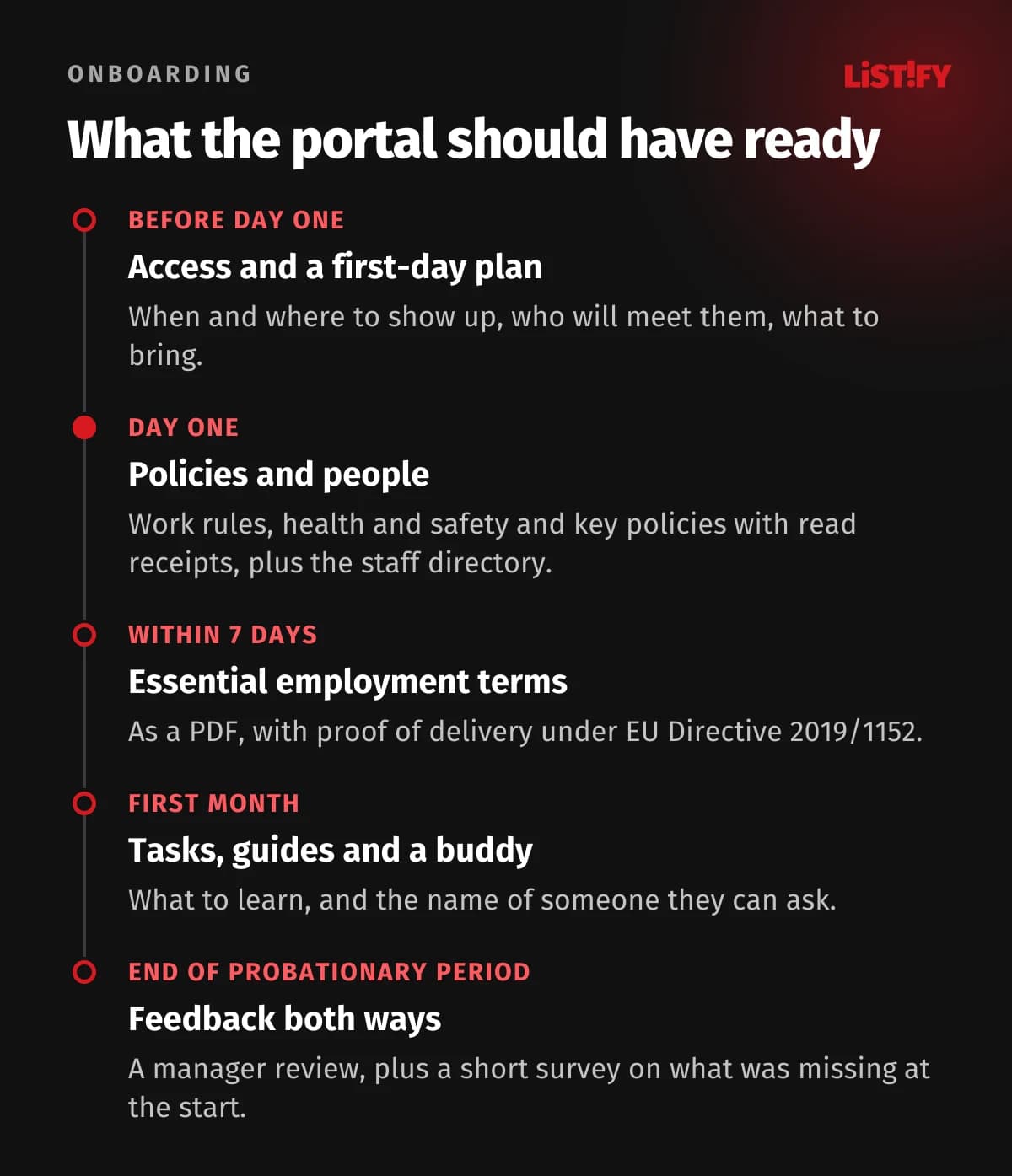
The law adds some firm deadlines. Under EU Directive 2019/1152, employees must receive the essential information about their job, such as pay, working hours and duties, between their first working day and the seventh calendar day, and the rest within one month. Electronic delivery is allowed if they can access, save and print it and you keep proof that it was sent or received. A portal can record all of this automatically.
Onboarding statistics you shouldn’t trust
A lot of onboarding numbers get passed around. It’s worth checking where they come from:
- “Only 12% of employees think their company does onboarding well.” The number is from Gallup, but from a 2015 survey of 13,510 U.S. adults. It says nothing about Europe or about today.
- “69% of employees stay at least three years after great onboarding.” This is one American company, Corning Glass Works. New hires who went through its structured orientation program were 69% more likely to stay up to three years. The source is a 2010 SHRM Foundation guide citing a 1998 magazine article.
- “Strong onboarding improves retention by 82%.” This comes from a short 2015 Brandon Hall Group brief licensed to Glassdoor, which gives no sample or method for the claim.
The evidence that onboarding matters is solid. Rather than borrowing someone else’s percentages, measure your own: how many people leave during probation, and what they say about their first days after a month. If you need a source for the general point, use the meta-analysis by Bauer and colleagues.
05What EU law expects from an employee portal
No law requires you to have an employee portal. But once you move documents, announcements or payslips into one, it has to meet the same legal requirements as paper, plus a few extra ones for electronic delivery. The directives apply through each country’s national law, while GDPR applies directly:
| Area | What the EU rule says | What it means for your portal |
|---|---|---|
| Whistleblowing | Directive 2019/1937: private companies with 50 or more workers must set up internal reporting channels. Reports can be made in writing, orally or both, receipt must be acknowledged within 7 days and feedback given within 3 months | Publish clear information about the channel. Only the people designated to handle reports may see them, so general admin rights must not open them to anyone else. Companies with 50 to 249 workers may share resources |
| Employment information | Directive 2019/1152, Articles 3 and 5: essential terms in writing within 7 calendar days, the rest within one month. Electronic form is fine if the employee can access, save and print it and the employer keeps proof | Personal documents as PDFs, with a record of when each employee received or opened them. Simply posting a document on the intranet isn’t enough |
| Pay transparency | Directive 2023/970, Articles 6 and 7: pay criteria easily accessible (pay progression criteria can be waived under 50 workers), pay information on request within two months, an annual reminder of that right, and no gag clauses on pay. National laws were due by June 7, 2026 | A pay section with the criteria, a request form that tracks the deadline, and a yearly notice. By mid-September 2026, only a few countries, such as Slovakia and Italy, had fully transposed it |
| Personal data | GDPR and the Article 29 Working Party (Opinion 2/2017): employee consent is highly unlikely to be a valid legal basis at work, unless employees can refuse without any adverse consequences | Only what people need for their work goes in the directory. Anything personal should be optional and controlled by the employee |
One detail matters for every country: formal notices such as dismissal letters usually have their own strict delivery rules under national labor law. Don’t assume a notice “delivered” through the portal is legally valid. Check your local rules first, or use the portal only for documents where electronic delivery is clearly allowed.
Staff directory and GDPR: what belongs there and what doesn’t
- Fine to include: name, role, department, work location, work phone and work email. These relate directly to the job.
- Photos: guidance varies. In the Czech Republic, for example, the data protection authority’s spokesperson and some employment lawyers have taken opposite views. Because employee consent is rarely freely given, the safest approach is an optional photo that employees upload and delete themselves, with no consequences if they don’t.
- Optional only: personal mobile number, birthday, home address or family status. Show these only if the employee turns them on.
- Never: national ID numbers, salaries, health data or the reason for an absence. Colleagues only need to know “out until Friday.”
06How to find out what your people want from the portal
The most common mistake is designing the portal around the org chart: a section for HR, one for IT, one for finance. Employees don’t think about which department can help them. They just want to book time off. Consultant Gerry McGovern calls his approach top tasks: people pick the tasks that matter most to them from a long list, and usually fewer than ten stand out, often fewer than five. A small company can do this in a week:
- List 30 to 50 things people currently call, email or walk into the office about. Going through a month of HR and front desk email helps.
- Share the list with every employee, including frontline staff, and ask each of them to mark the five things they need most often. On paper, in a form or at a team meeting.
- Talk to five people from different parts of the company: a new hire, your longest-serving employee, someone from production, a manager and someone who works off-site.
- Put the top five tasks on the portal’s home page. Leave the rest to search.
- After three months, look at what people actually do in the portal and what they still handle by phone.
07The most common mistakes
- A portal just for the office. If frontline staff can’t get in, you end up with a two-tier workforce, and the people who need information most are the ones cut off from it.
- A notice board instead of a tool. All news, nothing to get done. People come back to places that save them time.
- Content without an owner. Every page and every guide needs a named person to keep it up to date. Otherwise, six months later, nobody knows what still applies.
- Notification overload. If the portal pings people about everything, they turn notifications off and miss the important ones. We cover how to get notifications right in Mobile app retention and push notifications.
- Surveillance instead of service. Read and search analytics show you what people can’t find. Once the portal is used to monitor individuals, trust disappears, and employee monitoring is restricted by GDPR across the EU and often further by national labor law.
- A whistleblowing channel that IT can read. The EU directive requires that unauthorized staff can’t access reports. A standard HR module where the admin sees everything doesn’t meet that requirement.
08Off-the-shelf intranet or a custom portal?
If everyone already has a Microsoft 365 or Google Workspace account and you only need news, documents and a directory, start with what you already pay for. A custom portal makes sense when you need to let in people without a company email, connect time tracking, payroll or inventory, run requests by your own rules, or when you’d otherwise pay licenses for dozens of people who only open the portal to check payslips and shifts.
Our custom software calculator puts an internal portal at roughly CZK 180,000 to 350,000 (about €7,400 to €14,400) excluding VAT, with 8 to 14 weeks of development. An optional mobile app for field staff, with push notifications and offline use, is an add-on at CZK 150,000 (about €6,200). These are estimates, not a ceiling: a portal for hundreds of people with production system integrations costs more. See how we work and our pricing, and read how to keep a custom system secure.
09FAQ
What is an employee portal?
A web app just for a company’s employees. People use it to request time off, find payslips and shifts, look up colleagues, read guides and company news, on a computer or a phone.
What is the difference between an intranet and an employee portal?
A classic intranet mainly shares information: news, documents, contacts. An employee portal adds self-service, so people can request time off, swap shifts or download payslips themselves.
Does the whistleblowing channel have to be in the portal?
No. EU Directive 2019/1937 requires companies with 50 or more workers to accept reports in writing, orally or both, and to publish clear information about how to report. A portal is a practical place for that information, but only authorized staff may see the reports.
Can we send payslips electronically only?
It depends on national law. Some countries, such as Slovakia, require the employee’s agreement. Wherever you are, employees who don’t use a computer at work need another way to get their payslip.
How do we get employees without a company email into the portal?
With an employee number and a text message code, a QR code, or a shared tablet on site. The main tasks must work on a phone in a few taps, without installing an app.
Can the staff directory include employee photos?
Yes, but guidance on the legal basis varies. The safest option is an optional photo that employees upload and remove themselves. Names, roles, work phone numbers and work emails are fine.
How much does a custom employee portal cost?
Our calculator estimates CZK 180,000 to 350,000 (about €7,400 to €14,400) excluding VAT and 8 to 14 weeks of development. A mobile app or payroll and time-tracking integrations cost extra. The final price comes out of the analysis.
10Sources
- Gallup: State of the Global Workplace, regional data, 2026
- Gallup: State of the Global Workplace, Czech Republic and Slovakia, 2026
- Eurostat: isoc_ci_cm_pn2, employees with internet access by industry, 2025
- Eurostat: isoc_cimobp_use, employees with portable devices, 2024
- Emergence Capital: The Deskless Workforce, 2018
- Microsoft Work Trend Index: Technology unlocks a new future for frontline workers, 2022
- Staffbase and YouGov: Employee Communication Impact Study 2025
- Nielsen Norman Group: Intranet Search, 2022
- Nielsen Norman Group: Suggested Employee Search
- Bauer et al.: Newcomer adjustment during organizational socialization, Journal of Applied Psychology, 2007
- SHRM Foundation: Onboarding New Employees, 2010
- Gallup: State of the American Workplace, 2017
- Brandon Hall Group: The True Cost of a Bad Hire, 2015
- A List Apart: What Really Matters, Focusing on Top Tasks, 2015
- Directive (EU) 2019/1937 on whistleblower protection
- Directive (EU) 2019/1152 on transparent and predictable working conditions
- Directive (EU) 2023/970 on pay transparency
- Ius Laboris: EU Pay Transparency Directive, which countries have transposed?
- Article 29 Working Party: Opinion 2/2017 on data processing at work