Make-to-order production planning: How to set realistic delivery dates
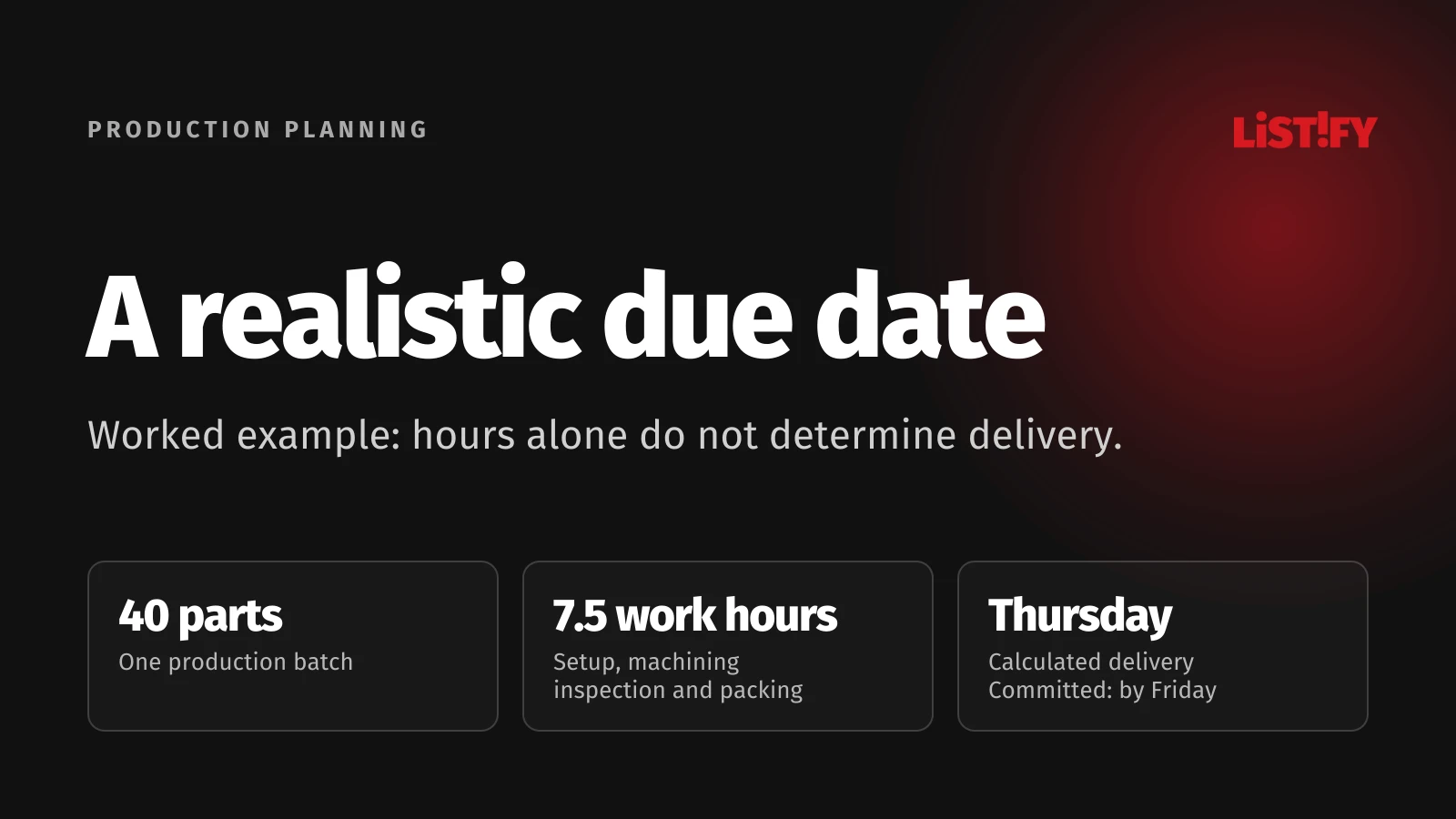
Adding up the hours on a work order will not give you a reliable delivery date. Materials, machines and qualified people must be available together, followed by inspection, dispatch and transport. Our worked example contains 7.5 hours of work, yet delivery is Thursday. A two-hour machine breakdown moves it to Friday. The difference comes from the schedule, not the number of parts.
Sales wants to confirm delivery, the supervisor knows which machines are booked, and purchasing is waiting for materials. Each estimate can look reasonable on its own while the combined promise is impossible. Make-to-order production planning brings these constraints together before you give the customer a date.
Keep three dates separate: the customer’s requested date, the current calculated delivery date and the committed date. Recalculate the forecast as conditions change. Preserve the original commitment so you can see whether it is still achievable. This guide works through one order rather than reviewing an entire ERP system.
01Before confirming a date, confirm what the order requires
Start with information that production can act on: the approved drawing revision, quantity, quality requirements, packaging and delivery location. A change in material or tolerance may require a different machine, tool or inspection process. Do not carry the estimate for an earlier specification into the next revision without checking it.
- Name the person who confirms technical readiness and releases the order to production.
- Specify whether the deadline means production complete, handed to the carrier or received by the customer.
- For every unconfirmed input, record the assumption, its owner and the next review time.
If the customer needs the parts on Thursday morning, Thursday dispatch will not do. An unconfirmed material arrival is not a firm production start either. Turn the estimate into a commitment only after checking these dependencies.
02Build the plan from material availability and operations
Stock on hand is not necessarily stock available for this order. Check existing reservations, the required specification and any receiving inspection. Schedule from the time the material is released for use. Purchased parts and subcontracted work also need confirmed supplier dates and the relevant transport time.
Next, list the operations in sequence. Separate setup time, processing time per part and waiting time. Identify the machine, operator skills, fixtures and inspection requirements. Decide whether the next operation needs the complete batch or can start with a smaller transfer batch. Overlapping operations may shorten the schedule, but the process and traceability rules must permit it.
Microsoft’s documentation on capable-to-promise calculations describes considering materials, production capacity and transport together. The useful principle is that available material alone does not establish a delivery date.
When orders, inventory and production sit in different applications, agree which system owns reservations and confirmed dates. Our guide to API integration explains how to keep those records consistent.
03Capacity planning: Find time that is actually available
Monthly utilization is too coarse to confirm a specific order. A work centre can have spare capacity across the month and still be fully booked on the days you need. Find actual free intervals after breaks, maintenance and committed work. Check people as well as equipment: an idle machine is not usable capacity when its required operator is unavailable.
Fraunhofer ITWM’s work on production delivery dates addresses the uncertainty created by changing requirements, breakdowns, staffing and materials. A useful schedule must therefore support revisions, not just produce a date once.
Place the new order into free intervals without disturbing existing commitments first. If it does not fit, assess another work centre, subcontracting or a different date. Do not assign the same person to two operations that require their presence at once, or assume overtime that has not been approved.
04Worked example: From 7.5 hours of work to a delivery date
This is a fictional planning example, not a client case study or measured result. We need 40 identical parts. The complete batch moves through cutting, CNC machining, then inspection and packing. Working hours are Monday to Friday, 08:00 to 12:00 and 12:30 to 16:00: 7.5 hours per day. There are no public holidays. The available intervals below include the relevant operators.
| Operation | Calculation for 40 parts | Required time |
|---|---|---|
| Cutting | 0.5 h setup + 40 × 1.5 min | 1.5 h |
| CNC machining | 1 h setup + 40 × 6 min | 5 h |
| Inspection and packing | Fixed time for the complete batch | 1 h |
| Total | 1.5 + 5 + 1 | 7.5 h |
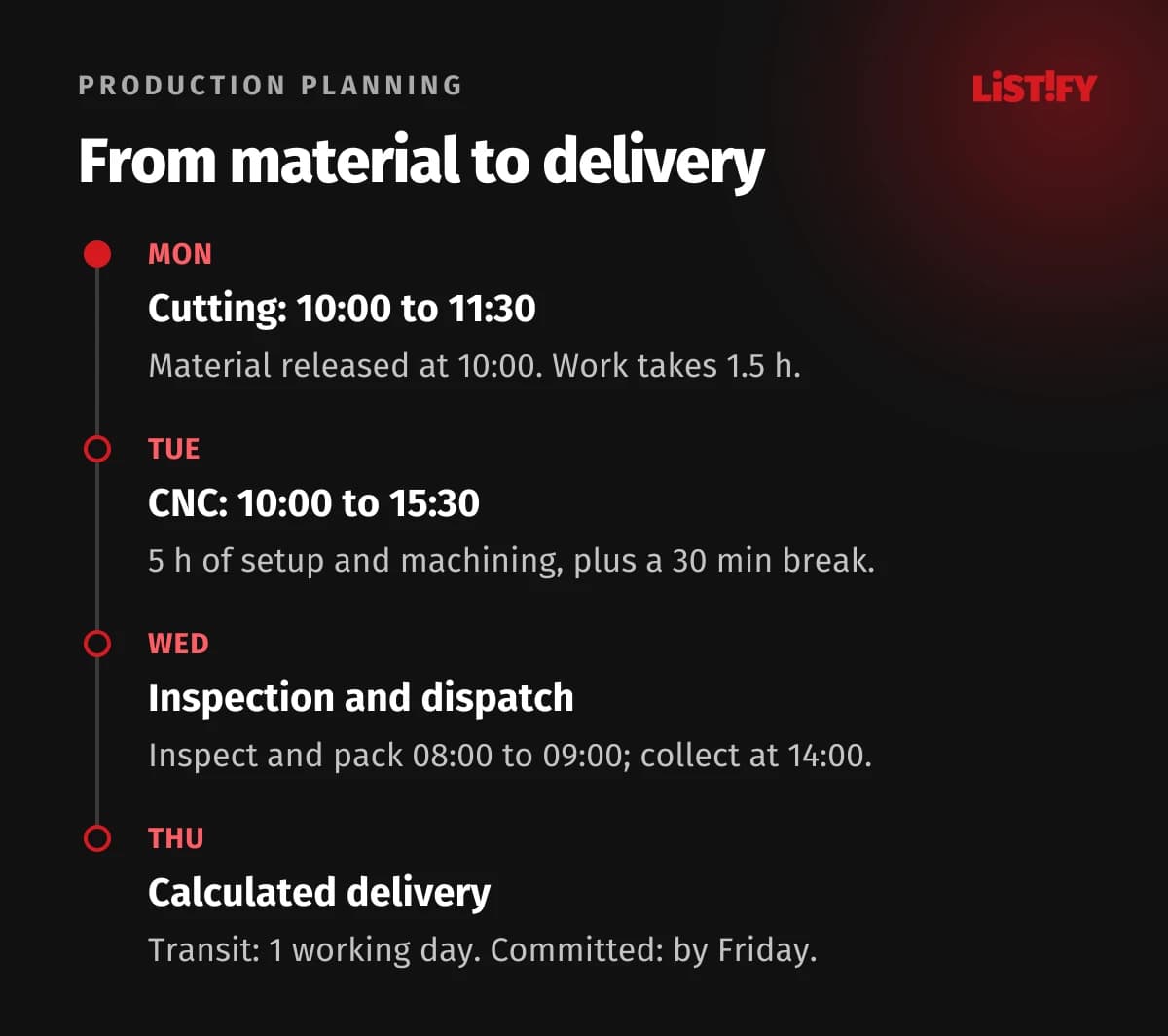
Material is available after receiving inspection at 10:00 on Monday. The saw is free from 10:00 to 12:00. Other work occupies the CNC machine throughout Monday and until 10:00 on Tuesday. It is then free for the rest of Tuesday and from 08:00 on Wednesday. The first available one-hour inspection and packing slot is Wednesday, 08:00 to 09:00. The next is Thursday, 08:00 to 09:00; the other inspection slots are booked.
Assume no scrap, subcontracting or additional transfer time. Setup includes preparation for that operation. Our hypothetical carrier collects every working day at 14:00, with a ready-for-dispatch cutoff of 13:00, and delivers the next working day. These are example assumptions, not a general delivery service promise.
| Event | Schedule without a breakdown | Reason |
|---|---|---|
| Cutting | Monday, 10:00 to 11:30 | Both material and saw are ready. |
| CNC machining | Tuesday, 10:00 to 15:30 | 5 h of work plus a 30-minute break. |
| Inspection and packing | Wednesday, 08:00 to 09:00 | First available downstream slot. |
| Dispatch | Wednesday, 14:00 | The order meets the 13:00 cutoff. |
| Calculated delivery | Thursday | One working day in transit. |
CNC setup runs from 10:00 to 11:00 on Tuesday. The first 10 parts are machined by 12:00, followed by the remaining 30 from 12:30 to 15:30. The 7.5 operation hours do not mean delivery within one working day. Queues, calendars and downstream services determine elapsed lead time.
For this example, choose a separate contingency allowance of one working day: calculated delivery is Thursday; we commit to delivery by Friday. Keep that allowance visible instead of hiding it inside operation times. In your own business, set it from variability and the consequences of delay. One day is not a universal recommendation.
05Recalculate the whole order when a machine fails
The CNC machine breaks down at 12:30 on Tuesday and is ready again at 14:30. For this example, the setup remains valid, no parts are scrapped and no additional restart time is needed. Ten parts are already complete. Of the three machining hours remaining, only 1.5 hours fit before Tuesday’s shift ends, producing another 15 parts. The last 15 need Wednesday, 08:00 to 09:30.
| Milestone | Original schedule | After the two-hour breakdown |
|---|---|---|
| CNC complete | Tuesday, 15:30 | Wednesday, 09:30 |
| Inspection and packing | Wednesday, 08:00 to 09:00 | Thursday, 08:00 to 09:00 |
| Dispatch | Wednesday, 14:00 | Thursday, 14:00 |
| Calculated delivery | Thursday | Friday |
| Committed delivery | Friday | Friday, contingency used up |
Two lost hours have not simply added two hours to delivery. The order misses Wednesday’s inspection slot and must wait until Thursday. Friday’s commitment remains achievable, but there is no contingency left. Preserve the original schedule and record the reason for the revision.
Assess an urgent order the same way: show which intervals it consumes and which other commitments it affects. Check whether splitting a batch, using another machine or adding overtime is technically and operationally feasible before changing priorities. Someone accountable must approve the trade-off and any revised customer agreement. Moving a bar on a calendar does not create capacity.
06When a spreadsheet is enough, and what to test next
A spreadsheet can work with few concurrent orders, straightforward dependencies and one schedule owner. Maintain the same fields used in the example: operation, resource, start, finish, quantity, material and status. An order list with a coloured due-date cell will not, by itself, detect resource conflicts.
Consider another tool when double bookings recur, changes lack an audit trail, several copies compete or recalculating consequences takes too long. Use your own orders in a planning-system demonstration and ask the supplier to show these situations:
- An order waits for material even though its machine is free.
- A machine is available but its required operator is working elsewhere.
- A breakdown changes completion, and inspection and dispatch are recalculated.
- A priority change identifies affected commitments while preserving the original promised date.
Before importing data, standardize resource names, time units and open reservations. Our guide to data migration from Excel and legacy systems covers that preparation. A better interface cannot repair invalid inputs.
07Evaluate the pilot against commitments and schedule changes
Start with a selected group of orders and a real bottleneck. Save the baseline and agree how people will record actual progress. For each operation, capture planned and actual timing, completed quantity, interruptions and their causes. For each order, retain the original committed date, current forecast and actual delivery.
Track delivery against the original commitment, variation in critical-operation completion and manual scheduling interventions. Store any subsequently agreed date separately; otherwise rescheduling can quietly erase a missed promise. Each measure should support an action: who checks late material, who changes the schedule and who contacts the customer?
For the financial evaluation, separate reduced administrative effort, avoided premium freight and additional capacity that you actually use. An hour released does not automatically become revenue. Our guide to calculating software ROI explains the distinction. A useful pilot shows which decisions you can make earlier and with better evidence.
08Frequently asked questions about make-to-order planning
How do you calculate delivery when materials have not arrived?
Start from the confirmed date when the material will be usable, then find available intervals for the required operations. If the supplier has not confirmed that date, label the output as a conditional forecast. A truck arriving and material passing receiving inspection are different milestones.
Can you plan production in Excel?
Yes, if you can maintain one current version, operation dependencies and resource reservations. The deciding factors are the frequency of change and the risk of conflicts, not just the number of rows. Validate your planning process before choosing a replacement tool.
How can an urgent order be added without hiding delays to others?
Create a schedule scenario and list its effects on materials, people, machines and other orders. The person responsible for priorities must approve the change. If an existing commitment can no longer be met, explicitly agree a revised date with the customer.
09Sources
Method references checked on November 6, 2026. The calculations, calendars and breakdown are assumptions created for this article.
- Microsoft Learn: Calculate delivery dates using CTP, materials, production capacity and transport.
- Fraunhofer ITWM: Delivery Dates in Production, manufacturing uncertainty and planning revisions.