API integration best practices: how to connect your systems and avoid 9 costly mistakes
Connecting systems through APIs removes manual re-keying and the errors that come with it. It only works, though, if you decide up front which system owns which data, what happens when a connection drops and who hears about a failure. Here is how to plan an integration between your online store, accounting, bank and CRM, what it costs and the 9 mistakes that come up again and again.
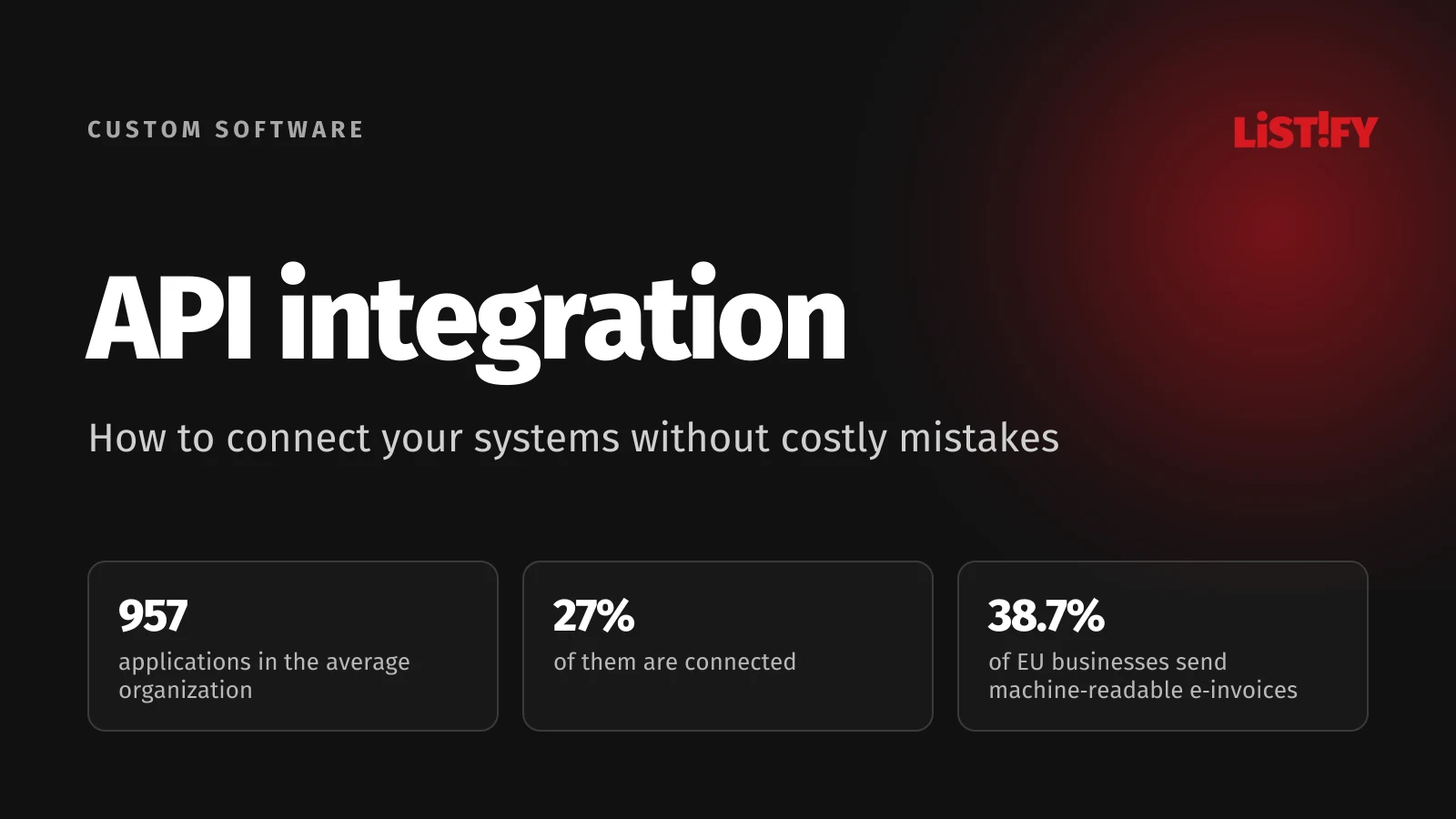
An order comes in through the online store and someone types it into the accounting system. A payment on the bank statement gets matched to an invoice by hand. A new customer is typed into the CRM all over again. According to MuleSoft’s 2026 Connectivity Benchmark Report, based on a survey of 1,050 IT leaders worldwide, the average large organization runs 957 applications and only 27% of them are connected.
API integration fixes that. Data is created once and flows to every system that needs it. Rush it, though, and an integration can multiply errors instead of removing them, from duplicate invoices to orders that silently never arrive.
01What an API is and what integration means
An API (Application Programming Interface) is the way programs exchange data without a person in the middle. Through it, an online store can ask the accounting system whether an invoice already exists or send it a new order straight away. API integration means that data is created in one place and reaches the other systems on its own.
Not every integration needs custom API work, though. In practice there are four common approaches:
| Approach | How it works | Good enough when | Weak spot |
|---|---|---|---|
| File export and import | A CSV or XML file is exported from one system and uploaded to another | Volumes are small and daily or weekly updates are fine | Manual step and delay; an old or incomplete file is easy to upload by mistake |
| Ready-made connector | The store or accounting vendor offers a built-in link to a specific service | A common pair of systems, such as a popular store platform and accounting app | Does only what the vendor built; exceptions are a dead end |
| Integration platform | Services like Zapier or Make link apps through their APIs using workflows you build in a visual editor | Simple flows, prototypes and lower volumes | Priced by usage (tasks or credits); complex rules and failures are harder to monitor |
| Custom integration | Your own integration layer calls each system’s API following your own rules | Several systems, your own rules, high volumes or sensitive data | Higher upfront cost; needs documentation and someone to maintain it |
02How connected are businesses today
Many businesses already have systems worth connecting. According to Eurostat, 46.5% of EU businesses with 10 or more employees used an ERP system in 2025 and 28.5% used CRM. The weak spot is exchanging data with the outside world. In 2023 only 24.6% shared supply chain information such as stock levels, orders or shipments electronically with customers or suppliers.
- Invoices sent as PDF or similar (2023)72.8%
- ERP system (2025)46.5%
- Machine-readable e-invoices (2023)38.7%
- CRM (2025)28.5%
- Supply chain data shared electronically (2023)24.6%
Share of businesses with 10 or more employees in the EU. Source: Eurostat, tables isoc_eb_iip and isoc_eb_ics.
Invoices show the gap best. In 2023, 72.8% of EU businesses sent invoices as PDFs or similar files that the recipient’s software cannot process without extra work. Only 38.7% sent e-invoices that the recipient’s system can process on its own. Many businesses do both.
Large organizations have their own version of the problem. In MuleSoft’s surveys, the share of connected applications has not grown: 29% in 2025, 27% in 2026. IT teams still spend more than a third of their time designing, building and testing new custom integrations.
- Applications that are connected2025: 29%2026: 27%
- IT time spent on custom integrations2025: 39%2026: 36%
Survey of IT leaders at large organizations worldwide, 1,050 respondents in 2026. Source: MuleSoft, Connectivity Benchmark 2026 and 2025.
03Common integrations for businesses
- Online store and accounting. An order becomes an invoice, a payment becomes a settled invoice. Watch rounding, tax rates, discount codes and refunds.
- Bank and accounting. Transactions are downloaded and matched to invoices by reference number. Bank APIs usually rely on a token or consent that has to be renewed from time to time. If it lapses and nobody renews it, payment imports simply stop.
- Company registry and CRM or invoicing. A company name and address are filled in from a registration number. Many registries offer public APIs with usage limits. The Czech ARES registry, for example, reserves the right to restrict anyone sending more than 500 queries a minute.
- Store, warehouse and shipping carriers. Stock levels, reservations and tracking numbers. Speed matters here, because the store should stop selling items the moment they run out.
- CRM and email marketing or ads. Contacts, consent and customer segments. This is personal data, so data protection rules such as the GDPR apply (more on that below).
If your customers and deals still live mainly in spreadsheets, start with our guide on when you have outgrown Excel and a custom CRM pays off. Spreadsheets can be connected to other systems, but those links tend to break.
04Polling or webhooks: how data moves
One system can ask another at regular intervals whether anything has changed. This is called polling. Alternatively, the other system sends a message the moment something happens, for example when a customer pays. That message is a webhook.
Polling is simpler, but it puts needless load on both sides and data arrives late. Webhooks are faster, yet if the receiving side happens to be down, the message is lost unless the sender tries again. Stripe, for instance, retries an undelivered webhook for up to three days in live mode, but not every service is that patient. A reliable integration therefore usually combines both: webhooks for speed and a scheduled check that catches whatever went missing.
059 integration mistakes that keep coming up
1. Nobody decided which system is the source of truth
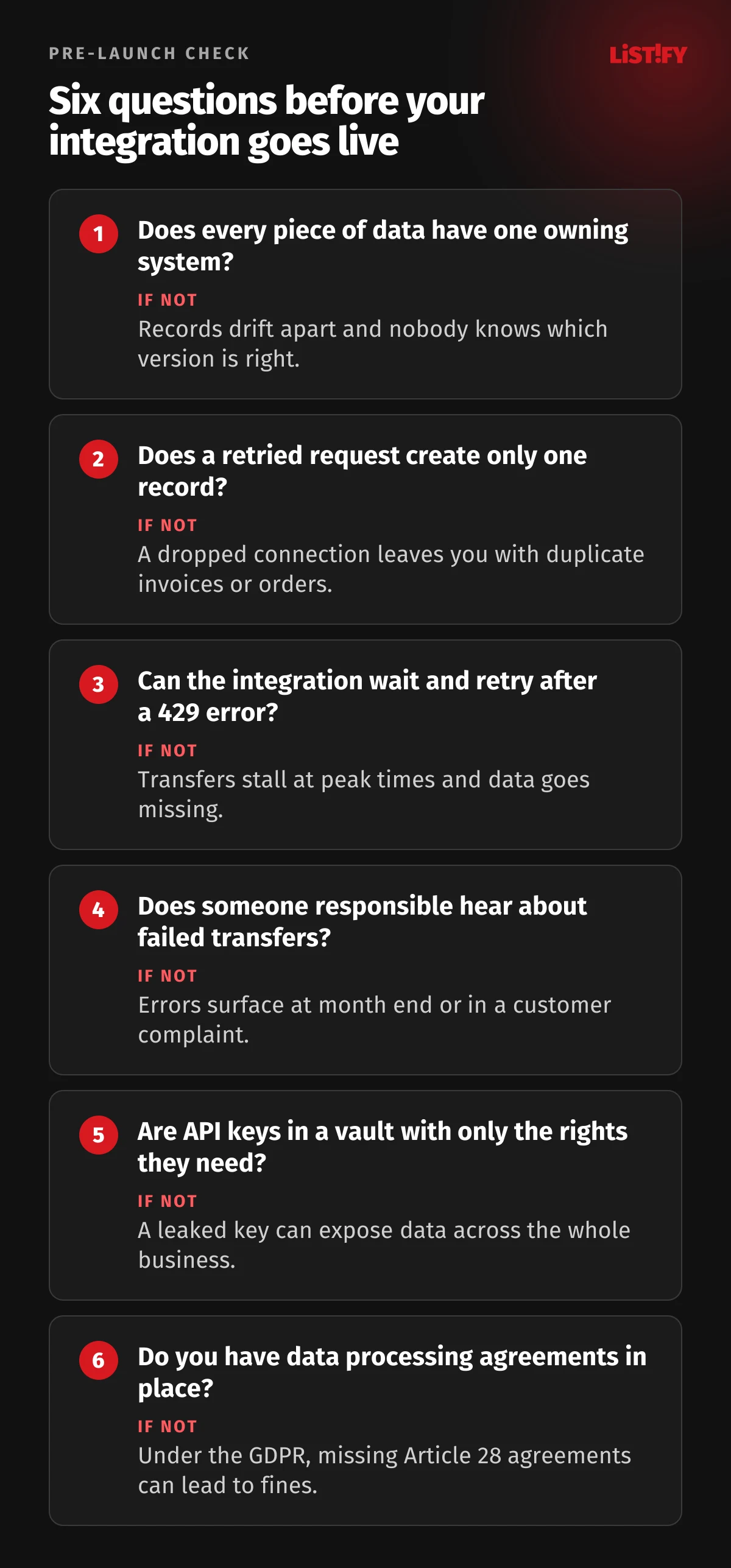
If a customer’s address can be edited in both the store and the CRM, the two versions will drift apart sooner or later. Every piece of data needs one owning system. Prices might live in the ERP, contacts in the CRM and incoming payments in the bank. Other systems read it, and any change they capture is sent to the owning system instead of being edited locally.
2. There is no field mapping
Every system stores data a little differently. One calculates tax from the gross price, another from the net price. One rounds each line, another only the total. Date formats, decimal separators, character encoding and field lengths all differ. Before any code is written, you need a field map: what goes where, in which format and what happens when a value is missing.
3. A retried request creates a second invoice
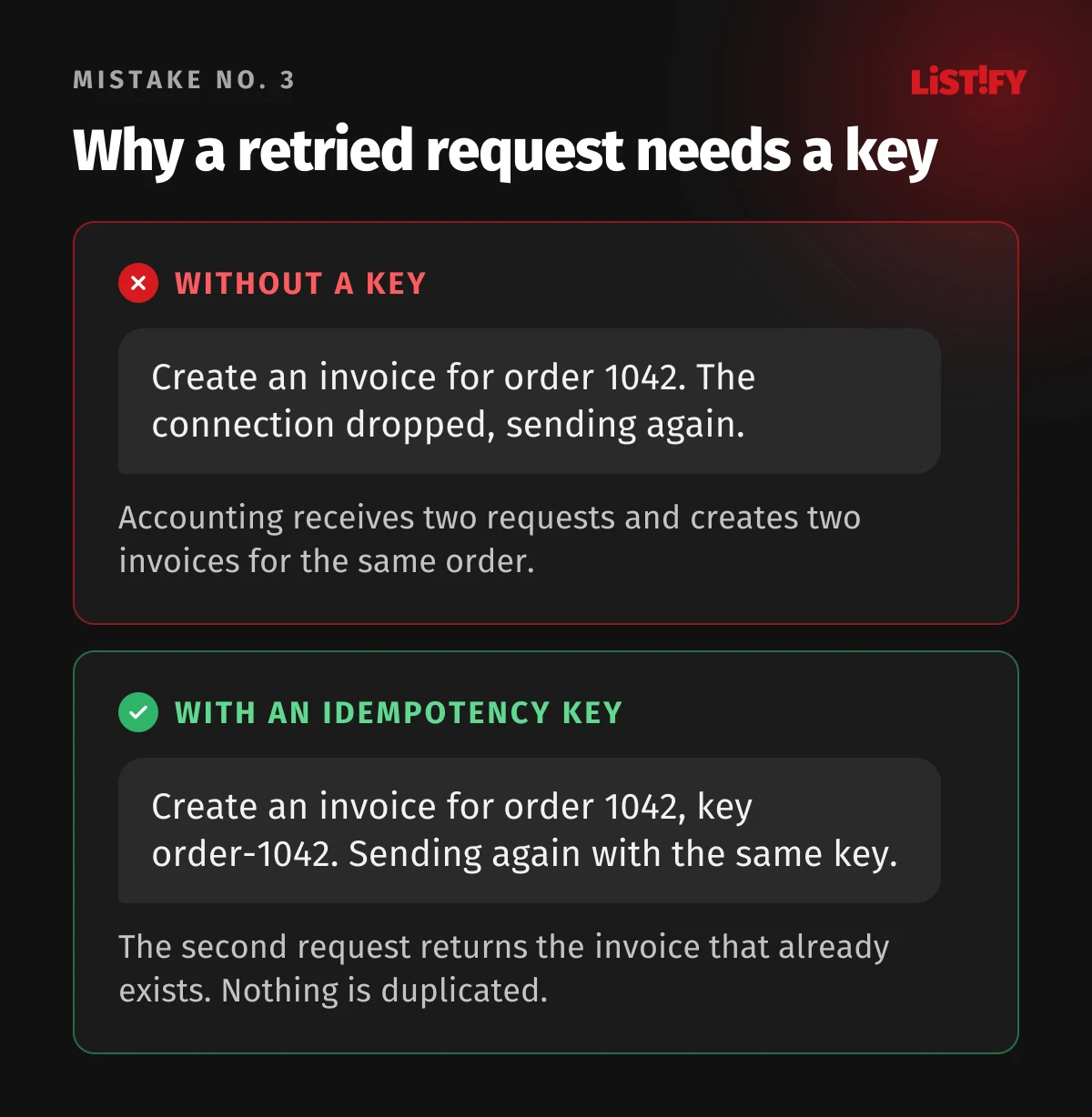
The connection drops, the program sends the request again and accounting now has two identical invoices. The fix is idempotency: each operation carries a unique key, and a second request with the same key creates nothing new. Stripe handles this with keys of up to 255 characters that are kept for at least 24 hours. The Idempotency-Key header is widely used, but it is not yet an official standard: the IETF proposal is still an Internet-Draft, not an RFC.
4. The integration ignores rate limits
Almost every public API limits how many requests it will accept. HubSpot allows private apps 100 to 190 requests per 10 seconds, depending on the subscription. Shopify’s older REST Admin API holds a bucket of 40 requests that drains at two per second on standard plans. Go over the limit and the server returns 429 Too Many Requests, often with a Retry-After header saying when to try again. An integration that does not handle this stalls exactly when the workload peaks, such as during a sale.
5. Nobody hears about failures
Silent failures tend to cost the most, because nobody knows to fix them. In 2020, Public Health England left 15,841 positive COVID-19 cases out of its daily figures. Cases from 25 September to 2 October were missing because some data files exceeded the maximum size that the process loading them into central systems could handle. An integration needs a log of every transfer and alerts that reach someone who can act on them. It also needs an overview of what is queued and what has failed.
6. API keys are stored where they should not be
An API key in an email, a shared spreadsheet or hard-coded in source code will sooner or later end up with someone who should not have it. A key should only have the permissions the integration actually needs, be kept in a secrets manager or server environment variables, and have an owner who knows how to rotate it. We cover how keys leak most often in our article on npm supply chain attacks and API keys.
OWASP’s API Security Top 10 also covers the reverse risk. Its API10:2023 entry (Unsafe Consumption of APIs) notes that developers tend to trust data from third-party APIs more than user input. Data coming from a connected system should be validated as carefully as data from a web form.
7. The webhook endpoint accepts anything
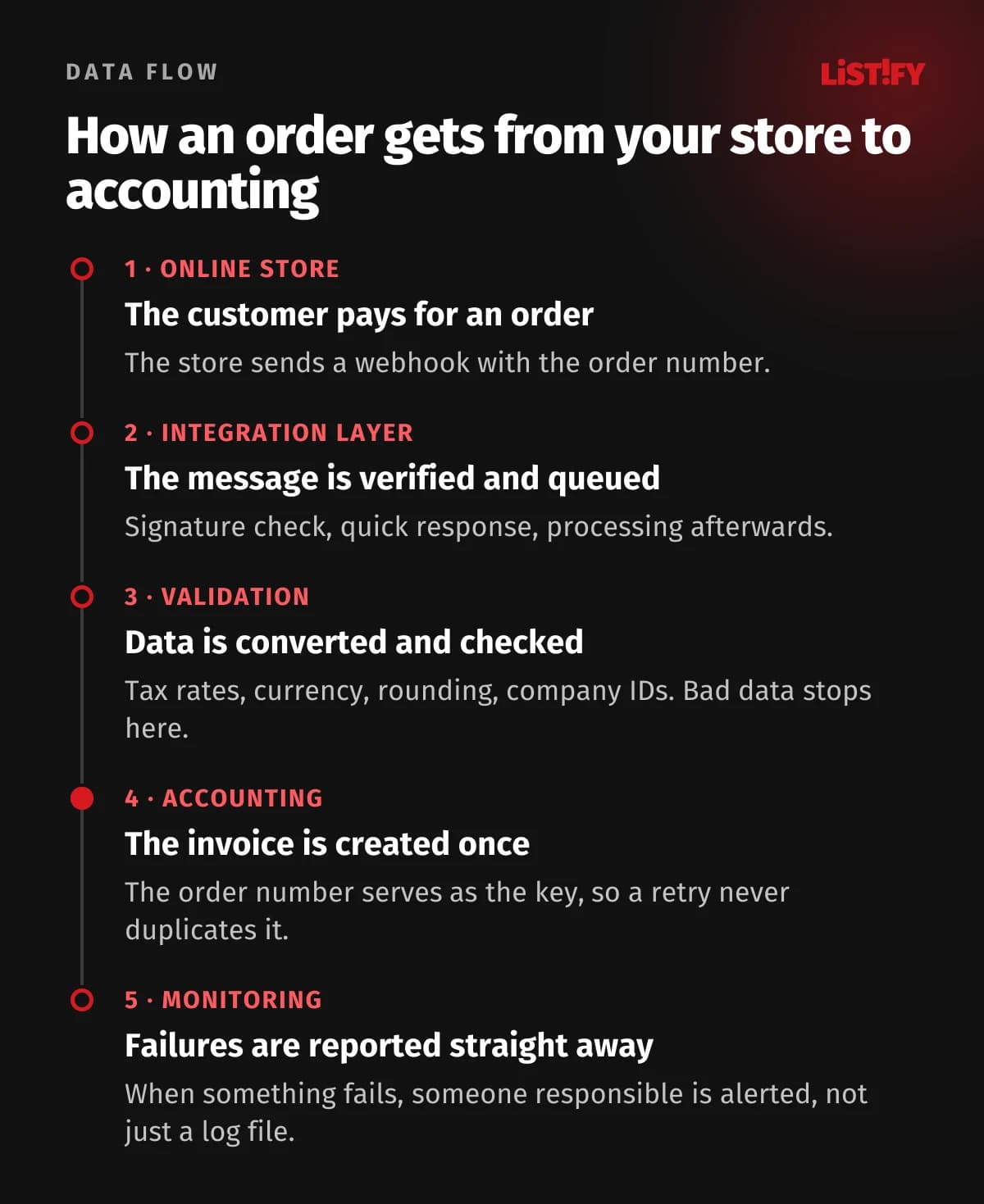
A webhook URL is public. Anyone who knows it can send a fake message, for example about a paid order. Every message should therefore be verified, ideally with the sender’s signature (Stripe puts it in the Stripe-Signature header). The receiver also has to answer quickly. GitHub waits 10 seconds for a response, then closes the connection and treats the delivery as failed. It is safer to store the message, reply with a 2xx status straight away and process it afterwards. The same event can also arrive more than once, so the receiver should skip event IDs it has already processed.
8. Nobody tracks versions and deprecations
APIs change over time. Shopify, for example, has treated its REST Admin API as legacy since 1 October 2024, and since 1 April 2025 new public apps must be built with the GraphQL Admin API. Providers announce changes in their documentation, by email or through the Deprecation and Sunset HTTP headers defined in RFC 9745 and RFC 8594. Someone has to read those notices, and it should be clear who makes the change and who pays for it.
9. Personal data flows without rules
If an integration moves names, email addresses or phone numbers, it processes personal data. In the EU, the GDPR requires you to transfer only what the other system needs (data minimization, Article 5), keep the transfer secure (Article 32) and sign a data processing agreement with every provider that processes the data on your behalf (Article 28). If a provider stores the data outside the EU, you also need a valid transfer mechanism, such as the Data Privacy Framework or standard contractual clauses. Other jurisdictions have similar rules, so check the ones that apply to you.
06How to plan an integration step by step
- List your systems and data flows. Which systems you use, what data each creates and what is currently retyped by hand.
- Pick an owning system for each type of data. Prices, stock, contacts, invoices and payments.
- Read the API documentation on both sides. Limits, authentication, webhooks, test environments and pricing. Some systems only offer API access on higher plans.
- Write the field map and rules for exceptions. What if a tax ID is missing, what if a price changes, how refunds and cancellations are handled.
- Build and test in a sandbox. Test failures too: a dropped connection, a duplicate request, a 429 response and invalid data.
- Run a pilot on part of the data. For example one product category or one week of orders, and compare the result with manual processing.
- Set up monitoring and ownership. Who gets alerted, who fixes errors and who watches for API changes.
07What an integration costs
The price depends mostly on how many systems you connect and how many exceptions the integration must handle. As a rough guide:
| Approach | Typical cost | Worth it when |
|---|---|---|
| Ready-made connector | Often included in the plan or billed monthly, depending on the vendor | A standard pair of systems with no exceptions |
| Zapier | Professional plan from $19.99 a month (lowest listed price); the lowest tier includes 750 tasks | Simple flows and lower volumes |
| Make | Billed by credits used; every action in a scenario uses a credit | Simple flows with more steps at a reasonable price |
| Custom integration | One-off development plus hosting and maintenance; see our calculator for an estimate | Several systems, your own rules, high volumes or sensitive data |
For small volumes a platform often works out cheaper. With thousands of orders a month and your own business rules, a custom integration often works out cheaper over a few years. You can get a rough price for a custom integration in our custom software calculator. See how we work and prices for our other services on the pricing page. If you are weighing a CRM too, read what a CRM really costs over 5 years.
08E-invoicing: what is coming in the EU
The more invoices arrive as structured data, the less there is to retype. In the EU, the ViDA package introduces digital reporting requirements for cross-border B2B transactions within the EU from 1 July 2030, built on e-invoices. Some member states are introducing national mandates sooner. In Slovakia, for example, VAT-registered businesses will have to issue, send and receive domestic B2B invoices electronically through the Peppol network from 1 January 2027.
For integrations this is good news: an invoice arrives as data that accounting software can read without retyping. To make it truly automatic, your invoicing or accounting system has to be connected to an e-invoicing provider, and the data in it has to be right, from VAT numbers to tax rates.
09FAQ
What is API integration?
Connecting two or more systems through their programming interfaces (APIs) so they exchange data on their own, without manual re-keying. Typical examples are an online store and accounting, a bank and accounting, or a CRM and email marketing.
What is the difference between an API and a webhook?
Through an API, one system asks another for data or sends data when it chooses to. A webhook is a message a system sends on its own the moment something happens, for example when a customer pays. Reliable integrations usually use both.
How do you handle errors in an API integration?
Retry only temporary failures (timeouts, 5xx errors and 429) with increasing delays and respect the Retry-After header. Use idempotency keys so retries never create duplicates. Errors caused by bad data should go to a person, not into a retry loop, and every transfer should be logged.
Are Zapier or Make enough?
For simple flows and lower volumes, often yes. With thousands of records a month, complex rules or sensitive data, a custom integration is often cheaper in the long run, because you do not pay per task, and you control how failures are handled.
What if the other system has no API?
You are left with file export and import, direct database access with the vendor’s consent, or asking the vendor for an API. A bot that fills in web forms instead of a person is the last resort, because even a small change to the screens can break it.
Do I need to think about the GDPR?
Yes, if the integration moves personal data and your business is established in the EU or offers goods or services to people in the EU. Transfer only what the other system needs, secure the transfer and sign a data processing agreement under Article 28 with every provider that processes the data for you.
10Sources
- Connectivity Benchmark Report 2026 and 2025, MuleSoft
- Eurostat: isoc_eb_iip (ERP and CRM, 2025) and isoc_eb_ics (e-invoicing and data sharing, 2023)
- ARES terms of use, Czech Ministry of Finance (in Czech)
- Idempotent requests and webhooks, Stripe
- The Idempotency-Key HTTP header field, IETF draft
- Usage guidelines, HubSpot, plus REST Admin API and its rate limits, Shopify
- RFC 6585 (429), RFC 9110 (Retry-After), RFC 9745 (Deprecation) and RFC 8594 (Sunset)
- PHE statement on delayed reporting of COVID-19 cases, GOV.UK, 2020
- OWASP API Security Top 10 2023
- Best practices for using webhooks, GitHub
- GDPR text
- VAT in the Digital Age (ViDA), European Commission, and eFaktúra, Slovak Financial Administration
- Zapier pricing