One npm install Was All It Took: How API Keys Get Stolen in 2026 and How to Stop It
In 2026, one of the easiest ways into your app was a library you installed yourself. In late March 2026, attackers took over the account of the lead maintainer of Axios, one of the most widely used JavaScript libraries, and published versions carrying a remote access trojan for Windows, macOS, and Linux (Security Boulevard). Anyone who ran npm install at the wrong moment may have handed over the keys to their infrastructure.
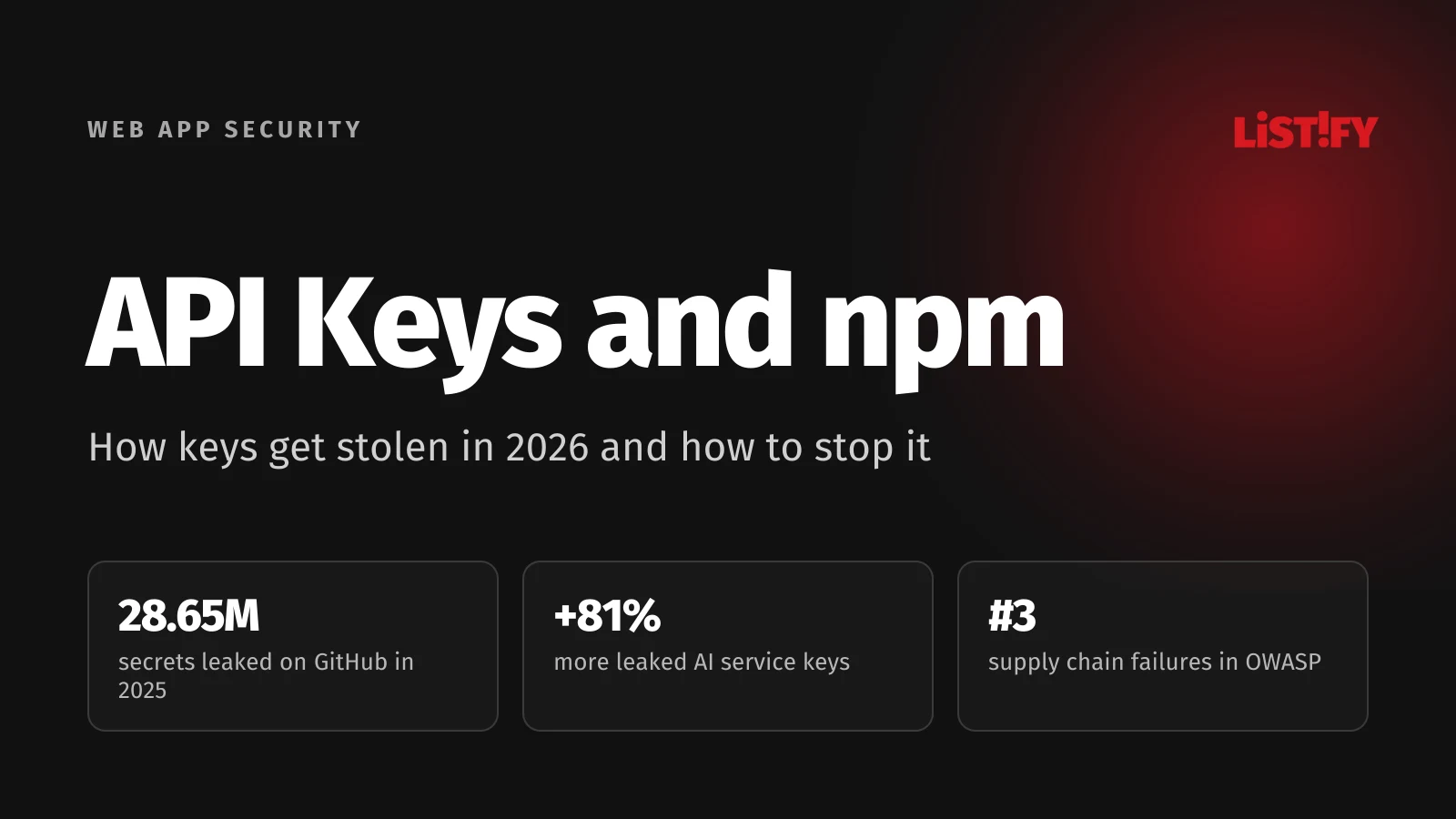
These attacks almost always go after credentials: GitHub tokens, cloud keys, and database passwords. And there are more of them lying around than ever. In 2025 alone, 28.65 million new secrets showed up in public GitHub commits, up 34% from the year before (GitGuardian). Internal repos are worse: 32.2% of them contain at least one secret (The Hacker News, on GitGuardian).
That’s why OWASP put software supply chain failures straight in at number three in its Top 10:2025 (OWASP). Most of these attacks can be blocked with a few settings you can finish in an afternoon. For the full 105-point checklist, see Launching a Web App? Check These 105 Things Before Attackers Do.
01A Year of Dependency Attacks
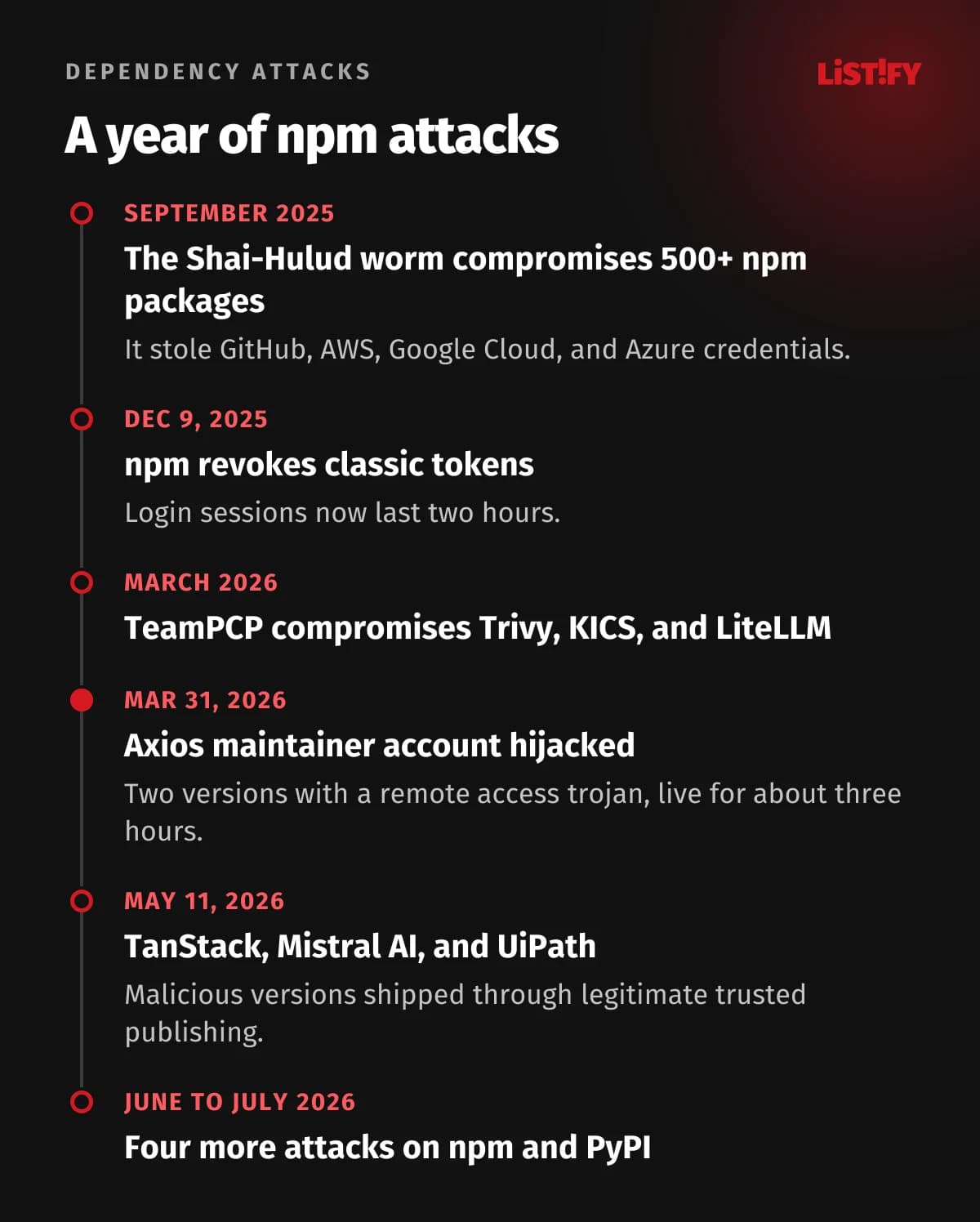
Since September 2025, one major attack has followed another. Attackers adapt fast: when npm tightened its tokens, they found a way in through the legitimate publishing process.
| When | What happened | Source |
|---|---|---|
| June to July 2026 | Four more attacks on npm and PyPI: a new Shai-Hulud variant, typosquatted payment SDKs, a stolen publishing token, and a hijacked CI pipeline | GitGuardian |
| May 11, 2026 | Malicious TanStack, Mistral AI, and UiPath packages published through legitimate trusted publishing with a valid GitHub Actions identity | Wiz |
| March 31, 2026 | Axios maintainer account hijacked, two versions shipped with a remote access trojan | StepSecurity, CISA |
| March 2026 | The TeamPCP group compromised the Trivy scanner, KICS, and the LiteLLM library | Security Boulevard |
| December 9, 2025 | npm revoked all classic tokens and cut login sessions to two hours | GitHub Changelog |
| September 2025 | The self-replicating Shai-Hulud worm compromised more than 500 npm packages and stole GitHub, AWS, Google Cloud, and Azure credentials | CISA |
The May attack shows that a signature and verified provenance don’t guarantee a version is safe, because the attacker shipped malicious code through the legitimate channel. You need several layers of defense.
02Secrets: Where They Can’t Live and How to Find Them
A key in your code is like a house key under the doormat. Nothing happens as long as nobody knows. But your repo is visible to coworkers, CI, third-party tools, and, after one wrong setting, the entire internet. Leaked secrets for AI services are growing fastest: 1,275,105 of them in 2025, up 81% from the year before (The Hacker News, on GitGuardian).
- AI service keys81%
- All secrets in public commits34%
2025 versus 2024. GitGuardian, State of Secrets Sprawl 2026 (The Hacker News).
- No passwords, tokens, or API keys in code, Dockerfiles, or CI config. They belong in a secrets manager: AWS Secrets Manager, Google Secret Manager, Azure Key Vault, HashiCorp Vault, Doppler, Infisical, or 1Password.
- Scan your entire Git history. A key deleted in a later commit is still in the history, and anyone with repo access can find it.
- Catch keys before they leak: a pre-commit hook (gitleaks, ggshield, TruffleHog) on developer machines and push protection on GitHub or GitLab.
- Watch the frontend. Anything prefixed NEXT_PUBLIC_, VITE_, or REACT_APP_ ends up in JavaScript in the browser, where anyone can read it. Payment keys, AI service keys, and the Supabase service_role key must never go there.
- Every environment gets its own keys. Production keys don’t live on developer laptops.
- Keys get only the permissions they need. If the app reads from one bucket, its key shouldn’t be able to delete the whole account.
- Write down how to rotate each key. During an incident, there’s no time to figure out where a key is used.
How to test it
Run gitleaks across your full repo history: gitleaks git --log-opts="--all". Then open your production site, view the source, and search the JavaScript files for key, secret, and token.
03Production Configuration
Security misconfiguration is number two in the OWASP Top 10:2025 (OWASP). It’s usually files and modes left over from development, and automated scanners find them in minutes.
- Debug mode off: DEBUG=False in Django, APP_DEBUG=false in Laravel, NODE_ENV=production. A debug page exposes paths, environment variables, and often passwords.
- /.git/, /.env, backups like backup.zip or db.sql, phpinfo, /actuator in Spring Boot, and /server-status in Apache are not reachable from the web.
- Swagger and GraphQL introspection are off in production or behind login.
- Default accounts and passwords (admin/admin on databases, CMSs, and server panels) are changed or removed, along with sample apps and test endpoints.
- Directory listing is disabled.
- The Server and X-Powered-By headers don’t reveal software versions.
- CORS allows only your specific domains. A wildcard with credentials is a bug, and so is a server that blindly echoes back the request’s Origin.
- Source maps aren’t public. Upload them only to your error tracker (Sentry), or they expose your entire frontend source, comments included.
How to test it
Open yourdomain.com/.env, /.git/config, and /debug in a browser. All of them should return 404. The nuclei scanner with its public templates checks hundreds of similar paths in minutes.
04Dependencies: How to Avoid Installing a Trojan
A typical Node.js app sits on hundreds of packages that nobody on the team has read. Any of them could ship a malicious version one day. And most of these attacks run at install time, so they hit developer laptops and build servers before your app is even running.
- Commit your lockfile (package-lock.json, pnpm-lock.yaml, poetry.lock, composer.lock) and install exactly from it in CI: npm ci instead of npm install.
- Don’t adopt new versions immediately. Set a delay of a few days: min-release-age in npm, minimumReleaseAge in pnpm and Renovate. Since July 2026, Dependabot waits three days for new versions by default (GitHub Changelog). Malicious versions usually get pulled from the registry within hours, and for Axios it was about three (UNU C3).
- Restrict install scripts. Most attacks run through postinstall or preinstall. Since npm 12 (July 2026), dependency scripts only run for packages you explicitly allow (allowScripts in package.json, approved with npm approve-scripts); pnpm does the same with allowBuilds and Bun with trustedDependencies (GitHub Changelog). On older npm versions, use ignore-scripts. Note that some of this summer’s attacks ran on import rather than at install, so restricting scripts alone won’t stop them.
- Turn on vulnerability monitoring: Dependabot or Renovate for updates, and npm audit, OSV-Scanner, or Snyk for known issues. Tools like Socket also flag suspicious behavior in new versions that don’t have a CVE yet.
- Before adding a package, confirm it exists and it’s the right one. AI assistants sometimes invent package names, and attackers register those names in advance (slopsquatting).
- Keep internal packages in their own scope and set their registry in .npmrc or pip.conf. Otherwise you risk dependency confusion with a public package of the same name.
- Generate an SBOM, a full list of your components, in CycloneDX or SPDX format. When the next critical flaw drops, you’ll know within a minute whether you’re affected.
How to test it
Run npm audit --omit=dev or your language’s equivalent, plus OSV-Scanner against your lockfile. Nothing with a known critical vulnerability goes to production without a documented exception.
05CI/CD Pipelines and Containers
Your build server has access to everything: code, secrets, and production. To an attacker, it’s worth more than the app itself.
Pipeline
- Pin GitHub Actions to a specific commit SHA. A tag like @v4 can be pointed at a different version.
- Set GITHUB_TOKEN permissions to the minimum (permissions: contents: read) and add only what each job needs.
- Be careful with the pull_request_target trigger and workflows that run code from forks. An attacker’s code ends up running with access to your secrets.
- Authenticate from CI to your cloud with OIDC and short-lived credentials. A long-lived key stored in CI settings is the first thing a malicious package looks for.
- Protect production deploys with branch protection, required code review, and approval for the production environment. Production secrets should only be available to that environment.
- Publish packages with trusted publishing (OIDC). Since November 2025, npm caps granular tokens with write access at 90 days (GitHub Changelog), and since late July 2026, tokens that bypass 2FA can no longer manage accounts, tokens, or package maintainers (GitHub Changelog).
- Developer accounts on GitHub, GitLab, npm, and PyPI use phishing-resistant MFA. Most package takeovers started with a stolen maintainer account.
Containers
- Use minimal base images (distroless, Alpine, slim) pinned by digest.
- Don’t run the app as root, and make the filesystem read-only wherever you can.
- Scan images at build time and on a schedule afterward. New vulnerabilities show up in old images too.
How to test it
Go through .github/workflows. Every third-party action should be pinned to a SHA, and every workflow should have a permissions block. Check your CI settings for long-lived cloud keys.
06What to Do When a Key Leaks
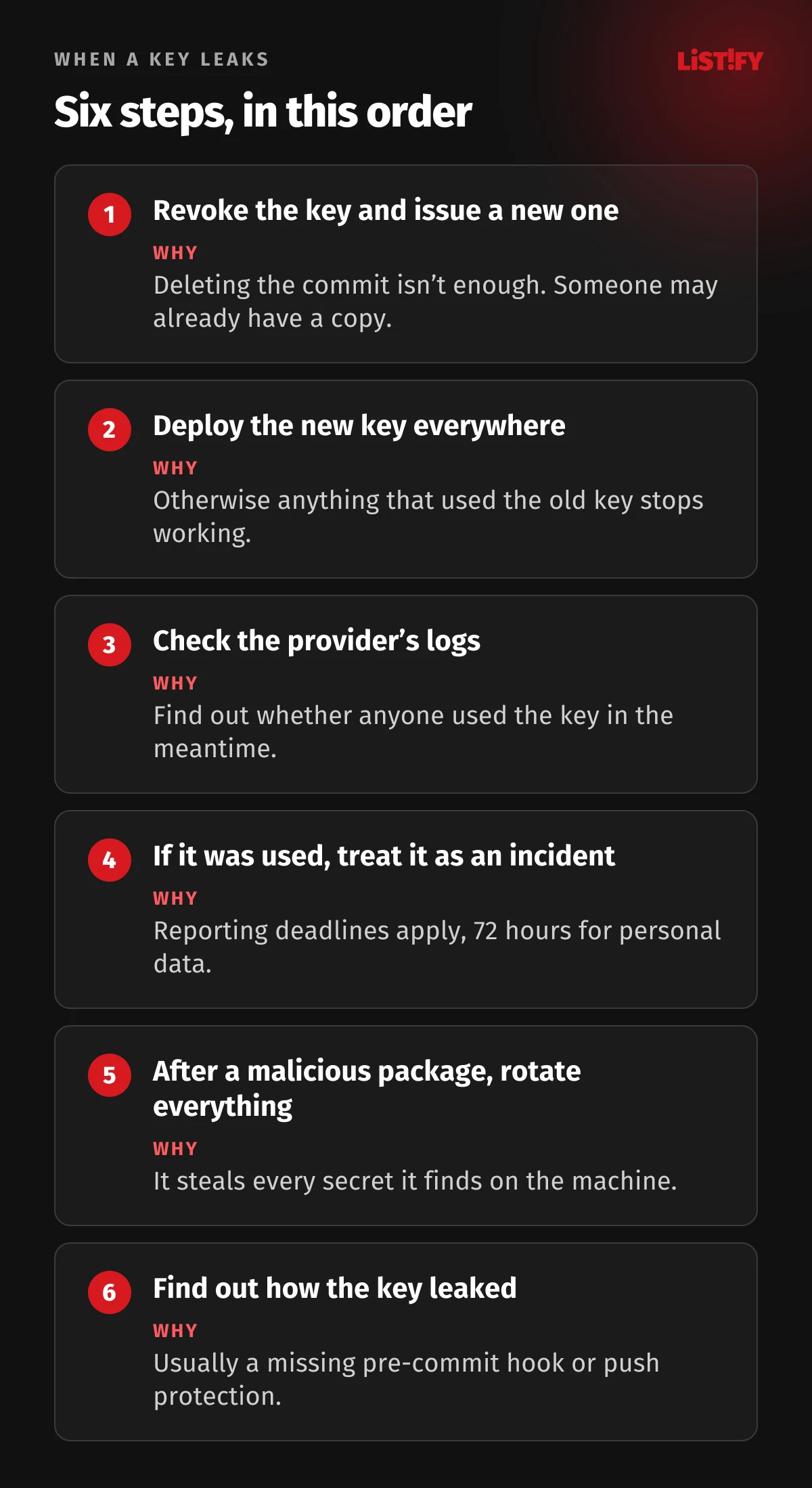
Assume it will happen one day. What matters is whether you revoke the key in ten minutes or ten days. Write the playbook in advance:
- Revoke the key immediately and issue a new one. Deleting the commit or rewriting Git history isn’t enough, since someone may already have a copy.
- Deploy the new key everywhere the old one was used. The key inventory from the secrets section pays off here.
- Check the provider’s logs (CloudTrail on AWS, the GitHub audit log, usage history for AI services) to see whether anyone used the key in the meantime.
- If they did, treat it as a security incident: figure out what data the attacker could reach and review your GDPR obligations. Reporting deadlines are covered in A Data Breach Now Costs $4.99 Million on Average.
- After a malicious dependency, check every machine and build server where it was installed, and rotate every secret that was on them. After Shai-Hulud, CISA recommended rotating all developer credentials (CISA).
- Find out how the key leaked and close the gap. Most often, a pre-commit hook or push protection was missing.
07Checklist
Secrets and configuration
- A full Git history scan comes back clean, and every key that ever leaked has been rotated.
- Secrets live in a secrets manager, never in code, Dockerfiles, or CI config.
- Frontend environment variables contain no secrets.
- Production has its own least-privilege keys.
- Pre-commit hooks and push protection are on.
- You have a key inventory and a rotation playbook.
- Debug mode is off.
- /.env, /.git/, backups, phpinfo, and /actuator return 404.
- Swagger and GraphQL introspection are off or behind login.
- Default accounts and sample apps are removed.
- CORS allows only specific domains.
- Source maps aren’t public.
Dependencies and CI/CD
- The lockfile is committed, and CI uses npm ci.
- No known critical vulnerability without a documented exception.
- New versions are adopted after a delay of several days.
- Install scripts are restricted.
- An SBOM exists.
- GitHub Actions are pinned to SHAs, and GITHUB_TOKEN has minimal permissions.
- CI authenticates to the cloud with OIDC.
- Production deploys require approval.
- Developer accounts have phishing-resistant MFA.
- Containers run as non-root from a minimal image.
Authorization and input handling are covered in Change One Number in the URL, and servers and cloud in They Already Know Your Staging Server.
08The Full Web App Security Series
The five-part series covers your whole app, from code to servers to leadership:
- The 105-point checklist for your whole app
- Code flaws that leak data
- API keys, dependencies, and npm attacks (you are here)
- Servers, HTTPS, cloud, backups, and logging
- What leadership must do: GDPR, NIS2, CRA, and pen tests
09FAQ
How do I know if my API key leaked?
Run gitleaks or TruffleHog across your full repo history and turn on secret scanning in GitHub or GitLab. Then check the key provider’s logs for use from unfamiliar IP addresses.
Is deleting a key from GitHub enough?
No. The key stays in your Git history, and someone may already have copied it. Always revoke it and issue a new one.
Can I put an API key in the frontend?
Only if it’s designed to be public, like a Stripe publishable key or a Supabase anon key with row-level security turned on. Secret keys for payments, AI services, or your database never belong in the frontend, because every visitor can read them.
Is npm audit enough?
No. npm audit only finds problems that someone has already reported and published. It won’t catch a freshly compromised version in its first hours, so pair it with delayed updates and tools that analyze package behavior.
What was the Axios attack?
A supply chain attack in the early hours of March 31, 2026 (UTC). Attackers took over the Axios lead maintainer’s account and published two versions that installed a remote access trojan on Windows, macOS, and Linux (Security Boulevard).
What is Shai-Hulud?
A self-replicating worm in the npm registry. In September 2025, it compromised more than 500 packages, stole GitHub and cloud credentials, and used them to spread further (CISA). New variants appeared in 2026.
10Sources
All figures are current as of September 27, 2026.
- OWASP Top 10:2025
- CISA: Widespread Supply Chain Compromise Impacting npm Ecosystem
- GitGuardian: State of Secrets Sprawl 2026
- The Hacker News: 9 takeaways from State of Secrets Sprawl 2026
- GitGuardian: Four more supply chain attacks hit npm and PyPI
- Security Boulevard: Supply Chain Attacks Surge in March 2026
- UNU C3: The Axios npm Supply Chain Attack
- Wiz: TanStack and other packages compromised
- GitHub Changelog: npm classic tokens revoked
- GitHub Changelog: npm v12 install-time security defaults
- GitHub Changelog: restricting 2FA-bypass tokens
- StepSecurity: Axios compromised on npm