Native development, Flutter or React Native: A comparison for 2026
Your technology choice affects the first release and every subsequent change. No approach wins for every project: the deciding factors are the work users need to complete, required platform capabilities and the team that will maintain the product. Compare three routes through the evidence you should request before commissioning development.
Our guide to native versus cross-platform development explains the basic distinction. This article adds a project-specific decision framework. Documentation was checked on 20 November 2026. The intended outcome is a reasoned choice and evidence plan, rather than a general framework ranking.
01Define the conditions the application must satisfy
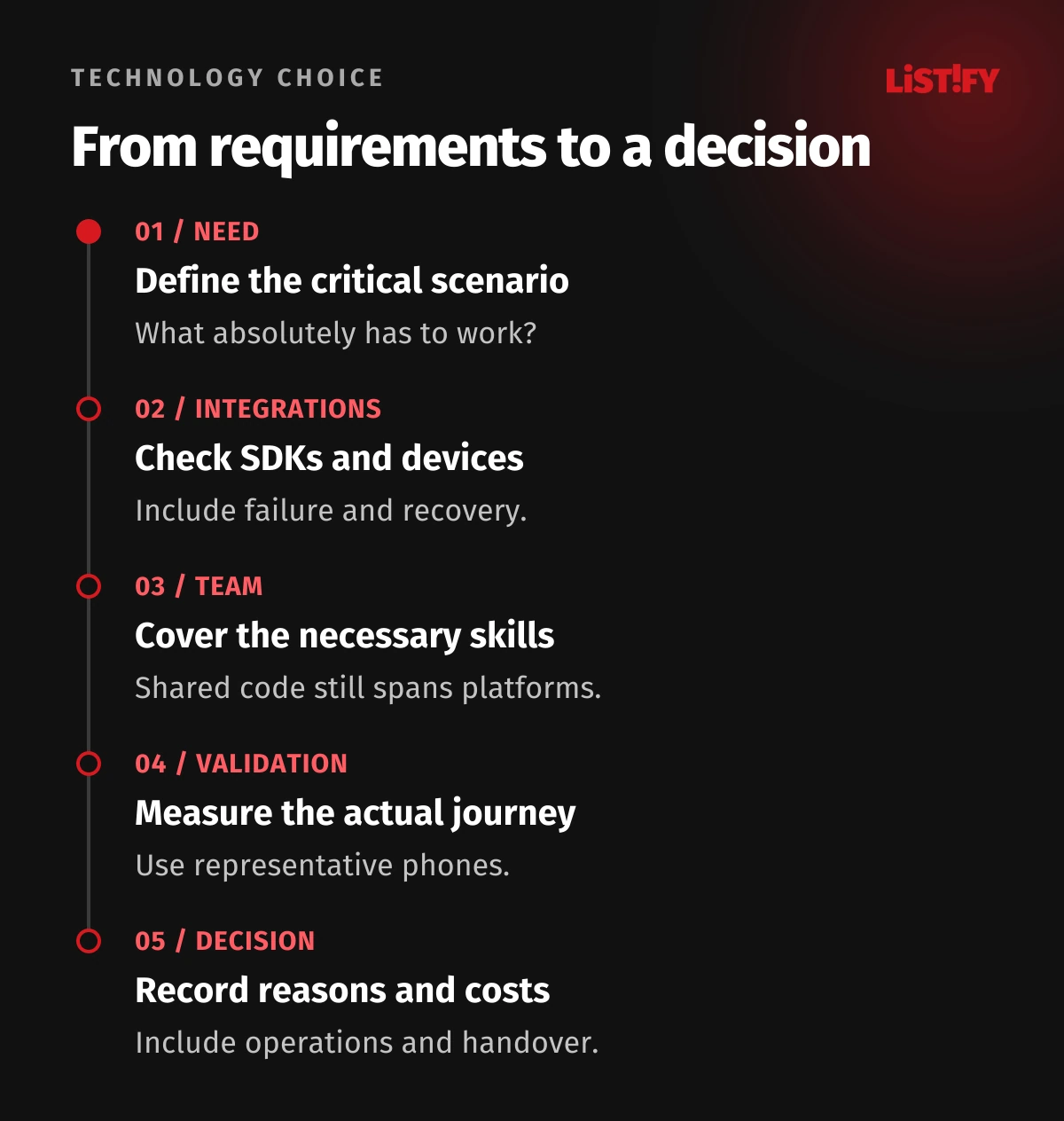
List the main user journey, target devices and capabilities without which the product has little value. A booking app, Bluetooth service tool and video editor have different demands. Include working without connectivity, returning from the background, permission withdrawal and company-specific accessories. An industry label alone does not determine the right technology.
Separate hard requirements from preferences. If a supplier SDK supports a necessary capability only on a particular platform, investigate that dependency before designing screens. Preferences for a shared appearance or familiar programming language come after feasibility. Identify the person who can accept a compromise when a requirement cannot be met as originally written.
When adding an app to an existing web product, distinguish reuse of APIs, authentication and business rules from reuse of the interface. An existing React website is not a completed mobile app. Task recovery, phone interaction and distribution still require their own decisions.
02Understand what each route means today
Native iOS development commonly uses Swift and SwiftUI, while Android uses Kotlin and Jetpack Compose. Working directly with the platform provides control over its specific capabilities. It does not mean nothing can be shared: product requirements, backend services, design principles and test scenarios can remain common.
Flutter uses Dart and its own interface-rendering layer. It connects to system capabilities through integration mechanisms and plugins, and can include native code. A shared interface can support a consistent visual system. You still need to accommodate the interaction expectations of each platform.
React Native uses React with JavaScript or TypeScript and connections to platform components. Since version 0.82, it runs exclusively on the New Architecture. A current comparison should therefore not assume every interaction must pass through the old serialised bridge. Fabric and JSI changed that architecture. The performance of an individual application still depends on implementation.
03Use a decision matrix rather than a universal winner
| Situation | Route to investigate | Decisive evidence |
|---|---|---|
| One platform with deep system integration | Native development | A working scenario with the required SDK and devices. |
| A custom visual system across iOS and Android | Flutter | Interaction, accessibility and integrations on both systems. |
| An experienced React/TypeScript team and two mobile platforms | React Native | Mobile delivery experience and compatible libraries. |
| Many specialised peripherals or background tasks | Compare native and shared approaches | A prototype of the hardest integration, not just a form. |
Supporting two systems is a reason to investigate shared work, not a promise of half the cost. For each option, identify what will be shared and what remains separate. If only one platform is currently required, compare a native first stage with a later expansion as well. Avoid paying for assumed future scope without understanding its value.
Record the rationale, rejected alternatives and conditions that would change the decision. When a new requirement arrives, the business can then distinguish a changed project from an inadequately tested original assumption. A decision document should be useful during delivery, not filed away after supplier selection.
04A specific integration often creates the greatest uncertainty
For each important SDK, check supported platforms, wrapper maintenance, required permissions and debugging options. A plugin with a suitable name does not establish support for the exact capability or the supplier’s newer SDK. Find out who will investigate a failure that occurs on only one device.
Consider an illustrative service application reading a measuring device over Bluetooth. Validation should cover pairing, disconnection, returning from the background and recovering a transfer. A working customer-list screen does not resolve this uncertainty. If a custom native module is needed, include both its implementation and future upgrades in every relevant proposal.
Sensor access does not automatically require an entirely native product. The available integration and operational effort matter. Conversely, being able to add native code does not make its maintenance negligible. Assign ownership to an identifiable team, with a route for resolving problems that cross the framework and platform boundary.
05Consider the team that will fix the application
Check the team’s experience of releasing and operating mobile products. React knowledge is a useful foundation for React Native, but does not replace understanding of iOS, Android, signing or crash diagnosis. Flutter requires skills in Dart and the platform-specific parts around it. Native projects need appropriate coverage of their target systems.
Ask who owns library failures, upgrade conflicts and bugs without reliable reproduction steps. A single shared team can be effective, but it should not rely on one person who alone can issue a production release. Documentation and reproducible builds belong in the project budget. Include handover and access ownership in the proposal.
Comparing suppliers? Send Listify your requirements, target devices and critical integrations. We can help compare scope, identify technical uncertainties and propose a validation step before a larger investment.
06Validate performance and accessibility on a real task
Measure startup, response on the critical screen, long lists, memory and behaviour during extended use. Devices should represent the intended customers. Comparable data and scenarios are necessary; an empty demonstration project is insufficient evidence. Define acceptable response for the actual task before reviewing results, and record the configuration used.
React Native notes that development mode distorts performance. Flutter documents the cost of unnecessary rebuilding and expensive rendering operations. The practical conclusion is to use an appropriate profiling or production configuration, measure the journey and address the specific bottleneck. A framework’s name is not a measurement.
Test enlarged text, screen-reader interaction, element order and error states. Neither native components nor custom rendering establishes accessibility on its own. Prepare representative scenarios using our guide to VoiceOver and TalkBack. Include them in acceptance rather than treating them as a final visual check.
07Shared code still spans two systems and release processes
Plan for iOS and Android testing, permission changes, SDK compatibility and dependency updates. A shared bug may affect both platforms while a platform-specific failure affects only one. You need to distinguish them and issue a fix without disrupting the other platform. Common code does not remove this operational responsibility.
For a framework, track support for the chosen version and package compatibility. For native development, the corresponding work includes toolchain and platform API changes. Every route requires long-term ownership. Agree review responsibilities and the response to a dependency that is no longer maintained.
Connect the plan to app updates after launch and prepare the first store release as part of delivery. Keep company accounts, signing materials and build access under company control. Make sure another authorised maintainer can reproduce the release process.
08Compare the cost of the complete lifecycle
| Proposal item | What should be explicit |
|---|---|
| Shared product foundation | Design, APIs, rules and interface elements common to both platforms. |
| Platform-specific work | Permissions, SDKs, native modules, specialist screens and devices. |
| Validation and release | Test environments, real phones, accessibility and both stores. |
| Maintenance and handover | Upgrades, documentation, builds, diagnosis and team cover. |
Request explanations of exclusions and assumptions. A cheaper proposal may omit offline behaviour, accessibility or a difficult integration. Compare the effort to change a representative feature and recover neglected dependencies as well. Source-code line counts are not an independent business outcome. A useful estimate describes what drives uncertainty and what would reduce it.
Secure storage, permissions and communication checks apply across the options. Include them using our mobile app security guide, so they do not become an unexpected extra after the technology decision. The same principle applies to observability and support: the product must remain understandable when something fails.
09Commission validation that can change the decision
Choose the hardest uncertain scenario, required devices and acceptance criteria. A prototype should demonstrate integration feasibility, interface behaviour and remaining cost drivers. Record what it did not establish. A short investigation is neither a complete architecture nor a binding estimate for the whole product. Its value lies in reducing a decision-relevant uncertainty.
Then select an approach with explicit trade-offs. If two routes satisfy the requirements, the existing team and simpler maintenance may decide between them. If a critical capability cannot work reliably, change the technology or scope before most screens have been built. Keep the evidence alongside the decision for future maintainers.
10Frequently asked questions
Is Flutter always cheaper than native development?
No. Savings depend on genuinely shared work and platform-specific exceptions. Compare equivalent scope, including testing and maintenance.
Is React Native still constrained by the old bridge in 2026?
That general claim is outdated. Since version 0.82, React Native uses only the New Architecture. You still need to validate actual performance and library compatibility.
Can we reuse an entire React website?
Usually not. Some types, business rules and data access may be shared. Mobile components, navigation and system integrations need separate consideration.
Does a cross-platform team need native experience?
Yes, with coverage appropriate to integrations, builds, releases and diagnosis. A shared layer does not remove operating-system behaviour.
Should we rewrite a working app to adopt another framework?
Not without a concrete problem and economic rationale. Assess current costs, required changes and a safe migration route first.