Mobile payments: Apple Pay, Google Pay and gateway integration
Customers want to pay on their phones without typing card details. Adding an Apple Pay or Google Pay logo is only one small part of that experience. You need an appropriate payment route, a compatible provider and an order that survives an interrupted transaction. This guide explains the decisions to make before development and the checks needed to accept the integration.
This guide focuses on payments inside mobile websites and apps. A contactless terminal in a physical shop is a different integration project. For online sales, begin with what the customer is buying and where the purchase happens, then choose the interface and libraries.
01Wallets, gateways and app stores perform different jobs
Apple Pay and Google Pay simplify payment-method selection and purchase approval. A payment provider processes the transaction through the agreed integration. Your system still owns the order, price and fulfilment rules. A familiar logo does not replace a provider agreement, merchant configuration or verification of the payment outcome.
Apple In-App Purchase and Google Play Billing serve a different purpose: purchases governed by the distribution stores. They are not alternative names for Apple Pay and Google Pay. Review your app monetisation model first. Confusing these layers can force a complete redesign of the purchasing journey.
02Decide what you sell and where you sell it
| Purchase | First decision | Check before development |
|---|---|---|
| Physical products in an online shop | Gateway and available wallets | Countries, currency, supported cards and delivery. |
| A service delivered outside the app | Payment for a booking or order | Deposit, balance, cancellation and confirmation. |
| Digital functionality inside an app | Rules of the store and market | Store billing, an exception or programme conditions. |
| Web product with a companion app | Relationship between web purchase and app access | Which purchase paths may be offered inside the app. |
Apple’s guidelines distinguish digital purchases from goods and services consumed outside an app. Google Play also sets requirements for digital purchases and conditions for alternatives in eligible regions. Verify the product, market and distribution programme before design; an external gateway is not a universal exemption.
When adding an app to an existing web product, sharing an account may be straightforward while offering a purchase needs a different approach. Record the applicable rules in the brief and reassess them when entering another market.
03Choose the integration according to ownership
First check whether your platform and gateway provide a maintained wallet integration. Hosted checkout or a supported component can handle part of the payment interface. You still need to connect orders, test the return journey and identify who maintains the configuration. A custom interface is useful when its additional control solves a real requirement.
Google Pay describes a token passed through your backend to a payment provider. Direct integration without a supported gateway carries specific merchant requirements, including validated PCI DSS compliance. It is not a routine shortcut around working with a provider.
Ask the supplier to identify what belongs to the platform, gateway and custom code. Verify web and native-app support separately. Our article on application payments covers the deeper relationships between orders, subscriptions and accounting.
04Display the button according to actual availability
Knowing that a customer uses iOS or Android is insufficient. Availability depends on the environment, merchant configuration, supported card and chosen integration. Google Pay on the web is not restricted to Android; its integration checklist includes multiple operating systems and browsers.
Use the provider’s or wallet’s supported availability checks instead of your own list of phone brands. Keep a clear alternative for people without a usable wallet. An unavailable payment method should not look like a failure of the entire order. The fallback needs the same care as the preferred route.
Test links opened from email, social media and embedded browsers. These environments may behave differently from a normal browser. If the integration requires switching elsewhere, explain the reason and preserve the order. Connect product selection and checkout using the principles of mobile-first design.
05Give accounts, domains and certificates an owner
A direct Apple Pay web integration involves merchant identity, required certificates and domain verification. Apple’s troubleshooting guide explicitly distinguishes this from configurations managed by a provider. Do not apply one setup tutorial to every gateway without checking its scope.
Record production and test domains, account ownership, permissions and certificate renewal responsibilities. Moving checkout from the main domain to a subdomain may require new configuration. Switching from sandbox to production requires the real merchant account, correct settings and confirmed payment-method availability. It is more than changing an environment flag.
Keep company accounts under company control. Assign access through roles and store private keys in the designated secret-management system. Handover should say who receives alerts and who can actually renew the configuration. This is part of mobile app security.
Want to add wallets to an existing website or app? Send Listify the platform, gateway and type of product sold. We can assess the integration route and propose the work and acceptance scenarios needed.
06Express checkout still needs a complete order
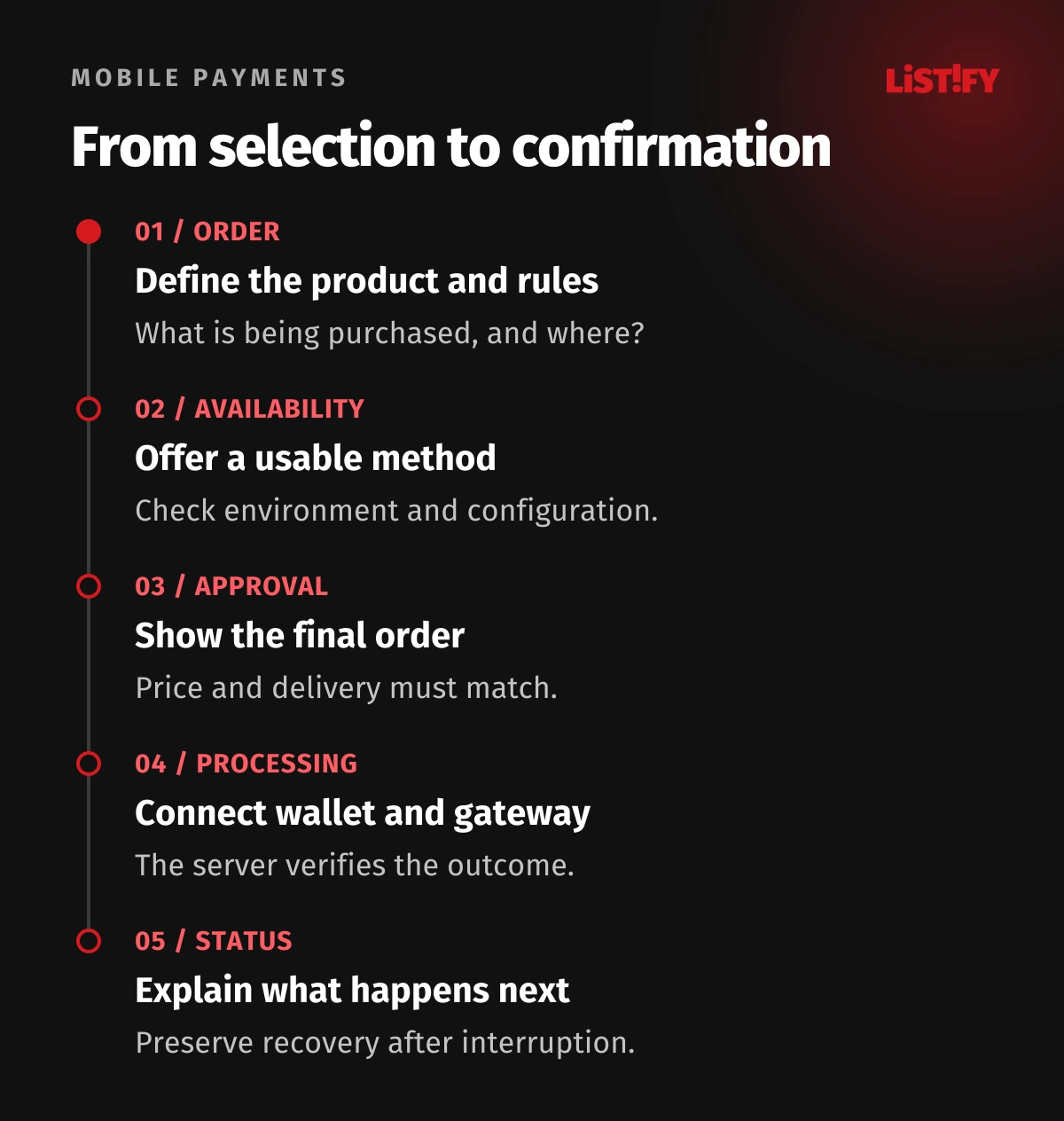
An express button on a product page may bypass the usual cart. That makes it particularly important to verify the product variant, quantity, availability and delivery. A wallet’s saved address may not match the customer’s current intention. Allow changes and recalculate the relevant costs before final approval.
Consider an illustrative situation: a customer changes the delivery address and the new area has a different delivery charge. The amount shown in the payment sheet must match the server-side order. Do not resolve a mismatch with an undisclosed additional charge after approval. If stock runs out in the meantime, explain the situation and provide a safe next step.
Request only the contact and delivery details needed for that purchase. Validate wallet-supplied fields just as carefully as ordinary form input. Allow corrections, use clear names and follow the current branding requirements for the payment button.
07Separate approval on the phone from the order outcome
Receiving payment details, verifying the user, authorising a transaction, capturing payment and paying out to the merchant are different stages. Providers may name them differently. Agree which state permits fulfilment and what the customer sees while waiting. Biometric approval is not an accounting statement.
Verify the result on the server according to the gateway’s documentation and avoid fulfilling an order twice when processing repeats. If someone closes the app or returns from authentication later, the order status must remain recoverable. An unknown result should not automatically become a request to pay again.
Support needs an order number, transaction identifier and state history. Keep payment tokens, full card details and secret keys out of analytics and routine logs. That lets staff investigate the affected step without unnecessarily widening access to sensitive information.
08Acceptance testing must cover more than a successful payment
| Scenario | Customer experience | Internal check |
|---|---|---|
| Wallet unavailable | A usable alternative | Correct environment detection. |
| Customer cancels the dialog | Order retained with a way to continue | No incorrect paid status. |
| Address or delivery changes | Updated summary and final amount | Agreement with the server-side order. |
| Confirmation arrives later | An accurate pending state | Recovery and safe processing of the result. |
| Refund | Clear refund or complaint status | Link to the original transaction and records. |
Test accounts with and without a ready payment card, real phones and the return from authentication. Google states that its test configuration does not return live chargeable payment data. A successful sandbox flow therefore does not establish real settlement or complete production readiness.
Agree a controlled production verification procedure with the payment owner before launch. Include refund handling and transaction lookup. For a native app, connect these checks with preparation for the first app-store release.
09Measure value along a comparable purchase journey
Separate payment-method availability, opening the dialog, attempting payment and the actual outcome. A small Apple Pay share among all visitors does not by itself show that the integration is broken: some visitors could not or did not want to use it. Diagnosis needs environment information and a failure reason that can be recorded safely.
Higher completion among wallet users does not prove that the wallet caused an increase. Those customers may have different devices and habits. Evaluate changes with stock, campaigns and measurement limitations in mind. Include complaints, fees and support costs in the business assessment.
Budget for SDK maintenance, checks after operating-system changes, new-domain configuration and exception handling. A useful handover identifies who owns those tasks. A screenshot of a successful payment is not a complete operational deliverable.
10Frequently asked questions
Do Apple Pay or Google Pay replace a payment gateway?
Not in a typical online integration. The wallet works with a provider that processes payment. The division of responsibility depends on the integration selected.
Can we use a wallet to sell digital app features?
Not automatically. Verify the distribution store, product, region and any alternative programme conditions first. An external gateway does not itself bypass those rules.
Why can one customer not see the button?
The cause may be environment support, card availability or merchant settings. Check the specific combination and availability result. The phone brand alone will not explain it.
Must we create our own certificates?
It depends on the integration route. A provider may manage part of the configuration. Agree what they own and what your company owns, including renewals and access.
Will wallets guarantee higher conversion?
No. They can simplify payment, but cannot fix unclear pricing, unavailable delivery or a broken order. Evaluate the benefit on your own journey using comparable data.