Compatibility with new iOS and Android versions: Avoid surprises
A customer updates their phone and sign-in, the camera or a payment starts behaving differently. Your app may not have changed at all. Compatibility with new iOS and Android releases needs an ongoing plan: what to monitor, where to test and how to prioritise repairs. Prepare before customers become your first source of incident reports.
Opening the app on a developer’s newest phone is not enough. It must complete real tasks with existing data, permissions and backend services. This guide focuses on compatibility verification; our separate update guide covers version numbering and the wider release process.
01Separate the operating system, app build and store rules
The operating-system version defines the environment where the app runs. The minimum supported version determines where it can be installed. SDKs and Android’s target API level affect builds and some behaviours. App Store and Google Play requirements also determine which submissions are accepted. These concepts are related but not interchangeable.
Android distinguishes changes affecting all apps on a platform version from changes activated by the target version. Retaining an old target therefore cannot ensure that a new phone changes nothing. Equally, a problem after an upgrade is not automatically a reason to raise the minimum supported OS.
Record the supported environment as a product decision. Base it on real customers and their tasks, just as when choosing iOS or Android for the first release. Check the stores’ specific requirements for each planned submission rather than assuming last year’s checklist still applies.
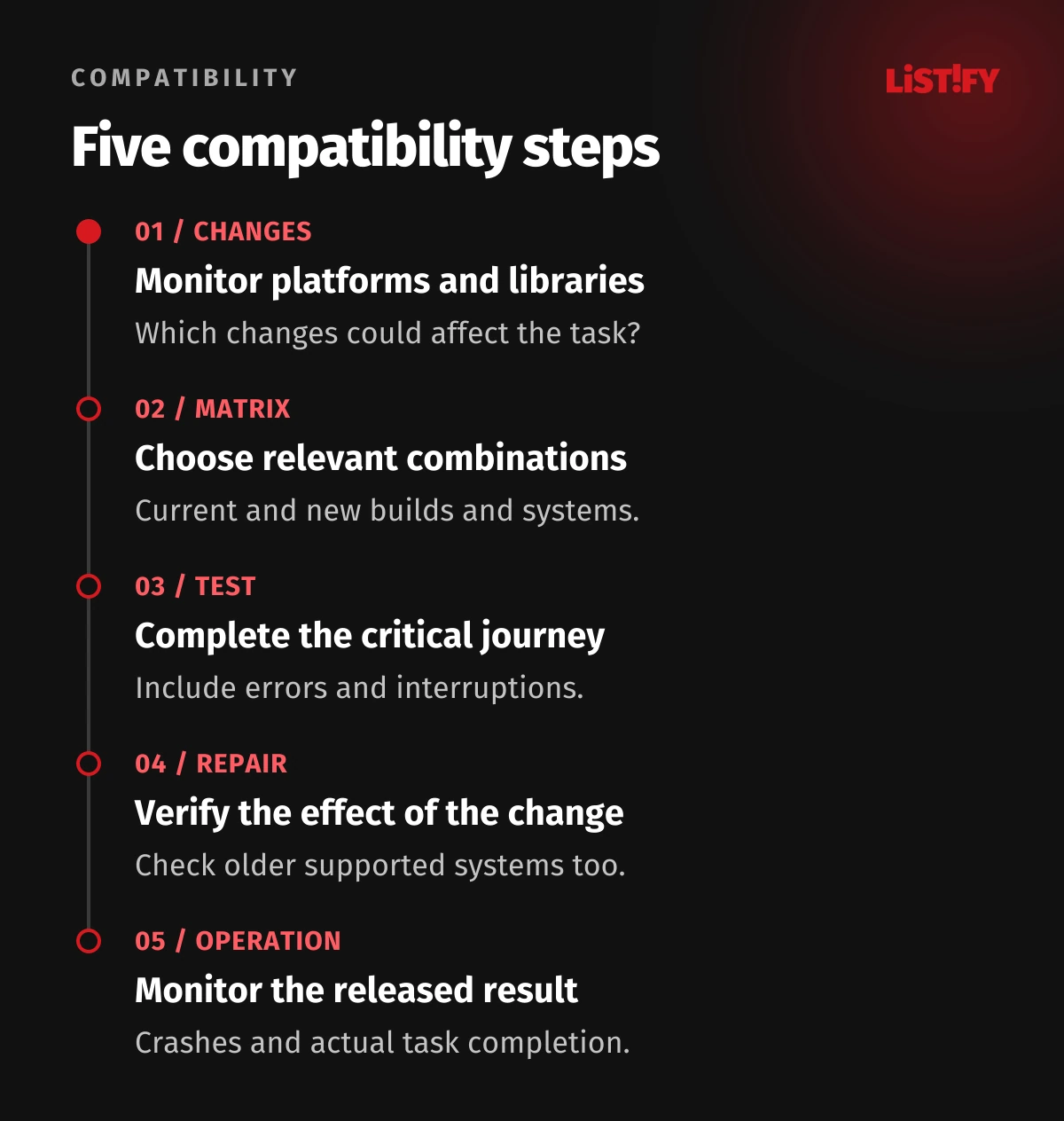
02Test the app customers already have on the new system first
Apple recommends installing the current App Store or TestFlight app on the beta operating system. Rebuilding with a beta SDK can introduce additional changes that existing customers do not yet experience. Separating these situations makes it easier to identify the cause of a problem.
Maintain two clearly labelled results: the currently distributed app on the new OS, and the proposed build on supported operating systems. After fixing the new build, check that the repair still works in older supported environments. A clean installation does not replace an upgrade with existing data and settings.
Follow relevant OS and tool release notes during the beta cycle. A beta creates an opportunity to discover and report issues; it does not guarantee final behaviour. Repeat critical journeys on the appropriate release candidate or available final version before public deployment.
03Build a test matrix around risk, not the number of phones
| Combination | What it reveals | Important scenario |
|---|---|---|
| Current app + new OS | Environment changes without your own release | Sign-in, permissions and task completion. |
| New build + new OS | Readiness of a repair or new release | The complete critical journey and integrations. |
| New build + older supported OS | Regressions within the support commitment | The same tasks and feature availability. |
| Upgrade over an existing installation | Problems with retained data and settings | Work in progress and a signed-in account. |
Select representative screen sizes, performance levels and important hardware capabilities. On Android, include devices and settings your customers actually use. For an enterprise app, a managed field-service phone may be more relevant than the newest consumer flagship.
Record the precise app build, OS version, device and installation route with every result. “Tested on Android” provides little help when investigating an incident. Avoid creating hundreds of combinations without an owner or the capacity to execute them. The matrix should support a real acceptance decision.
04Prioritise scenarios according to interrupted work
Start with sign-in, data loading and the task the app exists to support. For a technician, that means receiving and completing a job. For bookings, it may mean changing an appointment; for commerce, completing a purchase. A working home screen can conceal a broken return from external authentication.
- Grant, refuse and later change permissions in system settings.
- Move to the background, terminate the process and resume unfinished work.
- Open an email or notification link at the correct destination.
- Use the camera, file picker, sharing or location where the product requires them.
- Lose connectivity, recover and correctly process pending changes.
Verify the result in the business system, not merely a confirmation animation. A submitted service report must reach the right job. Our guide to offline apps for field technicians explores those operating conditions in more detail.
05Include libraries and plugins in the compatibility plan
The failure may originate in a sign-in, mapping, payment or analytics library. Inventory important dependencies, versions and update owners. Check supported operating systems and known limitations. A shared codebase for both platforms does not remove native components or dependency on platform-specific SDKs.
Do not automatically bundle a compatibility repair with a large redesign and replacement of every library. Where practical, keep the change small enough to verify its effects. At the same time, do not indefinitely postpone migration from an unmaintained dependency merely because one phone still works. Give that decision an owner and a date.
Android compatibility tools can isolate supported behaviour changes through toggles in suitable development builds. They are diagnostic aids, not a general way to disable problematic platform changes on customers’ phones.
Unsure what the next phone update could affect? Send Listify your app links, technologies and main user task. We can propose a compatibility review and a prioritised repair scope.
06Combine simulators with real devices and accessibility checks
Simulators and automated tests provide quick coverage for repeatable scenarios. Physical phones add real memory and performance constraints, network conditions and hardware behaviour. Apple also notes that a simulator does not replace physical hardware. A successful run on a computer is not complete acceptance testing.
Increase text size, open the keyboard, rotate the device and use a screen reader. New system components can affect available space, focus order or action visibility. Mobile accessibility checks belong in the same journey as payment and data-saving tests.
Separate personal and work information on test devices. Use sample accounts with realistic permissions and history. Our mobile app security guide covers the surrounding account, storage and diagnostic controls.
07Describe a defect so someone else can reproduce it
“It does not work on the new iOS” is insufficient. Include the build, operating system, device, reproduction steps, expected result and observed behaviour. Distinguish crashes, freezing, data loss and confusing interfaces. Remove sensitive information from logs and recordings when it is not needed for diagnosis.
Consider an illustrative case: a technician returns from the camera and cannot see an unfinished report. Determine whether the process was terminated, whether data was saved and whether the same problem occurs on the previous OS. Those checks distinguish state restoration, a library issue and a specific platform change.
For each finding, record its impact on work and the decision: fix before release, temporarily limit the affected feature or explicitly accept an identified limitation. Ranking solely by report count can hide an infrequent but severe data-loss defect.
08Release repairs with a plan for customers on older versions
The backend must support people who have not updated for the agreed support period. A new app build or API does not reach everybody simultaneously. Test supported versions running concurrently when changing data or permissions. A forced update needs a substantive reason and a workable route for the customer.
Gradual distribution limits initial exposure but does not roll installed apps back. Google states that halting a rollout leaves users who already updated on that version. With Apple phased release, people can also download an update manually. Plan around these limits.
Agree when to halt further distribution, who approves a corrective release and whether a particular feature can be safely disabled remotely. A feature flag cannot repair every local migration or startup defect. Connect this with the broader process for mobile app updates after launch.
09Ask the supplier for evidence and operational ownership
| Handover item | Required content | Purpose |
|---|---|---|
| Support matrix | Systems, devices, builds and exceptions | Shows the scope actually checked. |
| Critical-scenario results | Steps, outcome and traceable evidence | Supports acceptance and repeat testing. |
| Open findings | Impact, owner and decision | Preserves known limitations. |
| Release and response plan | Monitored states, halt and repair procedure | Gives operations an actionable process. |
After release, monitor crashes and completion of the main task by OS and app version. A technically stable app may still fail commercially if it cannot submit orders. Connect diagnostics with customer support and agree who begins investigating a new finding.
Budget for more than changing an SDK number. Include dependency updates, device preparation, older-environment checks and store submission. When support changes, tell affected customers and update the product information and documentation. A maintenance agreement should make these responsibilities visible.
10Frequently asked questions
Is testing the newest phone enough?
No. Include representative devices, supported operating systems and upgrades over existing installations. Scope depends on the app’s users and risks.
Must we rewrite the app every year?
No. Targeted repairs and dependency updates may be sufficient. The actual scope depends on platform changes, code condition and test results rather than a universal rule.
Does an old target SDK guarantee compatibility?
No. Some Android changes affect all apps on the new operating system. Assess target requirements and runtime compatibility separately.
Does beta testing guarantee the final app will work?
No. It helps find issues early, but both the OS and app can still change. Repeat critical scenarios before release and monitor the result in operation.
Can we simply roll back a faulty update?
Halting distribution generally does not revert already installed builds. Prepare a corrective release, a backward-compatible backend and safe feature limitations where the product supports them.