iOS or Android: How to choose your app’s first platform
Choose your first platform around the people who will actually use the app and the task it needs to support. The choice between iOS and Android affects pilot recruitment, technical constraints, testing and ongoing operations. Here is how to compare the evidence and select a first step that produces a useful answer.
The founder uses an iPhone, the developer recommends Android, and the presentation includes a general operating system market share chart. None of these inputs alone determines the right first platform. The specific users, their working conditions and the uncertainty the first release must investigate matter more.
This article follows an illustrative field service company. Its technicians have managed Android phones, while customers use different devices and need to check job status. This is a hypothetical scenario, not a customer case study. It shows why the technician app and customer access may need different solutions.
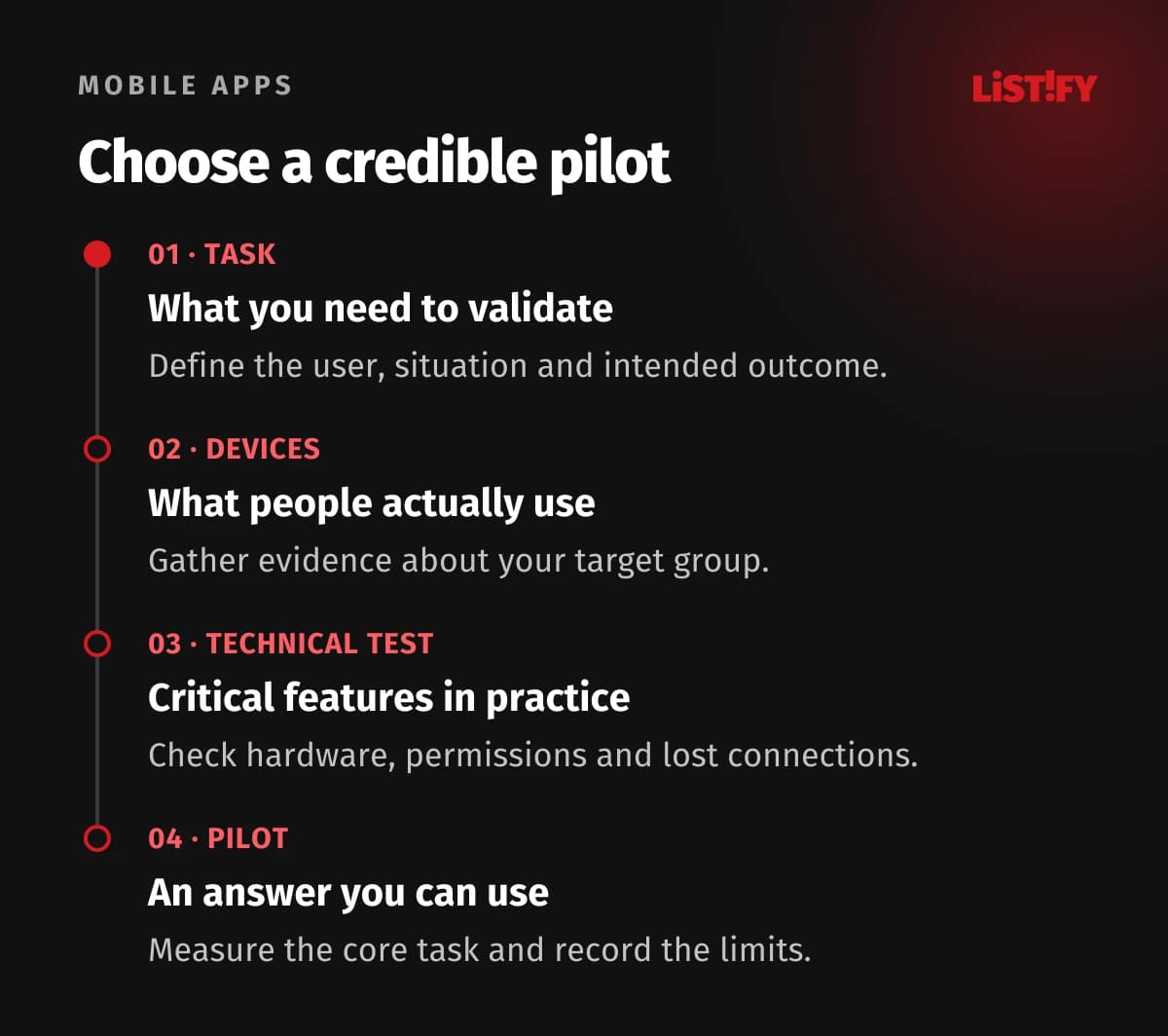
01Decide what the first release needs to establish
Name the user, main task and expected outcome. For a field service company, the goal might be correctly handing over a completed job with its documentation. Installation counts alone do not show whether the technician supplied the necessary information or whether the dispatcher could use it. The first release should inform a decision, beyond simply creating an app store listing.
Separate platform selection from the development approach. “Android first” does not automatically imply a particular programming language. Similarly, shared code does not mean both platforms must launch immediately. Our comparison of native and cross-platform development examines the technology choices.
Also establish whether an installed app is necessary. A customer who occasionally checks a job’s status may be better served by a carefully designed web link. A technician needing specialist hardware, reliable offline work or integration with managed company devices presents different requirements. The task and environment should determine the approach.
02Gather evidence about the actual users
Start with the people you want in the first release. For an internal app, the company may know its managed devices, operating system versions and replacement policy. For a public service, combine interviews, available data and actual pilot recruitment. Ask which device people use for the task, rather than simply which phone they own.
Web analytics can provide clues, but the sample has limitations. It describes visitors to a particular website under particular measurement conditions, not automatically every future app user. Someone might discover the service on a computer and use it on a phone in the field. Check the relationship between website visitor, customer and intended user.
| Evidence | What it can show | What it cannot establish |
|---|---|---|
| Company device inventory | Actual operating systems, models and management policies. | Future external users or personal phones. |
| Existing service analytics | Devices used by people captured in the measurement. | The whole market or willingness to install an app. |
| Interview about a real task | Context, obstacles and current tools. | Precise prevalence across the population. |
| Pilot recruitment | Availability of specific people and devices. | Guaranteed long-term use or payment. |
Use general market share figures as context when their geography and period are relevant. They do not replace knowledge of your audience. Be equally cautious about claims that one platform always attracts paying customers while users of the other expect everything for free. A specific product needs its own evidence.
03Test the capabilities the product cannot work without
List essential capabilities: offline work, camera access, location, a scanner, accessory communication, sign-in or integration with company device management. Distinguish critical requirements from useful additions. Then verify availability on the actual devices and operating system versions you plan to support.
An API appearing in documentation does not prove the complete user workflow. If the app needs data from specialist equipment, run a small technical experiment with the real hardware. Include permissions, pairing, disconnection and recovery. A clickable prototype cannot establish wireless transfer behaviour or reliable background execution.
Android’s compatibility documentation distinguishes device features, system versions and screen configurations. Planning for iOS likewise requires supported models and versions to be identified. Document what happens when a capability is unavailable or permission is denied. A product requirement should not remain hidden until installation.
04When starting with iOS makes sense
iOS is a reasonable first choice when the people needed for validation use iPhones and the required features can be delivered reliably on them. The reason may be a particular customer group, a company environment or integration with Apple’s ecosystem. The decision should be traceable to evidence, rather than management’s personal preference.
Even with one platform, plan tests across appropriate device models, screen sizes and system versions. Check larger text, screen reader use, interrupted tasks and weak connectivity. Behaviour on the designer’s phone may not reflect pilot conditions. Specify whether and how other device types are supported too.
You can use TestFlight to distribute a test build under the rules applicable to that type of testing. Beta distribution is preparation, not a promise that the final app will automatically be accepted into the store. Allow for feedback, fixes and the information needed for app review.
05When starting with Android makes sense
Android may be suitable when it is the actual foundation of the target audience or the company manages compatible devices. A pilot on company phones is logical for our illustrative service business because it lets technicians participate in their real workflow. That conclusion follows from the specific device inventory, not a universal rule for all field service apps.
Reflect device variation in a test plan based on product needs. A simple form may require different configurations from a scanner, camera workflow or background operation. You do not need to test random models across the entire market. You need a justified selection covering significant risks within the supported audience.
Do not assume development will cost less. Scope, integrations, data quality, connection failure behaviour and support requirements affect the budget. For internal use, agree distribution and management with the company’s IT team. An employee app operates under different conditions from a public consumer product.
06When one platform can distort the result
If value depends on people with different devices working together, a pilot on one platform may not test the main assumption. A shared planning app might require the whole household or team to participate. Excluding someone changes how the product is used. Low activity may therefore say little about demand for the originally intended product.
Consider whether the second role can be served through the web, a manual process or another appropriate route. In our example, the technician submits a job through the app while the customer opens a secure web overview. That division must fit real needs, permissions and data. Saving a screen in the budget is not sufficient justification.
If both mobile platforms are essential to the main task, compare a smaller shared scope with a phased launch. Do not defer a critical role simply to reduce platform count. For a related decision, see our comparison of an ecommerce app and a mobile website.
07Shared code does not replace testing both platforms
Cross-platform development may let you share a substantial amount of work, but suitability depends on the app. Before deciding, check support for required libraries, devices and system features. A critical integration may need separate implementation or adaptation for each platform. Do not infer savings from a fixed percentage without understanding the scope.
Each released version needs tests of real behaviour, accessibility, permissions and distribution. The same screen may behave differently when returning from another app, opening a link or encountering a denied permission. The brief must specify expected behaviour as well as visual consistency.
If you start with one platform, document dependencies that could complicate a second one later. These include the data model, authentication, content links and backend interfaces. Preparing for expansion does not mean building every hypothetical feature in advance. Justify the investment through likely need and the cost of changing it later.
08Compare the whole operation, not just the first release price
Budget for design, development, test devices, accessibility, release, support and maintenance. Include the backend, integrations and data management where the service requires them. Two quotes may differ substantially simply because one includes recovery from interrupted synchronisation while the other ignores that state.
Assign ownership of accounts, signing credentials and the release process. The company needs operational control even if it changes suppliers. Provide documentation, access for authorised administrators and a clear incident procedure. Receiving source code alone does not address dependencies on services and publishing accounts.
Maintenance covers changes in operating systems, dependencies and business rules. Android documents compatibility changes between versions that may require testing and adjustments. For iOS, also allow for ongoing review of supported versions and distribution requirements. Verify exact dates and conditions when planning a release.
09Allow for distribution preparation and app review
Before setting a launch date, check the chosen distribution channel’s rules, account type and required information. App Review Guidelines address app completeness and review conditions, among other matters. The reviewer must be able to try the necessary features, for example through appropriate test access.
Google Play has specific testing requirements for certain new personal accounts. Do not automatically apply these to every organisation account. Check the current process, testers and production access steps for the actual account. This preparation can affect the schedule.
Payment, subscription and alternative distribution rules depend on the service, region and current conditions. Do not base the budget on a general statement about commission or a mandatory payment method. Review the relevant rules for the actual business model before release. Choosing a platform does not resolve the product’s contractual or legal requirements.
10Include privacy and accessibility in the first release
Document what data the product needs, who can access it and what other services do. Request each permission when its purpose is understandable to the user. If someone declines camera or location access, explain what happens and whether another route exists. Check authentication and authorisation on the server as well.
For a publicly distributed app in the stores, Apple App Privacy and Google Play Data safety require information about data handling, including relevant behaviour of integrated SDKs. The disclosures must match the actual app. Completing a store form does not replace secure data design or your own assessment of suppliers.
During the pilot, also test the main task with a screen reader, larger text and different interaction methods. Accessibility should not become a reason to choose one platform while neglecting quality on another. Record serious barriers just as you would other errors preventing someone from completing the task.
11Document the decision and what would change it
Summarise the decision in a short record: audience, main task, device evidence, essential capabilities, pilot limitations, responsibility and the next review. Identify which parts are facts and which are assumptions. The team can then compare new information with the original reasoning instead of restarting a debate about personal preferences.
| Option for the example company | When it could make sense | What still needs testing |
|---|---|---|
| Android for technicians, web for customers | Managed phones fit the main work task. | Field conditions, permissions and secure customer status access. |
| iOS as the first app | New evidence identifies an important pilot group using iPhones. | Participant availability, required hardware and the complete workflow. |
| Both platforms with a smaller scope | The main task requires a mixed group to collaborate. | Whether the budget supports quality testing and operation of both versions. |
12Evaluate the pilot and decide the next step
Before launch, define what to observe: main task completion, quality of resulting data, continued use and serious barriers. For each measure, describe the group, period and measurement method. A small, deliberately selected pilot does not automatically predict the whole market’s behaviour. It can nevertheless reveal a specific problem and test an assumption.
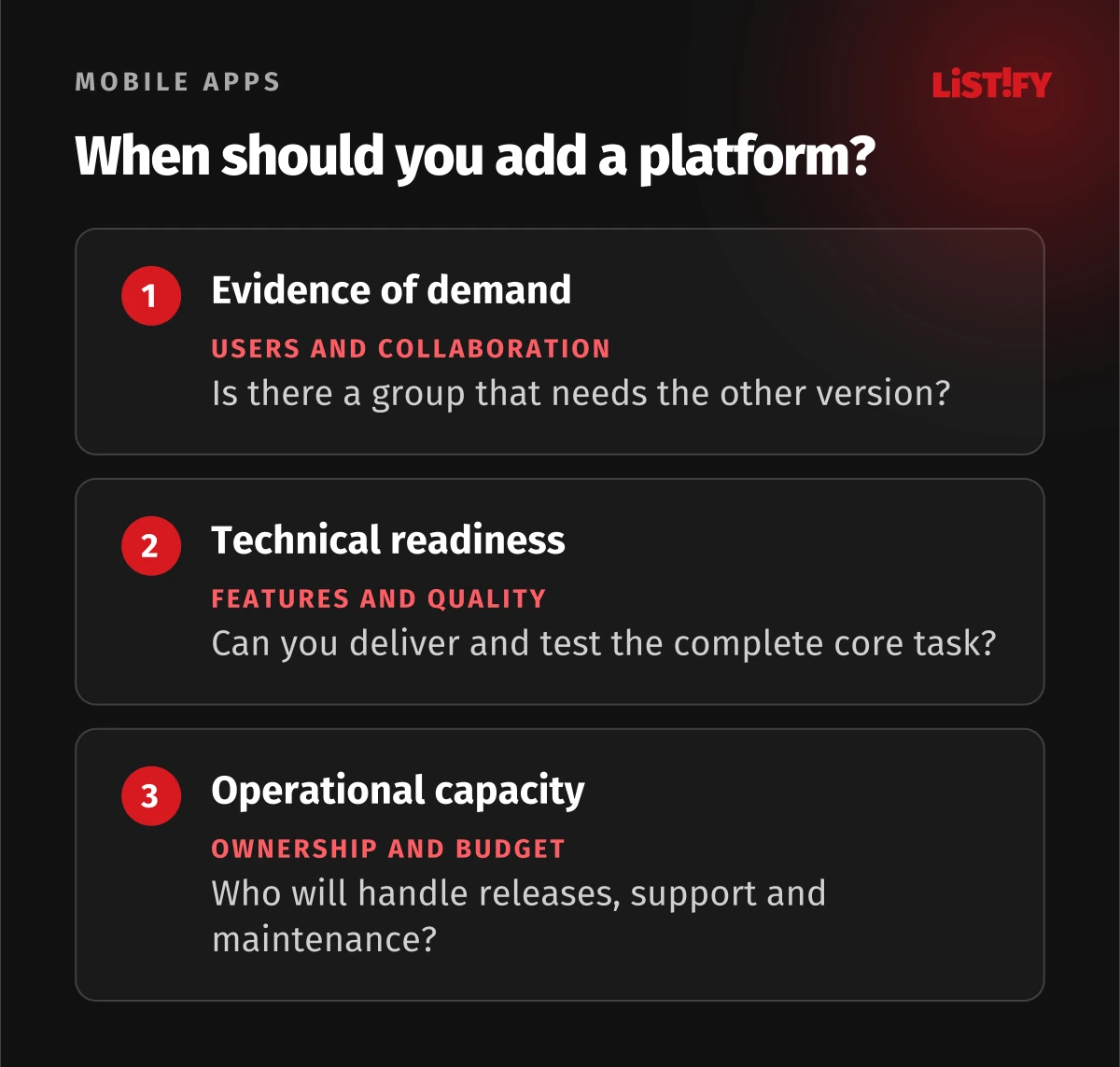
Justify expansion through demand from real users, collaboration needs or the next product phase. Include support costs and ownership. If the first release has not established the basic value, another operating system may not address the cause. Our guide to testing an idea before an MVP can help select the next experiment.
- We know who will perform the main task and on which device.
- Critical capabilities have been tested in realistic conditions.
- The pilot includes every role essential to the product’s value.
- The budget includes testing, distribution, support and maintenance.
- Data, permissions and accessibility have their own checks.
- Pilot success will be judged by task outcomes, not installations alone.
- Expansion to a second platform has a reason, conditions and an owner.
13Frequently asked questions about the first platform
Is Android development always cheaper?
No. Scope, integrations, testing and operational conditions determine the work. Compare quotes with the same brief and maintenance responsibilities. A general claim based on the operating system’s name is not enough to set a budget.
Should we choose the system with the larger market share?
Market share can provide context, but the target audience and first release purpose matter more. Managed company devices may determine an internal app’s platform. For a public service, verify the availability of actual pilot users.
Do we need both systems for the first release?
Sometimes, especially when the main value requires a mixed group to collaborate. In other cases, one platform can test an important assumption. Check whether the pilot’s limitations change the problem you are trying to solve.
Does cross-platform technology settle the decision?
No. It may enable shared code, but you still need to understand users, required capabilities and distribution. Both versions need checks of actual behaviour, accessibility and operations.
Could a mobile website replace the first app release?
For some tasks, yes. It depends on capabilities, context and frequency of use. Test the complete workflow on a real device. Do not choose an app simply because it feels like the next step after a company website.
When should we start preparing app store accounts?
Early in distribution planning. Verify ownership, account type, required information and testing rules. Do not treat review or beta testing as administration that can safely be postponed until the planned release day.
When should we add the second platform?
When there is evidence of user need and capacity to deliver and operate another version. Define what expansion must achieve beforehand. Finishing the first app alone does not show that another platform is a worthwhile investment.
14Sources and limits of the recommendations
Platform requirements draw on Android compatibility, App compatibility, Apple App Review Guidelines and TestFlight. Google Play Help describes testing conditions for specific accounts.
Data disclosures are covered by Apple App Privacy and Google Play Data safety. Store conditions can change; verify the current requirements for your account, product and region before release. The service company, tables and workflow are original illustrative examples, not measured results.