Mobile apps for field technicians: What needs to work offline
A technician records the parts used, photographs a repair and asks the customer to confirm the job report. There is no signal in the basement plant room. Back outside, the phone reconnects. The office needs the complete report, and the technician needs to know it has arrived. That is the real test of an app built for field work.
01Define the work that cannot wait for a connection
“Works offline” is too vague for a specification. Walk through a normal visit, from opening the job to handing over the report. Decide which steps must work without a connection, which can wait and which need up-to-date confirmation from the server.
Android's offline-first guidance distinguishes reading from writing data. The label alone does not promise that every form can be saved offline. Specify the outcome you need: a draft job report remains available after the app has been closed and reopened.
| Task | Required offline behaviour |
|---|---|
| Open a job | Downloaded instructions, contact details, address and necessary attachments |
| Record the work | Time, parts and notes saved on the phone |
| Add photos and confirmation | Local storage and a visible upload status for each attachment |
| Check stock or agree a new booking | Clearly dated information; final confirmation when connected |
Download the necessary jobs before the technician leaves. Make it clear whether the app has saved just the customer's details or the manuals and photographs as well. An attachment that keeps trying to load is no help underground. Choose an appropriate download scope, such as today's route, instead of copying the entire company database by default.
02Separate saved, sent and approved
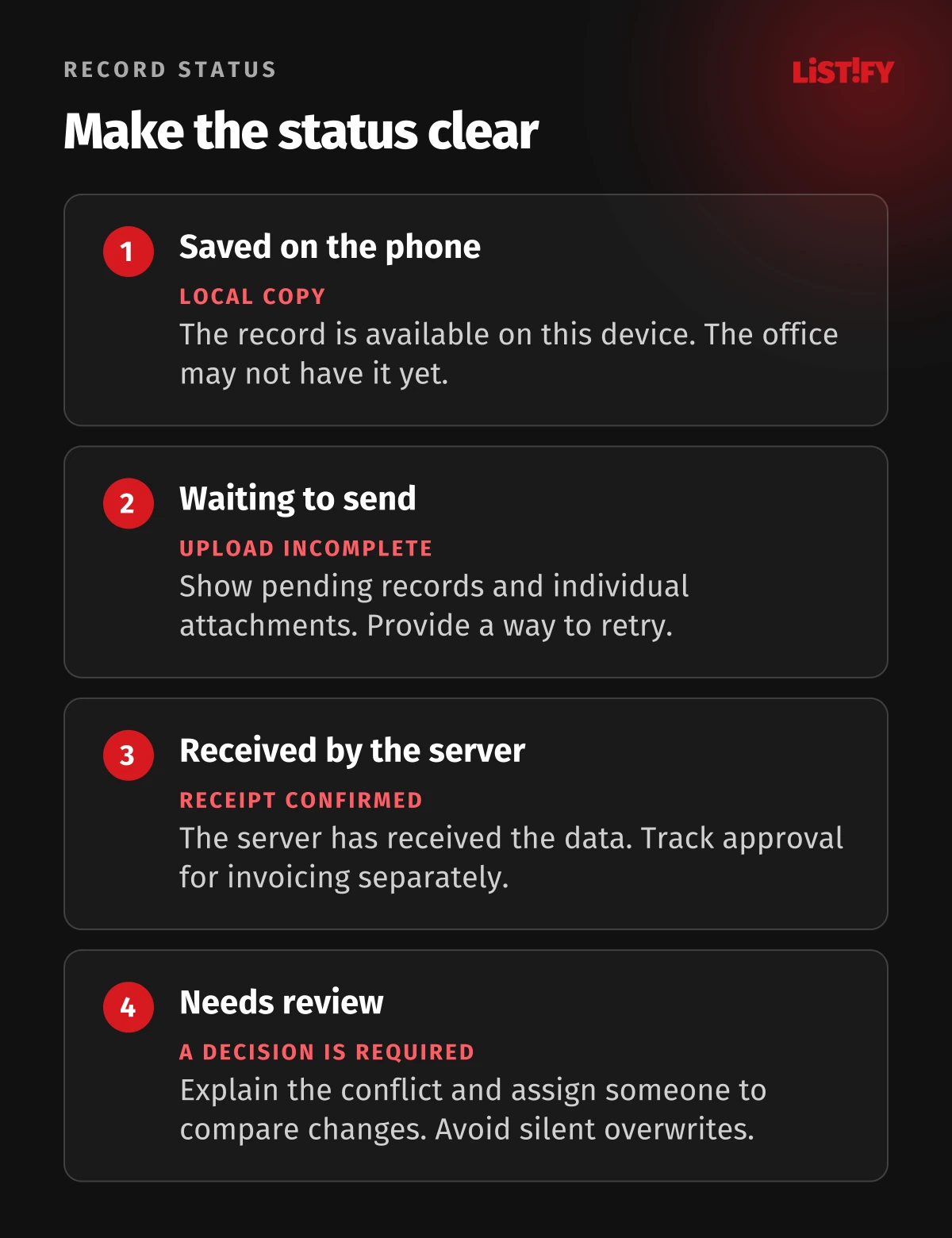
We recommend four plain-language states: saved on this phone, waiting to upload, received by the server, needs attention. Technicians do not need to understand every network operation. They need to know whether they can carry on and whether anything requires action.
“Report saved on this phone. Three photos are waiting to upload” is more useful than a green “Done” when the office cannot see the photos yet. Keep completion of the site work, delivery of the records and approval for invoicing as separate steps.
A shift summary should show outstanding uploads. Nobody should have to reopen every job at the end of the day to find records left on the device. Meanwhile, the supervisor needs to distinguish missing paperwork from work that has not been carried out.
03Handle interrupted and repeated uploads
Consider this illustrative scenario. A technician attaches eight photographs. Outside the building, the phone sends the report and two attachments before losing its connection again. On reconnecting, the app should finish the remaining transfers, attach them to the same job and avoid creating a second report.
Include repeated submission of the same record and a lost server response in your acceptance tests. Agree how the system recognises a record it has already received and how it confirms completeness. For large attachments, establish whether an interrupted upload resumes or starts again. Test the chosen behaviour on the actual phones your team uses.
Do not rely on a promise that every transfer will finish immediately after the screen locks. For example, Android restricts background app activity. Alongside automatic uploads, ask for a visible list of pending records and a way to retry with the app open.
04Agree what happens when two people change a job
A dispatcher updates the instructions while an offline technician completes the report. Reconnecting must not silently discard either person's work. Set rules according to what each field means for the business, rather than applying one rule to the entire form.
- A new note or photograph: adding it as a separate record will often be appropriate.
- A revised scope of work: show the technician that the office has changed the instructions.
- Conflicting quantities of parts: have a designated person compare both versions.
- A cancelled job: retain the record of work already carried out and flag the discrepancy for review.
Keep a record of who resolved the discrepancy and what they decided. This matters particularly when the job report supplies the invoice. Include the flow between the app, stock system and office in the specification for your system integrations.
05Plan for lost phones and full storage
Offline information lives on the device. OWASP MASVS calls for sensitive stored data to be protected. Decide which job details technicians need, how those details will be protected and when local copies can be removed after confirmed delivery.
Test what happens when storage runs out, a session expires or a company phone is handed to another employee. Signing out or being asked to sign in again should not silently discard pending reports. Equally, the next user should not automatically gain access to the previous technician's records.
Saving locally is not a backup outside the device. If a phone is lost before it uploads, unsent records may be lost with it. Establish a routine for checking pending reports when a connection is available, and name the person who handles jobs associated with an unavailable phone.
06Rehearse a complete shift
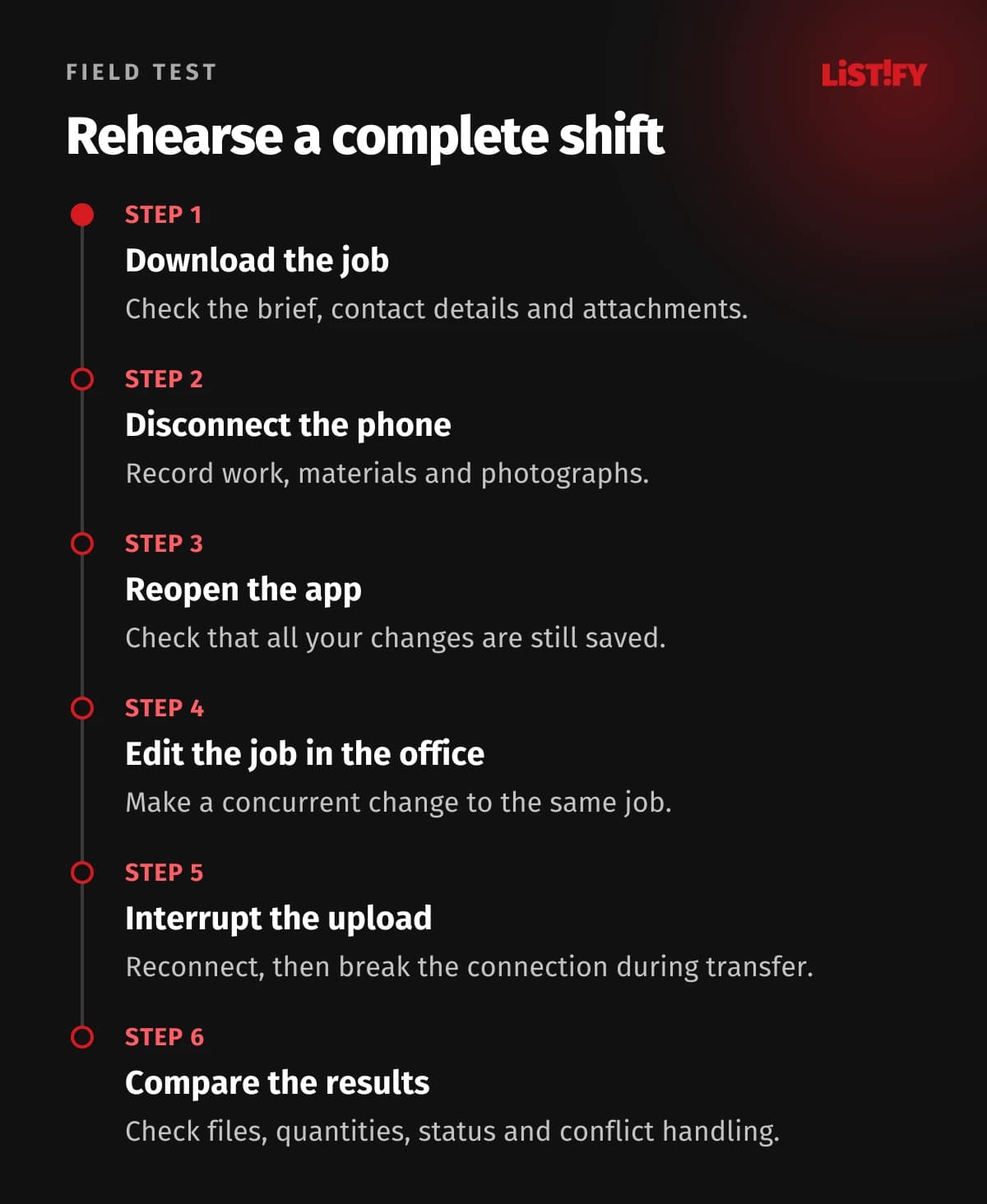
- Create a test job and download its supporting information.
- Disconnect the phone, then record work, parts and photographs.
- Close and reopen the app. Check that every change remains.
- Change one field in the same job from the office system.
- Reconnect, then interrupt the connection during the upload.
- Compare the phone and office records: attachments, quantities, conflicts and completion status.
Run the rehearsal with a technician on a device they normally use. Record where they need help and which messages they do not understand. A transfer that works technically but leaves staff unsure what to do will not remove the need for manual follow-up.
07Common questions
Does every feature have to work offline?
No. Recording completed work may be essential offline, while confirming current stock can wait. The boundary should reflect the technician's work and be clear in the app.
Could an existing field service app do the job?
Yes, if it supports your reports, conflict rules and integrations. Ask the supplier to demonstrate the rehearsal above. Consider custom development where a specific limitation of the available product obstructs the work.
08Start with one real job
Send us a sample report, the office system you use and a description of where connectivity fails. When planning a mobile app for your field team, we can use those details to define the offline requirements and the checks that confirm records have reached the office.