Migrating Data from Excel or a Legacy System: 9 Mistakes That Only Show Up After Go-Live
The import finished without a single error. Customers are in the new system, and so are the orders. The problem surfaces at the first billing run: some invoices belong to the wrong customer and the payment references have lost their leading zeros. The new system accepted exactly what it was given. It was just given bad data. We went through the nine places where migrations from Excel or an old system most often go wrong, and for each one we explain how to catch the problem before a customer does.
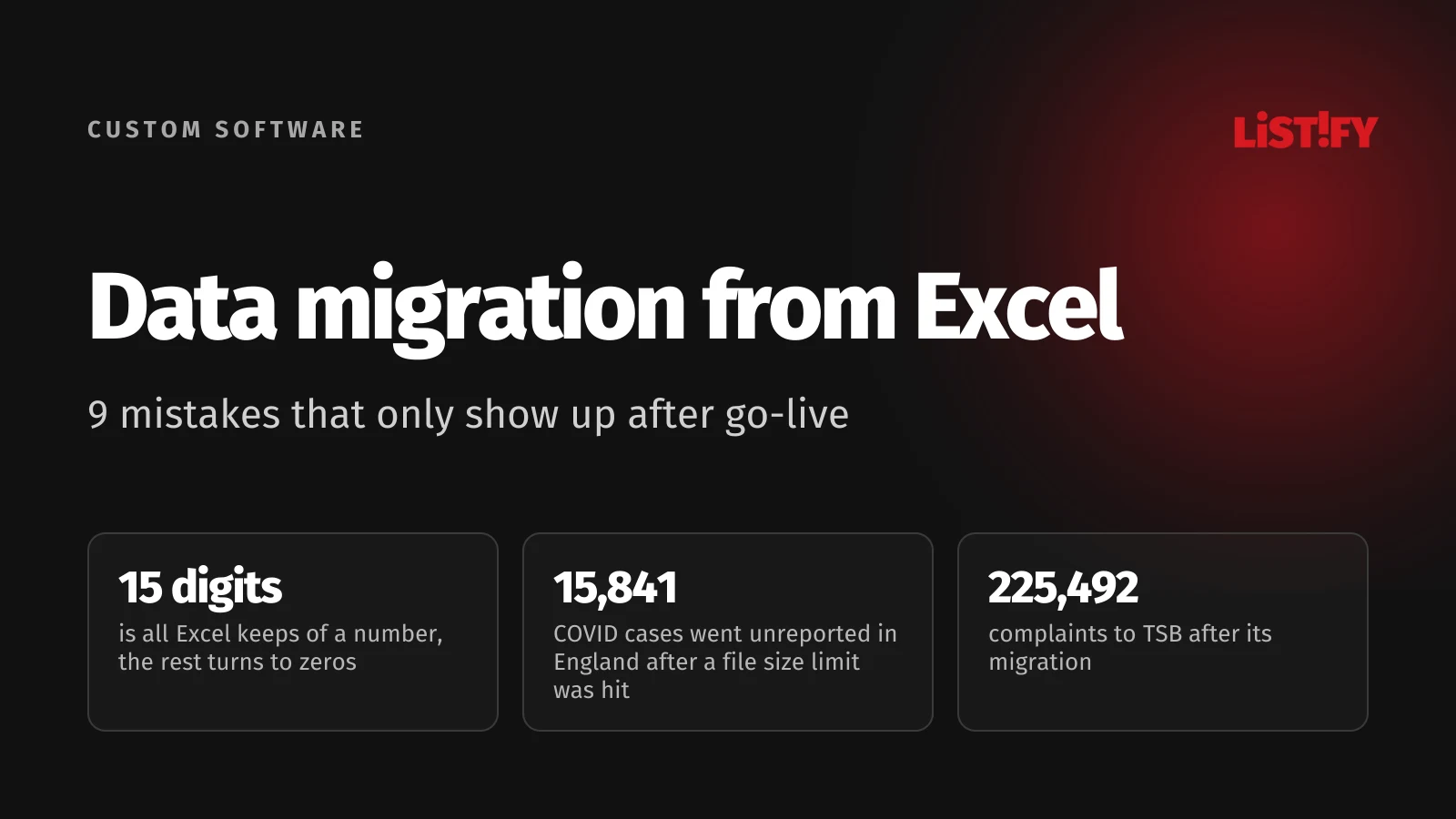
Data migration means moving records into a new environment so that they keep their meaning, their relationships and their usefulness. The export and the import are the easy part. Whether it is an Excel data migration or a legacy system migration, what decides the outcome is everything you settle beforehand: what to move, by which rules, how to verify the result and how to go back if something breaks.
Plenty of companies are still at the starting line. According to Eurostat, 46.45% of EU businesses with ten or more employees used an ERP system in 2025. Many of the rest run on spreadsheets, accounting software or a patchwork of smaller tools, which are exactly the sources a migration starts from. The gap between countries is wide:
- Denmark66.25%
- Spain60.38%
- France53.92%
- Czechia49.70%
- EU2746.45%
- Germany43.54%
- Poland39.10%
- Austria37.52%
- Slovakia26.68%
Share of enterprises with 10 or more employees that use an ERP package to share information between business functions. Source: Eurostat, isoc_eb_iip.
If you are still deciding whether it is time to move off spreadsheets, start with When Excel is no longer enough. This article picks up once the decision is made and the goal is a move without losses.
01You move everything without knowing why
Start with an inventory of sources. Besides the main system, you will usually find spreadsheets kept by individual salespeople, price lists sitting in email, shared folders full of contracts and attachments stored outside the database. For every source, name one person who understands the content and will sign off on the result.
Then split the data into three groups: what you need for daily work, what should stay accessible in an archive, and what deserves a separate review before anyone deletes it. Old does not mean useless. A closed order may matter in a warranty claim, and an unpaid invoice in a collection case.
Retention of accounting and tax records is set by law, country by country. In Czechia, for example, accounting documents must be kept for 5 years from the end of the accounting period and VAT invoices for 10 years from the end of the tax period. In Slovakia, accounting records and invoices must be kept for 10 years after the year they relate to. Czech and Slovak law add the same catch: a record that can no longer be read counts as if it had never been kept. A database belonging to software nobody can run anymore fails that test, so do not switch the old system off until you know where the records will live and how you will open them.
Finally, check what the outgoing vendor will actually hand over: the export format, attachments, reference tables, change history. A contacts file may not include the links to orders. Sort this out while you still have access and the contract is still running.
02Excel changes values before you import them
Excel tries to be helpful. When a cell looks like a number, Excel stores it as a number and drops the leading zeros. For numbers with 16 or more digits, it replaces everything after the 15th significant digit with zeros. Microsoft documents this, along with the worst part: reformatting the cell afterward does not bring the zeros back.
Think about what that means for customer IDs, ZIP and postal codes, payment references and card numbers. A US ZIP code such as 02134 becomes 2134. A 16-digit reference ends in a zero it never had. The file still looks fine at a glance, and the damage shows up only when something downstream tries to match the value.
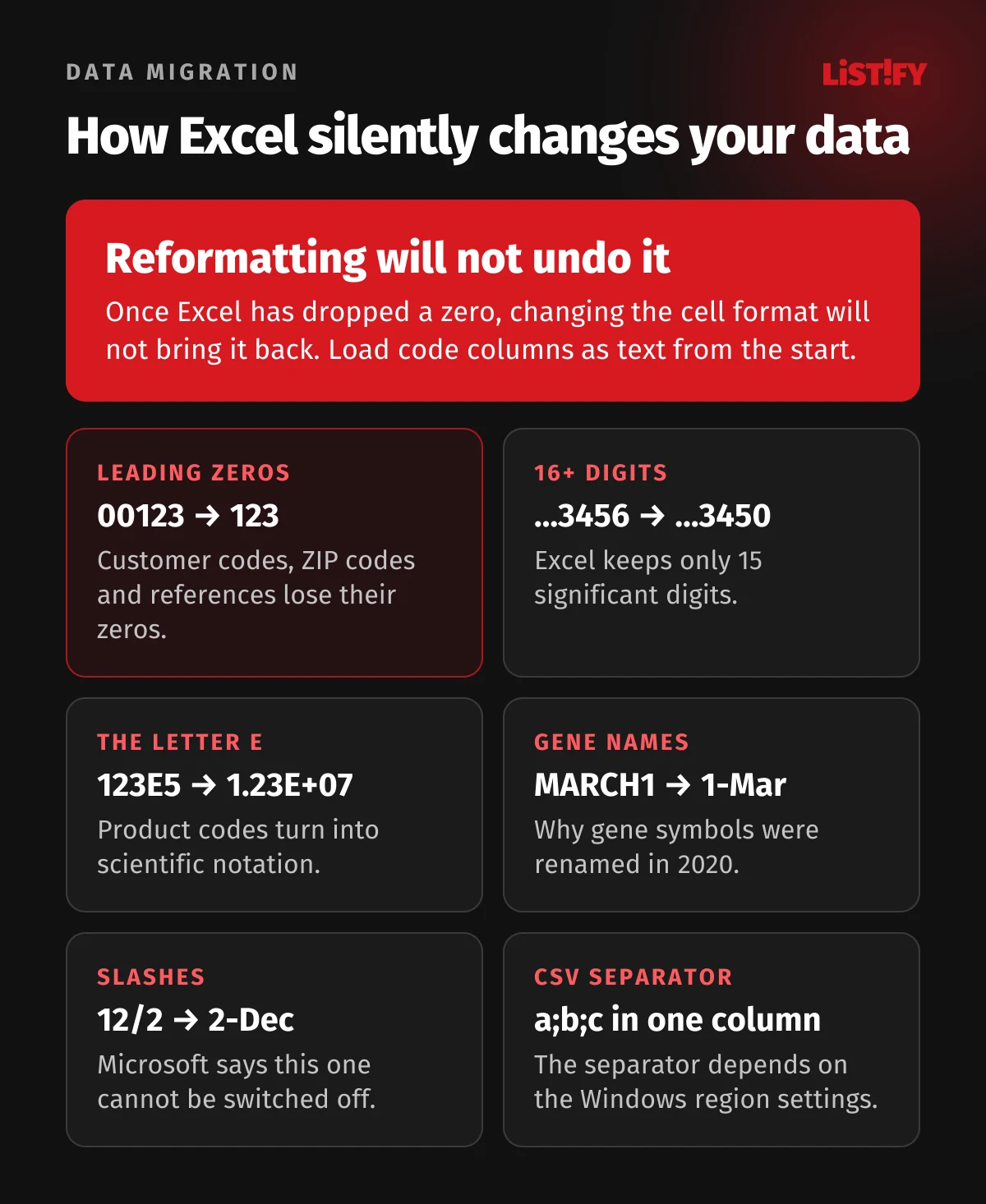
Genetics shows this is not a theoretical risk. By default, Excel converts gene names like SEPT2 and MARCH1 into the dates 2-Sep and 1-Mar. A 2016 study found such errors in 19.6% of scientific papers with Excel gene lists attached. A 2021 study with better detection found them in 30.9%. In 2020, the committee that names human genes went a step further and changed the gene symbols themselves: SEPT1 is now SEPTIN1 and MARCH1 is now MARCHF1.
- Ziemann et al., 201619.6%
- Abeysooriya et al., 202130.9%
704 of 3,597 papers (2016) and 3,436 of 11,117 papers (2021). The studies used different samples and detection tools, so the figures are not a direct trend. Sources: Genome Biology, PLOS Computational Biology.
Recent versions of Excel for Microsoft 365 and Excel 2024 let you switch some conversions off under File, Options, Data (version 2309 and later, released broadly in October 2023 according to Microsoft). It only goes so far. Turning off date conversion covers continuous strings like MARCH1, while entries such as 12/2 still become dates, and Microsoft says there is no way to turn that off. The safer route is to load code columns as text from the start, for example through Power Query, and to check the format at every step.
| Input | Decide up front | Check in the target |
|---|---|---|
| 000123 (customer code) | Text field, six characters | Are all six characters still there? |
| 1.250,50 € from a German file | Decimal comma, dot as thousands separator, currency in its own field | Does the system hold 1250.50 and EUR separately? |
| 04/05/2026 | Day first or month first? | Is it April 5 or May 4, and does every source agree? |
| Empty cell | Unknown value, not zero | Has the meaning changed? A missing VAT number does not always mean an error. |
The CSV file itself is another trap. When you save a workbook as CSV, Excel keeps only the current sheet and warns that some features may be lost. The list separator comes from the Windows region settings, so a CSV from a colleague in Prague or Berlin may use semicolons where you expect commas. Encoding varies too: older Central European exports often use Windows-1250, newer ones UTF-8. And according to Microsoft, a UTF-8 CSV only opens correctly with a double-click if it was saved with a byte order mark.
03Columns with the same name mean different things
“Price” can mean per unit, per line or per order. It may include tax and discount, or neither. “Date” can mean when the record was created, when the invoice was issued or when it is due. Until someone writes it down, everyone reads the column name their own way.
Write a field mapping. For each column: where it comes from, where it goes, its data type, what exactly it means, the conversion rule, and what happens when a value breaks the rule. Map statuses with a separate lookup table. An old “done” does not necessarily mean a new “paid”.
Have the rules for money approved by whoever is responsible for the books. Do not recalculate historical documents using today’s price list or today’s tax rate. The goal is to preserve each historical value exactly as it was.
04You merge duplicates and break the links
Two similar names are not necessarily the same customer. One email address can belong to several contacts. One company can have several sites with different addresses and payment terms.
Use a stable identifier for matching wherever you have one, such as a company registration number or VAT ID. Where you do not, define matching rules and send doubtful cases for manual review rather than letting a script guess.
For every merged record, keep a crosswalk between old and new IDs. Without it you get a tidy list of companies but lose the ability to attach orders, contacts and claims to the right one.
Plan the import order around dependencies. Usually companies and products first, then orders and order lines, then attachments. The exact order depends on the data model of the new system.
05You test only a few clean rows
The trial import has to include the awkward cases: a customer with no registration number, a foreign address, a credit note, an unusually long note, a discontinued product, a record with an attachment. Add a value that validation should reject, and confirm that it does.
Test in a separate environment. Switch off or redirect outgoing email, text messages, integrations with other systems and automatic invoicing. A test import of a historical order must never send a customer a fresh confirmation.
Also test what happens when the import fails halfway and you run it again. Decide whether a record is updated by its stable key, skipped, or sent to an exceptions list. A second run must not quietly create more copies.
06You check row counts but not what is in the rows
In late September 2020, some positive COVID tests stopped appearing in England’s daily figures. Labs were sending results correctly, but the automated process that loaded them into the central system dropped part of the data. Public Health England confirmed that 15,841 cases between September 25 and October 2 had been left out. More than 75% of them belonged to the last three days.
- Sep 24957
- Sep 25744
- Sep 26757
- Sep 270
- Sep 281,415
- Sep 293,049
- Sep 304,133
- Oct 14,786
Date the test was recorded; each case should have been reported the following day. 15,841 cases in total. Source: Public Health England, October 4, 2020.
The official statement refers to files exceeding a maximum size. According to the BBC, the cause was the old XLS format, which holds only 65,536 rows. XLSX has handled 1,048,576 rows since 2007, 16 times as many. Each test used several rows, so one template could hold roughly 1,400 cases, and whatever did not fit was missing from the figures. Comparing the number of results going in with the number coming out would have caught it.
Matching counts are only a first check, though. They do not prove that amounts, currencies and relationships survived. One missing order and one extra order cancel out in the total count. Microsoft’s migration guidance calls row counts a quick check and recommends checksums and hash functions for deeper validation. AWS DMS compares source and target row by row, but only for tables with a primary key or unique index, which is one more reason to settle stable identifiers early.
- Completeness: counts by record type, period and status, including rejected items.
- Values: totals per currency, negative amounts, quantities, rounding rules.
- Relationships: each order belongs to the right customer, each line to the right product, each attachment to the right document.
- Operations: a real user completes a normal task with their actual role and permissions.
A different count is not always an error, for example when you merged duplicates under an approved rule or moved part of the history to an archive. Every difference still needs an explanation and a traceable list.
07A gap opens between export and go-live
You export on Friday. By Monday, colleagues have updated a few customers and the online store has taken more orders. If you load only Friday’s file, the new system knows nothing about those changes.
A small business can usually agree on a write freeze and a final export. Larger operations may need continuous change capture and a short final cutover. Microsoft’s guidance recommends pausing writes during the final synchronization and freezing other changes for the duration of the migration, because otherwise the risk of data loss grows. We cover zero-downtime moves in detail in Cloud migration without downtime.
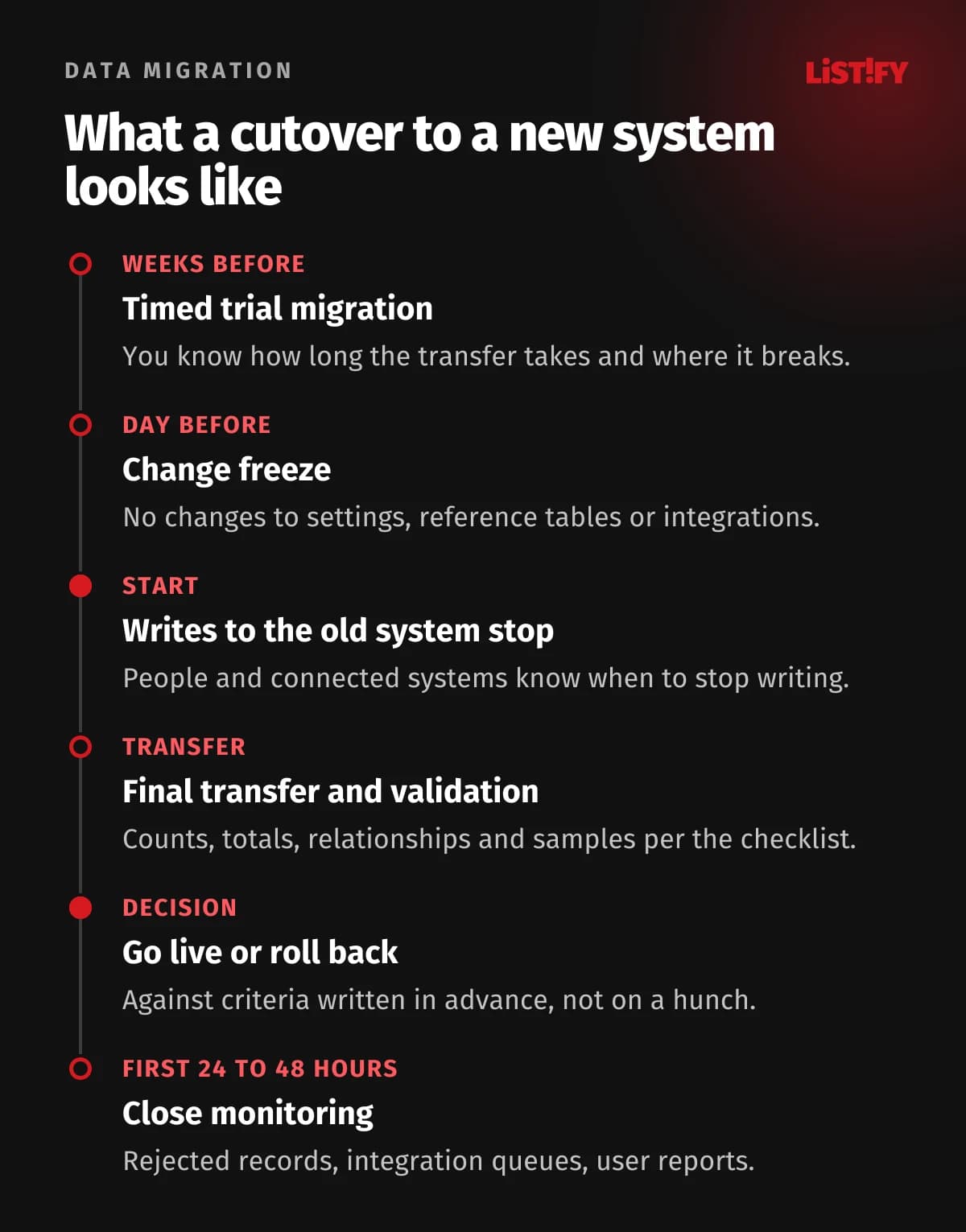
Include people and connected systems in the plan: point of sale, accounting, the online store, the bank and scheduled jobs. Any of them may keep writing to the old system in the meantime. Our guide to API integration covers how to switch those connections safely. Then set the moment from which only the new system accepts writes. Parallel edits in two systems without sync rules end in conflicts.
08You have a backup but no way back
In April 2018, the British bank TSB, with 5.2 million customers, moved most of its operations and customer data to a new platform over a single weekend. It had planned for more than four years, run nine dress rehearsals and piloted the platform with more than 1,600 staff. The data itself was transferred to the penny. The platform, however, started failing immediately, and the bank did not return to business as usual until December.
The Final Notice from the UK’s Financial Conduct Authority (FCA) states that once the migration was done, rolling back to the old platform was essentially impossible. In under a year, TSB received 225,492 complaints and paid £32.7 million in redress. In 2022, the FCA and the Prudential Regulation Authority added fines totaling £48.65 million.
- Extra resources and advisers122.4
- Customer redress and related costs107.3
- Fraud and operational losses49.1
- Waived fees and interest33.5
- Customer rectification17.9
£330.2m in total for 2018, not including later fines. Redress here includes associated costs, so it differs from the £32.7m paid to customers by April 2019. Source: TSB Annual Report 2018.
The lesson for a smaller business: validating the data is necessary but not sufficient. Test restoring a backup before cutover. A rollback also needs an owner, a decision deadline and stop criteria written down in advance, such as an unexplained gap in open receivables or a broken shipping process.
The hardest question is what happens to orders created in the new system after go-live. Restoring the old database will not bring them back. Either plan how to capture them and move them back, or set the point after which rolling back no longer makes sense and every problem is fixed forward. Microsoft’s guidance advises keeping the source environment available as a fallback for a while after cutover. A rollback is a procedure of its own, with an owner and a test run.
09You forget permissions, copies and the first days live
A customer export must not end up as an attachment in a team chat. Decide who may access the data, how it will be transferred securely and when temporary copies will be deleted. GDPR Article 32 lists encryption and pseudonymization as examples of appropriate measures, and the European Data Protection Board reminds businesses that access should follow the need to know. Pseudonymized data is still personal data, so a test environment needs controlled access too.
Review the plugins and third-party connectors that can reach the old or the new system, and disconnect the ones you no longer need. Remove access for former employees and temporary contractors before real data moves. Under GDPR, a personal data breach generally has to be reported to the supervisory authority without undue delay and, where feasible, within 72 hours of becoming aware of it. For more on this, read Data security in custom software.
After go-live, watch rejected imports, missing attachments, integration queues and user reports. Microsoft suggests close monitoring for the first 24 to 48 hours. Walk through the first real business cycles: taking an order, shipping it, matching the payment. Retire the old system only when the data owners have accepted the result and the archive is sorted.
10Data migration checklist for go-live
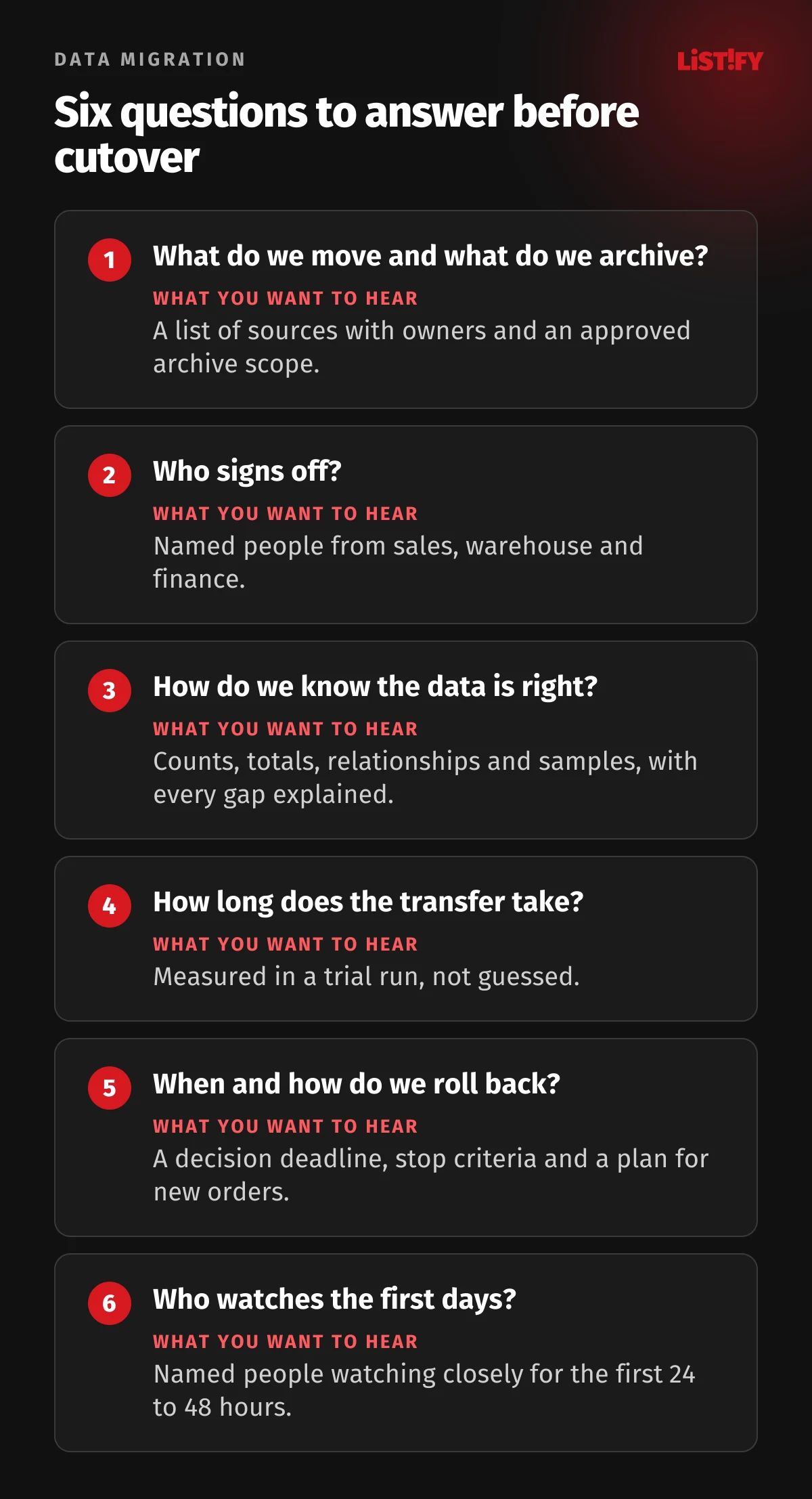
- The data owners have approved the scope and the archive.
- Field, currency, status and ID mappings are written down and signed off.
- Columns with codes, postal codes, payment references and account numbers load as text.
- The trial import included problem records and survived a rerun.
- Counts, totals and relationships match under the approved rules, and every difference is explained.
- Rejected records have an owner and a deadline.
- The final change transfer has a written procedure and a measured duration.
- Backup restore has been tested, and rollback rules cover orders created after go-live.
- The old system or its archive can be read for the full legal retention period.
- Users have checked their tasks, permissions and connected systems.
11E-invoicing changes what a finished migration means
If you are choosing a new system, check how it will send invoices. Under the EU’s VAT in the Digital Age package, digital reporting for cross-border business-to-business transactions starts on July 1, 2030, and an e-invoice will mean a structured format that software can process, not a PDF. A system you buy now will very likely still be running then.
Some countries move faster. From January 1, 2027, Slovakia requires VAT payers to issue structured e-invoices for domestic business-to-business and business-to-government sales, and its tax authority requires the XML files to be kept for 10 years after the end of the calendar year they relate to. Before you migrate, make sure the new system supports the European standard EN 16931 and can store the original files, because converting e-invoices to PDF during a migration is not enough.
12How much a migration costs and how long it takes
Row counts alone cannot tell you. The price depends on the number of sources, the state of the data, attachments, the complexity of relationships, what the old system can export and how much downtime you can accept. An honest quote covers preparation, cleanup, conversion, testing, cutover and support after go-live.
Ask for an estimate based on a representative data sample and a timed trial run. Without those, nobody can honestly give you a flat price or promise it will be done over a weekend. You can get a ballpark price for a new system in our custom software calculator, and how we work explains what the collaboration looks like.
13FAQ
Is a CSV export enough for a data migration?
For a simple list, it may be. For connected data you also need identifiers, relationships, attachments and conversion rules. Check what the export actually contains, and load code columns as text, or Excel will strip the leading zeros.
Why does Excel remove leading zeros?
Excel reads the cell as a number, and numbers have no leading zeros, so 00123 becomes 123. Changing the format afterward will not bring the zeros back. Load such columns as text when you import the file, for example through Data, From Text/CSV, and set the column type to Text before loading.
Can you migrate without downtime?
Downtime can be cut sharply with continuous change capture and a short final cutover. How far you can go depends on both systems, the integrations and how quickly you can run the final validation. Nobody can promise zero downtime in general.
Do we have to migrate the full history?
Not into the new system. Part of it can stay in an accessible archive, as long as you can still open the records for the full legal retention period. Agree on the scope and how to search the archive with your accountant beforehand.
Who should sign off on a migration?
The technical team confirms that the conversion followed the rules. Whether the data is correct and usable has to be confirmed by the people responsible for each area, such as sales, warehouse and finance.
How long should the old system keep running?
Until the data owners have accepted the result, the agreed rollback window has passed and the archive is sorted. If the old system holds accounting or tax records, you must be able to read them for the full retention period, even if that means keeping only read-only access.
14Sources
- Eurostat: ERP use in enterprises (isoc_eb_iip)
- Microsoft: Keeping leading zeros and large numbers
- Microsoft: Import or export text (.txt or .csv) files
- Microsoft: Opening CSV UTF-8 files correctly in Excel
- Microsoft: Set automatic data conversions
- Microsoft: Stop automatically changing numbers to dates
- Microsoft: Control data conversions in Excel, 2023
- Microsoft: Worksheet compatibility issues
- Microsoft Cloud Adoption Framework: Execute migration
- AWS DMS: Data validation
- Public Health England: delayed reporting of COVID-19 cases
- BBC: Excel and the lost COVID test results
- Ziemann et al., Genome Biology, 2016
- Abeysooriya et al., PLOS Computational Biology, 2021
- HGNC: gene naming guidelines, 2020
- FCA: TSB fined £48.65m
- FCA: Final Notice to TSB Bank plc (PDF)
- TSB: independent review of the migration
- TSB: Annual Report 2018 (PDF)
- GDPR (Regulation 2016/679)
- EDPB: Secure personal data, SME guide
- European Commission: VAT in the Digital Age
- Slovak Financial Administration: eInvoice FAQ (PDF, Slovak)
- Czech Accounting Act 563/1991 (Czech)
- Czech VAT Act 235/2004 (Czech)
- Slovak Accounting Act 431/2002 (Slovak)
Figures as of September 30, 2026.