Social media customer support: Respond professionally and resolve the case
A complaint appears under a post, an order question arrives on Instagram, and the same customer also writes on Facebook. Three replies from different colleagues can make things worse. Social media customer support needs one case owner, a useful first response and a clear next action through to resolution.
Fast support starts with knowing who will see a message, what they can resolve and who takes over anything else. A blanket promise to reply within an hour is no substitute. We recommend joining the public reply, private follow-up and internal case record into one workflow. An automated acknowledgement should not count as a meaningful response.
At Listify, our social media management service includes replies and moderation. The scope of responses, coverage and handoffs to your team need to reflect your operation. This guide explains how to set that up. For channel selection and content planning, see our social media strategy guide.
01Assign an owner, coverage hours and every place to check
List private messages, comments on organic posts and ads, and any other surfaces you actually manage. Give each a primary owner, a backup and staffed hours. Include older ad posts that can still receive new questions. Checking the most recent post alone is not enough.
Separate the first meaningful response from resolution. The first response explains what you understand and what happens next. Resolution means a confirmed outcome, such as locating the parcel or providing the correct information. “Thanks, we will be in touch” must not appear in a report as a completed complaint.
Set response commitments around message volume, shifts and urgency. State your real availability on the profile and in an out-of-hours message. If nobody covers evenings, do not promise round-the-clock help. Agree a separate route for serious incidents with the people responsible, and check that someone actually receives those escalations.
02Triage by impact, not by how loudly someone complains
Not every comment needs the same specialist. A community manager can answer an availability question from an approved source. Changing an order requires customer verification and access to the order. A suspected account compromise should reach the designated person promptly instead of sitting among questions about opening hours.
| Situation | First response | Who takes over |
|---|---|---|
| General product question | Answer publicly with verified information if it helps others | Community manager using current reference material |
| A specific order or complaint | Acknowledge the issue and offer a secure private channel | Authorised support or sales colleague |
| Several people report the same outage | Confirm only verified facts and where updates will appear | Incident lead and communications owner |
| Suspected account misuse | Do not request passwords; follow the security escalation process | Designated security contact |
| Spam, abuse or exposed personal details | Assess against the moderation policy and platform rules | Community manager or responsible lead |
Criticism alone is not a reason to delete a comment. Your moderation policy should distinguish a poor experience, disagreement, spam and a specific threat. Retain only the evidence needed and refer serious cases to the responsible person. Requesting and responding to Google or Firmy.cz reviews is a separate activity with its own rules, covered in our review management guide.
03Write a useful first reply: acknowledgement, context and action
We use a simple structure: address the specific problem, provide only verified context, explain the next step and commit to an update the responsible person can deliver. Keep the tone calm and human. Do not dismiss the customer’s experience or blame a colleague or delivery company before checking the facts.
Example public reply to a missing order: “Hello, we are sorry your order has not arrived. Please send this profile a private message so we can verify the details we need and check its status. Please do not post personal information in the comments.” Use this only where your team actually handles private messages.
Example private update after verification: “We have located your order. Our dispatch team is checking its handover status. We will update you by noon tomorrow, even if we do not yet have a final answer.” That time is an example of an agreed commitment, not a universal response standard. The person responsible for sending the update must confirm it first.
If you already know the answer, give it. Do not send someone into a private conversation unnecessarily when they have asked publicly about a product’s dimensions. Templates help with structure; they should never excuse a reply that ignores information the customer already supplied.
04Move into a private channel without losing ownership
Do not discuss addresses, phone numbers, order details or previous correspondence in a public thread. Offer a genuinely managed profile, a company contact or an authenticated customer portal for the specific case. The customer should know where to continue and the minimum information they will need.
A private message does not establish identity. Knowing an order number may not be sufficient to authorise a delivery change or disclose further details. Before a sensitive change, use verification appropriate to your service, such as continuing through a signed-in account. Never ask for a password or a one-time login code.
A handoff needs a short summary, a link to the original conversation, verified actions so far, the new owner’s name and the promised update. The customer should not have to repeat the whole story. Until the colleague accepts the handoff, the original owner remains responsible. Sensitive attachments belong only in the designated system with appropriate access controls.
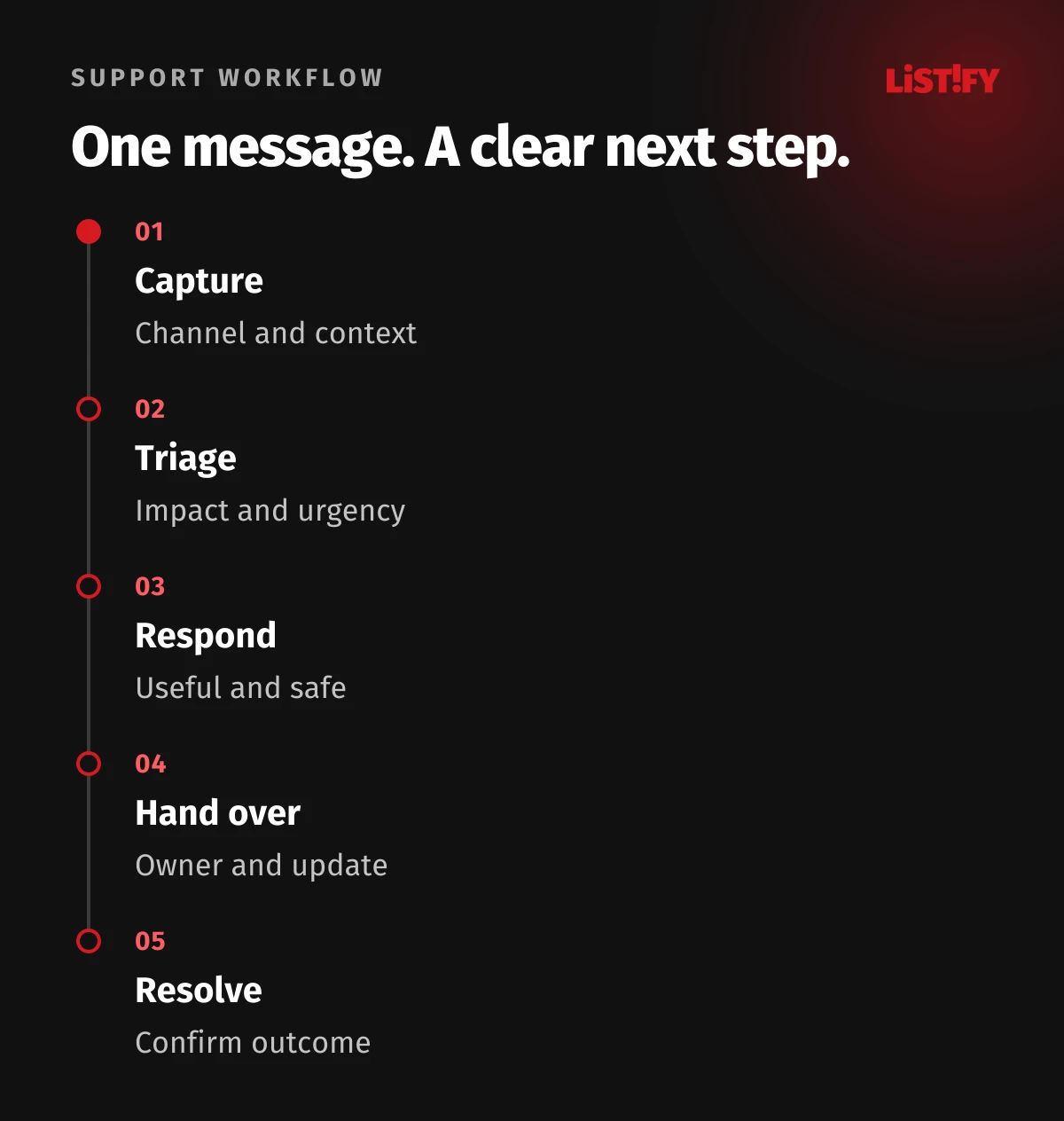
05Give one case one status and a next action
The same problem may arrive through several social channels. Join related conversations only after confirming they concern the same case; a similar display name is not enough. Preserve the original channels without creating three independent owners. Otherwise one colleague may promise a refund while another arranges a replacement shipment.
- New: awaiting initial assessment and assignment.
- In progress: has an owner, a next action and an update deadline.
- Waiting for the customer or a colleague: records what is missing and who will check again.
- Resolved: records the outcome, with a clear explanation sent to the customer.
Consider a model online store receiving a comment and a private message about the same parcel on Friday evening. An automated message states the actual staffed hours. In the next staffed shift, the owner joins the context, verifies the customer and refers the issue to dispatch. They send the outcome or an update by the agreed time. If appropriate, they close the public thread with a brief note that the conversation continues privately, without order details. This illustrates a workflow, not a client result.
06Choose what to automate and when to connect a CRM
Meta’s official help describes replying through the Meta Business Suite inbox and using conversation automations. Check the channels, connected profiles and permissions available in your own account. Test a real message during staffed hours and outside them before enabling a rule.
An automatic acknowledgement can confirm receipt and say when someone will review the message. It should not pretend that an order has been checked or promise a remedy. Check overlapping automations so the customer does not receive conflicting replies. Keep a clear route to a person; our guide to AI customer support and human handoffs explains these boundaries in more detail.
A CRM or helpdesk becomes useful when cases need to pass between several people, link to orders and retain outstanding tasks. First verify exactly which messages and events the tool supports. Connecting lead ad forms does not automatically connect every comment and direct message. Our guide to Facebook and Instagram APIs for your CRM covers the technical distinction.
07Measure meaningful responses and resolution, not message counts
Track time to first meaningful response, cases missing an agreed update deadline, time to resolution and reopened cases. Decide in advance whether you count elapsed hours or staffed hours. Keep automated replies in a separate category so they do not inflate the team’s apparent availability.
An average can hide a few cases that have been abandoned for a long time. Review the oldest open cases and a sample of actual replies as well. Check accuracy, tone, data handling and whether the promised next step happened. A high number of messages sent is not evidence of good support.
Start by rehearsing typical situations: a simple question, a justified complaint, an out-of-hours message and a handoff to an absent colleague. Use what you learn to improve reference material and permissions. We can align social media management and moderation with your internal contacts and, where needed, design a connection to your business system. We agree the scope with you first.
08Frequently asked questions about social media support
How quickly should we reply on social media?
Base it on team availability, the type of request and the coverage you promise. One universal target will not suit every business. Set a meaningful first-response target and a separate rule for subsequent updates, then check whether you meet them.
Should every critical comment move into a private message?
No. A general question or verified explanation can be handled publicly. Use a private channel for a particular order, customer verification and other non-public details.
Can a community manager promise a refund?
Only with the agreed authority and verified information. Otherwise they should refer the request to someone authorised to decide and explain the next step to the customer.
Is Meta Business Suite enough?
It may be enough for the connected channels available to you and a simpler operation. The question is whether your team can manage ownership, cover, history and follow-through. More dependencies may call for a helpdesk or CRM.