Legacy system modernization: Rewrite or repair?
An old system can still be a useful system. What matters is whether it can support your business safely and accommodate change at an acceptable cost. Before commissioning a rewrite, establish what deserves to stay, what creates the constraint and how responsibility for data will move. Here is how to build a decision that makes sense beyond a development meeting.
Your company needs a different order approval process. One supplier recommends rewriting everything because the technology is old. Another proposes several repairs. Both offers might be reasonable, but without a shared brief they describe different outcomes. Start by naming the change you need and demonstrating why the current system cannot deliver it.
Legacy software is an inherited system you must work with, including its constraints and dependencies. Age alone does not decide its future. An application may look dated while keeping business rules neatly separated. A newer product may depend on one person and undocumented manual interventions.
01Start with the business decision modernization should enable
Describe a specific obstacle: opening another branch, changing pricing, giving customers access or shortening order preparation. Record the current workflow, the consequences of the constraint and the person who will accept the new outcome. “Modern technology” is not a verifiable requirement. “A manager can approve an exception without retyping information into a spreadsheet” is.
Separate urgent security and operational problems from longer-term development. If data cannot be restored, that may need attention before you choose an architecture. Record hard deadlines, such as the end of support for a dependency, checked against its publisher. A generic list of old libraries does not establish a business priority.
The authors of Patterns of Legacy Displacement organize modernization around desired outcomes and dividing the problem into smaller parts. For management, this suggests a useful question: what worthwhile improvement will we receive even if the next stage does not proceed?
02The assessment must uncover what people actually use
Walk through essential activities with the people doing them. Source code does not tell the whole story. An accountant may correct a spreadsheet before importing it, while a warehouse employee resolves a reservation error by phone. Include these activities in the system map even when they happen outside the application. Establish why each exists and whether it belongs in the future process.
The technical assessment should check source access, reproducible builds, accounts, backups, licenses, dependencies and connected services. You need evidence that a change can be prepared and deployed reliably. Missing documentation does not automatically justify a rewrite. It is uncertainty worth reducing whichever route you choose. Our website and application handover guide helps identify the information to collect.
03There are more options than patching or rewriting everything
| Option | When it makes sense | What to establish |
|---|---|---|
| Repair and stabilize | Business rules work and the problem is bounded. | Supported dependencies, testability and a manageable repair scope. |
| Replace parts gradually | Operations must continue and a workflow can be separated. | Boundaries, data ownership and the cost of running both systems. |
| Replace the whole system | A small or clearly bounded system no longer fits. | Complete workflows, migration, training and cutover. |
| Retire it or buy a service | The function is unnecessary or readily available elsewhere. | Historical exports, dependencies, licensing and exit conditions. |
One organization may use all four options. It can repair an accounting export, replace a customer portal gradually and retire an unused reporting tool. Decide by business capability, not by the number of files or screens. A new framework will not resolve unclear processes, unreliable data or missing product ownership.
04Find a first slice that delivers a complete useful outcome
Consider an illustrative manufacturer that handles warranty claims, inventory and invoices in one application. The constraint is evaluating warranty eligibility against production batches and repair history. A first stage could separate claim intake, assessment and a traceable decision. It need not replace inventory, invoicing and customer records at the same time. However, the source of product identity and the destination of the approved resolution must be explicit.
Choose a workflow with a clear start, finish and accountable user. Include less common branches: a missing receipt, rejected eligibility, a repeated claim and correcting a closed case. If a small improvement requires changes across almost the entire application, the boundary is not ready. Separating rules within the existing system may be the necessary first step.
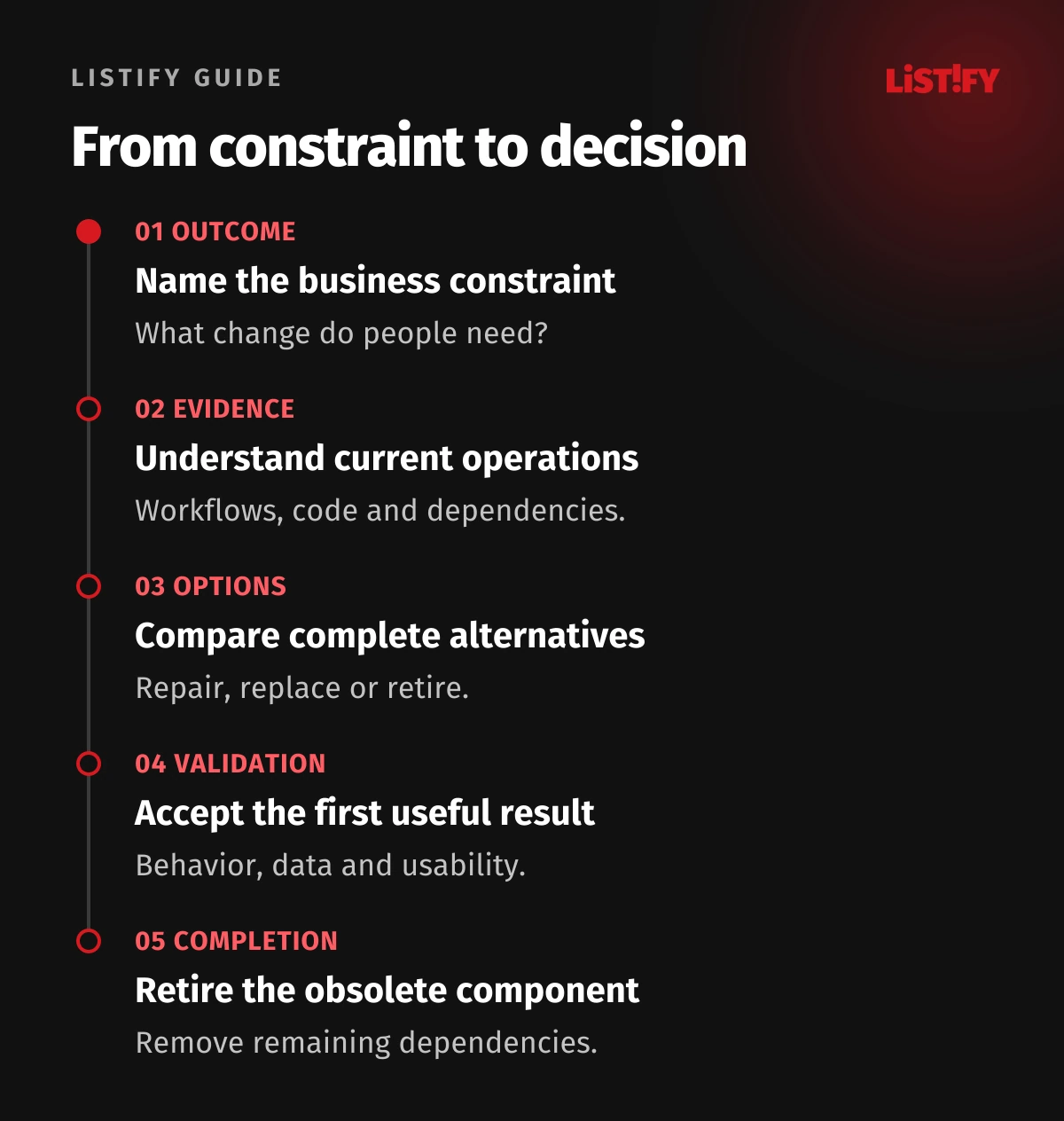
05Decide which system may change each piece of data
When old and new applications coexist, both may accept different corrections to the same customer. “We will synchronize them” is not a complete answer. For each area, specify the authoritative source, permitted writes and conflict handling. Map old identifiers to new ones so that orders, attachments and decision history remain connected.
Validate migration by meaning as well as counts. An identical number of jobs does not rule out swapped currencies, changed statuses or missing relationships. Prepare representative samples and totals for meaningful groups. Resolve ambiguous records with their owners and keep the conversion traceable. Our guide to migrating from spreadsheets and legacy software explains data preparation and acceptance in more detail.
06Preserve required behavior, including a decision about old bugs
Before changing software, record inputs and expected outputs for important operations. A test might establish the approved price, correct permissions and an auditable record. Where behavior is unclear, the process owner must decide whether it is a valid rule, a bug or an obsolete exception. Copying every historical quirk unquestioningly can preserve unnecessary work.
You can compare old and new calculations using the same safely prepared inputs. That comparison must not send an invoice twice, reserve stock twice or trigger another payment. Alongside functional checks, verify access controls, performance and recovery. For external connections, include failure scenarios covered by our API integration guide.
07Compare the cost of the complete transition
Ask suppliers to price the same outcome over the same operating period. Include assessment, repair or development, migration, testing, training, parallel operation and subsequent support. Add employees’ time and the work required to retire the previous service. A precise development price can still be incomplete if those items are absent.
| Decision point | Evidence required | Possible outcome |
|---|---|---|
| After assessment | A map of workflows, risks and dependencies. | Repair, divide, replace or obtain missing evidence. |
| After the first slice | A working process and validated data. | Continue, adjust the boundary or stop the next stage. |
| Before retirement | No remaining required writes or dependencies. | Remove the old component and end related costs. |
Unsure whether a rewrite proposal addresses the real problem? Send Listify a description of the system, its most costly constraint and the change you need. A project takeover assessment can provide a starting point for agreeing the review scope and comparing suitable routes.
08Define when to pause and how to recover
Microsoft describes gradual replacement with the Strangler Fig pattern, moving traffic a component at a time. The transitional layer creates costs and dependencies of its own. It is an option to assess, not a required architecture for every company.
Before release, decide who authorizes the cutover, what you will observe and what would stop further rollout. Reverting application code is insufficient if the new version changed data in a way the old version cannot understand. The recovery procedure must account for writes made after cutover and communication with users. Our phased versus big-bang rollout guide explores the deployment decision in more detail.
09Measure the working process and remove obsolete dependencies
Choose a small set of measures before implementation: time to finish a particular task, manual corrections, export reliability or the effort of preparing a routine change. Compare similar cases and record context. A faster demonstration against an empty database does not prove improvement in production. For user waiting time, see our guide to web application performance.
Completion also includes disabling unnecessary jobs, accounts and licenses, handing over documentation and deciding how historical records remain available. If you still pay for two environments and nobody knows why, the modernization stage is unfinished. Agree on ongoing maintenance and updates for the new solution so that the same uncertainty does not quietly accumulate again.
10Frequently asked questions about legacy modernization
Is an old technology sufficient reason for a rewrite?
Not by itself. Check support, available expertise, security and the cost of required changes. Repair may be preferable if it addresses the risks sensibly. Replacement becomes more compelling when the technology prevents an important business process and cannot be supported sustainably.
Can we start without complete documentation?
Yes, but first map critical behavior and access. Begin with a real workflow and its data. Treat missing knowledge as open questions, rather than assumptions that silently become a fixed-price commitment. The assessment should make those uncertainties visible.
Does the new system need every old feature?
It needs the required workflows and appropriate access to history. Unused features and workarounds for bugs can be removed by agreement. A process owner must approve that decision so an apparent saving does not eliminate an essential exception.
Is gradual modernization always cheaper?
No. Parallel operation, synchronization and transitional interfaces cost money. Their value may be reduced risk and earlier benefits. For a small, well-understood system, complete replacement can be simpler. Compare the options against the same scope and operating period.
What should we prepare for an initial conversation?
Explain who uses the system, its main constraints, connected services and whether source code is available. Include firm deadlines and examples of workflows without sensitive information. Do not send passwords or a production database through an ordinary contact form.