Web application performance: speed up the database, API and interface
To make a web application faster, first locate the time users actually lose, then change the part responsible for it. A slow screen might be waiting for a database query, an external API or JavaScript running in the browser. Each needs a different fix. This guide follows one user operation from click to usable result and explains what to measure, when indexes or caching help, and how to verify an improvement without hiding errors or sacrificing correct data.
“The application is slow” is a useful report, but an incomplete technical brief. Ask which action is slow, for whom, with how much data and at what time. A customer opening a large account on a modest phone may see a problem that never appears on a developer’s laptop.
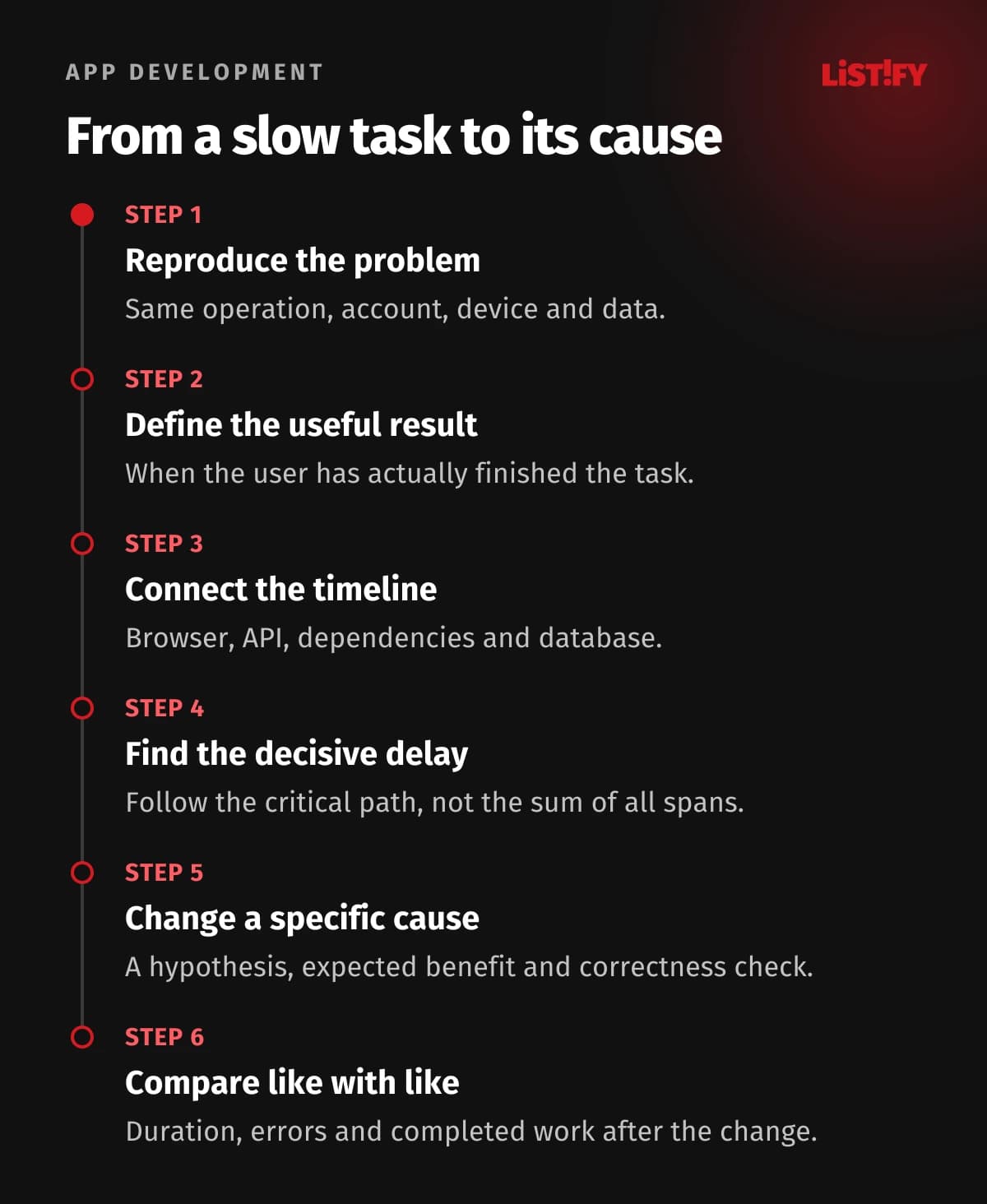
We checked the technical references on October 23, 2026. The timing chart below is a deliberately simplified model, not an application test or a promised speed improvement. The method is to establish a baseline, trace one operation, make a targeted change and compare equivalent conditions. For the wider user experience, see our guide to the first moments on a website or app.
01Define the slow operation and its business consequence
Start with a sentence that someone else can reproduce: “Opening the orders list for a large customer takes too long on a phone.” Add the account size, filters, device class, approximate time and expected result. Avoid collecting personal data that is unnecessary for diagnosis. A shared request or trace identifier is often more useful than a copied customer record.
Choose a completion event. It may be the first usable list, a confirmed save or a fully prepared export. A spinner appearing is feedback, not completion. If you measure the wrong event, the team can improve its reported number while the person still waits for the useful result.
Prioritize by business effect and frequency. A repeated delay in warehouse picking may cost more working time than a rare slow settings page. A checkout problem may deserve attention even when only a small customer group is affected. Agree a target for that operation and keep correctness and failures alongside response time.
02Use percentiles without losing the underlying story
An average hides the shape of a wait. A p95 of 800 milliseconds means that 95% of the observed durations in the selected group and window were at or below that value. The p99 describes a further part of the slow tail. Neither is a promise that the next request will finish within that time.
Keep the request count, time window and population visible. Split important operations, device groups and successful or failed responses. Low-volume slices can produce unstable tail estimates. A comparison between a quiet morning and a busy afternoon says little unless you account for the change in workload.
Do not average the p95 values of several servers to produce a service p95. Prometheus explains why precomputed quantiles cannot be aggregated that way. Use suitable distribution data and a consistent calculation. Likewise, adding database p95 to API p95 does not produce a meaningful end-to-end percentile.
03Trace the path from action to usable result
Use browser timing, application telemetry and database evidence together. A distributed trace links related units of work through a shared context; OpenTelemetry describes these units as spans. That lets you connect a slow screen to the request, dependency and query that explain it.
Read the timeline before adding durations. Parent spans include child work, and parallel requests overlap. Focus on the critical path: the sequence that determines when the useful result can appear. Adding every span in a trace can report more “waiting” than the user experienced.
The model below uses six consecutive phases with no overlap, totalling 1,500 milliseconds. Database work is the largest component, but browser work also matters. These invented inputs show how to choose the next investigation. They are not p95 values, an INP measurement or evidence that a particular optimization will save 600 milliseconds.
- Request travel100
- Waiting on the server150
- Database work600
- Other server work200
- Response transfer150
- Browser processing and render300
Invented example of six consecutive, non-overlapping phases totalling 1,500 ms. Not a measurement, percentile or INP score. Real traces can contain parallel and nested spans; those durations must not be added together.
04Build a measurement sheet that survives the next release
Keep one concise baseline for each important operation. Include version, date, representative data size, traffic level and the measurement method. A result without its conditions is difficult to reproduce and easy to misuse in a presentation. Keep the same fields when you test a proposed change.
| Layer | Useful evidence | Question it answers |
|---|---|---|
| User operation | Completion time, success rate, device and account size | Can the customer finish the actual task? |
| API | Duration distribution, request count, errors, response bytes | Which endpoint and workload deserve attention? |
| Database | Query frequency, execution time, rows and waits | Is cost caused by one query, repetition or contention? |
| Dependencies | Call duration, timeouts and retry count | Are we waiting on a partner or repeating work? |
| Browser | Network waterfall, main-thread work, field metrics | Is the delay in loading, interaction or rendering? |
Capture failures explicitly. If a change makes requests fail quickly, average latency can fall even though service quality deteriorates. Keep the same customer cohort where possible and compare a meaningful sample. Store detailed evidence with appropriate access controls and retention; performance logs should not become an uncontrolled copy of customer data.
05Rank database work by total impact
A query that is occasionally slow is not necessarily the biggest opportunity. Look at frequency as well as duration, and separate execution time from waiting for a connection or a lock. A modest query repeated thousands of times can consume more resources than a single long report.
Where available, tools such as PostgreSQL’s pg_stat_statements help group query statistics. Check what is already enabled with the operator. Installing or changing database instrumentation is an operational change, not a casual debugging step. Keep parameters and sensitive values out of reports when they are not needed.
Follow the evidence to the application call site. Is the query selecting columns the screen never displays? Does the same permission check run repeatedly? Is an export competing with interactive requests? Write a hypothesis with an expected observable result, such as fewer database calls per opened page. That is more testable than “make the database faster”.
06Read query plans safely and design indexes for real queries
An execution plan helps explain scans, joins, sorting and row estimates. Begin with an ordinary EXPLAIN when appropriate. PostgreSQL warns that EXPLAIN ANALYZE actually executes the statement, including its side effects. Prefer a representative test environment; any production investigation needs an approved scope and suitable limits.
Do not treat a transaction rollback as blanket protection for arbitrary statements or functions. Some effects can reach outside the transaction. Plan costs are estimates rather than milliseconds, and an observed plan must be interpreted with the actual data distribution and parameters. A tiny staging table can select a different plan from production.
Design indexes around real filters, joins and ordering. PostgreSQL’s multicolumn index guidance explains why column choice and order matter. An index is not free: it consumes space and adds work to changes in the indexed data. Verify both the read benefit and the write impact, and plan index creation so it does not unexpectedly disrupt normal traffic.
07Remove repeated queries and return only a useful page
A typical N+1 pattern loads a list, then makes another query for each row. In an illustrative list of 50 orders, one list query plus 50 customer lookups produces 51 queries. The problem is repeated work and round trips, not the number 51 itself. It changes as the page grows.
Batch related reads or use a suitable join or data-loading strategy. Prisma’s documentation describes several options. Do not assume one enormous join is always better than two controlled queries. Check duplicate rows, response size, permissions and how the approach behaves for a large account.
Paginate before data crosses the network. Use a stable, deterministic order. Large offsets can remain expensive because skipped rows still require work, as PostgreSQL documents. A cursor can suit sequential browsing; numbered page jumps may need another design. Set a reasonable maximum page size and avoid computing an expensive exact total when the product does not need it.
08Cache only when you can explain correctness
A cache can avoid repeated computation or data retrieval, but its design starts with a question: how old may this answer be? A public help page, an account balance and a stock reservation have different correctness requirements. Name the owner of invalidation and what happens when the cached entry is missing.
The cache key must distinguish every factor that changes the answer, including the customer or tenant where necessary. Check permission changes and personalized content. MDN distinguishes private and shared HTTP caches; a response being associated with a cookie does not by itself make shared caching safe.
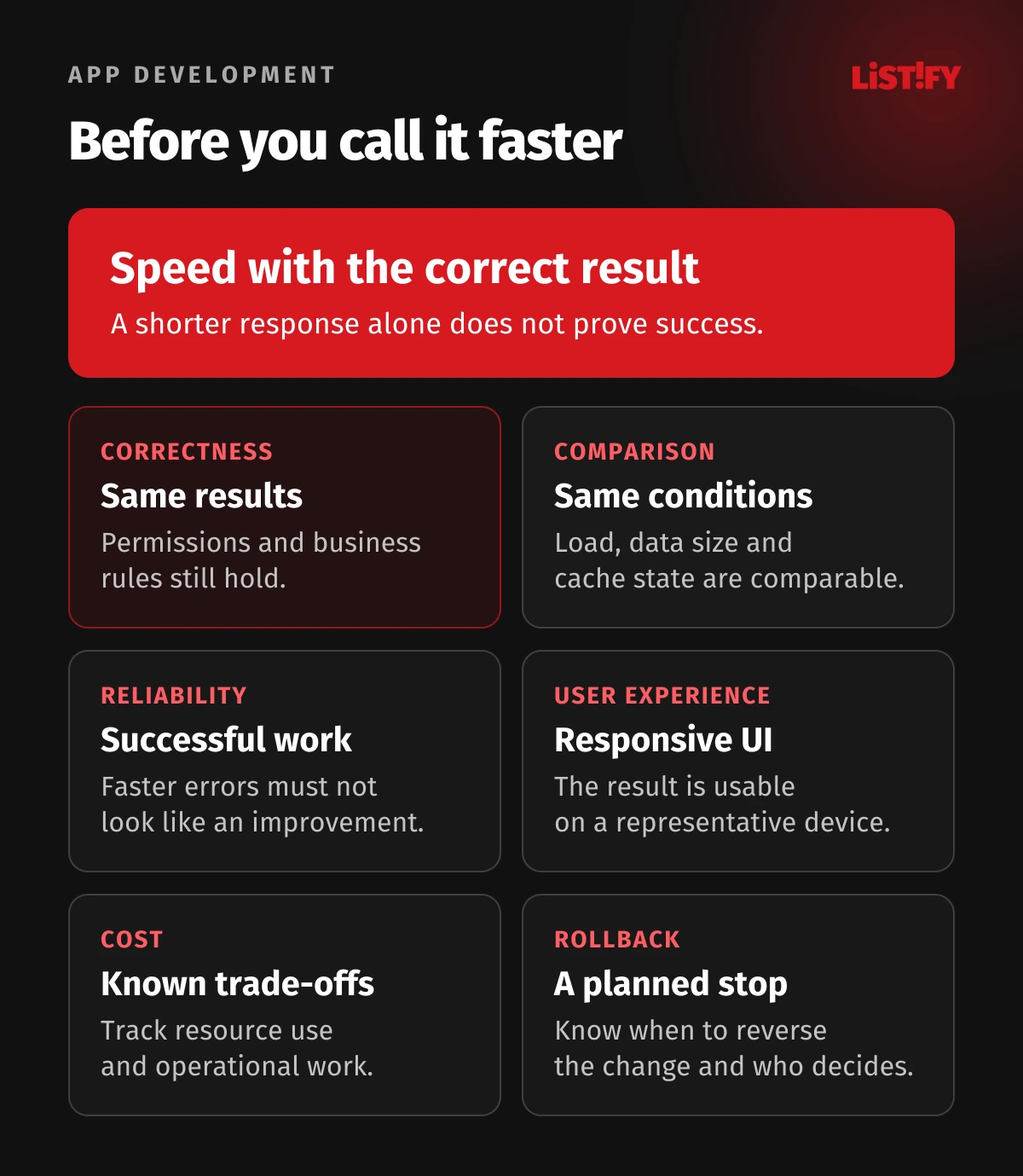
Measure hits, misses, freshness and the load created when popular entries expire. A warm-cache demonstration is not enough. Test the cold path and a cache outage, and make sure expired data cannot silently become an accepted source of truth. An optimization that serves the wrong information has failed, however short its response time.
09Make the API do less work on the critical path
Inspect the response contract. Return the fields the view needs and move genuinely optional work out of the immediate path. Independent dependency calls may run concurrently within controlled limits. Dependent operations still need their order, and unlimited parallelism can exhaust pools or overwhelm a partner.
Separate acceptance from completion honestly. An asynchronous export can return a job identifier and show progress, failure and a download when ready. It should not report success while the file has not been produced. The queue needs ownership, retry rules and a defined completion target.
Reduce unnecessary calls from the interface too. A search box can avoid sending obsolete requests on every keystroke, and the UI should ignore stale results that arrive late. Check cancellation behavior through the stack; stopping a browser request does not automatically mean every backend task has stopped. Preserve authorization and validation while removing waste.
10Check the browser after the response arrives
A fast API does not guarantee a responsive screen. The browser still parses data, runs JavaScript, calculates layout and paints. A large table or repeated state updates can occupy the main thread. Test a representative device and account, not only a desktop with a small demonstration dataset.
Separate loading, responsiveness and visual stability. Google’s Core Web Vitals guidance uses LCP, INP and CLS for those aspects. Its good thresholds are 2.5 seconds, 200 milliseconds and 0.1 respectively, assessed at the 75th percentile. They do not replace the completion target for your own business operation.
An interaction can show a loading state promptly while its asynchronous result arrives later. That means INP and time to completed business result answer different questions. The INP guide breaks responsiveness into input delay, processing and presentation. Use field evidence to find affected users, then reproduce the cause in a lab trace.
Possible interventions include reducing unnecessary JavaScript, breaking up long work, rendering a manageable number of rows and reserving space for content. Select them from a profile. A higher audit score alone does not establish that customers can complete their task faster.
11Verify the change with comparable conditions
Record a hypothesis, a success measure and a regression check before changing the code. For example: batching customer lookups should reduce query count for the orders page without changing permissions or results. Measure the same account size, workload and cache condition before and after.
Look beyond a single fast run. Compare distributions and error rates over enough observations for the question, then inspect important outliers. Keep the infrastructure and application versions visible. If the test also changed hardware, data size and cache state, it cannot isolate the effect of the code change.
Roll out gradually where possible and define rollback conditions. Include data correctness, browser behavior, costs and background jobs in the checks. A database migration or new index may require its own operational plan. Report the observed effect and its limits; do not turn a result from one scenario into a guaranteed percentage for all users.
12Turn findings into a prioritized improvement plan
Give each finding a user consequence, evidence, proposed change, effort estimate and verification step. Start with important operations where the cause is supported by measurements. Keep speculative improvements in a separate backlog until they have evidence. This stops a performance project from becoming an unbounded rewrite.
Share the plan in terms both management and developers can act on. “Reduce redundant lookups in the order list and verify the result for large accounts” is clearer than “optimize the backend”. Keep the original baseline so a later release can be checked for regression.
If the operation is efficient but total demand is exhausting capacity, that becomes a scaling and capacity planning question. For a concrete project discussion, bring the slow operation and available evidence to our web application service. The first useful deliverable is a diagnosis and a verifiable priority list.
13Frequently asked questions
Where should we start when a web app feels slow?
Pick one important operation and reproduce it with a representative account, device and dataset. Define when useful work is complete, then connect browser timing, API telemetry and database evidence. Choose a fix only after locating the dominant delay.
Is p95 more useful than average response time?
It answers a different question by showing a point in the slower tail. Keep average, volume, errors and relevant percentiles together. Percentiles depend on the selected population and window; p95 alone can still conceal serious problems affecting a smaller group.
Will adding an index always speed up the database?
No. The query planner may not use it, and indexes add storage and maintenance cost. Choose an index for a real query pattern, verify the plan and measure both reading and writing under representative conditions.
Can we run EXPLAIN ANALYZE safely on production?
It executes the statement, so safety depends on the query, permissions, load, limits and possible side effects. Prefer a representative test environment. Production diagnosis should be planned with the operator; rollback is not universal protection.
Should every slow response be cached?
No. First define acceptable freshness, the correct key, authorization boundaries and invalidation. Some operations require current authoritative data. Check the uncached path and cache failure behavior as well as warm-cache speed.
Why is the interface slow when the API is fast?
JavaScript, data processing, layout and rendering can still delay the result or block interaction. Profile the browser with a representative device and dataset. A quick response is only one part of the user’s complete operation.
How much faster will optimization make our application?
There is no credible universal percentage. The result depends on where time is spent and which work can be removed. Set a measurable hypothesis, test equivalent conditions and report the observed result with its scope and remaining constraints.
14Sources and method
Technical references checked on October 23, 2026. This article describes a diagnostic method, not a test of a named application. The 1,500 ms chart and the 51-query example are illustrative calculations. PostgreSQL guidance must be applied to the version and operating conditions of your own database.
- PostgreSQL: Using EXPLAIN
- PostgreSQL: Introduction to indexes
- PostgreSQL: Multicolumn indexes
- PostgreSQL: LIMIT and OFFSET
- PostgreSQL: pg_stat_statements
- Prisma: Query optimization and performance
- OpenTelemetry: Traces
- Prometheus: Histograms and summaries
- MDN: HTTP caching
- Google web.dev: Web Vitals
- Google web.dev: Optimize INP