Website and app handover: What to collect and how to check it
The site is live. But can your business update it, deploy a new release or recover its data without relying on the original supplier? A useful handover record shows what you have received and checked. Here is how to cover access, documentation, testing and ongoing responsibility.
01What a handover record should actually confirm
At the final meeting, your supplier opens the website, demonstrates the admin panel and sends over some login details. That starts the handover. You still need to establish whether your business can access everything included in the agreement and whether the system can handle everyday work and failures.
For each item, record what you received, how you checked it and who is responsible for it. The record should describe a specific version on a specific date. Check the agreed deliverables, licences and acceptance conditions against your contract; this operational checklist does not replace it. Leave out items that do not apply to a simple website.
02Identify the release and the agreed deliverables
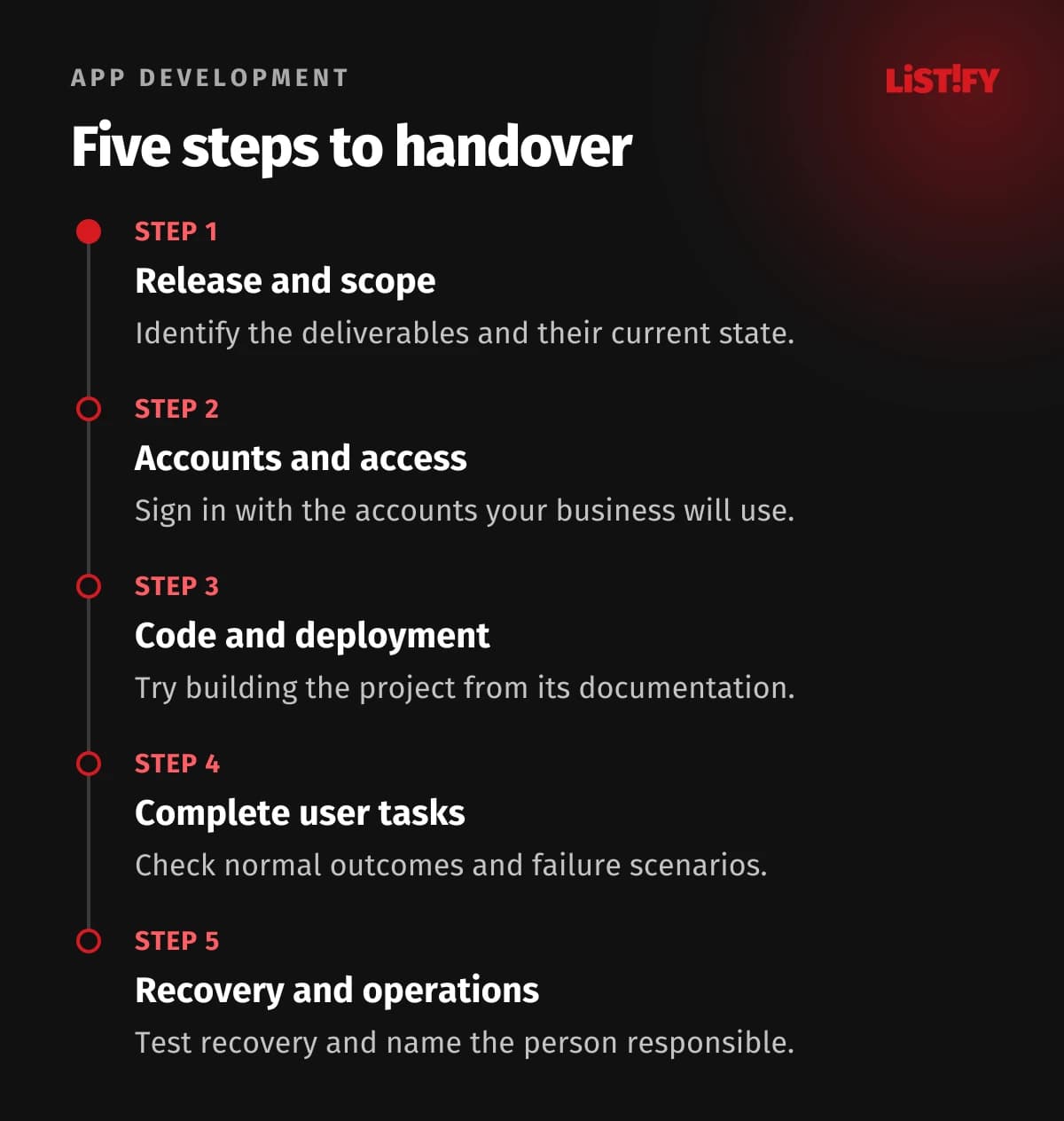
Record the project name, the address of the test or live environment, the inspection date and the version being handed over. For an application, that might mean a release number and a reference to the exact revision of the source code. Otherwise, the version you approve may differ from the one that eventually goes live.
Review approved changes alongside the original brief. Separate completed work, known defects and requests agreed for a later phase. An idea raised at the meeting is not automatically a defect. Equally, a missing feature from the agreed scope should not automatically become additional development work.
03Try the accounts yourself
List the domain, hosting, admin panel, code repository, analytics and external services. For each, record the company account, administrator, billing contact and recovery arrangements. Sign in using the account you will use after handover. Check who controls the backup authentication method as well.
Keep passwords and secret keys out of a document circulated to the whole team. Record their controlled storage location and who may use them. Agree which permissions the supplier will retain for support and who will remove them when that work ends.
On GitHub, this requires a separate check. A repository transfer can retain collaborator access and associated secrets and keys. Review permissions and connected automation after the transfer rather than assuming the ownership change has dealt with them.
04Make sure someone else can build and deploy the project
For custom development, collect the agreed source code, build instructions, environment configuration and deployment procedure. Ask for a demonstration in a separate environment. This helps reveal files or settings that exist only on the original developer's computer.
Check images, uploaded documents, the database, design files and component licences separately. A Git backup, as described by GitHub, is not a complete copy of every project record and account setting. If you use a hosted platform, check its export options first. The provider's own application source code may not be part of your deliverables.
05Test complete tasks, including the unsuccessful ones
An acceptance test checks whether the delivered work meets an agreed requirement. Choose tasks people will actually perform: a customer submits an enquiry and a salesperson finds it; an editor updates a page; a user recovers account access; an order reaches the next system.
Then try the failure paths. What happens when someone enters an invalid form value? What if an external service does not respond? Check that each user role can do its assigned work and cannot perform restricted actions. These checks are not a substitute for a separate security audit.
Use test accounts and suitable test data. Make sure the separate environment cannot accidentally message customers or trigger live payments. Our development and handover process connects test scenarios with defect tracking and checks of completed fixes.
06Demonstrate recovery and check connected services
Ask for a backup to be restored into a separate environment. Record the backup date, the data included, the outcome and the time taken. CIS Control 11 distinguishes making backups from testing recovery. A successful backup job should therefore not be your only evidence.
If DNS or email services are changing, test incoming and outgoing mail too. DNS includes email records as well as website records. Cloudflare's documentation explains, for example, how MX records route incoming mail. Moving a website is not, by itself, a reason to replace its email settings.
07A practical handover table
Use this as a starting point. Add an owner, a check date and a status to every row: verified, outstanding or not applicable.
| Item | Evidence to collect |
|---|---|
| Release and scope | A release reference and the agreed list of deliverables. |
| Accounts and permissions | A successful company-account login and a review of administrators. |
| Code and deployment | A verified build using the supplied instructions. |
| Features and integrations | Results from complete scenarios, including failure paths. |
| Data and backups | A restore record and a check of the recovered content. |
| Operations and support | A named operator, fault-reporting route and agreed support terms. |
08Describe defects so someone can reproduce them
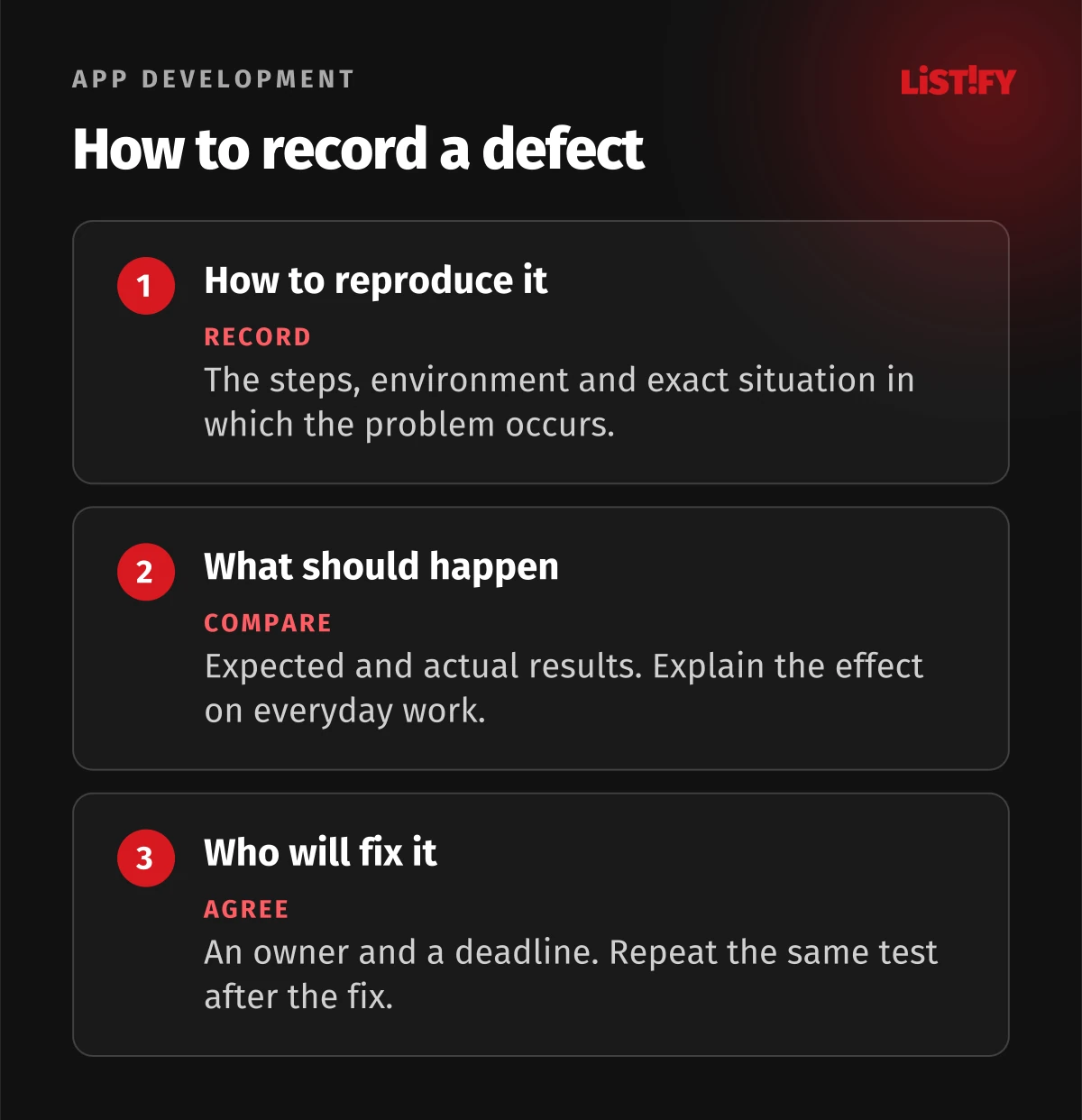
“The form is broken” leaves too much open. In an illustrative example, a useful entry would be: “On the mobile browser, the enquiry is saved but the attachment is missing.” Add the steps, expected result, business impact, owner and agreed deadline. Repeat the same test once the fix is available.
Before the handover ends, ask someone from your team to make a routine admin change without help. That also checks whether the training was clear. Agree who monitors backups, service renewals and operational alerts. A support email address alone does not settle those responsibilities.
09Website handover questions
Do I need to understand the code?
No. Test everyday tasks yourself and ask your IT administrator or another developer to check the build, deployment and technical access. The outcome and outstanding items should still make sense to you.
Do we have to move hosting?
No. Start by checking the existing setup and responsibilities. Move when there is a specific benefit or when the change is needed to support future maintenance.
What if the supplier has stopped cooperating?
That calls for a recovery plan rather than a routine handover. Begin with an inventory of the accounts and materials you can access, then agree how to secure them and what can be recovered.
Need a review of an unfinished project or its handover? Send us a description and a list of the materials available. Our project takeover service can assess what is complete, what is missing and how development and operations can continue.