Custom CRM and software for law firms: matters, deadlines and client service
Connect matter management, client communication and billing without losing control of confidential work. A practical guide to custom law firm software.

An illustrative morning in a law firm: a client asks about a contract, the latest comments sit in a colleague’s inbox, and the supervising partner needs the current work in progress figure. The information exists, but someone must assemble it before anyone can answer confidently.
Custom CRM and software for law firms should connect the client, the individual matter, documents, responsibilities and billing. A clear matter record is the foundation. Client portals, enquiry forms and mobile access then support the same workflow instead of creating another disconnected record.
Walk us through one matter from enquiry to approved bill. We can scope the first release around the real bottleneck, whether it is checking parties, handing over work or preparing time records.
01Design around the work your office actually does
Legal CRM needs to distinguish clients, counterparties, representatives and related entities. A company’s role may change between matters. Design starts with those relationships, the intake decision and the practice areas involved. Workflow rules must be adapted to the jurisdictions in which your firm operates.
| Situation | Required record | Decision owner |
|---|---|---|
| New enquiry | Parties and conflict review record | Responsible lawyer |
| Incoming document | Source, event and proposed deadline | Reviewing lawyer |
| Billing cycle | Approved work and fee agreement | Matter supervisor |
0220 modules to consider for your practice
Choose modules around your practice areas. A disputes team needs different event tracking and cover arrangements from a transactional team. For each feature, identify who enters information, who approves its professional use and which details the client may see.
Clients and matter intake
- Client records. Share contact and billing details across matters while keeping each matter’s documents, instructions and access restrictions separate from the others.
- Party relationships. Connect individuals, companies and their roles in a matter. Search should expose relevant relationships even where names have been entered differently.
- Conflict review support. Present possible matches and record the lawyer’s assessment. No search result should automatically be treated as permission to accept an engagement.
- Enquiry intake. Create a limited intake record from the website and assign an owner. Distinguish a prospective enquiry from a matter the firm has accepted.
- Engagement scope. Store agreed services, authority documents, fee terms and approvals so that staff can see what has actually been commissioned.
Matter files and document control
- Matter workspace. Connect references, procedural status, responsibility and related proceedings. A colleague covering an absence should understand the file without searching personal folders.
- Document versions. Keep drafts, comments and approved versions with their history. Record which exact version was shared rather than relying on ambiguous filenames.
- Incoming correspondence. Attach messages, sources and attachments to the matter. Ambiguous matches should enter a review queue instead of being silently assigned.
- Event based deadlines. Propose a date with its source event and rule. The responsible lawyer verifies the relevant facts and confirms the procedural deadline.
- Tasks and cover. Give each task an owner, substitute and expected output. An absent colleague should not leave critical work invisible to everyone else.
Time, fees and practice management
- Time recording. Record work against the matter and activity while the context is fresh. Review incomplete entries before they become a client bill.
- Fee arrangements. Support hourly rates, retainers or agreed budgets as appropriate to the engagement. Keep effective dates and approval history when terms change.
- Billing review. A supervisor checks descriptions and releases approved items. Confidential internal notes should not flow automatically into client facing invoice text.
- Invoices and payments. Connect invoices, advances and receipts. Any client money or trust accounting requirement needs a separately assessed workflow for the relevant jurisdiction.
- Capacity planning. Show workloads, blocked tasks and unbilled work so partners can allocate new matters based on visible commitments rather than recollection.
Client collaboration and closure
- Client portal. Share approved material and agreed next steps. Set access for particular matters and individual users within the same corporate client.
- Document requests. Track requested, received and incomplete items in one checklist. Staff should not need to reconstruct completion from several email chains.
- Recorded instructions. Associate a client instruction with the document version discussed. Define the legal significance of each approval method during workflow design.
- Mobile workspace. Make contacts, tasks and approved documents available before a hearing or meeting, with access appropriate to the device and working context.
- Closure checklist. Confirm outstanding work, billing and document handover before archiving. Closed files retain controlled access and a traceable record of changes.
03A model workflow from intake to closure
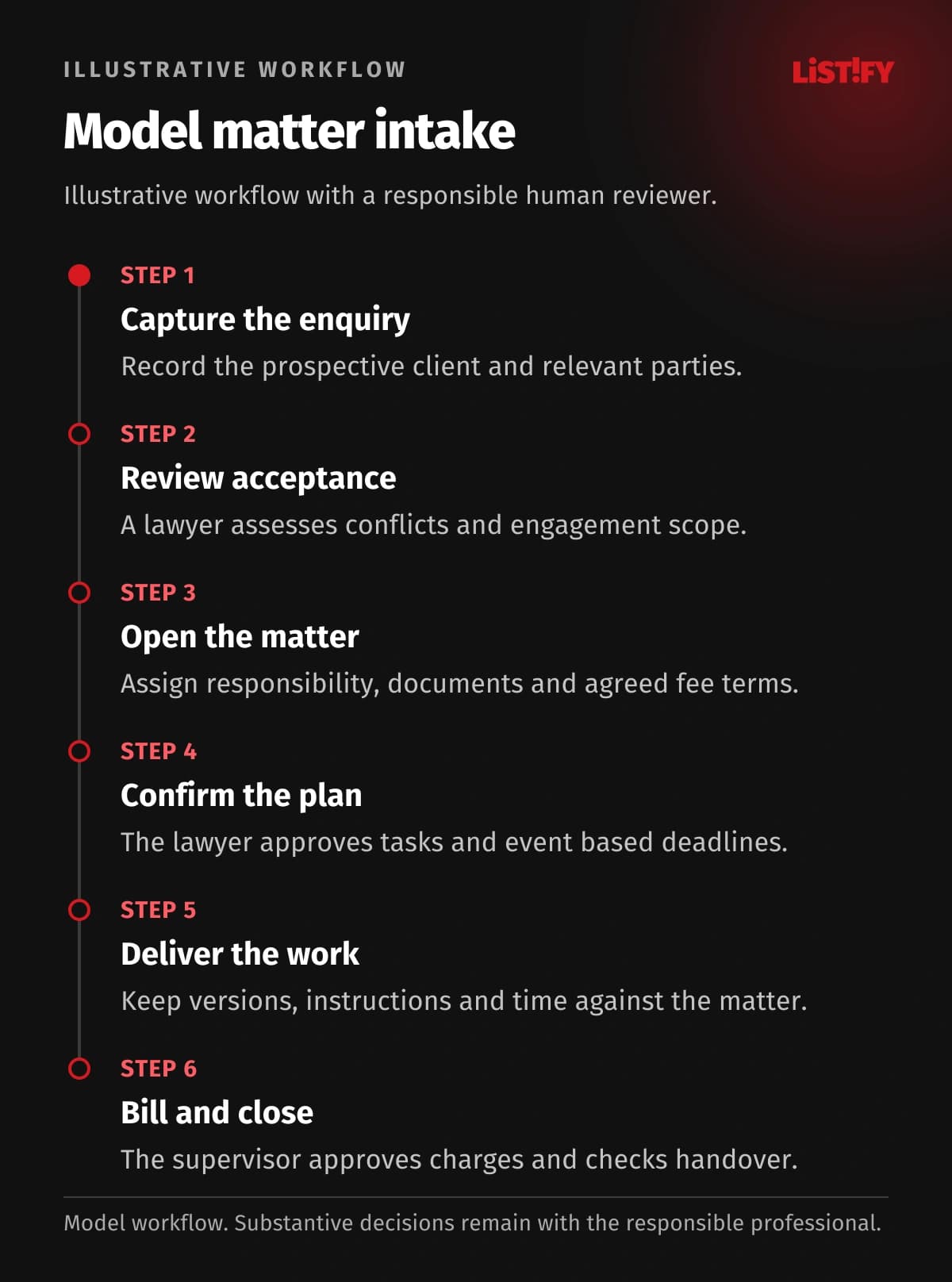
This model illustrates the organisation of a matter, not a client result or prescribed procedure. The lawyer assesses conflicts, decides the legal approach and confirms deadlines under the applicable rules and facts. Marking a task complete does not perform those checks.
- Capture the enquiry. Record the prospective client and relevant parties.
- Review acceptance. A lawyer assesses conflicts and engagement scope.
- Open the matter. Assign responsibility, documents and agreed fee terms.
- Confirm the plan. The lawyer approves tasks and event based deadlines.
- Deliver the work. Keep versions, instructions and time against the matter.
- Bill and close. The supervisor approves charges and checks handover.
The pilot should also cover a changed counterparty, an absent supervisor and correspondence assigned to the wrong matter. These exceptions reveal whether the workflow can survive real handovers.
04Connect the website, portal and daily work
A law firm website should explain its practice areas and make first contact clear. Ask for only necessary intake information; request sensitive material later through an appropriate secure channel. The portal supports collaboration. Its notifications do not, by themselves, replace official service or filing requirements.
For an API integration, we first check the permitted interfaces for email, matter management and accounting. Messages must reach the correct matter and billing must use approved time entries. Ambiguous matches need review; a controlled export may be appropriate when no supported connection is available.
- Client contactModel: separate records: 3Model: connected design: 1
- Matter referenceModel: separate records: 2Model: connected design: 1
- Filing referenceModel: separate records: 1Model: connected design: 1
Illustrative counts of separate manual entries of the same information, not measured results. Contact: intake form, matter file, billing record (3→1). Matter reference: time sheet and billing summary (2→1). Filing reference: manual entry in the official channel (1→1). No savings are guaranteed; any APIs and permissions require verification.
05Choose existing software, an extension or custom development
If your existing practice management product handles matters and billing reliably, explore its configuration first. A separate client approval portal may address the gap. Consider replacing the core only when it cannot support the relationships between parties, access restrictions or fee arrangements that your practice actually needs.
A working matter management product could remain in place while a new portal supports corporate clients. Agree which system owns the approved document version and who resolves differences between the two.
Include party and matter migration, training and billing connections in the cost comparison. A custom CRM is not inherently cheaper. Test acceptance with a rate change on an open matter and check that an internal note cannot appear on a client invoice.
06Make permissions and security specific
An assistant may maintain contacts, a junior lawyer work on assigned matters, and a partner approve bills. Restrict sensitive files to named teams. Finance staff need billing evidence without automatically receiving access to the entire legal analysis.
Combine multifactor authentication with matter restrictions that also apply to search and exports. Revoke accounts and shared links when staff leave. Support access needs an approved scope and an activity record. Restoration testing should recover the correct document version and its permissions; the practice sets retention rules by category and obligation.
07Plan the first release and migration
A useful first release can cover active matters, parties, documents, confirmed deadlines and tasks. A pilot team follows one matter from intake to billing. Add a portal or more complex reporting after the underlying records prove reliable.
When planning migration from legacy systems, carry across party roles, confirmed dates, unbilled work and fee arrangements with each matter. A matching name is not sufficient grounds to merge people. Compare documents and time entries on active and closed samples, then agree when updates to the old product end.
08Budget, implementation and support without an IT department
The estimate depends particularly on relationship checks, matter permissions and fee approval rules. Price the core matter record, billing and client portal as separate stages. A supervising partner can then accept each stage against a real workflow and judge the value of requested additions before extending the scope.
Acceptance should test separation between client organisations, a missing attachment and restoration of an accidentally changed document. Appoint someone in the practice to approve each scenario.
You do not need your own IT team. Nominate a lawyer or operations lead who can approve the matter workflow. Listify can provide design, development, testing, training and agreed support. Define infrastructure, update and recovery responsibilities before launch, including how to handle unavailable documents before a hearing. Documentation should support an orderly handover of administration.
09Frequently asked questions
Can a law firm use a standard CRM?
For basic contacts, yes. Matter relationships, restricted documents and approved time records usually require specialist configuration or a connected practice application.
Can the system decide whether a conflict exists?
It can identify possible connections and preserve the assessment. A responsible lawyer makes the engagement decision; a search result is not a legal conclusion.
Can deadlines be calculated automatically?
The system can propose dates from verified events. A lawyer must confirm the relevant rule, source facts and resulting date for the applicable jurisdiction.
Can we retain our accounting software?
Yes, subject to a verified connection or agreed export. Identify shared references, the direction of transfer and responsibility for rejected transactions first.
Do we need a separate mobile app?
A responsive web application is often enough. A dedicated app becomes useful when specific device features or working requirements justify maintaining it.
How do we start without internal IT staff?
Choose a representative matter and an operational owner. Listify can help define the pilot, responsibilities, acceptance checks and ongoing support arrangement.
Discuss your law firm’s workflow with Listify. Bring an anonymised matter from initial enquiry to approved billing, together with your software list. We can scope the first connection between matter records, your website and client collaboration around the handovers that need attention.