Custom CRM and software for real estate agencies: what your system needs
Clients in agents' phones, listings across several portals and transaction updates only at the weekly meeting. Explore twenty practical capabilities of custom real estate CRM and where to start.
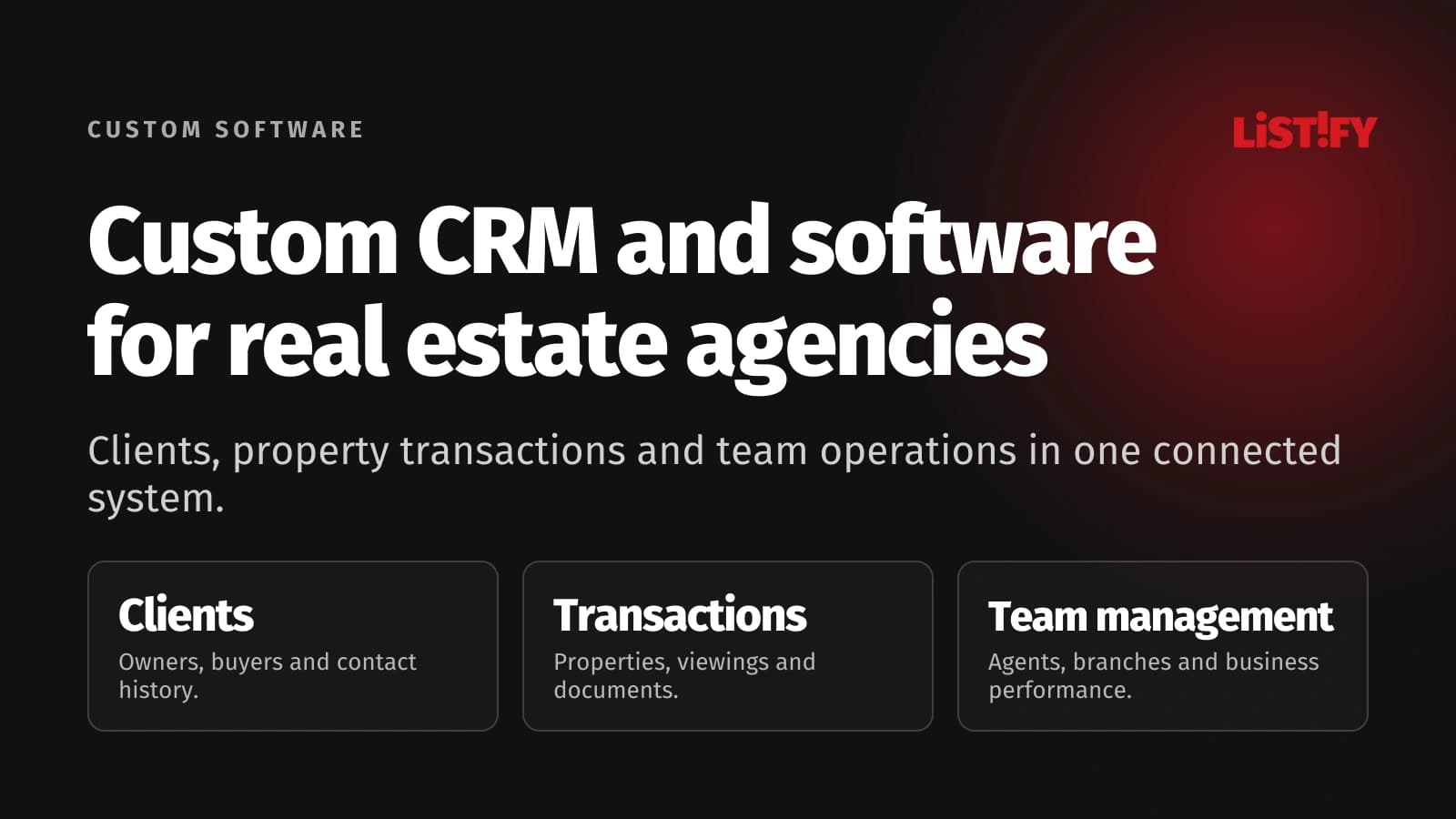
Custom CRM and software for real estate agencies can connect clients, properties, agents and finances around your business. A connected website and client portal can eliminate repeated updates. First, decide which processes to support and who owns each step.
Illustrative scenario: three buyers enquire about the same apartment through different channels. The agency owner cannot see who received a reply, whether the property is available or who booked a viewing. The weekly meeting becomes an exercise in reconstructing events from phones and email.
This guide covers twenty practical capabilities, website integration and implementation without an internal IT department. They are options for your requirements, not a mandatory first-release shopping list.
01When does an agency need a custom real estate CRM?
Consider custom development when standard software cannot support an important process or your tools are disconnected. Lead allocation, branch responsibilities, commission rules and owner communications can matter more than team size.
If your property software works well, a better website with an integration may be enough. Our custom development service covers individual workflows and broader systems.
Unsure where to start? Tell us about one task your team still handles manually. We will examine whether you need a CRM, an additional module or a connection between existing tools.
For a broader decision framework, read our comparison of existing CRM products and custom development, including situations where a custom build is not justified.
02Clients and properties: five essential capabilities
1. One person, several relationships
The same person may sell an apartment, seek a house and represent a business. Connect those relationships without mixing their context. Agents can then see relevant history without creating a new contact for each communication channel.
2. A property record separate from the transaction
A property may be rented and later sold. Preserve its characteristics and documents while keeping prices, agency instructions, responsible agents and transaction history attached to the appropriate case.
3. Documents with versions and ownership
Your team needs to know who supplied a document, whether it is current and what remains outstanding. A system can distinguish a working draft from an approved version and assign missing paperwork to someone. Access to sensitive attachments should follow each person's responsibilities.
4. Enquiries with a source and an owner
Retain each enquiry’s source and property connection. Allocation rules identify the responsible agent and their cover. Managers see overdue responses, while repeat enquiries from the same prospect remain identifiable.
5. Matching buyers and tenants to properties
Location, budget and room requirements are a starting point. Your agency may also consider moving dates, financing and accessibility. The system suggests suitable matches, the agent decides what to send and the communication history records which properties the person has already received.
03From instruction to handover: five transaction capabilities
6. Stages with meaningful entry conditions
A transaction can move through instruction, preparation, marketing, negotiation and completion. For each stage, specify the required information and next task. Moving a case should reflect actual progress, not simply change the colour of a card.
7. A shared viewing calendar
Connect the property, agent and prospect. Assistants can arrange appointments using shared availability. Confirmations, changes and reminders follow your process and clients’ communication preferences.
8. Viewing outcomes and follow-up
Marking an appointment as complete is not enough. The agent records feedback, objections and the agreed next step. The office can distinguish a visit with no interest from a buyer awaiting finance or a person actively discussing an offer.
9. Reservation and document milestones
Your process may include reservations, deposits and documents handled by other professionals. A system can track the necessary steps and outstanding confirmations. Payment records should distinguish amounts expected from payments actually confirmed, with responsibilities clear for each update.
10. Handover and ongoing relationships
A handover checklist can include meter readings, keys, photographs and transferred documents. The confirmed record stays with the transaction. A scheduled follow-up then supports the continuing client relationship, rather than leaving it to the agent's memory after the invoice is raised.
04Agents, branches and finances: five management capabilities
11. Permissions that reflect real roles
Owners need company information, managers their branch and agents their cases. External photographers may need only a brief. Design access, cover and account removal together to preserve continuity.
12. Lead allocation and absence cover
Enquiries can be allocated by area, specialism, capacity or an existing client relationship. Exceptions should be recorded. When an agent takes leave, their open work can be reassigned without asking clients to repeat everything they have already explained.
13. Costs attached to each transaction
Photography, advertising, property preparation and external services should be linked to the relevant case. An ongoing view can show committed and actual expenditure separately. Management can then identify rising costs before the end of the month.
14. Commission rules your team can explain
Commission may be shared between the listing agent, selling agent, branch and referral partner. Preserve the rule agreed for that transaction and distinguish entitlement, approval and payment. Corrections should be traceable, rather than silently rewriting the previous result.
15. Reports that support decisions
Show open transactions, inactivity, costs and expected revenue. Define each measure: enquiries, completed viewings and paid fees represent different outcomes. A useful dashboard keeps those distinctions visible.
05Websites, portals and apps: five connections
16. A property website using the same records
Descriptions, photographs and approved prices are maintained once. The website builds public listings from those records and updates their availability. Internal notes remain internal; the distinction between public and private fields must be explicit.
17. Listing distribution with a visible result
Connections depend on the technical interface and commercial terms of each property portal. Sending a listing is only part of the job. The administration screen should show acceptance, errors and the latest successful update so an outdated advertisement does not remain unnoticed.
18. A client portal for property owners
An owner can see an approved viewing summary, agreed next steps and shared documents. Your agency decides what appears automatically and what needs review. A portal reduces repetitive questions only when its information is current and understandable.
19. Practical access from a phone
An agent can take photographs, add notes or complete a task while at a property. A mobile-friendly web app may be sufficient; a separate mobile app can suit other requirements. Device features, notifications and offline work determine the choice.
20. Accounting connections with failure handling
Approved information can be passed to your accounting software where supported imports or APIs are available. Each transfer needs a result and a recovery process. Retrying a failed connection should not accidentally create the same financial document twice.
Our step-by-step guide to custom website development covers the brief, content administration and connections to everyday business operations.
06One connected process in practice
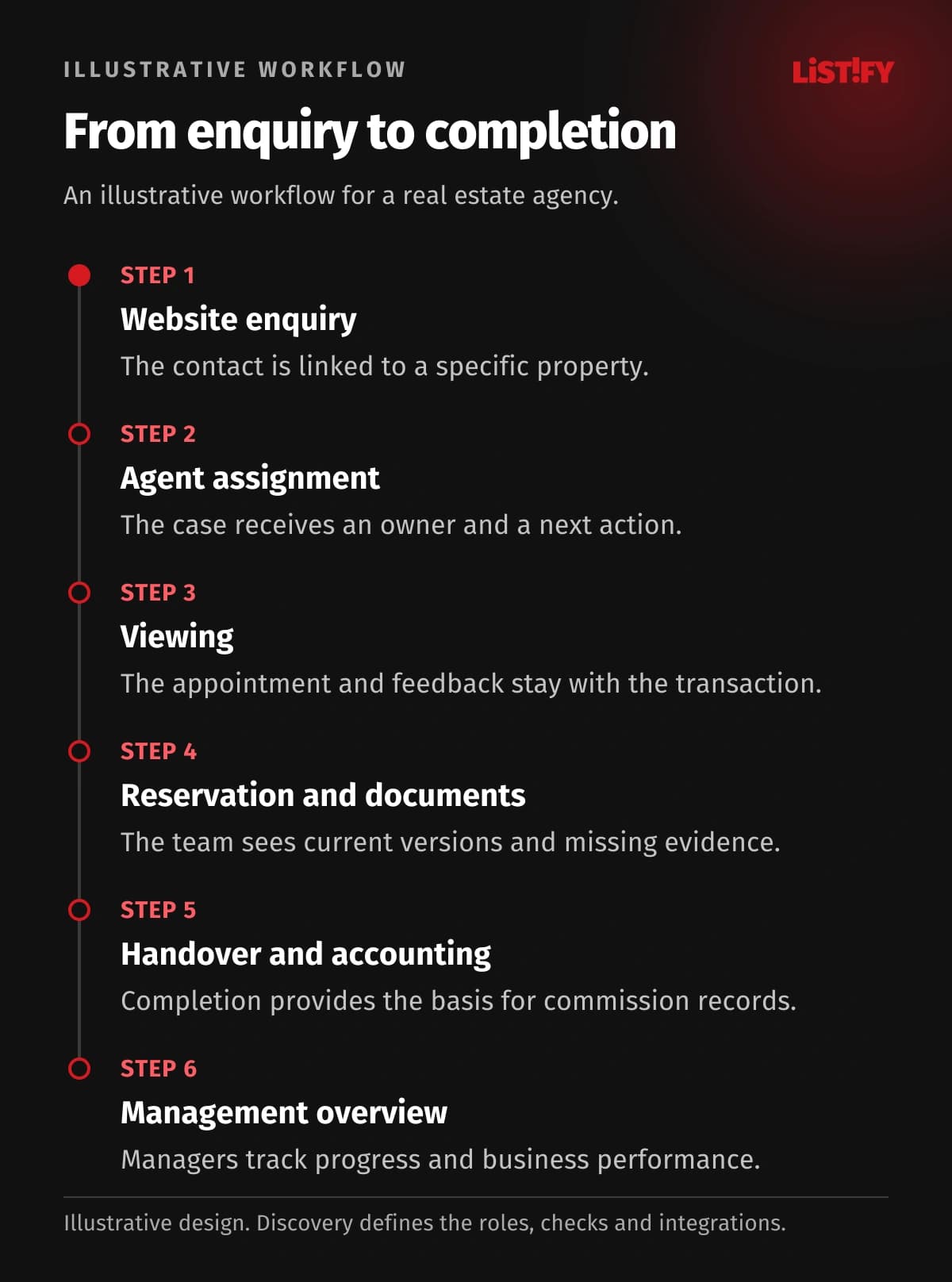
Illustrative example: an owner submits a valuation enquiry. The CRM finds their contact record, opens an opportunity and assigns an agent. After the appointment, an assistant follows the document checklist, the agent prepares the listing and a manager approves publication.
Prospects, viewings and feedback stay connected. An agreed reservation triggers the next tasks. After handover, approved costs and commissions are reconciled. The owner follows one case throughout instead of requesting separate reports.
- Enquirer’s phone numberModel: before integration: 3Model: proposed design: 1
- Property asking priceModel: before integration: 2Model: proposed design: 1
- Partner confirmationModel: before integration: 1Model: proposed design: 1
Illustrative workflow, not a measurement. The phone number is entered in CRM, an agent spreadsheet and a calendar (3); the price in records and the website (2). The proposed design enters each once and shares it. Confirmation in a partner portal remains manual (1). No saving is guaranteed; required partner APIs must be verified.
07Implementation without your own IT department
Start with one process and a few ordinary and difficult transactions. At Listify, we use them to prepare a design that agents, assistants and management can try. The first development phase is defined after the process has been checked. Working accounting or advertising tools can remain in place and connect later.
Migration requires field mapping, duplicate checks and a trial import. Contact counts, document relationships and transaction states must be compared with the original records. Agree the final import point, access arrangements and recovery plan before switching systems.
Handover should include role-based training, documentation and a clear support route. Monitoring, backups, updates and fault resolution can be included in an agreed maintenance service. Establish operational account access, data exports and handover terms while reviewing the proposal.
For the transfer itself, see our guide to migration from spreadsheets and legacy systems, including relationship checks, duplicate handling and trial imports.
08Cost and the choice between existing and custom software
Budget depends on workflows, data quality, integrations and website or portal scope. Compare development, migration, training, operation and future changes. A small module’s starting price does not represent an entire agency system.
| Your situation | A sensible first step |
|---|---|
| Existing software works; the website is outdated | A custom website with a verified integration |
| Staff copy information between two tools | A connection with transfer monitoring |
| Distinct commission, branch and approval rules | Analysis of a custom CRM or targeted module |
Existing products may already provide these capabilities. Consider custom development when your combination of rules and connections is unavailable at an acceptable total cost. Compare working scenarios, not feature counts.
When comparing suppliers, use our questions for choosing a software development company to discuss handover and support as well as the price.
09Frequently asked questions
Do we have to replace everything at once?
No. The first phase can address your website, new enquiries or one internal workflow. We identify the authoritative source for each record so parallel operation does not create new duplicates.
Can you migrate contacts from our current CRM?
That depends on the export available and its quality. We check sample contacts, properties, documents and relationships before confirming the migration scope.
Can you connect every property portal?
Each connection requires verification of its interface, commercial conditions and your agency's access rights. A specific integration cannot be promised before that review.
Do our agents need a dedicated mobile app?
Often a well-designed web app is enough. Separate mobile development makes sense when necessary capabilities are not adequately supported by the web version.
Who looks after the system after launch?
Operational support is defined in the maintenance agreement. The proposal should specify responsibilities, recurring costs, response arrangements and how future development is requested.
What should we prepare for a first conversation?
Bring a list of current tools, team roles and one transaction from instruction to payment. You do not need a technical specification. Describe where the work gets delayed.
10A system designed around your agency
Listify can develop your real estate CRM, website, client portal and integrations as a connected project. We start with a scope that serves your agency's practical needs and use actual operation to guide later phases.
Arrange a consultation about custom real estate CRM. Tell us your team size, current tools and most difficult process. We will prepare the next step around your answers.