Custom construction management software: 30 reasons (and when it isn’t worth it)
Thursday, 3:20 p.m.: the site manager finds damp masonry under old plaster and agrees on a €3,400 repair with the client over the phone. It goes into the daily log on Monday, the estimator hears about it when the invoice goes out, and by handover nobody remembers the call. We put together 30 reasons why general contractors, renovation companies and specialist trades build their own software. We grouped them into four areas and backed most of them with laws, statistics and published pricing. Near the end, you’ll find five situations where custom development isn’t worth the money.
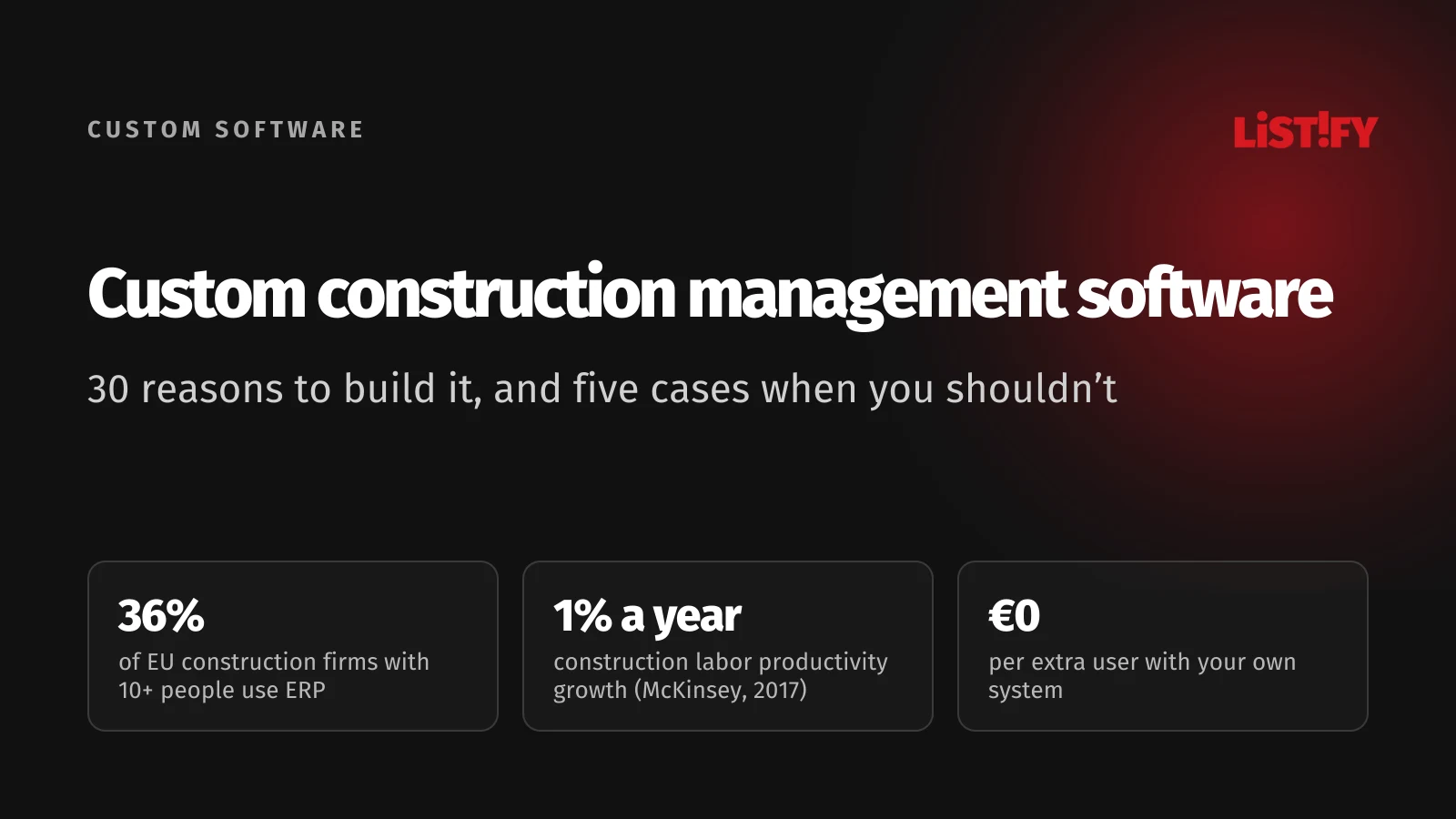
Construction is one of the least digitized industries. According to Eurostat, 36% of EU construction firms with 10 or more people used ERP software in 2025, the kind of system that connects jobs, purchasing and invoicing. Across the economy, it was 46%. CRM use was 16% in construction against 29% overall. The McKinsey Global Institute estimated in 2017 that construction labor productivity had grown by just 1% a year over two decades, compared with 2.8% for the world economy.
Most of the industry is small. Of the 4.07 million construction enterprises in the EU in 2024, 94% had fewer than 10 people, according to Eurostat. Firms with 10 to 49 people make up only 5% of construction businesses in the EU, but they employ 28% of everyone working in the industry. Companies of that size, and those just below or above it, sit in an awkward spot: too big for spreadsheets and a group chat, too small for enterprise software and a six-figure rollout.
Custom construction software means a system built around how your company really works: how you price jobs, how site managers keep the daily log, how change orders get approved and how you bill. You own the code and the data, and adding users costs nothing. We’ve looked at the same question for gym and studio booking software and restaurant software. This time we’re on site.
01The short answer: when your own system pays off
- Jobs, estimates and budgets live in several spreadsheets. You only find out who sent which bid, at what price, and how far over budget a job is by calling the estimator.
- Change orders are agreed over the phone. Work that isn’t priced and approved in writing before it starts turns into an argument at the final invoice.
- Daily logs, timesheets and photos live in different places. Site managers retype the day in the evening and hunt for photos on their phones.
- Your off-the-shelf tool costs more with every person you add. Per-user licenses grow with every site manager, crew lead and subcontractor you let in.
- Invoicing rules differ by customer and country. Reverse charge VAT, subcontractor deductions and certified payroll all need clean data, entered once.
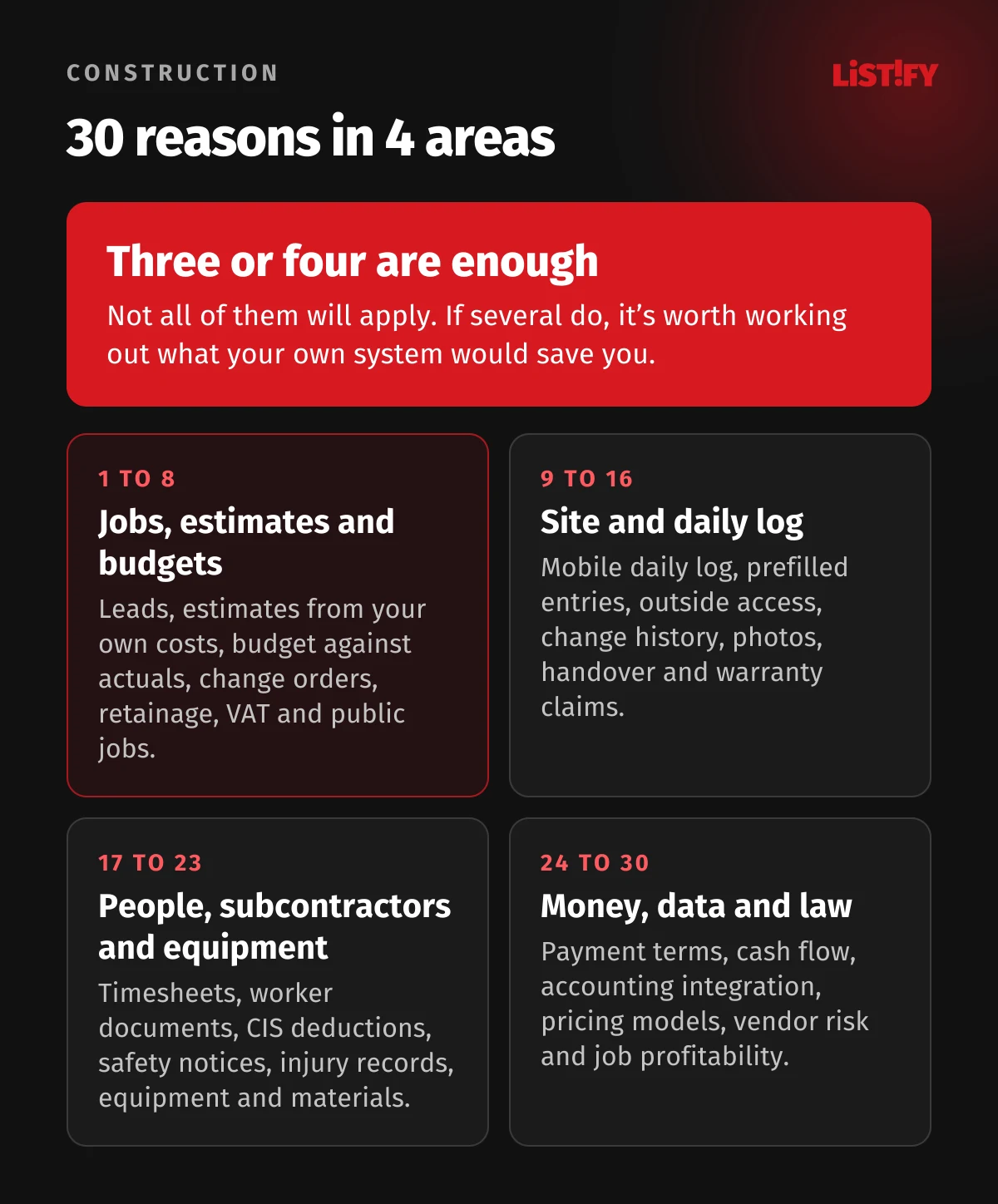
02Jobs, estimates and budgets: reasons 1 to 8
1. Every lead in one place. Requests come in by email, phone, your website or an architect. In 2025, only 16% of EU construction firms with 10 or more people used CRM software to track customers and deals, against 29% across the economy (Eurostat). A custom system logs every lead against the customer, assigns it to an estimator and tracks the date the bid is due.
2. Estimates built from your own costs. Estimators piece bids together from estimating software, supplier price lists and memory of past jobs. Your own system keeps your line items and the real costs of finished jobs, so the next bid reflects what the work really cost you. Integration with the estimating tool you already use is something we check in the discovery phase.
3. Budget against actuals every week. Cost and schedule overruns hit large, professionally run projects too. In KPMG’s 2015 survey of more than 100 large project owners, only 31% of projects came within 10% of budget over the previous three years, and 25% within 10% of the original deadline. A 2016 McKinsey article says large projects typically take 20% longer than scheduled and run up to 80% over budget. Those numbers describe big projects rather than a 30-person contractor, but the point applies to any size of firm: you can only manage an overrun you see in time. The system adds up materials from purchase orders, hours from timesheets and subcontractor invoices for each job and compares them with the budget every week.
4. Change orders approved before the work starts. A change agreed with a handshake on site is the one that most often goes unpaid. When a site manager finds extra work, they create a change order from their phone with a description, photos and a price, and the system sends it to the client for approval and records who approved it and when. The final invoice then holds no surprises, and if there’s a dispute, the record settles it.
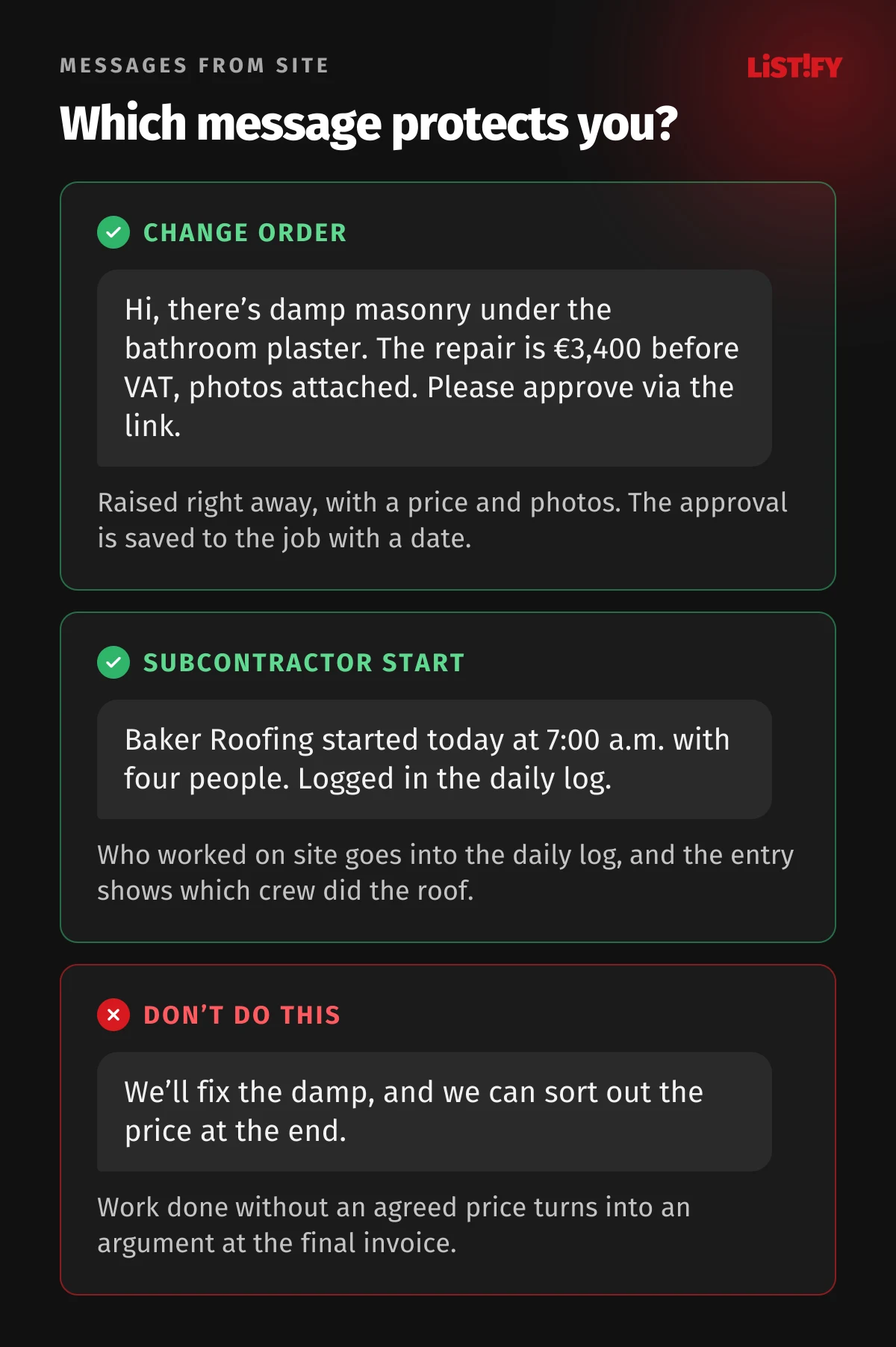
5. Concealed conditions with photo evidence. Rotten joists behind drywall or a pipe that isn’t on the drawings stop work and change the price. The site manager logs the problem with photos and a proposed fix, the client approves it through a link, and the change flows into the budget and the daily log at the same time.
6. Progress billing and retainage (retention in the UK) tracked per job. Most construction jobs are paid in stages, and the EU late payment directive explicitly allows payment schedules with installments (Directive 2011/7/EU, Article 5). Retainage terms change from contract to contract, so they’re easy to lose track of. The system issues progress invoices from the schedule of values and tracks how much retainage is held on each job and when it’s due for release.
7. The right VAT treatment on every invoice. Several European countries use a reverse charge for construction services between businesses. In the UK, the VAT domestic reverse charge has applied to most building and construction services since March 1, 2021, and HMRC tells contractors to make sure their accounting systems and software can deal with it. Czechia and Slovakia have similar rules for construction work between VAT payers. The system picks the treatment based on the customer and the type of work, so nobody has to remember it line by line.
8. Public jobs with their own paperwork. On US federal and federally funded construction contracts over $2,000, contractors and subcontractors must submit certified payrolls every week, and the prime contractor is responsible for collecting them from all subcontractors (29 CFR 5.5). Form WH-347 is optional, and the rule allows any other format. A custom system can produce the weekly payroll report from the same timesheets you already use.
03Site and daily log: reasons 9 to 16
9. A daily log on the site manager’s (superintendent’s) phone. Many countries regulate the daily log closely. In Czechia, a 2024 decree lists seven items that each daily entry must contain, including who worked on site, the weather, the work done, deliveries and equipment, and entries must be made the same day or the next day at the latest. Slovakia’s Building Act says the log is kept electronically as a rule. A custom system gives site managers a mobile form that works offline and reminds them when an entry is missing.
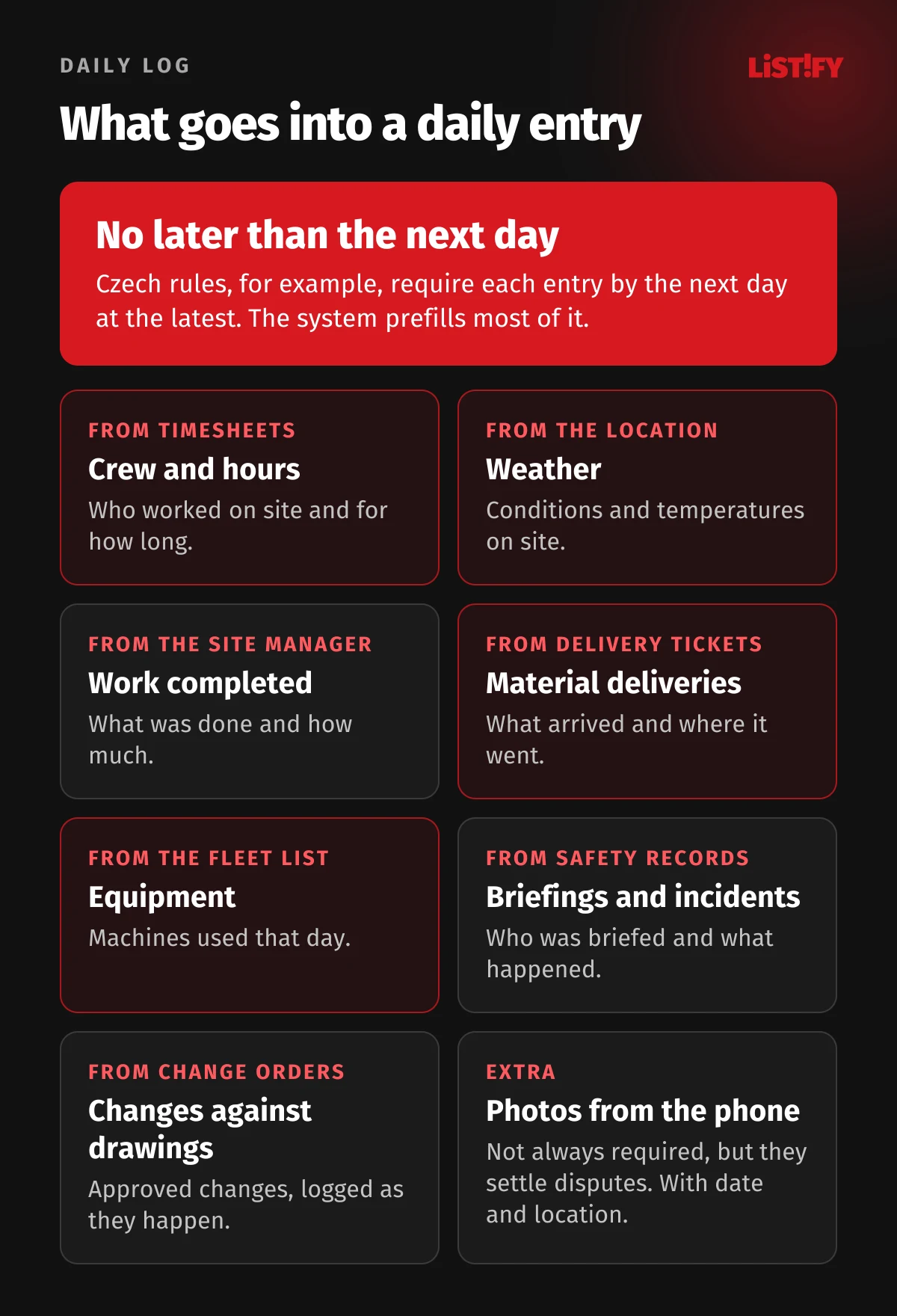
10. An entry that half writes itself. Names and hours come from timesheets, materials from delivery tickets, equipment from the fleet list and weather from the site location. The site manager adds what was done, attaches photos and signs off. Instead of half an hour at a desk in the evening, it takes minutes on site.
11. Access for inspectors and architects without per-seat fees. The people who need to read or sign the log include the client, the architect, the owner’s representative, inspectors and the safety coordinator. Most of them aren’t your employees. Fieldwire charges $39 to $89 per user per month on annual billing, and Jobber charges $29 a month for each extra user. In your own system, outside users get access to their project only, and adding one costs nothing.
12. A record you can hand over with a full history. For higher-risk buildings in England (at least 18 meters or 7 stories, with at least two residential units), the client must keep the “golden thread” of building information in electronic form, and changes may only be made under procedures that record who made the change and when (SI 2023/909, regulation 31, in force since October 1, 2023). Even where no law asks for it, a log with a change history is the best defense in a dispute. Your own system keeps every version and exports it in a format the client can open.
13. Photos with date and location. Photos settle disputes about defects, change orders and grant claims. Renovation grant programs in Czechia and Slovakia, for example, can ask homeowners for photos of the work before and after. The system stores photos against the job, the room or element and the daily log entry, with date and location, and builds a photo pack for the client at the end.
14. Handover with a punch list. At handover, the client either accepts the work or lists what still needs fixing. The date of handover usually starts the warranty and often the payment term. The system creates a handover record with the punch list, photos and a signature on a tablet, and carries the date into the invoice and the warranty register.
15. Defects and warranty claims years later. Liability for hidden defects can run for years after handover. Under the Czech Civil Code, for example, a claim for a hidden defect in a building can be raised up to five years after handover, and a subcontractor is jointly liable for the part it delivered. The system keeps who did which part of each job, with photos and log entries, so when a roofing claim arrives three years later, you know within a minute which crew to call.
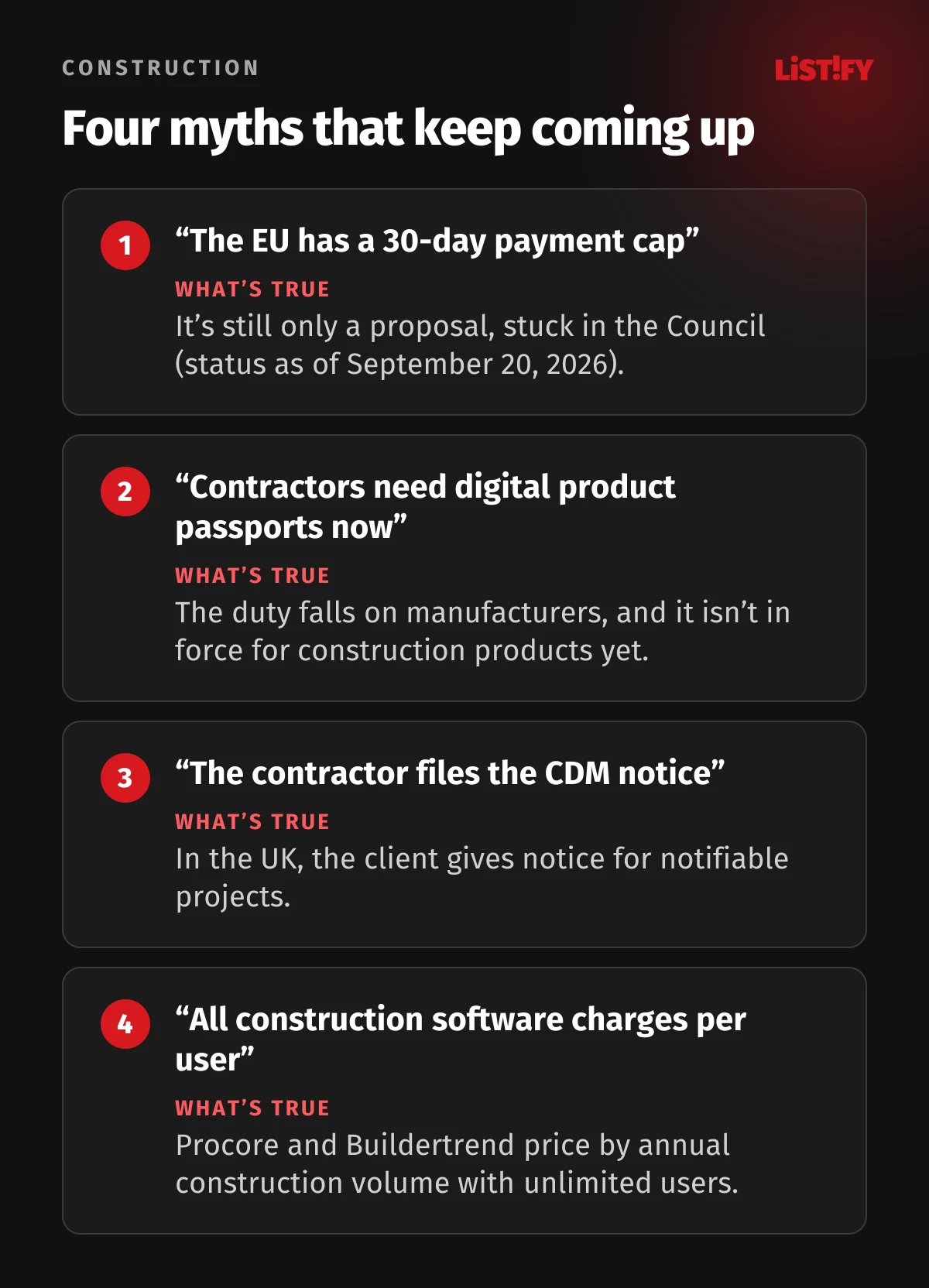
16. Product data before regulators ask for it. The EU’s new Construction Products Regulation introduces a digital product passport. The obligation falls on manufacturers, not contractors, and it isn’t in force for construction products yet. As more product data goes digital, though, a system that stores which products went into which job, with delivery tickets and declarations of performance, saves you from digging through folders later.
04People, subcontractors and equipment: reasons 17 to 23
17. Timesheets from the site. Finding workers is hard enough. Losing their hours on paper makes it worse. In the EU construction survey for September 2026, 29.1% of firms named a shortage of labor as a factor limiting their activity. In Czechia, where we’re based, it was 41.6% (Eurostat). Crew leads log who worked on which job and for how long on their phones. That feeds payroll, the daily log and job costing, and nobody collects paper timesheets at the end of the month.
- Shortage of laborEU: 29.1%Czechia: 41.6%
- Insufficient demandEU: 29.8%Czechia: 21.9%
- No limiting factorsEU: 39.1%Czechia: 18.7%
- Financial constraintsEU: 9.0%Czechia: 3.2%
- Shortage of material or equipmentEU: 8.1%Czechia: 4.4%
Share of firms in the construction business survey that named each factor as limiting their activity, September 2026, not seasonally adjusted. Source: Eurostat, table ei_bsbu_m_r2.
18. Know who is on site and whether their paperwork is valid. Inspectors keep finding undeclared work on construction sites. In 2025, Czech labor inspectors found illegal work at more employers in construction (201) than in any other industry (SÚIP), and in Slovakia construction accounted for 34.2% of all illegally employed people found in inspections (NIP). The system records whether each person on site is an employee, a self-employed tradesperson, an agency worker or a subcontractor’s worker, and tracks expiry dates for work and residence permits.
19. UK subcontractors and CIS deductions. Under the UK Construction Industry Scheme, a contractor must verify each new subcontractor with HMRC before paying them and deduct 20% for registered subcontractors, 30% for unregistered ones, or nothing for those with gross payment status (HMRC). The deduction applies to the invoice after VAT and materials are taken out. Monthly returns are due by the 19th, and a return one day late costs £100 (HMRC). The system splits each subcontractor invoice into labor and materials, works out the deduction and prepares the payment and deduction statement.
20. Safety notices with the person-days counted. In the UK, a project is notifiable under CDM 2015 if it will last longer than 30 working days with more than 20 workers on site at the same time, or exceed 500 person-days. The client gives notice, not the contractor. Czech and Slovak rules use almost the same thresholds, and there too the duty falls on the client. The system counts person-days from the plan and timesheets and warns the client early.
21. Injury records within seven days. In the US, employers must enter each recordable injury on the OSHA 300 Log and 301 Incident Report within seven calendar days and keep the records for five years (29 CFR 1904). Construction establishments with 20 to 249 employees must also submit Form 300A electronically every year. Firms with 10 or fewer employees all year are exempt from routine record keeping. Records can be kept on a computer if it can produce equivalent forms, which a custom system can.
22. Equipment and tools: where they are and when they’re due. The excavator is on one job, the plate compactor on another and nobody can find the breaker. The system tracks equipment and valuable tools by job and by the person who signed them out, flags service and inspection dates and sends equipment use straight into the daily log.
23. Purchase orders and delivery tickets per job. The site manager orders materials from the phone, the office approves the order and the delivery ticket is photographed and attached to the job on arrival. Deliveries go into the daily log and job costs on their own, and nobody spends the end of the month working out which job three pallets of blocks belonged to.
05Money, data and law: reasons 24 to 30
24. Payment terms and late payment interest. Under the EU late payment directive, a business-to-business payment term may not exceed 60 days unless expressly agreed and not grossly unfair to the creditor. Without an agreed term, interest runs after 30 days. Public authorities have 30 days, or 60 when objectively justified. The creditor is entitled to interest of at least the reference rate plus eight percentage points, plus a fixed €40 in compensation. A 2023 proposal for a stricter 30-day cap is still stuck in the Council, according to the European Parliament’s Legislative Train (last updated September 20, 2026), so it isn’t law. The system tracks each invoice from the date it’s received, sends reminders and adds interest and the €40 automatically.
25. Cash flow you can see. Debt collector Intrum’s European Payment Report 2026, based on 8,385 businesses in 20 European countries (not just construction), found that the share of revenue received late has risen above 12%, and 62% of businesses say late payments make them pay their own suppliers late. For a contractor in the middle of a payment chain, that means knowing exactly who owes what on each job. The system shows unpaid invoices, retainage and upcoming subcontractor payments per job.
26. Accounting integration without retyping. In KPMG’s 2015 survey, 32% of large project owners using project management software hadn’t connected it to their accounting and purchasing software. With your own system, integration is part of the brief. Xero publishes OpenAPI specifications for invoices, quotes, purchase orders, tracking categories and project time entries, and QuickBooks Online has a REST API with an official SDK. We confirm which integration fits you in the discovery phase.
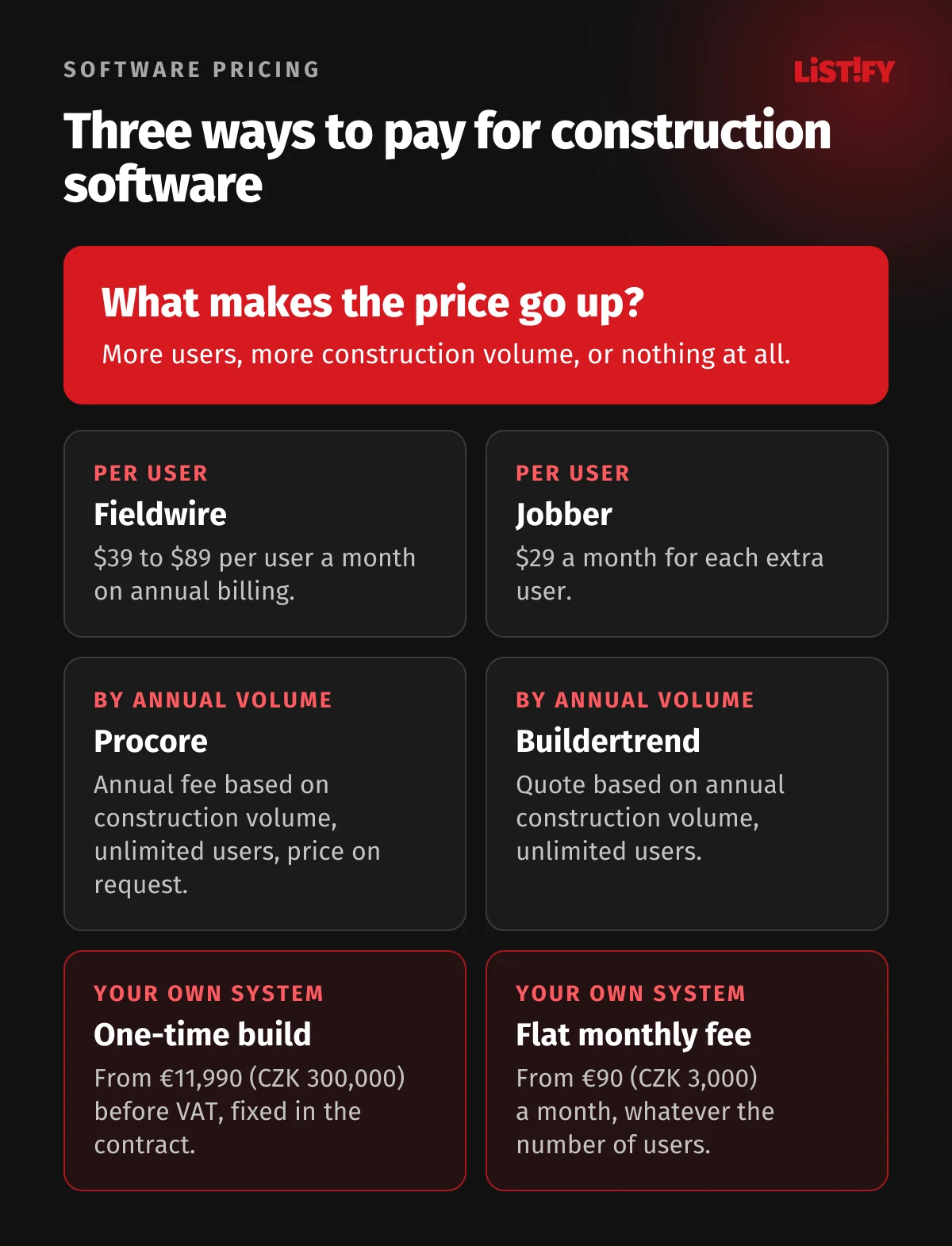
27. Pricing that doesn’t grow with your revenue. Not every tool charges per user. Procore charges an annual fee based on your annual construction volume, the total value of work across your projects, with unlimited users for most products. Buildertrend also quotes by annual volume with unlimited users. Neither publishes a price. With per-volume pricing, your software bill rises as the business grows. Your own system has a fixed build price and a flat monthly fee.
28. Products change, and some disappear. CoConstruct, a well-known US builder platform, says on its website that its transition to Buildertrend is entering its final phase and offers customers help with the migration. When a vendor merges, reprices or retires a product, you move your data on their schedule. With your own system, the code and data stay with you.
29. Productivity beyond paperwork. McKinsey’s 2017 report Reinventing construction, covering 41 countries, estimated that acting in seven areas at once, digital tools being one of them, could raise construction productivity by 50% to 60%. That’s an industry-wide estimate, and no single system will deliver it on its own. For a firm of 30, the realistic gain is smaller and concrete: fewer evenings spent on the daily log, change orders that get paid, and invoices that go out the day work is accepted.
30. Job profitability and data you own. At the end of each job, you want to know what you made: budget, change orders, hours, materials, equipment and subcontractors in one place. Without it, you can’t decide which jobs to take and at what price. A custom system runs on your own cloud account, is backed up automatically, and the code and data are yours once paid for. We cover the details in our article on data security in custom software.
- Any of ERP, CRM or BIAll industries: 53.5%Construction: 39.5%
- ERP (connects business functions)All industries: 46.5%Construction: 35.8%
- CRM (customers and sales)All industries: 28.5%Construction: 16.4%
- Business intelligenceAll industries: 16.3%Construction: 6.8%
EU27, enterprises with 10 or more persons employed, all industries excluding agriculture, mining and finance. Source: Eurostat, table isoc_eb_iipn2, 2025 data.
06Five situations where custom software isn’t worth it
- You work alone or with one helper. Two-thirds of the EU’s 4.07 million construction enterprises, 2.72 million, had no more than one person working in them in 2024 (Eurostat). For a one- or two-person business, invoicing software and a simple app are enough.
- An off-the-shelf tool fits. Fieldwire has a free plan for up to 5 users and 3 projects, and tools for trades like Jobber start at $29 a month for one user on annual billing. If one of them matches how you work, a custom build won’t pay off on price.
- You’re happy with an unlimited-user platform. Procore and Buildertrend don’t charge per user. If their workflow suits you and the price based on your annual volume is acceptable, the per-user argument doesn’t apply to you.
- You only need one form. Firms with 10 or fewer employees are exempt from routine OSHA record keeping, and Form WH-347 is optional. For UK CIS returns alone, ready-made commercial CIS software is the simpler route. One compliance task rarely justifies a custom system.
- You don’t yet know how you want to work, or the budget isn’t there. Custom software follows your process. If every job runs differently, first agree on how your team handles change orders and the daily log, and try it on paper for a few jobs. A first module with us starts at €2,390 (CZK 60,000) before VAT. If that’s out of reach, start with an off-the-shelf tool and come back when you grow.
A simple calculation helps: how many hours a week your site managers spend retyping logs and timesheets, how much you didn’t get paid last year for changes nobody approved in writing, and what you pay in licenses. Our article on how to calculate software ROI walks through it.
07What it costs and how to start
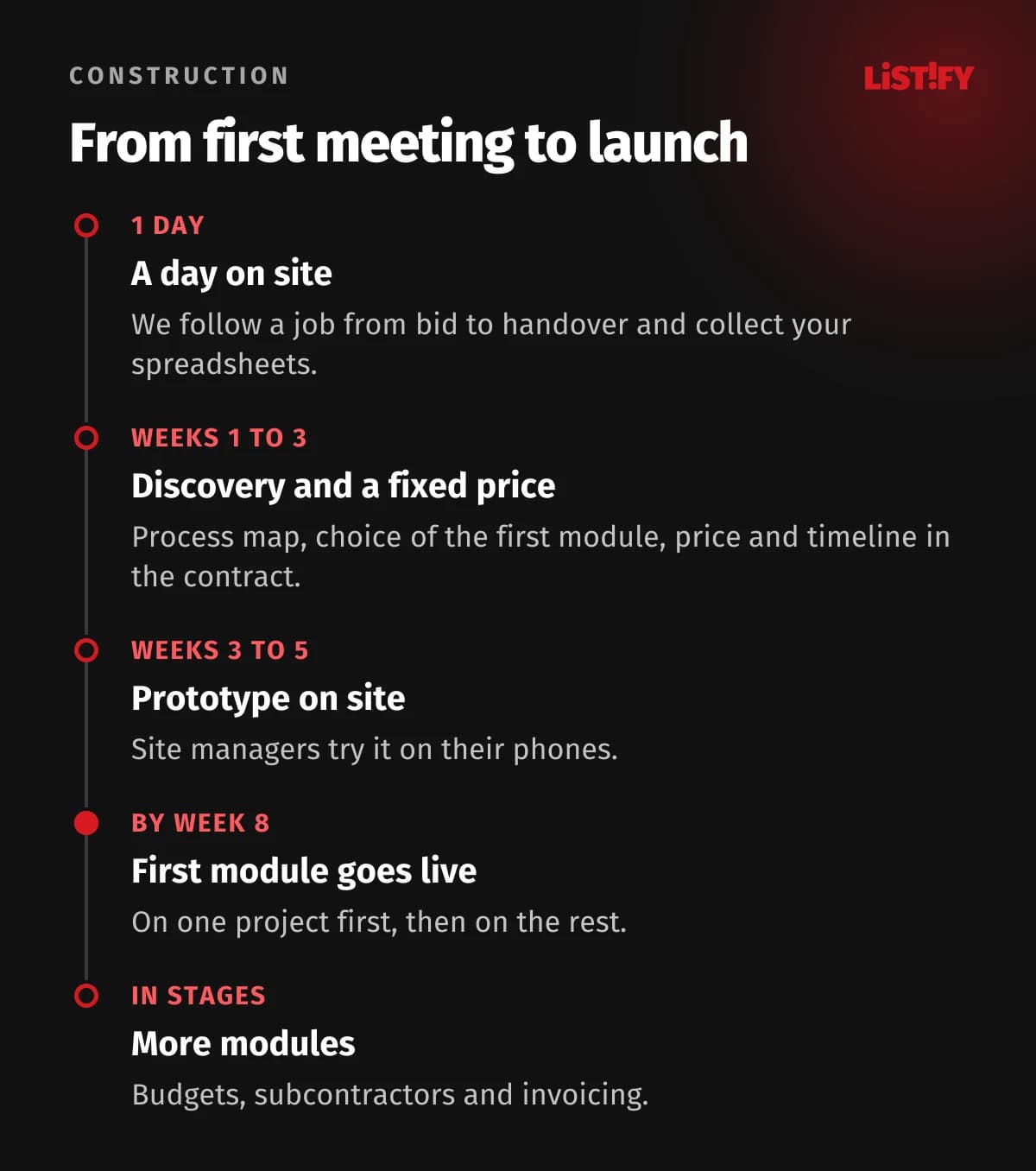
A single module, such as an electronic daily log or job and estimate tracking, starts at €2,390 (CZK 60,000) before VAT and usually takes 4 to 8 weeks. A full construction management system with jobs, the daily log, budgets, subcontractors and invoicing connected to your accounting starts at €11,990 (CZK 300,000) and is built in stages over 14 to 24 weeks. Support and hosting start at €90 (CZK 3,000) a month, with no per-user fees. You get a fixed price and timeline after discovery, and both go into the contract. See our pricing and how we work.
- Fieldwire Business Plus96,120
- Fieldwire Business69,120
- Fieldwire Pro42,120
- Custom system from LISTIFY (starting price)15,230
Our calculation from published prices on October 7, 2026: Fieldwire €89, €64 and €39 per user per month on annual billing; LISTIFY from €11,990 to build plus from €90 a month, before VAT. Procore and Buildertrend don’t publish prices. Each tool does different things.
To be fair: Fieldwire is a mature product with ongoing development included. With about 10 users or fewer on the Pro plan, it costs less over three years than our starting price. But change orders and budgets are only in the top Business Plus plan, and there our starting price is lower from five users up. Your own system also pays off when an off-the-shelf tool doesn’t follow your change order, daily log or invoicing process, or when you need integrations it doesn’t offer.
We start on site. We spend a day with a site manager, follow a job from bid to handover and collect the spreadsheets you use today. We launch the first module on one project, then roll it out to the rest once it’s running smoothly, so work keeps going.
If your jobs and budgets are in Excel today, read when Excel stops being enough and what to watch for when migrating data before you start.
08FAQ
How much does custom construction management software cost?
A single module, such as an electronic daily log or job and estimate tracking, starts at €2,390 (CZK 60,000) before VAT. A full system with jobs, the daily log, budgets, subcontractors and invoicing starts at €11,990 (CZK 300,000). Support and hosting start at €90 (CZK 3,000) a month, with no per-user fees.
How long does development take?
The first module is usually live in 4 to 8 weeks. We launch it on one project first, then on the rest. A full construction management system is built in stages over 14 to 24 weeks.
Can outside parties like architects and inspectors use it?
Yes. Clients, architects, inspectors and safety coordinators get access to their own project only, with the rights you set. Adding users costs nothing.
Can it handle reverse charge VAT and subcontractor deductions?
Yes. The system picks the VAT treatment from the customer and the type of work, adds the required wording to the invoice, and for UK contractors works out CIS deductions from the labor part of each subcontractor invoice.
Will it connect to QuickBooks or Xero?
Yes. Both offer official APIs for invoices and other records. We confirm the right integration with your accounting software in the discovery phase.
Who owns the code and the data?
You do. Once paid for, the source code and data are yours, and the system runs on your own cloud account. If you change vendors, you keep your jobs, logs and photos.
What costs you the most money or stress today: change orders nobody wrote down, retyping the daily log every evening, or per-user licenses? Tell us how you run a job today, and we’ll suggest where to start.