Website images and media: formats, compression and lazy loading
A fast website does not need every image immediately, but it does need its main image on time. Start with appropriate dimensions, compare AVIF and WebP without losing essential detail, and defer media visitors are unlikely to see yet. Quality, timing and the file actually delivered all matter. Changing an extension or enabling lazy loading everywhere will not solve the whole problem.
A photograph on a business website can explain a service, show a product detail or provide evidence of completed work. Blur away that detail and the image loses its purpose. Make a visitor wait for it on a phone and you obstruct access to the same offer. Useful optimisation preserves the information while keeping the demands on the visitor’s device reasonable.
Use this workflow when improving an individual template or reviewing a website handover. Technical references were checked on 28 October 2026. The transfer calculation is an explicitly illustrative model, not a measurement of a client website. For the wider question of what belongs on the first screen, see our guide to the first three seconds on a website.
01Start with the media a visitor actually needs
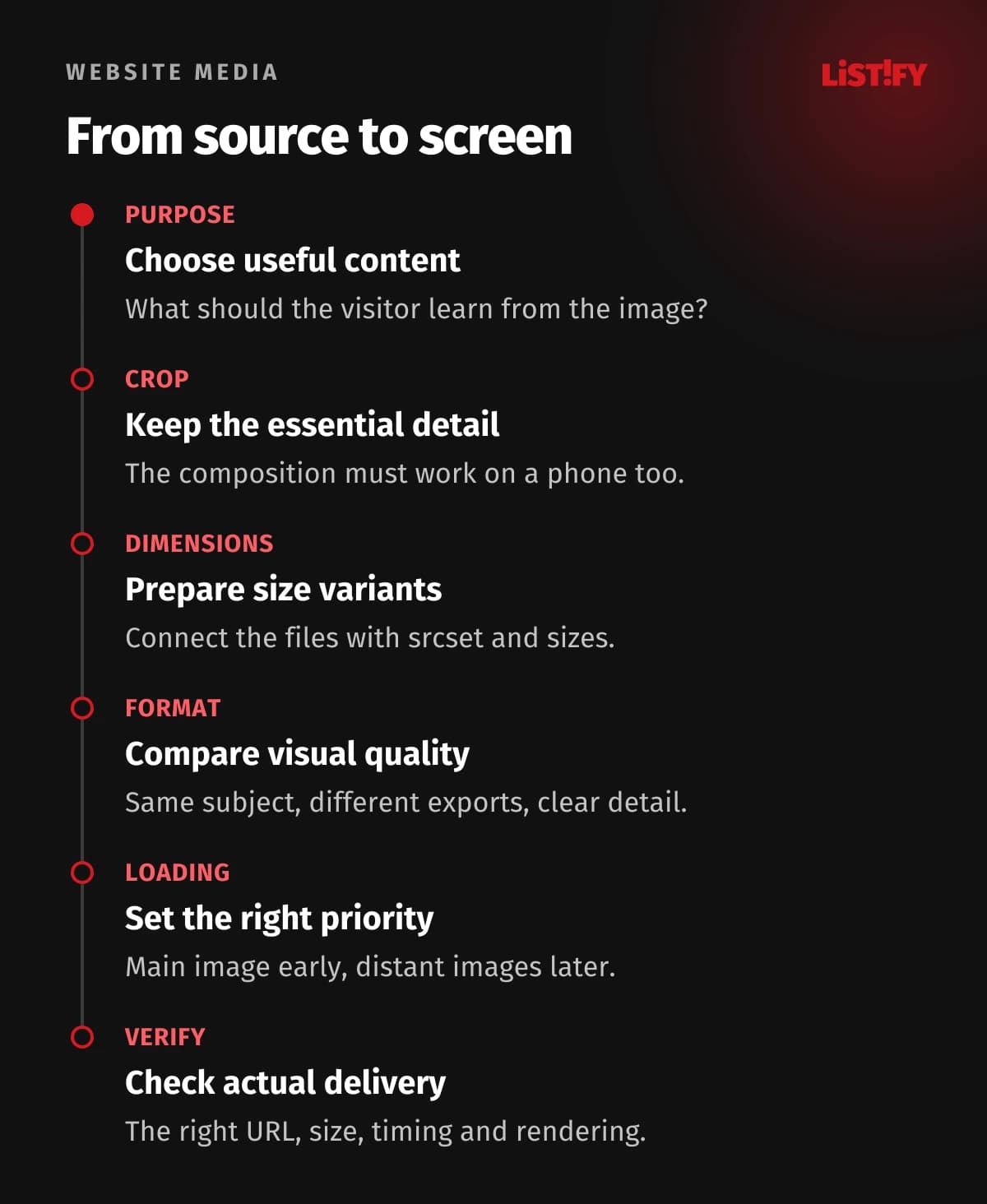
Open an important page on an ordinary phone and follow the journey from arrival to a decision. For each image, record its purpose, position and expected display size. A product page may need a sharp primary photograph and a separate asset for zooming. A decorative background behind a form usually has a different job. Consider removing media whose contribution you cannot explain.
Distinguish the original stored in the CMS from the file sent to the browser. A large library original can be appropriate if the delivery system generates suitable versions. A small thumbnail in the editor proves nothing about network transfer. Ask the developer to identify the requested URL, intrinsic dimensions, transferred bytes and request start time.
A practical starting sample is the homepage, a service page, a product page and a long article. This is a working selection, not a statistically representative audit. Include a page that editors update regularly with new photographs. That reveals whether the rules survive normal publishing rather than working only for a carefully prepared demonstration. Keep the sample so you can repeat the same review later.
02Choose the format for the content
For photographs, compare AVIF and WebP. For a logo or simple icon, begin with SVG. Content that must preserve exact edges or pixels may need lossless output. No format is automatically smallest for every subject, encoder and quality setting. Use the following table to narrow the choice, then inspect the actual result.
| Format | A useful starting point for | Check before approving |
|---|---|---|
| AVIF | Photographs and complex raster illustrations | Fine detail, gradients, processing and the devices your audience uses. |
| WebP | Photos, transparent graphics and lossless variants | Whether lossy output damages lettering, edges or product detail. |
| SVG | Logos, icons and simple diagrams | Complexity, unnecessary embedded data and a safe upload workflow. |
| JPEG | Photography and a compatible fallback | Compression artefacts; transparent backgrounds are not supported. |
| PNG | Exact raster artwork and retained source material | Whether lossless WebP or SVG can preserve the result in a smaller file. |
WebP supports lossy and lossless compression as well as transparency. AVIF is another option for efficient raster images. Results from somebody else’s sample do not establish a guaranteed saving for your library. Smaller files help only if the surface texture, product shape and information needed for a buying decision remain clear.
SVG describes shapes and paths, but complicated artwork can become large and expensive to render. Turning a photograph into an enormous vector mosaic is not a useful objective. PNG provides lossless compression, yet transparency alone is no reason to deliver every photograph as PNG. JPEG remains useful for photographs, including workflows where another system requires it.
03Approve compression on real content
Retain a good original and generate delivery variants from it. Repeatedly saving an already lossy image can introduce further degradation. Decide the crop and dimensions before fine tuning compression. Removing unnecessary pixels first is a better brief than trying to squeeze millions of unused pixels into a small file.
Build a small set of challenging subjects: a face, foliage, a dark gradient, fine fabric and an interface screenshot with small lettering. Export alternatives and inspect them at their intended display size as well as enlarged. A quality setting of 80 is not a common measurement across different formats and tools. Show your supplier the detail that must remain recognisable instead.
A product catalogue may warrant different settings from team portraits. Document a short rule for each content type and retain approved examples. Treat a file size budget as a review trigger, not an unconditional pass or fail. One limit for all content can produce unreadable instructions while accepting an unnecessary decoration. The image’s purpose and its surrounding page should determine what quality is sufficient.
04Use srcset and sizes to deliver suitable dimensions
A 3000 pixel photograph is not automatically appropriate for every card on a phone. Generate several dimension variants of the same image. Srcset describes the available widths; sizes describes the expected display width in the layout. The browser makes a choice for the browsing conditions. Descriptive responsive image syntax gives it options rather than promising one fixed file in every situation.
This illustrative markup assumes a content column no wider than 680 CSS pixels, with 32 pixels of combined side spacing on smaller screens. All three files must exist and share a 3:2 aspect ratio. Change sizes to match the real template. The example represents a main image, so its loading is not deferred.
<img
  src="/images/workshop-960.webp"
  srcset="/images/workshop-480.webp 480w,
          /images/workshop-960.webp 960w,
          /images/workshop-1440.webp 1440w"
  sizes="(max-width: 720px) calc(100vw - 32px), 680px"
  width="1440" height="960"
  loading="eager" fetchpriority="high"
  alt="A woodworker checking the surface of a wooden table in a workshop"
  style="display:block;width:100%;max-width:680px;height:auto">
The 480w, 960w and 1440w descriptors must match the actual files. MDN documents how srcset and sizes work together. A high density display may need more image pixels than the image occupies in CSS. Inspect the selected file and visual result. Resizing a desktop window is useful, but it does not reproduce every aspect of a phone.
05Use picture for format selection and different crops
Responsive sizing and changing the composition solve different problems. One keeps the subject identical while varying resolution. The other might provide a tighter crop on a phone so a face or product does not disappear inside a wide shot. The picture element and its sources can make that selection. An img element inside still provides the base image and alternative text.
When offering AVIF and WebP, identify the correct source types and test the fallback. Having exported the files does not prove that the generated HTML is correct. A common editorial failure is changing the composition while retaining a description of the old photograph. Where the aspect ratio changes across layouts, reserve appropriate space for each version.
CSS object-fit controls how content fits its box. Visually cropping a large photograph does not itself reduce the downloaded file. For a sensitive composition, prepare a deliberate crop rather than letting an automatic centre crop remove the distinguishing detail. A product card must still show the feature customers use to tell two variants apart.
06Do not lazy load the main LCP image
Largest Contentful Paint, or LCP, tracks the rendering of the largest relevant image or text element in the viewport. That element can change with the layout, so identify it on your actual pages. When it is the main photograph, web.dev explicitly advises against lazy loading it.
Make the important image discoverable early, ideally from the initial HTML. If its URL appears only after several scripts have downloaded and run, reducing the file size will not eliminate the delay. Inspect the network timeline: when the request became available, when downloading started and when the image was finally rendered. These are different parts of the experience.
Fetch priority can signal which resource matters most. Use high priority selectively for the likely LCP image, rather than giving the entire gallery the same instruction. Preloading is useful when it solves a demonstrated discovery delay. It must match the resource that will actually be used; otherwise it can add unnecessary transfer. Check the resulting requests after each change.
07Defer distant images and reserve their space
For photographs further down an article, loading="lazy" is a useful starting point. Browser level image lazy loading leaves the timing to the browser, which may fetch an image before it becomes visible. Do not promise an exact distance threshold or zero transfer for every image outside the current screen.
Give each image dimensions or another reliable means of reserving its space. A photograph arriving late should not move the paragraph somebody is reading or shift a button under their finger. Test a slower connection: a fast local check can conceal the movement. The reserved area must correspond to the final aspect ratio.
Review a long gallery as a complete interaction: the initially visible image, subsequent slides, opening a larger view and returning. Do not add a library merely to reproduce a native attribute. If custom behaviour is necessary, test keyboard operation, slow or unavailable JavaScript and usable basic links. Deferring content must not turn into losing it in particular conditions.
08Alternative text, captions and page content have different jobs
Alternative text should replace the image’s meaning in its context. A product photograph might describe the finish or an important visible feature. A decorative image can have an empty alt value. If an image is the only content of a link, the destination or action matters. The W3C alternative text decision tree provides a practical starting point.
A visible caption can explain a source, circumstances or the significance of a scene to everyone. Do not turn both fields into copies of a keyword list. A short sentence is insufficient for a complex diagram: W3C also describes detailed text alternatives. A nearby explanation or table can help readers on small screens too.
Keep essential prices, conditions and instructions available as text rather than only inside a graphic. HTML text can be selected, enlarged and adapted to the layout. When localising the page, update labels embedded in graphics as well as surrounding paragraphs. Image approval should also cover provenance and permission to use the asset. Fast delivery says nothing about whether the business may publish it.
09Treat video as a separate page feature
A short demonstration can explain movement better than a sequence of photographs. It does not need to start on every visit. Begin with a useful poster image, an obvious play control and a player that works with a keyboard. Decide whether visitors need the full clip immediately or whether a short written summary should come first.
MDN describes preload as a hint to the browser. The none value expresses that the video should not be preloaded; it is not a universal guarantee of all network behaviour. Autoplay requires media data. The current web.dev video guide also describes emerging support for loading="lazy" on video. Check your target browsers and the fallback behaviour where that support is absent.
An embedded third party player can add scripts and connections before playback. Consider a lightweight preview that loads the full player when activated, then verify the actual difference. Accessible captions should cover speech and meaningful sounds; W3C distinguishes these from a language translation alone. Review automatic transcripts before publishing, especially product names, names of people and specialist terminology.
10Worked example: a page with seven photographs
Imagine a service page with one main photograph and six project images further down. Assume that the original version loads all seven immediately and each file is 900 kB. Initial image transfer is 7 × 900 = 6300 kB. We use decimal kilobytes and exclude headers, caches and every other page resource to keep the arithmetic clear.
In the proposed version, the main image is 180 kB and each smaller photograph is 90 kB. Also assume that the distant gallery is far enough away that the browser does not fetch it initially. The initial image transfer is then 180 kB. After all six gallery images load, the total is 180 + 6 × 90 = 720 kB. These are chosen inputs, not measured compression results.
| Illustrative version | Initial display | After every photograph loads |
|---|---|---|
| Original files, no deferral | 6300 kB | 6300 kB |
| Smaller variants, deferred gallery | 180 kB | 720 kB |
The example separates two effects: smaller files reduce total transfer, while deferral changes when the transfer happens. It does not predict an LCP improvement or additional orders. The main image could still be waiting for the server or a script. Testing must establish whether important content appears sooner and whether the smaller images retain the information visitors need.
11Verify the complete route from CMS to browser
Automatic CMS conversion, framework image optimisation and an image CDN can all be useful. Record which layer owns the original, which dimensions it creates and when. Several independent conversions in sequence make quality control and diagnosis harder. After replacing an original, check that every derived version was refreshed as expected.
If the same URL can deliver different formats, content negotiation and the cache key must work correctly. Otherwise a visitor may receive an unsuitable variant. Versioned URLs help with public assets that are cached for a long time; MDN explains HTTP caching behaviour. Refreshing the page on your own machine does not prove that everybody sees the replacement.
Check server responses, content types, access permissions, case sensitive paths and language variants. No srcset candidate should return an error or HTML instead of an image. Google recommends discoverable images in ordinary img elements with src. Requiring complicated interaction just to reveal content can create avoidable discovery problems. Also check the link sharing preview, which may use a separate image.
12Validate the result and give editors a repeatable process
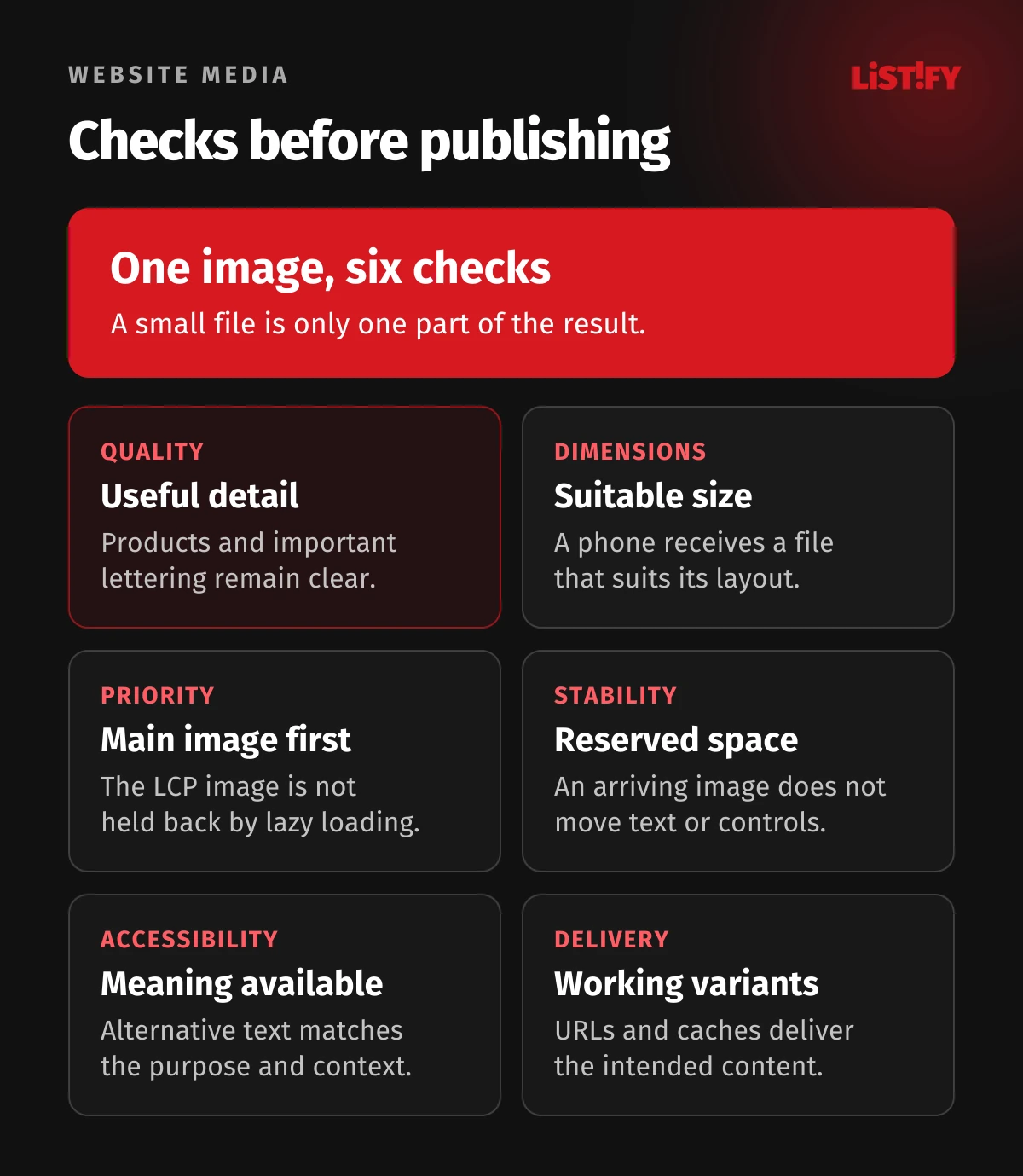
Compare the same pages, devices, connection conditions and cache state. A first visit and a repeat visit answer different questions. Use the Chrome DevTools Network panel to inspect actual requests and their timing. Check visual quality, layout movement and gallery interaction separately. Lower byte counts do not compensate for unreadable instructions.
- The main image arrives early and is not caught by a blanket lazy loading rule.
- Selected dimensions suit the layout and preserve detail on an ordinary phone.
- Images have reserved space, suitable crops and useful alternative text.
- Gallery and video controls work with a keyboard and a slower connection.
- Every variant URL works, and content updates survive the caching workflow.
- Editors have source files, approved examples and a clear process for new media.
Assign ownership: the editor chooses the content and caption meaning, the designer approves the composition and the developer checks delivery. Revisit sizes and loading priorities when a template changes. For a wider project, continue with planning a custom website. Bring real pages and images to the supplier discussion. “Make the images smaller” is too vague to define a successful outcome.
13Frequently asked questions
Is AVIF always better than WebP?
No. Compare your actual subject at similar visual quality and account for processing and target browsers. The smallest file is not useful if it obscures a detail the customer needs. Depending on the delivery environment, offering more than one format may be appropriate.
What is the maximum file size for a website image?
There is no universal limit. An icon, main photograph and zoom asset have different purposes. Set budgets for templates and media types, monitor the total transfer and require a reason for exceptions. Begin with appropriate dimensions rather than an arbitrary quality setting.
Should every photograph use lazy loading?
No. Do not defer the main image that may become LCP. Use lazy loading for suitable images away from the initial viewport, and test the whole gallery. The browser can begin fetching an image before it becomes visible.
Is resizing an image with CSS enough?
CSS changes presentation but does not itself create a smaller downloaded file. Supply dimension variants with appropriate srcset and sizes, or an equivalent image delivery feature. Verify the actual selected resource in network requests.
Does every image need long alternative text?
No. Describe its meaning in context. Decoration can have an empty alt value; an image used as a link should communicate the link’s purpose. A complex diagram also needs an accessible detailed explanation, such as nearby text or a table.
Will an image CDN handle everything automatically?
It can generate and deliver variants, but it needs appropriate inputs, dimensions, cache rules and verification. It cannot decide which crop matters commercially or write the right contextual description by itself. Inspect the delivered resource rather than relying only on service settings.
Does lower transfer automatically improve LCP?
Not necessarily. Resource discovery, server response and rendering also matter. A small image waiting for a script can still arrive late. Inspect the full loading sequence and distinguish a controlled laboratory test from real visitor experience.
14Sources and methodology
Links point to MDN, web.dev, Chrome DevTools, Google Search Central and W3C WAI documentation checked on 28 October 2026. The MDN image type guide provides additional format details. The proposed workflow and acceptance checklist are editorial guidance assembled from these technical principles.
We have not conducted a comparative encoder benchmark or measured a specific client website for this guide. The seven image example uses stated hypothetical inputs. Before implementation, verify the features in your target environment and inspect the generated HTML. An editor setting is not evidence that the intended file reaches the browser.