How a UX audit turns friction into a practical improvement plan
A UX audit should explain where people struggle, why the problem matters and what to change first. A collection of screenshots with subjective design comments is difficult to act on. The useful outcome is a traceable improvement plan connected to real tasks, supported by evidence and clear enough for the delivery team to implement.
Start with the operation that matters: submitting a qualified enquiry, booking an appointment or completing an internal approval. A page can look polished while the journey fails because instructions, validation or the next step are unclear. Audit the experience around the goal, including the states people see when something goes wrong.
The scope can combine an expert review, existing product data and research with relevant users. Each method answers different questions. Agree which evidence is available and where uncertainty remains before promising that an audit will explain every abandonment or predict a particular conversion increase.
01Agree the business question and the journeys to review
Write a focused question rather than asking the reviewer to improve the entire website. For an illustrative booking service, the question might be why a suitable customer cannot find an available appointment and confirm it confidently on a phone. That gives the audit a journey, an audience and a useful outcome.
Include the journey’s boundaries: entry route, prerequisites, completion and follow-up. If users need a confirmation email to know the booking succeeded, the experience does not end at the submit button. If the form passes information to a sales team, an apparently successful enquiry can still contain unusable details.
- Name the relevant audiences and their main tasks.
- Identify the journeys, roles, devices and languages in scope.
- Agree which environments and data the reviewer may access.
- State the expected deliverables and their intended owners.
Set practical limits explicitly. A sampled review of two journeys is useful when presented accurately. It cannot support a claim that every page, account role and device combination has been evaluated. Include important third-party steps, or record where the team cannot inspect them.
Choose work according to impact and uncertainty. A frequent task with a confusing failure state may deserve attention before a rarely visited decorative page. Where the team has little evidence, the audit can specify a research question instead of presenting an unsupported redesign as a proven solution.
02Prepare access and a reliable picture of the current experience
Provide the current product, relevant test accounts and a concise description of its rules. Reviewers need to understand why certain data is required and what happens after submission. Otherwise, they can mistake a necessary control for accidental friction or recommend a change that breaks the operating process.
Gather support themes, known defects, analytics definitions and previous research. Describe how the data was collected and what it omits. A high exit rate may reflect normal completion, navigation to an external service or an instrumentation problem. It is a clue to investigate, not a complete diagnosis.
Use an environment that represents the relevant behavior. An empty demo account may hide the difficulty of finding a record among many results. Include realistic but safely managed scenarios: missing information, a declined action, an unavailable appointment and a user returning to unfinished work.
Arrange research access with appropriate handling of personal information. Share only the data needed for the question. If recordings, support exports or production screenshots are used, decide who can view them and how long they are kept. The audit itself should not create an unnecessary sensitive-data collection.
Record the baseline before changes start. Capture the relevant journey, interface version and known measurement limitations. This makes the findings reproducible and prevents later disagreement about whether a problem existed in the reviewed release or was introduced during the audit.
03Combine review methods without overstating their evidence
| Method | Useful for | What it cannot establish alone |
|---|---|---|
| Expert journey review | Finding likely interaction problems and inconsistent states | How often all users encounter each issue |
| Product analytics | Locating patterns in measured behavior | The reason behind a particular action |
| Moderated usability research | Observing relevant users attempting tasks | A population-wide conversion estimate |
| Accessibility evaluation | Checking specified criteria and barriers | Complete product usability or security |
An expert review can use Jakob Nielsen’s usability heuristics as a consistent lens. For example, review whether the interface communicates its state and supports recovery from a mistaken action. Credit the framework, while explaining the concrete product problem in the finding.
Treat a heuristic concern as a reasoned assessment. A reviewer can identify an ambiguous label, but that alone does not prove it caused a specific lost sale. Connect the concern with available observations, support examples or a proposed validation task.
GOV.UK’s moderated testing guidance describes observing participants attempt relevant tasks. For the booking example, give a believable goal without telling people which button to press. Record what happened and how assistance changed the outcome.
Keep usability and preference separate. A participant disliking a color is different from being unable to identify the next action. Opinion can inform design, but the audit should make task barriers visible rather than translating every suggestion directly into a feature request.
04Review complete journeys and difficult states
Follow the task from a realistic entry point. Check whether people understand the offer, find the relevant option and see what is required before investing effort. Review labels, content order and navigation in the context of the task, rather than deciding that one layout pattern is universally best.
Inspect the form’s interaction states. Does an error identify the field and explain how to resolve it? Is previously entered work retained where appropriate? Does the interface communicate processing and prevent confusing duplicate submissions? These details often matter more to task completion than adding another visual flourish.
Review mobile use as its own context. A desktop screenshot does not show an obstructive keyboard, a difficult tap target or an action hidden under a fixed banner. The mobile-first design guide provides related planning context; the audit still needs to inspect the actual implementation.
Include recovery and returning use. Explore an expired session, an empty search, interrupted payment and a customer checking an existing booking. Explain whether a proposed change helps the first attempt, a repeat task or an exceptional state. Those experiences may require different solutions.
Look across connected channels. A website instruction that conflicts with the confirmation email can confuse users even when each screen appears reasonable separately. Identify the owner of the complete task, including content and support processes outside the interface.
05Include accessibility with an honest scope
Accessibility affects whether people can complete the journey using different abilities and technologies. Agree a defined evaluation scope alongside the usability work. Keyboard operation, readable instructions, error communication and focus behavior can be relevant to the reviewed task, but a few checks do not establish complete conformance.
WCAG 2.2 defines success criteria and conformance requirements. A report should identify the version, target level, evaluated pages and methods. Full-page and complete-process requirements matter; checking a homepage alone does not establish conformance for a booking flow.
Use automated checks as one source of evidence and manual evaluation where the criterion requires judgment. An automated tool may detect a missing accessible name, while the reviewer still needs to assess whether the name accurately communicates the action in context. Document the actual barrier and affected interaction.
Where possible, research with relevant users of assistive technology to understand task-level difficulties. This complements standards evaluation. A successful individual session does not prove every criterion is met, and a standards issue should not be dismissed because one participant found a workaround.
Scope legal obligations separately according to the organization, service and jurisdiction. WCAG is a technical standard, and applicable laws or contractual requirements determine the required assessment. Keep the report precise about what was reviewed so the business can decide whether a separate conformance evaluation is needed.
06Turn findings into a prioritized delivery plan
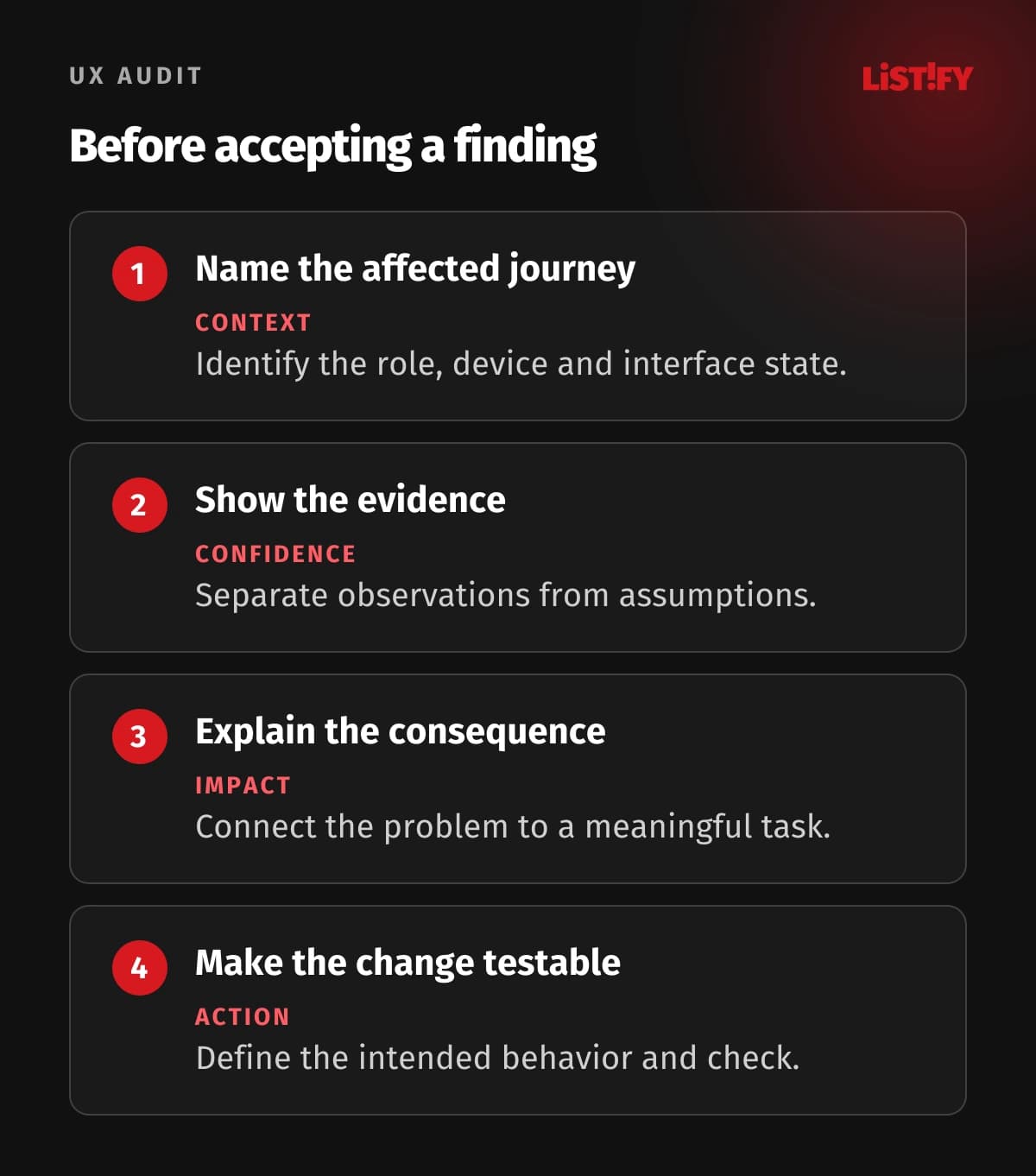
Give every finding a stable reference, location and reproduction context. Describe the problem, the supporting evidence, the likely consequence and a proposed direction. Add screenshots or short excerpts where they clarify the issue, while protecting personal information. The reader should be able to find and understand the problem without attending the original review.
Separate severity from confidence. A suspected barrier to a critical action may have high potential impact but limited evidence. A small text inconsistency can be confirmed precisely while having lower business priority. Making both visible helps the team choose between implementing a fix and collecting more evidence.
Discuss effort and dependencies with the delivery team. A seemingly small interface change can require an API adjustment, translation update or new support instruction. Do not pretend a visual recommendation includes a reliable implementation estimate before those dependencies are assessed.
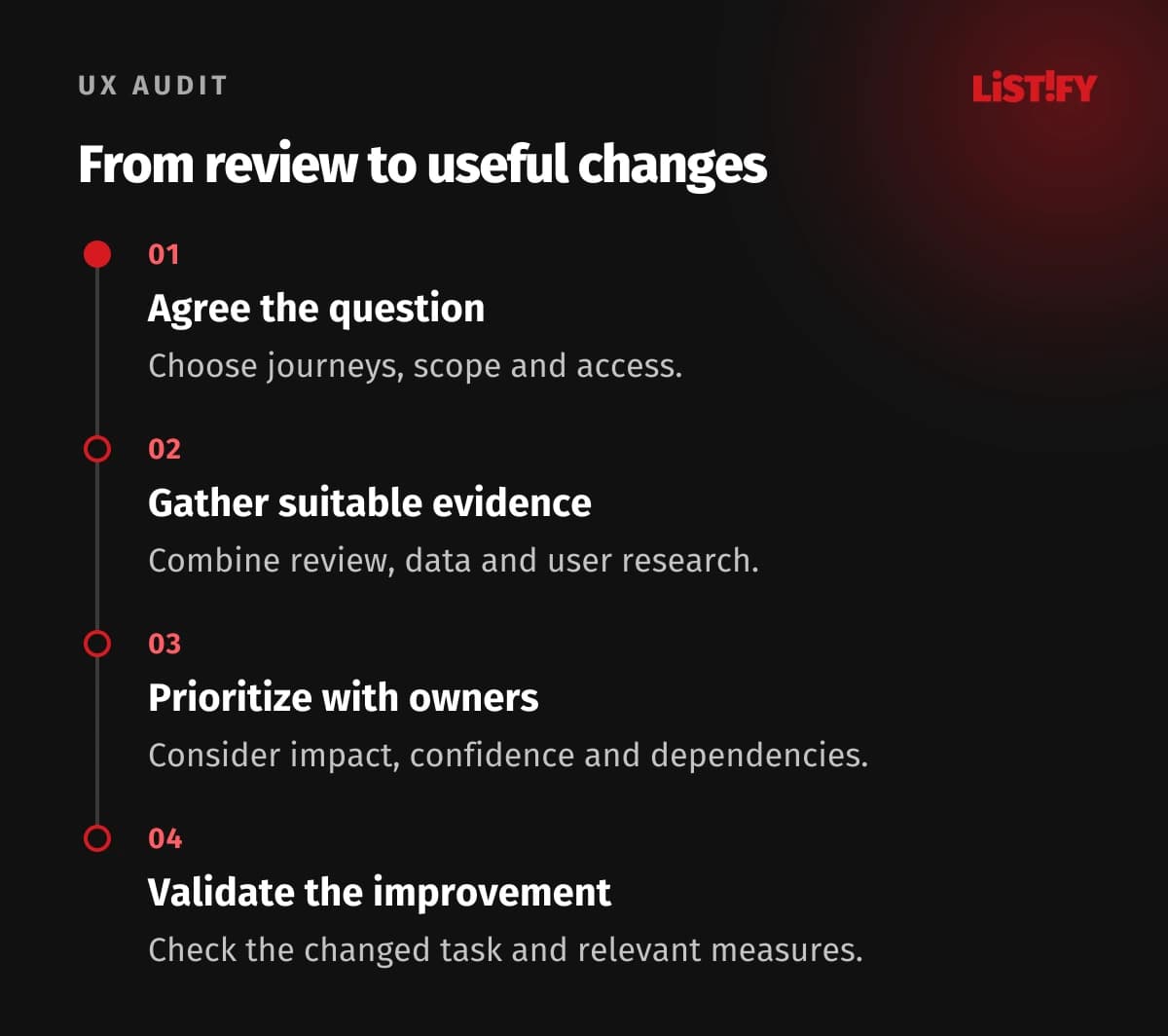
- Agree the journey and evidence needed to assess it.
- Record reproducible findings with impact and confidence.
- Choose changes with product and delivery owners.
- Define the intended behavior and acceptance checks.
- Validate the changed journey and revisit the relevant measurement.
For the booking example, a finding about hidden availability could lead to clearer selection feedback and an explicit next step. Validation should check whether relevant users understand the state and can proceed, rather than merely approving a new screenshot.
Track the implemented change and its result without promising an unsupported uplift. Behavioral measures need reliable instrumentation and enough appropriate observations. The broader web-app UX guide discusses engagement context; the audit’s plan should remain tied to the specific task and evidence.
07Questions about commissioning a UX audit
Is a UX audit just an expert opinion?
It can include expert assessment, analytics and user research. Ask which methods support the findings and whether observations are distinguished from assumptions.
What should I prepare?
Provide the relevant journeys, business rules, representative accounts, known problems and available evidence. Agree access and personal-data handling before sharing exports or recordings.
How many users must be tested?
Choose research around the question, audiences and task differences. Avoid treating a universal participant count as proof that every important issue has been found.
Can an audit guarantee higher conversion?
No. It can identify barriers and prioritize changes. The effect depends on implementation, demand, other journey factors and the quality of subsequent evaluation.
Does a UX audit certify accessibility?
Only a defined accessibility evaluation can support a scoped conformance conclusion. General usability review or an automated scan alone is insufficient.
Should we redesign everything after the audit?
Follow the evidence and dependencies. A focused improvement can be more appropriate than a broad redesign when the problem concerns one important state or instruction.
What makes the report actionable?
Reproducible findings, evidence, impact, confidence, owners and acceptance checks. A prioritized plan should explain how the team will verify each meaningful change.