PWA or native app: choose around the work users need to do
A field technician needs to open a work order, record a repair and send it when connectivity returns. A home-screen icon is useful, but it does not answer whether the application can protect an unfinished report or reach the required equipment. Choose the platform around these jobs and the devices that must support them.
A progressive web app uses web technology and can add features such as an installed experience, offline behavior and notifications where the platform supports them. Those features need design and verification. The PWA label is not a promise of identical behavior on every phone and browser.
Start with the smallest set of capabilities that makes the workflow useful. A PWA can be a strong option for a customer portal or internal service tool. A requirement for a particular hardware integration or sustained background operation may change the decision before interface design begins.
01Describe the job before comparing platforms
Write down the tasks a user must complete, their environment and the consequence of failure. Separate essential capabilities from convenient extras. Opening a reference document offline may be essential for a technician, while an animated transition between screens is a preference.
Name the actual target devices, operating-system versions, browsers and management restrictions. An internal fleet with a controlled setup presents a different problem from a consumer product used on many unknown devices. The same feature can be acceptable in one context and a blocker in the other.
For the work-order example, specify whether the technician only reads information, saves text, uploads photographs or communicates with specialist equipment. Ask what happens if the app closes halfway through a task. These details expose requirements that a feature list such as offline support can hide.
Distinguish a hard requirement from a preferred implementation. The business may require a timely alert, while the team assumes that every alert must be a push notification. A reliable in-app queue or a suitable alternative channel may satisfy the underlying need for some workflows.
Use a short decision record with the requirement, supported devices, acceptance condition, fallback and owner. Keep open questions visible. A platform decision made from a polished demo on one phone is difficult to defend when a critical capability fails elsewhere.
The native and cross-platform development guide helps compare other application approaches. Add PWA to that discussion as an option evaluated against the same workflow, rather than treating web delivery as a separate set of business requirements.
02Separate installation from the features inside the app
MDN’s installability guide describes how installation varies by browser and operating system. A manifest supplies application information, and production installability requires secure delivery. Installation interfaces and promotion mechanisms are platform dependent.
A service worker is useful for offline and related behavior, but it is not a universal requirement for installation. Some browsers also let people install ordinary websites. Neither an icon nor a successful installation confirms that your workflow works without a network connection.
| Requirement | PWA evaluation | Native evaluation |
|---|---|---|
| Portal, forms and account history | Verify the core browser workflow and responsive interaction | Verify that a dedicated client justifies its lifecycle cost |
| Offline editing | Design local drafts, synchronization and conflict handling | Design the same business rules and recovery behavior |
| Notifications | Check OS, installation and permission conditions | Check platform permissions and delivery behavior |
| Specialist device access | Prototype the exact API on the target device | Check the relevant SDK, hardware and permissions |
| Background work | Check supported APIs and their scheduling limits | Check OS limits and permitted background modes |
| Distribution | Test browser installation and any intended packaging route | Plan store or managed distribution and update operations |
Provide installation instructions for the supported environment, and keep the browser experience useful when installation is unnecessary or declined. Do not make a task depend on a custom install button without confirming that the relevant platform supports that mechanism.
Treat store presence as a separate distribution requirement. Packaging options exist, but the intended store, package format, review rules and available integrations need their own assessment. Avoid promising one web deployment that automatically meets every store’s requirements.
Measure whether people can reach the first useful task through the chosen route. A business user following a work-order link may benefit from direct web access. Someone expecting to find an app in a familiar store may need a different introduction and support path.
03Make offline work a clear business state
Choose what remains useful offline: an already downloaded job, a local draft or reference material. Show when the data was last refreshed and which actions require server confirmation. Do not present an old availability value as a current reservation or a local draft as a completed submission.
MDN’s offline and background guide explains service-worker caching and background APIs. Browsers limit retries and execution, and periodic synchronization is subject to permissions and scheduling constraints. Design a visible recovery path that also works when the app is open.
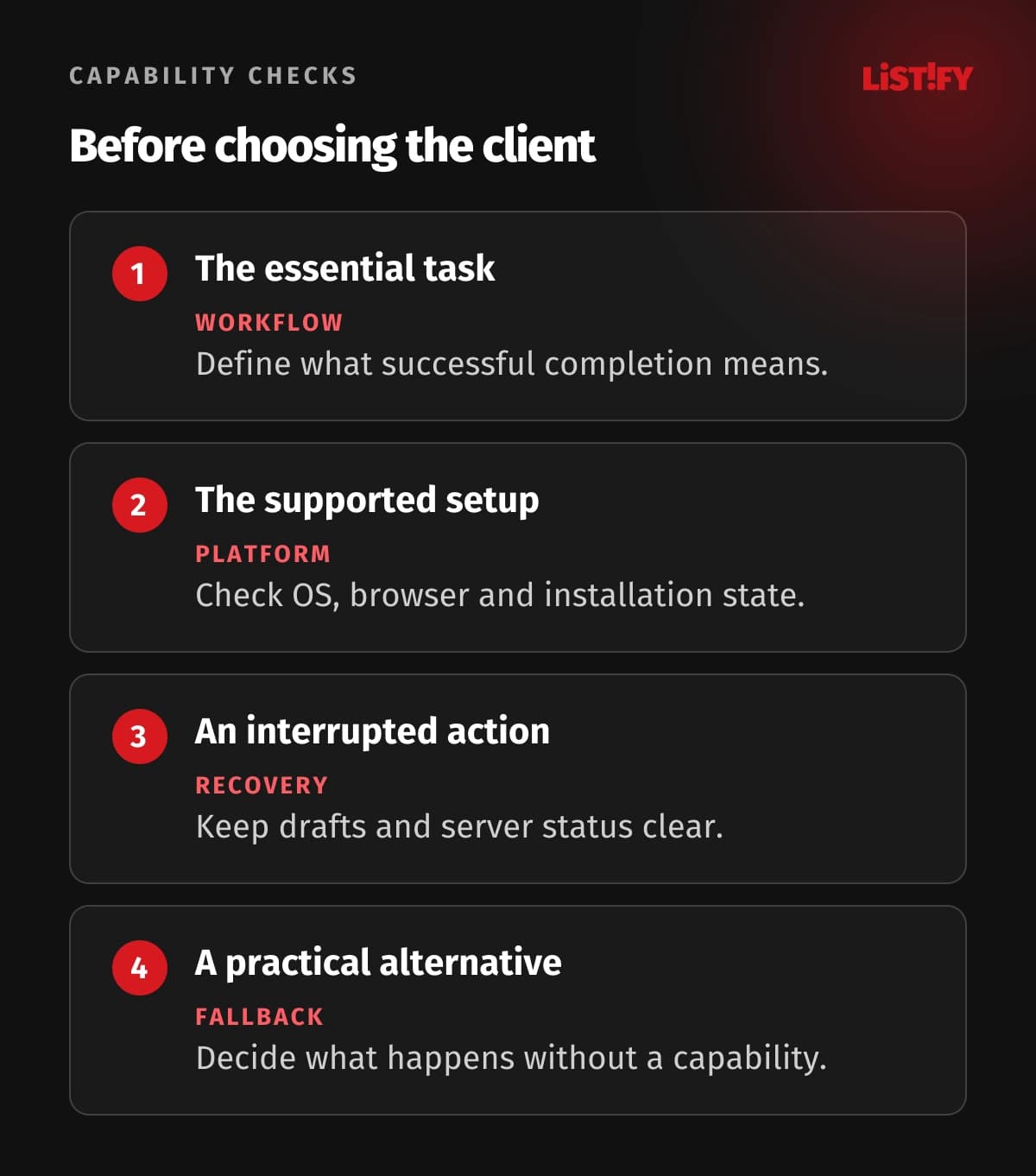
For a repair report, distinguish saved locally, waiting to upload, received by the server and rejected for correction. The technician should know whether it is safe to leave the screen. Include a way to retry and inspect a pending item without creating a second report.
Give each queued business action a stable identity and make the server handle a repeated submission safely. Reconnection can produce retries after an uncertain response. A duplicate network request should not create two completed jobs or charge a customer twice.
Define conflicts explicitly. If a dispatcher changes the assignment while the technician is offline, decide which fields can merge, which require review and who resolves the disagreement. Silently overwriting the newer assignment is a business error even if synchronization is technically successful.
Plan for session expiry and limited local storage. A user may need to authenticate again before a draft can upload, and cached resources should not be treated as permanently available. Test interruption and recovery rather than only demonstrating the happy path with airplane mode.
04Verify permissions, notifications and device integrations
Build a capability matrix for the supported combinations of OS, browser, installation state and hardware. Record the tested workflow, permission behavior and fallback. Feature detection helps adapt the interface, but a detected API is only the beginning of checking whether the task works reliably.
WebKit documented Web Push for Home Screen web apps with iOS and iPadOS 16.4. Its permission request requires direct user interaction. This is a platform-specific condition, not a reason to assume that any open web page can send notifications on every Apple device.
Explain the value of an optional permission when the relevant action arises. Let people continue when they decline it, where the workflow permits that. If a permission is essential, show the consequence clearly and provide a practical route to support or an alternative experience.
Prototype the difficult device integration first. Test the particular scanner, Bluetooth device, file workflow or camera requirement on representative equipment. A generic statement that the web can access hardware is not enough to choose a platform for a specialist field operation.
Native applications also face operating-system restrictions, permission denial and device differences. Compare actual supported behavior on both sides. If sustained background operation is essential, ask which platform mechanism permits it and what happens when the operating system interrupts it.
Keep notification delivery separate from the business record. A technician who misses an alert should still see the assignment when opening the app. Do not make a push message the only place where an important instruction or deadline exists.
05Design security and updates for a persistent experience
Decide which data may be stored on a device and for how long it is useful. A cached public instruction sheet and a customer’s private work order have different access needs. Treat local copies as part of the data design, including shared devices and changed accounts.
Clear or isolate account-specific information when users sign out or change organization. Test access after a session expires. Server authorization must still control protected operations; a cached interface or a hidden button does not establish permission to read or modify a business record.
The mobile application security guide offers related questions about identity and device-held information. Apply them to the PWA architecture as well, with controls appropriate to its web storage, server APIs and supported deployment environment.
Plan updates across the page, service worker, cached assets and server API. Users may retain an older client while a new backend is deployed. Preserve compatible behavior or manage the transition so an update does not strand a report created before deployment.
Avoid forcing a refresh while someone is entering important data. Explain when an update is ready, preserve the draft and test recovery if the old and new application versions meet during synchronization. Include a way to diagnose which version processed a failed task.
Performance and accessibility remain product requirements. Test loading on the relevant connections, readable status messages, keyboard operation and screen-reader feedback. A separate window and an app icon cannot compensate for an unusable form or an unclear saving state.
06Choose after a focused capability pilot
Build a small vertical slice that covers the hardest requirement from start to finish. For the technician workflow, that might mean signing in, opening an assigned job, saving a report offline, reconnecting and confirming receipt. Include the relevant server behavior rather than testing a screen in isolation.
Run the slice on representative supported devices with ordinary users. Include denied permissions, closed applications, expired sessions, duplicate retries and a changed server record. Record failures and whether the agreed fallback lets the person finish the job.
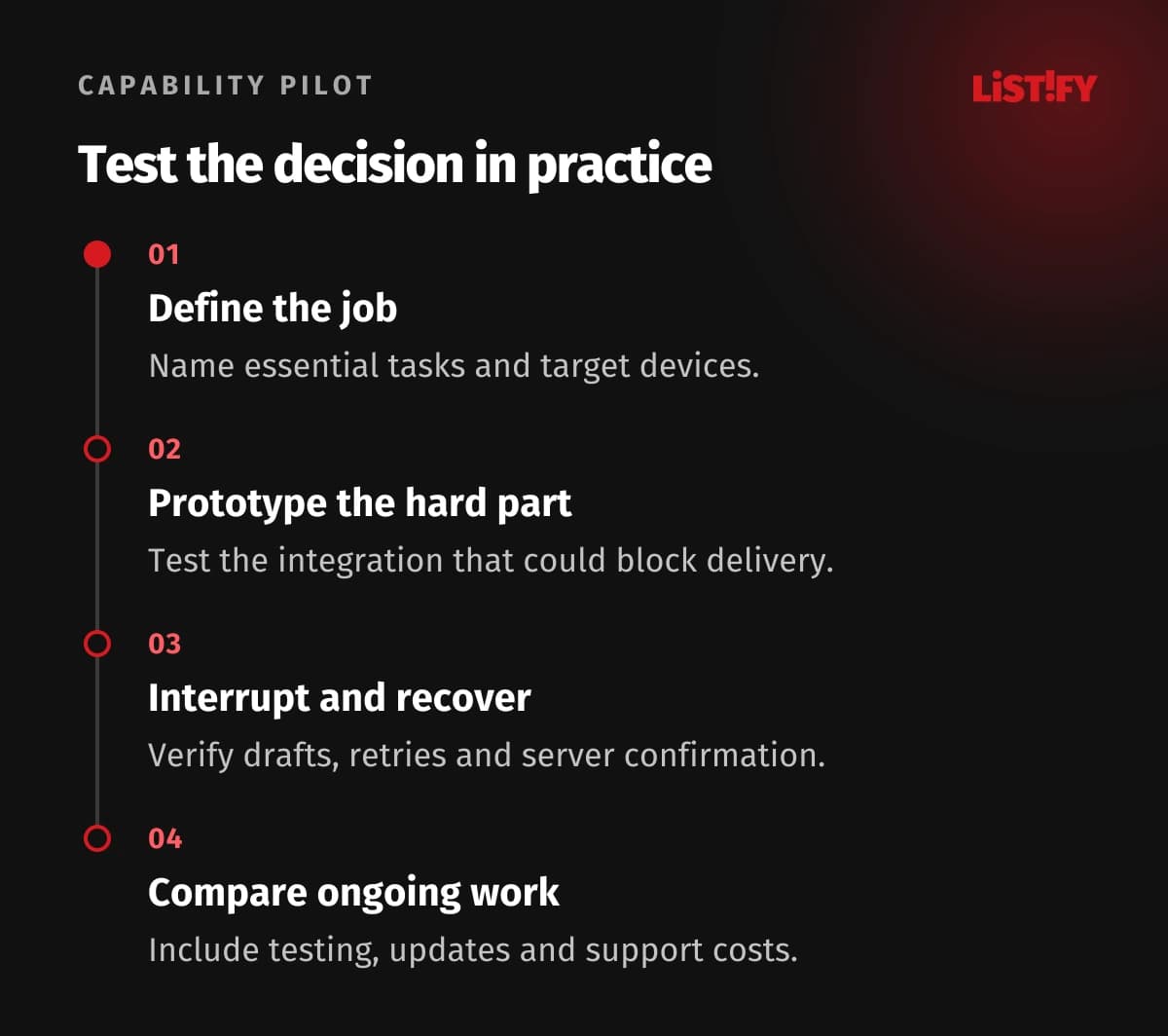
Compare total ongoing work: application development, backend services, testing across supported environments, distribution, observability and support. Shared web code may reduce some duplication, but there is no universal cost advantage once the required integrations and recovery behavior are included.
Choose a PWA when the critical tasks work well on the target platforms and the fallback is acceptable. Choose a native or another suitable client approach when a required capability, distribution route or experience cannot be delivered reliably through the planned web environment.
Record the assumptions that could change the decision, such as a new device fleet or a new background requirement. Revisit the matrix when support changes. Keep the business services and data contracts clear so changing a client later does not require rebuilding the whole system.
07Questions about replacing a native app with a PWA
Is installing a PWA enough to make it work offline?
No. Installation and offline behavior are separate concerns. Define which resources and drafts remain available, how actions synchronize and how the user can recover when connectivity or authentication changes.
Do all PWAs need a service worker to be installed?
Not as a universal installability requirement. Service workers support important offline and background features, but browser installation behavior varies. Evaluate installation and each required capability separately.
Can a PWA receive push notifications on an iPhone?
Supported Home Screen web apps can, subject to the relevant OS and permission conditions. WebKit introduced this support with iOS and iPadOS 16.4. Verify the supported setup and provide a useful experience when permission is declined.
Can background synchronization guarantee an upload deadline?
Do not assume that. Browser support, execution limits and scheduling affect background operations. Use visible pending states and an active-app retry path, and choose another design if the deadline requires a stronger mechanism.
Is a PWA always less expensive than a native app?
No. Compare the actual workflow and lifecycle costs, including integration, device testing, distribution and support. Shared web delivery can help, but difficult platform requirements can change the balance.
When should a team prefer a native application?
When an essential device integration, permitted background behavior, distribution route or platform experience cannot be delivered reliably through the target web environment. Confirm that with a focused prototype rather than a general feature comparison.
What should the pilot prove?
It should prove the critical task on real supported devices, including interruption and recovery. The result needs to cover permissions, data states, synchronization and server confirmation, not only how the interface looks.