How to Cancel NordVPN and Get a Refund (2026)
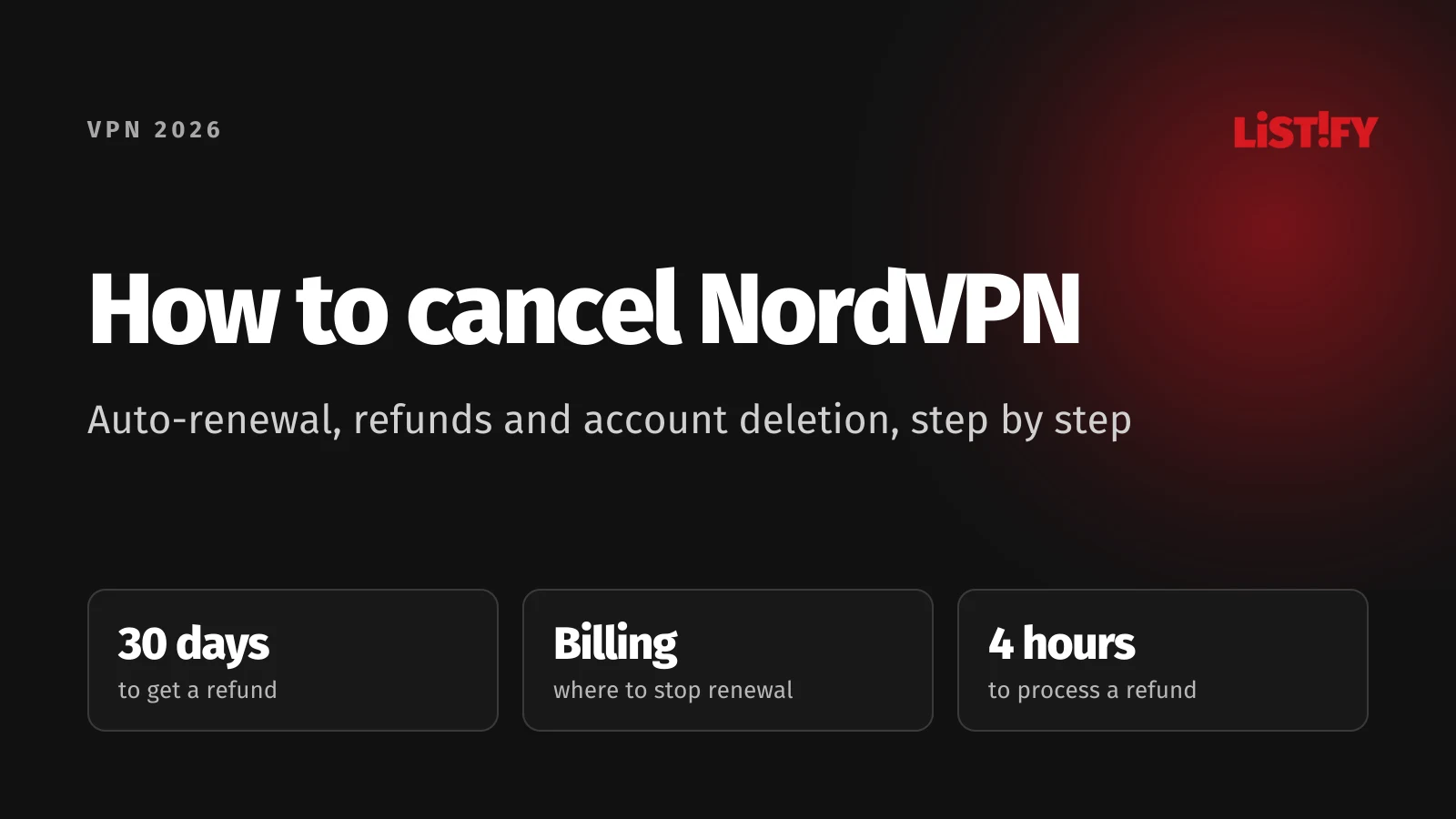
You cancel NordVPN wherever you paid. You turn off auto-renewal on the website under Billing in your Nord Account, otherwise in Google Play or the App Store. You can ask for a refund within 30 days of your first purchase, but that is a separate request you make in the support chat. Turning off auto-renewal, getting a refund and deleting your account are three separate steps, and each one does something different. We went through NordVPN’s Help Center and terms of service as well as Google’s and Apple’s rules, and wrote up the steps for every way of buying. Everything here was checked on October 18, 2026.
Many people only think about canceling NordVPN once a renewal payment has left their account. The 2-year Basic plan costs €94.23 before VAT for the first 27 months (CZK 2,774 with Czech VAT), but then renews every year at €139.08 before VAT (CZK 4,094). If you want to get ahead of that, you need to know exactly where to click and what each option actually does.
We haven’t canceled a NordVPN subscription or requested a refund ourselves. This guide is based on NordVPN’s Help Center and terms of service and on Google Play and Apple support pages, all opened on October 18, 2026. Button names are given exactly as the Help Center writes them. Prices are before VAT; amounts with 21% Czech VAT and in koruna are our own calculations. Links to NordVPN are affiliate links: if you buy through them, we earn a commission at no extra cost to you. For our overall verdict, see the NordVPN review.
01How to cancel NordVPN: the short answer
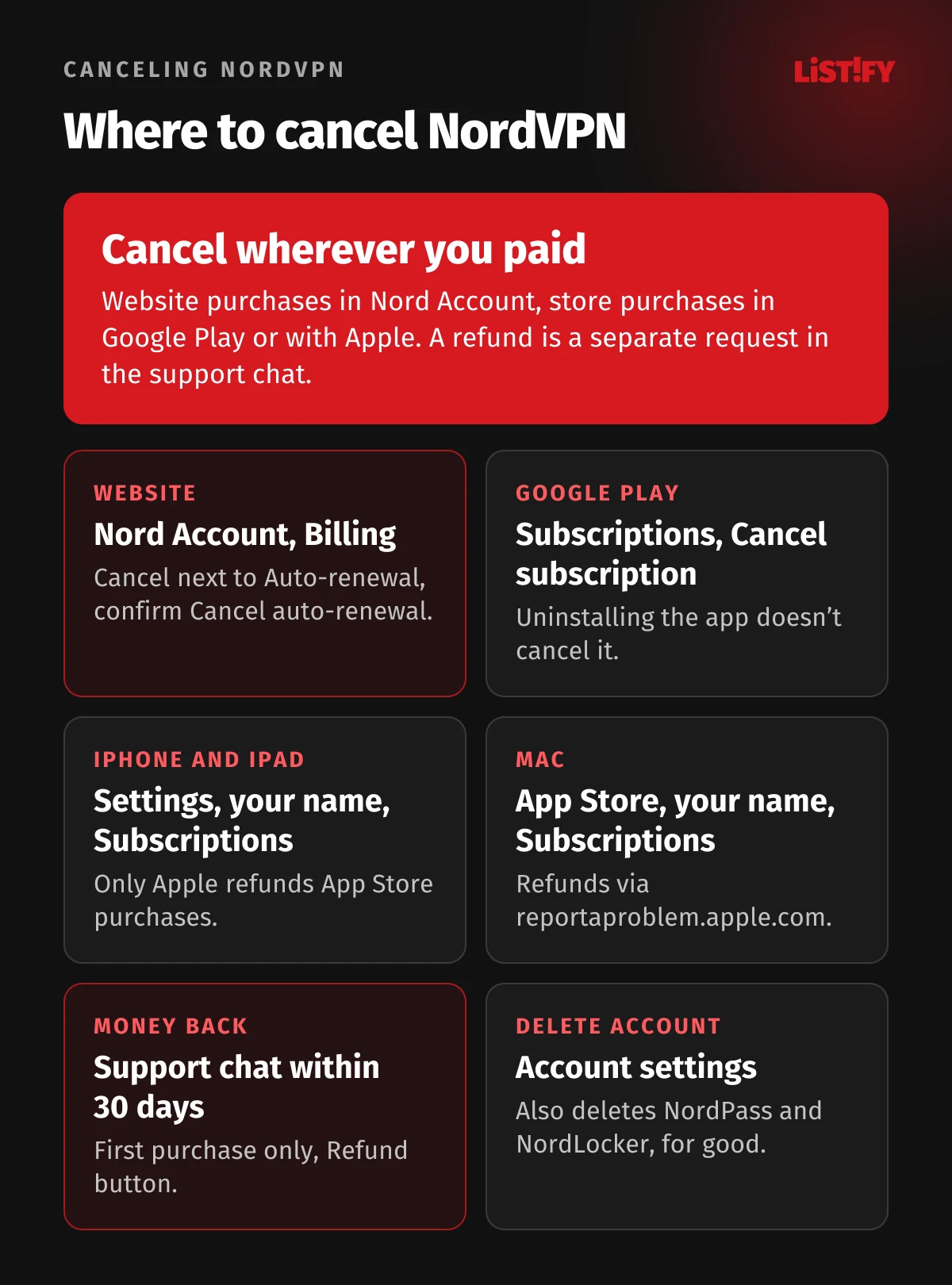
First, work out where you bought NordVPN. If you’re not sure, check your inbox: a receipt from NordVPN means you bought on the website, a receipt from Google or Apple means you bought in an app store. That decides where you cancel and who refunds you.
| Where you paid | Where to turn off auto-renewal | Who refunds you | Refund window |
|---|---|---|---|
| NordVPN website | Nord Account, Billing | NordVPN via support chat | 30 days from first purchase |
| Google Play (Android) | Google Play, Subscriptions | NordVPN via chat, or Google Play within 48 hours | 30 days from first purchase |
| App Store (iPhone, iPad, Mac) | Settings or App Store, Subscriptions | Apple only | Up to Apple, not guaranteed |
| Amazon Appstore, retailer, activation code | With Amazon or the retailer | Amazon or the retailer | Up to the retailer |
Turning off auto-renewal stops future payments, but it doesn’t refund you, and NordVPN keeps working until the end of the period you’ve paid for (Nord Security terms). A refund under the 30-day guarantee gets you the full amount back, but the subscription ends straight away. Deleting your account removes every Nord Security service, NordPass and NordLocker included, and doesn’t request a refund on its own.
02How to cancel a NordVPN subscription on the website (Nord Account)
If you bought NordVPN on the website, you turn off auto-renewal in your Nord Account. It’s a single account for all Nord Security services, including NordVPN, NordPass and NordLocker. You log in with the same email and password as in the app.
- Log in to your Nord Account at my.nordaccount.com.
- Open the Billing tab in the left-hand menu.
- Click Cancel next to Auto-renewal.
- Confirm with Cancel auto-renewal. The auto-renewal status changes to Off.
- Check your email. When the cancellation goes through, you get a confirmation at your account email.
Steps from NordVPN’s Help Center (canceling auto-renewal). NordPass, NordLocker, a dedicated IP and bundles are canceled the same way. Turn off auto-renewal before the billing date at the latest, or the next period will be charged (terms). You can see when your subscription ends in your Nord Account under the NordVPN service (Help Center). Paid with PayPal? You still turn off auto-renewal in your Nord Account. The automatic payment to NordVPN also shows up in PayPal under Settings, Payments (PayPal).
Turn off auto-renewal right after you buy
You can turn off auto-renewal at any time, even on day one. Under the terms, this only cancels future payments, and you keep access until the end of the period you’ve paid for (terms). You lose nothing and don’t have to watch the calendar. If you want your money back, though, you have to ask for it separately in the support chat; turning off auto-renewal doesn’t refund anything.
What renewal costs if you leave it on
After the first term, your subscription renews at a higher price. Both the 1-year and the 2-year Basic plan renew at €139.08 a year before VAT, or CZK 4,094 with Czech VAT (NordVPN). The monthly plan renews every month at €14.99 before VAT. If the renewal price changes, NordVPN emails you before renewing (Help Center). Every payment method sets up a recurring subscription except CoinPayments, prepaid cards and gift cards (Help Center).
- Basic139.08
- Complete219.48
- Ultra269.88
NordVPN pricing page as of October 18, 2026. VAT may apply; with 21% Czech VAT that is CZK 4,094, 6,460 and 7,943.
03How to get a NordVPN refund: the 30-day money-back guarantee
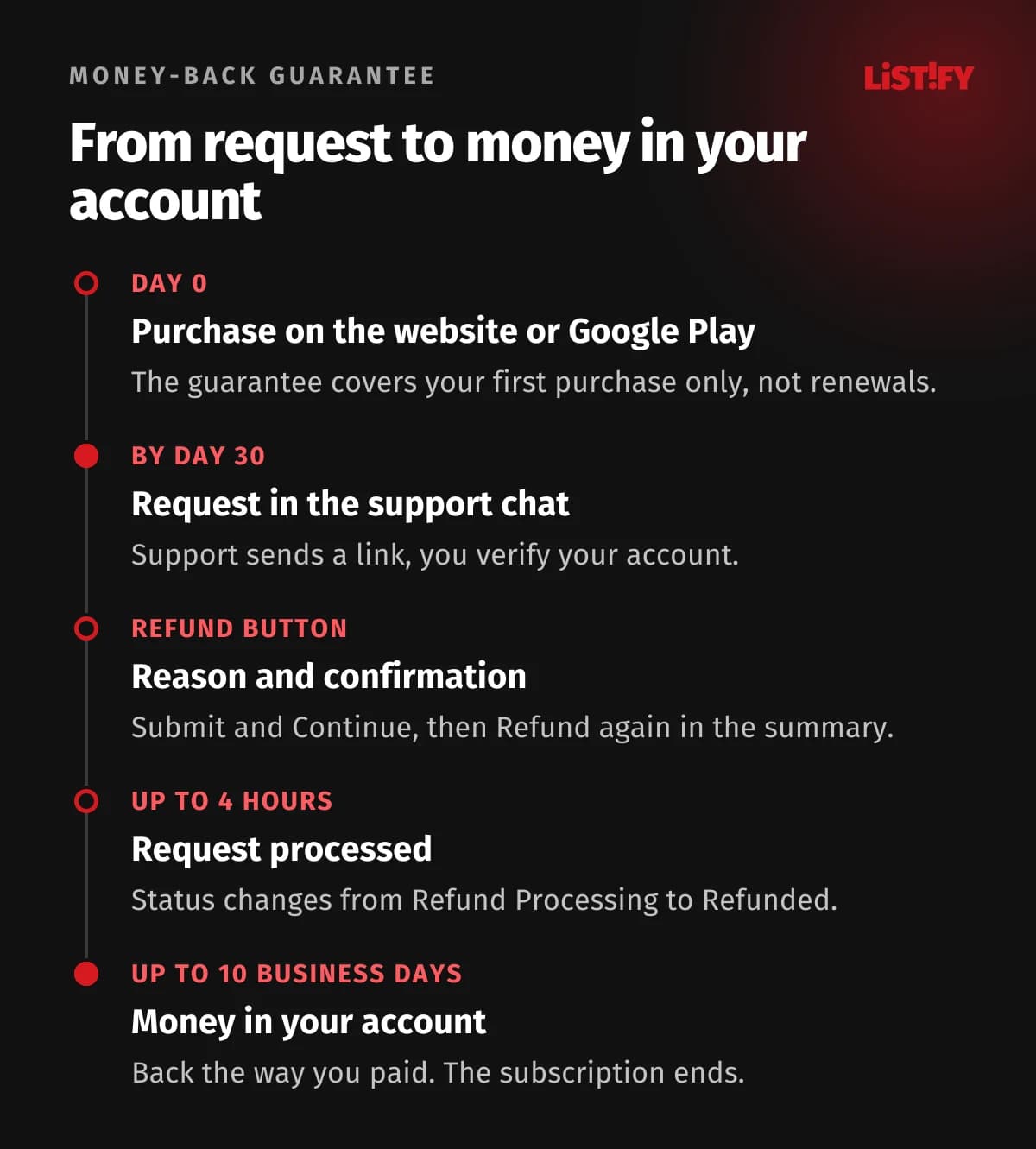
NordVPN refunds you within 30 days of your first purchase, on every plan bought on the website, the monthly one included. You don’t need a special reason (the form only asks you to pick one from a list); your account just has to be in good standing (NordVPN). For a purchase made on October 18, the guarantee page said to cancel and request a refund before November 17. The guarantee only covers your first purchase. Once your subscription renews, it no longer qualifies unless local law requires otherwise (Help Center).
- Open the support chat on support.nordvpn.com with the Chat with support button at the bottom of any Help Center article. You enter your name and account email. An AI chatbot answers first and hands you over to a support agent if it can’t help.
- Say that you want a refund. Support sends you a link.
- Open the link and verify that it’s your account.
- Click Refund next to the payment. The button only appears on payments the guarantee covers.
- Pick a reason and click Submit and Continue.
- Confirm Refund in the summary. You get an email, and the payment status changes to Refund Processing.
- Wait for the money. Processing the request can take up to 4 hours. The status then changes to Refunded, and depending on your payment method the money arrives within 10 business days.
Steps from NordVPN’s Help Center (refund policy, customer support). The chat runs 24/7; NordVPN has no phone support. The money goes back the way you paid, and crypto payments are refunded in crypto. Prepaid and gift card payments may not be refunded if the card provider doesn’t support it (terms).
What to write in the chat
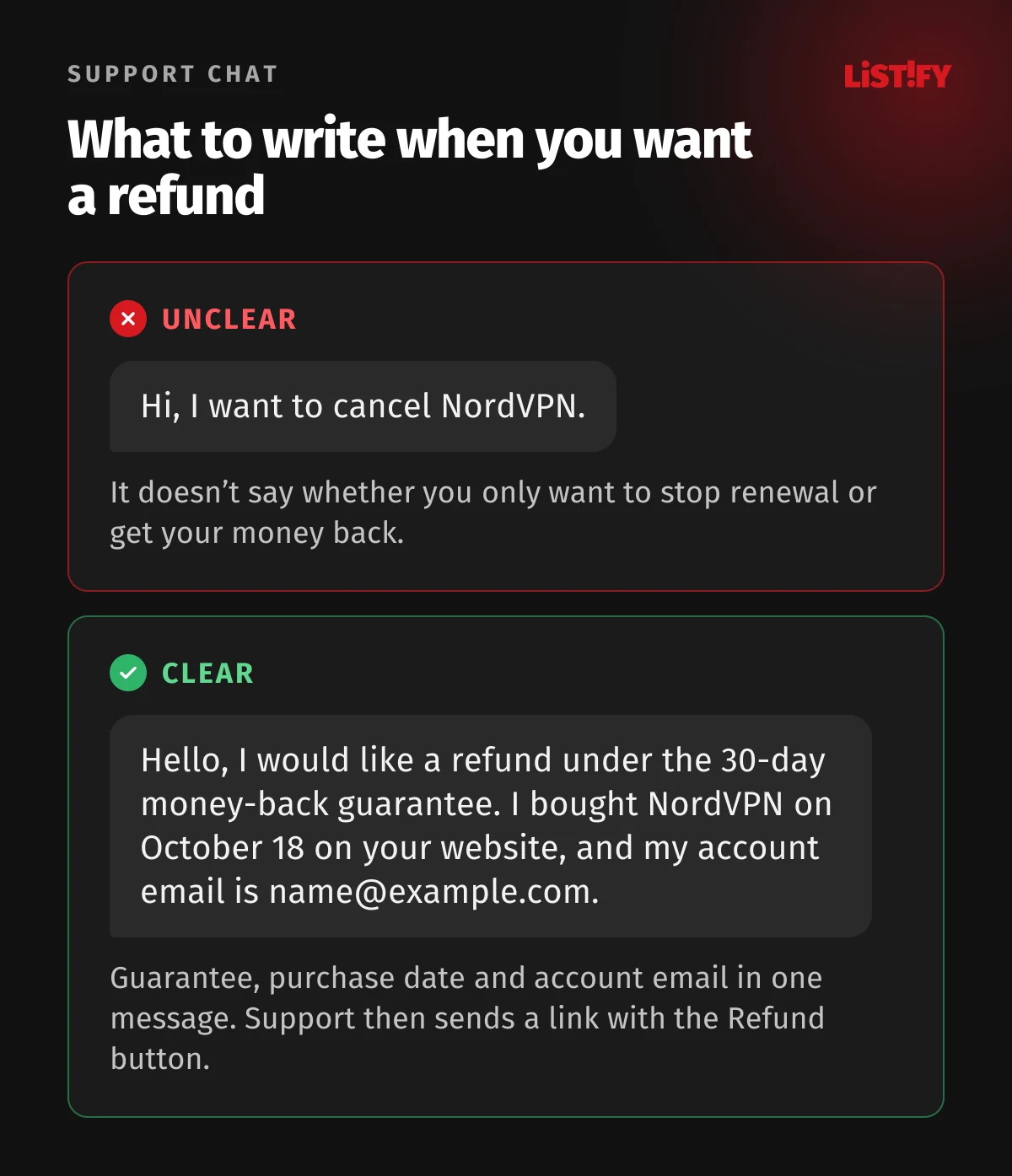
Say in your very first message that you want a refund under the guarantee, not just to cancel. Add your account email and purchase date. For example:
- “Hello, I would like a refund under the 30-day money-back guarantee. I bought NordVPN on October 18, 2026, on your website, and my account email is name@example.com. Please send me the refund link.”
If there’s no Refund button
- More than 30 days have passed since the payment. The guarantee window has closed.
- You’ve already had a refund. If you buy NordVPN again after a refund, the guarantee doesn’t apply to the new purchase (terms).
- It’s a renewal. Payments for a renewed period aren’t covered.
- You paid in the App Store or through another retailer. Then Apple or the retailer handles refunds, not NordVPN.
Refund decisions are automated. If you believe the system wrongly denied you a refund you’re entitled to by law, write to the chat again and support will review your case. If the money hasn’t arrived after 10 business days, contact support again (Help Center).
04How to cancel NordVPN on Google Play
A subscription bought in the Android app is managed by Google Play. You can’t turn it off in your Nord Account; you cancel it in Google Play:
- On your phone, go to subscriptions in Google Play.
- Select NordVPN.
- Tap Cancel subscription and follow the instructions.
Note that uninstalling the app doesn’t cancel your subscription. After canceling, you can keep using NordVPN until the end of the period you’ve paid for (Google Play Help). The 3-day free trial for new Android users is also run by Google Play and canceled the same way (NordVPN Help Center). We cover it in detail in Is NordVPN free?
Getting a refund for a Google Play purchase
For a Google Play purchase, you can ask NordVPN support for a refund in the chat on the same terms as on the website, so within 30 days of your first purchase. If less than 48 hours have passed since the payment, you can also ask Google Play directly (NordVPN Help Center). After 48 hours, Google Play sends you to the app developer, which means back to NordVPN (Google Play).
- On a computer, go to play.google.com and click your profile picture at the top right.
- Click Payments & subscriptions, then Budget & order history.
- Next to the NordVPN payment, click Report a problem, choose your situation and note in the form that you’d like a refund.
- Click Submit. Google asks you to allow 1 to 4 days for a decision.
Steps from Google Play Help (request a refund).
05How to cancel NordVPN on iPhone and Mac (App Store)
An App Store subscription is managed by Apple. NordVPN can neither cancel it nor refund it (terms).
On iPhone or iPad
- Open Settings and tap your name.
- Tap Subscriptions and choose NordVPN.
- Tap Cancel Subscription. You might need to scroll down. If there’s no Cancel button or you see an expiration message in red text, the subscription is already canceled.
On a Mac
- Open the App Store and click your name at the bottom of the sidebar.
- On the page that appears, click your name again and sign in if asked.
- Click Subscriptions, choose NordVPN and click Cancel Subscription.
Steps from Apple Support (cancel a subscription).
Getting a refund from Apple
- Sign in to reportaproblem.apple.com.
- Click I’d like to and choose Request a refund.
- Choose a reason and click Next.
- Choose the NordVPN subscription and click Submit.
Expect an update on your request within 24 to 48 hours (Apple Support). Apple doesn’t have to refund you, though, and NordVPN’s 30-day guarantee doesn’t cover the App Store (NordVPN Help Center). If you want the guarantee next time, buy on the NordVPN website and simply log in to the iPhone app.
06What happens after you cancel: NordPass, NordLocker and other services
| What happens | Turning off auto-renewal | Refund | Deleting your account |
|---|---|---|---|
| Where | Nord Account, Billing | Support chat | Nord Account, Account settings |
| When | Any time, before the billing date at the latest | Within 30 days of first purchase | Any time |
| Money | Nothing is refunded | Full amount | You lose the services you paid for |
| NordVPN access | Until the paid period ends | Ends once refunded | Ends immediately and for good |
| NordPass and NordLocker | In a bundle, they end with it | Services you were refunded for end | Deleted as well |
- Complete and Ultra are bundles. They include the NordPass password manager and 1 TB of NordLocker cloud storage (NordVPN, Help Center). Once you turn off auto-renewal for a bundle, all of its services end together when the subscription runs out. You can’t cancel one and keep the others (terms).
- A dedicated IP is canceled separately in your Nord Account. Here too, turning off auto-renewal is not a refund. A dedicated IP bought with a coupon code doesn’t renew at all (Help Center).
- You can’t downgrade an active subscription. According to the Help Center, you first have to request a refund, which only works under the 30-day guarantee, and then buy the cheaper plan (Help Center). After that, all you can do is turn off auto-renewal and buy a cheaper plan once your subscription ends.
- If you come back to NordVPN, click Renew plan in your Nord Account, or buy again on the website with the same email (Help Center). If you’ve already had a refund, the money-back guarantee won’t apply to the new purchase.
Have passwords in NordPass or files in NordLocker? You lose access to the bundled services once the bundle ends, and before you delete your account, the Help Center recommends exporting both (Help Center).
07How to delete your NordVPN account and personal data
Deleting your account is permanent and covers your whole Nord Account, including NordPass and NordLocker. You can’t delete NordVPN and keep NordPass (Help Center). If you’re still paying, turn off auto-renewal first and ask for a refund if you qualify; deleting your account doesn’t request one.
- Log in to your Nord Account.
- Click your email address and open Account settings.
- At the bottom of the page, in the Account deletion section, click Delete account.
- Enter the verification code sent to your email and complete the next steps.
Alternatively, fill out the account deletion request form linked in the Help Center. It asks for your account email and the amount, date and method of your oldest payment, and support replies within 24 hours. Subscriptions bought through the App Store may need extra steps (Help Center).
Under the privacy policy, you have the right to have your personal data deleted, but the right isn’t absolute. NordVPN keeps billing and payment information for 10 years after your last transaction to meet accounting and tax rules. Questions about your personal data can go to privacy@nordaccount.com (privacy policy).
08Charged for a renewal? What the law says
The 30-day guarantee only covers your first purchase. After an automatic renewal, NordVPN refunds only where the law requires it. Its terms explicitly offer a refund after renewal only for plans longer than one month bought in Germany, the Netherlands and the United Kingdom: the full amount within 30 days of the renewal charge, or a pro rata refund after that. Anyone who believes their country’s law gives them a similar right is asked to contact support (terms). Asking in the chat costs nothing, but nobody can promise you a refund.
In the Czech Republic and Slovakia, a contract made online also comes with a 14-day right of withdrawal. In the Czech Republic it is set out in section 1829 of the Civil Code; if you asked for the service to start straight away, you pay a proportionate part of the price for the time used, under section 1834 (Czech Civil Code). In Slovakia, section 20 of the Consumer Protection Act applies, with an exception in section 19 for a service that has been fully provided with your consent (Act No. 108/2024). NordVPN’s own guarantee is the better deal, because on a first purchase it refunds the full amount within 30 days.
In the US, NordVPN has faced several class actions since 2024 alleging that it doesn’t adequately disclose its subscription terms and makes canceling difficult. In May 2026, the parties told a court in Virginia they had reached a settlement in principle, and four other cases are stayed pending a settlement (CourtListener, TINA.org). We found no public record of the settlement terms as of October 18, 2026. The cases concern US customers, but they are a reminder to keep an eye on your renewal date.
09Before you cancel: a checklist
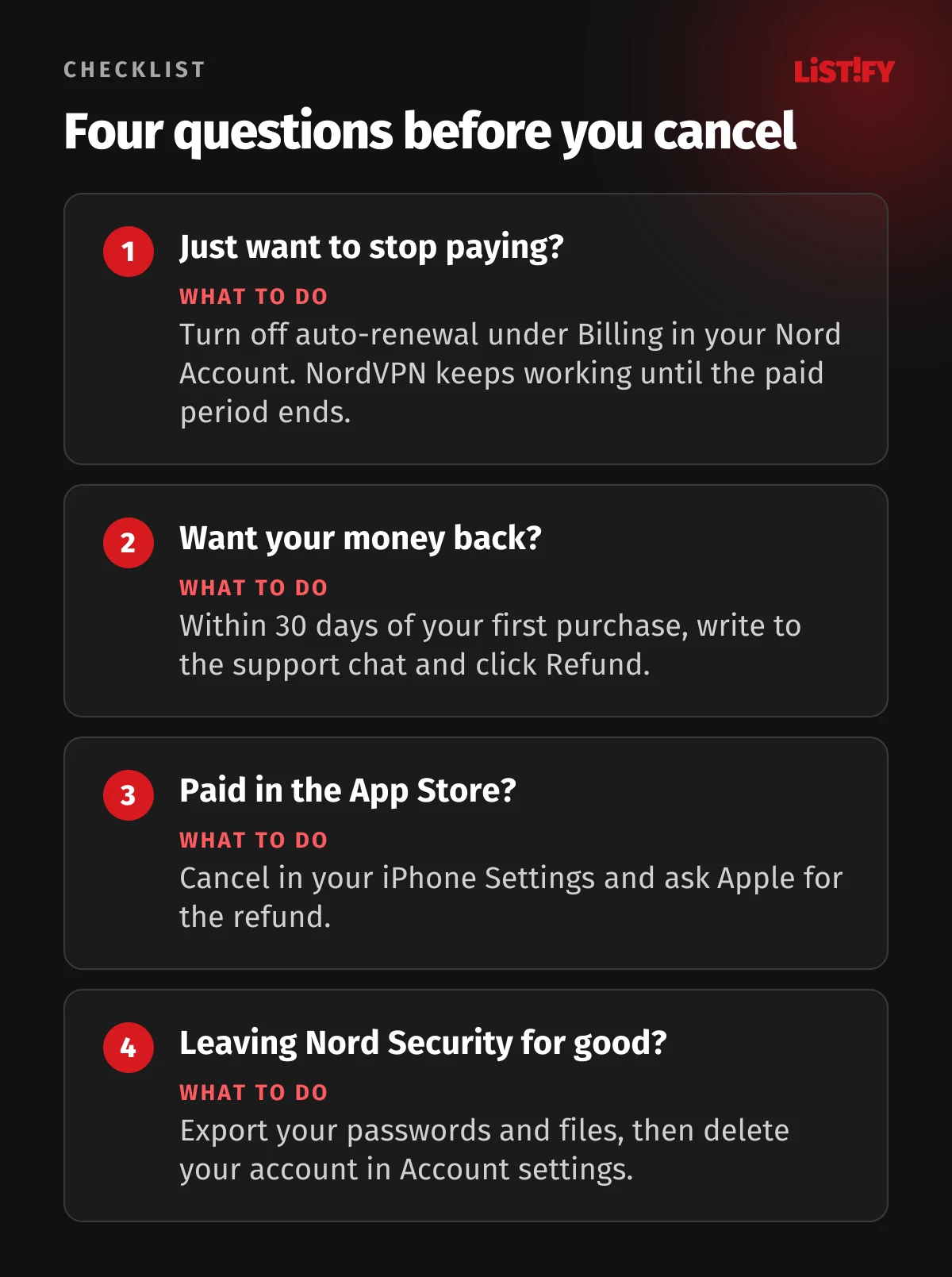
If price is the reason you’re canceling, compare the alternatives first. We break down prices and renewals in NordVPN vs Surfshark, ExpressVPN vs NordVPN and CyberGhost vs NordVPN, and every NordVPN plan in How much NordVPN costs. If you want privacy with open-source apps, see NordVPN vs Proton VPN. Fourteen services are compared in the best VPNs of 2026, and free options in the best free VPNs. Canceling ExpressVPN too? It works much the same way; see How to cancel ExpressVPN.
If you ever come back to NordVPN, go straight for the 2-year plan and turn off auto-renewal right after you buy. The 2-year Basic plan works out at €3.49 a month before VAT, 77% less than the monthly plan, which is where the number on our button comes from. For Basic, NordVPN itself advertises 69% off, but it measures the discount against the renewal price. The money-back guarantee only works once, so if you’ve used it, a new purchase won’t have it.
10FAQ
How do I cancel my NordVPN subscription?
On the website, in your Nord Account: open Billing, click Cancel next to Auto-renewal and confirm with Cancel auto-renewal (Help Center). A Google Play subscription is canceled in Google Play, an App Store one in your iPhone Settings or the Mac App Store.
Can I cancel NordVPN in the app?
NordVPN’s Help Center doesn’t describe a way to do it in the NordVPN app. A website purchase is canceled in your Nord Account, an Android purchase in Google Play, and an iPhone or Mac purchase in your Apple account subscriptions.
Will NordVPN give me a refund?
Yes, if you ask within 30 days of your first purchase on the website or in Google Play. Write to the support chat, open the link and click Refund next to the payment. Renewals and App Store purchases aren’t covered by the guarantee (Help Center).
How long does a NordVPN refund take?
Processing the request can take up to 4 hours. Depending on your payment method, the money then reaches your account within 10 business days.
Does NordVPN keep working after I cancel?
Yes, after you turn off auto-renewal the service runs until the end of the period you’ve paid for (terms). It only ends straight away if NordVPN refunds you or you delete your account.
Can I get a refund after NordVPN renews?
Not under the 30-day guarantee, which only covers your first purchase. The terms explicitly offer a refund after renewal only in Germany, the Netherlands and the UK; everyone else is asked to contact support (terms).
How do I delete my NordVPN account?
In your Nord Account, click your email address, open Account settings and click Delete account in the Account deletion section at the bottom. Your whole Nord Account goes, NordPass and NordLocker included (Help Center).
Does uninstalling the app cancel NordVPN?
No. Your subscription keeps running until you turn off auto-renewal wherever you paid. Google Play Help says so explicitly for Google Play (Google Play Help).
11Bottom line
You cancel NordVPN wherever you paid: in your Nord Account, in Google Play or with Apple. On the website, turning off auto-renewal in your Nord Account is enough, and the service then runs until the end of the paid period. If you want your money back, ask in the chat within 30 days of your first purchase. The guarantee only works once. For App Store purchases, Apple decides. If you want to keep NordVPN without surprises, turn off auto-renewal right after you buy and note down the end date.
Clear cancellation and fair renewals build trust with your customers too. If you’re planning a website or app with subscriptions, see how we build custom websites, what it costs and how we work.
12Sources
- NordVPN: pricing
- NordVPN: money-back guarantee
- Nord Security: terms of service
- Nord Security: privacy policy
- NordVPN Help Center: canceling auto-renewal
- NordVPN Help Center: refund policy
- NordVPN Help Center: renewal price
- NordVPN Help Center: charges and bundles
- NordVPN Help Center: recurring payments
- NordVPN Help Center: deleting your account
- NordVPN Help Center: customer support
- NordVPN Help Center: dedicated IP renewal
- NordVPN Help Center: renewing a subscription
- NordVPN Help Center: downgrading
- NordVPN Help Center: account status
- NordVPN Help Center: free trial
- Google Play Help: cancel a subscription
- Google Play Help: refund policies for apps
- Google Play Help: request a refund
- Apple Support: cancel a subscription
- Apple Support: request a refund
- PayPal: automatic payments
- Czech Civil Code (Act No. 89/2012)
- Slovak Consumer Protection Act (No. 108/2024)
- CourtListener: Schnappinger v. NordVPN S.A.
- TINA.org: NordVPN subscription class actions
Steps, prices and terms checked on October 18, 2026. Prices with VAT and in koruna are our own calculations (Czech National Bank rate of CZK 24.325 per euro, October 16, 2026).