How to cancel ExpressVPN and get a refund: a step-by-step guide
You can’t cancel ExpressVPN in the app. You cancel where you paid: in the ExpressVPN account portal on the web, or in the App Store or Google Play. You can get a full refund if you ask within 30 days of your first website purchase; renewals and in-app purchases follow different rules. We went through the help pages of ExpressVPN, Apple, Google and PayPal and wrote up the steps for every payment method, including what to do when the cancel button doesn’t show up. Accurate as of October 1, 2026.
For many people, the renewal price is what prompts them to cancel. The two-year Basic plan, which comes with four extra months, costs $83.72 before tax for the first 28 months, then renews at $99.95 a year (ExpressVPN). On Basic, a single year of renewal costs more than the entire first 28 months. ExpressVPN also tests different prices, so you may see a higher starting price. We break down the pricing in our ExpressVPN review 2026.
The steps depend on where you bought ExpressVPN. If you’re not sure, check your email: a receipt from ExpressVPN means you bought on the website; a receipt from Apple or Google means you bought through an app store.
01Quick answer: where to cancel and how to get your money back
| Where you paid | Where to cancel | Getting a refund |
|---|---|---|
| ExpressVPN website (card, PayPal, Apple Pay, Google Pay) | ExpressVPN portal, My subscription page | 30-day guarantee on your first purchase, request in the portal or via chat |
| App Store (iPhone, iPad, Mac) | Settings › your name › Subscriptions | Through Apple only; ExpressVPN’s 30-day guarantee doesn’t apply |
| Google Play (Android) | Google Play › Subscriptions | Through Google Play only; ExpressVPN’s 30-day guarantee doesn’t apply |
| Bitcoin or Paymentwall | Nothing to do; it doesn’t renew | 30-day guarantee on your first purchase |
| Gift card | A redeemed subscription can’t be canceled | The guarantee doesn’t cover gift cards |
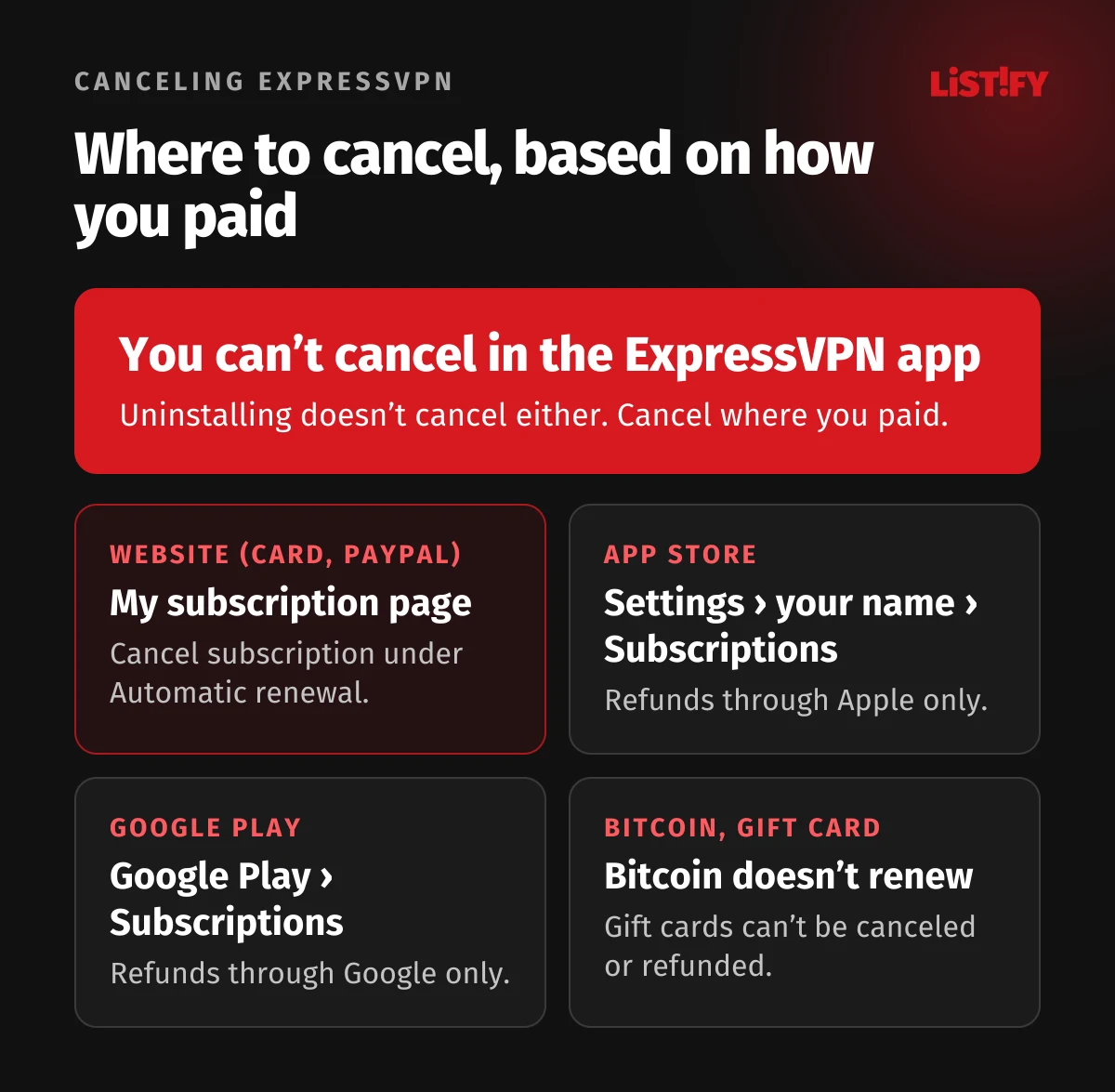
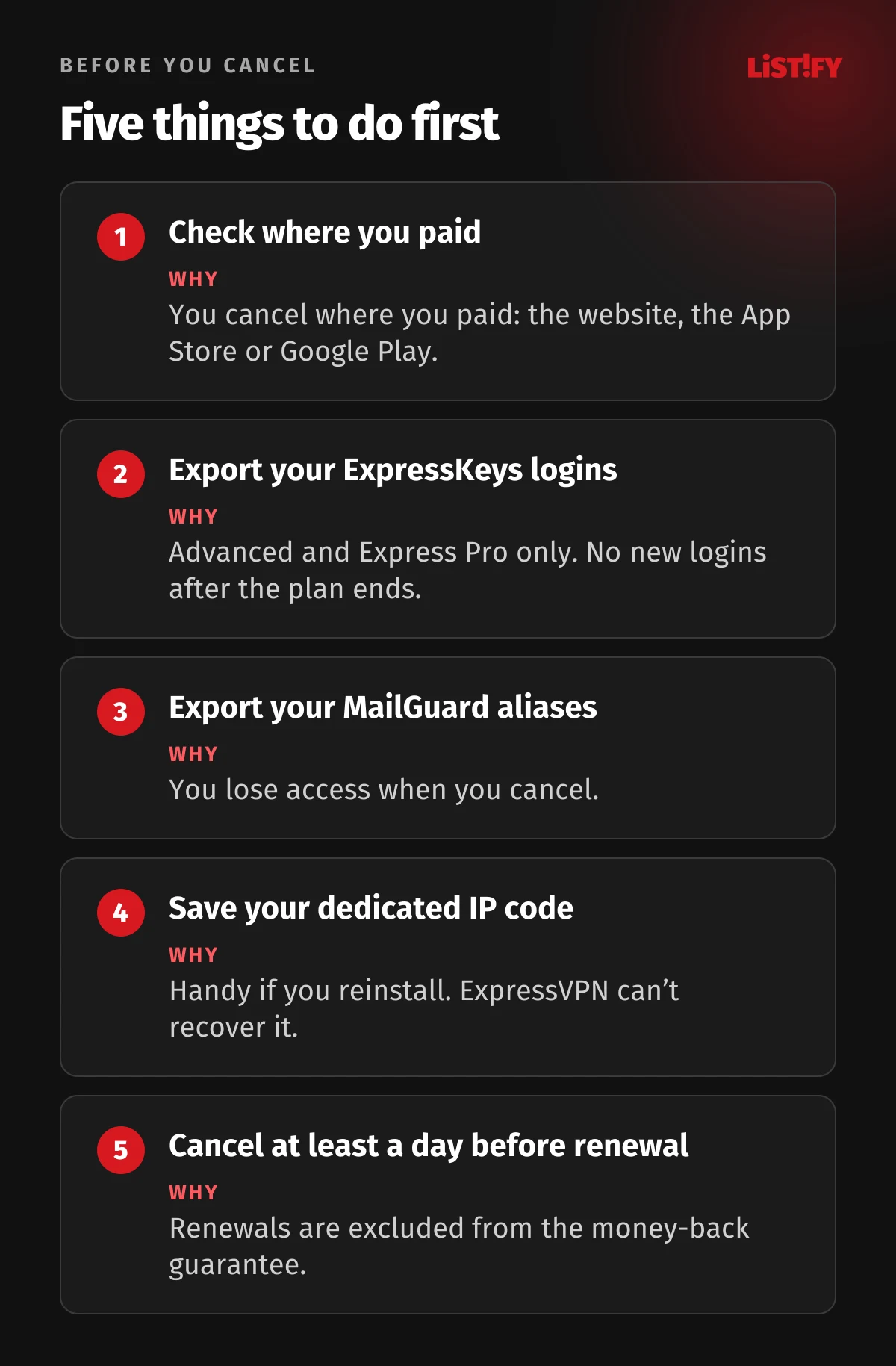
One rule applies everywhere: you can’t cancel your subscription inside the ExpressVPN app. ExpressVPN’s own help page says so directly (ExpressVPN). Uninstalling the app doesn’t cancel anything either, and you’ll keep getting billed.
02Canceling on the ExpressVPN website
Use these steps if you paid by card, PayPal, Apple Pay or Google Pay directly on the ExpressVPN website. They work on a computer or in a mobile browser.
- Go to the My subscription page in the ExpressVPN portal.
- Sign in with your ExpressVPN email and password.
- Under Automatic renewal, click Cancel subscription.
- Follow the prompts until the cancellation is confirmed.
- Check that auto-renewal no longer shows as ON for your active subscription.
Once you cancel, ExpressVPN won’t bill you for another cycle, and you can keep using it until the last day of your current term (ExpressVPN). After that, your access is suspended (ExpressVPN).
When to cancel
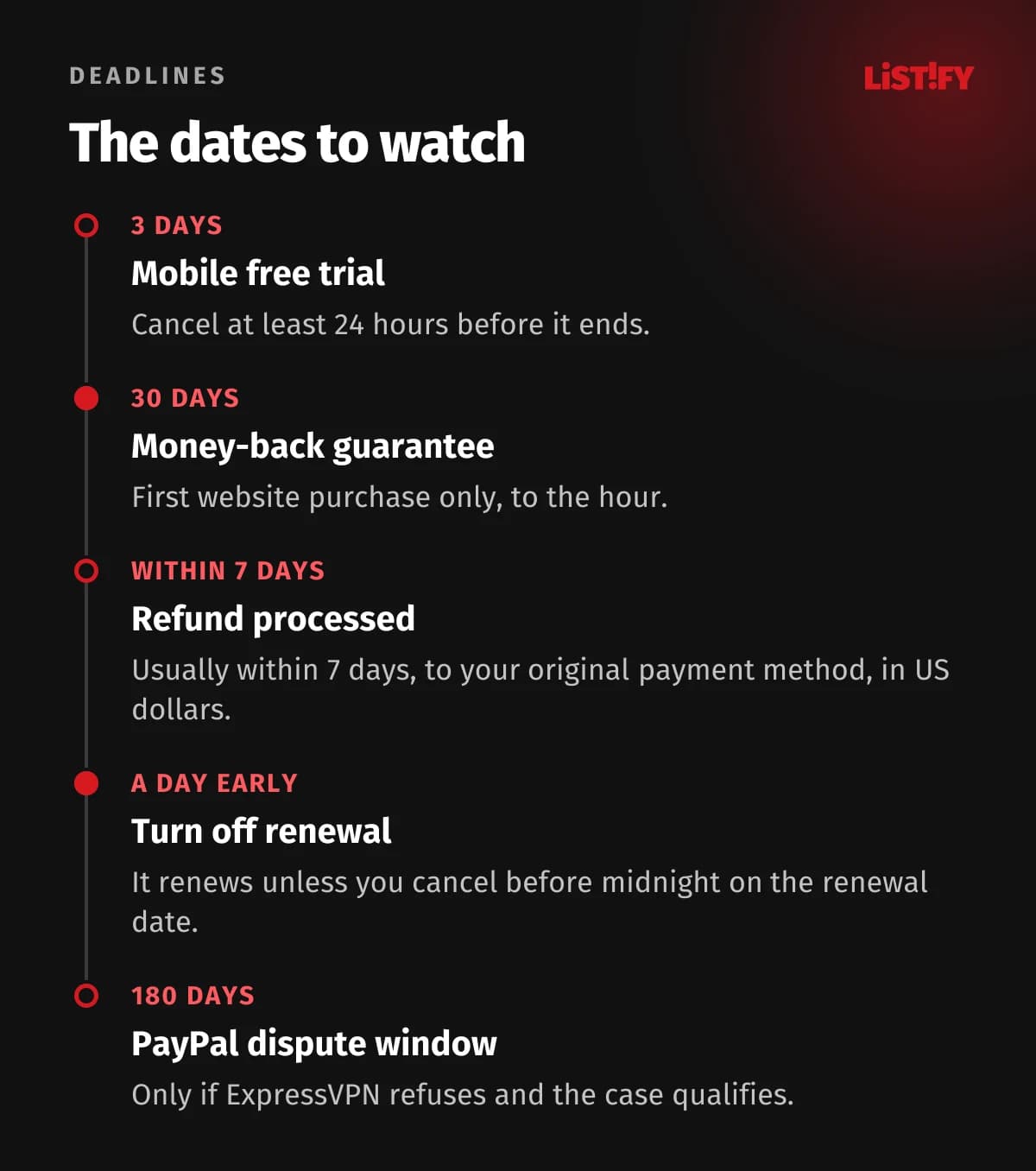
ExpressVPN says your subscription renews unless you cancel “before midnight on the renewal date” (ExpressVPN). The page doesn’t say which time zone, so turn off auto-renewal at least a day early. You’ll find the renewal date on the My subscription page.
No Cancel subscription button?
This can happen when a recent renewal payment failed. ExpressVPN’s advice is to remove your saved payment method. If it’s your only one, that turns off auto-renewal and the subscription ends with the current term (ExpressVPN). In the portal, open Payment methods, select Edit next to the card, click the delete it here link below Save Changes and confirm with Delete Now (ExpressVPN).
A $1 hold on your card statement isn’t a charge. ExpressVPN places it temporarily whenever you add or update a payment method, and it’s released automatically, usually within a few business days (ExpressVPN).
- BasicFirst 28 months: $83.72Each year after: $99.95
- AdvancedFirst 28 months: $125.72Each year after: $119.95
- Express ProFirst 28 months: $209.72Each year after: $199.95
Prices before sales tax from the ExpressVPN pricing page, October 1, 2026.
03How to request a refund within 30 days
ExpressVPN refunds the full amount if you ask within 30 days of your first website purchase. The clock runs to the hour: if you order at 8 a.m. on July 1, you can ask for a refund until 8 a.m. on July 31 (ExpressVPN). This also covers the dedicated IP add-on (ExpressVPN).
- Sign in to the ExpressVPN portal.
- Click the Profile icon in the upper-right corner and select Account & Billing.
- Next to Payment History, click View Payments.
- Click Request refund next to the payment you want back.
- Choose Proceed with Refund, add a reason and click Submit.
If you don’t see a Request refund button, click the invoice date and select Contact Support (ExpressVPN). You can also use the live chat bubble in the bottom-right corner of the ExpressVPN website, which is available around the clock (ExpressVPN). When Gizmodo asked for a refund over live chat, the money was back in its PayPal account within 15 minutes (Gizmodo).
When you won’t get a refund
- Renewals: the terms of service exclude them from the guarantee, though another ExpressVPN page says otherwise (see below) (ExpressVPN).
- A second request: the guarantee is for first-time customers only. ExpressVPN also turns down anyone who has had a refund before, and any payment account that has already been refunded (ExpressVPN). A new email address with the same card probably won’t get around this.
- Gift cards: a redeemed subscription can’t be canceled or refunded (ExpressVPN).
- In-app purchases: for the App Store and Google Play, the store decides on refunds, not ExpressVPN (ExpressVPN).
- Promotions: refund terms can vary by promotion, and any promo terms appear at checkout (ExpressVPN).
ExpressVPN contradicts itself on renewals. Its money-back guarantee page says that if your subscription renews and you didn’t mean it to, you have 14 days from the renewal to get a full refund (ExpressVPN). Its terms of service exclude renewals from the guarantee (ExpressVPN). If an unwanted renewal goes through, contact support as soon as you can and point to the guarantee page, but don’t count on it.
When the money arrives, and in which currency
ExpressVPN usually processes refunds within 7 days, back to the payment method you used. For anything other than crypto, it always refunds in US dollars, so if you paid in euros or another currency, the amount you get back may differ slightly because of exchange rates (ExpressVPN).
04Canceling and getting a refund in the App Store
If you bought ExpressVPN in the app on an iPhone, iPad or Mac, you paid Apple, and that’s where you cancel. You can’t cancel an App Store subscription on the ExpressVPN website (ExpressVPN). In-app purchases always give you the Basic plan (ExpressVPN).
Canceling on iPhone and iPad
- Open Settings and tap your name.
- Tap Subscriptions.
- Tap ExpressVPN.
- Tap Cancel Subscription (you may need to scroll down).
No Cancel button, or an expiration message in red? The subscription is already canceled (Apple).
On a Mac, open the App Store, click your name at the bottom of the sidebar, click your name again and then Subscriptions (Apple). Cancel a free trial at least 24 hours before it ends, or it turns into a paid subscription (Apple).
Getting a refund from Apple
ExpressVPN’s 30-day guarantee doesn’t apply to App Store purchases, not even your first subscription (ExpressVPN). You ask Apple instead:
- Sign in at reportaproblem.apple.com.
- Tap or click I’d like to, then choose Request a refund.
- Choose a reason, then choose Next.
- Choose your ExpressVPN subscription, then choose Submit.
Apple says to expect an update within 24 to 48 hours. If it approves the refund, the money itself may take longer to show up (Apple). Apple’s US terms state that “All Transactions are final” (Apple), so in the US a refund is entirely at Apple’s discretion. In some countries, Apple’s local terms add a 14-day right of withdrawal, so check the terms for yours.
05Canceling and getting a refund in Google Play
- Open the Google Play app and tap your profile icon.
- Tap Payments & subscriptions › Subscriptions.
- Select ExpressVPN and tap Cancel subscription.
- Follow the prompts to finish (ExpressVPN).
Google warns: “When you uninstall the app, your subscription won’t cancel.” After canceling, you can keep using ExpressVPN until the end of the period you paid for (Google).
Getting a refund from Google
Outside the UK and the EEA, Google’s rule is simple: within 48 hours of the purchase, you may be able to get a refund from Google; after that, you need to contact the developer (Google). In the EEA, digital services come with a 14-day legal right of withdrawal, but for digital content you give that right up when you buy (Google). Google doesn’t say which category a VPN subscription falls into, so ask for a refund as early as possible. On play.google.com, go to your profile picture › Payments & subscriptions › Budget & order history and click Report a problem next to the order. A decision usually takes one to four days (Google, Google).
- Credit or debit cardUsually up to: 5Sometimes up to: 10
- PayPalUsually up to: 5Sometimes up to: 10
- Google Play balanceUsually up to: 1Sometimes up to: 3
Time after a refund is approved, per Google’s timelines for the EEA and the UK. Card and PayPal refunds usually take 3 to 5 business days. Source: Google Play.
06How to cancel the free trial
ExpressVPN only offers a free trial in its iOS and Android apps. It lasts 3 days and needs a payment method saved in the app store (ExpressVPN, ExpressVPN). There’s no 30-day free trial, only the 30-day money-back guarantee on website purchases.
You cancel the trial the same way as a subscription, in Subscriptions on your iPhone or in Google Play. ExpressVPN advises canceling at least 24 hours before the trial ends, or the store will charge you for the plan you picked (ExpressVPN). On Google Play, you can only use the trial once (ExpressVPN).
07Before you cancel: what happens to your account and data
| Service | What happens | What to do first |
|---|---|---|
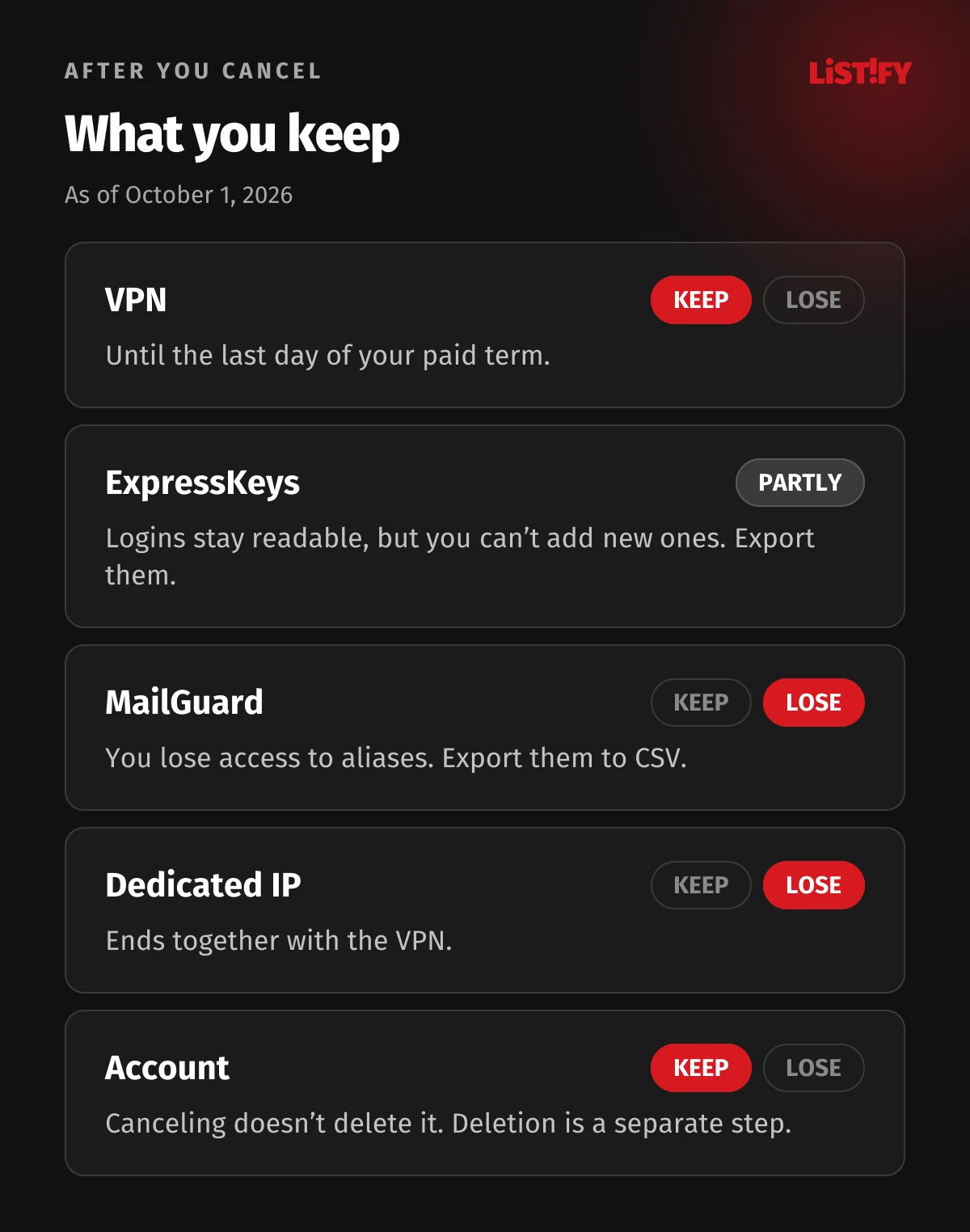
| VPN | Works until the end of the paid term | Nothing |
| ExpressKeys password manager (Advanced and Express Pro only) | Your logins stay available, but you can’t add new ones | Export your data, ideally as an encrypted ZIP |
| MailGuard email aliases | You lose access | Export aliases to CSV and update important accounts |
| Dedicated IP | Ends with the VPN | If you’ll reinstall the app before the term ends, save your access code; ExpressVPN can’t recover it |
- Exporting ExpressKeys (Advanced and Express Pro): in the app or extension, go to Password Manager Settings › Export Your Data. A CSV file isn’t encrypted, so delete it once you’ve imported it elsewhere (ExpressVPN).
- Exporting MailGuard aliases: on the MailGuard dashboard, go to Settings › DATA tab › Export Alias Data (ExpressVPN). If you use aliases to sign in to shops or banks, change the email there before your subscription ends.
- Dedicated IP: it’s a separate subscription. Cancel it in the portal under Add-ons › Dedicated IP › Cancel Subscription. That doesn’t turn off renewal for the VPN, so cancel that separately. The IP expires together with your VPN subscription (ExpressVPN).
08How to delete your ExpressVPN account
Canceling your subscription doesn’t delete your account. To delete the account and its data, go to Account & Billing › Account management › Delete account in the portal and choose one of three options:
| Option | What it does |
|---|---|
| Cancel Subscription | Turns off auto-renewal and keeps the account |
| Delete After Expiry | Turns off auto-renewal and deletes the account when your paid term ends |
| Delete Now | Deletes the account right away, and the rest of your term is forfeited |
After you choose, ExpressVPN emails you a verification code. Enter it in the Verification Code field and select Continue (ExpressVPN). Deletion is permanent and you lose all account data, so export your passwords and aliases first. If you change your mind, select Keep My Account. ExpressVPN’s privacy policy says it keeps some records it needs for legal compliance (ExpressVPN).
09How to uninstall ExpressVPN, and what to do when it fails
- Windows 11: Settings › Apps › Installed apps, then the three dots next to ExpressVPN › Uninstall.
- Mac: in the ExpressVPN app, go to the Profile tab › Actions › Uninstall ExpressVPN and enter your Mac password.
- Android: press and hold the app icon and choose Uninstall.
- iPhone and iPad: press and hold the icon, tap Remove App, then Delete App.
- Fire TV: Settings › Applications › Manage Installed Applications › ExpressVPN › Uninstall.
- Browser extension: in Chrome, open Extensions, select the three dots next to ExpressVPN and choose Remove from Chrome. In Firefox and Edge, remove it from the extensions settings (ExpressVPN).
ExpressVPN has steps for every platform, including Linux, Apple TV and routers, on its uninstall page.
When uninstalling fails on Windows
According to ExpressVPN, it may be because the app is still running in the background. Its advice is to close the app, restart your computer and try again (ExpressVPN). If Windows shows Error 1721, the uninstall was incomplete. Try removing ExpressVPN again from Settings › Apps, and on Windows 10 you can try Microsoft’s Program Install and Uninstall troubleshooter (ExpressVPN). A WAN Miniport adapter named ExpressVPN may stay behind in your network connections: press Win+R, type ncpa.cpl and delete it (ExpressVPN).
10If you can’t get your money back: PayPal and your bank
Always start with ExpressVPN, through live chat or by emailing support@expressvpn.com, and keep a record of the conversation. PayPal and your bank will want to see it. If ExpressVPN says no, these are your options:
- PayPal: open a dispute within 180 days of the payment. PayPal Buyer Protection is mainly written for items that never arrived or aren’t as described, and it specifically doesn’t cover cases where you simply no longer want what you bought (PayPal). If you can’t settle it with the seller, you have to escalate the dispute within 20 days or it closes.
- Your card issuer (chargeback): you can ask your bank to reverse a card payment. Visa’s UK guidance says a chargeback isn’t a legal right and a refund isn’t guaranteed, that time limits depend on your card provider, and that you have to contact the seller first (Visa). Rules and deadlines vary by country and card issuer, so check with yours.
- Don’t file a chargeback lightly: ExpressVPN’s terms let it suspend your service immediately when it learns of a chargeback, and delete your account if it believes the chargeback was malicious (ExpressVPN).
ExpressVPN’s terms are governed by the law of the British Virgin Islands and don’t mention statutory withdrawal rights (ExpressVPN). Whatever consumer law applies where you live, the 30-day guarantee is the simplest way to get your full payment back.
11A cheaper plan instead of canceling
If price is the only problem, you can move to a lower plan. In the ExpressVPN portal, select Upgrade Plans under Account, pick the cheaper plan and confirm (ExpressVPN). If the remaining value of your subscription is more than the new plan costs, you’re not charged right away and the new plan starts at renewal. Otherwise you pay now, with a prorated credit for what’s left. Moving from Advanced or Express Pro to Basic may remove or limit access to ExpressKeys and other higher-tier extras.
App Store subscriptions only let you change the length, not the plan. Google Play subscriptions can only be paused or canceled (ExpressVPN).
12Checklist before you cancel
Looking for a replacement? We compare paid services in our best VPNs of 2026, free ones in our best free VPNs of 2026, and ExpressVPN against its main rival in ExpressVPN vs. NordVPN.
13Frequently asked questions
Can I cancel ExpressVPN in the app?
No. You can only cancel on the ExpressVPN website on the My subscription page, or in the App Store or Google Play if you paid there (ExpressVPN).
Will I get my money back if I cancel ExpressVPN?
Yes, if it’s your first purchase on the website and you ask within 30 days. ExpressVPN usually processes the refund within 7 days, back to your original payment method (ExpressVPN). Renewals and in-app purchases aren’t covered.
Does uninstalling the app cancel my subscription?
No. Your subscription keeps running and renewing until you cancel it on the website or in the app store (Google).
How long can I use ExpressVPN after canceling?
Until the last day of the term you paid for (ExpressVPN). After that, your access is suspended (ExpressVPN).
What if my subscription renewed and I didn’t want it to?
The terms of service exclude renewals from the guarantee, but ExpressVPN’s guarantee page mentions 14 days from renewal for a full refund (ExpressVPN). Contact support right away.
How do I delete my ExpressVPN account?
In the portal, go to Account & Billing › Account management › Delete account and confirm with the code sent to your email. Delete Now removes the account immediately and forfeits the rest of your term (ExpressVPN).
Why is there no Cancel subscription button in my account?
Most likely a renewal payment failed. Remove your saved payment method (if it’s your only one) to turn off auto-renewal (ExpressVPN).
14The bottom line
Canceling ExpressVPN is easy as long as you do it in the right place: on the website if you paid there, otherwise in the App Store or Google Play. Getting your money back is straightforward for a first website purchase within 30 days. For renewals and in-app purchases, it comes down to the goodwill of ExpressVPN or the app store.
The best protection is to switch off auto-renewal right after you buy. You keep the service until the end of the term and decide about renewing when the time comes. If you come back later, don’t count on a second 30-day guarantee: it’s meant for first-time customers, and anyone who has had a refund before is excluded.
If you’re building a website or app with subscriptions, make canceling as easy as signing up. See how we build custom websites and how we work.
15Sources
- ExpressVPN: cancel your subscription
- ExpressVPN: refund policy
- ExpressVPN: money-back guarantee
- ExpressVPN: terms of service
- ExpressVPN: renewing your subscription
- ExpressVPN: unexpected charges
- ExpressVPN: updating your card
- ExpressVPN: App Store subscriptions
- ExpressVPN: Google Play subscriptions
- ExpressVPN: in-app purchases
- ExpressVPN: changing your plan
- ExpressVPN: deleting your account
- ExpressVPN: uninstalling the app
- ExpressVPN: Windows installation failed error
- ExpressVPN: error 1721
- ExpressVPN: browser extensions
- ExpressVPN: dedicated IP FAQ
- ExpressVPN: ExpressKeys after expiry
- ExpressVPN: exporting ExpressKeys data
- ExpressVPN: MailGuard FAQ
- ExpressVPN: exporting MailGuard aliases
- ExpressVPN: gift card FAQ
- ExpressVPN: free trial
- ExpressVPN: live chat
- ExpressVPN: privacy policy
- ExpressVPN: pricing
- Apple: cancel a subscription
- Apple: request a refund
- Apple: Media Services terms (US)
- Google Play: cancel a subscription
- Google Play: refund policies
- Google Play: refunds in the EEA
- Google Play: request a refund
- Google Play: refunds in the EEA and UK
- Google Play: refund timelines
- PayPal: Buyer Protection (US)
- Visa: chargebacks and purchase disputes
- Gizmodo: ExpressVPN review
Steps and terms are accurate as of October 1, 2026.