NordVPN Cyber Monday 2026: Dates, Upfront Cost and Renewal Checks
NordVPN’s announced $2.99 Basic offer runs from November 24 to December 1, 2026, and includes Cyber Monday on November 30. Its next campaign phase starts December 2 at a higher advertised entry price. The sale date is only part of the decision: you also need the full upfront payment, included months and renewal terms. This guide separates those checks, explains what to save after buying and identifies which November details remain announced rather than verified live.
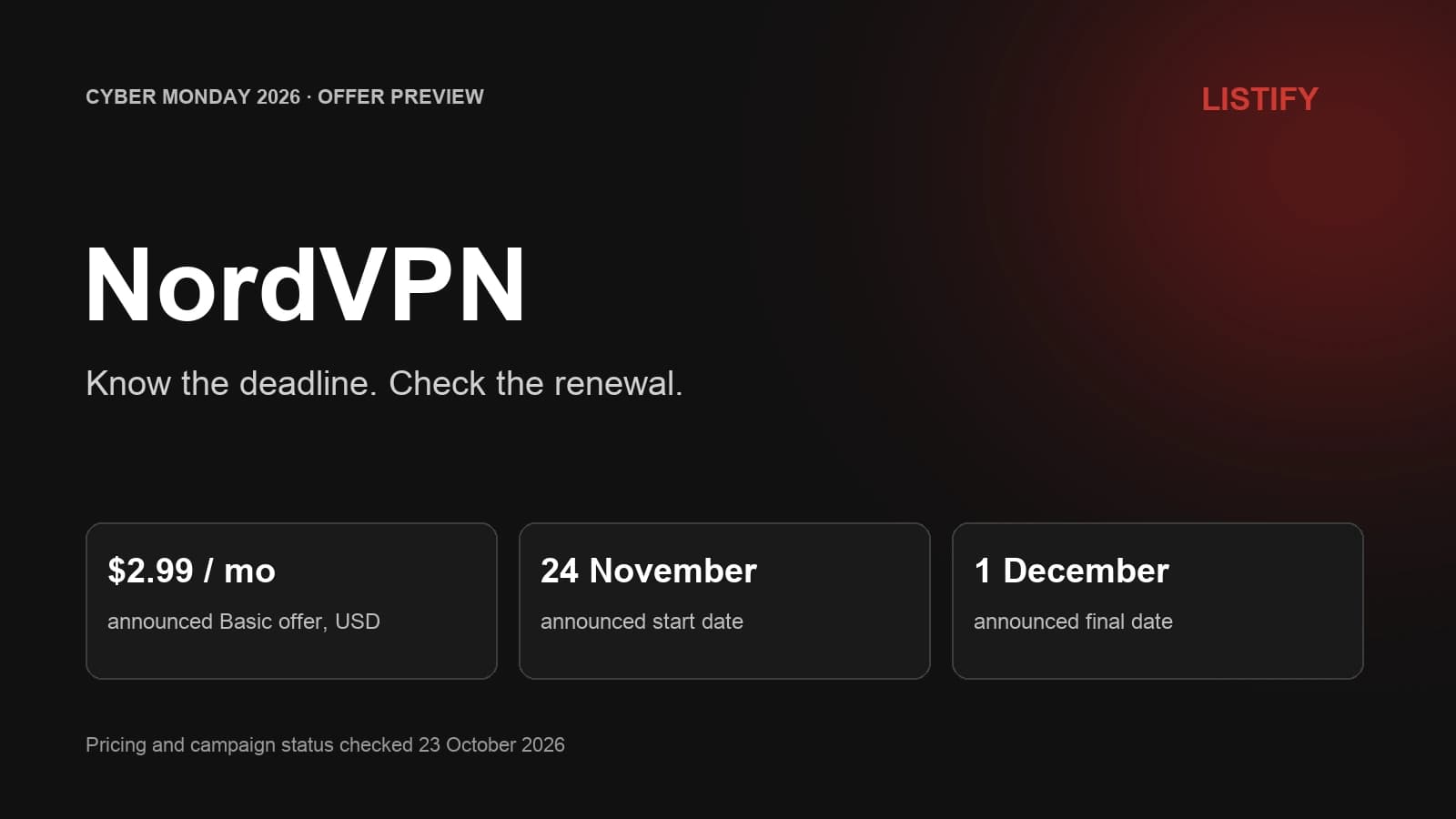
This guide separates three things buyers need to check: the promotional window, the amount paid when subscribing and the terms after purchase. Official terms were checked on October 23, 2026. November and December prices come from NordVPN’s partner announcement and remain future offers. Purchases through our affiliate links may earn LISTIFY a commission.
01The campaign calendar
A campaign name does not establish the date of the cheapest offer. Read the actual period attached to the plan.
| Date | What it means | Buying implication |
|---|---|---|
| November 24 to December 1 | Two-year Basic announced at $2.99 / €2.99 / £2.29 per month | Check this window if your priority is the lower announced Basic rate |
| November 30 | Calendar Cyber Monday | Falls within the special Basic window |
| December 2 to 9 | Next campaign phase, starting at $3.49 / €3.49 / £2.69 per month | Waiting for this phase is not expected to lower the announced entry price |
Source: NordVPN’s affiliate campaign announcement. No exact December 1 cutoff time or timezone was supplied. Regional prices are separate offers, not exchange-rate conversions.
NordVPN’s public seasonal page gives December 9 as the broader campaign endpoint. That does not extend every price within the campaign to December 9. Different rates can have different end dates.
02What can be checked before November?
If you are researching in October, the $2.99 rate is something to check later. It is not the price verified in the current listing. Our Black Friday plan comparison covers the October offer and the choice between Basic and Complete.
Check the active NordVPN offer
You can choose the right plan and check current billing rules now. The exact future payment, customer eligibility and applied bonus need to be confirmed when the announced offer becomes available. Keep that distinction when comparing a saved October price with a November promotion.
03Five fields to read before paying
Once the relevant offer appears, there are five fields worth reading before you enter payment details.
- Plan name. The announced lower rate is for Basic. A preselected higher bundle may have a different price and different services.
- Subscription length. Confirm the initial term and any bonus months. Three extra months are advertised across the seasonal promotion, but your order should state what you receive.
- Total due. This is the immediate expense. A monthly equivalent on a long-term plan does not create monthly instalments.
- Currency and tax. Check the checkout’s final amount instead of assuming that a price quoted for another market applies to you.
- Renewal terms. Find the next billing period and displayed renewal rate before placing the order.
04The upfront total and existing subscriptions
There is no confirmed future checkout total in this article. Multiplying $2.99 by an assumed term would produce an estimate, not evidence of what a November purchase will charge. The order summary resolves the actual combination of rate, term, bonus and tax.
Existing subscribers should also check how the offer applies to their account. A public promotion alone does not establish whether a purchase extends an existing subscription, replaces its terms or is restricted to particular customers. Resolve that with NordVPN before paying.
05What to save after the purchase
Keep the receipt and order confirmation somewhere easy to find. Record the plan, initial amount, covered period and renewal terms. This creates a useful reference if the promotional page changes after the campaign.
Then install the official app on the devices you plan to use. Check that the relevant features are available on each platform and that the subscription fits your normal routine. Avoid spending most of the initial refund period with the account unused.
06Refunds and auto-renewal are separate actions
If the service is not suitable, follow the refund process. NordVPN’s 30-day guarantee covers an initial purchase under its policy, not every subsequent renewal. App-store and reseller purchases may require a different route.
Turning off auto-renewal and requesting a refund are different actions. The former concerns a future charge; the latter asks for an eligible payment to be returned. Choose the action that matches what you want to do.
07Reassess the plan before renewal
A price that works for the initial term may be less attractive at renewal. The promotional monthly average should not become a standing assumption in your budget.
According to NordVPN’s renewal guidance, the subscription renews automatically unless auto-renewal is cancelled. The applicable rate can change, with advance notification by email. Keep the account’s contact address accessible and put a reminder before the next renewal.
At that point, review what you actually used. If most of the value came from VPN access, compare that need with the plan you are renewing. If you relied on bundled storage or a password manager, include those services when comparing alternatives.
Our NordVPN pricing guide explains the relationship between initial and recurring costs. Use the latest account notice for the rate that will apply to your subscription.
08What to do if the lower price has ended
If the lower Basic window has ended, compare the currently available offer on its own merits. The announced December phase still exists, but its starting rate is higher. A missed discount does not make an unsuitable long subscription a better purchase.
Work backwards from your need. How long will you use the VPN? Which devices and features matter? What total can you comfortably pay now? The answers help you compare a shorter plan, the available seasonal offer or another provider.
Our VPN comparison is a starting point for alternatives. If Proton is already on your shortlist, read the NordVPN versus Proton VPN comparison for product differences, then check each provider’s current price.
09FAQ
Is NordVPN’s December campaign the same date as Cyber Monday?
No. Cyber Monday is November 30, 2026. The partner schedule labels December 2 to 9 as a further campaign phase, while the lower announced Basic window runs November 24 to December 1.
Does the $2.99 rate last until December 9?
The supplied announcement only assigns that Basic rate to November 24 to December 1. December 9 is the broader seasonal endpoint, not a promise that every promotional price lasts until then.
What is the exact cutoff time on December 1?
No precise time or timezone was supplied. Check the live order before the final day ends rather than relying on an assumed midnight cutoff.
Does cancelling auto-renewal refund my purchase?
Cancelling auto-renewal concerns a future payment. A refund is a separate request and must meet the applicable refund policy. NordVPN’s 30-day guarantee concerns an initial purchase, not ordinary renewal charges.
What should I save after buying the promotion?
Keep the receipt and confirmation showing the plan, first payment, subscription period and renewal terms. Set a reminder before renewal so you can reassess the service and applicable price.
10Our recommendation
Check the promotional deadline, the upfront payment and the renewal separately. The announced lower Basic rate belongs to November 24 to December 1; it has not yet been verified live. Once the offer opens, the best evidence is the order summary for your own plan and market.
11Sources
Official terms checked October 23, 2026. Future prices and dates are from NordVPN’s affiliate campaign announcement. No purchase was made and no future checkout was verified.