Backups and disaster recovery: What to do when a server fails
When a server fails, the objective is to restore the company’s work, not merely start another machine. A disaster recovery plan identifies who authorizes recovery, which state to restore and what must be checked before users return. Here is a practical sequence from the first incident report to resuming normal operations safely.
Backups exist and a replacement server is ready, but the application still does not work. DNS access is missing, a key lives on the unavailable system and nobody knows whether some orders have already reached the warehouse. This illustrative situation shows the difference between a data copy and a plan to recover a complete service.
Our 3-2-1 backup and verified recovery guide explains protecting and retaining copies. Here we focus on the operating procedure: who checks what, which dependencies return first and how the company decides it can continue.
01Establish what kind of failure you are recovering from
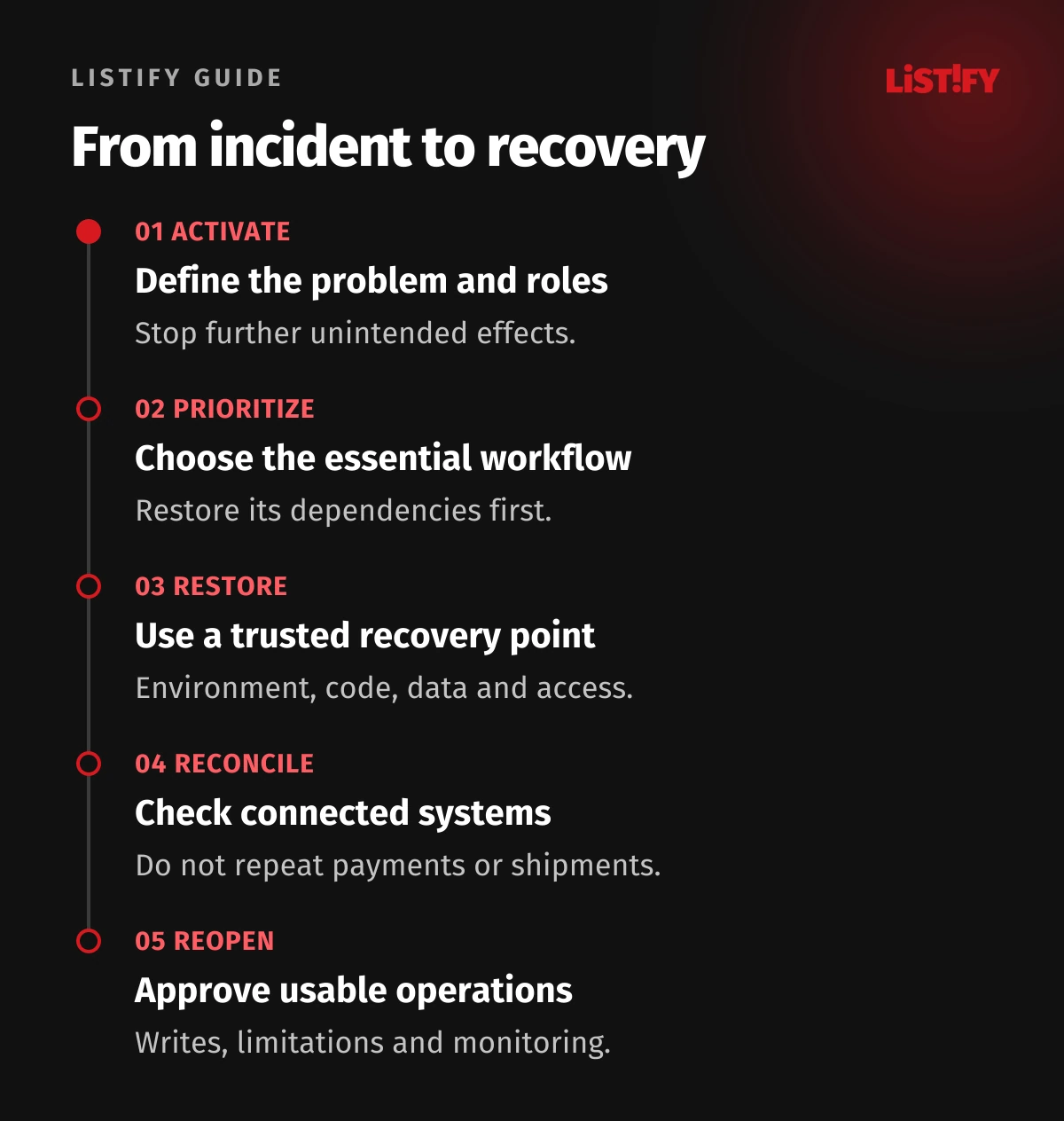
An unavailable application may reflect a release defect, machine failure, provider outage or attack. The same response is not appropriate for every cause. The plan should define activation criteria, a coordinator and initial safe scoping. Decide whether to stop new writes and connected automations to prevent further impact.
If an attack is suspected, the technical team must also contain the compromise and preserve evidence. The Canadian Cyber Centre ransomware playbook recommends isolating affected systems and restoring into a clean, isolated environment. Restoring a backup into a still-compromised service does not remove the cause. Responsible incident personnel must direct the actual intervention.
02Appoint one coordinator and maintain a shared incident record
The coordinator tracks decisions and allocates work; they need not restore the database themselves. Identify a technical lead, business process owner and communications lead. Even a small team needs to know who can authorize replacement infrastructure, suspend service or accept recovery to an earlier data state.
Start a timeline covering discovery, the last known good state, interventions and upcoming decisions. Documentation and contacts must remain accessible when primary login or email is unavailable. Test emergency access beforehand and restrict it to authorized people. Our secrets and configuration management guide covers safe handling of keys.
03Restore the minimum useful business operation first
Decide what the company must do first. For an illustrative wholesaler, the priority might be finding already-paid orders and handing them to the warehouse. New orders, product recommendations and historical reports may have different priorities. However, the order screen cannot function without its database, identities and required files.
| Layer or capability | Prerequisites | Verification |
|---|---|---|
| Recovery coordination | Contacts, access and approved decisions. | A substitute team can obtain the procedure. |
| Environment foundation | Network, identities, configuration and capacity. | Authorized access and controlled connections. |
| Data and core application | A consistent recovery point and compatible version. | Selected records and a working business scenario. |
| Connected services | Reviewed queues, payments and warehouse handoffs. | Matching states without repeated external effects. |
NIST SP 800-34 provides a framework for contingency planning and system priorities. Translate it into your actual dependencies. A server inventory alone does not establish the business recovery sequence.
04Choose the recovery point and disclose what it lacks
RPO describes the required recovery point and tolerable loss of newer changes; RTO is the time objective for restoring the necessary service. Separate these targets from the results of the last exercise. A recent backup is not automatically suitable: it may contain corruption or a state inconsistent with attached files.
Record the copy’s date, why it was selected and known gaps. After an attack, an older trusted state may be preferable to the latest copy. The business owner needs to understand which newer operations require reconciliation. Our cloud security guide explains related responsibility for data protection and availability.
05Rebuild the complete environment using an established procedure
Name the required application versions, configuration, storage, database, identities and connections. For each step, document prerequisites and the result that permits progress. A plan is not executable if credentials, encryption keys or build instructions exist only inside the lost server.
AWS’s disaster recovery overview distinguishes backup restoration from prepared recovery environments. Alongside data, it includes configuration, code and infrastructure. Greater readiness has costs of its own. This article promises no particular recovery time for your application.
Before exposing the environment, review network rules, certificates and administrator accounts. A replacement environment must not have weaker controls merely because it was created quickly. Our server, HTTPS and cloud security guide provides the foundational checks.
06Reconcile what has already happened elsewhere
A restored database may show an unpaid order whose payment the gateway already accepted. The warehouse may have dispatched a shipment even though local confirmation is absent from the backup. Do not restart every queue, email sender and scheduled job without assessment. Identify which items are confirmed, pending or require investigation first.
Use stable identifiers, partner records and agreed control totals for reconciliation. Corrections must be traceable and must not trigger a second payment or shipment. Our API integration guide explains preparing these rules. Missing local state does not prove the external operation never happened.
07Reopen the service through explicit acceptance checks
| Decision | Required evidence | Who confirms |
|---|---|---|
| Allow internal verification | The environment is ready and unintended effects are isolated. | Technical lead. |
| Allow a selected workflow | Data and dependencies pass the agreed scenario. | Technical team and process owner. |
| Allow new writes | The write destination and handling of gaps are unambiguous. | Accountable operations owner. |
| End emergency operation | Remaining limitations have owners and routine monitoring works. | Coordinator and service owners. |
An administrator login is insufficient. Demonstrate opening the correct order, making an authorized change and handing it to the next system. Inform users of known limitations and increase observation after reopening. An unclear outcome is a reason to remain in restricted operation, not to rewrite the acceptance condition.
08Plan temporary work and the return from the recovery environment
If requests are accepted through an alternative route, define their record, owner and subsequent entry into the application. Every case needs an identifier and status. Uncontrolled shared spreadsheets can create additional duplicates and conflicts during recovery. Tell customers which services work and when the next update will arrive; avoid unsupported repair-time estimates.
Returning from a recovery environment is another change. Decide which location is authoritative for writes, transfer newer data and reconcile differences before switching. Do not leave two independently writable systems without designed conflict handling. The original server does not automatically become authoritative merely because it starts working again.
09Exercises should expose waiting, not just measure copying
Plan an approved exercise without customer impact. Select a scenario and conditions: the main administrator is unavailable, the original account cannot be used or another machine is needed. Measure from the agreed starting point to a usable workflow. Record waiting for decisions, access, data and business verification separately.
The output should contain achieved results, gaps and actions with owners. After application, data or provider changes, decide what needs revalidation. One exercise cannot establish readiness for every disaster. Through maintenance and support, Listify can help define an application recovery plan and a concrete exercise suited to its condition.
10Frequently asked questions about disaster recovery
Is disaster recovery the same as backup?
No. Backup creates accessible copies of required data. Recovery planning also covers people, access, replacement infrastructure, sequencing and evidence of a usable service. Without those elements, copies may exist while the business remains unable to operate.
Is another server in the same environment sufficient?
It may help with a particular failure. It may not help with corrupted data, a compromised shared account or an unavailable common dependency. Evaluate the design against the scenarios it must actually cover and the required recovery time.
Who decides that people can resume work?
The technical team validates the environment, while the process owner validates data and practical usability. The coordinator ensures a joint decision with known limitations. Identify the person authorized to permit new writes beforehand.
Must everything be restored at once?
No. Restricted operation of the most important workflow may be appropriate first. Its essential dependencies must work, and unavailable capabilities must be clear. Establish the sequence through business impact and verify it in an exercise.
What should we provide for a DR plan?
List key workflows, systems, providers, backups and responsible people. State how long the company can be without the service and which recent changes it could tolerate losing. Mark unknowns explicitly. An initial conversation does not require passwords or a database copy.