They Already Know Your Staging Server: How to Lock Down Hosting, HTTPS, and Cloud Before Launch
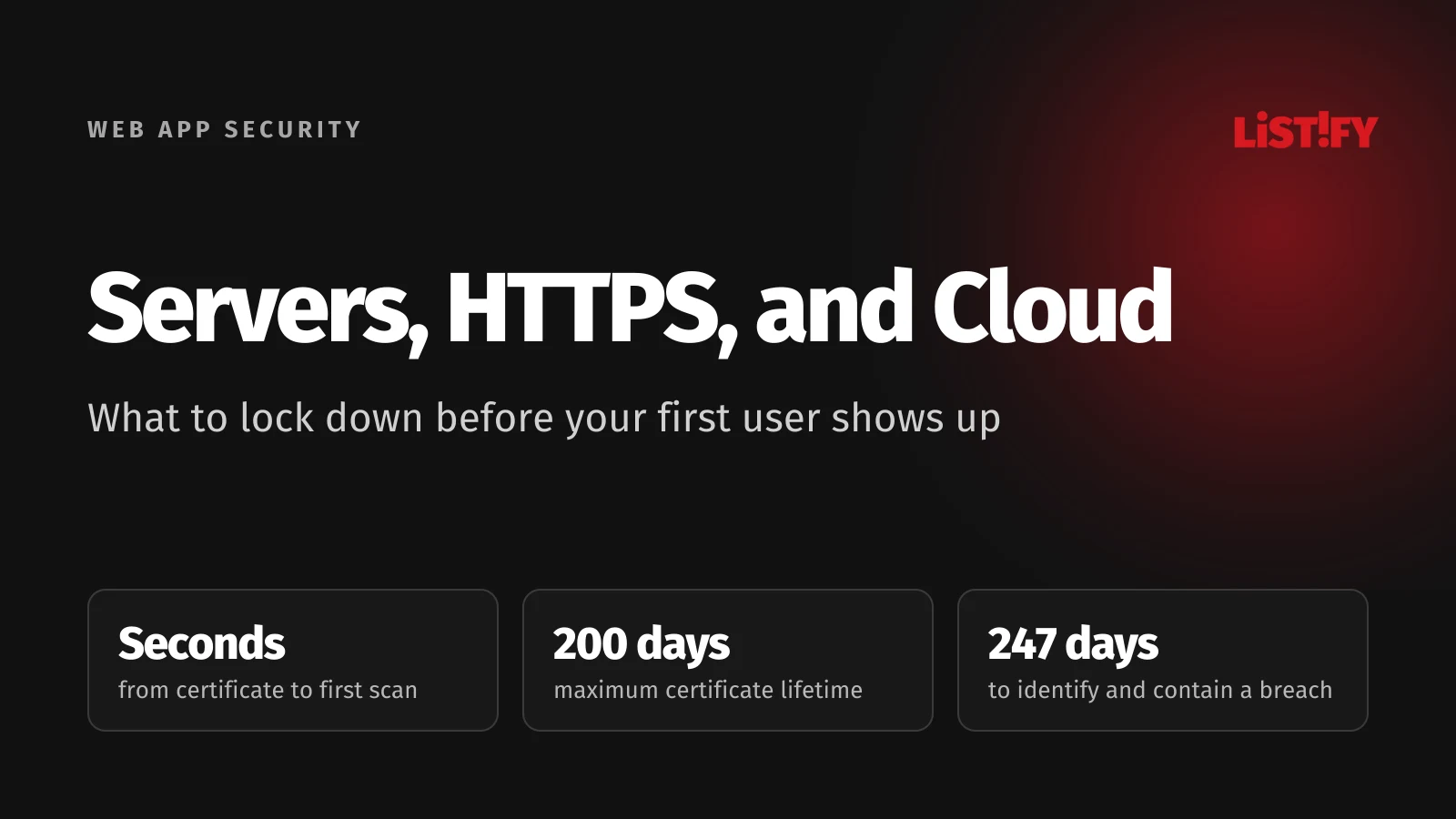
The moment you issue an HTTPS certificate for your staging server, attackers know it exists. Every certificate is written to public Certificate Transparency logs, and automated scanners read those logs in real time. Researchers at UC Santa Barbara ran honeypot servers for 200 days and saw the first probes just seconds after a certificate was published (UCSB, IEEE EuroS&P 2023). The study is three years old, and scanners have only multiplied since.
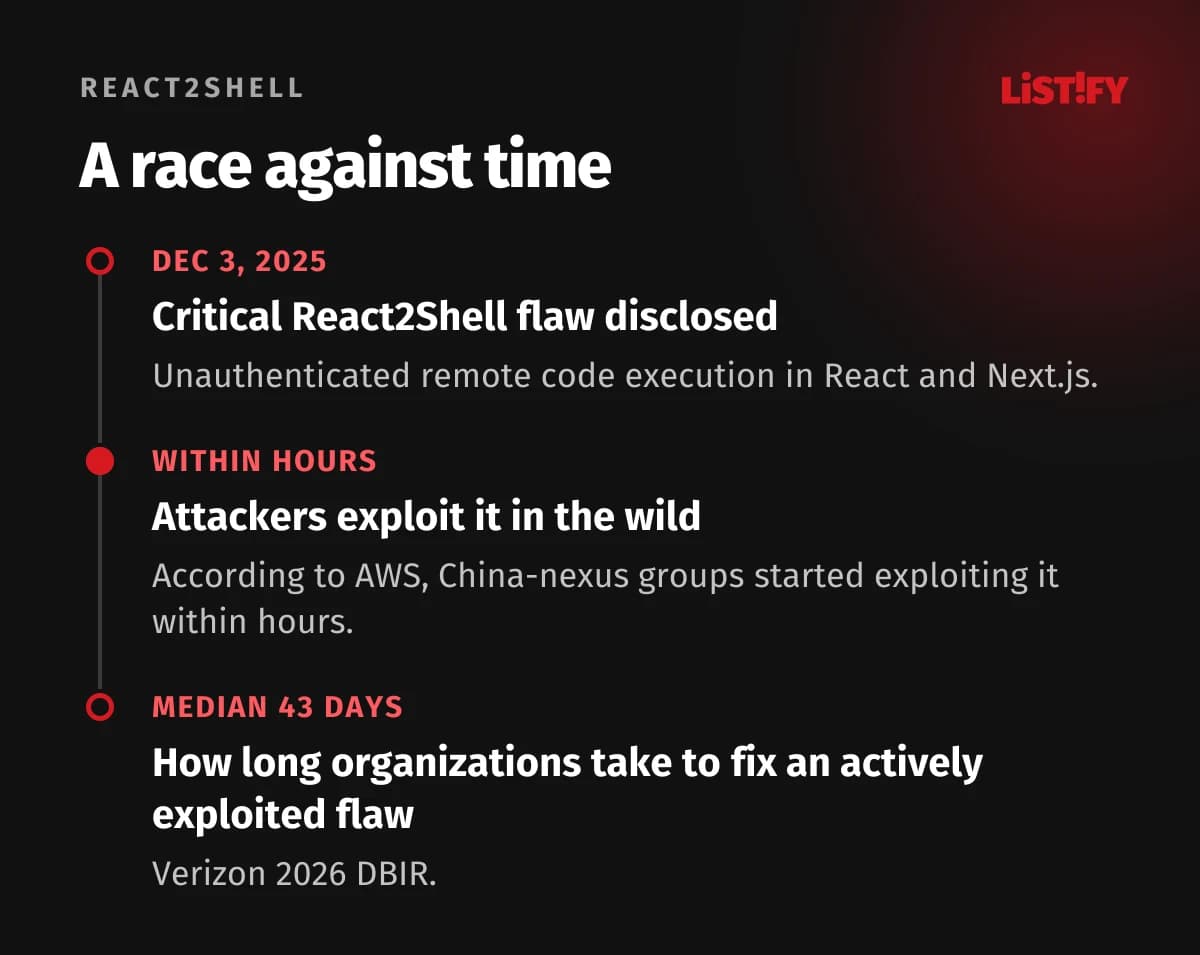
So staging.yourcompany.com isn’t secret just because nothing links to it. Attackers move fast in other ways too: they started exploiting React2Shell, a critical flaw in React and Next.js, within hours of disclosure (AWS). Meanwhile, organizations take a median of 43 days to patch actively exploited vulnerabilities (watchTowr, on the Verizon 2026 DBIR).
Your servers, domain, and cloud need to be locked down before the first user shows up. For the full 105-point checklist, see Launching a Web App? Check These 105 Things Before Attackers Do.
01HTTPS, Certificates, Domain, and Headers
Certificates
Since March 15, 2026, public TLS certificates are valid for 200 days at most. That drops to 100 days in March 2027 and just 47 days in March 2029 (CyberInsider). If you renew by hand, you will eventually forget.
- Until March 14, 2026398
- From March 15, 2026200
- From March 15, 2027100
- From March 15, 202947
CA/Browser Forum schedule (CyberInsider).
- Automate renewal with ACME (Let’s Encrypt, ZeroSSL, or your CDN’s certificates).
- Monitor expiration with an alert at least 14 days ahead. Automation can fail silently.
- Add a CAA record to DNS listing which certificate authorities may issue for your domain.
- Monitor Certificate Transparency logs for your own domain (crt.sh, Cert Spotter) so you hear about any certificate issued without your knowledge.
TLS and post-quantum encryption
Allow only TLS 1.2 and 1.3. Chrome, Edge, and Firefox now negotiate post-quantum key exchange on their own, and in April 2026 more than two-thirds of human traffic on Cloudflare’s network used hybrid ML-KEM (Encryption Consulting, on Cloudflare data). It protects against “harvest now, decrypt later” attacks, where someone stores your traffic today and cracks it once they have a quantum computer. Behind a CDN, this is usually handled for you. On your own server, check that your OpenSSL and web server versions support the X25519MLKEM768 group.
Domain and DNS
- Delete CNAME records that point to decommissioned services (an old Heroku app, GitHub Pages, an S3 bucket). An attacker can claim the service and serve whatever they want on your subdomain.
- Set up SPF, DKIM, and DMARC even if you don’t send email from the domain yet. Otherwise scammers can use it to send fake messages to your customers.
- Protect your registrar account with MFA and a transfer lock. Whoever controls your DNS controls your whole app.
Security headers
Headers tell the browser what it can and can’t do. Setting them up takes an hour and shuts down entire classes of attacks.
| Header | Recommended value | Protects against |
|---|---|---|
| Strict-Transport-Security | max-age=31536000; includeSubDomains | Downgrade to plain HTTP |
| Content-Security-Policy | Strict policy with nonces | XSS and injected third-party scripts |
| X-Content-Type-Options | nosniff | Files executed as a different type |
| Referrer-Policy | strict-origin-when-cross-origin | URLs with tokens leaking to other sites |
| Permissions-Policy | camera=(), microphone=(), geolocation=() | Abuse of browser features |
| Cross-Origin-Opener-Policy | same-origin | Attacks through opened windows |
To stop clickjacking, use the frame-ancestors directive in CSP, and add X-Frame-Options: DENY for older browsers. Skip X-XSS-Protection, since modern browsers ignore it.
Start CSP in Content-Security-Policy-Report-Only mode, collect reports for a week, then switch to enforcement. A strict CSP with nonces has to come from your app, because the nonce changes on every response and the app puts it on every script tag. Next.js does this in proxy (formerly middleware). If nginx set a CSP too, the browser would enforce both policies and block your scripts. The other headers can live on the server; here is an nginx example:
add_header Strict-Transport-Security "max-age=31536000; includeSubDomains" always;
add_header X-Frame-Options "DENY" always;
add_header X-Content-Type-Options "nosniff" always;
add_header Referrer-Policy "strict-origin-when-cross-origin" always;
add_header Permissions-Policy "camera=(), microphone=(), geolocation=()" always;
add_header Cross-Origin-Opener-Policy "same-origin" always;
How to test it
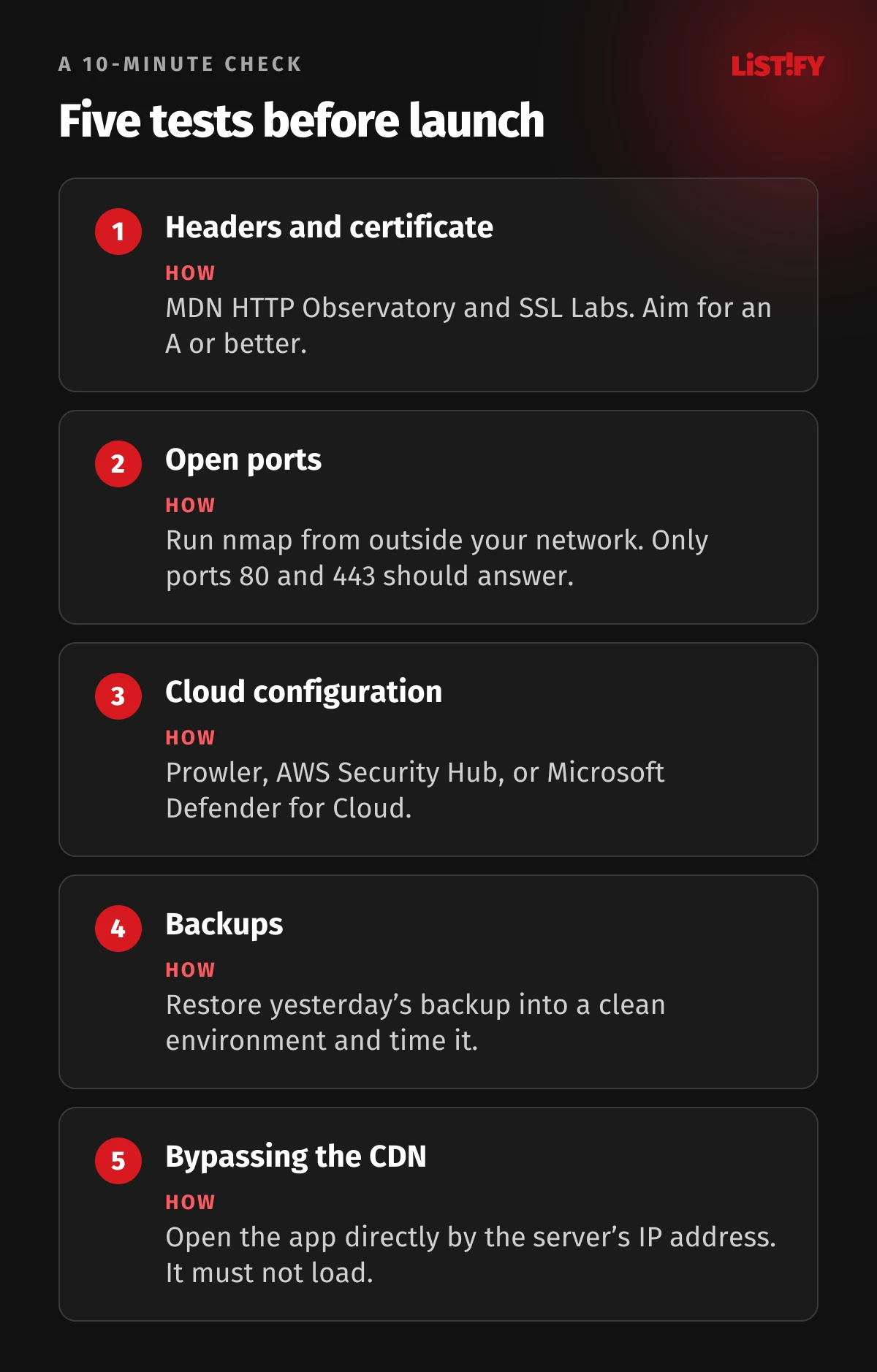
Run your URL through MDN HTTP Observatory and SSL Labs. Both are free and show what’s missing in about a minute. Aim for an A or better. Only turn on HSTS preload once you’re sure every subdomain supports HTTPS, since undoing it takes months.
02Servers and Cloud
In the cloud, more is usually open than you think. In its 2026 report for the Middle East, IBM lists mismanaged secrets and keys and excessive privileges among the top three factors driving up breach costs (IBM Newsroom).
Accounts and permissions
- The cloud root account (AWS root, Super Admin in Google Cloud, Global Administrator in Azure) uses a hardware key or passkey and isn’t used for daily work.
- Production runs in a separate account or project from development and testing.
- Every service and every person gets only the permissions they actually need. AdministratorAccess or Owner for an app is a mistake.
- People sign in through SSO, so when someone leaves, you revoke access in one place.
Network
- Databases, Redis, and queues aren’t reachable from the internet. They listen only on a private network.
- Only port 443 is open to the internet, plus port 80 for the redirect. SSH and RDP go through a VPN, a bastion host, AWS Systems Manager, or Tailscale.
- The Kubernetes dashboard, Grafana, phpMyAdmin, and Adminer are not public.
- Storage buckets (S3, Google Cloud Storage, Azure Blob) block public access. Share files through signed URLs that expire.
Firebase and Supabase
Review the rules on every table and collection. The public key in your app can read only what the rules allow. A table without row-level security, or a rule like “allow read, write: if true,” means anyone can read and change the data.
Staging
- Staging requires login or is limited to your IP addresses.
- It holds no production personal data. If you need realistic data, anonymize it.
- Shut down old test servers, forgotten preview deployments, and abandoned subdomains. Nobody patches them, which is exactly why attackers love them.
Maintenance and costs
- The OS and runtime (Node.js, PHP, Python, Java) are on supported versions, and security updates go in at least weekly.
- Set up alerts for unusual spending. Stolen keys are often used for crypto mining, and the first sign is a bill for thousands of dollars.
- Define infrastructure as code (Terraform, OpenTofu, CloudFormation) and scan it with a tool like Checkov, so configuration mistakes get caught in review before they reach production.
How to test it
Run the free Prowler tool (AWS, Azure, Google Cloud), or AWS Security Hub or Microsoft Defender for Cloud. From a machine outside your network, use nmap to see which ports your server exposes. Only 80 and 443 should answer.
03Data and Backups
Data you don’t have can’t be stolen. And data you do have, you need to be able to restore: ransomware showed up in 48% of breaches in Verizon’s latest report (NHI Mgmt Group, on the Verizon 2026 DBIR).
Minimization and encryption
- For every form field, ask why you need it. You almost never need a Social Security number.
- Set retention periods and automate deletion.
- Connections from the app to the database, cache, and queues use TLS inside your infrastructure too.
- Turn on disk and database encryption for every service. In the cloud, it’s usually a single checkbox.
- Encrypt health data, ID numbers, and bank details at the application level too, with keys in a KMS. Anyone who steals a database backup sees only gibberish.
- Never store card numbers. Let a payment provider (Stripe, Adyen, Braintree) handle payments and return a token.
Backups
- Keep three copies of your data on two different types of storage, with one copy offsite (the 3-2-1 rule).
- At least one copy is immutable (object lock) or in a separate account. Ransomware now goes after backups first.
- Whoever controls production must not be able to delete backups. Use separate credentials.
- Backups are encrypted.
- Test a restore before launch and at least once a quarter after that. A backup you’ve never restored is just a hope.
- Decide how much data you can afford to lose (RPO) and how long you can be down (RTO), and set your backup frequency accordingly.
Third-party scripts
Analytics, chat widgets, and ad pixels run on your site with access to everything a user types. Load only the ones you truly need, ideally with Subresource Integrity (SRI), and keep them to a minimum on login and checkout pages.
How to test it
Take yesterday’s backup and restore it into a clean environment. Time how long it takes and check that the app works on the restored data.
04Logging and Monitoring
On average, it takes organizations 247 days to identify and contain a breach, and 183 of those days just to notice it (SecureWorld, on IBM’s 2026 report). Without logs, you’ll hear about an attack from your customers, a journalist, or an attacker demanding a ransom.
- Time to identify183
- Then time to contain64
- Total247
IBM Cost of a Data Breach 2026 (SecureWorld).
What to log
- Logins, successful and failed, plus changes to passwords, email, and MFA.
- Permission changes, admin actions, access to sensitive data, and exports.
- Rejected requests (403), unusual spikes in validation errors, and rate limit hits.
- Payments and configuration changes.
Every entry gets a UTC timestamp, user ID, IP address, and request ID. Ship logs to a central system off the server (Grafana Loki, Elastic, Datadog, Better Stack, CloudWatch). An attacker who takes over a server deletes its local logs first.
What never to log
Passwords, tokens, session IDs, API keys, full card numbers, and personal data you don’t need. They usually sneak in during debugging, when someone logs entire requests. A log full of passwords is a breach in itself.
Alerts
- Set rules for suspicious patterns: dozens of failed logins per minute, an admin signing in from a new country, a sudden spike in 500 errors or exports.
- Someone has to read the alerts. Decide who gets them after hours, and test that they actually arrive.
- Add external uptime monitoring (UptimeRobot, Better Stack, Checkly) and error tracking (Sentry).
How to test it
Sign in with a wrong password and find the entry in your central logs within a minute. Then search the last week of logs for password, token, and authorization.
05DDoS
In the first half of 2026, Cloudflare mitigated 23.2 million network-layer DDoS attacks, and 935 of them topped 1 Tbps (Cloudflare). More than 90% of network-layer attacks end within ten minutes (Cloudflare). By the time you could react manually, the attack is over and your site has been down the whole time.
- Put the app behind a CDN with DDoS protection (Cloudflare, Akamai, Fastly, AWS CloudFront with Shield, Bunny). Basic protection is often free.
- Hide your origin server’s IP and only accept traffic from your CDN’s addresses. Otherwise an attacker goes around the CDN straight to your server.
- Turn on a web application firewall (WAF) with the OWASP Core Rule Set or your CDN’s managed rules. Start in log-only mode so you don’t block real customers.
- Add rate limits in the app too, especially for login, signup, and search.
How to test it
On staging, send a few thousand requests with k6 or hey and see whether your limits kick in. Then try opening the app directly by the server’s IP. If it loads, your CDN can be bypassed.
06Checklist
HTTPS, domain, and headers
- Certificates renew automatically, and expiration is monitored.
- Only TLS 1.2 and 1.3 are enabled, and SSL Labs gives an A or better.
- HTTP redirects to HTTPS, and HSTS is set.
- CSP runs at least in Report-Only mode with a date to enforce.
- X-Content-Type-Options, Referrer-Policy, Permissions-Policy, and frame-ancestors are set.
- DNS has a CAA record, and the domain has SPF, DKIM, and DMARC.
- No CNAME points to a decommissioned service.
- Registrar and DNS accounts have MFA and a transfer lock.
Servers and cloud
- Production is in a separate cloud account.
- The cloud root account has a hardware key or passkey.
- Databases, caches, and queues aren’t reachable from the internet.
- Only ports 80 and 443 are public.
- Buckets block public access.
- Firebase or Supabase rules are reviewed for every table.
- Staging requires login and holds no production personal data.
- The OS and runtime are on supported versions.
- Spending alerts are on.
Data and backups
- The app collects only what it needs and has retention periods.
- Database connections, disks, and sensitive fields are encrypted.
- A payment provider handles card data.
- At least one backup is immutable or in a separate account.
- Restoring from backup has been tested and timed.
Logs and DDoS
- Key events are logged to a central system off the server.
- Logs contain no passwords or tokens.
- Alerts go to a named person and have been tested.
- Uptime monitoring and error tracking are running.
- The app sits behind a CDN, and the origin accepts traffic only from it.
- The WAF is on.
Code flaws are covered in Change One Number in the URL, and secrets and dependencies in One npm install Was All It Took.
07The Full Web App Security Series
The five-part series covers your whole app, from code to servers to leadership:
- The 105-point checklist for your whole app
- Code flaws that leak data
- API keys, dependencies, and npm attacks
- Servers, HTTPS, cloud, backups, and logging (you are here)
- What leadership must do: GDPR, NIS2, CRA, and pen tests
08FAQ
How long is an SSL certificate valid in 2026?
200 days at most for certificates issued on or after March 15, 2026. That drops to 100 days in March 2027 and 47 days in March 2029 (CyberInsider).
Is Cloudflare enough to secure my website?
No. A CDN and web application firewall stop DDoS attacks and common automated exploits. They can’t tell that a user is reading someone else’s invoice or that a key leaked from your code. Those have to be fixed in the app.
Does a staging server need a password?
Yes. Its address shows up in public Certificate Transparency logs as soon as the certificate is issued, and scanners find it within seconds. A hidden subdomain offers no protection.
How can I quickly check my site’s security setup?
In a few minutes. Run your URL through MDN HTTP Observatory, which checks security headers, and SSL Labs, which checks the certificate and TLS. Both are free.
What is the 3-2-1 backup rule?
Three copies of your data on two different types of storage, with one copy offsite. For ransomware protection, make at least one copy impossible to overwrite or delete.
Do I need to worry about post-quantum encryption?
If your site runs behind a CDN, usually not, since browsers and major CDNs already use post-quantum key exchange on their own. On your own server, check that your TLS library supports the X25519MLKEM768 group.
09Sources
All figures are current as of September 27, 2026.
- UCSB: Certificate Transparency as a reconnaissance source (IEEE EuroS&P 2023)
- AWS: China-nexus groups rapidly exploit React2Shell (CVE-2025-55182)
- watchTowr: Verizon 2026 DBIR
- NHI Mgmt Group: Verizon 2026 DBIR
- CyberInsider: TLS certificate lifespans reduced to 47 days by 2029
- Encryption Consulting: Post-Quantum Cryptography Support in Web Browsers
- IBM Newsroom: 2026 Cost of a Data Breach, Middle East
- SecureWorld: IBM 2026 Cost of a Data Breach Report
- Cloudflare DDoS Threat Report H1 2026