30 tips for choosing hosting and a CDN for a fast, reliable website
Your website needs to handle everyday visits, campaign traffic and recovery after a failure. Use these 30 practical tips and provider comparisons to choose hosting and a CDN for a business site, WordPress, an online shop or a web application.
01Choose hosting around the work your website must do
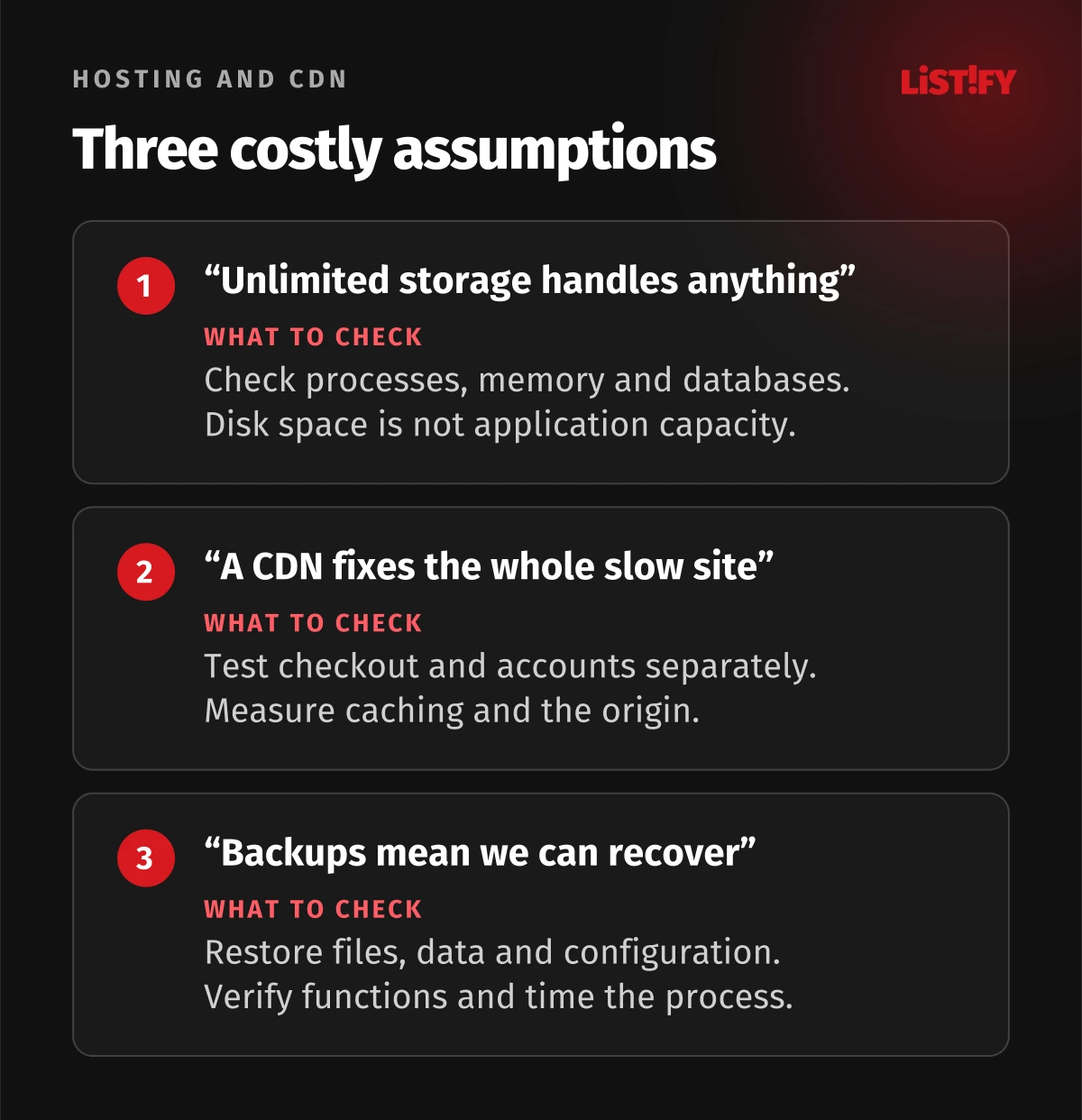
A campaign brings people to your shop, but checkout waits for the database. Your hosting plan promises unlimited storage, yet a product import hits its execution limit. Avoid these surprises by describing what the website needs to do before comparing providers.
For an ordinary business website, start with a good managed service. For an application, choose around its runtime, database and operational ownership. Add a CDN where it improves delivery or protection for specific content. A brand name or processor count does not tell you whether a customer will complete an order.
Hosting runs your files and, where required, your application. The origin is the source server from which a CDN obtains content. A CDN distributes suitable copies closer to visitors. DNS connects your domain name to the required network information, while a registrar manages the domain registration. Different suppliers can operate these services, so identify who controls each part and who handles a failure.
This comparison uses public documentation checked on 11 October 2026. It is not a hands-on performance benchmark or a ranking of winners. Links go directly to official sources without affiliate identifiers. Project suitability and the selection process are editorial recommendations. Confirm the particular plan before ordering.
| Project | Sensible starting point | What matters |
|---|---|---|
| Business website and small blog | Shared PHP hosting or a static site on a managed platform | Straightforward management, backups, updates and support. |
| WordPress and publishing | Managed WordPress or a verified PHP hosting plan | Plugins, caching, editorial workflow and recovery. |
| Online shop with imports and campaigns | Higher-capacity managed hosting or a managed server | Uncached checkout, database performance, concurrency and background jobs. |
| Web application or SaaS | PaaS or cloud/VPS with an identified operator | Runtime, database, queues, logs and safe deployments. |
| International catalogue and media | An origin with a CDN and suitable storage | Visitor geography, transfer volume and content updates. |
02Tips 1 to 6: Project requirements and ownership
1. Write one realistic operating scenario
Replace “fast hosting” with a journey: a visitor opens the catalogue, filters products, signs in and submits an order. Add an administrator updating content and an overnight import. Record dependencies and the consequence of failure at each step. This distinguishes a site that mostly delivers prepared pages from an application that calculates and writes data on every interaction. Use this same scenario when evaluating every candidate.
2. Consider a static site before renting a server
A company website with articles and case studies, but no personal account, may be able to prepare content during a build and deliver ready-made files. Forms and search still need their own implementation. Specify what happens when an editor publishes an article and how long a build may take. Static output can simplify operation, but it is an architectural option rather than an automatic solution for every publishing requirement.
3. Name the person responsible for administration
For managed hosting, confirm exactly what is covered: the operating system, database, application, plugins and incident response. A self-managed VPS needs an operator and cover for their absence. Hetzner explicitly assigns server management and security to customers of its cloud and dedicated servers. A low rental price can therefore cost your organisation more than a managed service once maintenance and on-call work are included.
4. Check the runtime and required extensions
Give suppliers a list of the runtime, supported version, database, extensions and startup method your application requires. This might include PHP, Node.js or Python. React running in a browser does not by itself determine the hosting requirement; server rendering may need a separate runtime. For WordPress, compare the plan with its official requirements and your plugins. Ask how mandatory version upgrades are communicated and how you can test them safely.
5. Keep the application and database sensibly located
A provider’s billing address does not establish where your application runs. Check the actual region of the application, database and file storage. Compare suitable European regions for Czech and Slovak visitors, then measure journeys from any additional markets. A CDN can help deliver files without eliminating every remote database call. Request the locations of backups and operational logs too, alongside the rules governing support access.
6. Plan for peak concurrency, not just monthly visits
Ten thousand visits spread over a month create a different load from the same number arriving during a campaign. Describe concurrent sign-ins, searches, purchases and imports. Include the proportion of requests that cannot use cached responses. Ask how capacity can increase and agree the conditions for a load test. Test only authorised environments and set a stopping threshold beforehand. A monthly visitor count is insufficient for sizing transactional capacity.
03Tips 7 to 12: Performance, limits and growth
7. Compare process, memory and file limits
Unlimited storage does not mean unlimited processing capacity. Check concurrent PHP processes, memory per process, execution time, database connections, file counts and transfer restrictions. For a VPS, distinguish shared CPU resources from dedicated ones. Attach the actual limits to the quote. A website can fit comfortably on disk while visitors queue for an available process, so compare these constraints together rather than selecting the largest storage allowance.
8. Measure server response and the usable page
TTFB, as defined by web.dev, includes redirects, DNS and connection establishment. It is neither pure application processing time nor a Core Web Vitals metric. Compare the first byte, meaningful content loading and responsiveness of controls. Keep URLs, devices and test conditions consistent. An empty HTML document arriving quickly does not establish when a visitor can see your offer or use the page. Diagnose the whole journey before paying for an upgrade. Our website performance guide develops the connection between speed, search and useful customer journeys.
9. Test cold and warm caches separately
A first request and a repeat visit are different experiments. Measure a newly published page, a popular existing page and a signed-in session. Record whether the response came from the CDN or origin. Do not present the single fastest result as typical experience. We recommend repeating tests at different times and examining both the median and slower results, such as the 95th percentile, using the same method throughout.
10. Exercise the database with representative work
Use an anonymised or synthetic dataset with an appropriate number of products and relationships. Test search, filtering, order creation and administrative exports. When something waits, investigate missing indexes, connection pressure and blocked writes. A different hosting brand will not automatically repair an inefficient query. For a managed database, verify supported versions, extensions, connection limits and the recovery process. A successful empty demo is weak evidence for production suitability.
11. Move lengthy jobs out of the visitor’s request
Catalogue imports, PDF generation and bulk messaging do not always need to run inside an open HTTP request. Check support for queues, scheduled jobs and separate workers where your architecture requires them. Establish maximum execution times and what happens when a failed job is retried. Vercel Functions have documented execution limits, for example. You cannot assume that every process can run indefinitely or that interruption leaves its work in a safe state.
12. Define what automatic scaling actually covers
Record the minimum and maximum instance counts, the trigger for additional capacity and the database’s capacity constraints. Check where sessions and uploaded files live so changing instances does not lose them. Add spending alerts and a decision about what happens at your budget ceiling. Scaling helps when the application, data architecture and operating procedures support it. More application instances may simply move the bottleneck to a shared database.
04Tips 13 to 18: CDN and correct caching
13. Give the CDN a specific job
Decide whether you need faster images, static files, public HTML, attack protection or a combination. Each capability needs configuration and verification. Cloudflare does not cache HTML or JSON by default. Enabling its proxy therefore does not prove that the entire website is served from cached copies. Inspect particular URLs and response headers before judging the result, and identify who owns each rule when something changes.
14. Prevent private responses from being shared
Classify content as public, personalised or sensitive. Accounts, baskets and private documents must not accidentally share cached responses across visitors. MDN explains the different meanings of private, no-cache and no-store. Check CDN rules too, because managed caching configuration can alter header behaviour. A practical test needs two different accounts, signing out and opening the same address in a clean browser. Testing with one account cannot reveal cross-user leakage reliably.
15. Set a freshness requirement for each content type
An article, a price and a stock level may tolerate different amounts of staleness. TTL controls cache freshness; purging invalidates cached content. After an update, check the detail page, translations and relevant listing pages. Versioned files help deliver new CSS and JavaScript but do not automatically fix an old price embedded in HTML. Document what happens if invalidation fails or reaches only part of your infrastructure.
16. Review cache keys and language variants
The CDN must distinguish responses with different content. Review the path, query parameters, language, currency and relevant cookie rules. Conversely, marketing parameters can create unnecessary copies of the same public page. Change cache keys only after correctness testing. A better hit rate is no improvement if a Czech visitor receives the Slovak page or a customer sees the wrong currency. Repeat these checks after significant rule changes.
17. Verify HTTPS between the CDN and origin
An encrypted visitor-to-CDN connection does not establish that the origin connection is properly secured. Enable certificate verification for that hop and monitor renewal. Cloudflare Full (strict) is one concrete mode for this purpose. Consider restricting direct origin access where your infrastructure permits it. An origin that remains freely reachable outside the CDN can allow requests to bypass the protective layer, so test that route as well.
18. Measure the work that caching removes
Track cache hit rate, transferred bytes, latency and origin load. Separate images from API requests so a strong aggregate does not hide a slow purchase. The model below illustrates request counts, not a guaranteed speed or cost improvement. Before purchasing a CDN, estimate which content can actually be shared and how frequently it changes. An internal application containing personal data can benefit very differently from a public magazine.
05Tips 19 to 24: Availability, recovery and support
19. Read availability alongside the SLA conditions
Ask what counts as downtime, where it is measured, which exclusions apply and how service credits are claimed. In a purely mathematical 30-day month, 99.9% availability corresponds to 43.2 minutes of downtime and 99.99% to 4.32 minutes. These figures are not incident forecasts or substitutes for the contract’s measurement rules. Infrastructure availability also differs from successful checkout, which needs its own monitoring.
20. Set acceptable data loss and recovery time
RPO describes a target for acceptable data loss expressed in time; RTO describes the target time to recover. See the AWS explanation of recovery objectives. Translate these into business work: how many recent orders could you reconstruct, and how long could order intake stop? Compare the answers with backup frequency, recovery capability and staff availability. A daily backup may be unsuitable where important changes are made continuously and cannot be recovered from another source.
21. Rehearse recovery of the complete project
Restore the database, files and configuration into an isolated environment. Time the process and complete a test order or another essential task. CIS Control 11 includes recovery testing. Establish who can delete backups, how long copies survive and whether a separately controlled copy exists. “Automatic backups included” is insufficient evidence without scope, retention and a demonstrated restore. Record the result so the next operator can repeat the procedure.
22. Separate live operation from release testing
Request a staging environment for checking new versions. Control access and prevent it from creating real orders or payments. Test deployment and application rollback. Database changes need a specific plan because an older application version may not understand the new structure. A convenient publishing button does not replace functional acceptance or a recovery procedure. Include the people responsible for content and business processes when deciding which checks must pass.
23. Monitor a useful business outcome
Alongside the homepage, safely test sign-in, search and completion of an important step. Track errors, certificate expiry, free storage and failed backups. Assign alerts to a named person and a substitute. Simulate a problem to verify that the message arrives and the recipient knows what to do. A provider’s green status page does not prove that an enquiry reached your sales system. That outcome needs a separate check.
24. Test support with a precise question
Before ordering, send your runtime, database size and recovery requirement. Assess how clearly the provider answers, what assistance is included and how complex incidents are escalated. Check weekend coverage, language and the difference between acknowledging a ticket and resolving the fault. A “24/7” badge may refer to monitoring, chat or technical intervention. Determine which one is included and what becomes separately billable work.
06Tips 25 to 30: Cost, control and safe migration
25. Calculate the complete two-year cost
Include setup, renewal pricing, database services, backups, CDN, storage, transfers, paid support and administration time. Compare the same period, currency and VAT treatment. Show post-promotion pricing and potential overages separately. A monthly headline price tied to annual payment is not a monthly instalment, so record the actual upfront commitment. Also note which add-ons can be cancelled independently. The cheapest opening month is not a complete operating budget.
26. Account for transfer and usage-based billing
Ask for an ordinary-month estimate and a campaign estimate. Include outbound transfer, request counts, functions, image transformations and log storage according to the specific tariff. A spending alert may not impose a hard cap. Check whether reaching a threshold stops the service or merely triggers a notification while charges continue. Agree who can raise the budget and how they will distinguish useful traffic from a bug or unwanted automated requests.
27. Keep domain and account control inside the company
Your organisation should control the registrar, DNS, billing, hosting and backups. Give suppliers appropriate roles through their own accounts. Enable multifactor authentication and keep recovery methods under controlled access. Moving hosting does not automatically require transferring the domain. Preserve mail-related DNS records when email remains with the existing service, and verify both receiving and sending afterwards. A working new website should not come at the cost of lost business email.
28. Request data locations and an exit method
List who handles operational data, where it is stored and how you can export it. Request contract terms, processing documentation, relevant suppliers and available regional controls. Rehearse exporting both the database and uploaded files. For proprietary platform features, establish what would need rewriting on departure. The ability to cancel a subscription is different from technical portability. Assess each explicitly before the project becomes dependent on a feature you cannot readily replace.
29. Prepare migration and rollback before changing DNS
Test the destination on a separate address first. Plan the final data transfer, restrictions on concurrent writes, DNS change and email checks. DNS TTL affects how long records remain cached, so visitors do not all switch at one moment. Keep the original environment available and decide how rollback would preserve orders created on the new server. Pointing the address back cannot, by itself, recover those new records. For a larger move, follow our detailed cloud migration guide.
30. Choose using a common trial and recorded evidence
Reject offers that fail mandatory requirements. Evaluate the remaining two or three using the same project and scorecard: functionality, performance, recovery, support, full cost and exit. Agree weights beforehand around your business needs. Recovery may carry more weight for a shop, media delivery for a publisher. Archive the quote, results and named owners. This lets you explain the decision and reassess it when the workload or organisation changes.
07Hosting providers: Advantages, constraints and project fit
These candidates cover Czech, Slovak, UK, US and international requirements. Your customer’s country is not the same as the server’s location. Advantages reflect documented offerings; project fit and cautions are editorial assessments. There is no speed ranking or price league table without a common measurement basis.
| Provider | Suitable starting point | Advantage | Constraint and checks |
|---|---|---|---|
| VEDOS NoLimit / Extra | Czech websites and conventional PHP projects. | Several plans with email included. | NoLimit lists weekly backups; Extra lists daily backups. Choose around recovery and actual limits, rather than the NoLimit name. |
| Český hosting | Business sites and PHP applications wanting Czech support. | Detailed published process, database, SSH and backup specifications. | Check quotas and cron intervals against imports. A shared plan is not an arbitrarily configurable server. |
| Websupport | Slovak company sites and simpler online shops. | Hosting, email, administration and automated backups. | Confirm a suitable product for custom server processes. Verify support scope, region and the selected package’s parameters. |
| HostCreators | Slovak projects managing multiple domains. | Space-based packages for multiple domains, databases and email. | The unlimited-space page states a 150 GB threshold followed by individual assessment. Check processing quotas too. |
| Krystal | UK-facing sites, WordPress and conventional CMS projects. | cPanel, LiteSpeed caching and UK-based support. | Plans differ in resources, file counts and backup frequency. Confirm the region and test response times from your markets. |
| 20i Managed WordPress | WordPress serving UK, US or international audiences. | Integrated staging, backups and CDN. | Compare storage and transfer limits for the selected plan. Validate scaling claims with your own workload. |
| Hetzner Cloud | Applications with an operator who needs server control. | Shared and dedicated vCPU choices, API access and private networks. | You must arrange system administration. One server does not make a redundant application; design recovery and availability separately. |
| Kinsta | Businesses seeking a specialist managed WordPress environment. | Documented WordPress migration and support services. | Check the specific WordPress plan, allowances and compatibility. A general-purpose backend needs an appropriate alternative service. |
| DigitalOcean App Platform | Applications deployed from Git or container images. | A managed platform for builds and deployments. | Application code, data and operational design remain your work. Budget separately for databases, components and transfers. |
| Vercel | Frontend and full-stack websites with automated previews. | Git-based deployment and a separate URL for checking each release. | Check commercial plan terms and function limits. Long jobs, data storage and integrations need deliberate design. |
| Amazon Lightsail | Smaller applications and websites within AWS. | More straightforward packages for servers and other cloud services. | A virtual server still needs an operator. Assess additional services, backups and transfer allowances across the complete solution. |
08CDNs to include in your comparison
If your hosting already includes a CDN, assess that service first. Two caching layers without a clear purpose complicate publishing and diagnosis. Add a separate service with a defined objective and someone responsible for configuration.
| CDN | Potential use | What to check |
|---|---|---|
| Cloudflare | Proxying and caching in front of a website, with delivery and protective rules considered together. | Check HTML caching, account exclusions and feature availability on the plan. |
| Bunny CDN | Separately delivering files from an origin through a pull zone. | Calculate transfer by region, and plan file URLs and update handling. |
| Amazon CloudFront | CDN delivery for AWS-based projects and other supported origins. | Allow for access configuration, cache policies and complete service billing. |
| Fastly | Projects requiring detailed caching, purging and development integration. | You need a team able to operate the configuration; assess whether the scope suits a simpler site. |
09Illustrative model: Requests reaching the origin
Assume 100,000 requests for public content and a model where every cache miss produces exactly one origin request. A 0% cache hit rate sends 100,000 requests to the origin; 70% sends 30,000; 90% sends 10,000. The calculation is 100,000 × (1 − cache hit rate).
This is an illustration, not a measured provider benchmark. It excludes revalidation, request coalescing, different response sizes and different processing costs. A 90% hit rate therefore does not establish a 90% speed improvement or saving. Use actual logs and billing rules before turning this relationship into a purchasing decision.
- 0% cache hit rate100,000
- 70% cache hit rate30,000
- 90% cache hit rate10,000
Illustrative LISTIFY calculation: 100,000 × (1 − cache hit rate). Each miss generates one origin request. Excludes revalidation and request coalescing; not a speed or cost benchmark.
10A supplier scorecard you can reuse
| Requirement | Evidence to request |
|---|---|
| Application and peak load | The same scenario, concurrency, error rate and response times. |
| Recovery and availability | Backup scope, restore results and SLA conditions. |
| Cost | An ordinary month, a campaign and renewal, including add-ons. |
| Operations and support | Named ownership, coverage hours and incident escalation. |
| Control and exit | Company accounts, a complete export and a tested transfer. |
Attach a list of non-negotiable requirements. If you need a particular database extension or recovery within an agreed time, points for unrelated advantages should not conceal its absence. Mark unclear answers as unverified and request evidence instead of automatically treating them as a pass.
11Hosting, CDN and SEO questions
Which hosting is best for a Czech or Slovak website?
There is no single winner for every project. For a conventional PHP website, compare the local suppliers above on support, recovery and a trial of your application. For a custom backend, start with technical requirements and operational ownership. An international provider can be appropriate if its regions, service and contractual arrangements fit your audience and business.
Do I need a CDN for a mostly local audience?
Possibly, for file delivery, traffic bursts or protective features, but measure the benefit. A small website that already works well may not need another complex layer. Decide around required capabilities and evidence rather than simply copying a competitor’s infrastructure.
Will a CDN fix slow checkout or administration?
Not necessarily. These areas often use individual data that should not enter a shared public cache. Investigate the application, database, external APIs and server capacity. Faster images may improve browsing without changing how long an order takes to confirm.
Will faster hosting put my site first on Google?
Performance supports visitor experience, but Core Web Vitals do not constitute the entire assessment and Google rejects guarantees of a number-one ranking. Hosting should deliver available content and correct responses. Content usefulness, search intent, competition and other SEO considerations still matter. No hosting plan secures a ranking by itself.
Should I choose a VPS or managed hosting?
A VPS is worth considering when you need custom configuration and have an operator. A managed service may suit a team focused on running its website and obtaining dependable help. Compare an equivalent operational outcome, including staff time, rather than comparing resource rental alone.
When should I actually change hosting?
When it repeatedly fails verified requirements for functionality, availability, support or cost, and fixing the arrangement is not worthwhile. Identify the cause first and test the destination. Moving an unoptimised application without measurement can simply move the same problem to another provider.
To turn this guide into a project brief, collect your current specification, traffic peaks, important customer journeys and budget. Those inputs support a concrete infrastructure proposal and an acceptance test showing whether it fits your website or application.