Cloud migration without downtime: how to move your data and apps without customers noticing
You can move your company’s data and applications to the cloud without downtime if you get three things right: copy the data continuously while the old system keeps running, shift traffic in stages, and keep a tested way back the entire time. Flip everything over on a Friday night and hope for the best, and you may spend Monday morning explaining to customers why nothing works.
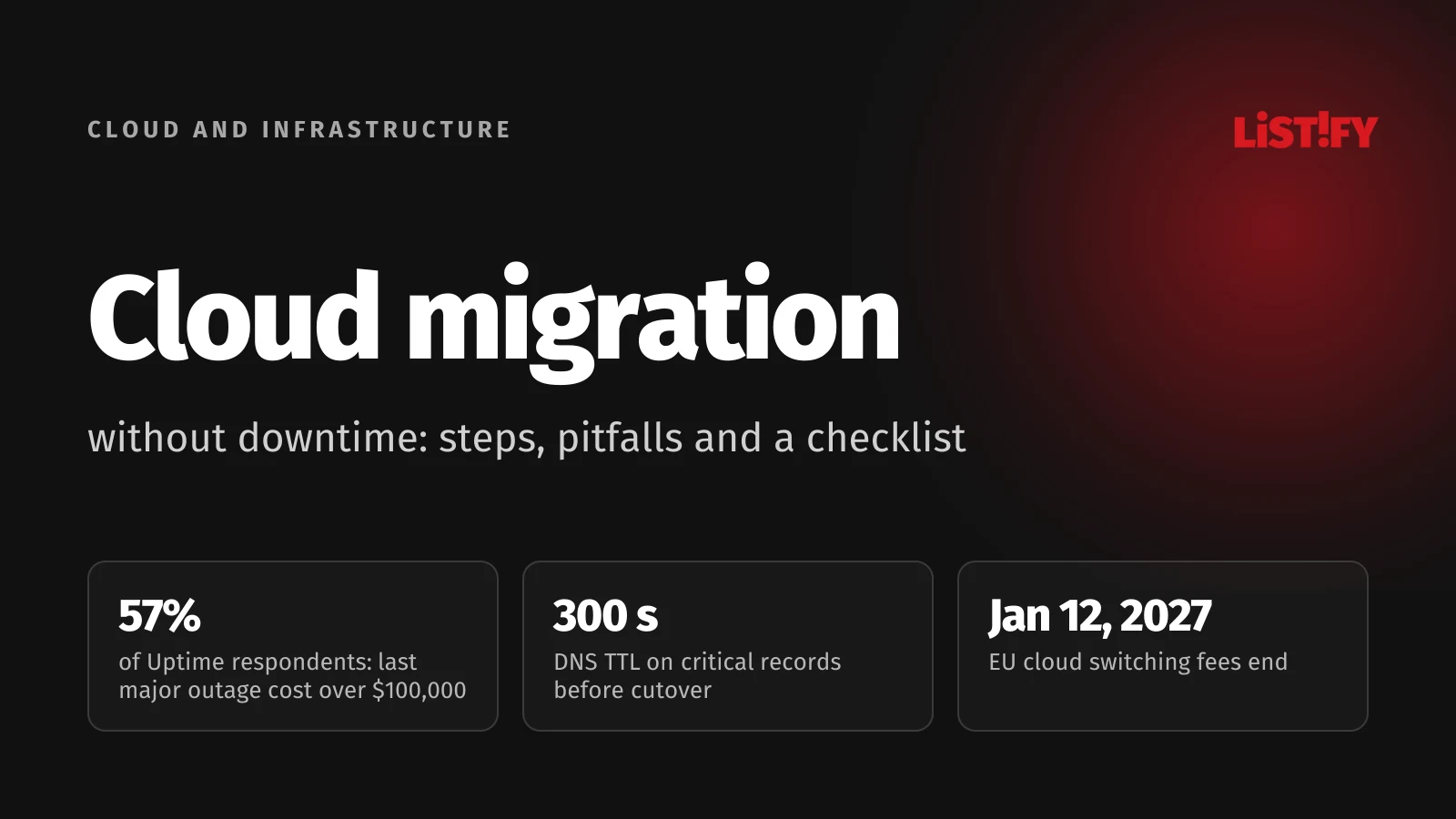
Outage costs keep edging up, too. In Uptime Institute’s 2025 survey, 57% of respondents said their most recent major outage cost more than $100,000, and one in five put the bill above $1 million (Uptime Institute).
About half of EU companies with 10 or more employees now pay for cloud services (52.7% in 2025), and email and office software are what they use most (Eurostat). The real test comes with databases, online stores and internal systems, where every minute offline means lost orders. Below is the approach used in large migrations, broken down into steps a smaller company can follow, plus a checklist at the end you can paste straight into your task tracker.
01Why migrations fail even when the data arrives intact
One of the costliest migration failures in recent memory had nothing to do with lost data. In April 2018, UK bank TSB moved its customer data to a new platform successfully, but the platform started failing the moment it went live. All of its branches and a large share of its 5.2 million customers were affected, and it took until December 2018 to get back to business as usual. UK regulators, the FCA and the PRA, fined the bank a combined £48.65 million, on top of £32.7 million it had paid customers in redress (FCA). The regulators found that TSB had not planned or controlled the program properly and had failed to manage the risks of outsourcing to its critical IT supplier.
There are two lessons here. Copying the data is the easy half; the hard half is proving that everything built on top of it works under real load. And the outcome is your responsibility even when a vendor runs the migration. That is why you should hold the access credentials, documentation and source code yourself, as we explain in how to take over a website from an unresponsive developer.
Companies also underestimate something else: the cloud doesn’t eliminate outages. It moves them somewhere else. Over the nine years Uptime Institute has tracked publicly reported outages, third-party IT and data center providers, including cloud giants, telecoms and colocation companies, have accounted for about two-thirds of them. And the leading cause of outages involving human error is still staff not following established procedures (Uptime Institute). Design your migration to expect failure: a way back, a backup you have actually restored, and a clear plan for who does what when something breaks.
- Finland (highest)79.2%
- Italy75.6%
- Sweden72.0%
- Czech Republic54.9%
- Poland54.7%
- Germany53.9%
- EU average52.7%
- Austria52.1%
- Slovakia36.4%
- Bulgaria (lowest)17.8%
Source: Eurostat, isoc_cicce_use, indicator E_CC, share of companies with 10 or more employees, excluding the financial sector, agriculture and mining, 2025.
Adoption varies widely across Europe, from under a fifth of companies in Bulgaria to nearly four in five in Finland. What companies run in the cloud varies too. Among EU companies that pay for cloud services, 85.2% use it for email, but only 45.5% host a database there. Databases and the systems built on them are exactly where a migration is most delicate.
- Email85.2%
- Office software71.7%
- Database hosting45.5%
Source: Eurostat, isoc_cicce_use, indicators E_CC_PEM, E_CC_PSOFT and E_CC_PDB, share of EU companies with 10 or more employees that pay for cloud services, 2025.
02Preparation: don’t move a single server until you’ve taken inventory
Most cutover surprises come from the same place: a dependency nobody remembered. It’s usually a nightly job that copies files to a network share, an accounting tool wired straight into the online store’s database, or an IP address hardcoded into a config file. Before you touch the first server, you need to know exactly what you’re moving and what depends on what.
- List everything that runs. Applications, databases, storage, scheduled jobs and partner integrations. Give each one a business owner, not just an admin.
- Map how data flows. Who talks to whom, on which ports and how often. A week of network traffic logs will tell you more than any documentation. Pay special attention to API connections, which we cover in API integration best practices.
- Decide what you can afford to lose. Give every application two numbers: how long it can be down (RTO) and how much data you can afford to lose (RPO). An online store can tolerate minutes; an internal wiki can survive a full day.
- Rank applications by risk. Pick a pilot that matters but isn’t critical and has few dependencies. That’s where you test the process and the tools.
Not every application needs the same treatment. The standard framework for deciding is the seven migration strategies known as the 7 Rs (AWS Prescriptive Guidance).
| Strategy | What it means | When it fits |
|---|---|---|
| Retire | Shut the app down and archive the data | Nobody uses it. AWS suggests looking for systems averaging under 5% CPU and memory use, or with no inbound connections in 90 days |
| Retain | Leave it where it is | Specialized hardware, a recent upgrade, data residency rules |
| Rehost | Move the server to the cloud as is (lift and shift) | You need to get out of your own server room fast |
| Relocate | Move a whole virtualized environment to the cloud version of the same platform | Large virtualized environments with many servers |
| Repurchase | Replace the system with a SaaS product | Self-hosted email, CRM, time tracking |
| Replatform | Keep the app but hand the database to a managed service | Cut admin work without rewriting code |
| Refactor | Rebuild the app on cloud-native services | A legacy monolith is holding the business back and you have the time and people |
A common mistake is rebuilding an application while you’re moving it. For large migrations, AWS explicitly recommends moving first and modernizing afterward. Make two big changes at once and, when something breaks, you won’t know which one caused it.
03Data: copy continuously, cut over in minutes
In a zero-downtime migration, data doesn’t move in one big push. The process has five steps, and customers notice, at most, the cutover, which takes minutes.
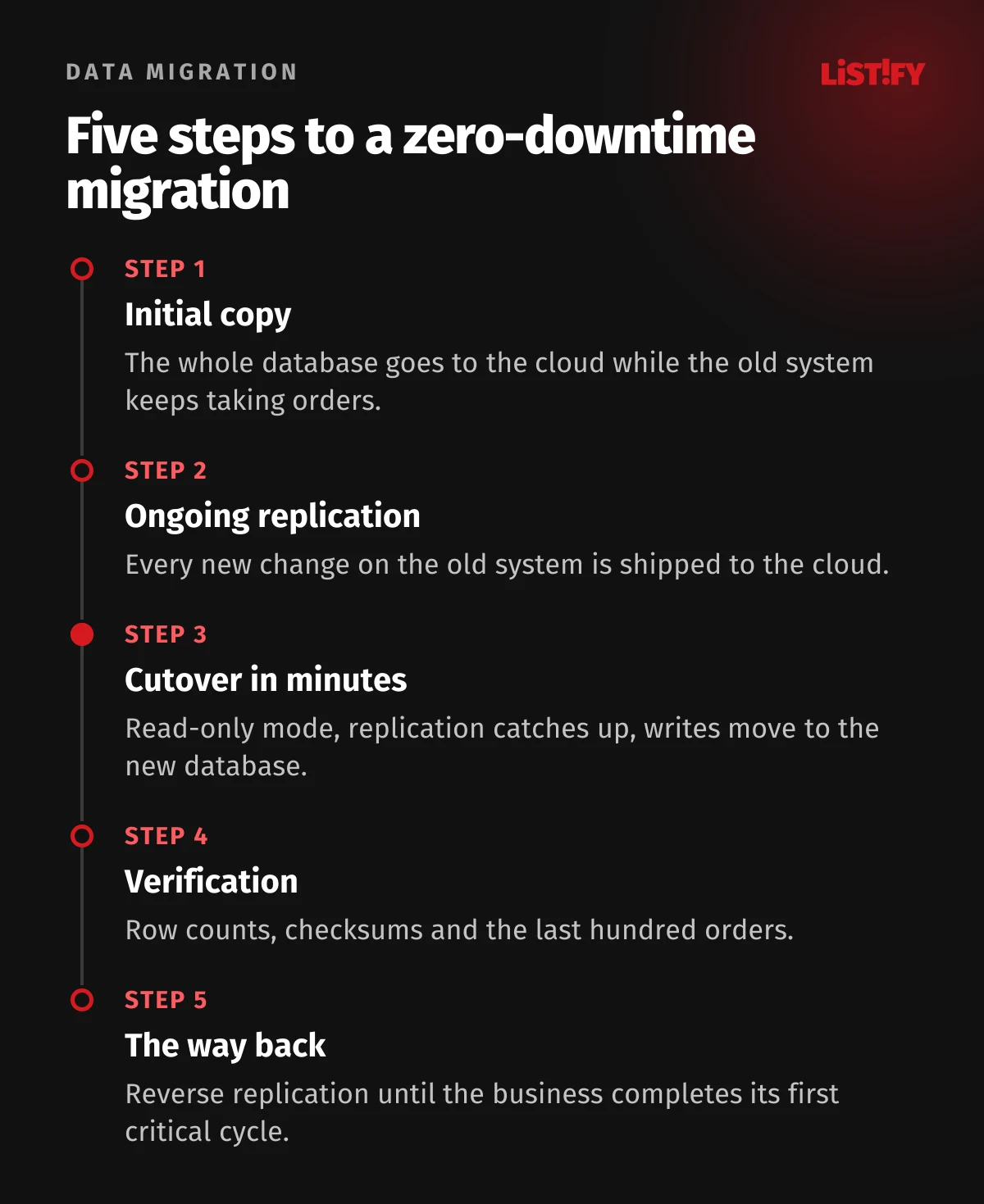
Initial copy. A migration tool copies the entire database to the cloud while the original system keeps running and taking orders.
Ongoing replication (CDC, change data capture). From the moment the copy starts, the tool reads the source database’s transaction log and ships every change to the cloud. On MySQL it reads the binary log; on PostgreSQL it uses logical replication. The AWS Database Migration Service documentation flags two things. Replication isn’t real time, and depending on load, network and the target, the lag can grow to several minutes or longer. And the source database has to keep its change logs long enough; for Amazon RDS sources, AWS says 24 hours is usually enough (AWS DMS). Watch replication lag closely and only cut over once it holds steady at a few seconds or less; in read-only mode it then drops to zero.
Cutover. Put the application in read-only mode for a few minutes, wait for replication to catch up, verify the data matches, and point writes at the new database. Customers can keep browsing; they just can’t check out for a moment. Martin Fowler mentions another option: run the new environment in read-only mode for a while before cutover. That alone may be enough to flush out many outstanding issues before you start writing for real (martinfowler.com).
Verification. Compare row counts for every table, checksums for the critical ones, and a sample of specific records, such as the last hundred orders. The automated validation most migration tools offer is a good start, but run your own checks too.
The way back. After cutover, run replication in the opposite direction, from the cloud back to the old system. If something serious breaks in the first days or weeks, you can switch back without losing the orders that came in since. AWS DMS supports bidirectional replication but states plainly that it doesn’t detect or resolve conflicts, so only ever write to one of the two databases.
Your rollback plan. Don’t shut down the old system right after cutover. Keep it running with reverse replication until the business has gone through at least one critical cycle, such as month-end close or payroll. Only then decommission it and securely wipe the data.
04Applications: shift traffic in stages
Applications follow the same principle as data. The new environment runs alongside the old one, and traffic moves over gradually.
Blue-green. You run two production environments that are as close to identical as possible. The old one serves live traffic while you finish testing the new one, then you switch the routing. If something goes wrong, you switch back (martinfowler.com).
Gradual cutover. Instead of moving all traffic at once, send a small slice of users to the cloud first, say 5%, then 25%, 50% and finally everyone. Watch error rates and response times between each step. You can set the split on your load balancer or with weighted DNS records. Writes should go to the new database only: once the data cutover is done, point the old application servers at it too.
DNS. DNS changes don’t reach users instantly, because resolvers cache the old record for as long as its TTL says. Cloudflare recommends lowering the TTL on critical records at least 24 to 48 hours before the migration, commonly to 300 seconds, and for records with longer TTLs ideally as far ahead as those TTLs (Cloudflare). If a record has a one-day TTL and you leave it alone, some customers may keep hitting the old server for up to a full day after cutover. Rolling back would take just as long.
What teams often forget:
- User sessions. If the app keeps sessions in server memory, everyone gets logged out at cutover. Move sessions to a shared store before you migrate.
- Uploaded and generated files. Invoices, photos and attachments need to sync continuously, just like the database.
- Schema changes. First change the schema so it works with both the old and new versions of the app. Drop old columns only once traffic has settled.
- Outbound IP addresses. Banks, payment gateways and partners often allowlist your current IPs. Send them the new ones well in advance.
- Transactional email. After switching servers, check your SPF, DKIM and DMARC records, or order confirmations may land in spam.
Load test the new environment before cutover, ideally at the kind of peak you see in your busiest season. Our web app scalability guide covers what to watch.
Write down your go/no-go and rollback criteria ahead of time, and make them measurable. For example, an error rate above 1% for five minutes or checkout response times above two seconds means an immediate rollback. A rule written calmly beats a decision made at 2 a.m. under pressure.
05Security, regulations and your cloud contract
Your data is never more exposed than during a migration. Two copies exist, data is moving across networks, and more people than usual have access to it.
- Encrypt data in transit and at rest. For sensitive data, manage the keys yourself.
- Put an expiry date on migration access. Revoke temporary accounts and keys when you’re done, and enforce multi-factor authentication on every admin account in the cloud.
- Turn on logging from day one and keep it on through launch. Without logs, you’ll never reconstruct what happened during cutover.
- Test-restore your backup before cutover. A backup you’ve never restored from is only a hope.
- Wipe the old environment once the trial period is over, including disks, snapshots and old backups.
For server hardening, HTTPS and cloud permissions in more detail, see server, HTTPS and cloud security; for protecting personal data inside the application, see data security in custom software development.
NIS2 in the EU. If you operate in the European Union and fall under the NIS2 Directive, national laws require you to report significant incidents in stages: an early warning within 24 hours, an incident notification within 72 hours, and a final report within a month of that notification. Management bodies are directly accountable for cybersecurity, and supply chain security, including your cloud provider, has to be part of your risk management. An outage caused by a botched migration can trigger these deadlines like any other significant incident. What leadership needs to oversee is covered in app security for executives: NIS2 and the CRA.
Financial services. Under DORA, EU banks, insurers and other financial entities must manage ICT third-party risk and have exit strategies for ICT services that support critical or important functions. The TSB case shows how seriously regulators outside the EU take migration failures too.
Personal data. If you process personal data in the cloud, the provider acts as your processor under GDPR and you need a data processing agreement. In the US, HIPAA-covered entities, such as healthcare providers and health plans, and their business associates need a business associate agreement with any cloud provider that handles electronic protected health information under HIPAA (HHS). Either way, confirm which countries your data physically sits in and whether it leaves the EU or the European Economic Area.
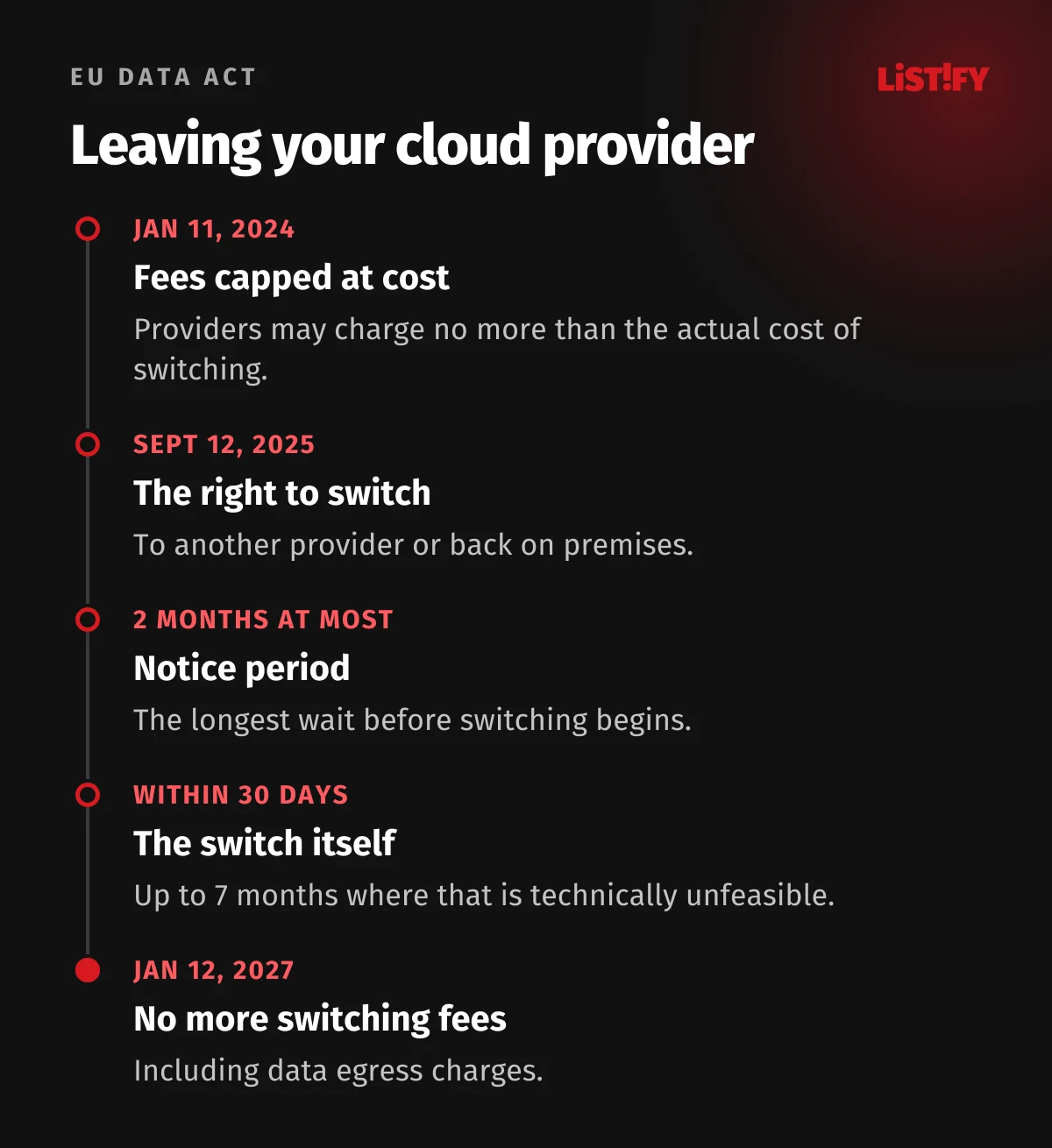
The EU Data Act and your exit. Since September 12, 2025, cloud providers serving EU customers must let you switch to another provider or back on premises. The notice period can’t exceed two months, and the switch itself must be completed within 30 days, or within seven months at most where that is technically unfeasible. Until January 12, 2027, providers may charge no more than the costs directly linked to switching; after that, no switching fees at all, including data egress fees (Regulation (EU) 2023/2854, DLA Piper).
Several major providers already waive egress charges for customers who leave, though the conditions vary: AWS on request through its support team, Google Cloud for customers who stop using its services, and Azure as a credit for up to 60 days of egress charges. Whatever cloud you pick, get in writing how you’ll retrieve your data and in what format. An exit plan belongs in a good migration as much as an entry plan.
06Cloud migration checklist
Copy it and assign an owner to every item.
Weeks ahead
- Inventory of applications, databases, storage, scheduled jobs and partner integrations
- Data flow map based on at least a week of traffic logs
- RTO and RPO for every application, signed off by leadership
- A chosen 7 Rs strategy for each application and a migration order in waves
- Pilot migration on a less critical system
- Provider contract covering security requirements, audit rights, incident response times and an exit plan
- Data processing agreement (GDPR) or business associate agreement (HIPAA) where needed, and confirmed data location
The week before cutover
- TTL on critical DNS records lowered to 300 seconds at least 24 to 48 hours ahead
- Data replication running with lag steady at a few seconds
- User sessions moved to a shared store
- New outbound IP addresses sent to banks and partners
- SPF, DKIM and DMARC ready for the new servers
- Backup taken and test-restored
- Go/no-go and rollback criteria written down
- Load test of the new environment
Cutover day
- Support team briefed and a customer message ready
- Read-only mode, replication caught up, data verified
- Traffic shifted in stages, with error rates checked after each step
- Reverse replication to the old system running
After cutover
- Old environment kept running through the first critical business cycle
- Temporary migration accounts and keys revoked
- TTLs restored to normal values
- Old environment shut down and data securely wiped
07FAQ
Can you migrate to the cloud with zero downtime?
For most business applications, you can cut downtime to a few minutes of read-only mode. A short read-only window usually doesn’t register with customers as downtime. True zero downtime usually takes changes in the application itself, such as writing to both databases for a transition period, which is rarely worth it for a smaller company.
How long does a cloud migration take?
The data cutover itself takes minutes; shifting all traffic to the new environment can take hours or days. Inventory, preparation and a pilot typically take weeks at a smaller company and months when hundreds of servers are involved. AWS defines a large migration as 300 or more servers (AWS).
What does it cost to leave a cloud provider?
In the EU, starting January 12, 2027, providers can’t charge switching fees, including data egress fees. Until then, they can charge only the actual cost of the switch. Several major providers also already waive egress charges for customers who leave. Regular service fees and early termination penalties may still apply.
Do I have to report a migration to regulators?
Usually not the migration itself, although regulated sectors such as finance may have extra notification duties. But if it causes an outage or a data breach that your national cybersecurity law treats as a reportable incident, the usual reporting deadlines apply.
What should I migrate first?
A system that matters but isn’t critical and has few dependencies, such as an internal app or a low-traffic website. A pilot lets you test the process, the tools and how your team communicates before you touch the online store or the accounting system.
08Sources
- Uptime Institute: Annual Outage Analysis 2026
- Eurostat: cloud computing services in enterprises (isoc_cicce_use)
- Eurostat: 53% of EU enterprises used paid cloud services in 2025
- FCA: TSB fined £48.65m for operational resilience failings
- AWS Prescriptive Guidance: About the migration strategies
- AWS Prescriptive Guidance: Guide for AWS large migrations
- AWS DMS: Creating tasks for ongoing replication
- Martin Fowler: Blue Green Deployment
- Cloudflare: DNS migration preparation
- Directive (EU) 2022/2555 (NIS2)
- Regulation (EU) 2022/2554 (DORA)
- HHS: Guidance on HIPAA and cloud computing
- Regulation (EU) 2023/2854 (Data Act)
- DLA Piper: Cloud exit under the EU Data Act
- AWS: Free data transfer out when moving out of AWS
- Google Cloud: Eliminating data transfer fees when migrating off Google Cloud
- Microsoft Learn: Cancel your Azure subscription (free egress)
Figures current as of September 29, 2026.