Cookie consent without losing the customer or their form
A visitor starts filling in a quote request, opens cookie settings, and loses everything when the page reloads. Another clicks Reject, but advertising tags still fire. Both failures come from treating the banner as a separate decoration. Consent needs to work with the page, the scripts, and the task the visitor came to complete.
The useful question is not which banner gets the most acceptance clicks. It is whether people can make an informed choice and continue using the site, and whether the systems honor that choice. A polished interface can still fail all three tests.
For a global website, start by identifying the rules that apply to the markets and processing involved. EU cookie requirements and GDPR are related, but they are not interchangeable, and the same implementation is not automatically sufficient everywhere. Then translate the requirements into observable page behavior.
01Separate cookie access from personal-data processing
In the EU, rules on storing or accessing information on a device come from national laws implementing the ePrivacy Directive. GDPR governs personal-data processing where it applies. The EDPB's Cookie Banner Taskforce report discusses this relationship and states that cookies requiring consent must not be set before a positive consent action.
Necessary service functions and optional tracking need separate assessment. Do not assume every analytics product is exempt, or that every cookie requires the same choice. The purpose and configuration matter. National rules and regulator guidance can differ, so agree on the classification for your actual markets before configuring the platform.
The scope also goes beyond a file named cookie. The EDPB's final technical-scope guidelines examine techniques such as tracking pixels and links. Changing the technology or moving part of a pipeline to a server does not by itself settle the consent question.
Where you rely on GDPR consent, the EDPB's consent guidelines explain freely given, specific, informed, and unambiguous consent, along with withdrawal. Decide what each purpose means and what information the person needs. A single broad label such as improving your experience is rarely helpful to someone deciding about advertising or analytics.
02Inventory the behavior before choosing a banner
List scripts, embeds, tag-manager rules, plugins, pixels, browser storage, and server forwarding. Include features added by the marketing team: chat, video, heatmaps, reviews, maps, and campaign landing pages. Record their purpose, provider, data destinations, and conditions for loading. An old tag hidden in a template can bypass a new consent platform.
| Component | Decision to document | Evidence to inspect |
|---|---|---|
| Session and cart storage | Which storage supports the requested service and why | Cart and sign-in behavior before and after each choice |
| Audience measurement | Whether consent or a specific local exemption applies to this configuration | Actual requests, identifiers, destinations, and retention |
| Advertising tags | The permitted purposes and required consent signals | No premature firing; correct updates after a choice |
| Third-party video or map | When the provider receives data and what fallback is available | Loading placeholder, activation flow, and network requests |
| Server-side forwarding | Which source events may be forwarded for which purpose | Consent state accompanies the event and affects forwarding |
Give each component an owner. The consent platform manages a configuration; it cannot discover the business reason for every tool or decide your legal basis. Keep the inventory current when vendors or purposes change. Remove tools nobody uses rather than carrying their configuration and data exposure indefinitely.
For broader technical checks before launch, our web app security checklist covers the surrounding application. Consent handling should be included in the same release process as forms, payments, and account access.
03Make accept, reject, and settings understandable
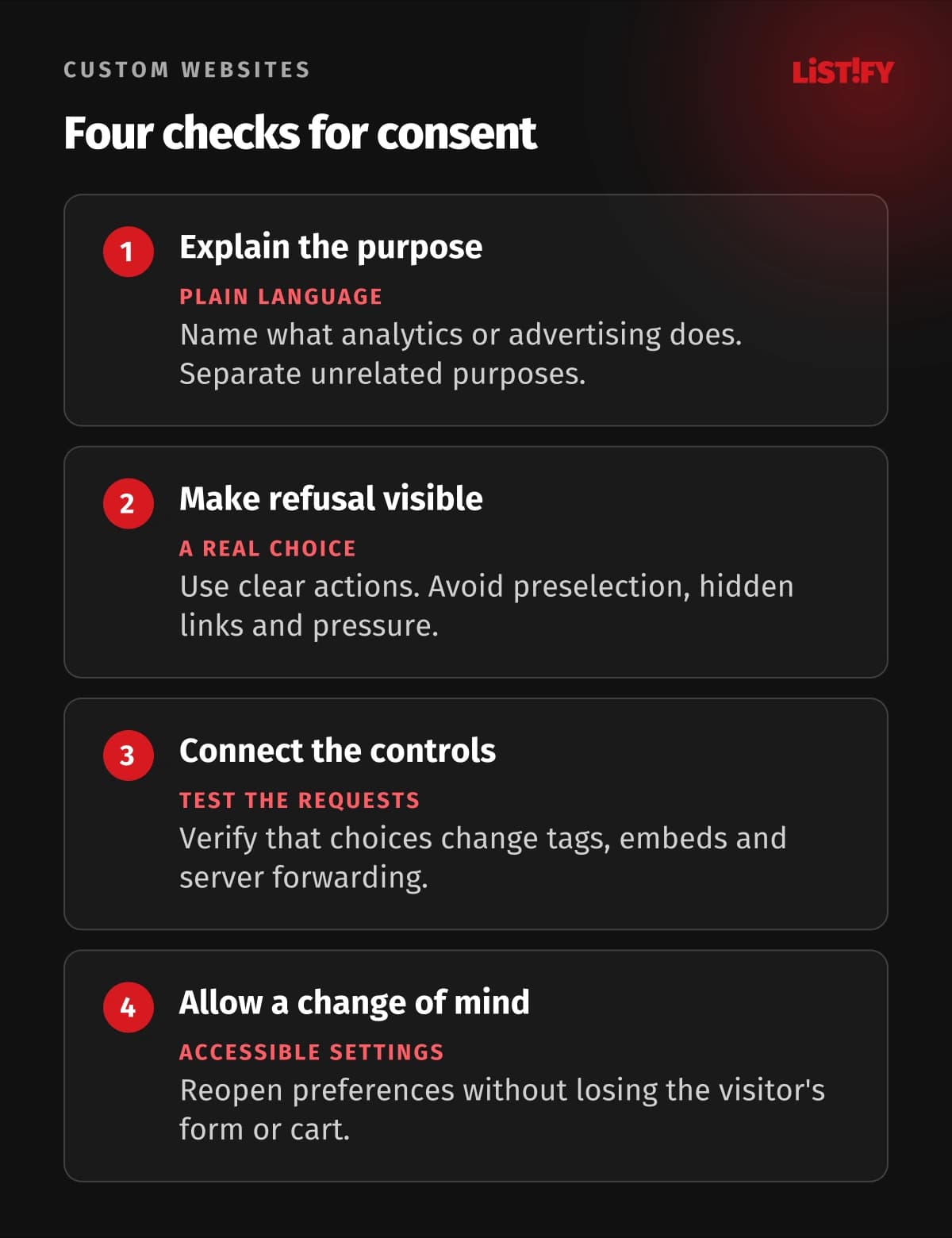
Use plain labels that describe the action. Accept optional cookies, Reject optional cookies, and Settings are easier to understand than a prominent Continue button beside an ambiguous X. Keep the refusal path visible and straightforward. Do not make people hunt through a long list of providers to refuse what they could accept in one click.
The EDPB taskforce report identifies concerns about missing refusal options, preselected choices, deceptive links, and misleading visual design. It also calls for case-by-case assessment of colors and contrast. It does not prescribe one universal button color or pixel-perfect layout. Design for a clear choice, and validate the local requirements.
Explain purposes first, then offer useful detail about providers and storage. Keep optional categories off until the relevant choice is made. Do not confuse agreement to the site's terms with optional marketing permission. CNIL's consent design examples show why bundling unrelated purposes can undermine a real choice.
Make settings easy to reopen from every page. Show the saved state, let people change it, and confirm the change without celebrating acceptance or scolding refusal. Avoid repeatedly reopening the banner after someone rejects simply because your preferred answer did not arrive.
04Preserve the form, cart, and place on the page
A person may already be halfway through a task when they open privacy settings. Apply a choice without a full-page reload wherever practical. Preserve entered text, the current step, scroll position, cart contents, and validation messages. Test this explicitly: a blank form after saving preferences is a product defect, not an inevitable cost of privacy.
If changing a provider requires replacing an embed, update that component. Do not reset the whole application. Keep the chosen delivery address and product selection while you unload an optional map or personalization widget. Define which essential session state must survive, and avoid using refusal as a reason to delete unrelated work.
When a third-party feature remains unavailable, provide a meaningful placeholder and an alternative where possible. A video could have a transcript; a map could have a written address and directions link. A request form should not depend on an optional analytics script to submit successfully.
There are practical limits. A declined provider's functionality may be unavailable, and some integrations cannot be unloaded cleanly without navigation. Identify those cases and redesign or explain the affected feature. Do not promise that every third-party experience will be identical after refusal. The goal is a usable primary task with honest limits.
Keep pending input in appropriate application state. Do not solve data loss by quietly sending every draft form to an analytics endpoint or storing sensitive entries indefinitely. Preserving work and limiting unnecessary collection should be part of the same design.
05Consent Mode is a signal system, not a legal verdict
Google's Consent Mode documentation distinguishes basic and advanced implementations. Basic blocks Google tags until the relevant consent flow permits them. Advanced loads tags with default states and can send measurements without cookies while consent is denied. Therefore denied must not be described as zero data transmission across every Consent Mode setup.
Choose the implementation after deciding which processing is permitted. Check the defaults before tags initialize, updates after the choice, and the behavior of every relevant consent type. Advertising storage, advertising user data, personalization, and analytics storage are distinct signals. A correct value for one does not prove the entire setup is correct.
Third-party tags need their own checks. A tag manager may pass Google signals correctly while another pixel ignores them. Server-side events must respect the same purpose decisions. Moving a request away from the browser does not make the user's refusal disappear.
Treat conversion modeling as an estimate with its own assumptions. Do not present a modeled result as a directly observed visit or claim that Consent Mode recovers every missing conversion. Discuss reporting limitations with the people who use the numbers. Our guide to marketing reporting for executives can help frame the wider measurement conversation.
06Test accessibility and the full consent lifecycle
Use the banner with a keyboard and a screen reader, on a narrow phone screen and at increased text size. Verify understandable control names, visible focus, logical focus movement, and access to all choices. A modal should keep its own interaction manageable and return focus sensibly when closed.
WCAG 2.2 includes keyboard operation, focus order and visibility, and a requirement that author-created content not entirely hide the focused control at Level AA. Use these as concrete accessibility checks rather than assuming the consent vendor's badge covers your integrated page.
Inspect network requests and storage in a fresh session before any choice, after acceptance, after refusal, and after withdrawal. Repeat with a returning visitor and a changed configuration. Check embedded content, cross-page navigation, and slow loading, where timing errors often appear. A screenshot of the banner proves little about script behavior.
Define how preferences are recorded, how their version relates to the purposes shown, and when a material change requires a new choice. Retain appropriate evidence without collecting an unnecessarily detailed browsing history. Do not invent a universal renewal interval from another country's example; agree on the rule for your situation.
07Roll out consent as a tested website change
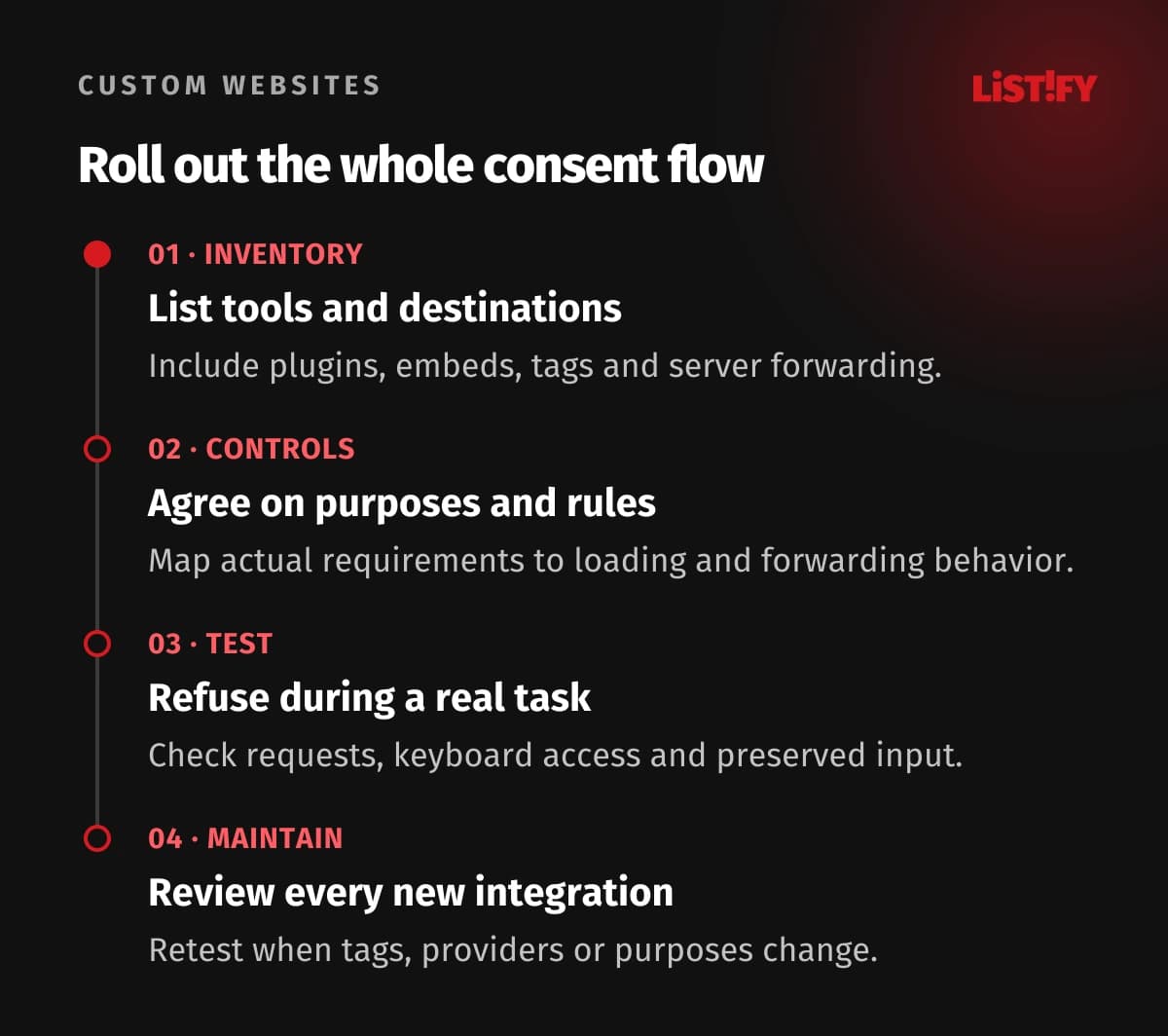
- Inventory the tools. Record providers, purposes, storage, requests, and owners, including server-side forwarding and embeds.
- Agree on the controls. Assess applicable requirements, classify the actual configuration, and connect each choice to loading and forwarding rules.
- Test the visitor's task. Try refusal and withdrawal during a partially completed form or checkout. Inspect requests and verify keyboard access.
- Review every change. Include consent checks when adding a tag, changing a provider, updating the platform, or altering a purpose.
Assign responsibility across marketing, development, and whoever reviews privacy requirements. A campaign should not add a new pixel without updating the inventory and controls. Keep a short acceptance record showing tested states, known limitations, and the person responsible for fixing failures.
When reviewing results, include broken forms, unexpected requests, inaccessible controls, and complaints about repeated prompts. Acceptance rate alone can reward a confusing interface. Successful consent handling is a reliable choice that leaves the visitor able to do the work they came for.
08Practical questions about cookie consent
Does every website need the same cookie banner?
No. Start with its actual technologies, purposes, audience, and applicable rules. A site with only permitted necessary storage has a different situation from one using advertising trackers. Do not copy a banner as a substitute for this assessment.
Can analytics always run without consent?
No. Requirements and possible exemptions depend on the jurisdiction and the specific configuration. Review the collection, recipients, and use. Calling a tool analytics or cookieless does not settle the issue.
Can visitors reject without losing a form or cart?
That should be an explicit design and test requirement. Preserve essential session state and entered values, update affected optional components, and avoid unnecessary reloads. Test refusal while the task is already in progress.
Does denied Consent Mode mean no data is sent?
Not in every implementation. Google's advanced mode can send measurements without cookies while consent is denied. Inspect the chosen mode and actual requests, then assess whether that processing is permitted.
Is a CMP enough to make the site compliant?
No. It needs a current inventory, accurate purposes, correct tag rules, usable choices, appropriate information, and ongoing testing. It cannot determine your legal basis or control integrations it has not been configured to manage.
Do we have to reload after a preference change?
Often you can update the relevant component and state directly. Some integrations have limits, so investigate them before launch. A reload that discards a visitor's work should prompt a design fix or a clearly managed alternative.
What should we check after adding a marketing tag?
Check its purpose, provider, consent dependency, requests before a choice, behavior after refusal and withdrawal, and server forwarding. Also verify that forms and checkout still work when the tag stays blocked.