What is a VPN and how does it work? What it hides and what it doesn’t
A VPN (virtual private network) creates an encrypted tunnel between your device and a server run by the VPN provider. Your internet provider and the Wi-Fi operator can no longer see where you connect, and websites see the VPN server’s IP address instead of yours. A VPN won’t make you anonymous, though. It won’t stop scam sites, and the VPN provider can see what you hide from everyone else: your IP address and the sites you visit.
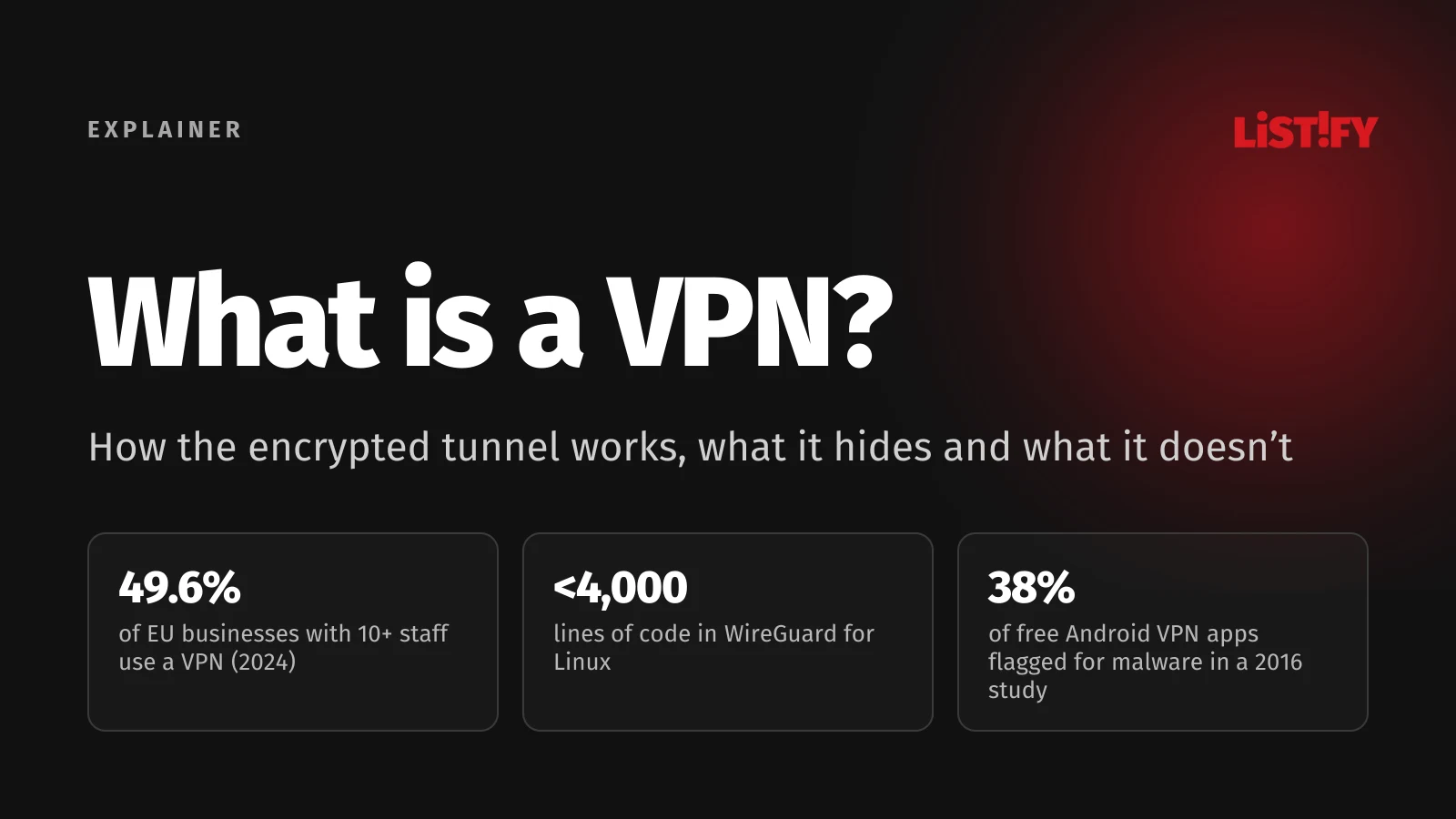
The US National Institute of Standards and Technology (NIST) defines a VPN as a virtual network built on top of an existing physical network that provides secure communication between networks or devices (NIST, PDF). In plain terms: your data takes a detour through someone else’s server and is encrypted along the way.
If you already know you want one and just need to pick a service, start with our best VPNs of 2026. This guide looks under the hood: how a VPN works, what it really hides, where its limits are and when you don’t need one at all.
01The short answer: what a VPN does and doesn’t do
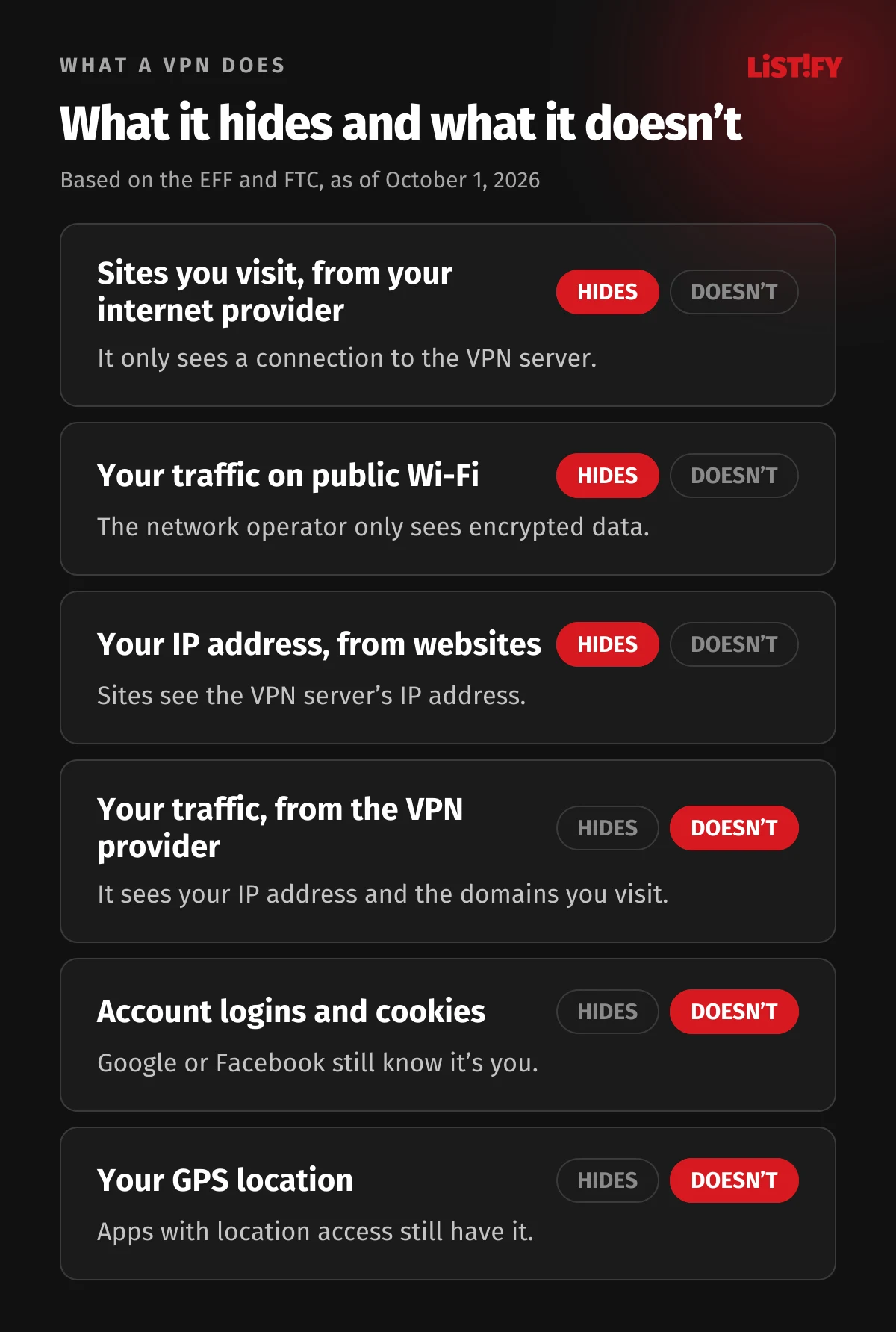
| A VPN does | A VPN doesn’t |
|---|---|
| Encrypt traffic between your device and the VPN server | Make you anonymous; you can still be tracked through cookies, browser fingerprinting or accounts you’re signed in to |
| Hide the sites you visit from your internet provider and the Wi-Fi operator | Hide your traffic from the VPN provider itself |
| Replace your IP address with the VPN server’s address | Protect you from viruses, phishing or fake online stores |
| Let you choose which country you connect from | Guarantee access to streaming services abroad, which often block VPNs |
02How a VPN works, step by step
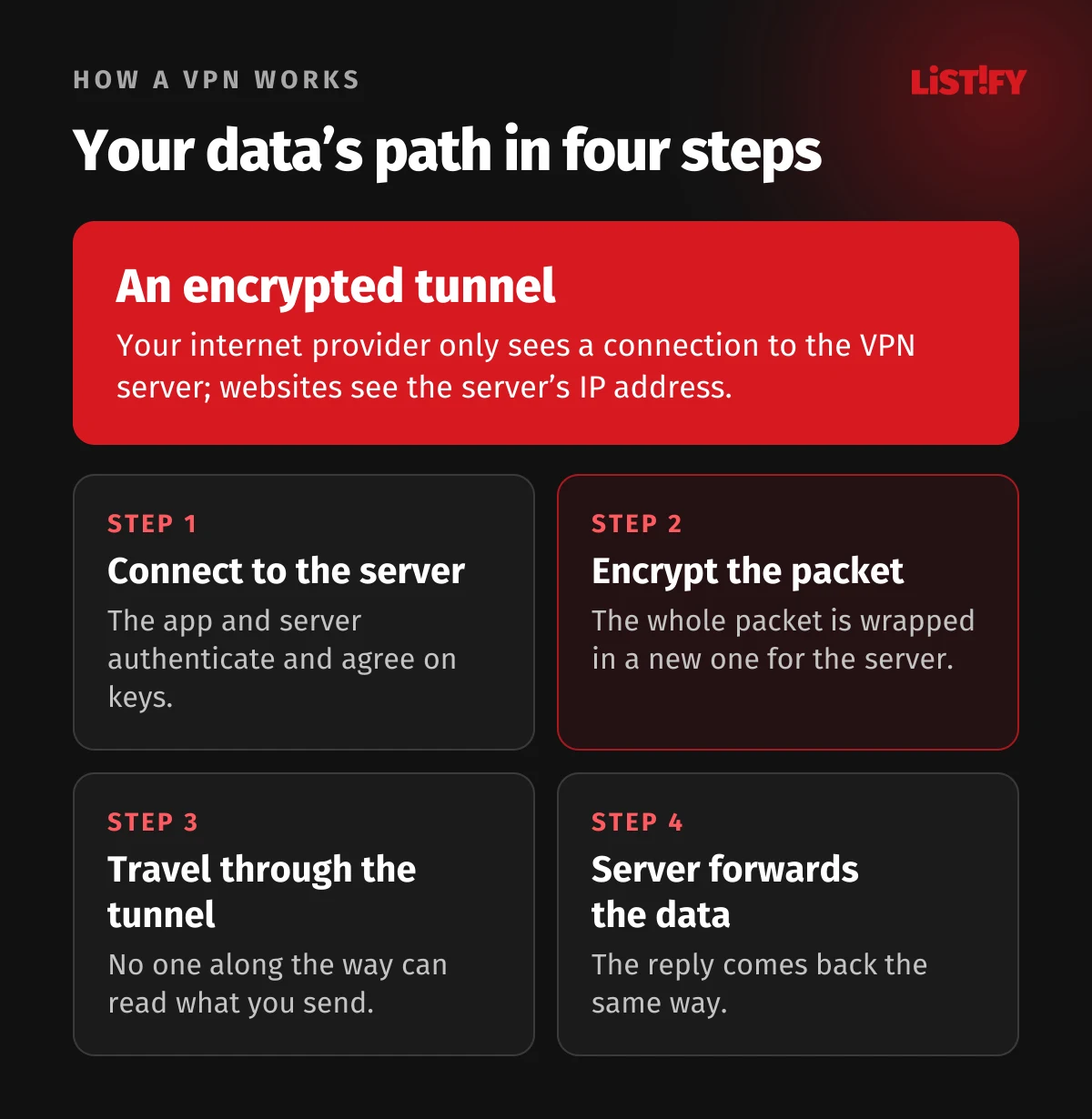
- The VPN app on your device connects to a VPN server. Both sides authenticate each other and agree on encryption keys.
- Every data packet your device sends to the internet is fully encrypted by the app and wrapped in a new packet addressed to the VPN server. WireGuard, for example, encrypts the entire IP packet and sends it over UDP (WireGuard).
- Your internet provider or the Wi-Fi operator only sees that you’re talking to one server, plus data it can’t read.
- The VPN server unwraps the packet, sends it on to the website and returns the reply the same way. The website sees the server’s IP address, not yours.
According to the Electronic Frontier Foundation, a VPN routes all your traffic through an encrypted tunnel between your device and the VPN server, and from a website’s point of view you appear to be wherever the server is (EFF). Your IP address matters because it reveals your rough location and can be used to identify you.
What happens to DNS
Before your browser opens a site, it asks a DNS server for the site’s numeric address. Your internet provider normally sees these lookups, and even when a site uses HTTPS, the lookups reveal which domains you visit. A good VPN sends DNS lookups through the tunnel to its own servers. When they go outside the tunnel, that’s called a DNS leak.
VPN and HTTPS
Most websites now use HTTPS, which encrypts the content of the page. HTTPS doesn’t hide the metadata: the domains you visit and when you visit them are visible to your internet provider and others along the way (EFF). A VPN hides those domain names from your internet provider and the local network. Your provider still sees when you’re online and how much data you send.
03Who sees what, with and without a VPN
| Who | Without a VPN, sees | With a VPN, sees |
|---|---|---|
| Internet provider | Your IP address, the domains you visit, timing and data volume | That you’re connected to a VPN server, timing and data volume |
| Wi-Fi operator (cafe, hotel) | The domains you visit and any unencrypted traffic | Only an encrypted connection to the VPN server |
| Website you visit | Your IP address and approximate location | The VPN server’s IP address and location |
| VPN provider | Nothing | Your IP address and the domains you visit |
The FTC says a VPN app generally keeps the content of your traffic away from your internet provider or a public Wi-Fi network, but it doesn’t make you anonymous. It just shifts trust from those networks to the VPN app provider (FTC). That’s why choosing a provider matters so much. When you install a VPN app, you’re giving it permission to intercept all of your internet traffic.
04Protocols: WireGuard, OpenVPN, IKEv2 and more
The protocol decides how the tunnel is built and how the data is encrypted. Most apps choose it for you, so you rarely need to touch it. It still helps to know which protocols are modern and which are outdated.
| Protocol | What it’s like | Where you’ll see it |
|---|---|---|
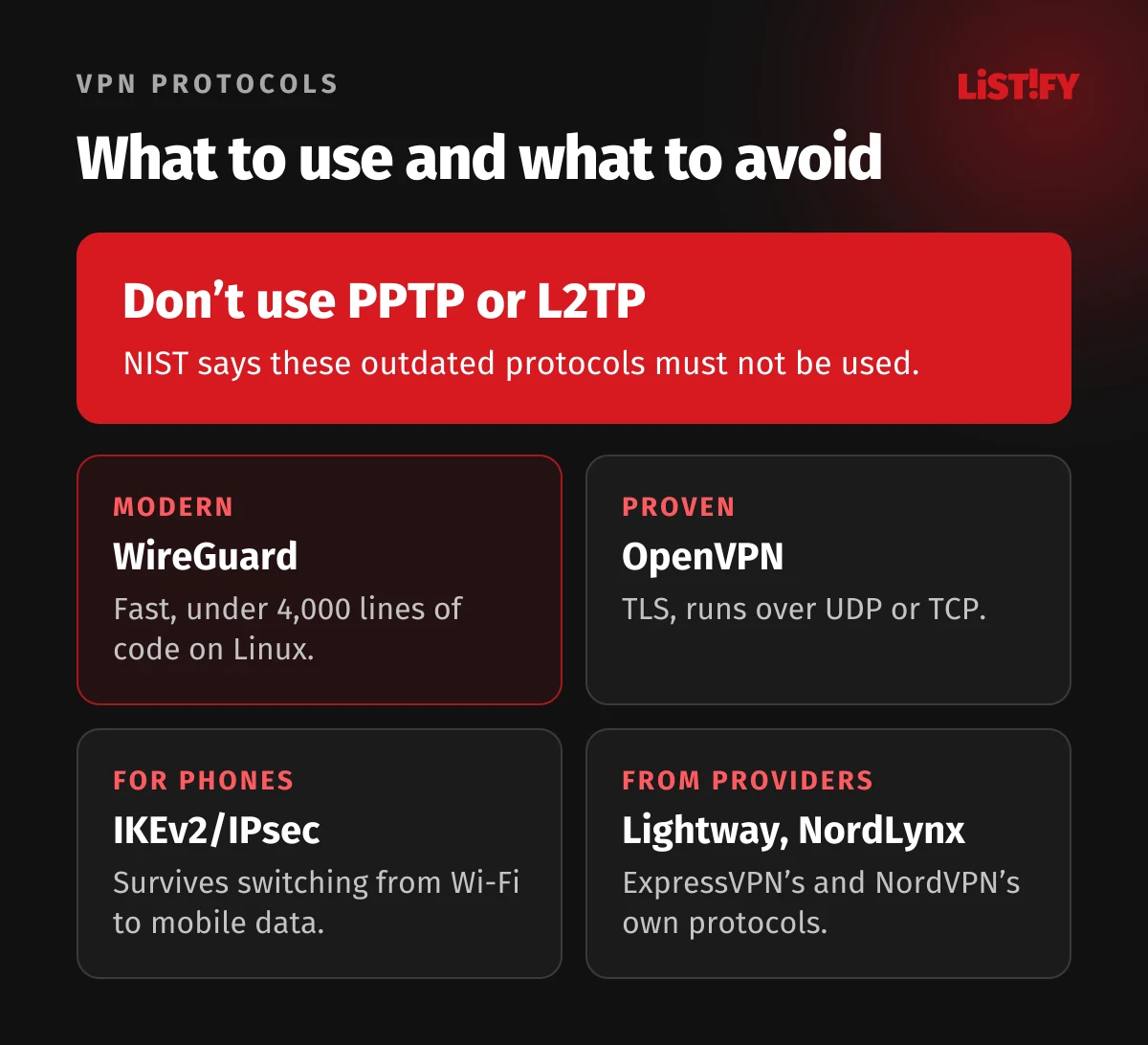
| WireGuard | Modern, under 4,000 lines of code on Linux, runs over UDP, changes keys every 2 minutes | Many consumer VPN apps |
| OpenVPN | Proven, encrypts with TLS, runs over UDP or TCP, default cipher AES-256-GCM | A versatile choice; it can also run over TCP |
| IKEv2/IPsec | An Internet Standard (current spec RFC 7296, 2014); its MOBIKE extension survives switching from Wi-Fi to mobile data | Phones and corporate VPNs |
| Lightway, NordLynx | Providers’ own protocols: ExpressVPN’s Lightway (its own open-source design) and NordVPN’s NordLynx (built on WireGuard) | The ExpressVPN and NordVPN apps |
| PPTP, L2TP | Outdated; PPTP is broken and L2TP doesn’t encrypt on its own | Old corporate networks only; don’t use them |
NIST says PPTP and L2TP “must not be used” (NIST, PDF). Apple removed PPTP from the iPhone back in iOS 10 (Apple), and in 2024 Microsoft announced it would drop PPTP and L2TP from future versions of Windows Server (Microsoft). One more detail: WireGuard’s algorithms aren’t on NIST’s approved list (NIST, PDF). That doesn’t call its security into question. It mainly matters to US federal agencies and contractors that must use NIST-approved cryptography.
05What a VPN can’t do: five myths
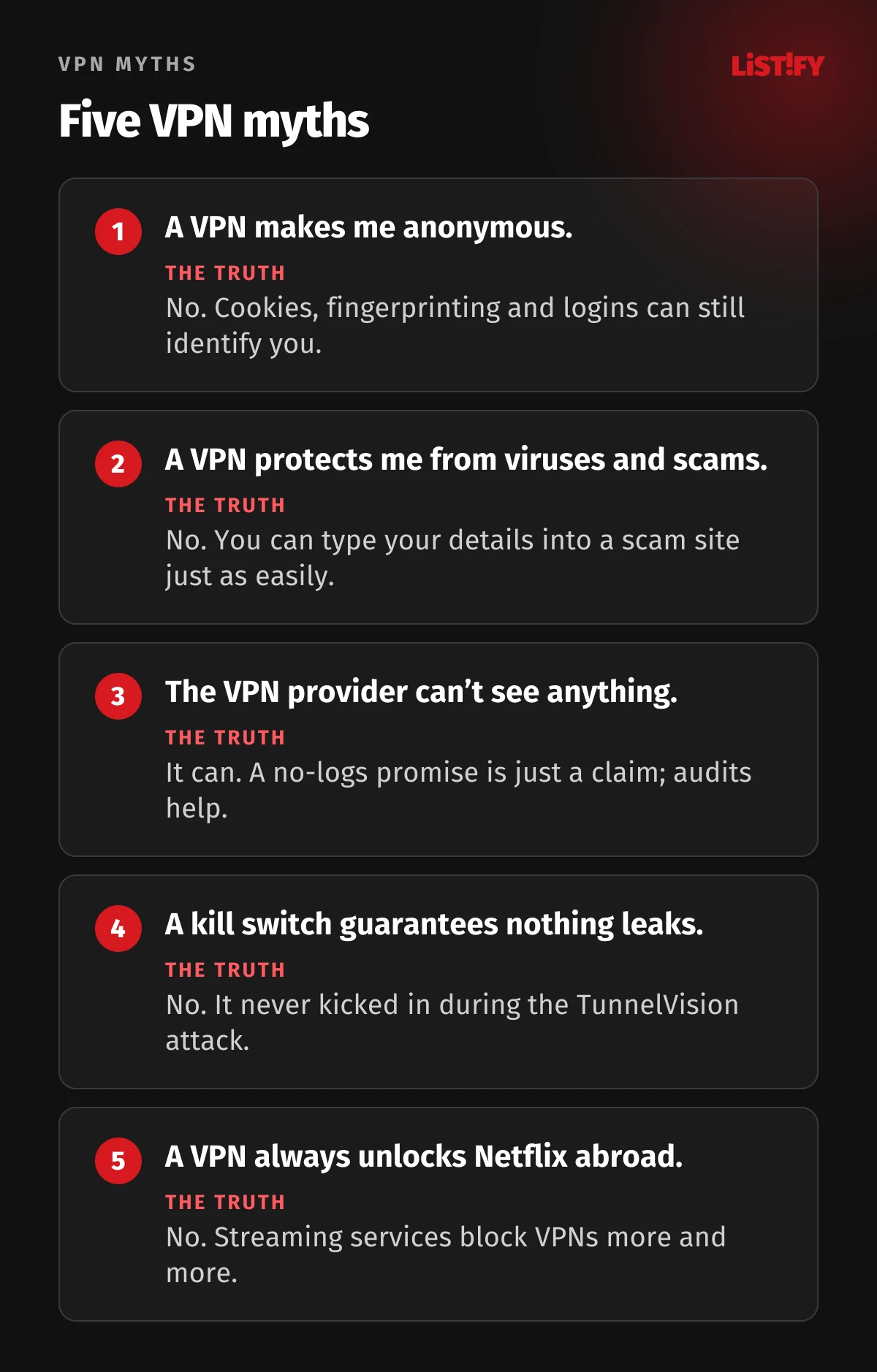
- “A VPN makes me anonymous.” The EFF says a VPN isn’t a tool for anonymity; companies can still track you through GPS, cookies, tracking pixels or browser fingerprinting (EFF). If you’re signed in to Google or Facebook, they know who you are, VPN or no VPN.
- “A VPN protects me from viruses and scams.” According to the EFF, ads claiming a VPN will stop cybercriminals and malware vastly oversell what VPNs do (EFF). You can type your details into a scam site just as easily over a VPN.
- “The VPN provider can’t see anything.” It can. With a commercial VPN, your traffic is visible to whoever runs the service (EFF). A no-logs claim is just a claim; an independent audit makes it more credible, but it only covers the moment it was done (EFF).
- “A kill switch guarantees nothing leaks.” In the 2024 TunnelVision attack, researchers found the VPN kept reporting that it was connected and the kill switch never kicked in (Leviathan Security).
- “A VPN always unlocks Netflix abroad.” Streaming platforms block VPNs more and more, so getting around geo-blocking isn’t guaranteed (EFF).
The EFF also points out that other steps often matter more for your security than a VPN: strong passwords, two-factor authentication, updates and encrypted DNS (EFF). We walk through them in How to secure your phone and accounts.
06Kill switch, split tunneling and leaks
- A kill switch cuts your internet when the VPN drops, so data doesn’t go out unprotected. Android has had this built in since version 7.0 as an always-on VPN that blocks connections outside the VPN (Android Developers); elsewhere, the app provides it.
- Split tunneling sends only selected apps through the VPN while the rest goes direct. It’s handy for apps that don’t work over a VPN, such as some banking or streaming apps. For corporate VPNs, NIST strongly discourages it because of the security risks (NIST, PDF).
- A DNS leak happens when lookups for site addresses go outside the tunnel. On Windows, OpenVPN has an option that blocks DNS outside the tunnel (OpenVPN).
- A WebRTC leak: with a split-tunnel VPN, the WebRTC technology in your browser can reveal the real IP address your internet provider assigned you (IETF RFC 8828).
The 2023 TunnelCrack research found that every VPN product tested was vulnerable on at least one device, most often on Apple devices and least often on Android (TunnelCrack). The attacks require a malicious Wi-Fi network or, for one of them, a malicious internet provider. We look at how leaks play out on phones in How to set up a VPN on iPhone and Android.
07VPN vs. proxy vs. Tor vs. iCloud Private Relay
| Tool | What it covers | Who sees your traffic | When to use it |
|---|---|---|---|
| VPN | The whole device | The VPN provider | Public Wi-Fi, travel, privacy from your internet provider |
| Proxy | Usually a single app, such as your browser | The proxy operator | A quick IP change in the browser, not for security |
| Tor | Tor Browser; traffic passes through several volunteer-run relays | No single relay sees everything | When you need the strongest anonymity |
| iCloud Private Relay | Safari and unencrypted app traffic on Apple devices | No single party sees both your IP address and the site | Browsing in Safari; it can’t change your country |
If you want stronger anonymity, the EFF says Tor is a better choice than a VPN, because no single Tor server can see your browsing data (EFF). The Tor Project, however, doesn’t recommend combining a VPN with Tor unless you’re an advanced user: set up wrong, it can actually reduce your anonymity (Tor Project).
08When to use a VPN, and when you don’t need one
Public Wi-Fi
Because most sites now use encryption, the FTC says connecting through a public Wi-Fi network is usually safe (FTC), and the EFF agrees that a VPN on public Wi-Fi isn’t as necessary for everyone as it used to be. A VPN still hides the domains you visit from whoever runs the network (EFF). On an airport, hotel or cafe network you don’t trust, that’s a sensible extra layer.
Working remotely
Corporate VPNs that let employees reach the company network are widespread. In 2024, 49.6% of EU businesses with ten or more employees used a VPN, according to Eurostat (Eurostat). Germany and Austria are well above the average, at nearly two in three businesses.
- Germany2019: 55.9%2024: 64.3%
- Austria2019: 40.6%2024: 63.6%
- Finland2019: 54.1%2024: 56.4%
- EU (27 countries)2019: 42.4%2024: 49.6%
- Poland2019: 30.4%2024: 44.9%
Share of enterprises that use a VPN as an ICT security measure, excluding agriculture, mining and the financial sector. Source: Eurostat, isoc_cisce_ra.
Travel and streaming
A VPN makes sense when you travel and want to keep your browsing private on hotel networks. In countries that censor the internet, VPNs are often restricted too, so check local rules first (see below). For streaming, expect friction: platforms increasingly block connections that look like they come from a VPN (EFF), and many services’ terms limit where you can watch, so check them first.
When a VPN is pointless
- At home on your own secured Wi-Fi, if you don’t mind your internet provider seeing the domains you visit.
- When you want to stay anonymous on sites you’re signed in to.
- As protection against scams, phishing or viruses; other tools handle that.
09Is using a VPN legal?
In the US, yes, and in many other countries too: the Federal Trade Commission publishes advice on choosing a VPN app (FTC), and the EFF does the same (EFF). A handful of countries restrict or ban VPNs (see below). Keep in mind that a VPN doesn’t make anything legal that’s illegal without one, and getting around geo-blocking may break a streaming service’s terms, so check them before you try.
Examples of countries that restrict VPNs
| Country | What applies |
|---|---|
| China | The Ministry of Industry and Information Technology banned unlicensed VPNs in 2017; providers need government approval |
| Russia | Authorities block VPN services and order them removed from app stores |
| Iran | Using a VPN without a license has been banned since February 2024 |
| United Arab Emirates | Using a false or someone else’s IP address, for example through a VPN, to commit a crime or avoid detection can mean prison and/or a fine of AED 500,000 to 2,000,000 (about $136,000 to $545,000) |
| Turkey | No legal ban, but the regulator orders internet providers to block VPN services; in late 2023 it ordered 17 of them blocked |
| Belarus | Several VPN apps, including Psiphon and TunnelBear, became inaccessible in May 2024 |
The Freedom House reports cover periods up to May 2024 and May 2025, so check your government’s travel advice before you go.
10Free VPNs: what to watch out for
Running a VPN costs money, and a free service has to make it somewhere else. The EFF warns that a VPN can be entirely free and sell your data (EFF). A 2016 study of 283 free Android VPN apps found that VirusTotal flagged more than 38% of them for malware, 18% didn’t encrypt traffic at all and 75% contained tracking libraries (CSIRO and ICSI, PDF). The data dates from 2015. A 2025 study uncovered three hidden families of VPN apps with more than 700 million combined Google Play downloads whose traffic could be decrypted because of hard-coded passwords (FOCI 2025, PDF).
Some reputable providers offer a free tier, such as Proton VPN Free. We compare them in our best free VPNs of 2026, and paid services in our best VPNs of 2026.
11How much does a VPN slow you down?
There’s no single number. The slowdown depends on the protocol, how far away the server is, how busy it is and your device. NIST notes that SSL VPNs such as OpenVPN usually run as an app and are significantly slower than VPNs that run in the operating system’s kernel, such as IPsec or WireGuard (NIST, PDF). That’s one reason many providers now offer WireGuard or their own newer protocols, such as NordLynx or Lightway.
Picking a nearby server usually helps the most. For measured speeds, see our ExpressVPN review 2026 and the ExpressVPN vs NordVPN 2026 comparison.
12How to choose a VPN
- An independent audit of the no-logs policy, not just a promise in an ad.
- A modern protocol (WireGuard, OpenVPN or IKEv2), never PPTP.
- A kill switch and DNS leak protection.
- Servers in the countries you need.
- A money-back guarantee, so you can try the service.
The EFF adds that a no-logs claim is not a guarantee and suggests digging into the provider’s privacy policy and business model to see how your data is monetized (EFF). We compare specific services and prices in our best VPNs of 2026.
13FAQ
What is a VPN, in simple terms?
An encrypted tunnel between your device and a VPN server. Your internet provider and the Wi-Fi operator can’t see where you connect, and websites see the server’s IP address instead of yours (EFF).
Does a VPN make me anonymous?
No. You can still be tracked through cookies, browser fingerprinting or the accounts you’re signed in to, and the VPN provider can see your traffic (EFF).
Is using a VPN legal?
In the US and many other countries, yes; the FTC even publishes advice on choosing one (FTC). Countries including China, Russia and Iran restrict VPNs, and using one to get around geo-blocking may break a streaming service’s terms.
Does a VPN protect against viruses and scams?
No. A VPN encrypts your connection, but it won’t stop you from downloading malware or entering your details on a scam site (EFF).
Which VPN protocol is best?
For most people, WireGuard or OpenVPN, and IKEv2 on phones. PPTP and L2TP are outdated, and NIST says they must not be used (NIST).
Do I need a VPN on public Wi-Fi?
Not always. The FTC says public Wi-Fi is usually safe because most sites use encryption (FTC), but a VPN still hides the sites you visit from whoever runs the network (EFF).
Does a VPN slow down my internet?
Usually somewhat, but there’s no single number. It depends on the protocol, the server’s distance and load, and your device. NIST says kernel-based VPNs such as IPsec and WireGuard are significantly faster than SSL VPNs that run as an app (NIST).
14Bottom line
A VPN is an encrypted tunnel that hides your traffic from your internet provider and the Wi-Fi operator and shows websites a different IP address. It’s useful on untrusted Wi-Fi, when you travel and for remote work.
A VPN has clear limits. It won’t make you anonymous, it won’t protect you from scams, and all it really does is shift your trust from your internet provider to your VPN provider. Pick a service with an independent audit and a modern protocol, and don’t lean on a VPN where a strong password and two-factor authentication would do more.
We build encryption and data protection into the websites and apps we make, too. If you’re planning a new site or system, see how we build custom websites and how we work.
15Sources
- NIST: Guide to IPsec VPNs, SP 800-77 Rev. 1 (PDF)
- EFF: Choosing the VPN That’s Right for You
- FTC: The market for VPN apps (2018)
- FTC: Are public Wi-Fi networks safe?
- WireGuard
- WireGuard: whitepaper (PDF)
- OpenVPN: How-To
- OpenVPN: reference manual 2.6
- IETF RFC 7296: IKEv2
- IETF RFC 4555: MOBIKE
- IETF RFC 8828: WebRTC IP address handling
- ExpressVPN: Lightway on GitHub
- NordVPN: NordLynx
- Microsoft: PPTP and L2TP deprecation
- Apple: end of PPTP support
- Android Developers: VPN
- Leviathan Security: TunnelVision
- TunnelCrack
- Apple: iCloud Private Relay overview (PDF)
- Tor Project: VPN and Tor
- Ikram et al.: Android VPN apps, IMC 2016 (PDF)
- FOCI 2025: hidden families of VPN apps (PDF)
- Eurostat: ICT security in enterprises
- Eurostat: isoc_cisce_ra
- Freedom House: China 2024
- Freedom House: Russia 2025
- Freedom House: Iran 2024
- Freedom House: Turkey 2024
- Freedom House: Belarus 2024
- UAE: Federal Decree-Law No. 34 of 2021 on cybercrime (PDF)
Accurate as of October 1, 2026.