VPN on a smart TV: Samsung, LG and Android TV setup
The right way to set up a TV VPN depends on the operating system. Android TV, Google TV, Apple TV and supported Fire TV devices can run their own app. For Samsung Tizen and LG webOS, you will usually choose a VPN router or external player. We explain the setup routes, the difference from Smart DNS and how to check whether the TV itself is using the VPN.
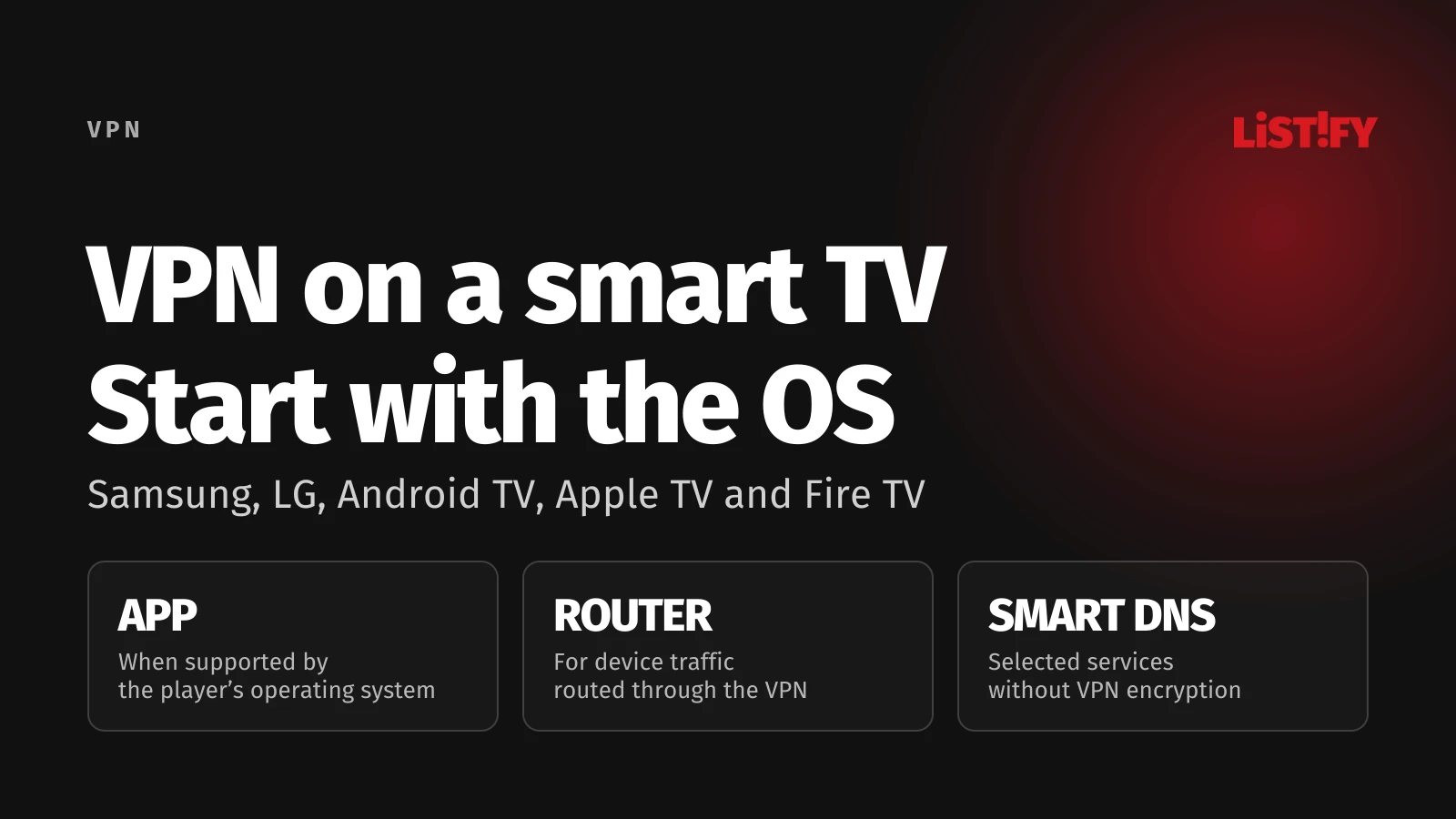
Our first recommendation is simple: before buying a subscription, check your TV model, operating system and version. The Smart TV label is not enough. A Samsung phone, a Samsung television and a box connected to that television may need three different approaches.
We prepared this guide from official provider and platform documentation reviewed on November 6, 2026. We did not carry out these procedures on physical televisions or measure their speeds. Menu names can vary with the model, language and software version. The hypothetical example illustrates a decision; it is not a client test result.
Some links in this article are affiliate links. If you buy a subscription through them, we may earn a commission. We checked the offers on November 6, 2026; confirm the price, availability, applicable taxes and renewal terms with the provider before ordering.
01Quick answer: which setup route fits your television?
Look for device or system information in Settings. If you use a box connected through HDMI, check the operating system on that box, not on the screen. Then use the table below.
| Device or operating system | First option | What to check |
|---|---|---|
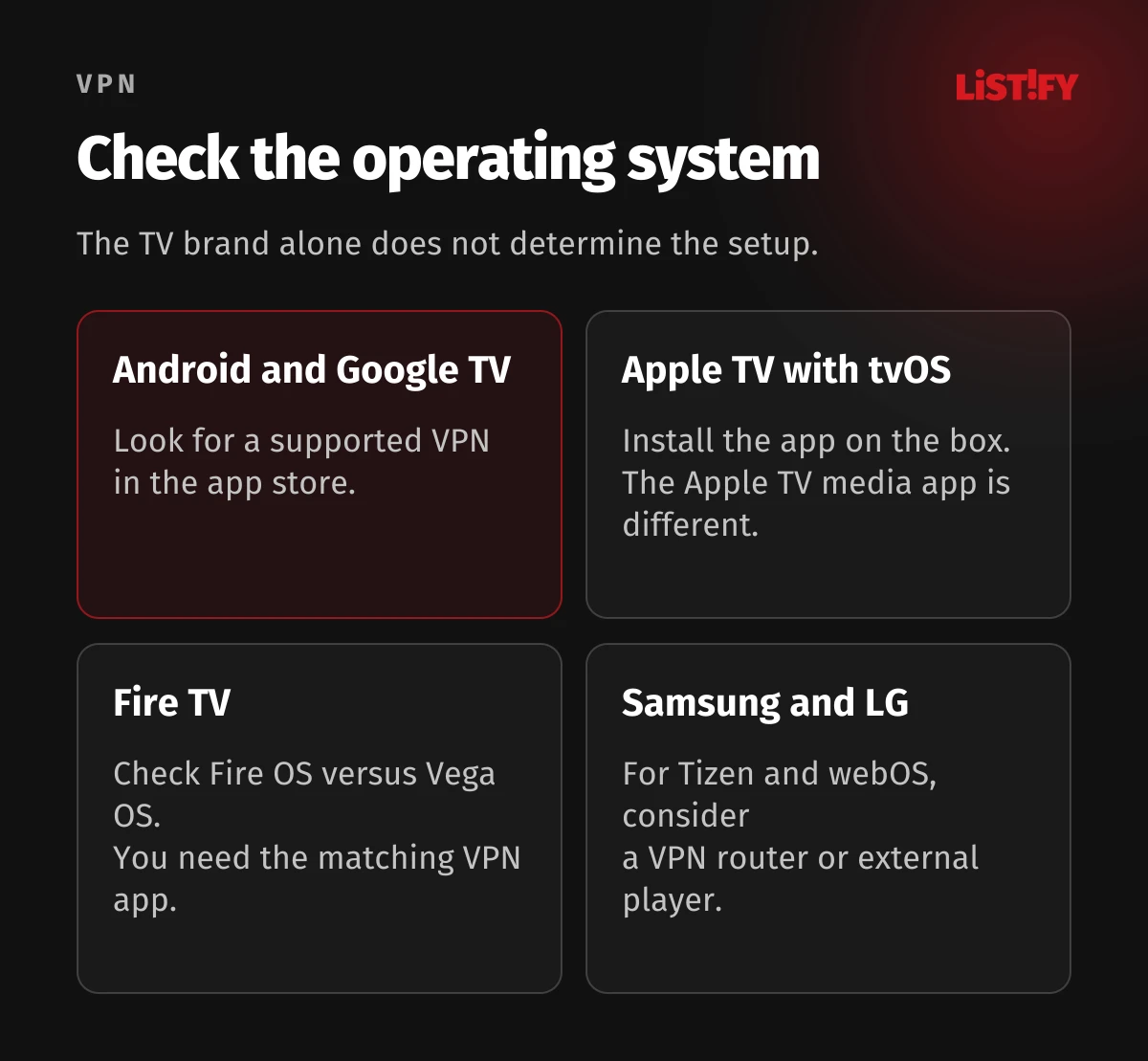
| Android TV / Google TV | Official VPN app | Minimum Android version and app availability |
| Apple TV box running tvOS | VPN app from the App Store | tvOS version and subscription requirements |
| Amazon Fire TV | App for the specific operating system | Fire OS versus Vega OS |
| Samsung Tizen / LG webOS | VPN router or external player | Whether you need to cover TV apps or just the box |
| Older Chromecast without Google TV | VPN router or correctly shared connection | A phone VPN alone is not enough |
The compatibility outline follows documentation from ExpressVPN, Proton VPN for Android TV and Proton VPN for Fire TV. Google TV does not mean you can install any Android phone app on the television. Look for a version intended for the actual device.
Before changing network settings, check that the internet works without a VPN. Note the original connection method and DNS settings. That gives you a straightforward way back if the connection stops working after a change.
02What a TV VPN protects, and where its protection ends
A VPN encrypts the connection between its client and the VPN server. With an app, the client is the television or player; with a VPN router, it is the router. A VPN does not make you anonymous to an account you sign into or fix outdated TV software. It also shifts trust to the VPN operator, as EFF explains.
First decide what you need. An app makes sense for a player’s own VPN connection. A router can serve selected devices without an app. Changing DNS alone does not meet that security requirement. With a router setup, securing your local Wi-Fi still matters because the VPN tunnel starts at the router.
We cover the underlying principles separately in what a VPN is and how it works. Here, our focus is getting the connection right. You still need an account and subscription for the media service you use; installing a VPN does not buy access to its content.
03How to set up a VPN on Android TV and Google TV
Look for the app on the television itself. Google describes installation through search or the Apps tab, so you do not necessarily need to find the same Play Store icon you use on a phone. Check the developer and supported operating system before installing.
- Open app search on the TV and enter your chosen provider’s name.
- Install its official TV app and open it.
- Follow the sign-in instructions. A QR code or pairing code can make account entry easier from your phone.
- Allow the VPN connection if the operating system requests permission, then select Connect.
- Wait for confirmation that the VPN is connected. Then open the application you want to use.
- Check what happens after putting the TV to sleep and waking it again. Enable automatic connection only where the app provides that option.
Requirements differ: Proton VPN requires Android 8 or later, while Surfshark specifies Android 7 or later and warns that Ethernet is not supported on Android 9 and 12. If the VPN works over Wi-Fi but stops working when you connect a cable, check this particular combination.
If the app is missing from the store, do not buy a subscription on the assumption it will work or download the first APK you find in search results. Ask the provider about the exact model. An external player may be more practical than manually installing an app that nobody maintains for your television.
Checked November 6, 2026. The displayed Starter and One offer is CZK 1,593 before tax for 27 months, charged after a 7-day trial. The trial is for new customers using eligible payment methods; cancel before it ends to avoid the charge. Check your final regional price, billing currency and renewal at checkout. The website trial allows up to 3 devices.
04VPN on Apple TV: you need the box running tvOS
An Apple TV hardware player and the Apple TV app for watching programmes are different things. Installing the Apple TV media app on a Samsung television does not turn Tizen into tvOS or add the Apple TV App Store for VPN software.
Surfshark for Apple TV requires tvOS 17 or later. Proton VPN specifies the same minimum version and requires a paid plan for Apple TV. Its free availability on Android TV therefore cannot be assumed to apply to Apple TV.
- Check the tvOS version on the box and any available updates.
- Find your provider’s official VPN app in the box’s App Store.
- Install it, sign in using the offered code or account flow, and connect.
- Start playback in an app on that box. Switching to an app built into the television means switching to a different device.
That is the practical boundary to remember. An HDMI box can simplify VPN control, but its VPN does not automatically cover other household devices. If your family switches between the TV remote and the box remote, agree where playback should actually start.
Partner Black Friday offer for new users, checked on November 6, 2026: Proton lists €2.49 per month when paying €59.76 for the first 24 months. The subscription then automatically renews at €83.88 every 12 months unless you cancel renewal. The monthly figure is an equivalent rate, not a monthly payment. No bonus months are advertised. Check the final amount and applicable taxes at checkout. Paid VPN Plus comes with a 30-day money-back guarantee under Proton’s terms. This is neither a free trial nor the Proton Free plan.
05VPN on Fire TV: distinguish Fire OS from Vega OS
Fire TV is not one unchanging platform. Proton distinguishes devices running Fire OS from newer Vega OS devices. Vega OS needs a matching app; you cannot install the Android app there, according to the Vega OS guide.
Proton VPN for Fire OS specifies Fire OS 7 or later. This is not a universal minimum for all VPN providers. If you choose another service, check its own compatibility list.
- Find the operating system and version in your Fire TV device information.
- Search the device’s app store for the provider and check that it supports this operating system.
- Download the app, sign into your account and approve the requested VPN permission.
- Connect and check both normal use and recovery after sleep.
Before buying a new player, check the availability of the television apps you actually use as well. VPN support does not automatically mean support for your entire combination of services. An old guide written for a different Fire TV generation can lead to an unnecessary purchase or an installation that does not work.
06VPN on Samsung and LG: router or external player?
Do not assume the Android TV instructions apply to Samsung Tizen or LG webOS. ExpressVPN does not list support for its VPN app on these televisions. Surfshark recommends alternatives such as a compatible router or external player. Simply installing the mobile app is therefore the wrong assumption.
| What you want to use | Suitable route | Practical consequence |
|---|---|---|
| Apps built into Samsung or LG | Compatible VPN router | The TV’s traffic must actually pass through that router and tunnel |
| Apps on a connected box | VPN app on a supported player | The VPN covers the box, not automatically the TV’s built-in apps |
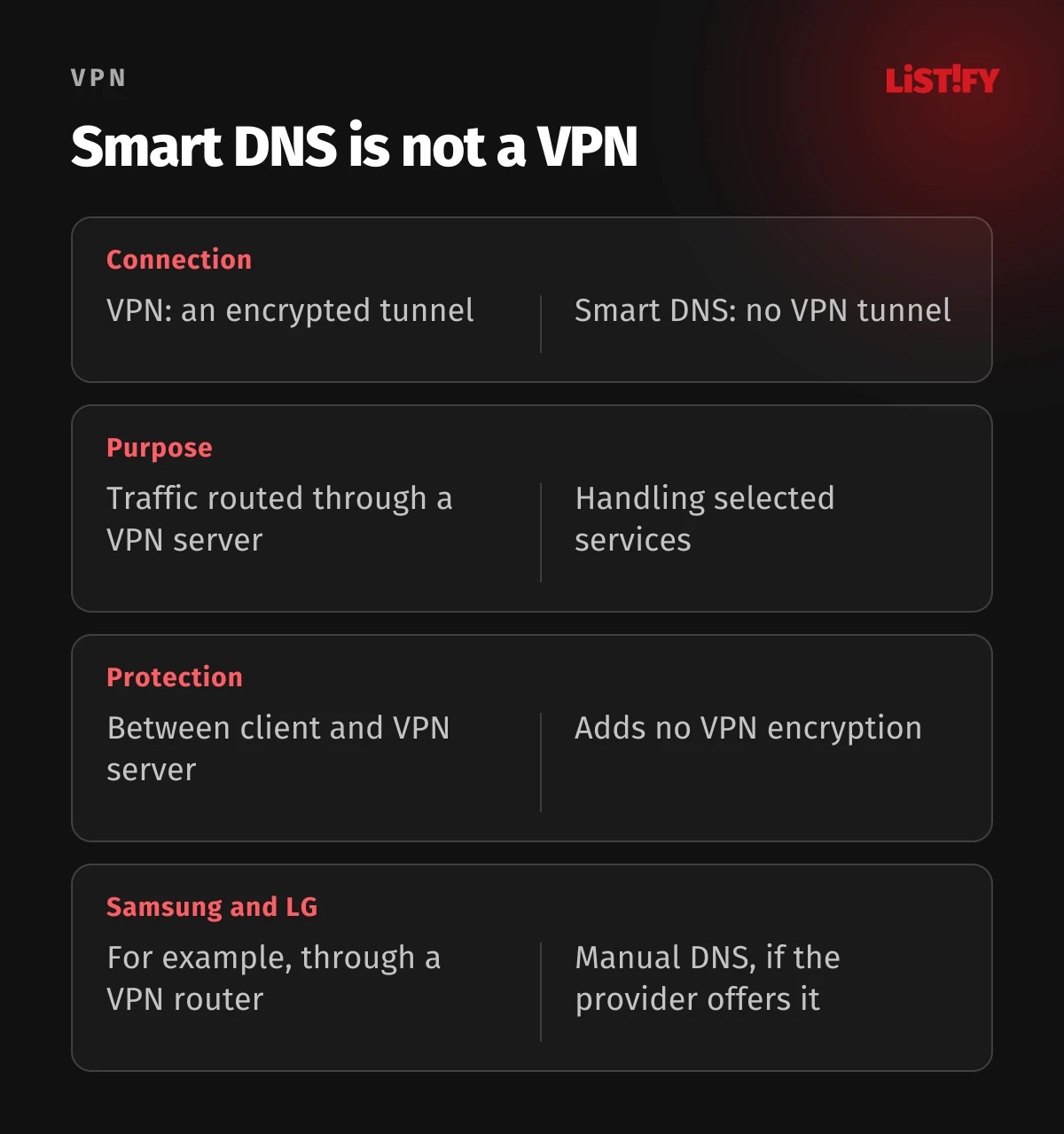
| A supported Smart DNS feature only | Manual DNS from the provider | No encrypted VPN tunnel |
Consider a hypothetical example: you own an LG television and want to keep using its webOS apps. Buying a box with a VPN does not change that particular traffic. You either start watching through the box or investigate a router setup for the TV itself. If you want easier VPN control without entering router settings, the box may instead be a sensible choice.
When choosing a router, also check whether it can route just the television through the tunnel. Changing the whole household connection may affect devices on which you do not want a VPN. You cannot infer selective routing simply from the word VPN on the packaging.
07Smart DNS on Samsung and LG: setup without a VPN tunnel
Smart DNS is not an encrypted VPN. NordVPN describes it as a feature for selected services and requires registration of your real public IPv4 address. ExpressVPN MediaStreamer likewise adds no VPN protection and does not let you freely switch locations.
- First check your provider account to confirm Smart DNS is available and supports the service you need.
- Register your home public IP as instructed. Do this from the relevant network, not through another VPN server.
- Open the active connection and its DNS settings in the TV’s network menu. Record the original setting before changing it.
- Switch to manual DNS entry and use the exact address from your account or the provider’s current instructions.
- Save the change and check connectivity. If your home public IP changes, you may need to register it again.
On Samsung, look for network status and IP/DNS settings; on LG, edit the active network connection. The ExpressVPN Samsung guide and NordVPN LG guide show specific menus. We do not provide one supposedly universal numeric DNS address: use the value for your service.
An important change: Surfshark discontinued Smart DNS on February 2, 2026. Older guides recommending its DNS settings are outdated. If you previously entered those addresses and your TV has lost internet access, restore automatic DNS. A Surfshark subscription does not restore the discontinued feature.
Checked November 6, 2026. Basic: 2 years + 4 months, billed US$83.72 before tax upfront for 28 months, then automatically renewed at US$99.95 a year before tax. The advertised saving uses the current monthly price of the same tier as its baseline. A 30-day money-back guarantee applies to eligible new users; this is not a no-payment trial.
08VPN router: check the client, compatibility and rollback
Your router must be able to connect to the provider as a VPN client. A VPN server for remote access to your home and VPN passthrough are different functions; TP-Link distinguishes these roles. Surfshark’s documentation specifies an OpenVPN or WireGuard client and asks users to check compatibility.
- Identify the exact model and firmware version. Find the provider’s instructions for that combination.
- Save the original configuration and establish how to disable the tunnel. Do not change several unrelated settings at once.
- Configure the client as instructed, using the credentials or configuration supplied for manual connections.
- Check that the TV uses the right network and is included among the devices routed into the tunnel.
- Verify connectivity, playback and what happens if the VPN drops. Add other devices only after these checks.
Router performance and traffic controls also matter. The Wi-Fi speed printed on the box does not tell you how quickly the router can handle a particular VPN connection. Check the result in your own network; do not treat a speed measured on a powerful computer as a promise for an inexpensive router.
If the model lacks a suitable client, using supported hardware is usually a safer decision. Installing alternative firmware is not a required first step. For a router rented from your internet provider, first establish the available options and conditions for managing it.
09External players, HDMI and sharing a computer’s VPN
An external player makes sense when your TV lacks the required app and you do not want to change the router. Before buying, check the VPN, your television apps and the connection method together. Include the cost of the device and another remote in your decision, not just the subscription.
Another option is to play content on a computer connected through HDMI. The TV acts as a screen. You configure the VPN on the computer; the television’s built-in apps do not gain protection from it. This is different from wirelessly handing playback to a separate receiver.
Windows can share a VPN connection through a hotspot, but merely switching on the hotspot is not enough. Surfshark explains how to configure sharing for the VPN adapter. The computer must then stay on and connected. We see this as an option for a particular situation rather than automatically the most convenient permanent home setup.
The computer installation itself is covered in our guide to setting up a VPN on Windows and Mac. For a TV, the crucial check is that it really uses the shared VPN connection instead of another saved Wi-Fi network.
10Why a phone VPN does not automatically protect Chromecast
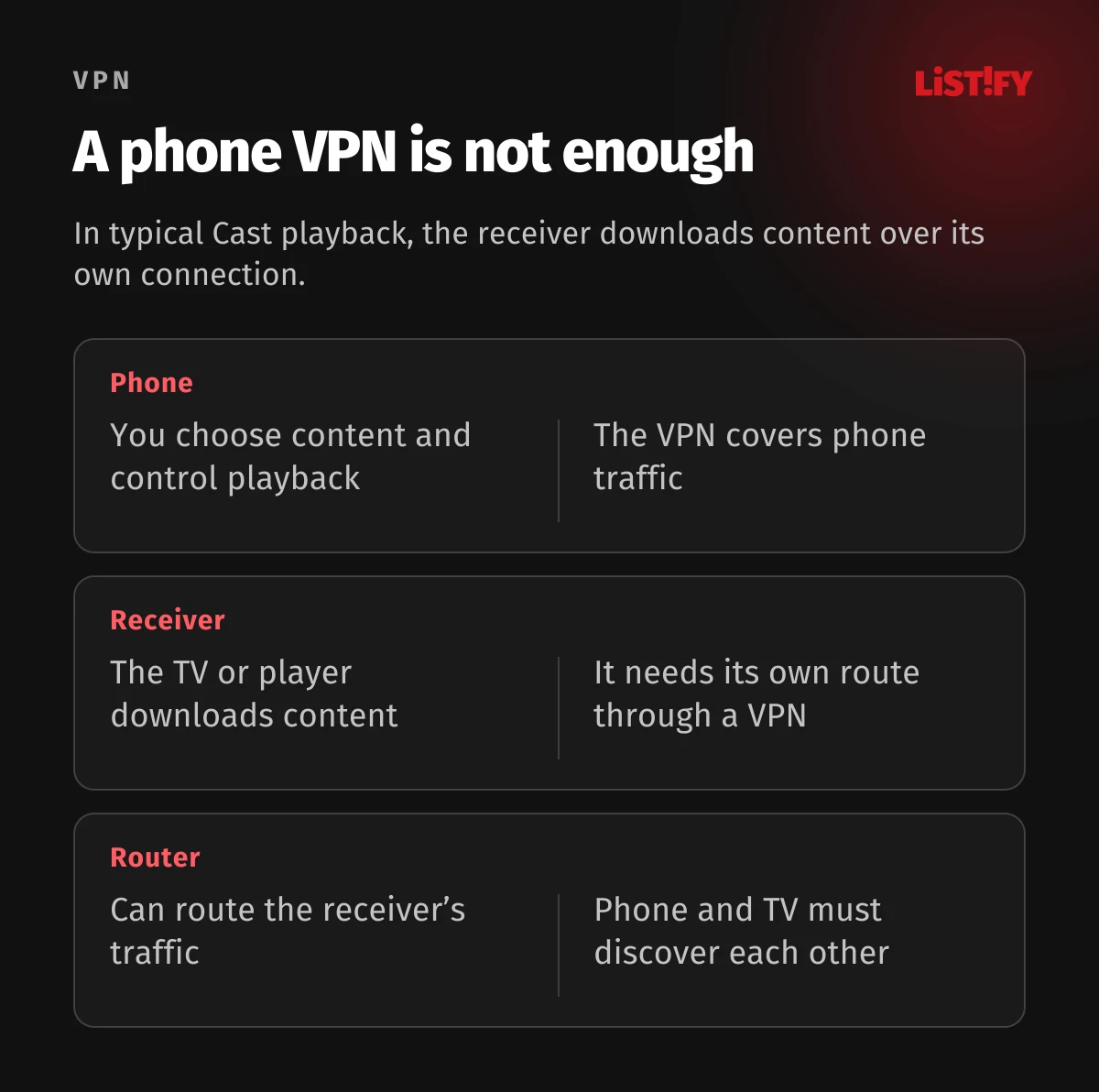
During typical Google Cast playback, the phone acts as a remote control. The receiver downloads content using its own internet connection, as Google Cast documentation explains. A change to the phone’s IP therefore does not prove that the television’s connection has changed.
With Chromecast with Google TV, you can address the VPN through an app on the player itself. Older Chromecasts without that platform need another route, such as a VPN router. Full screen mirroring and individual proprietary modes can behave differently, so do not apply one set of instructions to every playback method.
To discover the receiver, check that devices are on the same Wi-Fi network and can reach local devices. VPN settings can affect discovery; NordVPN recommends checking local network access and discovery. On your own trusted network, look for the relevant setting rather than automatically disabling all protection.
The phone procedure is covered in how to set up a VPN on iPhone and Android. For television use, always check the receiver as well. A working VPN icon on the phone is evidence about the phone only.
11How to check the connection and troubleshoot common problems
Start with the connection status in the TV app or the router’s VPN client. If the TV or box has a suitable browser, compare the public IP before and after connecting on that same device. A check on a laptop using the same Wi-Fi proves little by itself because the router may route each device differently.
An IP change is a basic route check, not a complete security audit. Test sleep, restart and VPN disconnection as well. On the router, check the rules for the TV and what happens when the tunnel is lost; do not rely on protection that you never enabled in the configuration.
| Problem | What to check first |
|---|---|
| App is missing | Operating system, version and current support for the model |
| No internet after changing DNS | Original DNS settings, service availability and home IP registration |
| VPN works on Wi-Fi but not Ethernet | Ethernet limitations for the app and operating system version |
| Phone cannot find the TV | Same local network, device isolation and discovery settings |
| VPN does not resume after sleep | Available auto-connect options and actual app status |
| Video keeps buffering | Connection without VPN, a nearer server and local network load |
A service rejecting a VPN does not by itself mean the installation is wrong. For example, Netflix describes its own VPN restrictions. Check the service’s help and terms. We do not promise that switching servers will unlock every programme or remove subscription restrictions.
12How to choose a service and account for the full cost
For a television, we would prioritise compatibility, everyday ease of use and stability in your network before price. The cheapest subscription is not a bargain if it requires extra hardware you would not otherwise need.
- Check the operating system and required plan before buying. An app that is free to download is not necessarily a free service.
- Include the full initial payment, any player or router purchase, and the renewal price.
- Check who bills the subscription and how to cancel automatic renewal. App store purchases may have different conditions from purchases through the provider’s website.
- Find required features in the TV or router documentation. A feature list for the Windows app may not describe the television version.
For a broader decision, read our reviews of NordVPN, Surfshark, ExpressVPN and Proton VPN. This guide explains setup routes; it is not a speed ranking based on television measurements we did not perform.
Assess free options separately for each platform. Proton documents Free support for Android TV, Fire OS and Vega OS, while its Apple TV app requires a paid plan. Being able to establish a VPN connection and receiving support for streaming services are also two different things.
Offer on selected two-year plans, checked November 6, 2026. The maximum saving compares the highest-tier introductory monthly equivalent with its annual-renewal equivalent. The bonus requires keeping the subscription beyond 30 days. Confirm the full charge, tax and renewal at checkout. This is a paid subscription with an eligible-purchase 30-day money-back guarantee.
13Frequently asked questions about TV VPNs
Can I install a VPN directly on a Samsung Smart TV?
It depends on the operating system and provider. For Samsung Tizen, this guide covers a VPN router or external player; ExpressVPN does not support its VPN app on these TVs. Smart DNS does not replace an encrypted tunnel.
How do I set up a VPN on an LG webOS television?
To use LG’s built-in apps, check a compatible VPN router and route the TV into its tunnel. A VPN on an attached box covers the box. Smart DNS is an option only with a provider that still offers it.
Is there a free VPN for smart TVs?
Yes. For example, Proton documents its Free plan on Android TV, Fire OS and Vega OS. Conditions differ across platforms, and a free connection does not mean guaranteed streaming support.
Can I just switch on a phone VPN and cast to the TV?
Not for typical Cast playback. The receiver downloads content over its own connection. Configure a VPN for that receiver or for the router actually carrying its traffic.
Does Smart DNS offer the same security as a VPN?
No. Smart DNS does not create an encrypted VPN tunnel. If you need that protection, choose a supported app or a correctly configured VPN client on your router.
Do I have to buy a new router?
No. First check app support for your operating system and the capabilities of your current router. An external player is simpler for some households; the choice depends on where you want to run your apps.
Why did my TV stop working with Surfshark Smart DNS?
Surfshark discontinued this feature on February 2, 2026. If the old addresses are still configured, restore automatic DNS and check internet access again. Then choose a supported VPN app, router or player.
14Conclusion: configure the device that actually sends the traffic
For supported Android TV, Google TV, Apple TV or Fire TV devices, start with the official app. On Samsung and LG, decide whether to keep using built-in TV apps through a VPN router or move playback to an external player. Treat Smart DNS as a separate feature with a limited purpose.
Our main recommendation is to verify the whole route: where you launch the app, how that device connects and what happens after sleep or a connection failure. This avoids the common situation where the phone shows a VPN connection while the television continues communicating outside it.
Websites handling customer accounts and data need the same attention to detail. In our custom website development, security and access controls are part of the design. If you are planning a new site or updating an existing one, we can discuss the requirements with you.
15Sources and verification date
We reviewed platform support and procedures in official documentation on November 6, 2026. Conditions can change. This is editorial research, not testing on physical televisions.
- ExpressVPN: supported devices
- Google: installing apps on Google TV
- Proton VPN: Android TV
- Surfshark: Android TV and Ethernet limitations
- Proton VPN: Apple TV
- Surfshark: Apple TV
- Proton VPN: Fire OS and Vega OS distinction
- Proton VPN: Fire OS
- Proton VPN: Vega OS
- Surfshark: alternative Smart TV connections
- NordVPN: what SmartDNS is
- NordVPN: SmartDNS on LG
- ExpressVPN: MediaStreamer on Samsung TVs
- Surfshark: Smart DNS discontinuation
- TP-Link: VPN server, client and passthrough roles
- Surfshark: setting up a compatible router
- Surfshark: sharing a VPN through a Windows hotspot
- Google Cast: sender and receiver behaviour
- Google: same-network requirement for Cast
- NordVPN: local networking when casting
- EFF: VPN capabilities and limitations
- Netflix: using a VPN