VPN on iPhone and Android: how to set it up, check it and pick one
The easiest way to get a VPN on your phone is through the provider’s app: install it, sign in and tap Connect. On iPhone you’ll then find it under Settings › General › VPN & Device Management, on Android under Settings › Network & internet › VPN, and on Samsung under Settings › Connections › More connection settings › VPN. We cover how to check that the VPN is working, when traffic still slips past it, how much battery it costs and how to choose an app. Accurate as of October 1, 2026.
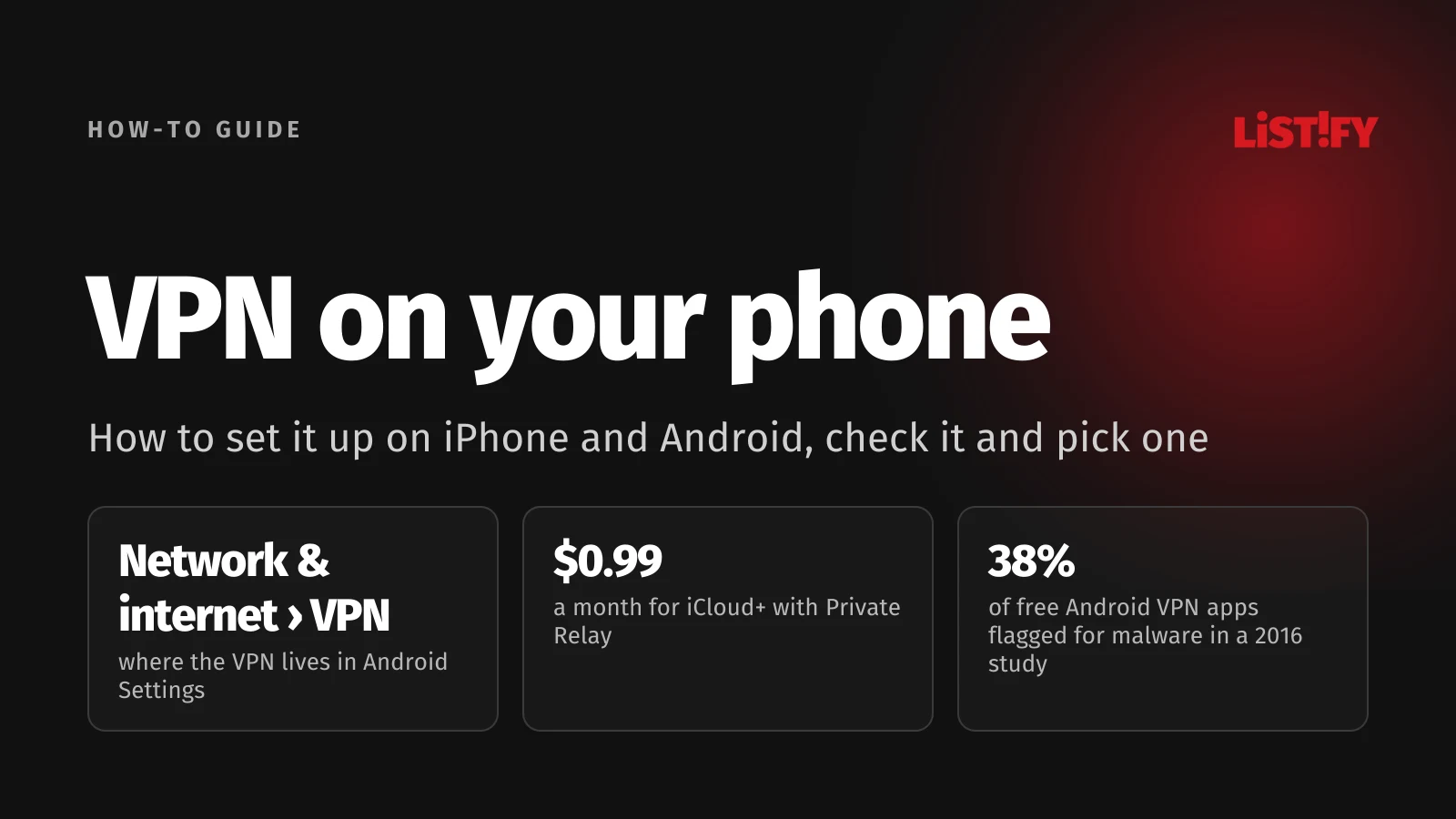
We join unfamiliar networks on our phones far more often than on our laptops: in cafes, hotels, trains and airports. That’s where a VPN is most useful. But phones have quirks of their own. The system deliberately sends some traffic outside the VPN, the VPN costs some battery, and the app stores are full of free VPN apps you shouldn’t trust with your data.
If you want to know how a VPN works under the hood and what it does and doesn’t hide, start with What is a VPN and how does it work. This guide is all about phones.
01Quick answer: where the VPN lives on your phone
| Phone | Where to find the VPN | How to tell it’s on |
|---|---|---|
| iPhone and iPad | Settings › General › VPN & Device Management | VPN icon in the status bar |
| Android (Pixel and stock Android) | Settings › Network & internet › VPN | VPN or key icon at the top |
| Samsung Galaxy | Settings › Connections › More connection settings › VPN | VPN icon in the status bar |
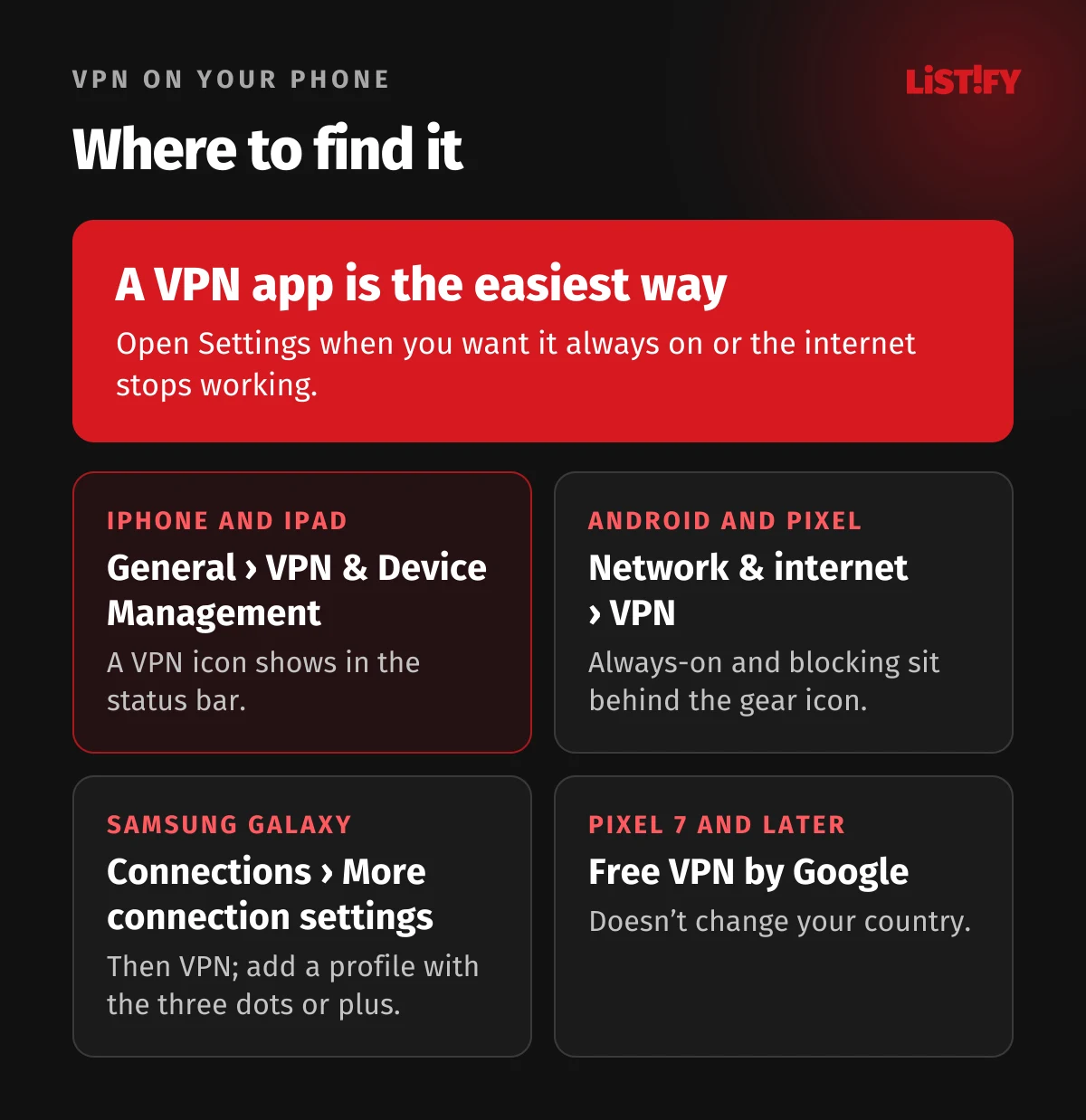
If you use a VPN app, you rarely need to open Settings at all. The app registers the VPN with the system and you switch it on with a single button. Settings matter when you want the VPN on all the time, or when your phone suddenly can’t get online. In that case Apple itself suggests checking for VPN and third-party security software (Apple).
02Setting up a VPN app, step by step
- Download the VPN app from the App Store or Google Play. Search for the provider by name and check the developer.
- Sign in to your account. Consider buying the subscription on the provider’s website, where a money-back guarantee often applies (see below).
- Tap Connect. The first time, your phone asks you to allow the app to add a VPN configuration (Android Developers). Approve it.
- A VPN icon appears in the status bar. Your traffic now goes through an encrypted tunnel.
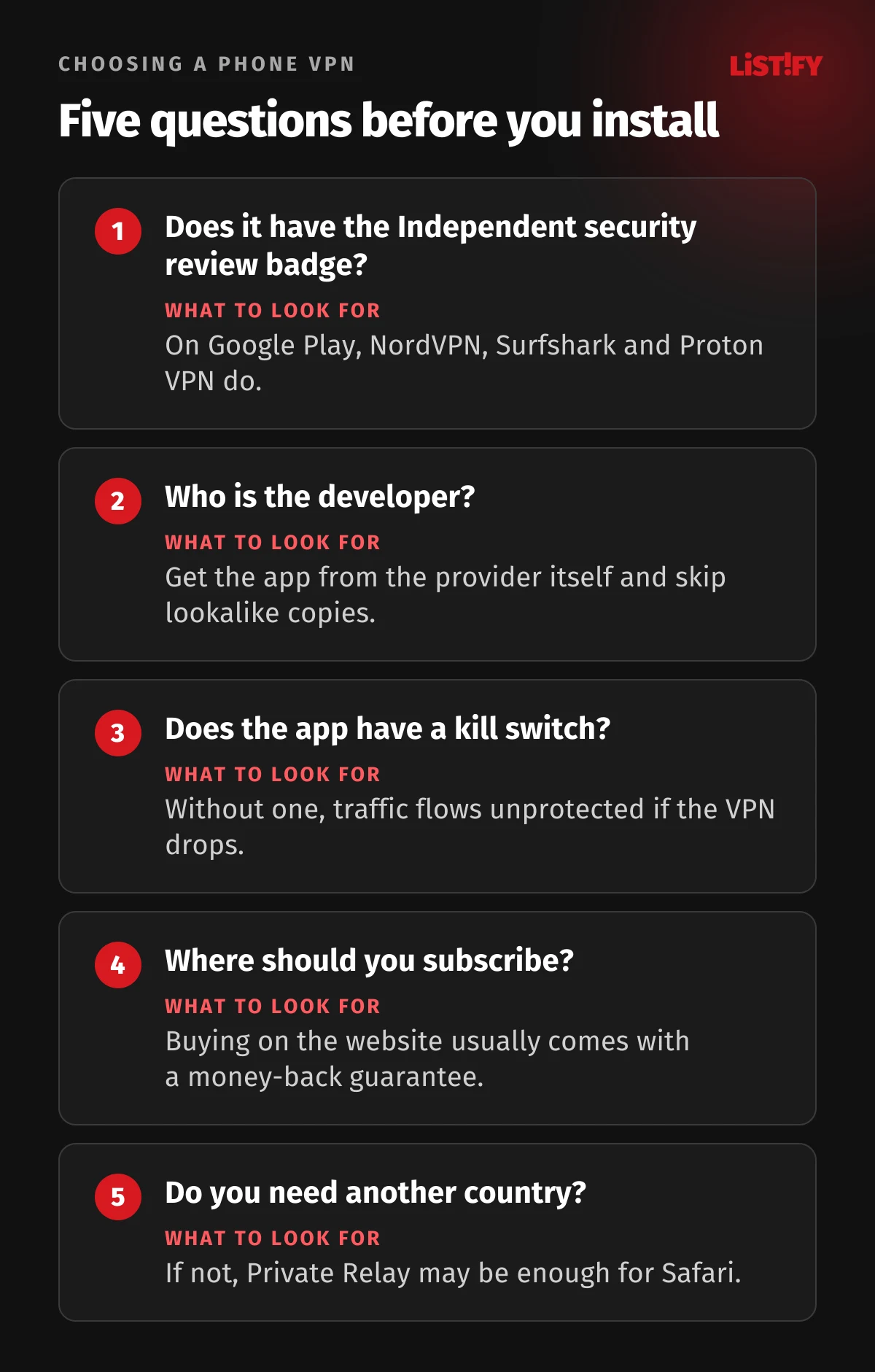
- In the app’s settings, turn on auto-connect, so the VPN starts by itself on untrusted Wi-Fi, and the kill switch, which blocks traffic if the VPN drops. Not every app offers both.
On iPhone, VPN apps are built on Apple’s Network Extension framework, which Apple opened up to VPN providers (Apple). On Android, they use the VpnService API, available since Android 4.0 (Android Developers). Either way, the app registers its VPN with the system, so it shows up in Settings alongside any VPN you add manually.
03VPN on iPhone
You’ll find every installed VPN and configuration profile under Settings › General › VPN & Device Management (Apple). When your iPhone is connected through a VPN, a VPN icon appears in the status bar (Apple).
How to remove a VPN from your iPhone
- VPN from a configuration profile: go to Settings › General › VPN & Device Management, select the profile and tap Remove Profile (Apple).
- Work VPN installed by device management (MDM): select the management entry and tap Remove Management. Don’t do this on a work phone without your IT team (Apple).
- Manually added VPN: as a last resort, it’s removed when you reset network settings under Settings › General › Transfer or Reset iPhone › Reset › Reset Network Settings. That also wipes your saved Wi-Fi networks (Apple).
- VPN from an app: just uninstall the app. That doesn’t cancel your subscription, though; you do that on the provider’s website or in the App Store.
Manual VPN and staying connected
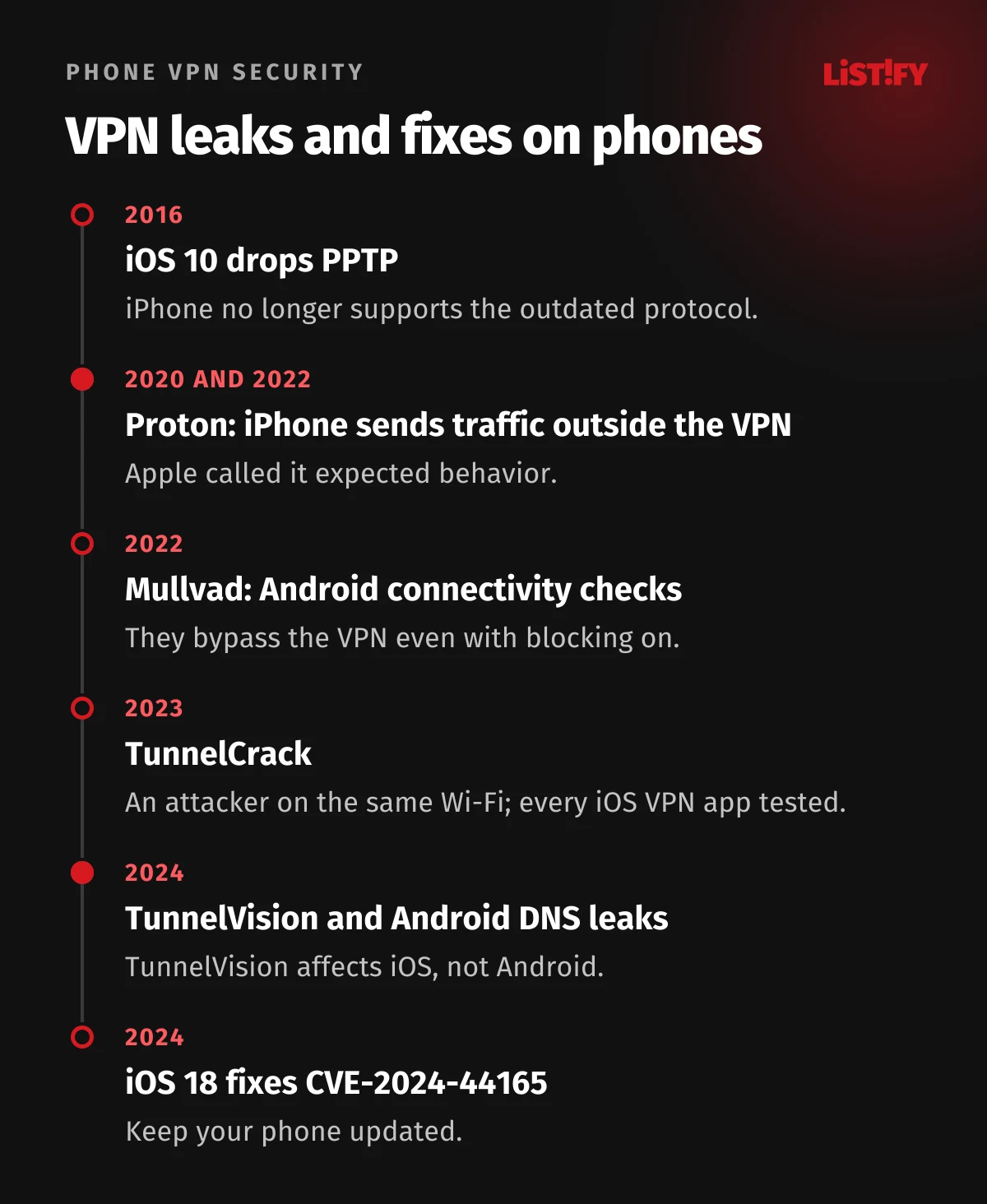
Without an app, iPhone supports IKEv2, L2TP over IPsec and IPsec. Since iOS 26, IKEv2 can also use ML-KEM key exchange, which is designed to resist future quantum computers (Apple). iPhone hasn’t supported PPTP since iOS 10, so older guides that use PPTP no longer work (Apple). Manual setup is mainly for company networks; for everyday privacy, an app is simpler.
Always On VPN, which forces all traffic through the VPN, is only available on company devices managed through MDM (Apple). Everyone else relies on the app’s own settings. Some VPN apps use a feature Apple calls VPN On Demand, which turns the VPN on automatically based on rules, for example on unknown Wi-Fi (Apple).
04iCloud Private Relay: a VPN replacement?
If you pay for iCloud+, your iPhone has iCloud Private Relay. You turn it on under Settings › [your name] › iCloud › Private Relay (Apple). It sends your requests through two separate relays, so neither Apple nor the operator of the second relay can see both your IP address and what you’re doing online (Apple). It isn’t a VPN, though.
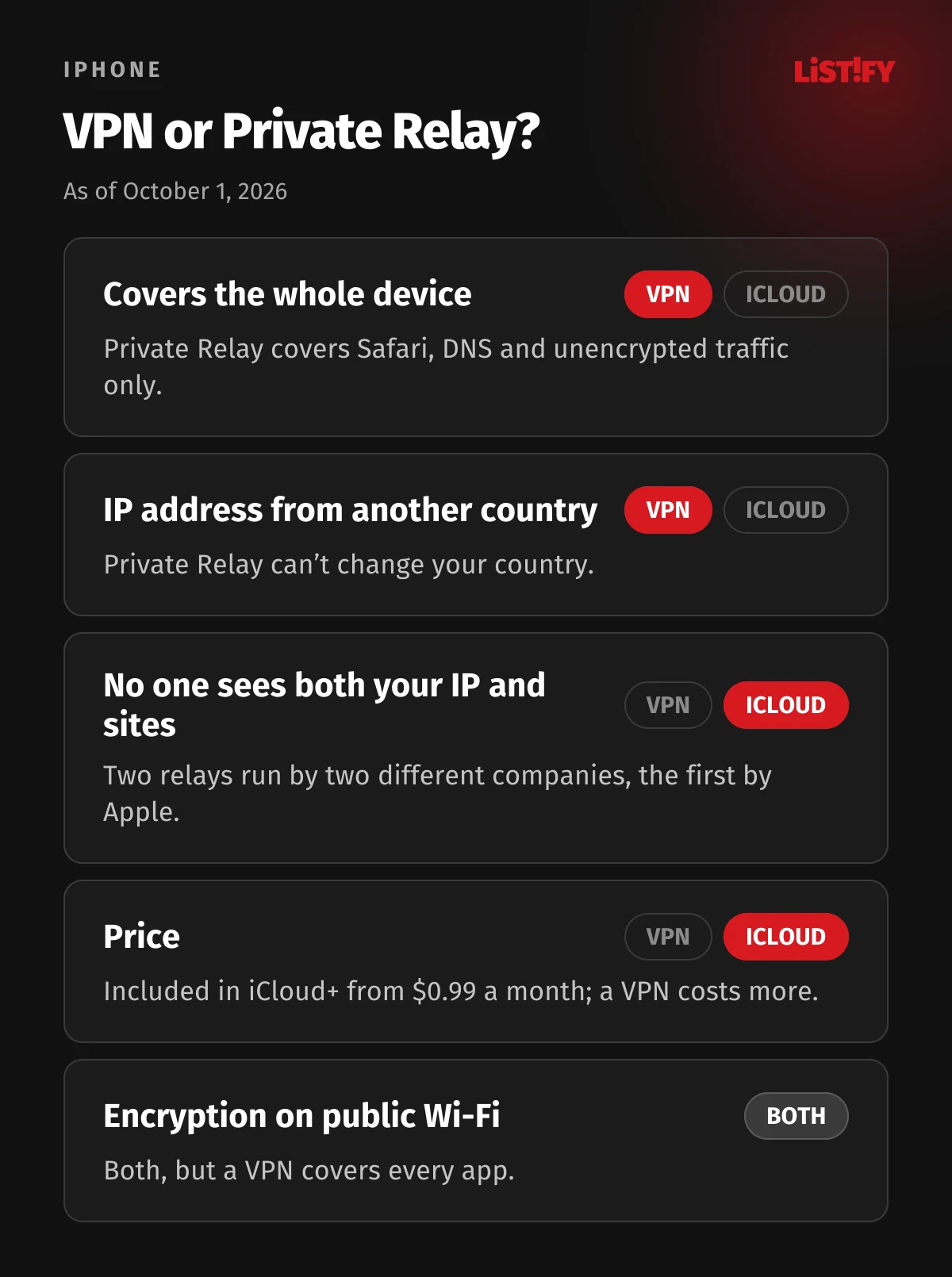
- What it covers: browsing in Safari, DNS queries and unencrypted app traffic. It doesn’t cover the whole device the way a VPN does (Apple).
- No country switching: Private Relay doesn’t let you appear to connect from another country (Apple), so it won’t help with streaming services abroad.
- Price: it’s part of every iCloud+ plan; the cheapest, with 50 GB, costs $0.99 a month in the US (Apple).
- Availability: it works in 160 countries, but not in places such as China, Russia, Turkey, Egypt or the United Arab Emirates (Apple).
- With a VPN: traffic that goes through a VPN doesn’t use Private Relay (Apple).
For everyday Safari browsing on public Wi-Fi, Private Relay is cheap and convenient protection. If you want every app covered or need an IP address from another country, you need a VPN. Apple notes that speed tests may show lower speeds with Private Relay turned on (Apple).
05VPN on Android
On Pixel phones and stock Android, the VPN is under Settings › Network & internet › VPN. If you can’t find it, search Settings for “VPN” (Google). On Samsung, the path is Settings › Connections › More connection settings › VPN, and you add a new profile through the three dots or a plus icon (Samsung).
Always-on VPN and blocking connections without it
Since version 7.0, Android can keep a VPN on at all times and, with the same feature, block any connection that doesn’t go through it (Android Developers). In Settings, tap the gear next to your VPN and turn on Always-on VPN and Block connections without VPN. On Android 8.0 and later, if the VPN drops, you’ll see a notification you can’t dismiss. Some apps don’t support this and Android then grays out the switches (Android Developers).
Even blocking isn’t airtight. According to VPN provider Mullvad, Android sends connectivity checks outside the VPN every time it connects to Wi-Fi, even with blocking turned on (Mullvad). In 2024, Mullvad also described brief DNS leaks while a VPN reconfigures or an app crashes, including on Android 14 (Mullvad). For most people the risk is small, but anyone who needs maximum anonymity should know about it.
Manual VPN and VPN by Google
Since Android 12, Settings no longer lets you create a new VPN using outdated PPTP or L2TP; the menu for a new profile only offers IKEv2 types (Android source code). An existing older profile stays, but Android flags it as not secure.
Pixel 7 and newer phones come with VPN by Google at no extra cost in supported countries: Settings › Network & internet › VPN › VPN by Google › Use VPN. It can’t make you appear to be in another country, so it won’t unlock content from abroad, and it doesn’t work on rooted phones, phones with an unlocked bootloader or child accounts (Google). The VPN that came with Google One was discontinued on June 20, 2024 (Google, archived).
06How to check that your phone’s VPN is working
- Look at the status bar. A VPN icon (or a key on Pixel) means the tunnel is up.
- With the VPN off, open a website that shows your IP address and note it down.
- Turn the VPN on and reload the page. Your IP address and country should change to the VPN server’s.
- If the address doesn’t change, disconnect and reconnect, or try a different server or protocol in the app.
Note that VPN by Google on Pixel won’t change your country, so the country check fails even while the VPN is running: you get a new IP address, but it’s still in the country you’re in (Google).
07When traffic still slips past the VPN
Mobile systems deliberately send some traffic outside the VPN. Usually it’s deliberate: it keeps calls, texts and hotel Wi-Fi logins working. If you really need to hide all of your traffic, it helps to know these exceptions.
iPhone
- Apple services: according to Proton VPN, some DNS queries from Apple services can go outside the VPN even with a kill switch on. Apple called this expected behavior (Proton VPN).
- An option for VPN developers: since iOS 14, Apple has given VPN apps a way to send most traffic through the tunnel, but it’s off by default, you won’t find it in Settings, and each app has to turn it on. Even then, things like DHCP, hotel Wi-Fi logins, VoLTE calls and Apple Watch traffic stay outside (Apple).
- Attacks on the same Wi-Fi: the 2023 TunnelCrack research showed an attacker on the local network could pull traffic out of the tunnel in every iOS VPN app tested (TunnelCrack). The 2024 TunnelVision attack also affects iPhone (Leviathan Security).
- A fixed bug: Apple fixed an issue in iOS 18 and iOS 17.7 where network traffic could leak outside a VPN tunnel (CVE-2024-44165) (NVD). Keep your phone updated.
Android
- Connectivity checks: every time the phone joins Wi-Fi, system checks go outside the VPN, even with blocking enabled (Mullvad).
- Brief DNS leaks: while the VPN reconfigures or the app crashes (Mullvad).
- TunnelVision doesn’t affect Android, because Android doesn’t support the DHCP option the attack relies on (Leviathan Security).
- What VPN by Google doesn’t cover: tethering (hotspot), push notifications, Wi-Fi calling and apps in a work profile (Google).
TunnelCrack- and TunnelVision-style attacks need an attacker on the same network, such as a fake cafe Wi-Fi network. A kill switch won’t save you here: in Leviathan’s tests, the VPN kept reporting that it was connected and the kill switch never kicked in (Leviathan Security). Your best defenses are keeping your phone updated and using a VPN app that sends all traffic through the tunnel. On a network you really don’t trust, use mobile data instead of the Wi-Fi. If you need to get a laptop online, share your phone’s connection rather than joining someone else’s network.
08How much battery and data a VPN uses
Google warns that any VPN may increase your mobile data use and reduce your speed and battery life (Google). Android’s own documentation adds that frequent keepalive packets, which a VPN uses to hold its connection open, have a major impact on battery life (Android Source).
- Idle, Wi-Fi0.1
- Web browsing, Wi-Fi0.2
- Idle, 4G0.5
- Web browsing, 4G1.0
Extra percentage points of battery per hour compared with no VPN. University of Cambridge lab measurement on one phone with ExpressVPN and Proton VPN; the lower of the two results is shown. Source: USENIX Security 2023.
In practice, you’ll barely notice a VPN on Wi-Fi, while on mobile data the difference is bigger. The same study found that the encryption itself uses negligible energy; it’s the radio, woken up more often by the VPN, that costs power (USENIX Security 2023). Also watch out for carrier plans that don’t count certain apps against your data: a VPN stops the carrier from recognizing that traffic (Google), so it may count against your allowance.
09Free VPN apps: why to be careful
Researchers from Australia’s CSIRO, ICSI and UC Berkeley analyzed 283 free VPN apps from Google Play. The data dates from 2015, but the results show why it pays to be choosy (CSIRO and ICSI, PDF):
- Leaked IPv6 traffic84%
- Requested sensitive permissions82%
- Included tracking libraries75%
- Leaked DNS queries66%
- Flagged for malware on VirusTotal38%
- No encryption in the tunnel18%
Apps from Google Play, data collected in September 2015, published 2016. Source: Ikram et al., IMC 2016.
A 2025 study uncovered three hidden families of VPN providers whose apps have more than 700 million Google Play downloads combined. Passwords stored right in the apps let an attacker decrypt their users’ traffic (FOCI 2025, PDF). We compare safe free options, such as Proton VPN Free, in Best Free VPN 2026.
The Independent security review badge
Since November 2023, Google Play has shown an Independent security review badge on VPN apps that passed an independent MASA security assessment (Google). The developer pays for the assessment, it’s valid for a year, and it doesn’t verify the app’s Data safety claims (Google, App Defense Alliance). So treat it as a good sign rather than a guarantee. As of October 1, 2026, NordVPN, Surfshark and Proton VPN show the badge on Google Play; ExpressVPN doesn’t.
10Which VPN app to choose
| App | US App Store | US Google Play | Security review badge | Yearly in-app plan (US) |
|---|---|---|---|---|
| NordVPN | 4.7 (705,698 ratings) | 4.6 | Yes | $83.99 |
| Surfshark | 4.7 (130,593 ratings) | 4.6 | Yes | $47.99 |
| ExpressVPN | 4.7 (419,148 ratings) | 4.6 | No | $79.99 (Basic) |
| Proton VPN | 4.6 (113,585 ratings) | 4.7 | Yes | Not stated |
- Surfshark$47.99
- ExpressVPN Basic$79.99
- NordVPN$83.99
Lowest 12-month item in the in-app purchase list, October 1, 2026. Source: App Store (Surfshark, ExpressVPN, NordVPN).
Buying in the app is convenient, but you may lose the provider’s money-back guarantee. ExpressVPN’s 30-day guarantee, for example, doesn’t cover App Store purchases; refunds are up to Apple (ExpressVPN). That’s why it pays to buy on the provider’s website and just sign in to the app. For a detailed comparison, see our best VPNs of 2026, or read our ExpressVPN review 2026.
11Frequently asked questions
Where is the VPN setting on iPhone?
Under Settings › General › VPN & Device Management. When a VPN is on, your iPhone shows a VPN icon in the status bar (Apple).
Where is the VPN setting on Android?
On Pixel and stock Android, under Settings › Network & internet › VPN (Google). On Samsung, under Settings › Connections › More connection settings › VPN.
Is iCloud Private Relay the same as a VPN?
No. It only covers Safari, DNS and unencrypted app traffic, and it can’t change your country (Apple). It’s cheap, though: it comes with every iCloud+ plan, starting at $0.99 a month.
How do I keep my VPN on all the time?
On Android, tap the gear next to your VPN and turn on Always-on VPN and Block connections without VPN (Android Developers). On iPhone, use auto-connect and the kill switch in your VPN app; the system’s Always On VPN is only for company-managed phones.
Does a VPN drain my battery?
A little. In a lab test it added about 1 percentage point of battery per hour while browsing on mobile data, and about 0.2 on Wi-Fi (USENIX Security 2023).
Are free VPN apps safe?
Some are, such as Proton VPN Free. But many free apps collect data or have weak security; a 2016 study found that VirusTotal flagged more than 38% of the apps it tested for malware, based on 2015 data (CSIRO and ICSI).
Why doesn’t my internet work with the VPN on?
Try disconnecting and reconnecting, or switch server or protocol. Apple recommends checking VPN and third-party security software when you have connection problems (Apple).
12The bottom line
Setting up a VPN on your phone takes a few minutes with an app. On iPhone you’ll then find it under Settings › General › VPN & Device Management, on Android under Settings › Network & internet › VPN. To keep as much traffic as possible inside the tunnel, turn on Always-on VPN with blocking on Android and the app’s kill switch on iPhone. Just know that both systems still let some traffic bypass the VPN by design.
On iPhone, iCloud Private Relay is also worth a look: for a dollar a month it protects your Safari browsing. For the whole device, changing countries and travel, though, a real VPN from a trusted provider is the better choice, ideally one with an independent security review badge and a subscription bought on the website.
We build the same safeguards into our own apps. If you’re planning a mobile or web app, see how we build custom websites and apps and how we work.
13Sources
- Apple: profiles and VPN on iPhone
- Apple: resetting settings and removing a VPN
- Apple: iPhone status icons
- Apple: VPN overview for Apple devices
- Apple: VPN security
- Apple: end of PPTP support
- Apple: connection issues and VPN
- Apple: iCloud Private Relay
- Apple: turning on Private Relay
- Apple: iCloud Private Relay overview (PDF)
- Apple Developer: preparing your network for Private Relay
- Apple: feature availability by country
- Apple: iCloud+ pricing
- Apple Developer: includeAllNetworks
- Google: VPN on Android
- Google: VPN by Google on Pixel
- Android Developers: VPN
- Android Source: VPN and battery
- Android source code: VPN types since Android 12
- Samsung: adding a VPN on Galaxy
- Google Play: app security badges
- Google Security Blog: badge for VPN apps
- App Defense Alliance: MASA
- Proton VPN: iOS vulnerability
- Mullvad: using the app on iOS
- Mullvad: Android connectivity checks (2022)
- Mullvad: Android DNS leaks (2024)
- TunnelCrack (2023)
- Leviathan Security: TunnelVision (2024)
- NVD: CVE-2024-44165
- Ikram et al.: Android VPN apps, IMC 2016 (PDF)
- FOCI 2025: hidden families of VPN apps (PDF)
- USENIX Security 2023: energy cost of VPNs (PDF)
- ExpressVPN: App Store subscriptions
- App Store: NordVPN
- App Store: Surfshark
- App Store: ExpressVPN
- App Store: Proton VPN
- Google Play: NordVPN
- Google Play: Surfshark
- Google Play: ExpressVPN
- Google Play: Proton VPN
Steps, prices and ratings are accurate as of October 1, 2026. Settings labels may vary slightly by system version and phone maker.