Business process automation: seven workflows that can give your team hours back
An order arrives, somebody copies it into a spreadsheet, somebody else creates a task, and a third person asks whether it has been invoiced. Each step takes minutes. Together, they consume the week. Well-designed automation connects these handoffs, keeps exceptions visible, and gives your team more time for customers.
For an agency, maintenance company, consultancy, or other small service business, the biggest opportunity often lives between existing tools. The customer record is already in the CRM. The approved price is already in the quote. Yet someone still types both into the next system.
Start by following one real job from request to completion. Count the copying, checking, chasing, and correcting. Then automate a repeatable step with a clear owner. A dependable workflow handles routine cases and routes exceptions to someone who can resolve them.
01Choose a repeatable handoff with clear rules
A useful candidate happens frequently, uses identifiable inputs, and follows rules your team can explain. Creating a standard project folder fits. Deciding whether to accept an unusually risky client usually does not.
Measure a typical week before choosing software. Record how many cases arrive, active minutes per case, corrections, and exceptions. Separate hands-on work from waiting: a two-day approval delay is not two days of labor. Fix duplicate records and unclear responsibilities before connecting them.
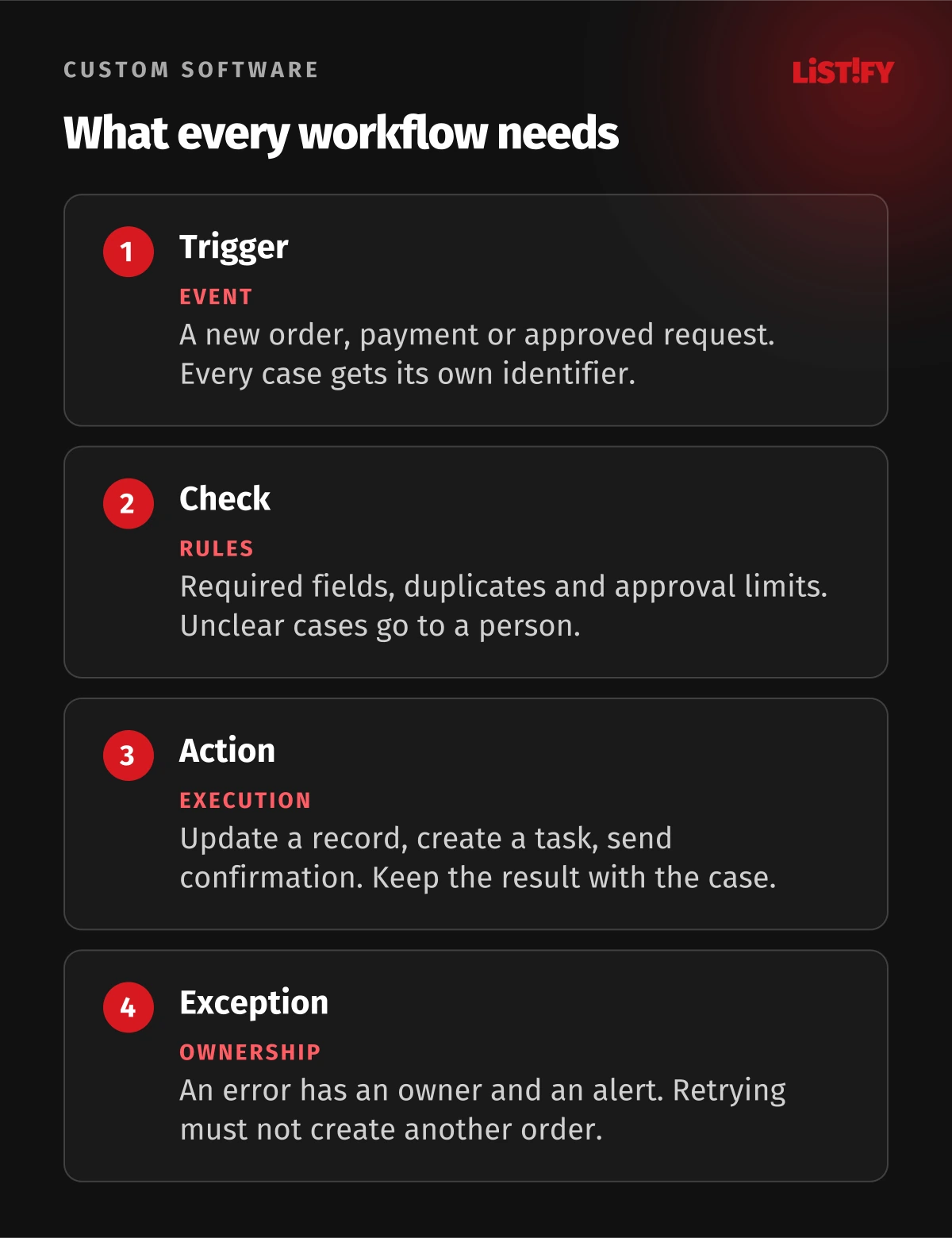
For each workflow, write down its trigger, required inputs, permitted actions, approval point, exception owner, and stopping condition. That short description becomes your test checklist and the team's fallback instructions.
02Seven workflows worth examining first
1. Turn an accepted quote into a job ready for scheduling
Trigger: the customer accepts a quote. Inputs: quote ID, customer ID, agreed scope, price, and delivery date. The workflow creates the job record, copies the approved details, assigns an owner, and prepares a confirmation. Staff stop retyping the same agreement.
Human approval: the owner checks capacity and any nonstandard terms before releasing the job. Exception path: missing dates, unknown customers, or conflicting versions go into a review queue. Use the quote ID to recognize repeats so a resent event cannot create a second job. Never silently pick whichever price arrived last.
2. Assemble the weekly report before the meeting
Trigger: a scheduled cutoff in the team's agreed time zone. Inputs: job status, recorded hours, invoices, and the same reporting definitions every week. The workflow gathers the figures, compares totals, and creates a draft with links to the underlying records.
Human approval: the manager checks unusual changes and adds context before sharing. Exception path: stale sources, missing data, or mismatched totals mark the report incomplete and alert its owner. Show when each source was updated. A polished chart built from last week's data is still the wrong report. See our guide to reporting for executives.
3. Match incoming payments to invoices
Trigger: a new bank transaction or payment-provider event. Inputs: transaction ID, invoice reference, amount, currency, and outstanding balance. Exact, unambiguous matches can be proposed automatically, reducing the number of records finance staff must search.
Human approval: finance approves the batch during the pilot and continues reviewing discrepancies, refunds, and adjustments. Exception path: partial payments, currency mismatches, or multiple possible invoices remain unresolved for a person. Record the transaction ID and check it before another attempt. Matching a payment must never quietly initiate a new payment or refund.
4. Give every new client a consistent start
Trigger: the engagement is marked approved. Inputs: client contacts, purchased service, start date, project owner, and the agreed onboarding checklist. Create folders, tasks, a welcome-message draft, and requests for the information needed to begin.
Human approval: the account owner checks the recipient list and access permissions before anything is shared. Exception path: duplicate clients, unusual access requests, or missing agreements stop the release. A folder existing does not mean its permissions are correct. Keep the checklist connected to the actual client record so everyone can see what is still outstanding.
5. Chase missing information without chasing the wrong person
Trigger: a deadline approaches and an agreed item is still missing. Inputs: task owner, current status, recipient, due date, and reminder history. The workflow prepares a short reminder explaining exactly what is needed and where to provide it.
Human approval: the owner approves the template and reviews sensitive or disputed cases. Exception path: a received reply or a paused or canceled job suppresses the reminder; bounced messages go to the owner. Recheck status immediately before sending and cap the frequency. The reminder should reflect the customer's current situation.
6. Route service requests to the right queue
Trigger: a request reaches a form or support inbox. Inputs: customer identity, service category, location where relevant, and the message. The workflow creates a ticket, assigns the appropriate queue, and drafts an acknowledgment. Rules can handle known categories without AI.
Human approval: a coordinator approves uncertain classifications and any customer-facing commitment. Exception path: unknown customers, conflicting categories, and urgent incidents go directly to a person. If AI helps interpret free text, retain the original message and review its suggestion. A confident classification does not prove that it is correct.
7. Move completed work into invoice preparation
Trigger: a job is marked complete. Inputs: accepted quote, approved time or materials, completion evidence, and billing contact. The workflow checks that required fields exist, assembles a draft invoice, and updates the job's billing status.
Human approval: the responsible person checks the amount and scope before issuing it. Exception path: disputed completion, missing evidence, or changes to the agreed price go back to the job owner. Keep one billing record per job and confirm what the accounting system accepted before retrying. Recovering from a timeout should not create another invoice.
03What the time savings could actually look like
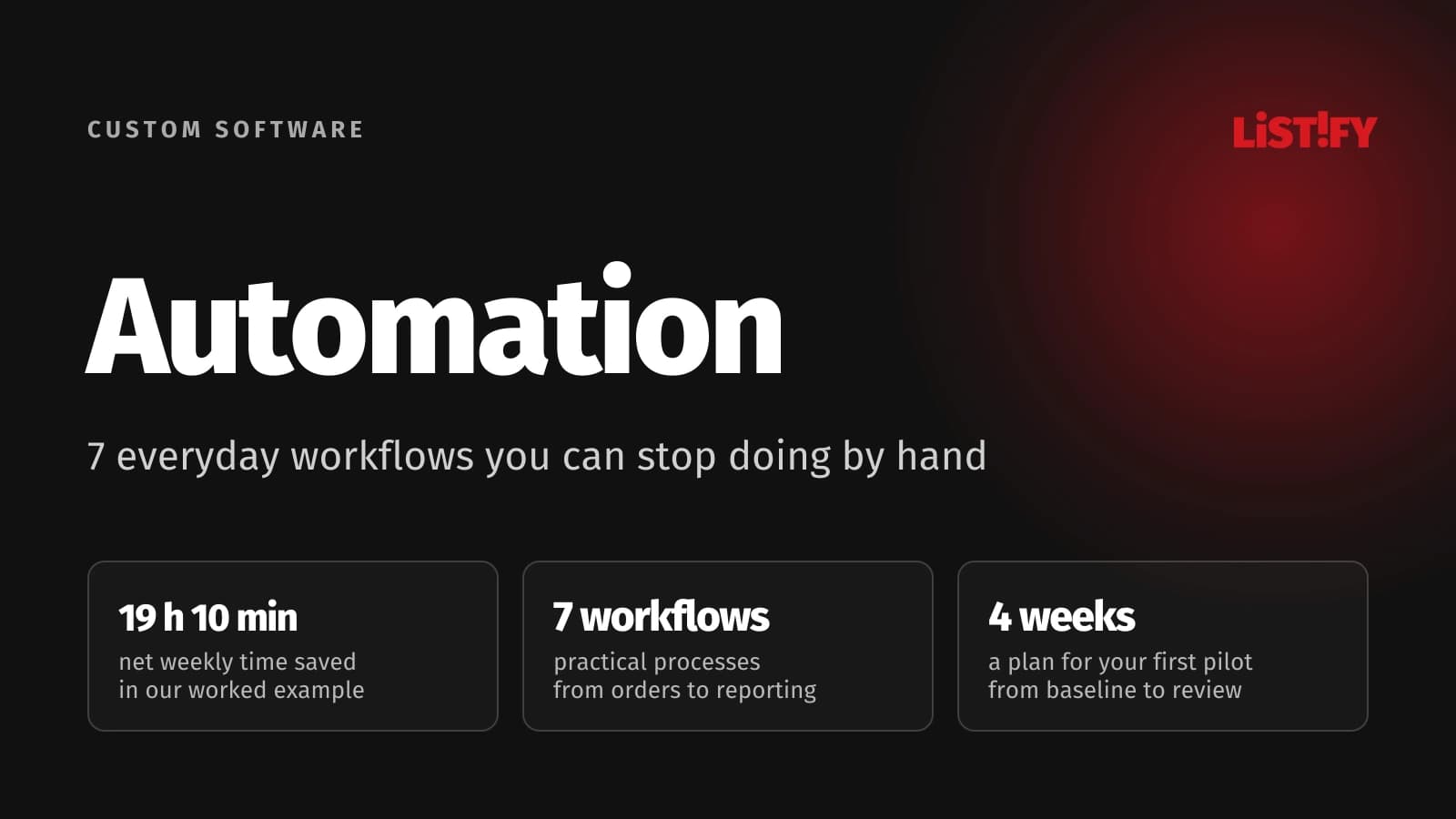
The following is an illustrative planning model, not a customer result, research statistic, or guarantee. It assumes the same weekly workload before and after automation. The remaining minutes include ordinary checks and approvals; difficult exceptions could increase them. Only five of the seven workflows are counted, so the other two are not extra savings hidden in the total.
| Weekly activity | Volume | Minutes per case: before / after | Weekly time: before / after |
|---|---|---|---|
| Orders and job setup | 120 | 8 / 2 | 16 h / 4 h |
| Reports | 5 | 30 / 5 | 2 h 30 min / 25 min |
| Payment matching | 80 | 3 / 0.5 | 4 h / 40 min |
| Client onboarding | 4 | 25 / 10 | 1 h 40 min / 40 min |
| Reminders | 35 | 4 / 1 | 2 h 20 min / 35 min |
| Workflow administration | Weekly allowance | 0 / 60 | 0 / 1 h |
| Total | Same workload | n/a | 26 h 30 min / 7 h 20 min |
- Before automation26.50
- After, including administration7.33
- Capacity recovered19.17
Hours, rounded for display. This model is an example you can replace with your measured volumes and times.
At an assumed staff cost of USD 25 per hour, including employment costs and allocated overhead, those 19 hours and 10 minutes represent USD 2,074.79 of monthly capacity using 4.33 weeks per month. Subtract an illustrative USD 75 monthly tooling allowance and the modeled value is USD 1,999.79. An example USD 2,000 setup budget is equivalent to about one month of that net capacity value, once the assumed savings are achieved and the recovered time produces value at the assumed rate.
These are planning assumptions, not LISTIFY prices. Capacity is not automatically cash saved: payroll may stay the same. The value depends on whether people use the recovered time for additional work, faster service, or reduced overtime. Include implementation time, training, hosting, and exception handling in your own budget. Our software ROI guide explains the distinction.
04Choose tools around your systems and your team
If your work already runs in Microsoft 365, inspect Power Automate first. Microsoft documents approval workflows that wait for a person's decision, with responses available through email or the approvals interface. Check the connectors and licensing your particular workflow needs.
For visual integrations between services, inspect Make's recovery behavior as carefully as its connectors. Its incomplete executions feature can retain unfinished runs for supported automatic retries or manual resolution, but storage is disabled by default. Configure and test it before relying on it.
n8n offers managed cloud and self-hosted deployment. Its Community edition is free, while features such as SSO, environments, and workflow sharing have edition restrictions. Self-hosting still requires someone to manage infrastructure, updates, backups, and recovery. Free software does not mean free operation.
Choose a custom integration when your process, data model, or recovery requirements do not fit the available connectors. Test with real sample records before committing. Integrations and APIs can connect the systems you already use; replacing everything should require a separate business case.
05The controls that keep a small mistake small
Give each job a stable ID. Track which steps succeeded, who approved them, and what changed. Retry temporary failures with limits, then route unresolved cases to an owner. Microsoft's error-handling guidance describes failure branches and configurable retry policies; a retry is recovery logic, not a substitute for checking the result.
Prevent duplicate side effects. Stripe's idempotency documentation explains how repeated requests with the same key can return the stored result instead of creating another operation. Apply that principle carefully with each system's own rules. An invoice, email, and payment can each need separate duplicate protection.
Use limited access, secure credentials, and readable logs that avoid unnecessary personal data. Name a backup owner. Keep a manual route and a way to pause outgoing actions. Automation is ready when the team can recover a failed case without guessing what already happened.
06A first-month rollout your team can manage
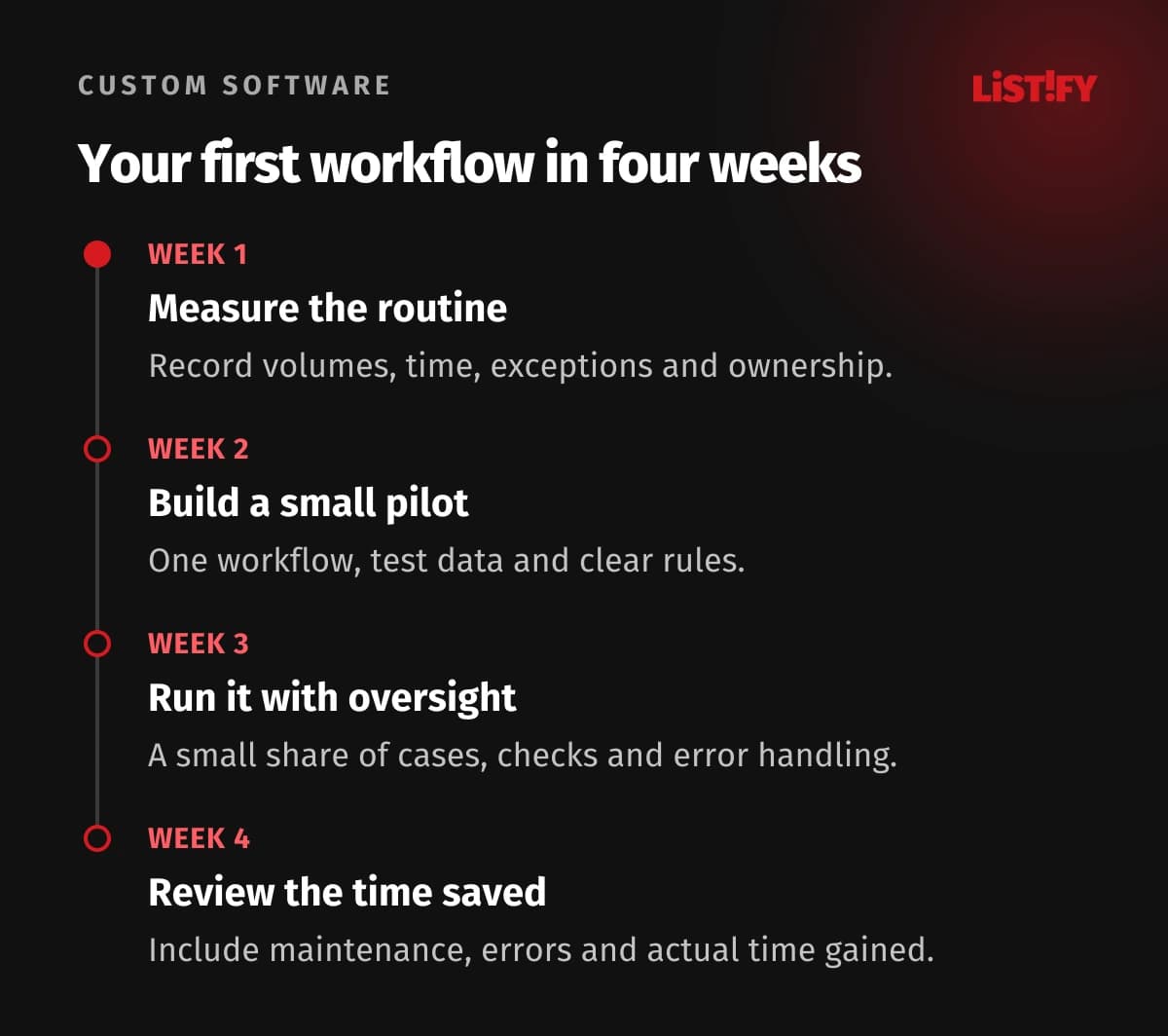
- Week 1: measure and choose. Follow actual cases, agree on one process, clean the inputs, and record the baseline. Choose a reversible workflow with enough volume to matter.
- Week 2: build and test. Use a test environment or drafts. Test a normal case, duplicate event, missing field, rejection, changed record, and service timeout. Assign every exception.
- Week 3: run a limited pilot. Keep human approval before external actions. Compare completed records with the source, record hands-on minutes, and watch exceptions daily. Expand only when outcomes are understood.
- Week 4: review and decide. Compare the same workload against the baseline. Include administration and corrections. Document the owner, backup, pause control, recovery steps, and budget before adding another workflow.
Keep a workflow manual if volumes are low, inputs are unreliable, or the rules change faster than you can maintain them. If each approval still takes as long as the old task, you have relocated the work. Redesign that step before adding more automation.
07Practical questions before you start
Can a small business save tens of hours every week?
It depends on volume and starting effort. The illustrative model recovers 19 hours and 10 minutes across five activities, including an hour of administration. A lower-volume team may recover much less. Measure your workload before setting a target.
Do we need AI for business process automation?
Often not. Copying approved data, checking required fields, and applying clear routing rules can use conventional automation. AI can help interpret unstructured text, but uncertain outputs need review and a defined fallback.
What should we automate first?
Choose a frequent, predictable handoff with clear input and a reversible output. Creating draft tasks or reports is often easier to pilot than issuing invoices or changing access permissions.
Will our existing software connect?
Check its supported connectors or API, authentication, access permissions, and usage limits. A connector's existence does not prove it supports the exact fields and actions your workflow requires. Test representative records.
Who owns the workflow after launch?
Assign a business owner who understands the outcome and a technical owner who can fix failures. In a small team, one person may fill both roles, but a backup and written recovery steps still matter.
What happens if a connected service fails?
The workflow should log its last completed step, retry only when appropriate, and escalate unresolved cases. Before replaying a run, check whether its external action already succeeded so you do not create duplicates.
How much does automation cost?
Cost depends on complexity, usage, connectors, approvals, hosting, and support. The USD 75 monthly tooling and USD 2,000 setup figures here are illustrative assumptions, not market averages or LISTIFY prices. Price the specific workflow and its maintenance.