A blog on your website: architecture that supports SEO
A useful article can disappear behind a broken category page, an empty JavaScript shell or a publication process that leaves its canonical URL pointing at a preview. A business blog needs an architecture that delivers the approved content consistently and gives readers and search engines a clear path to it.
The core design is straightforward: structured content in a publishing system, a dependable public page for each article and navigation that connects articles with relevant services. SEO support comes from how those pieces work together, rather than from a particular framework name.
For a professional-services website, the blog should help a visitor move from a practical question to the relevant expertise. Design that journey alongside the CMS workflow so that publishing a new guide does not require manually repairing metadata and discovery links.
01Model the article as content with a lifecycle
Give every article a stable internal identifier and explicit fields for title, summary, body, language, slug, publication state, author and dates. Store image references with dimensions, alternative text and captions where useful. Keep metadata separate from the visible headline when editorial needs differ.
Structured body blocks can support paragraphs, headings, lists, figures and comparison tables without forcing editors to write page layout code. Limit the available blocks to those the public template handles well. A flexible editor is useful only if its output remains readable and accessible.
Define draft, review, scheduled and published behavior in the application rather than relying on an editor remembering which list to update. An article should enter public listings, the sitemap and public feeds only when its publication rules permit it.
| Layer | Responsibility | Failure to prevent |
|---|---|---|
| Content model | Valid fields, locale relations and publication state | A draft is treated as a public article |
| Public template | Readable body, metadata and image handling | The page shows a different version from its metadata |
| Discovery | Category navigation, internal links and sitemap | An approved article has no reliable incoming link |
| Publishing pipeline | Validation, cache updates and recovery | One view updates while another remains stale |
Keep revision history and an approval record appropriate to the team. Editors should be able to inspect the exact version going live and recover from an accidental change. The public page should use the approved revision, not whichever draft happened to be saved most recently.
Prepare source material and media before publication. The website content checklist offers related planning guidance. A well-designed content model makes useful content easier to publish; it does not supply the expertise the article needs.
02Choose rendering for a dependable reading experience
Google’s JavaScript SEO documentation explains crawling, rendering and indexing, and recommends considering server-side or pre-rendering. For an ordinary article, delivering its main text in the initial HTML is a practical default.
Static generation suits content that changes infrequently and can be rebuilt or regenerated when published. Server rendering can serve content from the current approved data at request time. A combined approach can cache rendered pages while refreshing them when the content changes.
Choose according to publication frequency, cache design, preview needs and operational ownership. The team needs to understand when a saved revision becomes visible and what happens if the rendering job fails. A theoretical performance advantage does not help if new articles routinely remain unavailable.
Keep JavaScript for interactions that improve reading, such as a table of contents or search. Avoid making the body depend on a successful third-party script or a user action that merely reveals the article. An ordinary link should still open a complete page directly.
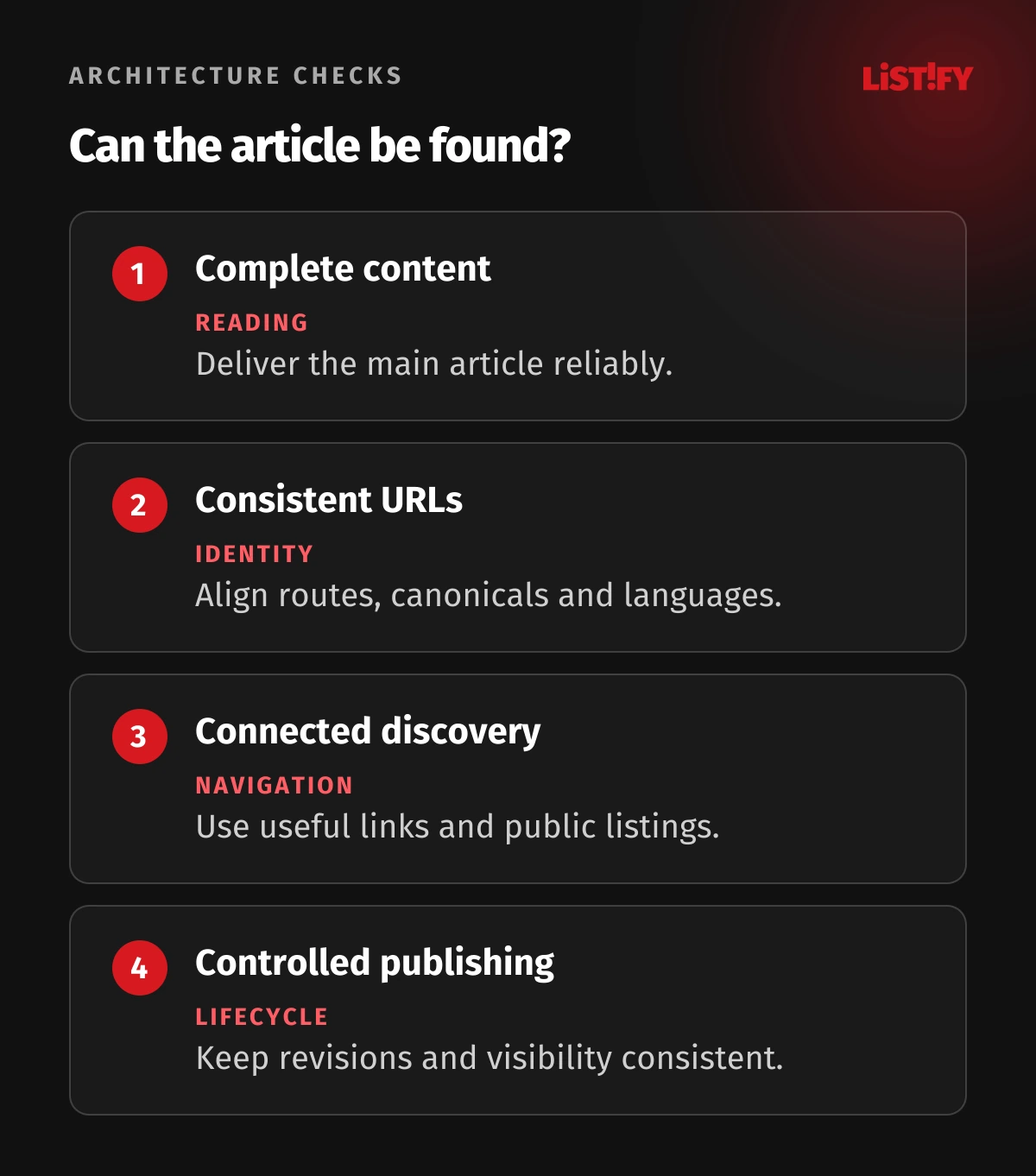
Inspect both the response HTML and the browser’s final page. Verify the headline, main body, title element and canonical URL, then check the page with realistic mobile conditions. Test a failed content request as well as the happy path.
Return meaningful HTTP status codes. A missing article should not serve the normal blog template with a successful status and an empty body. Distinguish unavailable content from a valid article so readers and crawlers receive an honest response.
03Keep URLs and language relationships consistent
Use a stable public route such as /blog/topic-name and decide how language prefixes fit the rest of the website. A short, descriptive slug is easier to manage than a route that changes with every category assignment or minor headline edit.
Store old routes when a published slug must change and redirect them to the appropriate new destination. Update internal links at the same time. Repeatedly renaming an article without preserving its former address creates broken incoming links and unnecessary operational work.
Google’s canonical guidance describes redirects, canonical annotations and sitemap inclusion as signals for selecting a preferred URL. Use consistent signals for duplicate or very similar versions, including tracking-parameter variants where appropriate.
For a normal indexable article, set the preferred canonical to its own public URL. Do not derive it from the current request hostname if preview, staging and production can use the same template. Configure the intended public origin explicitly.
Connect translations through a stable content relation rather than assuming identical slugs. An English title can have a different URL from its French equivalent. A language switch should lead to the actual corresponding article, and the CMS should know when that translation is unavailable.
Google’s localized-version guidance calls for reciprocal hreflang references including each version itself. Generate these references from real published equivalents. Keep translated pages’ canonicals aligned with their own language URLs rather than pointing every language at the original.
Do not invent a translation URL or substitute a category page as though it were the same article. Show the reader an honest language choice and omit nonexistent alternatives from the article’s language annotations.
04Connect articles with navigation and useful context
The blog index should lead to articles through ordinary HTML links. Google’s link guidance explains that an anchor with an href is the dependable form for link extraction. A clickable card driven only by an event handler is a weak foundation for navigation.
Give category pages a purpose beyond collecting titles. Use a limited topic structure that reflects what readers need, with a short explanation and relevant articles. Avoid creating a new thin archive for every tag an editor happens to type.
Make older articles reachable as the collection grows. If the interface uses a load-more control or infinite scrolling, provide a crawlable route through the underlying article lists. Readers should also be able to return to a useful place rather than repeatedly starting from the first items.
Add contextual links where they help the reader complete the task. A guide to inventory reconciliation can link to the relevant integration or workflow article and then to the service that implements it. Choose descriptive link text rather than filling the page with generic invitations to click.
Keep automatic related-content recommendations under editorial control. Similar keywords do not always mean a helpful next step. Review their language, destination status and relationship to the reader’s question, especially on a multilingual website.
Treat content planning and site structure together. The SEO strategy guide provides broader context; the architecture should make the selected topics easy to find without promising rankings from links alone.
05Generate metadata and media from the approved revision
Create page titles and descriptions from explicit fields with sensible defaults. Preview the complete title including any site branding. Let editors revise the wording without changing the article’s permanent identifier or route, and validate missing fields before publication.
Google’s Article structured-data documentation describes article properties such as headline, author, images and publication or modification dates. Generate the applicable markup from the same approved content as the visible page, and test the implementation.
Use the real author or organization and accurate dates. Do not fabricate author credentials or change the publication date whenever a cache is rebuilt. Structured data helps describe content; it does not guarantee a particular search appearance or position.
Create responsive image variants and reserve their display space. A large cover should not force mobile readers to download an unnecessarily large file or push paragraphs around as it loads. Verify that essential figures remain legible on a narrow screen.
Google’s image guidance emphasizes contextual, useful alternative text and relevant surrounding content. Describe what the figure communicates instead of listing keywords. Provide a caption or accompanying explanation when an infographic contains information the reader needs.
Use media URLs that the public page can actually load. A temporary authenticated preview asset can look correct to an editor while failing for everyone else. Check dimensions, access and the final published file before exposing its reference in the article.
06Make publishing and indexing controls testable
Treat publication as a coordinated change: activate the approved article, refresh its page and relevant lists, and update discovery metadata. Define which steps must succeed before the editor sees a completed publication, and make failed jobs visible with a safe retry path.
Google’s sitemap documentation recommends preferred URLs and accurate lastmod values representing significant updates. Generate the sitemap from eligible public content. Do not stamp every article with the current build time simply because the site was deployed.
Protect private previews and drafts with access controls. A noindex instruction controls supported search indexing, not who can read the content. Avoid public draft APIs or caches that expose unapproved revisions even when the visible article route is protected.
For publicly accessible pages that should stay out of Google results, Google explains that noindex must be crawlable to be read. Blocking a URL in robots.txt is not a substitute for that instruction. Choose the mechanism according to whether the page is private or merely unsuitable for indexing.
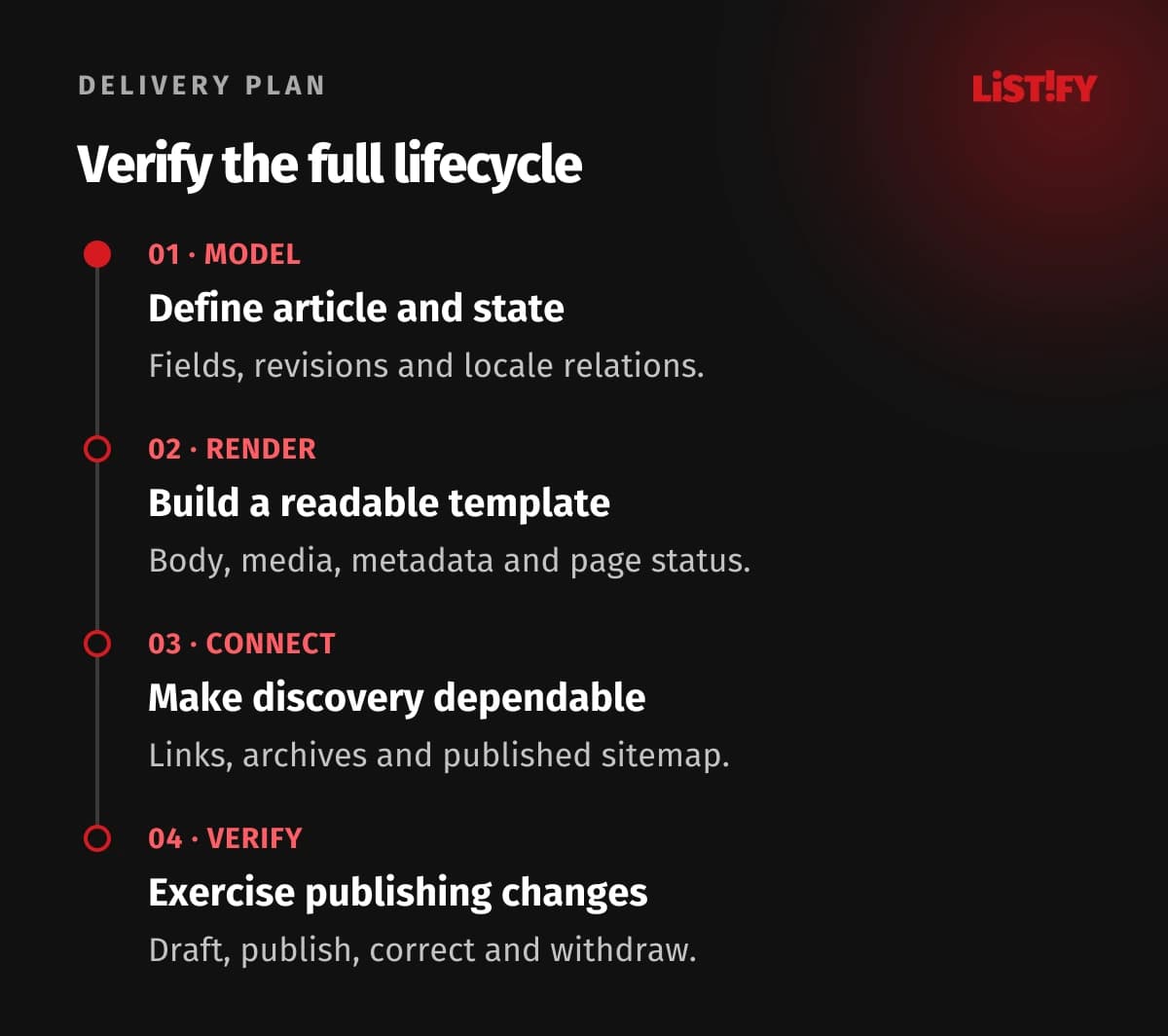
Test the lifecycle from draft through publication, correction, slug change and withdrawal. Check unauthenticated access, page status, canonical, language alternatives, listings, sitemap and caches. Ensure a withdrawn article does not survive in a publicly served cached revision.
Monitor indexing and reader outcomes after launch. Separate a technical discovery problem from content that does not answer a useful question. Track the relevant next action, such as a service enquiry, alongside visits so the blog’s business purpose remains visible.
07Questions about blog architecture and SEO
Do we need a custom CMS for a blog?
No. An existing CMS can work if it supports the content model, publishing controls and public output you need. Assess editing, integration, preview, media and maintenance before choosing a custom system.
Must articles be generated as static pages?
Static generation is one useful approach. Server rendering and cached rendering can also deliver complete article HTML. Choose a design whose publishing and refresh behavior the team can operate reliably.
Can Google index a JavaScript-rendered article?
Google can render JavaScript, but the process has practical limitations and other crawlers differ. Delivering the main article in initial HTML reduces dependencies and is a sensible default for conventional blog content.
Should translated articles share one canonical URL?
Ordinary published translations should normally retain their own preferred language URLs. Describe their relationship with suitable reciprocal language annotations rather than consolidating every language into the original article.
Does an XML sitemap guarantee indexing?
No. It helps communicate URLs but does not guarantee that search engines will index or rank them. Maintain useful internal links, accessible pages and content that answers a relevant need.
Is noindex enough to protect drafts?
No. It is an indexing instruction for search engines that support it, not access control. Keep private material behind appropriate authentication and ensure public APIs and caches do not expose draft content.
What should a first release prove?
Publish one representative article with its figures, metadata and discovery links. Then test a correction and withdrawal. Confirm that approved content reaches every intended view and private or withdrawn revisions remain inaccessible as designed.