Surfshark Scam Protection Review 2026: Is It Worth It?
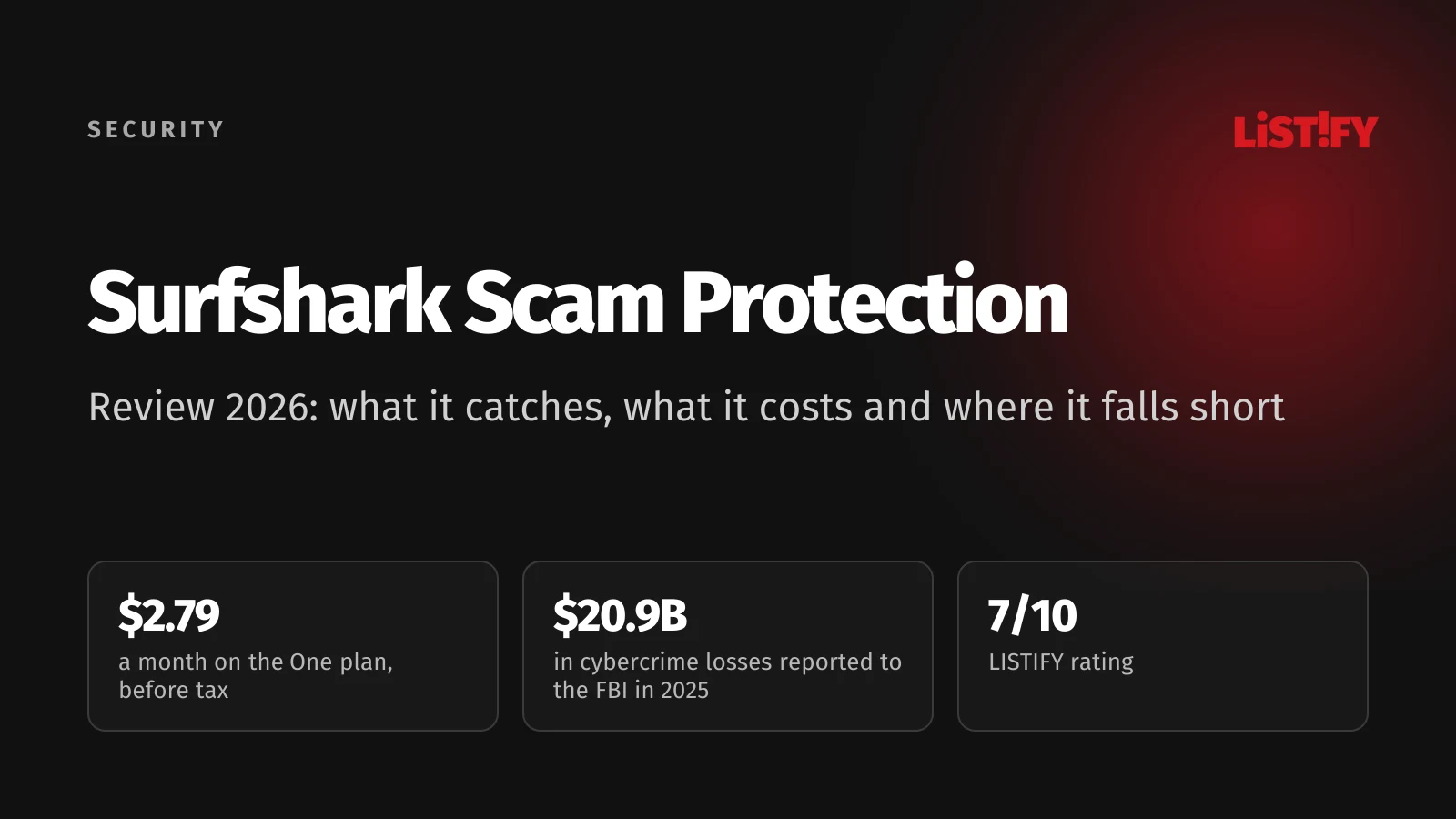
Surfshark Scam Protection is a solid add-on to a VPN if you use Android and Gmail, but it is not complete protection against scams. It filters scam texts, watches for your data in breaches, blocks dangerous websites and checks suspicious emails. It does not screen phone calls yet, and the email checker only works with Gmail in Chrome. It comes with the Surfshark One plan, from $2.79 a month for the first 27 months (before tax), then renews at $99 a year. We went through the pricing, help center, privacy policy and independent test results as of September 30, 2026.
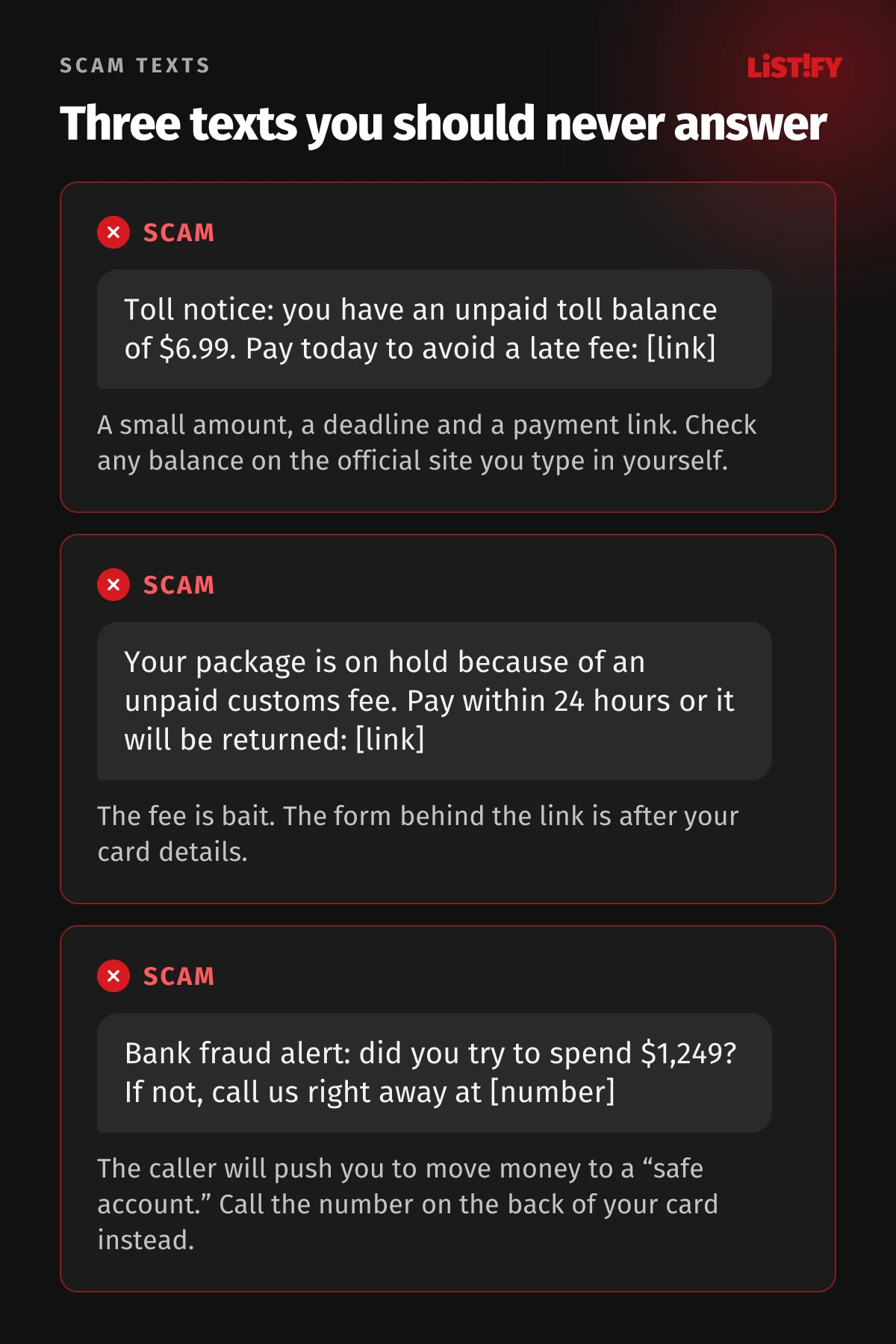
A text from a “delivery company” about a customs fee. A caller who claims to be from your bank’s fraud team. An investment ad with a deepfake celebrity. Scams are getting more expensive every year, and VPN and antivirus companies now sell bundles built to catch them. Surfshark calls its bundle Scam Protection, and in August 2026 it added a scam text filter.
This review is based on what can be checked: Surfshark’s own pricing data, the help center article for each feature, the privacy policy, and independent lab tests and reviews. Where Surfshark leaves something out or contradicts itself, we say so. Our links to Surfshark are affiliate links; they do not affect the verdict.
01Verdict at a glance: who Surfshark Scam Protection is for
| Category | Surfshark Scam Protection (One plan) |
|---|---|
| LISTIFY rating | 7 out of 10 |
| Price (US) | $2.79/month for the first 27 months ($75.33 upfront, before tax), then $99 a year |
| What it does | Scam text filter, Gmail scam checker, dangerous website blocking, data breach alerts, antivirus, VPN |
| What it doesn’t do | Scam call protection (listed as “Coming soon”), email outside Gmail, any reimbursement of money lost to scams |
| Platforms | Android, iPhone, Windows, macOS, Linux, Chrome, Firefox and Edge extensions (not every feature everywhere) |
| Best for | Households that want a VPN and scam protection on one account with unlimited devices |
| Not ideal for | Older relatives who are mainly targeted by phone calls |
What Surfshark gets right
- One account for everything. VPN, antivirus, scam text filter, website blocking and breach alerts live in one app and cover an unlimited number of devices.
- The text filter works on both Android and iPhone. On iPhone, suspicious messages go straight to the Spam folder in Messages.
- Breach monitoring works outside the US. Surfshark Alert tracks email addresses, passwords, payment cards and ID numbers, and the help center says ID monitoring works worldwide.
- The antivirus scored full marks for protection. AV-TEST gave it 6 out of 6 for protection in May and June 2026.
- Low starting price and a 30-day money-back guarantee.
Where Surfshark falls short
- No protection against scam calls. Surfshark’s pricing page lists scam call protection as “Coming soon,” even though bank impersonation calls are among the costliest scams.
- The email checker only covers Gmail in Chrome. Outlook, Apple Mail and the Gmail mobile app are not supported.
- No independent phishing certification. Surfshark is missing from AV-Comparatives’ 2026 anti-phishing test, and Macworld called its scam site protection inconsistent.
- The US identity theft coverage has limits. It pays to restore your identity, not money you lose to a scam.
- Renewal costs a lot more. After the first 27 months, one year costs more than the entire first term.
02Why scam protection matters in 2026
In 2025, the FBI’s Internet Crime Complaint Center received 1,008,597 complaints with $20.877 billion in reported losses, 26% more than in 2024. Phishing and spoofing was once again the most reported type, with 191,561 complaints, while investment fraud caused the biggest losses at $8.65 billion (FBI IC3).
- 20216.9
- 202210.3
- 202312.5
- 202416.6
- 202520.9
Losses reported to the FBI Internet Crime Complaint Center (IC3) in the US. The 2025 figure is $20.877 billion. Source: FBI IC3 Internet Crime Report 2025.
The Federal Trade Commission tells a similar story. Consumers reported $15.9 billion in fraud losses in 2025, and a text message was the most commonly reported way scammers first made contact (FTC). Globally, the Global Anti-Scam Alliance surveyed 46,000 adults in 42 markets: 57% had experienced a scam in the past year and 23% had lost money (GASA).
03What Surfshark Scam Protection is and what you get
Scam Protection is not a separate app or subscription. It is Surfshark’s name for a set of features inside the Surfshark app, available on the Surfshark One and Surfshark One+ plans. The cheapest plan, Starter, does not include it, and the pricing page marks it as not included on the Starter card. Surfshark’s own Scam Protection page confirms the features are part of One and One+.
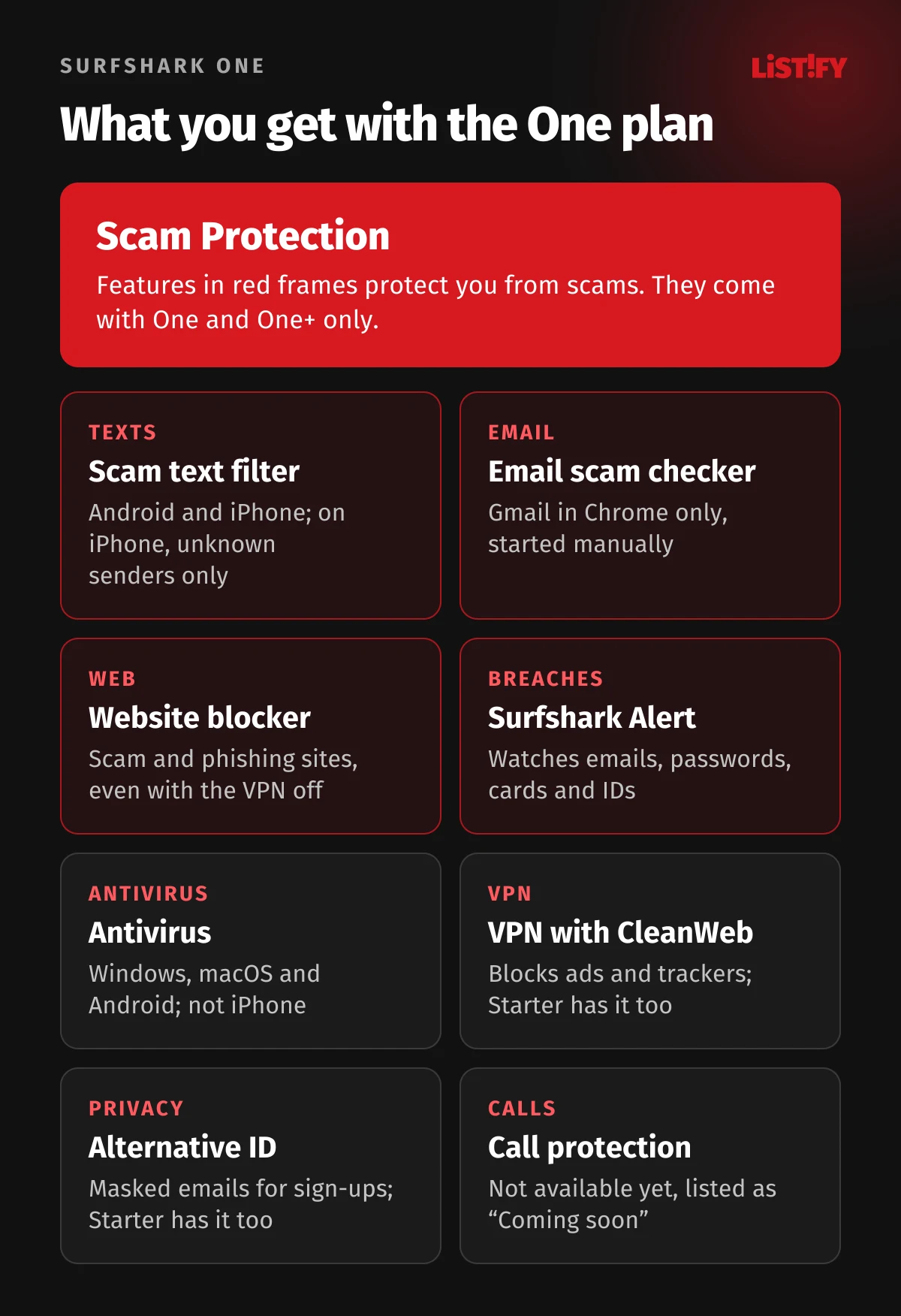
The Scam Protection offer page names four tools: scam text protection, dark web monitoring, personal data masking and a web content blocker (Surfshark). The plan also includes an email scam checker, antivirus and the VPN. Each feature works on a different set of devices, so we go through them one by one.
04Scam text protection: how it works on Android and iPhone
The text filter is the newest part of the bundle and, for most people, the most useful one. Surfshark officially launched it in August 2026 for iOS and Android on the One and One+ plans (PR Newswire). It looks at the sender, the message text and any links, and Surfshark says it uses AI to spot scams.
Android
On Android, the app scans incoming texts in real time and flags suspicious ones. It needs access to your messages and, optionally, to your contacts so it does not flag numbers you already know (Surfshark help center). The app shows a log of caught messages. US users also see an estimate of the money the filter may have saved them; that figure is not shown elsewhere.
iPhone
On iPhone, the filter runs through Apple’s message filtering system. When it flags a text, it moves it to the Spam folder in Messages (Surfshark help center). Apple only lets third-party filters see SMS and MMS from unknown senders. Messages from people in your contacts and all iMessages are off limits to every filter (Apple Developer). A scam sent from a friend’s hacked number, or through WhatsApp, will not be caught.
Does it catch scams in every language?
That is the big unknown. Surfshark does not say which languages or countries the filter is tuned for, and no independent test of its detection rate exists yet. It does check links and senders, which helps regardless of language, but we would not rely on it alone for texts in less widely spoken languages.
One small contradiction is worth knowing about. Surfshark’s text protection page says the app does not access your phone’s contact list (Surfshark). The Android setup guide does ask for contacts access. It powers an optional check of whether the sender is in your contacts, and you can turn it off.
05Email scam checker: Gmail in Chrome only
The email scam checker sends a message’s content, sender and links to an open-source language model for analysis. According to the help center, it works only in the Surfshark extension for Google Chrome, and only in Gmail opened at mail.google.com (Surfshark help center). You also have to start each check yourself with a button on the open email.
That rules out Outlook, Apple Mail, Yahoo and the Gmail mobile app. Macworld’s review of Surfshark One+, updated in May 2026, called the email checker “very hit-or-miss” at this stage and said it failed to block questionable websites (Macworld).
06Web content blocker vs CleanWeb: two different features
Surfshark has two features that look alike. CleanWeb blocks ads, trackers, malware and phishing. It is part of the VPN, so Starter has it too (Surfshark help center). The web content blocker is part of Scam Protection on One and One+ only. It blocks whole categories of sites: scam, phishing and malicious pages and, if you want, adult or gambling sites (Surfshark help center).
The blocker works without the VPN turned on. If you do use the VPN at the same time, it has to run on the WireGuard protocol, and the blocker does not work alongside another VPN app. It is available on Windows, macOS, Android and iPhone.
The weak spot is independent verification. In AV-Comparatives’ 2026 anti-phishing certification, products faced 275 phishing URLs and had to block at least 85% to pass. Surfshark was not among the tested products (AV-Comparatives).
- NordVPN96%
- Norton 360 Deluxe93%
- Bitdefender Total Security87%
- Certification threshold85%
Tested May 11 to 22, 2026, with 275 phishing URLs; all three products had zero false alarms on 200 legitimate sites. Surfshark did not take part. Source: AV-Comparatives.
Macworld named inconsistent phishing and scam site protection in the browser extensions as the main reason Surfshark One+ missed its Editor’s Choice award, adding that rivals such as Norton 360 and Bitdefender currently offer stronger phishing protection (Macworld).
07Surfshark Alert: data breach monitoring
Alert keeps scanning breach databases and the dark web and warns you when it finds your email address, password, payment card or ID number. Each alert shows what leaked and what to do next. You can monitor an unlimited number of IDs, and the help center says ID monitoring works worldwide. Viewing sensitive details requires two-factor authentication (Surfshark help center).
Scammers often work with leaked data. When they already know your name, email and phone number, their message looks far more convincing. If you know a password leaked, you can change it before anyone tries it. Our guide on how to secure your phone and accounts walks through two-factor authentication for the main services.
Alert is only on One and One+. Masked email addresses (Alternative ID) are included even in Starter: you get a spare address for sign-ups that forwards mail to your real inbox (Surfshark help center). A virtual phone number is a paid add-on and, for now, comes with US numbers only (Surfshark help center).
08Antivirus and the rest of the One plan
Surfshark Antivirus runs on Windows, macOS and Android, not on iPhone (Surfshark help center). In AV-TEST’s May to June 2026 test on Windows 11, it scored 6 out of 6 for protection, 4.5 for performance and 6 for usability. It caught 100% and 99.8% of zero-day threats in the two months and 100% of 11,772 widespread samples. Its 16.5 points earned a certificate, but not the TOP PRODUCT award (AV-TEST).
PCWorld was tougher. Its review, updated in May 2026, gave Surfshark One 3 out of 5 stars, citing the performance hit during full scans and a 70.78% score in AVLab’s March 2026 test. If antivirus is your main concern, PCWorld suggests you will get more for your money elsewhere (PCWorld).
The plan also includes the VPN itself. For speed, pricing and streaming against its closest rival, see our NordVPN vs Surfshark 2026 comparison.
09How much Surfshark Scam Protection costs
Surfshark shows prices before tax (“VAT may apply”), so what you pay depends on where you live. The table shows US prices from Surfshark’s pricing data as of September 30, 2026; they do not include sales tax (Surfshark).
| Plan | Scam Protection | Monthly (27 months) | Upfront | Renewal per year |
|---|---|---|---|---|
| Starter | no | $2.49 | $67.23 | $79 |
| One | yes | $2.79 | $75.33 | $99 |
| One+ | yes, plus Incogni | $4.49 | $121.23 | $119 |
Put simply: One works out to about $33 a year for the first 27 months and $99 a year after that. The Scam Protection offer page sells the One plan at the same price as the regular pricing page; only the crossed-out “original” price is different. For the first term, Europeans pay the same figures in euros that Americans pay in dollars, plus VAT, so the plan costs noticeably more in Europe. Renewal is priced separately: in Germany, One renews at €103.89 a year including VAT.
- Starter (no Scam Protection)First term: $30After renewal: $79
- OneFirst term: $33After renewal: $99
- One+First term: $54After renewal: $119
The first term is 27 months; we converted it to 12 months for comparison. Renewal is yearly. Source: Surfshark.
You get 30 days to try it and ask for a refund. Put the renewal date in your calendar: after the first term, Surfshark charges the higher yearly price automatically.
10Surfshark One vs One+: identity theft coverage in the US
Surfshark runs a separate Scam Protection offer for the US (Surfshark). It sells Surfshark One+, which adds two things to everything in One:
- Identity theft coverage up to $1 million. It is available to new One+ customers who live in the US, including US territories and Washington, DC, but not New York State. The insurer is HSB Specialty Insurance Company (Surfshark help center).
- Incogni personal data removal. Incogni asks data brokers to delete your information; the company says it covers more than 420 brokers (Incogni). Incogni is also available in the UK, EU, Switzerland and Canada.
Read the fine print on the insurance. The summary of benefits covers the costs of restoring your identity: up to $1,000,000 for identity theft recovery, up to $5,000 for lost wages and child or elder care, and up to $1,000 for counseling. It lists “Online Scams” and “Online Fraud Reimbursement” as not included (summary of benefits, PDF). If a scammer talks you into sending money, this policy will not pay it back. The US offer page also mentions robocalls, but call protection is still listed as “Coming soon” on the pricing page.
One+ costs $4.49 a month for the first 27 months ($121.23 upfront, before tax) and renews at $119 a year (Surfshark).
11Privacy: what Surfshark sees in your messages
A scam filter has to read your messages to work, so the real question is what Surfshark does with them afterward. Surfshark’s privacy policy, last updated August 27, 2026, says:
- Texts: Surfshark processes the sender’s number, the message text, links and technical metadata. The message content is scanned instantly and never stored; sender numbers shown in the app stay on your device.
- Emails: data is kept only for the scan, but the sender’s email address is kept for 30 days to improve the service.
- Diagnostics: if you opt in, Surfshark also stores text message content for up to 30 days, and email content for up to 7 days.
The Scam Protection marketing page promises that nothing is logged, stored or shared (Surfshark). The privacy policy is more precise, so read that instead (Surfshark privacy policy). Surfshark also says message data is not used to train AI models.
Surfshark B.V. is based in Amsterdam, and since 2022 it has shared a holding company with Nord Security while operating independently (Surfshark). Deloitte checked the VPN’s no-logs policy in 2023 and 2025, and Cure53 audited its infrastructure most recently in 2026 (Trust Center). Those audits cover the VPN, not the scam protection features.
12Surfshark vs Norton, Bitdefender, NordVPN and free tools
Some of the most useful protection is free and already on your phone. The table compares the main alternatives by feature:
| Product | Scam texts | Scam calls | Notes | |
|---|---|---|---|---|
| Surfshark One | Android, iPhone | not yet | Gmail in Chrome | Includes VPN, antivirus and breach alerts |
| Norton 360 | Safe SMS | Safe Call in Scam Protection Pro | Safe Email | Scam reimbursement up to $10,000 for certain scams, only in the top US LifeLock plan |
| Bitdefender | SMS protection | not listed | Gmail and Outlook on the web | Chat scanning on Android; free Scamio chatbot |
| NordVPN | HangUp app (Android) | HangUp app (Android) | email protection | HangUp is free for now; iOS planned |
| Google Messages | on-device, free | Pixel phones in selected countries | no | More than 20 countries |
| iPhone filter | sorts unknown senders | silences unknown callers | no | Free, built in |
Norton’s scam reimbursement and Nord’s free HangUp call app address the two things Surfshark lacks today: money lost to scams and phone calls. Surfshark makes the most sense if you want a VPN and breach monitoring anyway and would rather pay for one subscription for the whole family. Choosing mainly a VPN? See our best VPN 2026 comparison of fourteen services, or our pick of the best free VPNs in 2026.
13How to read the “1 in 20 lose $5K+” claim
Surfshark’s offer page opens with “1 in 20 people lose $5K+ to scams.” The source is Surfshark’s own June 2026 survey of 2,832 adults in the US, France and Spain (Surfshark).
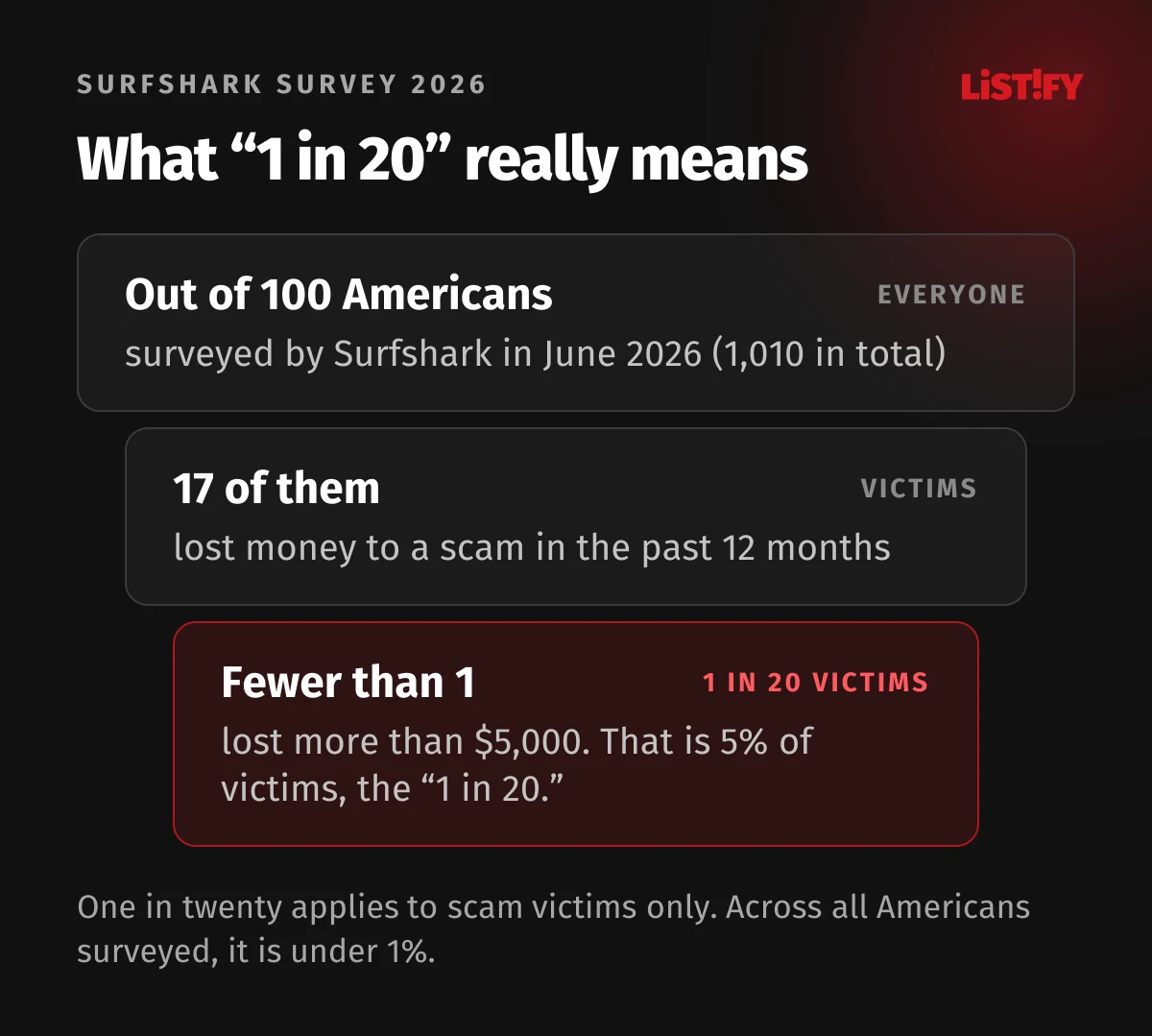
According to the methodology, the question about the amount lost was asked only of the 172 Americans who had actually lost money. So “1 in 20” describes US scam victims. Across all Americans surveyed, it is fewer than 1 in 100. Surfshark itself puts that at roughly 2.3 million Americans a year. That is still a lot of people, but it is not one in twenty.
14Is Surfshark Scam Protection worth it?
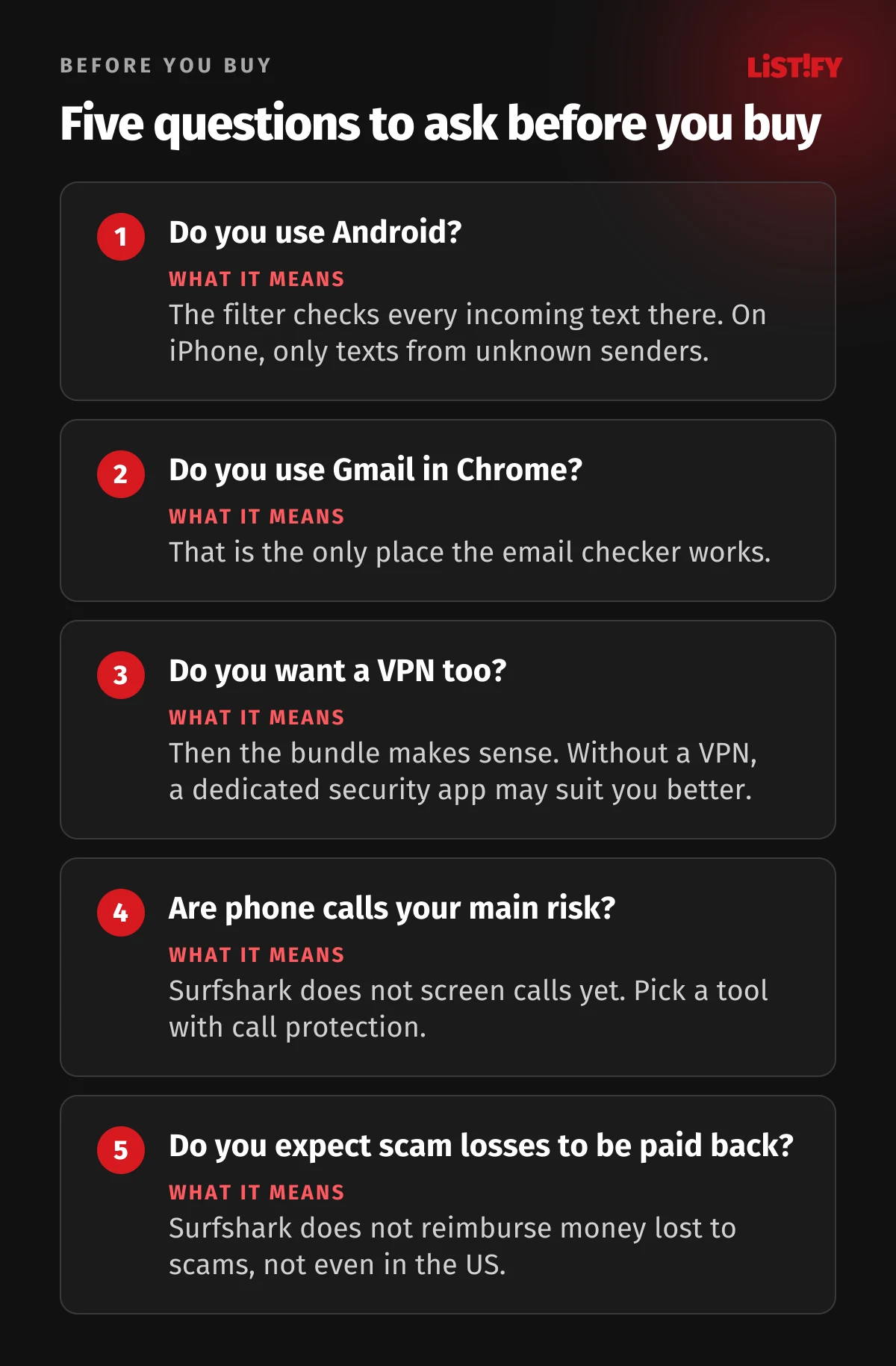
It is worth it if you already use a VPN or want one, your household has several devices, and you mostly use Android and Gmail. For about $33 a year in the first term, you get a VPN, antivirus, breach alerts and a text filter for everyone.
It is not worth it if your main goal is to protect parents or grandparents from fake bank calls. Surfshark does not screen calls yet. A tool with call screening, plus a simple rule, helps more: hang up and call your bank back on the number printed on your card.
We review Surfshark’s pricier bundles separately: Surfshark One Pro and Surfshark Ultimate.
15What to do if you already clicked
No app catches everything. If you entered your details or approved a payment:
- Call your bank right away and freeze your card or online banking. Keep the messages as evidence.
- Report it to the police. In the US, also file a complaint with the FBI at ic3.gov.
- Report the scam text. In the US, forward it to 7726 (SPAM) so your carrier can block similar messages, and report it to the FTC at ReportFraud.ftc.gov (FTC).
- Change your passwords and turn on two-factor authentication for any account the scammer might have reached.
- Warn your family and friends, because scammers often go after a victim’s contacts next.
16Frequently asked questions
How much does Surfshark Scam Protection cost?
Scam Protection comes with the Surfshark One and One+ plans. In September 2026, One costs $75.33 for the first 27 months in the US ($2.79 a month, before tax) and then renews at $99 a year.
Is Scam Protection included in the Starter plan?
No. Starter includes the VPN, CleanWeb and Alternative ID masked emails. The scam text filter, email checker, web content blocker and Surfshark Alert require One or One+.
Does Surfshark scam text protection work on iPhone?
Yes. It moves suspicious texts to the Spam folder in Messages. Apple only lets third-party filters check SMS and MMS from unknown senders, so texts from contacts and iMessages are not filtered.
Does Surfshark protect against scam calls or robocalls?
Not yet. As of September 30, 2026, scam call protection is listed as “Coming soon” on Surfshark’s pricing page.
What is the difference between Surfshark One and One+?
One+ adds Incogni personal data removal, available to residents of the US, UK, EU, Switzerland and Canada, and identity theft coverage of up to $1 million for new US customers outside New York State. In the US, One+ costs $4.49 a month for the first 27 months ($121.23 upfront, before tax) and renews at $119 a year; One costs $2.79 a month and renews at $99.
Does Surfshark have identity theft protection?
In the US, new One+ customers outside New York State get identity theft coverage of up to $1 million. It pays identity restoration costs, not money lost to online scams.
Does the email scam checker work with Outlook?
No. It only works in Gmail on the web, through the Surfshark extension for Google Chrome, and you start each check manually.
Is Surfshark legit and safe to use?
Surfshark is an established company based in the Netherlands. Its VPN no-logs policy was checked by Deloitte in 2023 and 2025. For the scam features, read the privacy policy: sender email addresses are kept for 30 days.
Can I get a refund?
Yes. Surfshark offers a 30-day money-back guarantee.
17Sources
- Surfshark: Scam Protection offer page
- Surfshark: US Scam Protection offer page
- Surfshark: Scam Protection
- Surfshark: scam text protection
- Surfshark: pricing
- Surfshark: privacy policy
- Surfshark: Trust Center and audits
- Surfshark: about us
- Surfshark blog: scam text protection launch
- PR Newswire: Surfshark press release, August 17, 2026
- Surfshark: scam survey in the US, France and Spain (2026)
- Surfshark: identity theft coverage summary of benefits (PDF)
- Surfshark help center: identity theft coverage
- Surfshark help center: text message protection on Android
- Surfshark help center: text message protection on iOS
- Surfshark help center: email scam checker
- Surfshark help center: web content blocker
- Surfshark help center: CleanWeb
- Surfshark help center: Alert and IDs
- Surfshark help center: Alternative ID
- Surfshark help center: Alternative Number
- Surfshark help center: antivirus
- Incogni
- Apple Developer: SMS and MMS message filtering
- Apple: filter and block messages on iPhone
- Apple: Silence Unknown Callers and Live Voicemail
- Google: scam detection in Android (2025)
- Google: Android scam protection (2026)
- AV-TEST: Surfshark Antivirus, May and June 2026
- AV-Comparatives: Anti-Phishing Certification 2026
- Macworld: Surfshark One+ review
- PCWorld: Surfshark One review
- FBI IC3: Internet Crime Report 2025 (PDF)
- FTC: testimony on the rising scam economy (PDF)
- FTC: imposter scams in 2025
- FTC: how to recognize and report spam text messages
- Global Anti-Scam Alliance: Global State of Scams 2025
- Norton: AI scam protection
- Bitdefender: Scam Protection
- Bitdefender: Scamio
- NordVPN: scam, phishing and malware protection
- NordVPN: HangUp
Prices, features and figures are as of September 30, 2026.