How to Cancel Proton VPN and Get a Refund (2026)
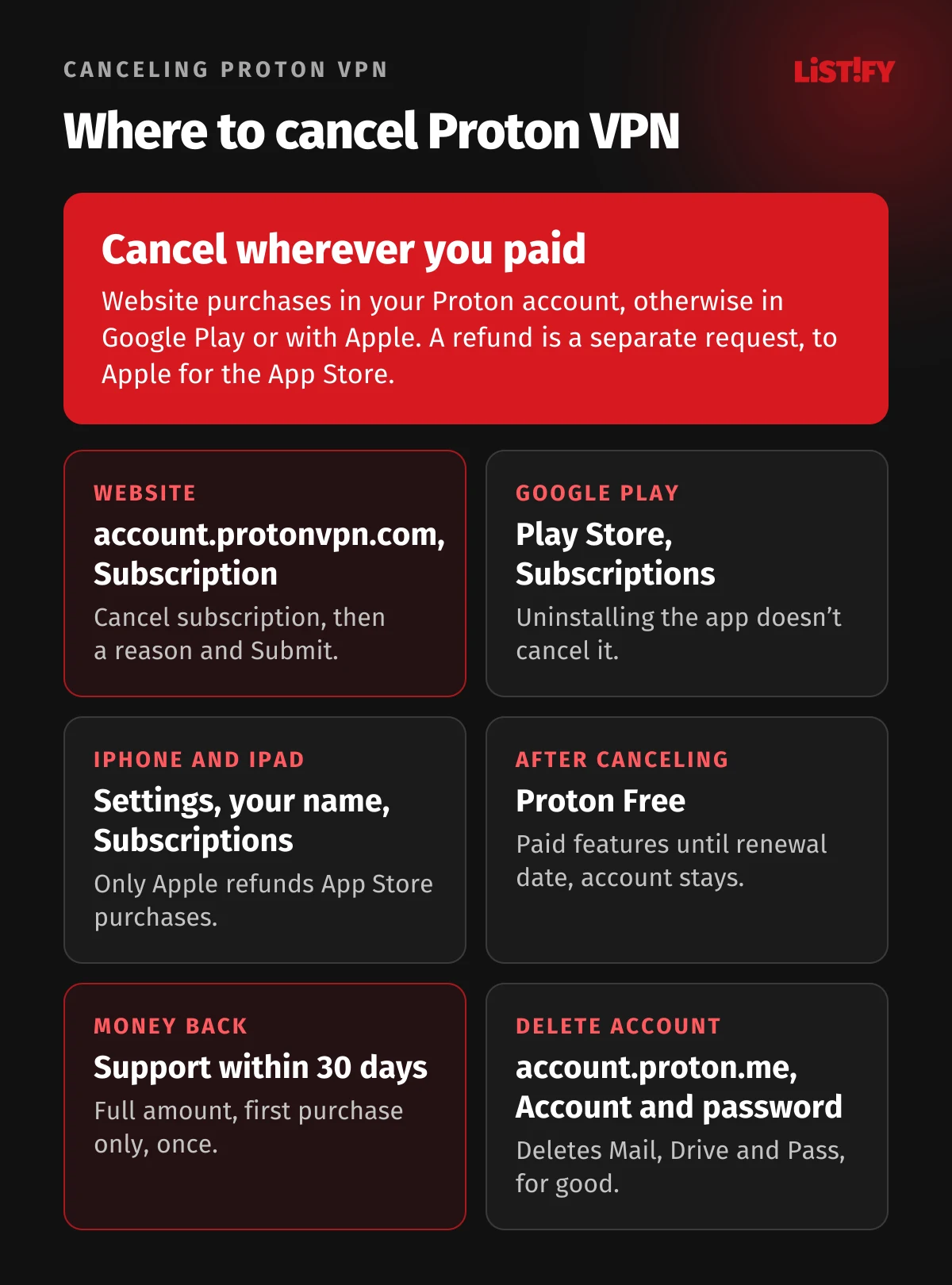
You cancel Proton VPN wherever you paid: on the website under Subscription at account.protonvpn.com, otherwise in Google Play or the App Store. If you paid Proton directly, you get the full amount back when you cancel and ask support for a refund within 30 days of your first purchase. For App Store purchases, Apple handles refunds. Canceling your subscription, getting a refund and deleting your account are three separate steps. We went through Proton’s support pages and terms of service as well as Google’s and Apple’s rules, and wrote up the steps for every way of paying. Everything here was checked on October 19, 2026.
Proton VPN Plus bought for two years through the partner offer costs €71.76 including VAT, roughly CZK 1,747. After 24 months, though, it renews on its own at €83.88 for another 12 months (about CZK 2,042). If you no longer want the service, or you tried it and it isn’t for you, you need to know where to click, how long you have to ask for your money back and what happens to your account afterward.
We haven’t canceled a Proton subscription or requested a refund ourselves. This guide is based on Proton VPN’s support pages, Proton’s terms of service dated October 9, 2026, and Google Play and Apple support pages, all opened on October 19, 2026. Button names are given exactly as Proton’s support pages write them. Proton charges in euros with VAT included; amounts in koruna are our own conversion. The link to Proton is an affiliate link: if you buy through it, we earn a commission at no extra cost to you. For our overall verdict, see the Proton VPN review.
01How to cancel Proton VPN: the short answer
First, work out where you bought Proton VPN. If you’re not sure, check your inbox: a receipt from Proton means you bought on the website, a receipt from Google or Apple means you bought in an app store. That decides where you cancel and who refunds you.
| Where you paid | Where to cancel | Who refunds you | Refund window |
|---|---|---|---|
| Proton VPN website | account.protonvpn.com, Subscription | Proton support | 30 days from first purchase |
| Google Play (Android) | Play Store, Subscriptions | Proton support, or Google Play | 30 days from first purchase |
| App Store (iPhone, iPad) | Settings, your name, Subscriptions | Apple only | Up to Apple, not guaranteed |
| Cash or bank transfer | account.protonvpn.com, Subscription | Nobody, Proton doesn’t refund these | Not eligible |
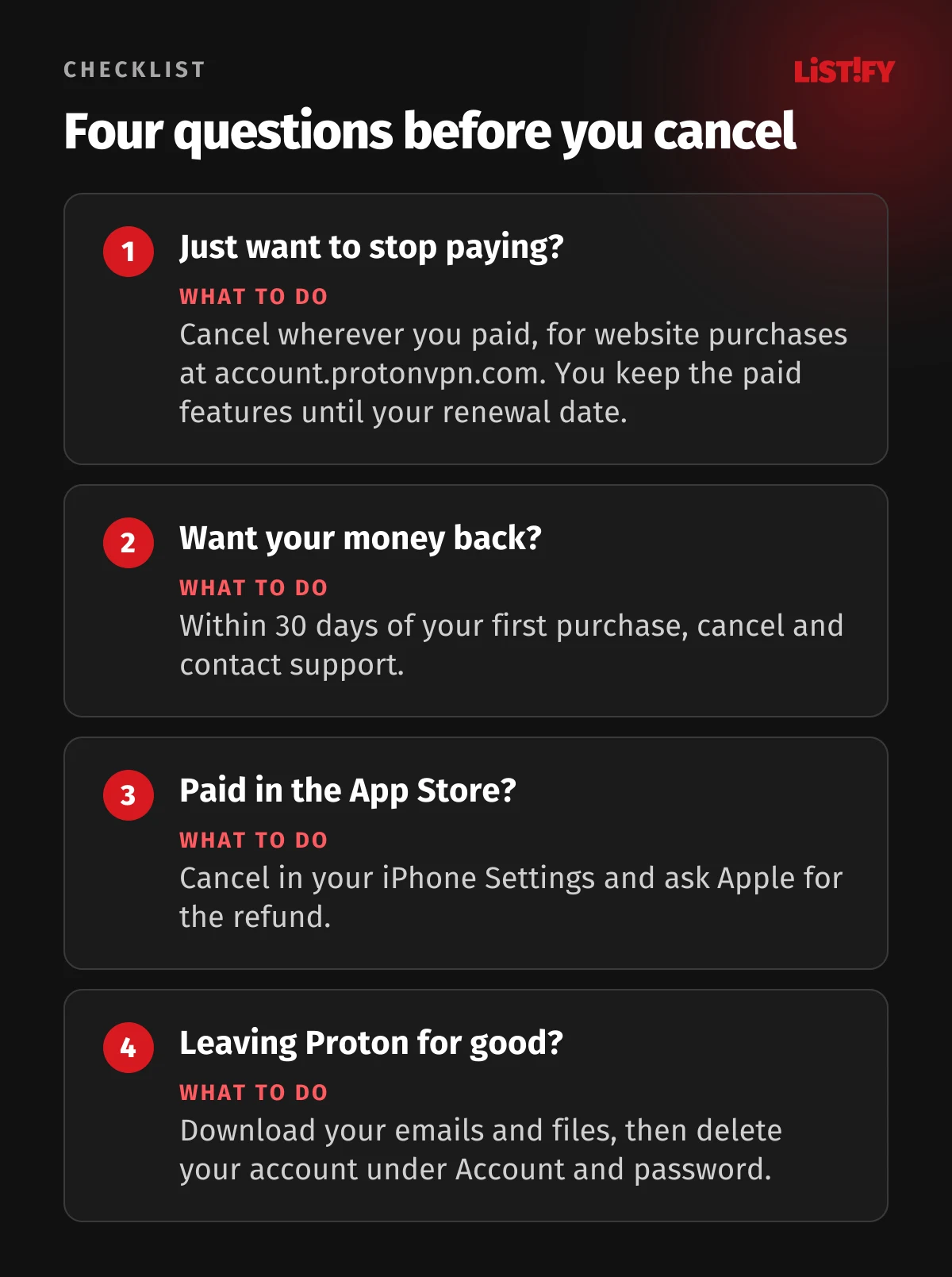
Canceling your subscription turns off future renewals. You keep the paid features until your renewal date, then your account drops to Proton Free (Proton VPN Support). It doesn’t get you any money back. A refund under the 30-day guarantee gets you the full amount, but you have to ask support for it. Deleting your account removes every Proton service for good, including Proton Mail, Proton Pass and Proton Drive (Proton Support).
02How to cancel a Proton VPN subscription on the website
If you bought Proton VPN on the website, you cancel it in your account at account.protonvpn.com. The steps are the same for VPN Plus, Proton Unlimited and every other paid plan.
- Sign in at account.protonvpn.com.
- Select Subscription in the sidebar. Scroll to Cancel subscription and click Continue.
- Select Cancel subscription.
- Read the cancellation terms and confirm by selecting Cancel subscription again.
- Don’t close the page. Select a reason for canceling and click Submit. Your cancellation isn’t finalized until you do.
Steps based on Proton VPN Support (canceling a subscription). You can keep using VPN Plus features until the expiration date. If you change your mind, go back to account.protonvpn.com and select Reactivate now. You need to cancel before your renewal date. If you can’t get into your account, customer support can cancel for you (terms).
Paid with PayPal? On your first payment, you set up a billing agreement for recurring payments in PayPal (Proton VPN Support). Cancel in your Proton account anyway. You’ll then also find the automatic payment under Payments in your PayPal settings, where you can cancel it (PayPal).
Cancel right after you buy: you lose nothing
You can cancel at any time, even on day one. Canceling only turns off the next renewal, and the period you paid for runs out as normal (Proton VPN Support). That way you don’t have to watch the calendar, and if you want to keep Proton, you just click Reactivate now. If you want your money back, though, you have to ask support for it; canceling on its own refunds nothing.
What you pay if you don’t cancel
After the first term, your subscription renews automatically for the period stated in your order at purchase, at the price valid on the renewal date (terms). For the 2-year Plus partner offer, Proton’s checkout states plainly that it renews after 24 months at €83.88 for 12 months, about CZK 2,042 a year (Czech National Bank rate). The public pricing page lists the same renewal price, though there the 2-year Plus costs €83.76 (Proton VPN). Monthly Plus renews every month at €9.99 (about CZK 243).
- Plus for 2 years, first payment71.76
- Plus after renewal, 12 months83.88
- Plus monthly, 12 payments119.88
Proton checkout from a Czech IP on October 19, 2026: €71.76 for 24 months, renewal €83.88 for 12 months, monthly plan €9.99. Prices include 21% VAT.
03Proton VPN refund policy: the 30-day money-back guarantee
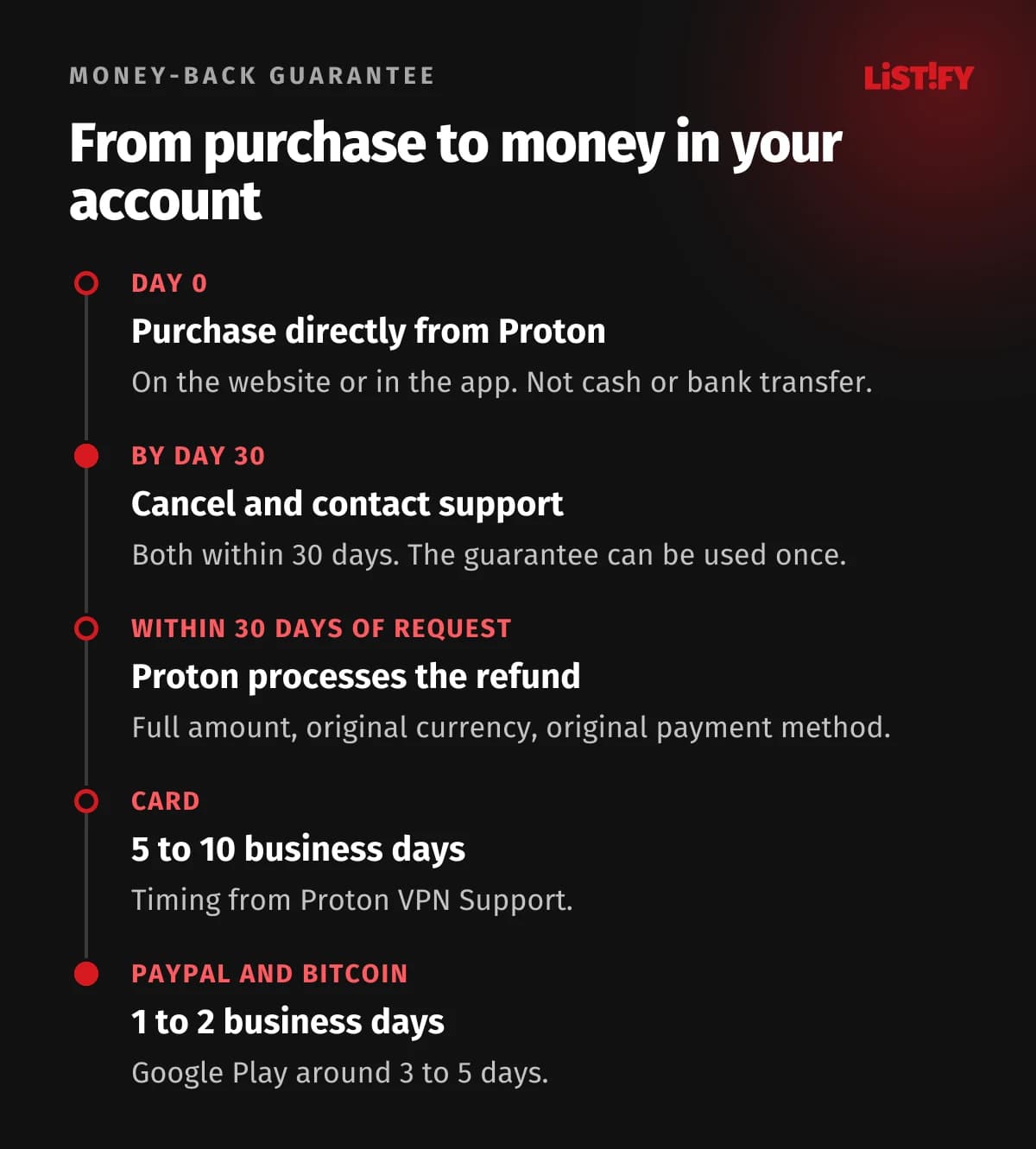
Proton refunds the full amount if you cancel within 30 days of your first purchase. The terms spell it out: both the cancellation and the refund request have to happen within those 30 days (terms). The checkout adds that you get the full amount back, no questions asked. The guarantee does come with a few catches:
- Once per user. If you’ve had a refund before, you can’t get another one on a later purchase.
- Only for purchases made directly with Proton, on the website or in the app. Purchases through a third party follow that party’s rules. For the App Store, Apple handles the refund; for Google Play, Proton VPN Support says Proton’s team handles it.
- Not for cash or bank transfer. Proton doesn’t refund these payments at all.
- Non-refundable after 30 days. After that, any refund or credit is entirely at Proton’s discretion.
- Refunds go back in the original currency to the original payment method, so a payment made in euros comes back in euros.
All points are based on Proton’s terms of service dated October 9, 2026 (terms).
Does Proton give prorated refunds?
No. In the first 30 days it refunds the full amount, not just a share for unused months. After 30 days it doesn’t refund anything, prorated or otherwise. The terms only mention proration as account credit: when you switch to another paid plan, your unused days turn into credit that’s deducted from the price of the new plan (terms, Proton VPN Support). On plans other than VPN Plus, such as Proton Unlimited, Proton gives you credit for the unused portion if you downgrade before your period ends, and that credit has to be used within 24 months. Even then, it isn’t money back on your card.
How to request a refund
- Cancel your subscription at account.protonvpn.com as described above. The cancellation has to happen within the 30 days too.
- Contact support. With a paid plan you get 24/7 live chat: at account.protonvpn.com, click your Proton Account name and choose Chat with us (Proton VPN Support). Otherwise use the support form or email vpn@support.proton.me.
- Say that you’re requesting a refund under the 30-day guarantee, and include your account email and purchase date.
- Wait for it to be processed. Under the terms, Proton processes refunds within 30 days of the request, and the money comes back the way you paid.
Before you get in touch, Proton suggests checking how long you’ve been subscribed (Proton VPN Support). In the support form, your description has to be at least 100 characters long (support form). You pay in euros, so the amount in koruna that lands back in your account depends on your bank’s exchange rate.
What to write to support
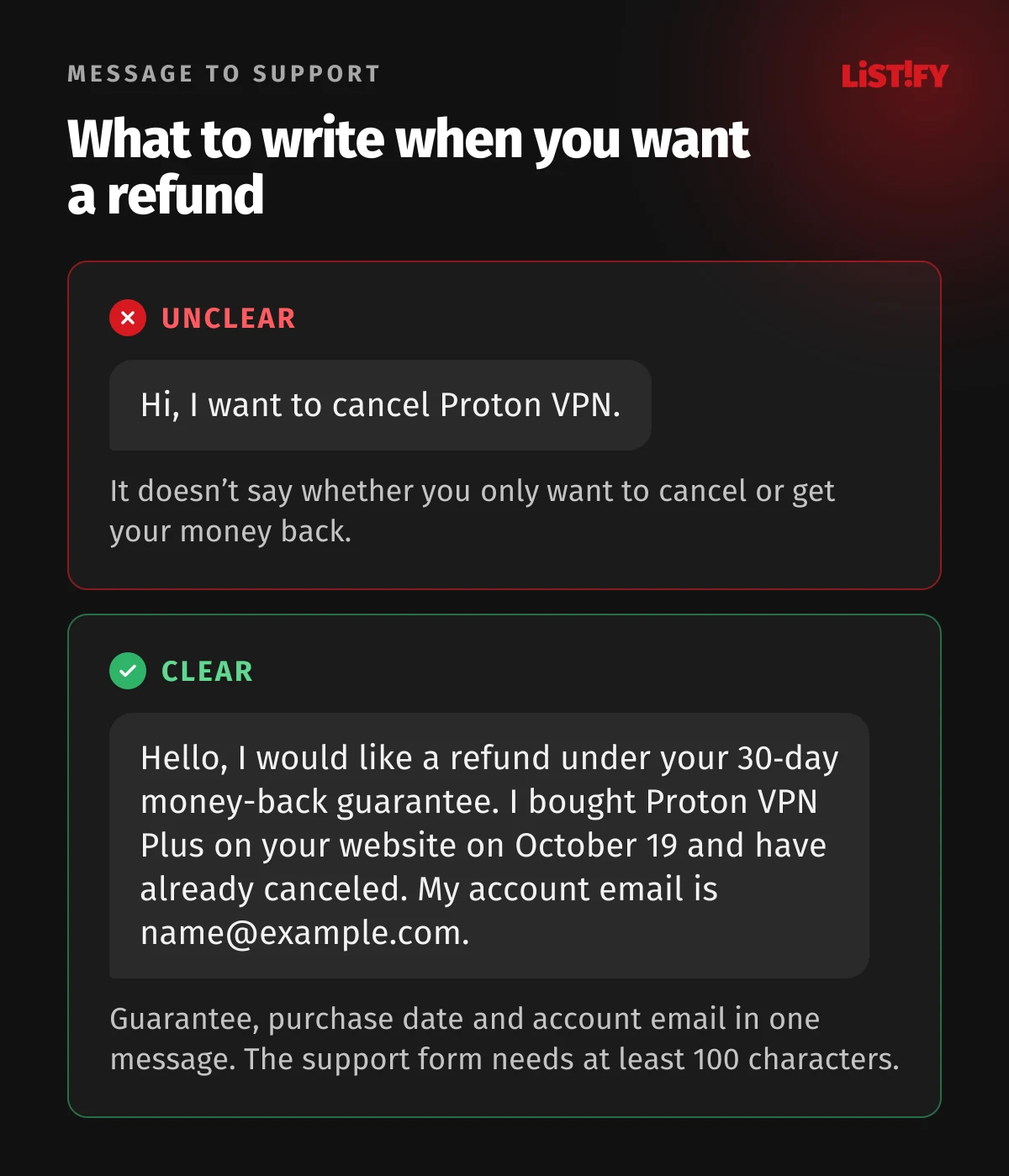
Say in your very first message that you want your money back, not just to cancel. A short, clear message like this one works:
- “Hello, I would like a refund under your 30-day money-back guarantee. I bought Proton VPN Plus on your website on October 19, 2026, and have already canceled the subscription. My account email is name@example.com.”
How long a Proton refund takes
| How you paid | When the money arrives |
|---|---|
| Payment card | 5 to 10 business days |
| PayPal | 1 to 2 business days |
| Bitcoin | 1 to 2 business days |
| App Store | Around 5 to 10 days |
| Google Play | Around 3 to 5 days |
| Cash, bank transfer | Not refunded |
04How to cancel Proton VPN on Google Play
A subscription bought in the Android app is managed by Google Play. You can’t cancel it in your Proton account; you cancel it in the Play Store:
- On your phone, open subscriptions in Google Play. In the Play Store, tap your profile picture and select Subscriptions.
- Select Proton VPN.
- Tap Cancel subscription and follow the instructions.
Note that uninstalling the app doesn’t cancel the subscription. After canceling, you can keep using Proton VPN for the time you’ve already paid for (Google Play Help). Don’t have your phone with you? You can also cancel on the Google Play website (Proton VPN Support). For setting up and switching off a VPN on your phone, see our guide to a VPN on iPhone and Android.
Refunds for Google Play purchases
For a Google Play purchase, Proton’s support team handles the refund; just contact them the same way as for a website purchase (Proton VPN Support). If less than 48 hours have passed since you paid, you can also ask Google Play directly. After 48 hours, Google Play sends you to the app developer, which means back to Proton (Google Play Help).
- On a computer, go to play.google.com and click your profile picture at the top right.
- Click Payments & subscriptions, then Budget & order history.
- Next to the Proton VPN payment, click Report a problem, choose the option that fits your situation and note in the form that you’d like a refund.
- Click Submit. A decision can take 1 to 4 days.
Steps based on Google Play Help (request a refund).
05How to cancel Proton VPN on iPhone (App Store)
A subscription from the App Store is managed by Apple, and Apple also decides on refunds. Proton’s 30-day guarantee only covers purchases made directly with Proton (terms).
On iPhone or iPad
- Open Settings and tap your name.
- Tap Subscriptions and choose Proton VPN.
- Tap Cancel Subscription, read the cancellation terms and tap Cancel Subscription again to confirm. You might need to scroll down. If there’s no Cancel button or you see an expiration message in red text, the subscription is already canceled.
Steps based on Apple Support (cancel a subscription) and Proton VPN Support. You keep the paid features until the expiration date. If you change your mind, tap Renew to restart your subscription (Proton VPN Support). Paid in the App Store on a Mac? Open the App Store, click your name at the bottom of the sidebar, click your name again on the next page, then click Subscriptions and Cancel Subscription (Apple Support).
Getting a refund from Apple
- Sign in at reportaproblem.apple.com with the account you bought the subscription with.
- Click “I’d like to” and choose “Request a refund.”
- Choose a reason and click Next.
- Choose the Proton VPN subscription and click Submit.
Expect an update on your request within 24 to 48 hours, and Apple notes that refund eligibility varies by country or region (Apple Support). Apple doesn’t have to refund you. If you want the certainty of the 30-day guarantee, buy on Proton’s website next time and simply sign in to the iPhone app.
06What happens to your account after canceling: Proton Free
Canceling doesn’t make your account disappear. When the paid period ends, it drops to Proton Free, and you keep the free version of every Proton service (Proton VPN Support). The free VPN only connects 1 device at a time and only to servers in 10 randomly selected countries (Proton VPN). What Free can do and when it’s enough is covered in our article Is Proton VPN free?
| What happens | Canceling | Refund | Deleting your account |
|---|---|---|---|
| Where | account.protonvpn.com, Subscription | Proton support | account.proton.me, Account and password |
| When | Any time before the renewal date | Within 30 days of first purchase, once | Any time |
| Money | Nothing back | Full amount | Nothing back |
| Account | Stays, drops to Proton Free when the period ends | Not specified in the terms | Permanently deleted with all data |
| Other Proton services | Stay on the free version | Not specified in the terms | Deleted too |
- Proton Unlimited is a bundle. Besides the VPN, it includes paid Proton Mail, Drive and other services. On plans other than VPN Plus, Proton doesn’t remove paid features for you, so get under the free limits yourself before you downgrade, for example by clearing out storage. An account that drops to Free after an unpaid renewal while over the limits goes into a restricted state: no receiving emails or uploading to Drive, and after 12 months Proton may delete it or its data (terms).
- Use your free account now and then. Proton may delete a free account that hasn’t been used for 12 months in a row. It sends warnings 30, 15 and 7 days in advance to your recovery email. A paid account always counts as active, but once you cancel, the rule applies again (terms).
- Your subscription can’t be transferred to another Proton account; it stays tied to the account you bought it for (terms).
- To move to a cheaper plan, you don’t need to cancel. Choose Compare all plans on the Home page of your account; the new plan starts right away and your remaining days turn into credit (Proton VPN Support).
07How to delete your Proton VPN account
A Proton Account is one account for every service. Deleting it removes Proton VPN, Mail, Calendar, Pass, Drive and everything else, and it can’t be recovered. Proton doesn’t recycle usernames, so nobody, not even you, can use yours for a new account (Proton Support). If you’re still paying, cancel your subscription first and ask for a refund if you’re eligible. Cancel an App Store or Google Play subscription in the store where you bought it.
- Sign in at account.proton.me and go to Settings, All settings.
- Select Account and password in the sidebar. Scroll to Delete account and click the Delete your account button.
- Give a reason for leaving, then select Continue.
- Read the warning, check “Yes, I want to permanently delete this account and all its data” and click Delete account.
- Enter your account password, plus a 2FA code if you have two-factor authentication turned on.
Steps based on Proton Support (deleting your account). You can only delete your account in the web app or the desktop app. If you have emails or files in Proton Mail or Drive that you want to keep, download them first.
08Charged for a renewal? What the law says
The 30-day guarantee only covers your first purchase. After an automatic renewal, payments are non-refundable under the terms, and any refund or credit is up to Proton (terms). It’s still worth asking support, especially if you spot the renewal right away, but nobody can promise you a refund.
Be careful with a chargeback through your bank. If you go to your bank or a payment service instead of Proton support, the terms say you give up your right to a refund from Proton, and Proton may suspend your account until the dispute is settled (terms). Contact support first.
In the Czech Republic and Slovakia, a contract made online also comes with a 14-day right of withdrawal. In the Czech Republic it is set out in section 1829 of the Civil Code; if you asked for the service to start right away, you pay a proportionate part of the price for the time used, under section 1834 (Czech Civil Code). In Slovakia, section 20 of the Consumer Protection Act applies, with an exception in section 19 for a service that has been fully provided with your consent (Act No. 108/2024). Proton’s own guarantee is the better deal, because on a first purchase it refunds the full amount within 30 days.
09Before you cancel: a checklist
Canceling Proton because of the price? We break down every plan, the renewal price and the four-year cost in Proton VPN price. If basic protection is enough for you, you don’t have to leave entirely, because the free version stays free. If you’re looking for a different service, see our comparisons Proton VPN vs Surfshark, Proton VPN vs ExpressVPN, Proton VPN vs Mullvad and NordVPN vs Proton VPN. For an overview of 14 services, see the best VPNs of 2026. Canceling ExpressVPN too? We cover that in How to cancel ExpressVPN.
If you ever come back to Proton, the lowest monthly price is the 2-year Plus partner offer at €2.99 a month. That’s 70% less than the €9.99 monthly plan, which is where the number on the button comes from. After 24 months, though, Plus renews at €83.88 a year, so write down the renewal date, or simply cancel right away and let the paid period run out. And keep in mind that the money-back guarantee can only be used once.
10FAQ
How do I cancel my Proton VPN subscription?
On the website at account.protonvpn.com: select Subscription in the sidebar, click Cancel subscription, confirm, then choose a reason and click Submit (Proton VPN Support). A Google Play subscription is canceled in the Play Store, an App Store subscription in your iPhone Settings.
Will Proton VPN give me a refund?
Yes, if you cancel and request the refund within 30 days of your first purchase made directly with Proton. You get the full amount, once per user, and not for cash or bank transfer payments. For App Store purchases, Apple handles refunds (terms).
Does Proton give prorated refunds for unused months?
No. Within 30 days you get the full amount; after 30 days, payments are non-refundable. You only get the unused days back as account credit when you change plans (terms).
How long does a Proton refund take?
Proton processes refunds within 30 days of the request. The money then reaches a card in 5 to 10 business days, or PayPal and Bitcoin in 1 to 2 business days (Proton VPN Support).
Does Proton VPN keep working after I cancel?
Yes. You keep the paid features until your renewal date, then your account drops to Proton Free (Proton VPN Support) with 1 device and servers in 10 randomly selected countries (Proton VPN).
Does canceling delete my Proton account?
No, canceling doesn’t delete your account. You keep the free version of every Proton service. If you don’t use a free account for 12 months, though, Proton may delete it after sending warnings (terms).
How do I delete my Proton VPN account?
At account.proton.me, open Settings, All settings, then Account and password, and click Delete your account. Your whole Proton Account is deleted, including Mail, Drive and Pass, and it can’t be recovered (Proton Support).
Is there a Proton VPN free trial I need to cancel?
Not for regular users. The terms only mention a free trial for Proton Business plans, and even there only as a possibility. Instead, there’s the Free plan and the 30-day money-back guarantee. More in Is Proton VPN free?
11Bottom line
You cancel Proton VPN wherever you paid: at account.protonvpn.com, in Google Play or with Apple. On the website, don’t skip the last step where you pick a reason, or the cancellation won’t go through. If you want your money back, cancel and contact support within 30 days of your first purchase, and you’ll get the full amount. The guarantee can only be used once and doesn’t cover cash or bank transfers. After canceling, you keep an account on the free plan, so you don’t have to leave Proton completely.
Clear, fair cancellation builds trust with your customers too. If you’re planning a website or app with subscriptions, see how we build custom websites, what it costs and how we work.
12Sources
- Proton VPN: pricing
- Proton: terms of service
- Proton VPN Support: how to cancel a subscription
- Proton VPN Support: changing your subscription
- Proton VPN Support: payment methods
- Proton VPN Support: live chat
- Proton VPN: support form
- Proton Support: how to delete your account
- Google Play Help: cancel a subscription
- Google Play Help: refund policies for apps
- Google Play Help: request a refund
- Apple Support: cancel a subscription
- Apple Support: request a refund
- PayPal: automatic payments
- Czech Civil Code (Act No. 89/2012)
- Slovak Consumer Protection Act (No. 108/2024)
- Czech National Bank: exchange rates
Steps, prices and terms checked on October 19, 2026. Proton prices are in euros and include VAT. Amounts in koruna are our own conversion at the Czech National Bank rate of CZK 24.340 per euro (October 19, 2026).