Phishing and social engineering: prepare employees for the decision
A familiar supplier asks finance to change bank details. A colleague requests an urgent file through chat. Someone claiming to be support asks for a login approval. The important question is often whether the requested action fits an agreed process, and how to verify it safely, rather than whether the message contains a spelling mistake.
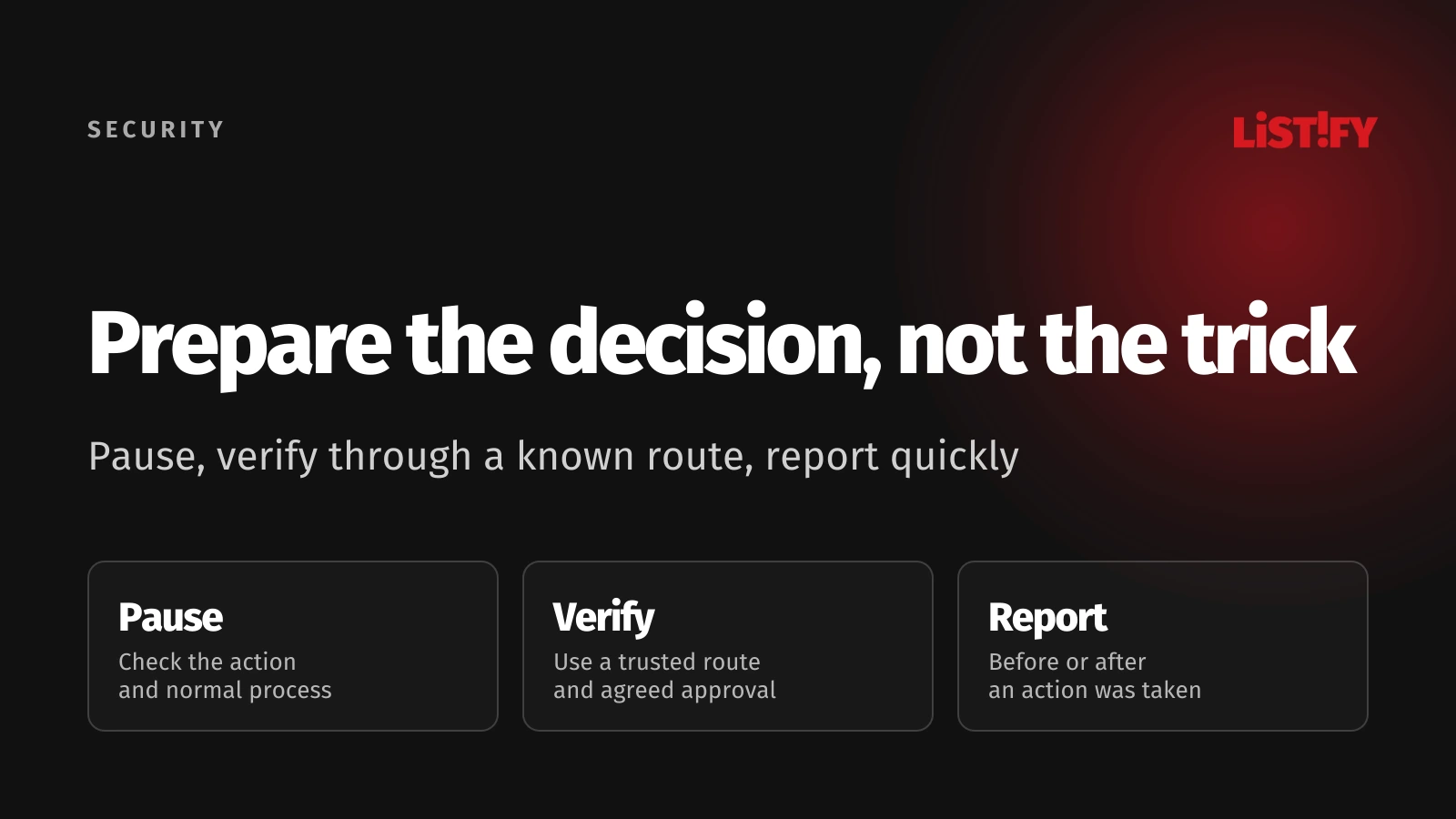
Phishing can arrive through email, messages, links, or other interactions. Social engineering uses trust, urgency, authority, or familiar context to influence an action. Prepare staff for the workflows attackers can exploit, including payments, account access, document sharing, and recovery.
Training works best alongside clear business processes and technical protection. The UK's NCSC phishing guidance recommends layered defenses and warns against expecting people to recognize every attack. Give employees a safe next step and an easy reporting route, including after they have already acted.
01Teach the action to check, not only the appearance
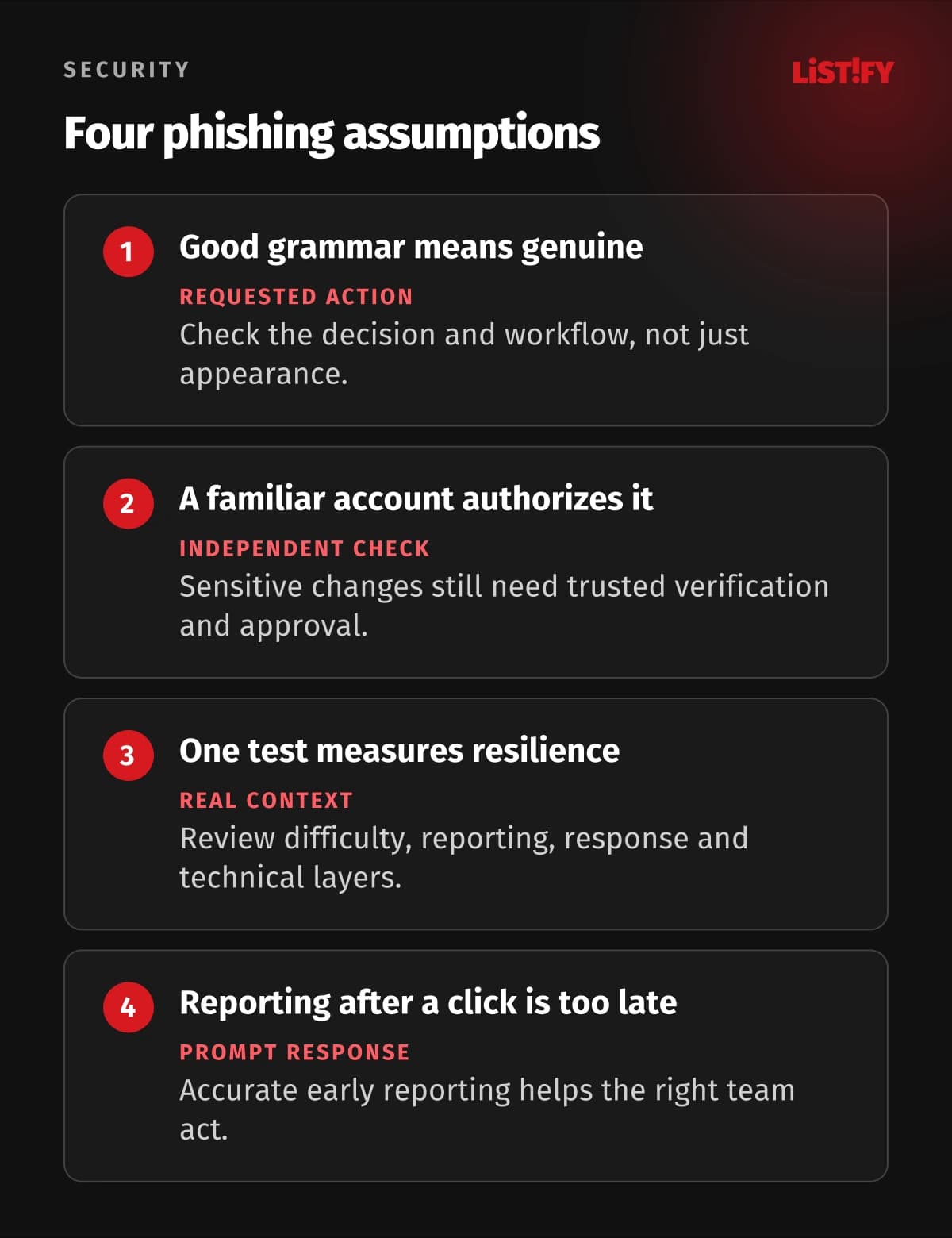
A well-written message can be fraudulent, and an awkwardly written message can be legitimate. Branding, a familiar name, and a real-looking conversation are clues to investigate, not independent proof. A request from a compromised account may arrive through the genuine service your team normally uses.
Ask what the sender wants you to do: sign in, approve access, transfer money, change a record, install software, or disclose information. Then compare it with the agreed process. An unexpected change, pressure to bypass review, or a request for a secret deserves a pause even when the message looks familiar.
| Work situation | Decision to check | Safe next step |
|---|---|---|
| Supplier bank-detail change | Is the change genuine and authorized? | Use the established verification and approval process with a known contact |
| Login link in a message | Do we need to sign in, and is this the actual service? | Open the service through a known app or saved address |
| Unexpected MFA approval | Did we start this sign-in? | Decline an unrecognized request and report it through the agreed route |
| Urgent sensitive-file request | Is the recipient and purpose approved? | Confirm identity and use the authorized sharing workflow |
| Support call requesting access | Is this a legitimate support interaction? | Reconnect through the known support route before granting access |
Keep examples close to employees' tasks. Finance, customer support, HR, and administrators encounter different requests and consequences. Teach the common decision pattern, then practice the variations people will actually face.
02Make independent verification part of normal work
For payment changes, maintain a known contact route and a documented approval step. Do not use only the number or reply address supplied in the suspicious request. The FBI's business email compromise guidance recommends verifying payment and account changes and using independently obtained contact information.
Apply the same principle beyond email. A phone call, video meeting, or voice that sounds familiar should not automatically override a sensitive workflow. Verify through a route your team already trusts and require the normal approval. Knowing personal details or appearing confident does not establish authority.
Make the process usable under pressure. Staff need to know whom to contact when the normal approver is absent and what to do with a genuine urgent request. A policy that only says never act urgently leaves people to invent exceptions when a customer or manager needs help.
Use separate permissions or approvals for consequential changes where appropriate. A verified supplier request and approval to update the payment record solve different questions. Record the evidence and decision in the normal system so the next colleague does not have to trust an undocumented verbal assurance.
The FTC's phishing advice likewise recommends contacting a known organization through a number or website you know is genuine. Its US reporting routes are not worldwide instructions; use your company's process and the relevant local channels.
03Make reporting easy before and after a mistake
Provide one clear primary route, such as the supported reporting control in your email system or a dedicated internal contact. Explain how to report a suspicious chat, call, or QR-code interaction too. Give an alternative if the employee cannot safely use the affected account or device.
Ask for useful facts without making the employee perform an investigation: what arrived, when, what action they took, and which account or device was involved. The receiving team should preserve relevant evidence through its approved tools. Avoid telling staff to distribute a suspicious attachment to colleagues for an informal second opinion.
Acknowledge the report and explain the immediate next step. If someone clicked, entered a password, approved a prompt, downloaded a file, or transferred money, they should report that accurately and promptly. Make clear that reporting is welcome. Shame and uncertainty can turn a recoverable problem into a longer unnoticed incident.
Name the person responsible for triage and a backup. A reporting address that nobody reads creates false confidence. Practice the handoff from employee to support or security, and from that team to identity, finance, or application owners when the situation requires it.
Give useful feedback afterward. Thank the reporter, explain what can be shared safely, and update the workflow if the incident exposed an ambiguous request or poor instructions. Successful reporting is part of the defense, including when the original interaction was a false alarm.
04Practice role-specific scenarios with clear boundaries
Use short discussions and exercises based on actual decisions. Finance can rehearse a supplier-detail change; HR can review a document-sharing request; administrators can practice an unexpected access prompt. Ask participants to explain their next action and where they would find the trusted route.
If you use simulations, define purpose, authorization, audience, data collected, handling, and follow-up with the appropriate internal teams. Keep exercises proportionate and avoid collecting real passwords or other secrets. An exercise should expose a gap in the process or knowledge, not create another incident.
Do not build the program around humiliating people or threatening their jobs. Use supportive follow-up and improve the surrounding workflow. An exercise that damages trust may reduce the reporting you need during a real event. Discuss results in a way that helps staff act, with access to individual data limited appropriately.
Include realistic conditions: a phone screen, a busy period, a supplier conversation, and an unavailable manager. Also include legitimate unusual requests so the answer is not always delete the message. Employees need a way to complete real work safely, not a rule to reject every unfamiliar interaction.
NIST's Phish Scale provides a way to assess an email's human detection difficulty. That context matters when interpreting exercises. A higher click rate on a harder, more relevant scenario is not directly comparable to a simple test with obvious clues.
05Reduce the impact when a request gets through
Keep email filtering, supported devices, software updates, and endpoint protection maintained. Limit administrative privileges and sensitive access to the tasks that need them. Separate everyday work from privileged activity where appropriate. A convincing message should not automatically give its recipient the power to alter every critical system.
Use appropriate MFA and prefer supported phishing-resistant methods for important accounts. NIST's current authentication guidance explains why manually entered codes differ from phishing-resistant cryptographic methods. MFA does not remove the need to protect sessions, recovery, and alternative login routes.
Configure your email domain's authentication and review legitimate senders before enforcement changes. Gmail's sender guidance documents SPF, DKIM, and DMARC requirements for mail sent to its users. These controls help with sender authentication; they do not make every authenticated message safe or prevent misuse of a compromised genuine account.
Protect financial and data workflows with appropriate approvals, permissions, and audit evidence. Keep a tested restore route and a plan for account compromise. Useful security logs and alerts can identify activity the employee never sees. Technical controls and training should reinforce the same operating process.
Review approved external applications and consent permissions as well as passwords. A fraudulent request may seek access through an application authorization flow rather than ask for a secret directly. Staff should understand when granting a service access to business data requires review.
06Rehearse the response to an action already taken
Prepare a short internal response path for the employee and detailed instructions for the responsible team. The employee should stop the questionable interaction and report what happened. The response team decides which account, session, device, payment, or application permission needs attention.
If credentials or access approvals were exposed, review the actual identity service, relevant sessions, registered methods, and granted permissions. A password reset alone may not address every route. If a file ran or software was installed, follow the device-response process and preserve evidence without asking the employee to improvise cleanup.
For a suspected fraudulent payment, involve finance and the financial institution promptly through known channels. Record what was sent and when. Recovery is not guaranteed, and the procedure may depend on the payment method and jurisdiction. Use the relevant reporting and specialist support routes for the incident.
Rehearse these decisions before a real event. Confirm support can contact identity or finance owners, someone can approve containment, and staff know how to report without the affected service. Then review whether the response preserves useful evidence and restores the legitimate business workflow.
Our web application security checklist covers wider access and application controls. Keep this employee-facing response simple enough to remember while the technical team maintains the deeper operating instructions.
07Run a small program and measure useful behavior
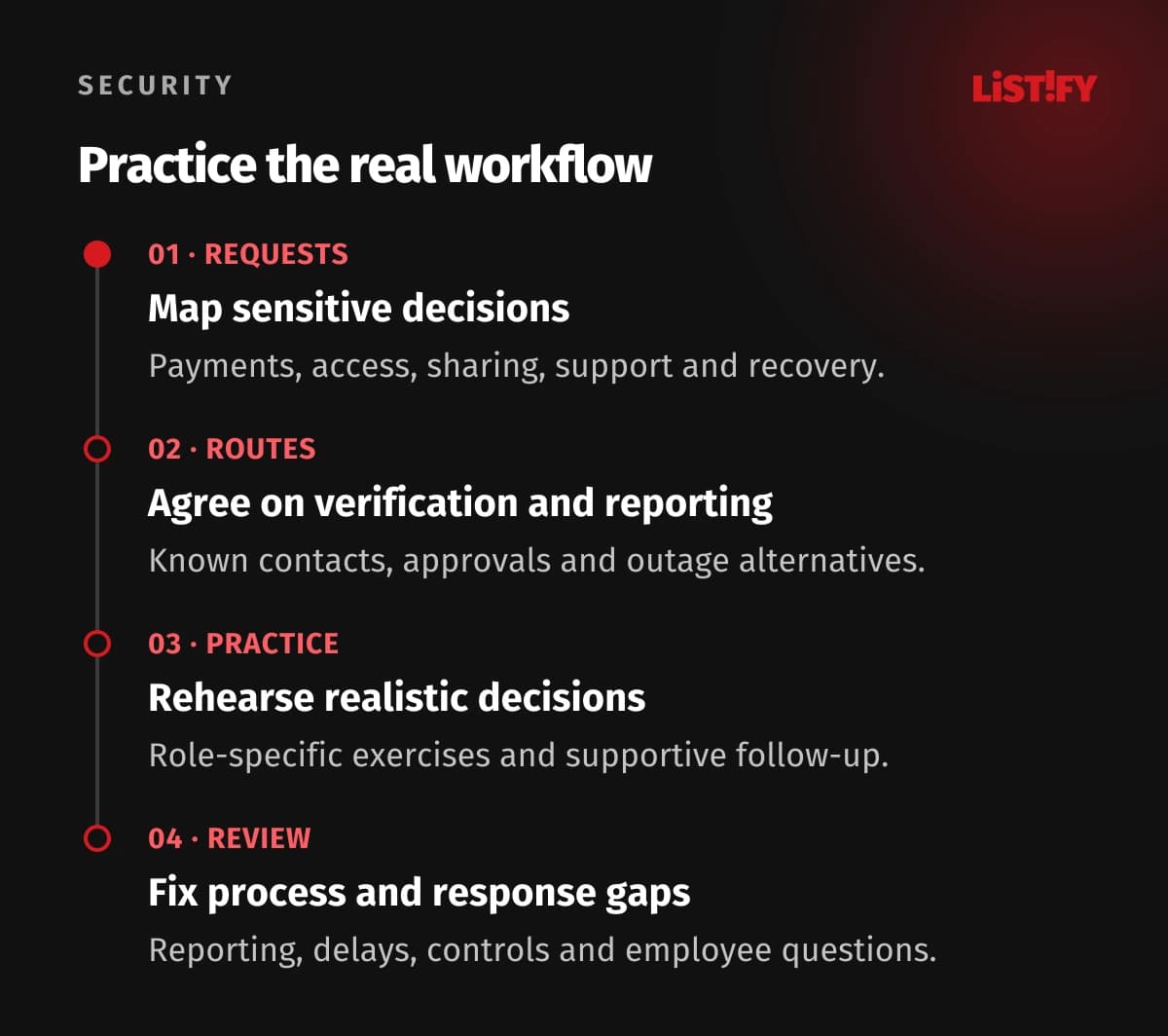
- Map sensitive requests. Identify payments, access, sharing, support, and recovery workflows with their owners.
- Agree on safe routes. Make verification, approval, reporting, and alternatives during an outage clear and usable.
- Practice the decisions. Run proportionate role-specific exercises and supportive follow-up, with approved data handling.
- Review the evidence. Examine reporting, response delays, process gaps, technical controls, and what employees found confusing.
Measure reports and the time until useful response alongside exercise results. Review whether staff can find the right contact and complete legitimate work safely. Interpret changes with scenario difficulty and exposure in mind. One click rate cannot summarize your company's resilience.
08Questions about preparing employees for phishing
Should training focus on spelling mistakes?
They can be clues, but polished language and familiar branding do not prove a request is genuine. Teach employees to check the requested action and use an independent trusted route for sensitive decisions.
Can a message from a known colleague be fraudulent?
Yes. An account can be impersonated or compromised, and a genuine conversation can be misused. Keep sensitive requests tied to verification and approval rather than trusting the display name alone.
Should we punish people who fail a simulation?
Use supportive follow-up and investigate knowledge or process gaps. Fear can discourage prompt reporting. Set the exercise's boundaries and data handling with the responsible internal teams before running it.
What if an employee already clicked?
They should report promptly and accurately, including any login, approval, download, or payment. The response team follows the appropriate account, device, or finance process. Reporting afterward remains valuable.
Does MFA eliminate phishing?
No. Methods differ, and recovery, sessions, permissions, and alternative access routes still matter. Prefer supported phishing-resistant authentication for important accounts and maintain the wider controls.
How do we verify an urgent payment change?
Use the established independent contact and approval process. Do not rely only on contact details inside the request. Provide a documented alternative when the usual approver is unavailable.
What should we measure?
Useful reporting, response time, workflow gaps, technical control performance, and employee understanding. Interpret simulation results with their difficulty and context; do not treat a single click rate as the whole result.