MFA and passkeys: protect business accounts without losing access
The finance team has enabled MFA, but one legacy login still accepts a password alone. An administrator uses a passkey, but nobody has tested recovery after losing every device. Better sign-in methods matter. So do the routes around them, the people who approve recovery, and the ability to keep working when something fails.
Multifactor authentication, or MFA, uses distinct authentication factors. Passkeys use public-key credentials to support phishing-resistant sign-in, often with a device unlock instead of typing a password and another code. They are related approaches, not interchangeable labels for every login experience.
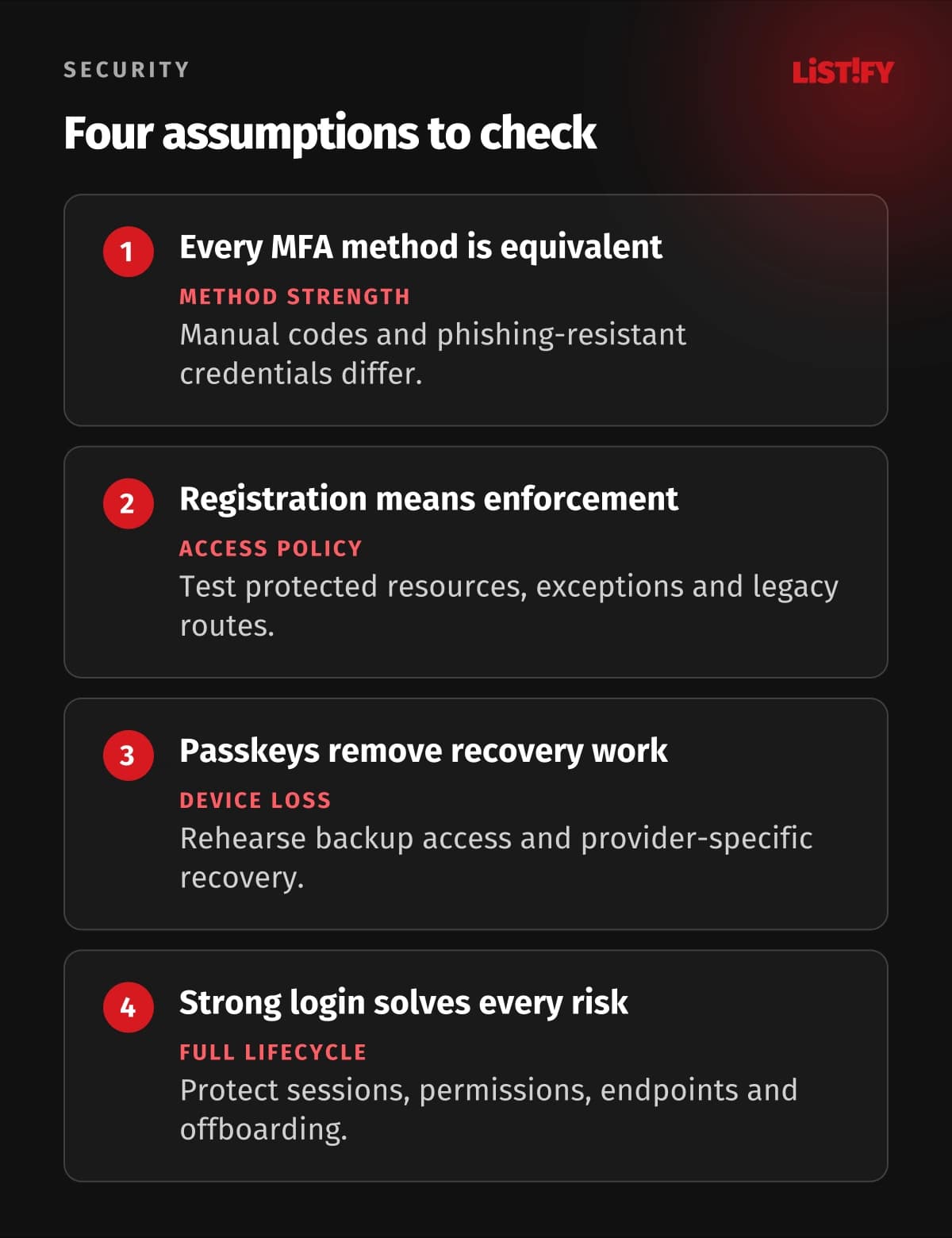
For a business, evaluate the complete account lifecycle: enrollment, everyday access, sensitive actions, new devices, recovery, and removal. Choose methods that fit the risks and people involved, then verify the service actually requires them. A method registered in an account is not necessarily a method enforced on every access path.
01Start with the accounts that control the business
Inventory email and identity accounts, cloud administration, domains, source repositories, finance systems, customer platforms, and remote access. Include owners, administrators, contractors, and emergency accounts. Find where one account can reset another or grant access across several services.
Prioritize accounts with broad access or the ability to change money, permissions, or infrastructure. Then extend protection to the wider workforce. Customer accounts may need a different enrollment and recovery design from staff accounts. A single rule chosen without considering device access, accessibility, or support can create avoidable lockouts.
Give people individual identities and permissions suited to their work. Strong authentication on a shared administrator account still leaves unclear ownership and offboarding. Review service and application credentials separately: a human passkey does not automatically protect an API key copied into a deployment job.
Connect this review to the systems behind the login. The web application security checklist covers surrounding application controls. Authentication is one part of that protection.
02Compare the methods instead of treating all MFA alike
Factors commonly include something you know, something you have, and a biometric characteristic used with an authenticator. Two passwords, or a password and another memorized PIN entered as independent secrets, do not establish two different factor types. The implementation and verification matter as much as the number of screens.
| Method | Useful characteristic | Important limit or operating task |
|---|---|---|
| Password plus SMS code | Adds a possession-related check through a phone number | Phishable codes and phone-number risks; review recovery and service availability |
| Password plus authenticator-app code | Does not require delivery of each code by SMS | Codes can be relayed by phishing; protect enrollment and replacement |
| Password plus push approval | Can offer a convenient approval experience | Unexpected prompts and relay risks remain; review the exact approval controls |
| FIDO2 security key or device-bound passkey | Public-key sign-in bound to the relying party | Register suitable backup access and plan device loss, support and policy |
| Synced passkey | Can make a credential available through a supported passkey provider | Understand synchronization, provider-account protection, recovery and business policy |
NIST's current authentication guidance distinguishes phishing-resistant authentication from passwords, manually entered one-time codes, and out-of-band methods. It is technical guidance with a defined US government context, not a universal legal mandate for every business. Use the distinction to make a deliberate method choice.
Phishing resistance is valuable because a fraudulent site cannot simply relay the same sign-in proof to the legitimate service. Prefer supported phishing-resistant options for important accounts. Other MFA can still be a practical improvement where stronger methods are unavailable, but do not describe a code or push prompt as equivalent protection.
03Understand what a passkey changes
FIDO Alliance describes passkeys as FIDO credentials using cryptographic key pairs. They can be synced through a passkey provider or bound to a particular device. The service holds a public key and verifies a signed response; the user does not send a reusable account password as that sign-in secret.
A person commonly authorizes use with a device PIN, fingerprint, or face check. That local unlock is different from typing a second secret into the website. Google's passkey overview explains this experience and the credential's relationship to the registered app or website. Verify support across the browsers, devices, and applications your users need.
Biometric verification in WebAuthn does not send the biometric data to the website. The WebAuthn specification describes local verification and the signed indication of its result. A person can also use a supported PIN-based route. Do not require a fingerprint sensor merely because your first demo used one.
Synced and device-bound credentials have different availability and management tradeoffs. A business may permit an approved synced provider for some users and require managed hardware for sensitive roles. Check the actual capabilities of the identity service, devices, and credential provider, including restrictions and supported recovery.
Phishing-resistant sign-in does not make the account invulnerable. A compromised endpoint, stolen session, weak recovery process, excessive permissions, or another allowed login route can still matter. Keep device security, sessions, application authorization, and account lifecycle controls in the same review.
04Design recovery before enforcing the new rule
List realistic failures: a lost phone, broken security key, unavailable passkey-provider account, changed number, or loss of every normal device. Decide which registered alternative or controlled recovery process addresses each case. A spare credential helps only if it is enrolled, usable, protected, and accessible when needed.
OWASP's MFA guidance highlights recovery and factor replacement as important attack surfaces. Treat them as sensitive operations. Do not disable protection merely because a caller knows an employee's name, position, or other readily available information.
Define who may approve recovery, how identity is verified, which evidence is needed, and how unusual requests escalate. Notify the account owner through an appropriate existing channel and record changes. A person under pressure to restore a senior colleague's access needs a clear procedure and authority to follow it.
Where a service offers recovery codes, store them securely outside the same failure path they are meant to address. Understand whether they are one-time credentials and how to replace used or exposed codes. Avoid placing every fallback in the phone that may be lost. Use the service's documented process rather than inventing a bypass.
Provider recovery differs. Apple's passkey security explanation describes iCloud Keychain synchronization and recovery protections. It is an example for that ecosystem, not a guarantee that every provider or lost-device scenario works the same way. Rehearse the supported route for your business setup.
Maintain a controlled emergency-access account or route where the system requires one. Protect it, restrict its purpose, monitor its use, and test it. Separate its handling from routine password resets. After use, review the incident and restore the intended protections.
05Verify enforcement and remove forgotten access paths
Enrollment and enforcement are separate milestones. Confirm that users have a working method and recovery before applying a rule, then test access to the protected resource. Check exceptions, guests, contractors, older clients, and separate administrator interfaces. A policy name is not evidence that every route is covered.
Microsoft Entra authentication strengths illustrate how a service can require particular method combinations for access. Microsoft distinguishes general MFA, passwordless MFA, and phishing-resistant MFA. Verify licensing, supported methods, and policy behavior for your actual environment instead of assuming every identity product uses those settings.
Inspect legacy protocols, application passwords, local accounts, and fallback methods. Some may bypass the intended control or need a different integration. Remove unnecessary routes after checking dependencies, and document approved exceptions with an owner and review date. Avoid disabling a production integration without a tested replacement.
Check what happens to existing sessions when you change an account or recover access. Signing out, revoking tokens, changing a password, and deleting a registered credential may have different effects. Test the service's behavior and include relevant session cleanup in a compromise response.
Offboarding should remove the person's application access and privileges, address registered credentials where needed, and handle sessions and issued tokens. For synced credentials, simply removing one device is not necessarily removal of the account's authorization. The business service's identity and access record must be updated.
06If you build sign-in, test the whole lifecycle
Use a maintained authentication service or well-reviewed library where it fits. Adding a browser credential API does not by itself provide secure registration, account association, verification, recovery, or session handling. Make the complete flow part of the application's design and review.
For WebAuthn, correctly verify the challenge, expected origin and relying-party identifier, signature, account binding, and required flags on the server. Require and validate user verification when your policy depends on it. A touch indicating presence and verification of the user are different concepts. Avoid implementing cryptographic verification from a short tutorial.
Test adding, naming, using, and removing credentials; canceled prompts; unsupported devices; multiple accounts; new devices; and recovery. Keep account-switching clear. A customer should not accidentally attach a credential to the wrong signed-in account or lose access because a failed prompt leaves no understandable next step.
Review sensitive actions after sign-in, such as changing payout details or adding another authenticator. The existing session may need an appropriate fresh check. Also ensure fallback routes meet the intended risk level rather than letting an attacker choose the easiest method you still offer.
Use realistic device and browser combinations and include users with accessibility needs. Explain prompts in familiar terms, preserve useful work when reauthentication interrupts a task, and provide support guidance that matches what people actually see. Measure failures and recovery, not only successful registrations.
07Pilot, enforce, and keep the access model current
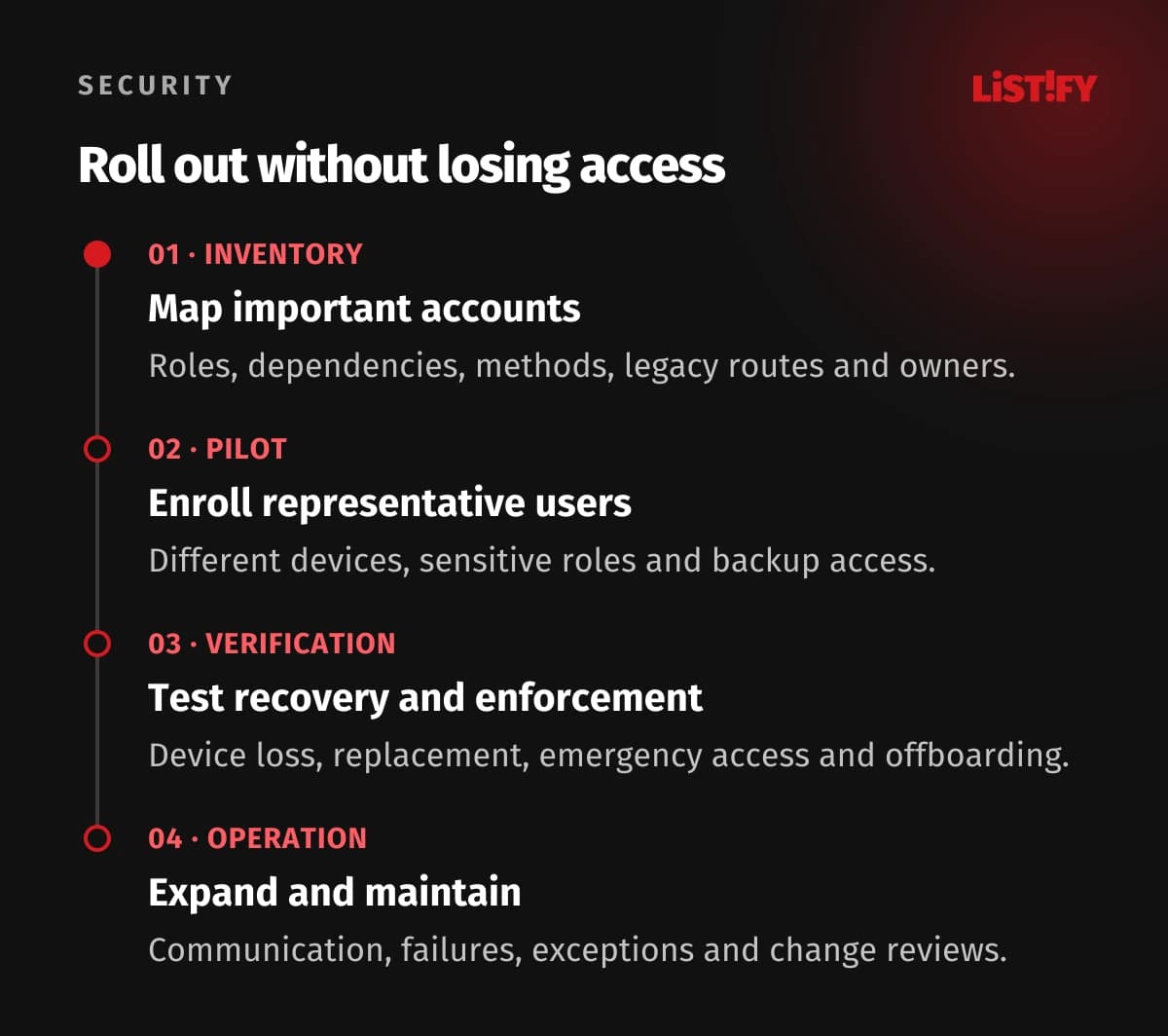
- Map important access. Identify accounts, roles, recovery dependencies, legacy routes, supported methods, and owners.
- Enroll a representative pilot. Include administrators, everyday users, different devices, and support. Register appropriate backup access.
- Test recovery and enforcement. Rehearse device loss, factor replacement, emergency access, offboarding, and access through alternate routes.
- Expand and maintain. Communicate the change, enforce the agreed policy, monitor failures and exceptions, and review after staff or service changes.
Track method coverage, policy exceptions, login failures, recovery requests, and time spent resolving problems. Use those observations to improve instructions and support. A completed enrollment campaign is a starting point; the protection needs to survive new employees, changed devices, and the next supplier update.
08Questions about business MFA and passkeys
Is an authenticator-app code phishing-resistant?
A manually entered one-time code can be relayed through a phishing site. It differs from a cryptographic sign-in proof bound to the legitimate service. Prefer supported phishing-resistant options for important accounts and assess the exact method.
Does a passkey count as MFA?
An authenticator with appropriate local user verification can combine possession and a PIN or biometric check. Whether the actual transaction meets a required policy or assurance level depends on implementation and verification, not the label alone.
Do websites receive our fingerprint data?
WebAuthn biometric verification is performed locally and does not disclose the biometric data to the website. The service verifies the credential response and relevant indicators. Supported PIN-based verification is also possible.
Should we choose synced or device-bound passkeys?
Consider the role's risk, managed-device policy, provider-account protection, portability, recovery, and supported enforcement. Different groups may need different choices. Verify the actual service and authenticator capabilities.
What if someone loses every device?
Use the documented recovery route you planned and tested, with appropriate identity checks and approval. A separate registered credential may help, but provider recovery and emergency access vary. Do not assume synchronization resolves every loss.
Can we leave an easier fallback indefinitely?
Review whether it undermines the protection you intend. Keep necessary exceptions explicit, restricted where possible, and periodically reviewed. Test how attackers or users can select alternate access routes.
What should we do before turning enforcement on?
Confirm representative users can sign in, use backup access, and recover safely. Test policy coverage, legacy dependencies, emergency access, support, and offboarding. Communicate what changes and who can help.