Black Friday and Christmas 2026: What to check in your online store this October
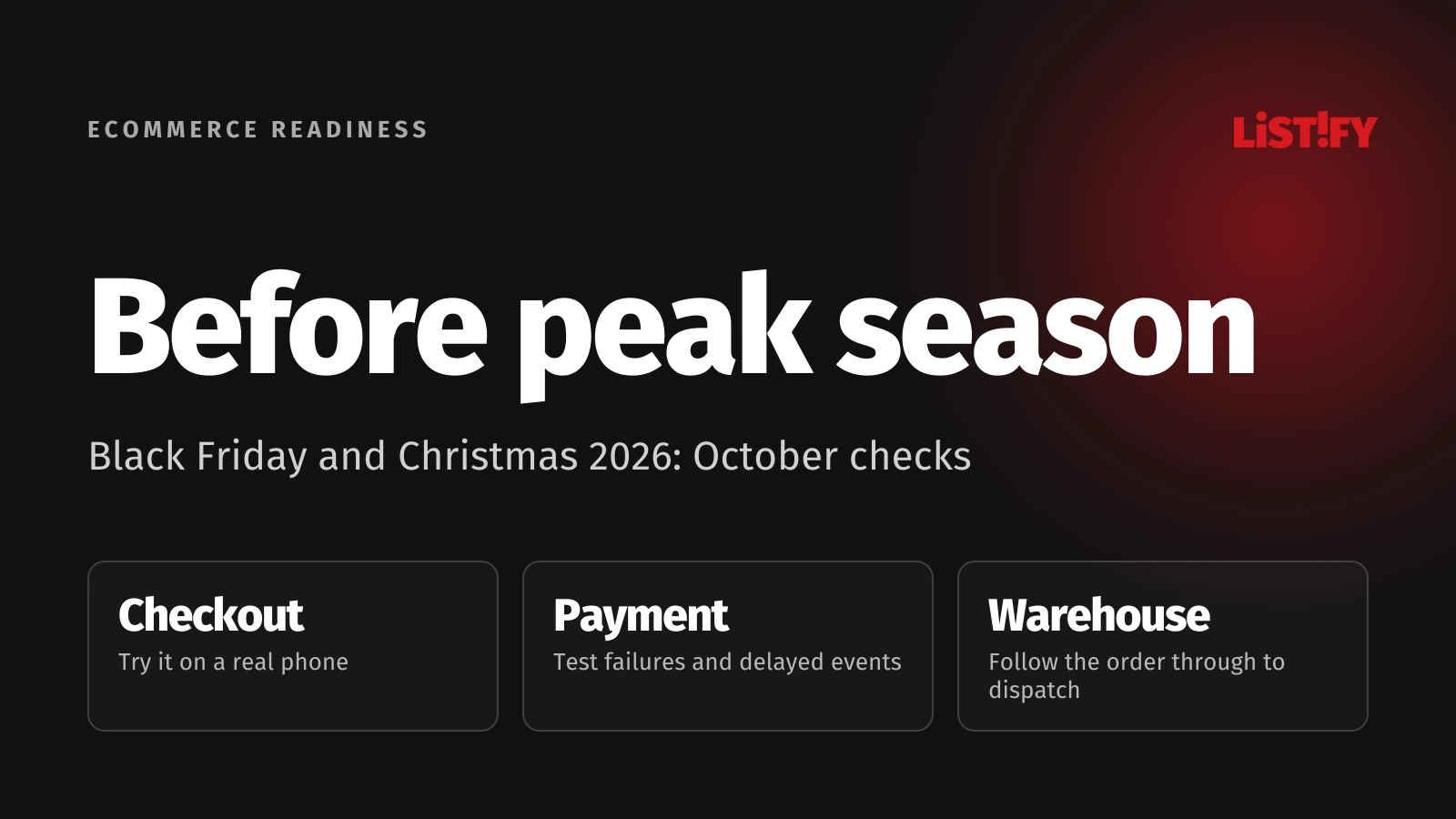
A customer pays, but the order still appears unpaid. Two shoppers buy the last item. A collection-point selector will not work on a phone. These problems deserve attention before the next promotional banner. October 2026 is the time to test the whole order journey, fix gaps and agree who will respond when something fails.
01Follow one order from campaign link to dispatch
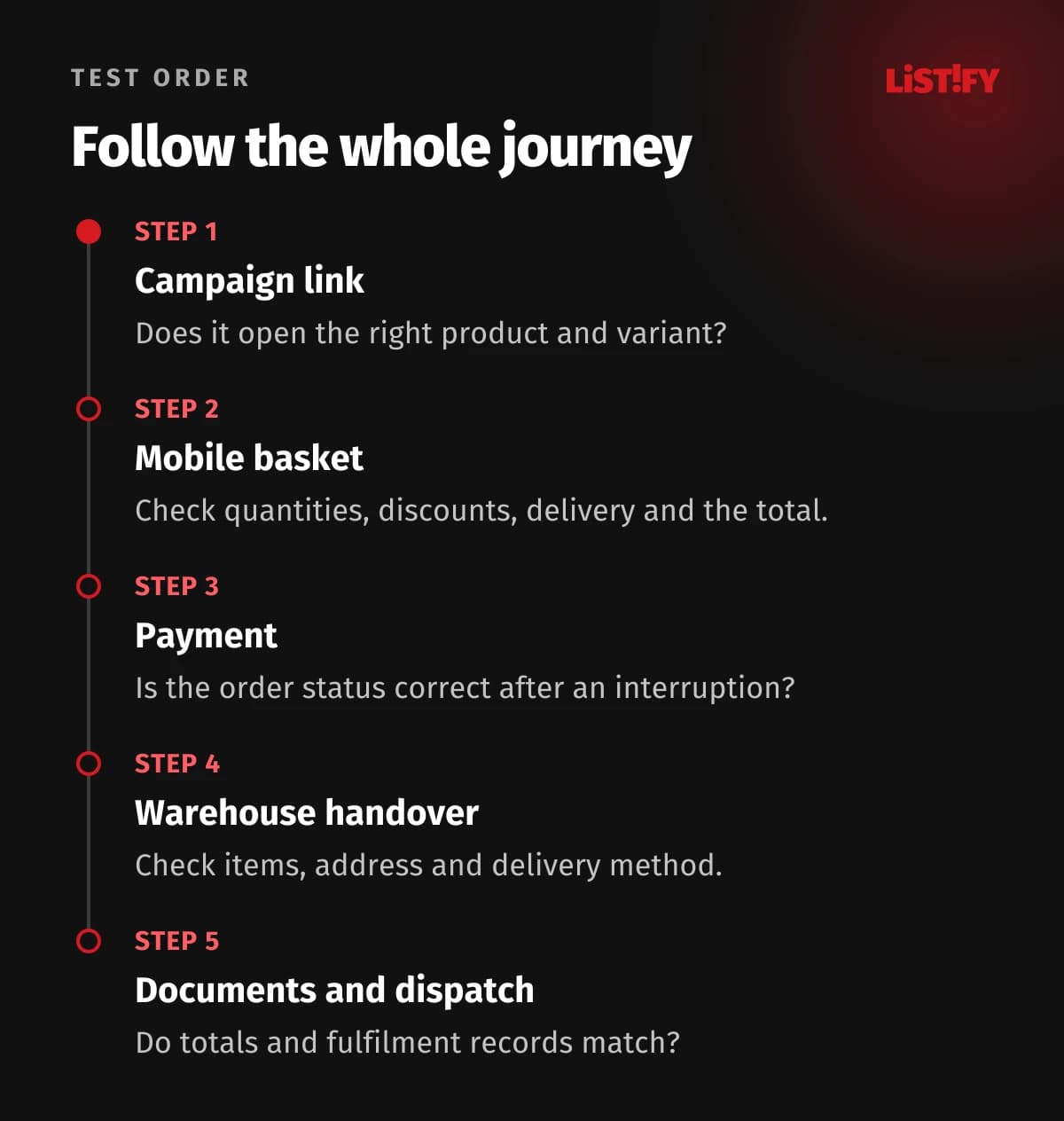
Choose a product you actually plan to promote and buy it as a new customer. Open the campaign link, select a variant, add it to the basket and follow the order through to the warehouse instructions. Reaching the thank-you page is only part of the test.
Prepare test accounts and an environment that cannot trigger real dispatches or message customers. Where a production check is necessary, arrange a clearly identified test order in advance and assign someone to reconcile it afterwards.
For each scenario, record the expected outcome, actual result, test order number and person responsible for any fix. “Payments checked” tells you very little if nobody can explain what happened.
02Try the awkward mobile journeys too
Shop without an existing login or saved address. Use a phone representative of your customers' devices and try a slower connection. Check whether the keyboard covers buttons and whether correcting one field clears other information.
- Change the variant and quantity, then check the basket price.
- Try a valid, invalid and expired discount code.
- Change the delivery option after entering an address and check the total.
- Open the collection-point selector and go back.
- Reject optional cookies and complete the purchase.
- Return from the payment provider and check that the order is preserved.
A fast homepage does not prove that the basket responds promptly. web.dev's performance guidance explains how long JavaScript tasks can block interactions. Investigate slow price calculations, frozen delivery selectors and buttons that invite repeated taps because nothing appears to happen.
03Check payment failures as carefully as successful purchases
Ask your supplier to demonstrate success, a decline, cancelled authentication and a return after a connection failure. Use your payment provider's test facilities. For example, Stripe documents decline and authentication scenarios. This illustrates what to test; it is not a reason to switch providers.
| Scenario | Expected check |
|---|---|
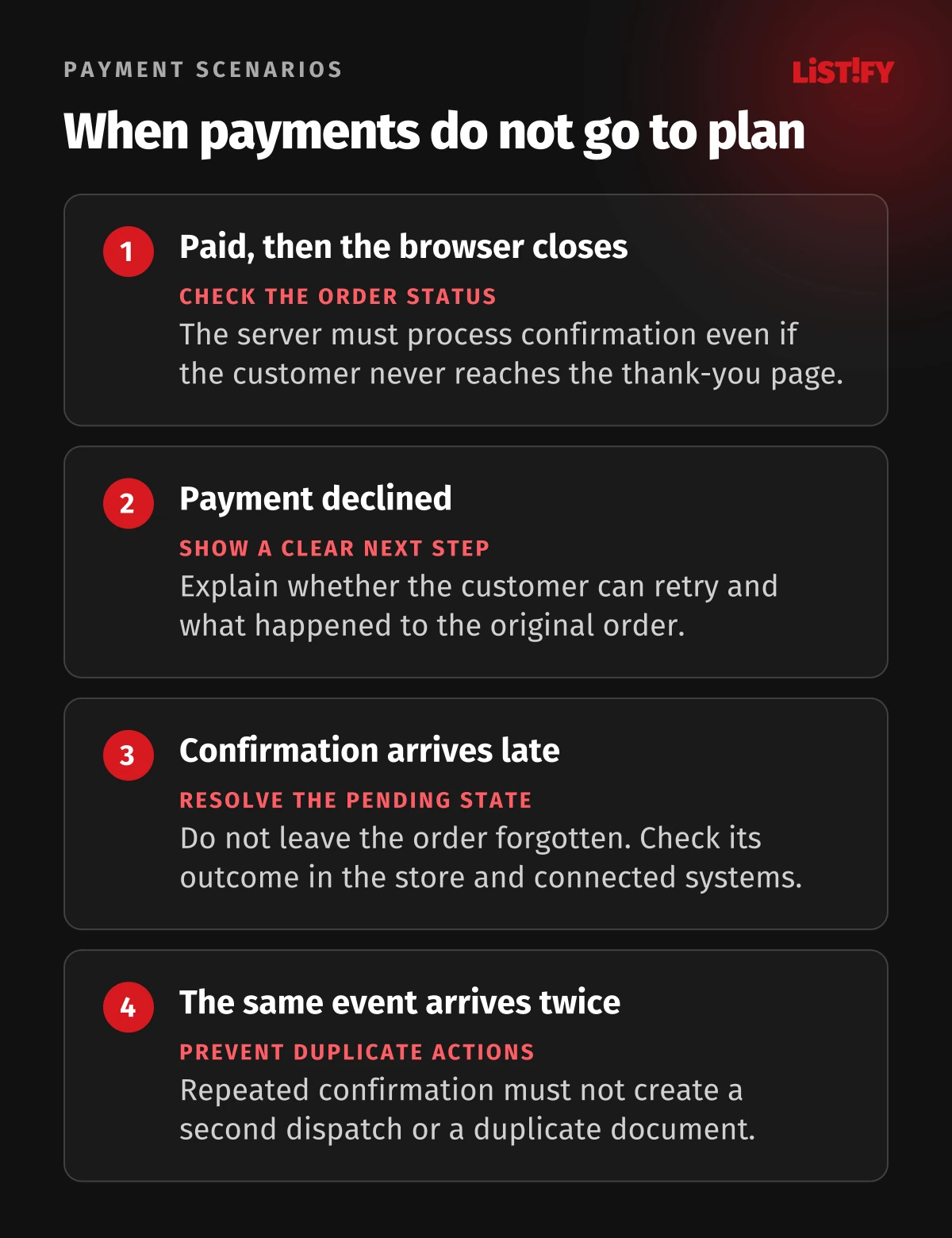
| Payment succeeds; the customer closes the browser | The order receives the correct status without a return visit |
| The provider declines payment | The customer has a clear way to continue |
| Confirmation arrives late | The system can resolve the pending order |
| The same event arrives twice | No duplicate dispatch or accounting document is created |
Stripe says order fulfilment cannot depend solely on a customer visiting the thank-you page: they may never reach it. Its fulfilment documentation requires server-side handling too. Check the equivalent mechanism for your provider.
Stripe also allows duplicate event deliveries and does not guarantee their order. Translate that into a practical test: repetition must not cause another business transaction. Check the warehouse and accounting system as well as the store's administration screen.
04Test the last item and delivery changes
In an illustrative test, make one unit available and have two customers attempt to order it at the same time. Agree the expected behaviour first: when the item is reserved, how long the reservation lasts and what happens after a failed payment. The result must match what shoppers are told.
Check variants, bundles and items also sold in a physical shop. After cancellation, verify that the reservation is released according to your rules. For a partly available order, compare the basket, customer confirmation and warehouse instructions.
If you use Merchant Center, Google requires consistent availability in product data, on the site and at checkout. Test a promoted variant after it sells out. Customers should not encounter a different availability claim when they arrive to buy it.
Check delivery choices for different addresses, parcel sizes and basket values. Distinguish dispatch dates from estimated arrival dates. Set Christmas delivery messages around actual warehouse capacity and carrier arrangements, and assign someone to update them when circumstances change.
05Make sure the people fulfilling the order receive it
Check the confirmation email, its contents and the order-status link. Support staff need another way to find the order if the email does not arrive. A sending log is not evidence that the customer has read the message.
At the warehouse, compare items, quantities, delivery method and customer notes. Check that accounting documents reflect the item totals, discounts and delivery charges. Resolve discrepancies in the connections between your store and other systems, so staff do not have to repair individual orders during the rush.
06Leave room in October for fixes and retesting
Start with problems that block purchases, lose orders or change amounts. Then address unclear messages, delivery issues and manual corrections. After each fix, repeat the original scenario and a normal purchase that the change might have affected.
Before launching the campaign, agree an operating plan:
- Who watches payment failures, pending orders and unfinished transfers?
- Who can pause a campaign or a problematic payment method?
- How can the latest change be rolled back, and who has access?
- Has restoration from backup been verified?
- Who communicates with the warehouse, support team and customers?
Arrange a load test with the operator, based on expected traffic. One successful order does not establish capacity for a busy period. Both functional and load testing belong in your preparation, but they answer different questions.
07Common questions
Is the rest of October enough?
It depends on what you find. Prioritise by impact on orders and allow time to verify the fixes. An approaching campaign is not, by itself, a reason to rush a major rebuild.
Do we need a new store before the season?
No. The answer may be a specific repair, configuration change or integration fix. Consider replacing the platform because of demonstrated limitations, not because the calendar says November is close.
08Prepare for a focused review
Send us your store address, payment provider, stock system and planned campaigns. Through our maintenance and support service, we can identify which scenarios to test first and how to address the problems before the seasonal rush.