Biometric login: implement Face ID and fingerprint access correctly
An app shows a fingerprint prompt and then opens a protected screen. That can be convenient, but the prompt alone says little about how the account is authenticated, where credentials are stored, or whether the server will reject an unauthorized action. The implementation behind the screen matters.
Face ID, Touch ID, and Android biometric authentication can help users access an app without repeatedly typing a credential. Define what that access means: unlocking local information, allowing use of a protected key, authenticating an account, or approving a particular operation.
Those tasks can appear in one customer journey, but they require different controls. A reliable design preserves the distinction and provides a secure route when biometrics are unavailable, changed, or deliberately declined.
01Separate local unlock from account authentication
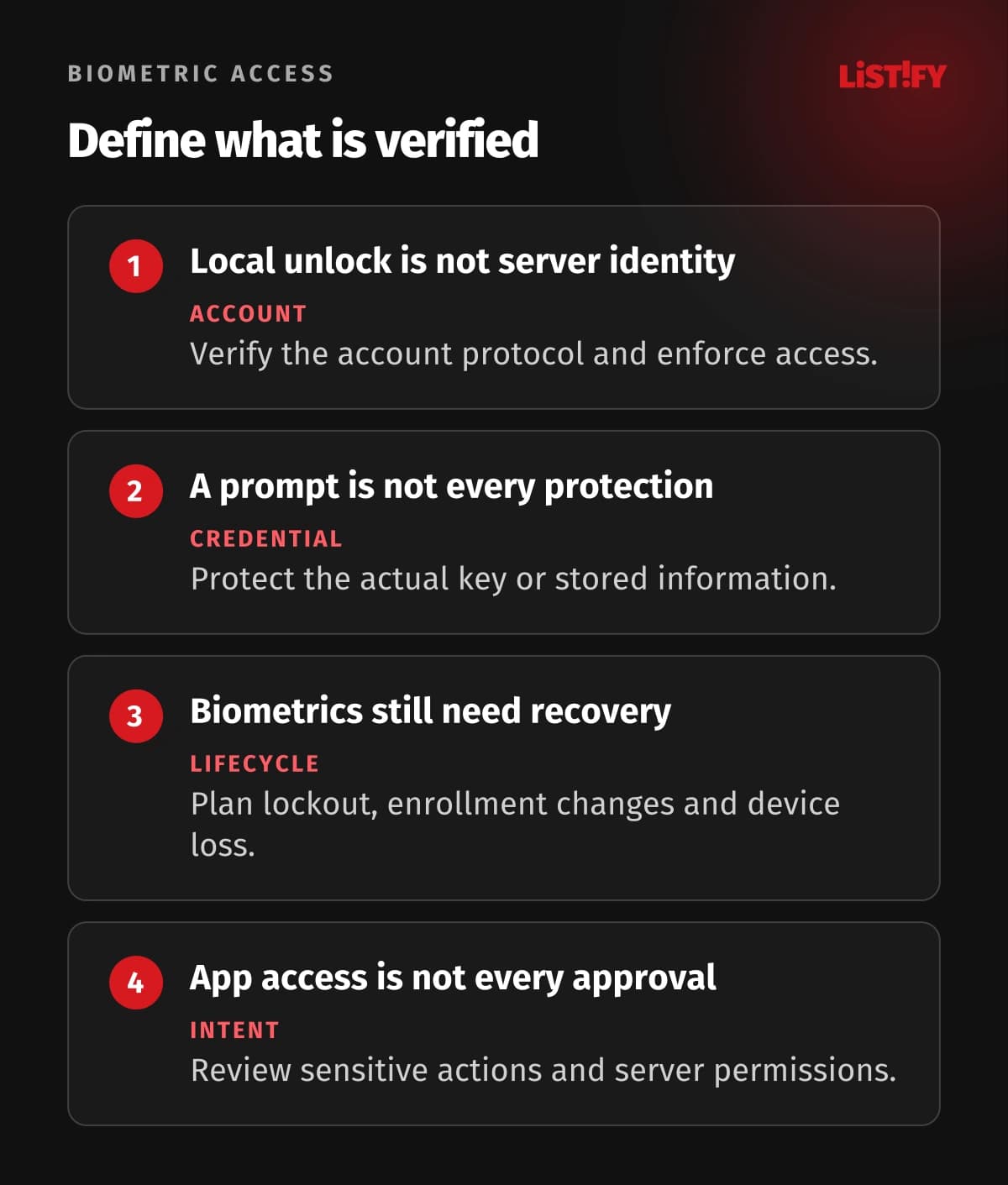
A local biometric check establishes that the device accepted an enrolled authenticator under the configured policy. It does not automatically establish the person's identity in your business system, the account they intend to use, or their permission to perform every operation.
For an account-based app, complete an appropriate initial sign-in and bind subsequent access to the correct account and protected credentials. Keep the server responsible for sessions and authorization. Do not trust a request simply because the app includes a field saying that biometric authentication succeeded.
| Task | What the design needs | What to avoid assuming |
|---|---|---|
| Unlock local app information | A defined local policy and protection for the actual data | A hidden screen alone protects its stored contents |
| Use a protected credential or key | Platform storage and appropriate authentication-bound access | A success callback is equivalent to every cryptographic protection |
| Sign in to an online account | A verified protocol, account binding and server validation | The server can trust a client-reported biometric result |
| Approve a sensitive operation | Clear intent, relevant checks and server-side authorization | Earlier app unlock approves every later action |
| Recover access | A reviewed alternative and credential lifecycle | Convenient support reset is automatically secure |
Consider shared devices and account switching. The operating system's enrolled biometric identities may not map one-to-one to the account displayed in your application. Define the intended use and binding, rather than using biometrics as proof of a person's legal identity.
02Use the operating system's authentication capability
Use supported system APIs for local device biometrics. Do not build an ordinary app-login feature by collecting a face photograph or a fingerprint image and treating it as a reusable password. That would introduce a different identity, privacy, and security problem.
Apple's biometric security documentation describes the sensor and Secure Enclave architecture. Its guidance on biometric uses explains that applications receive an authentication result rather than access to enrolled biometric data.
On Android, use the supported biometric authentication APIs and choose the allowed authenticator types deliberately. Biometric strength classes and device-credential alternatives affect the policy. A device offering face recognition does not imply the same capability or assurance as every other device.
Check availability and handle unsupported or unavailable authentication. Explain the option clearly, ask at an appropriate point, and allow the defined alternative. Users should not be trapped in repeated prompts when a sensor is unavailable or a legitimate change makes the previous route unusable.
Cross-platform frameworks can wrap the native APIs, but their convenience does not resolve configuration or security decisions. Review the actual platform behavior, library maintenance, and supported versions. Test devices that represent the users you plan to serve.
03Protect the credential or key that matters
For a sensitive local secret, bind protection to the relevant platform facility rather than storing it in ordinary preferences and merely checking a boolean before reading it. The security property should belong to access to the credential or operation, not just the presentation of a dialog.
Apple's Keychain protection documentation describes access controls associated with protected items. Choose controls that fit the use, device availability, synchronization requirements, and recovery design. Avoid assuming that every storage configuration has identical behavior.
Android supports authentication-related cryptographic workflows with BiometricPrompt and protected keys. Review the selected authentication mode, allowed authenticators, validity period, and enrollment behavior together. Some choices differ across versions or change how the cryptographic operation is authorized.
A longer validity window can improve convenience while changing when authentication is required. An operation that needs a fresh, deliberate approval may need a different policy from opening routine information after a recent check. Write down the intended behavior so testing can assess it.
Keep tokens and credentials out of logs, analytics events, screenshots, and unnecessary backups. Use appropriate server-side expiration and revocation as well. Local protected storage does not mean a stolen or obsolete session remains acceptable to the service forever.
04Use passkeys and server checks for the appropriate account flow
Passkeys can use a device's biometric or PIN verification to authorize a public-key credential operation. The server verifies the resulting authentication response rather than receiving a fingerprint or face template. This is a different mechanism from an app locally deciding to reveal a stored password.
The WebAuthn specification describes public-key credential operations and relying-party validation. Use an established implementation and verify the required response properties, challenge, origin-related rules, account binding, and user verification according to the actual flow.
Do not treat user presence and user verification as interchangeable. A touch confirming interaction can have a different meaning from verification through an allowed local method. The server needs to enforce the intended policy rather than assuming the prompt's appearance proves it.
Android's Credential Manager documentation describes account credential flows including passkeys. Choose the supported account mechanism and plan its lifecycle. Platform integration still needs correct server validation and a recovery process.
Keep the broader account controls: session management, revoked credentials, device loss, permission changes, and suspicious activity handling. A convenient sign-in feature is one part of the security architecture, as our mobile app security guide explains.
05Plan fallback, enrollment changes and lost devices
Define the alternative before enabling biometrics. It might be an approved device credential, another account authenticator, or a controlled recovery flow depending on the task. Evaluate how someone could use that path and whether it weakens the intended protection.
A biometric lockout is an expected condition to handle, not an exceptional reason to bypass checks. Explain what the user can do and preserve the appropriate account controls. Support staff need a procedure that verifies the request and avoids granting access merely because the caller says their sensor failed.
Review what happens when biometrics are added, removed, or reset. Platform access controls can react to enrollment changes depending on the chosen policy. The app may need to obtain the credential again through a verified account flow and explain why the local option must be reconfigured.
For a lost or replaced device, allow the user or organization to revoke relevant sessions and credentials through a secure route. Define which local material can transfer and which should be recreated. Do not promise that every protected key can move to a new device.
Keep accessible alternatives for people who cannot or do not want to use biometrics. The alternative needs understandable wording and suitable security. A user should know whether they are choosing device authentication or an account recovery procedure with different consequences.
06Make approval of sensitive actions explicit
Opening the app at the start of a session should not silently authorize a later bank-detail change, data export, or privileged approval. Decide which operations need renewed authentication, additional conditions, or a separate approval process.
Show what the person is approving before the check. A generic biometric prompt can be ambiguous when the surrounding interface hides the important operation. Keep the action, scope, account, and relevant consequence clear, then validate permission on the server.
Review offline behavior separately. Local information may be available under a defined policy, while a server-side permission change cannot always be confirmed without a connection. Decide how long local access remains appropriate and which operations require online verification.
Keep privacy claims precise. Using the standard local biometric API differs from collecting biometric information in your own service. Review the actual data, logs, analytics and applicable rules before writing a broad statement that the app processes no personal information.
07Test the lifecycle and failure paths
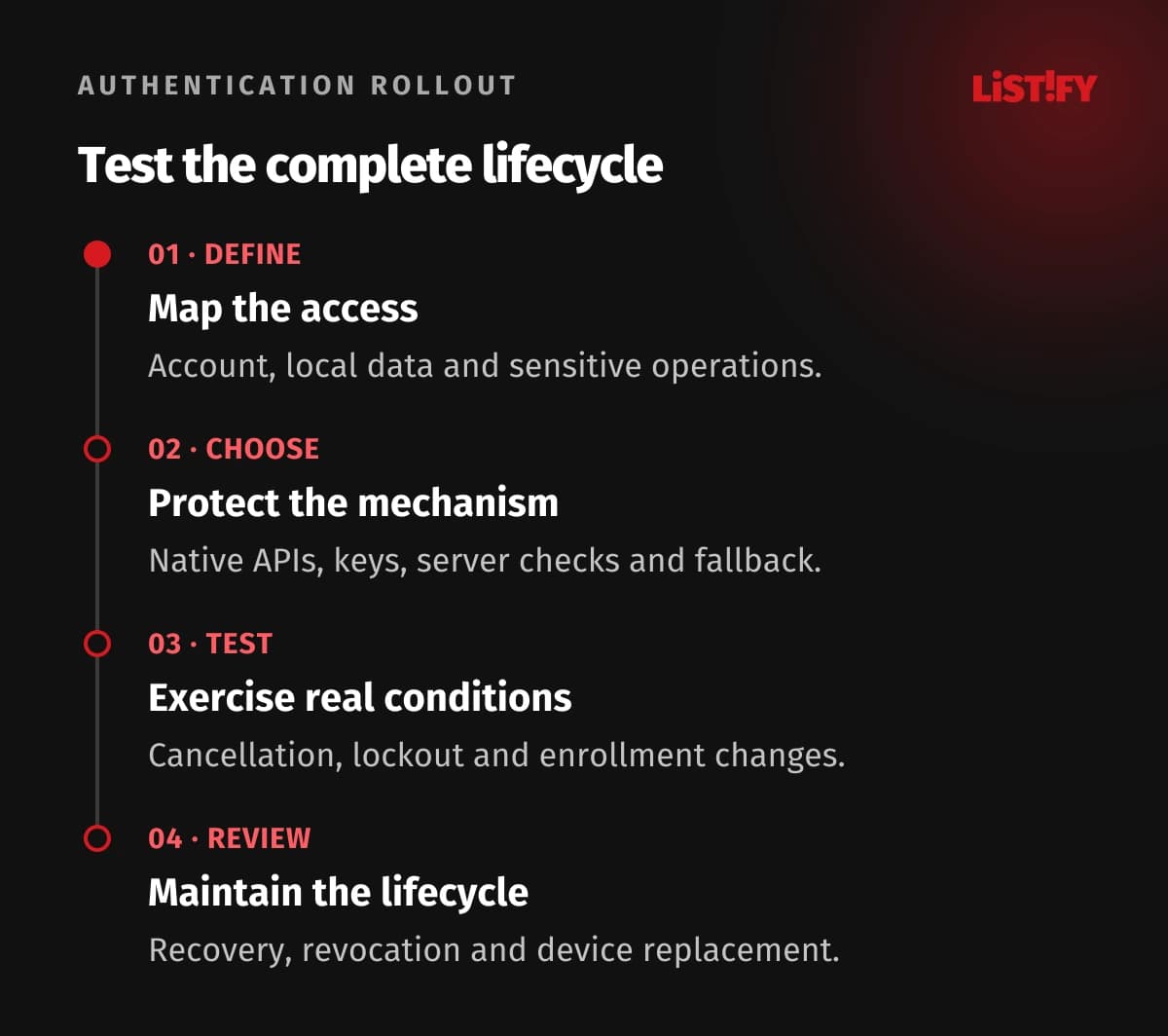
- Define the access. Identify the account, protected data and sensitive operations.
- Choose the mechanism. Review native APIs, keys, server checks and fallback.
- Test real conditions. Include cancellation, lockout, enrollment changes and account switching.
- Review the lifecycle. Verify recovery, revocation, device replacement and supported updates.
Use security testing as well as a happy-path demonstration. OWASP's mobile biometric guidance discusses implementation and assessment concerns. A successful prompt on one device is weak evidence about protected storage or server enforcement.
Test revoked sessions, modified client behavior, unavailable network access, repeated prompts, and interrupted actions. Review the outcome and stored state so cancellation cannot leave the app partially authorized. Recheck behavior after platform and library changes.
Agree what the product promises users and what the security implementation demonstrates. Document the supported devices, authentication policy, known limitations and recovery responsibilities. That makes the feature easier to maintain and the support process less likely to become its weakest route.
08Questions about biometric login
Does Face ID send a face image to our server?
Standard local biometric APIs provide an authentication result or support a protected operation, rather than giving your app the enrolled biometric template. A custom face-collection service would be a different design with different risks.
Can the server trust a client saying biometrics succeeded?
That statement alone is insufficient. Use an appropriate verified account protocol and enforce sessions and authorization on the server. Bind access to the actual credential and account.
Is every Android face sensor equally suitable?
No. Review supported biometric strength classes, allowed authenticators, device and platform behavior, and the intended task. Test the actual device range.
Are passkeys the same as a local app lock?
No. Passkeys use public-key account authentication, often authorized locally through biometrics or a PIN. The server verifies the protocol response. A local lock can simply control access on the device.
What happens when a user adds a fingerprint?
That depends on the selected platform policy and protected key or item. Review enrollment-change behavior and provide a verified route to reconfigure local access where needed.
Can we remove every fallback for better security?
Define a suitable recovery and access strategy for the users and task. Biometrics can be unavailable or declined. Evaluate the alternative carefully instead of leaving support to improvise a bypass.
What needs testing before release?
Check protected credentials and server enforcement, then cancellation, lockout, unavailable sensors, enrollment changes, account switching, revoked sessions, device replacement and recovery. Include supported versions and devices.